Tag: iphone

  • Best VPN for iPhone

    Best VPN for iPhone

    While it might sound weird that you’d want a VPN for a phone, it’s not a bad idea to have one. While iOS is great at protecting user security, it’s not able to help you when you’re surfing the web. The real reason you’ll want one of these is if you use public Wi-Fi often. Public networks are often unsecure, and any data sent to and from your phone while on them could be intercepted by hackers. If you want to keep your encrypted info safe from prying eyes, try these VPNs! They offer great protection for your mobile browsing.  

    Golden Frog VyprVPN 

    Golden Frog is a clean, well laid-out VPN with a lot to offer. While it doesn’t offer as many licenses per subscription as some of the competition, it’s a solid pick. It’s ten dollars to start and five bucks a month. Sadly, it doesn’t offer any ad-blocking. What it does offer, though, is a free trial and a ton of servers. Your server speeds on this one will be blisteringly fast! If speed is your bag, try Golden Frog. 

    Cyber Ghost VPN 

    Offering seven licenses per $2.75 a month subscription, Cyber Ghost is a good choice. The interface is unique and weird in a good way. Privacy is a major concern of this one, and it does a good job logging very little user data. You can’t location spoof while streaming, though, so if you’re trying to appear as though you’re somewhere else, this isn’t the right VPN. That said, this is still a fine VPN, and it costs $12 to get started. The $2.75 per month deal is limited time, though, so check it out soon! 

    Nord VPN for iPhone 

    If you’ve ever looked into VPNs, you’ve definitely seen the name Nord. They’re well-renowned for a reason, and it’s because they’re good. Their VPN for iPhone offers a ton of servers and great features. Just like Cyber Ghost, it’s $12 to get started and $2.75 per month. Also, like Cyber Ghost, that’s a limited time price. That said, if you’re looking for a strong iPhone VPN, this is a great pick. Offering six simultaneous connections and blocking ads is a pretty mean feat on an iPhone. The app and layout are both friendly and welcoming, too! Great for first-time VPN users. 

    Our Favorite VPN for iPhone: KeepSolid VPN Unlimited 

    Starting a $8.99 per month, this is a fantastic VPN for the money. It supports Open VPN and sports great speeds. KeepSolid boasts servers specifically tooled for streaming, which is awesome. It also offers a personal VPN server for users! That said, it has no free trial, which is a bummer. Compared to Nord it has a small number of servers, too. That said, the interface is excellent, and the user experience is top-notch. If you’re looking for a fantastic VPN for iPhone, this is the one for you! 
  • iOS 12 Improves Performance on Older iPhones

    iOS 12 Improves Performance on Older iPhones

    You have probably read our articles on some of the big news out of the WWDC this week already. Apple gave a preview of iOS 12, the next operating system for iPhones and iPads, at its annual WWDC conference in San Jose this week. Today im going to tell you about a big feature that will enhance everyone iPhone, yeah even the older ones. The iOS 12 improves performance ?

    For any iPhone capable of running iOS 11, when upgrading to the iOS 12 you will notice some vast improvements. This is first iOS upgrade that will make your iPhone….faster…

    Yes you heard that correctly, the new iOS 12 improves performance on previous models on the iPhone.Apple says iOS 12 will launch apps 40% faster and the camera 70% faster on an iPhone 6S — the model that came out in 2015.

    Release Date, We Can Guess That

    That is great news everybody! When can we update!!  Its safe to say the iOS 12 update will be available in September, much like every year. They release it a few days before the new iPhone ships. So for those of you with the 6s experiences apples slowdown to maintain your battery life, you will just have to keep waiting. Or will you…

    For a small $99 per year you can subscribe to be an apple developer and beta test new software. Along with getting the software updates way earlier,  you also get access to their developer tools as well. SO yeah you can jump in now and start beta testing the iOS 12 months before the rest of us, with all the new goodies at your disposal. However as fantastic as this sounds remember that ios 12 is not finished and will likely encounter more bugs and crashes than you can handle. You can download the software through Xcode, which is what programmers use to build iPhone apps. You can also install it by adding a profile to your iPhone or through iTunes.

    The Final iOS 12 Improves Performance Thought

    Its gonna be a good software update year, lot of performance perfections coming. Lets hope apple can deliver on this promise..

  • Tech Throwback: Motorola E1 Rokr, The First iPhone

    Tech Throwback: Motorola E1 Rokr, The First iPhone

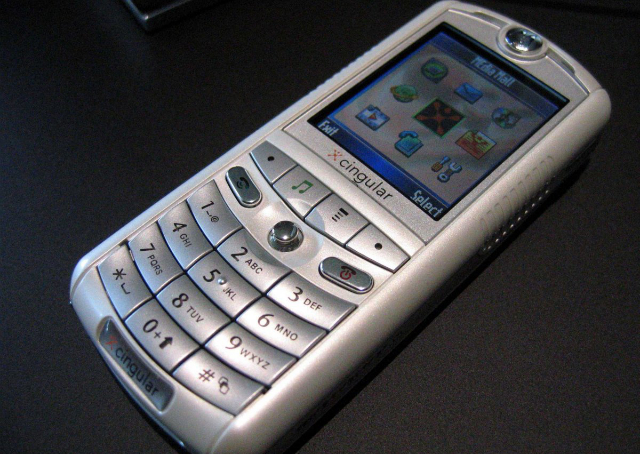
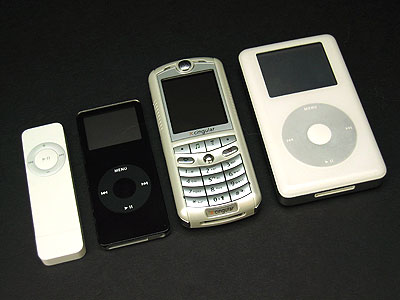
    I like to take a look at where I’ve been to evaluate where Im going. Technology is cyclical after all… wait no its not. That said I still like all the feels that come rushing back like a flood of nostalgia every time I get my hand on the tech I grew up with. Im going to go back periodically and take a looking at the stuff that used to blow our hair back and get our minds rolling. Some of these device blew up and changed the world, some where ahead of their time and some just fell flat and became colossal failures. Today we have a flop but it set the table for one of the greatest tech revolutions of mankind’s existence. Before there was a thought of an iphone, there was Apples first foray into the mobile world. There was a partnership with Apple and Motorola for the Motorola E1 Rokr.


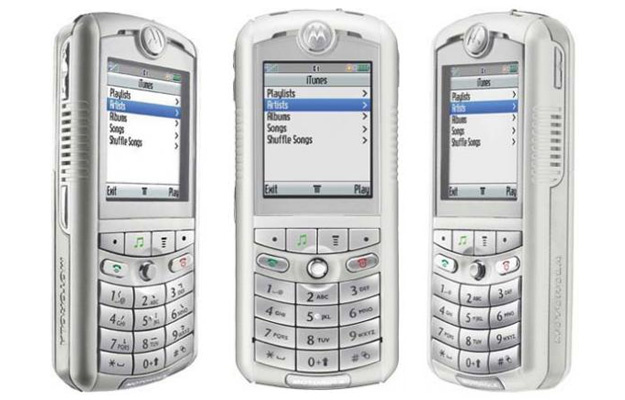
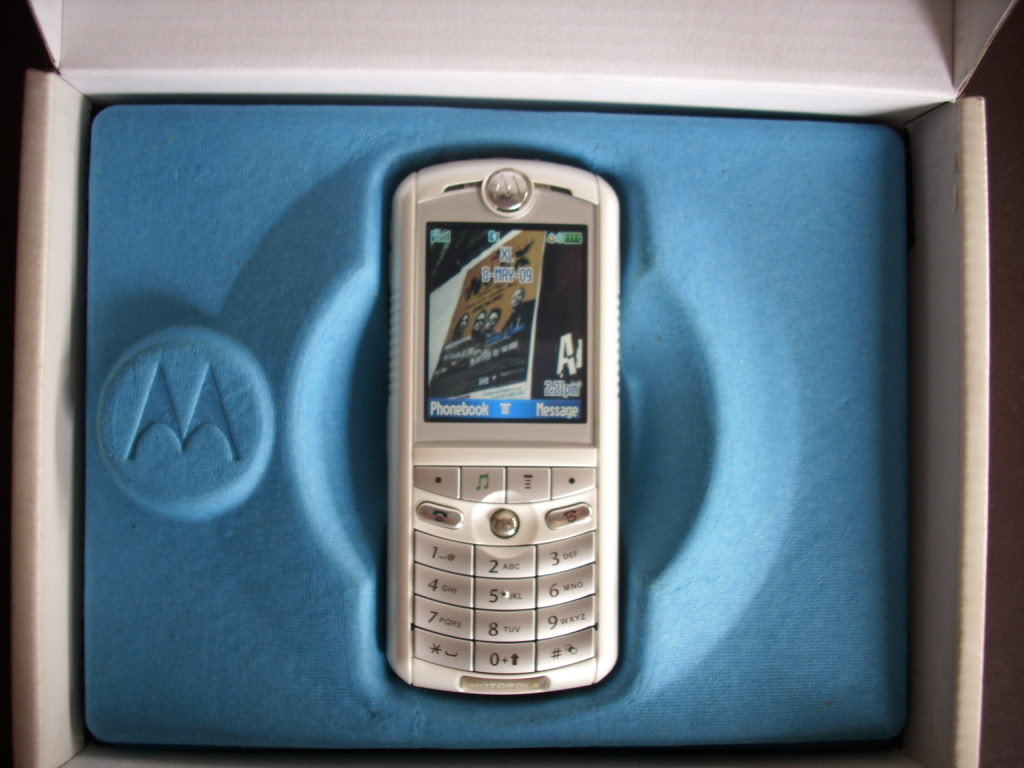
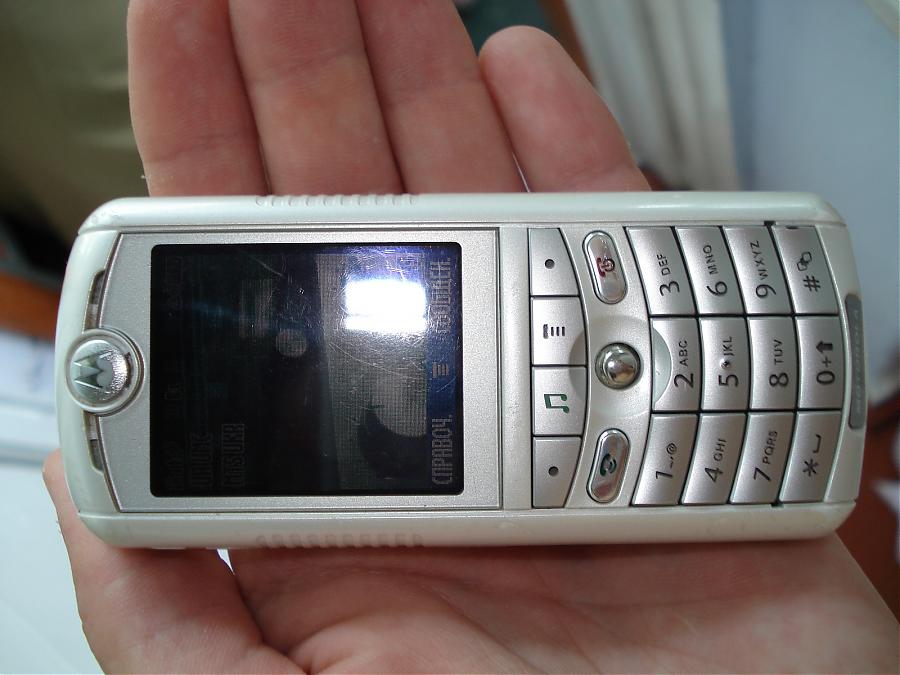
    The Motorola E1 Rokr

    The Rokr E1 is a repackaged Motorola E398 candybar style phone. However this new bombshell would come with Apple-licensed technology to play back iTunes Music Store purchased music. This doesn’t sound very stellar but at the time this was huge. Phones where just getting cameras. The V3 Razr was blowing up the cellular world, cell phones where now not just fashion accessories but status symbols as well.

    Launched on September 7, 2005 in San Francisco, California, the E1 is the first phone to be integrated with Apple Inc.’s iTunes music player. It features a music player with an interface similar to that of Apple’s iPod music players.

    The next phone being the first iPhone in 2007. This made the Motorola Rokr highly anticipated and tech sites were following the collaborations between Motorola and Apple as far back as December 2004.The Motorola e1 Rokr was a Cingular exclusive. Cingular had dedicated an endcap and standalone display in all of their corporate owned stores.

    Powering Up The Rokr

    I found a gently abused Motorola E1 Rokr on ebay, a new battery and we are powering it back up. It shows the Motorola logo and familiar os pops on. I spent many years with a motorola phone and this brings back floods of memories. It operates just like we all remember, even though the Rokr was not a popular phone the motorola brand was and it was everywhere from 2003-2009. The Cingular brand and Jack icon make me happy. It is basic AF, with only 9 options I’m fully through it a few unceremonious minutes

    But wait! The Rokr has a memory card still full of early ougt hits still on it. Keane, The Killers and Jets “are you gonna be my girl”! the speakers are awful. I am shocked this was acceptable, but at the time it was a wow. The 512 mb card is full with 83 songs on it.

    Its clunky, its slower then I remember the motorolas being. It just has the ipod music player, not the iTunes store so adding music on the fly is not a reality yet.

    The Flop

    Apple scheduled the iPod nano unveiling on the same day as the release of the Rokr. The Nano a success, the Rokr just something to look at in the Cingular store. The relations between Motorola and Apple were bitter and negative. Then Motorola CEO Ed Zander blamed the failure of the Rokr on Jobs and  later accused Apple of purposely undercutting the Rokr. Soon After the Rokr E1 was replaced by the E2, which lacked iTunes support and was superseded by the iTunes-enabled SLVR L7.


    The Final Thought

    At the time we had our fingers crossed that Apple and Motorola would unveil exactly what we had been dreaming of for years: a mobile phone with Apple industrial and software design, great call quality, and typically ingenious Apple feature simplification. ingenious Apple feature simplification. We would have to wait another year for that, The iPhone. But the Motorola E1 rocks got Apples gears turning and a stepping stone to Job’s magnificent Vision. Sometime we must fail to change the world and no one embodies that like Steve.

  • iOS 12, What We Got at the WWDC Today

    iOS 12, What We Got at the WWDC Today

    Its here! The World Wide Developer Conference is here! In its first day Apple (AAPL) unveiled iOS 12, the next major software update for iPhones and iPads. Here what we are getting in the September update.

    iOS 12 Speed Increase

    Apple Senior Vice President of Engineering Craig Federighi emphasized that with iOS 12, its all about speed. “For iOS 12, we’re doubling down on performance,” said Federighi. We know Craig, we have the need for speed, its important, its inherent, there is nothing we can do about it. Apparently this speed increase will extend to older iOS device users as well.

    Federighi said iPhone users can generally expect apps to get 40% faster, with the Camera launching up to 70% faster.


    AR Updates

    I predicted this was coming in my what to expect from the WWDC article earlier last month. I knew as we all dis that the iOS 12 update would include updates to Apple’s augmented reality software tools. Dubbed ARKit 2.0, the upgrades add the ability for multiplayer AR games on separate devices. In other words, both players will see the same scenario through their phones’ displays.

    Also announced by Apple is that USDZ as part of ARKit 2.0. USDZ is  a new AR-focused file format Apple developed in partnership with Pixar that lets users share 3-D models. Abhay Parasnis, CTO of Adobe (ADBE), took the stage to announces USDZ support across Adobe Creative Cloud. Its good to see these two getting along since the ugly adobe flash debates of the late 2000’s.  Parasnis locked in all in by saying.“With Creative Cloud, designers will be able to use apps they’re familiar with to create amazing AR content,”. That is all I needed to hear.


    Memoji

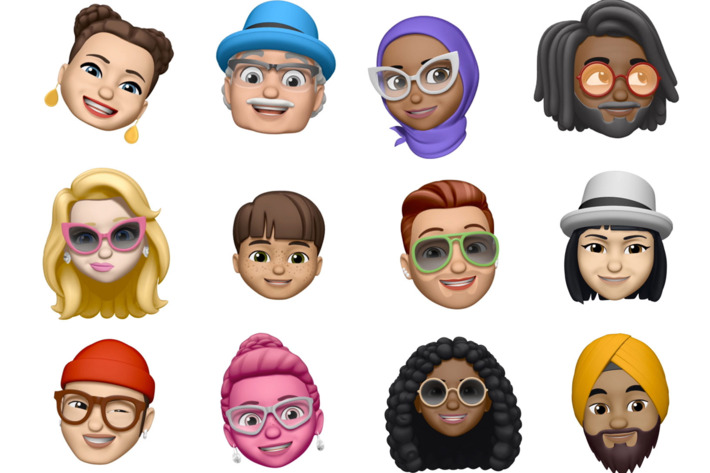
    Yeah, who didn’t see this coming. Now you will have the ability to emoji your self to an Animoji of yourself, dubbed Memoji. Sometimes people facetime me before I’ve have my morning coffee, not cool and highly invasive, I say. Now I can respond with my beautiful half me, half Elvis Memoji. Problems solved.  Apple says it will let users create their own personalized Animoji, or animated emoji, down to that new hairdo and sunglasses.

    Yeah more Animojis too,  including a ghost, a koala, and freaking T-Rex! I don’t know why that excites me so much but just let me have this moment people.


    Group FaceTime

    Well this scares me to pieces. When group text hit it drained my battery life for years to come, with constant, insistent banter from mild acquaintances grouped with my closest and most despised friends. It wasn’t uncommon in 2013 before group chat etiquette was willed in to existence that one would received 60-70 messages in the 15 minute span that weren’t staring at their phone.   braces yourself people for group facetime…

    Group FaceTime, which will work on iPhone, iPad, Mac, with audio available for the Apple Watch, takes the idea of group video chat to a whole new annoying  level for iOS 12. This will let up to 30 people all participate in the same FaceTime.

    Federighi demonstrated how group FaceTime works, with a row of tiles at the bottom displaying all the FaceTime participants. As someone speaks, a video window above that row of that speaker enlarges.


    The Final Thought

    Its the first day people. we still got lots more to come. I just wanted  to share a little bit of what I was excited about and some of the things that will breed new technological nightmares… Ill keep you updated daily with the best from the WWDC. See you tomorrow…maybe..


  • Ten Features We Want to See Most in iOS 12!

    Ten Features We Want to See Most in iOS 12!

    On June 4th, at the Worldwide Developers Conference, Apple is set to unveil their new iOS 12. Before then, though, we can only guess what kinds of new functionality are on their way. In the meantime, though, we certainly know the features we want to see! Read on to find out which new features we’re hoping make it to iOS 12. 

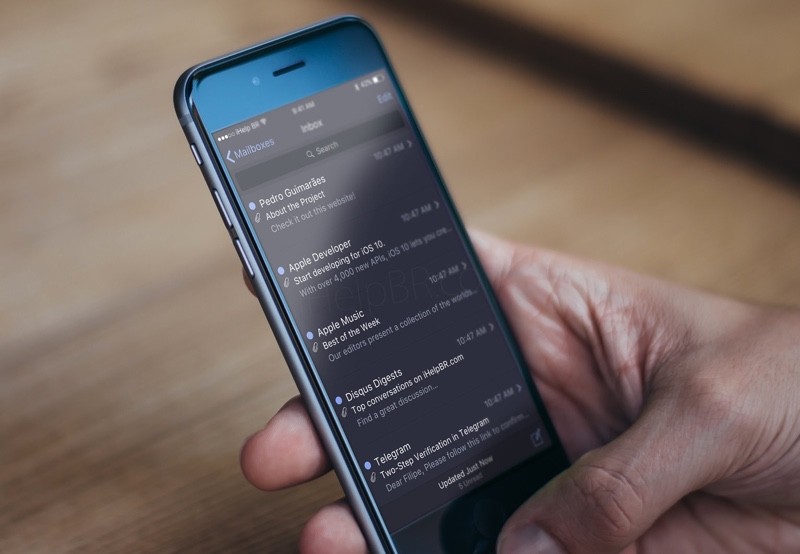
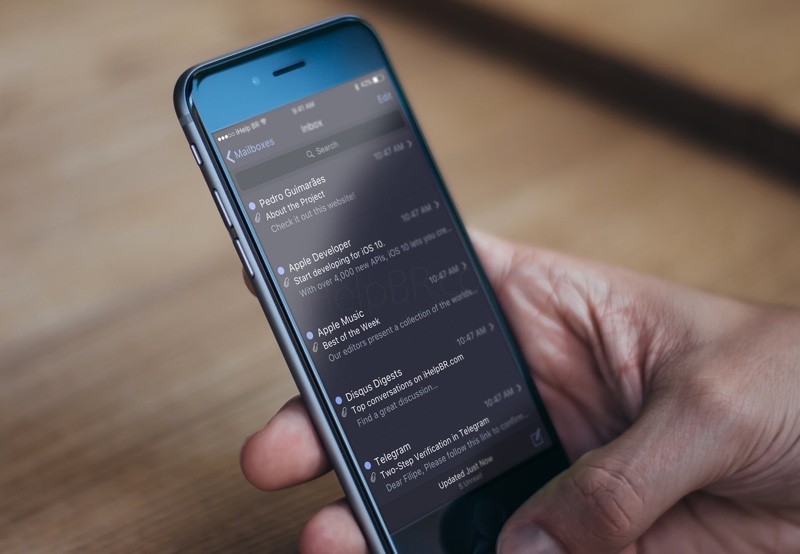
    Dark Mode 

    Photo Credit: iHelpBR 

    iPhone users have been asking for a system-wide dark mode for quite some time. While Android has been sporting this feature for quite some time, it has yet to be implemented on iOS. Many users prefer the aesthetic of darker menus with white text, but only certain apps support dark modes on iOS. With luck, it will be a feature unveiled at WWDC! 

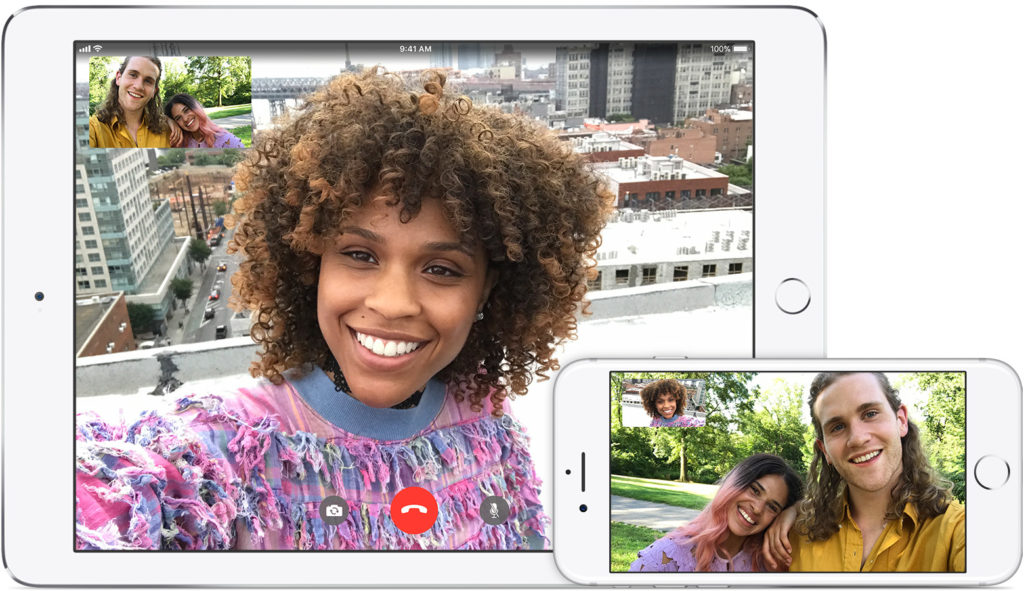
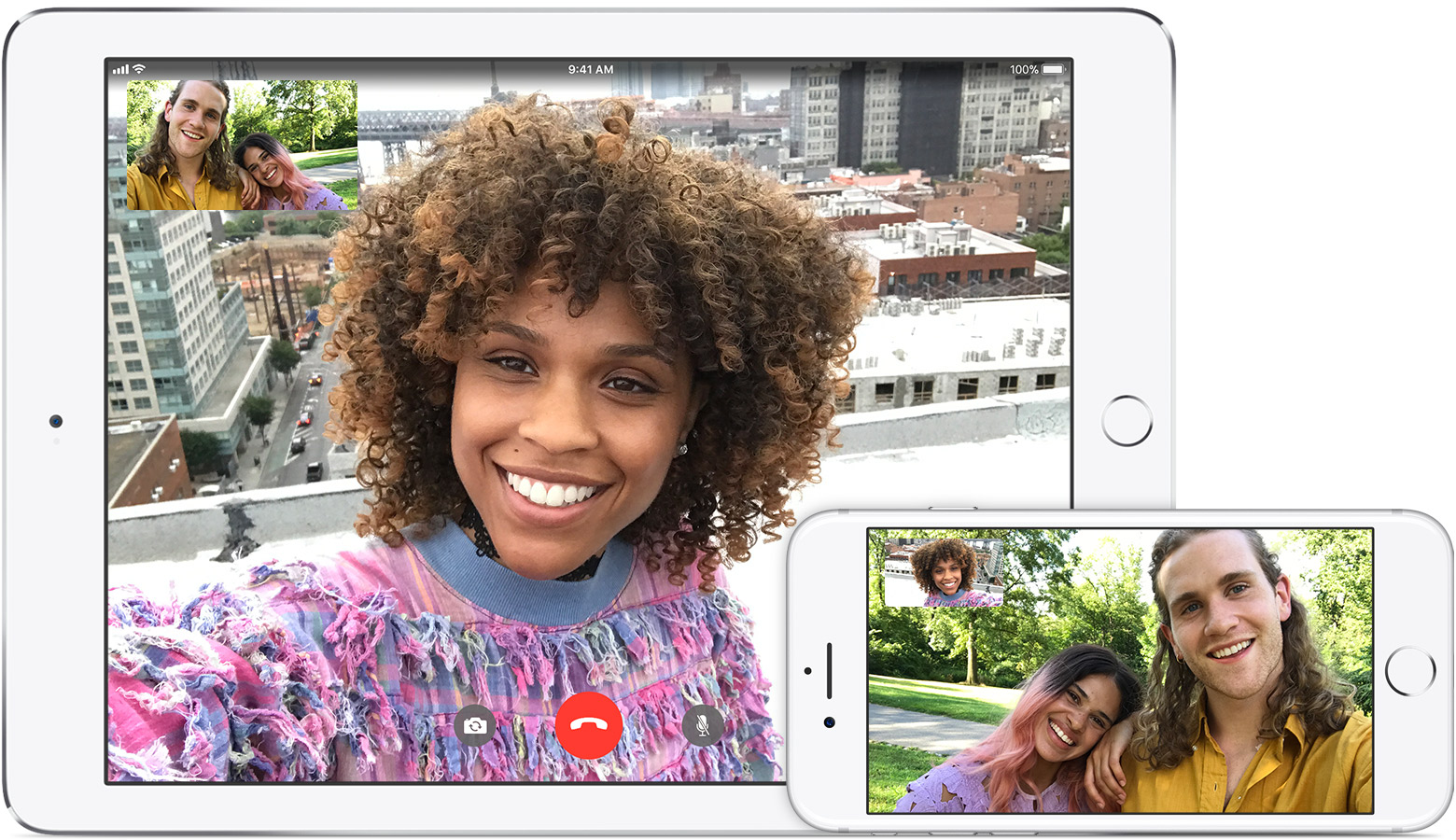
    Group Facetime 

    Photo Credit: Apple Support 

    Another much-requested feature, many are hoping for the ability to Facetime more than one person at a time. Many similar video chat apps have this functionality, such as third-party apps like Skype and WhatsApp. It would only make sense for apple to follow suit with iOS 12. 

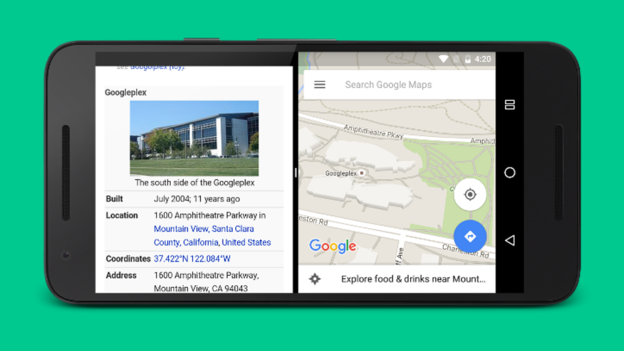
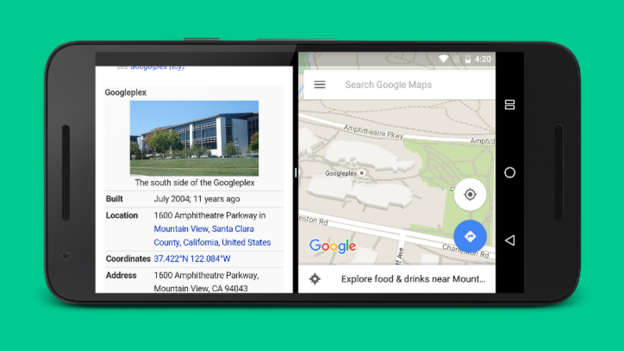
    Split Screen Functionality 

    Photo Credit: Mi Community 

    An option to run two apps side-by-side simultaneously would be awesome! Android has had this for a while, and it’s great for multitasking. Looking at a restaurant menu while navigating to it! Looking up recipes while running a cooking timer! The combinations are endless. Apple’s phones are certainly powerful enough to handle this functionality, it’s just a matter of coding the infrastructure. It would be nice to see Apple catch up with the competition in this aspect. 

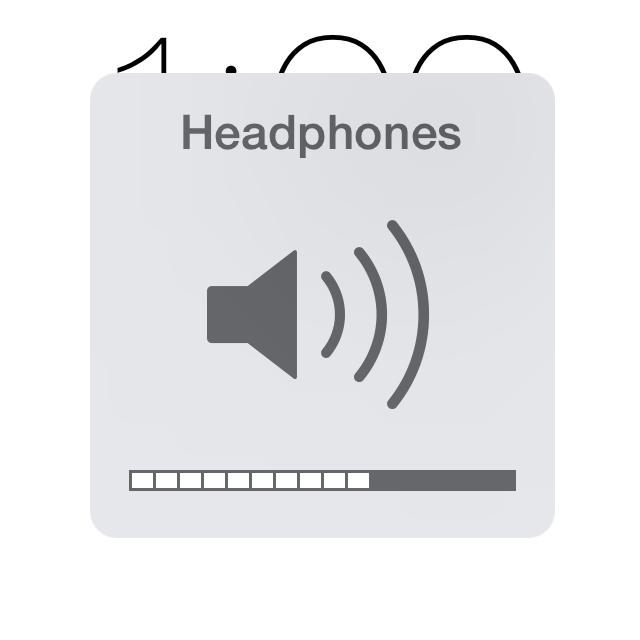
    That Volume Icon 

    Photo Credit: Lotus Bud 

    The only notably ugly thing about the iOS interface is that big, hideous, intrusive volume button. It would be really nice if Apple redesigned the volume indicator to be less noticeable and sleeker. This one is simple, but it might not be high on their list of changes to focus on. Here’s hoping the designers hate this ugly icon as much as I do! 

    Tighter Camera Controls 

    Photo Credit: Gear Patrol 

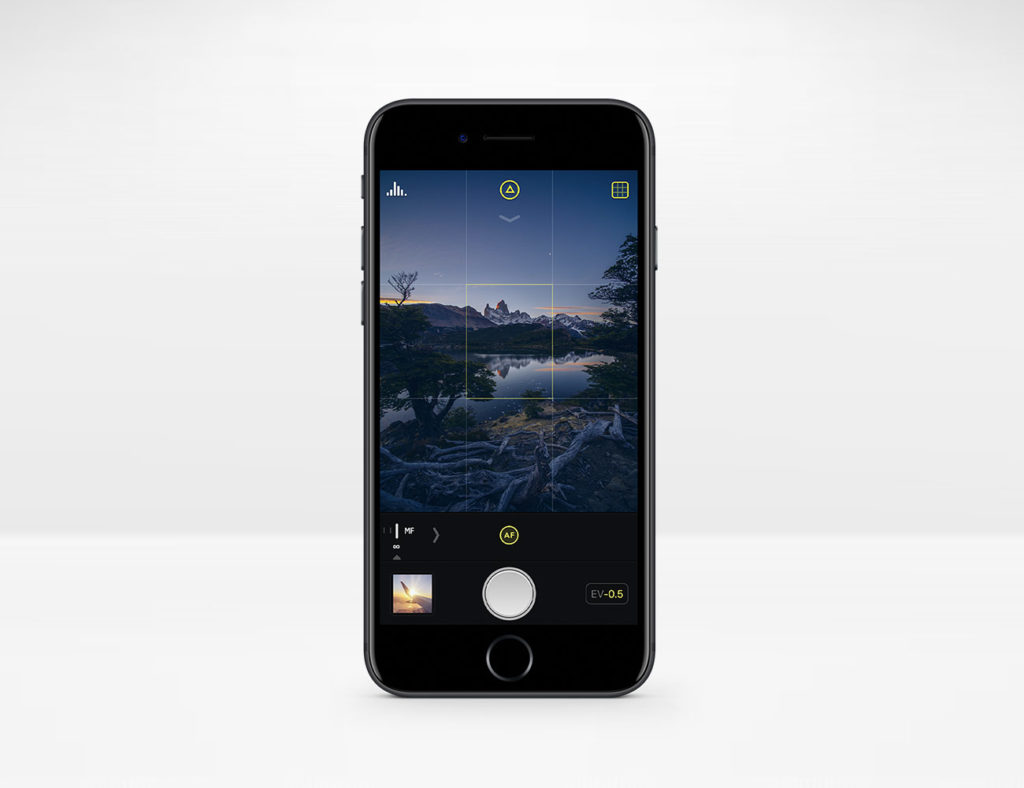
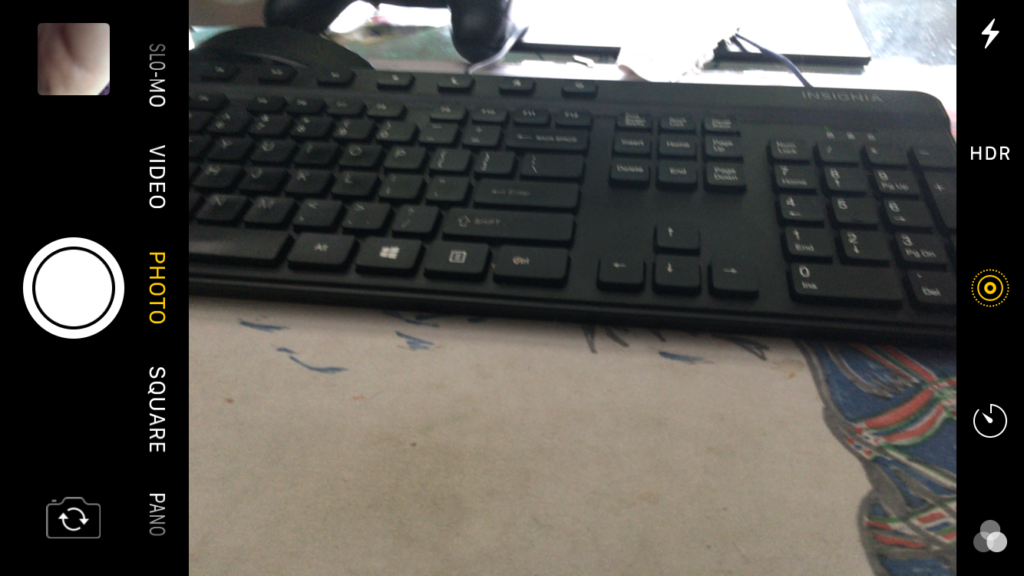
    The iPhone camera has precious few manual controls over things like shutter speed and exposure. These functions are in plain sight and easy to use on Android. It would be excellent to see better camera functionality on iOS 12 without resorting to third party apps like Camera+. 

    App Wish List Return 

    Photo Credit: iDownload Blog 

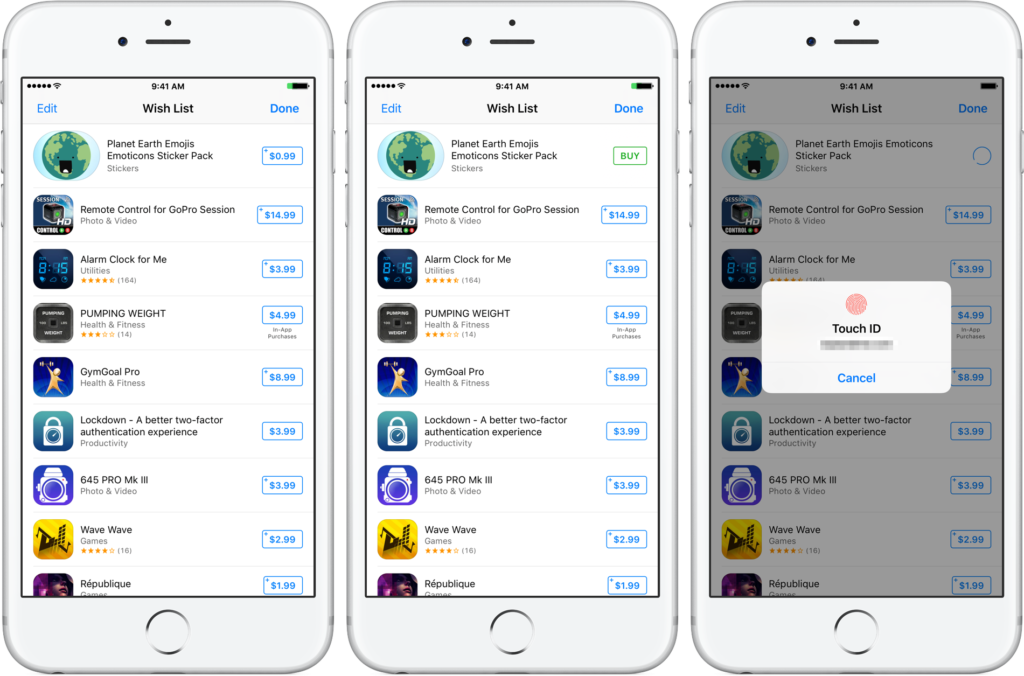
    With the release of iOS 11, the App Store was completely reworked. With this rework came the removal of app wish lists. The wish lists were sorely missed by users who like having their short list of apps they wanted. Hopefully Apple hears the requests of wish list fans and brings it back with iOS 12! 

    Always-on Screen for iPhone X 

    Photo Credit: Switch 

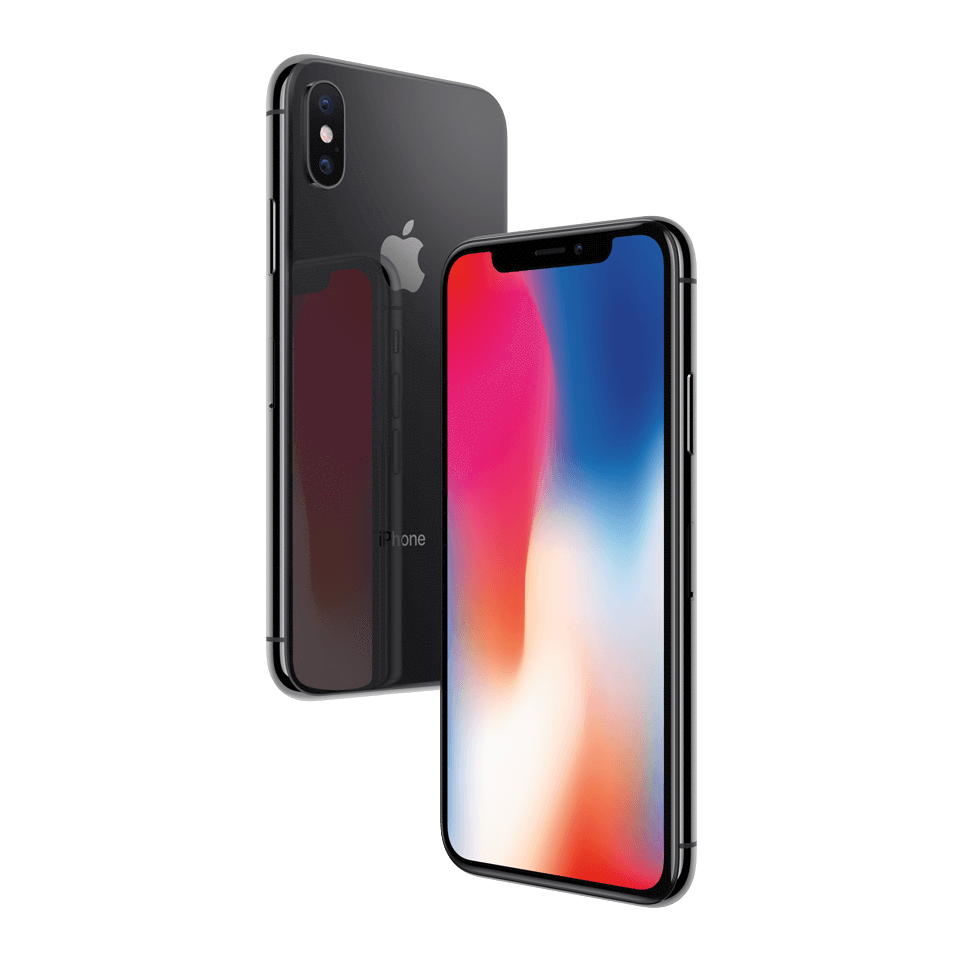
    The iPhone X features a battery-saving OLED, much like common Android phones that sport always-on displays. This would be cool functionality to add to the newest iPhone, for display of the time or notifications. It does somewhat go against Apple’s aesthetic, but then again, so did the iPhone X! 

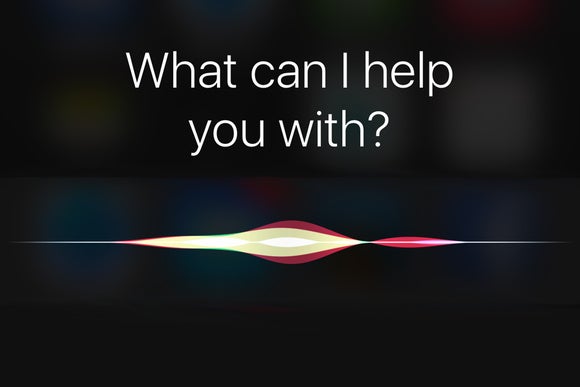
    Siri Improvements 

    Photo Credit: Macworld 

    Siri was one of the first mass-market personal assistant AIs, but her age is starting to show. It would be great to see some updates to her that make her more responsive and smarter, like Alexa. Heck, even Google Assistant (!) is smarter than Siri these days. Also, how hard would it be to enable some Spotify functionality with Siri? Ball’s in your court, Apple! 

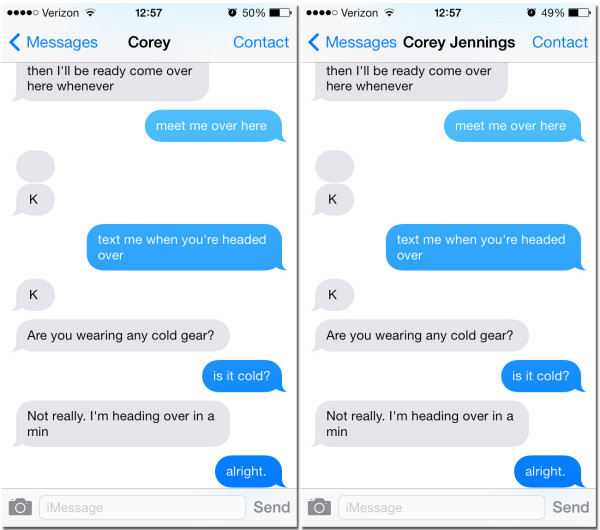
    Messages Improvements 

    Photo Credit: iSource 

    Improved functionality for things like archiving and searching messages would be awesome. Apple’s current messaging infrastructure is great for just shooting messages but trying to find messages more than a few days old is difficult. An option for searching and sorting messages would be greatly appreciated! 

    Our Biggest Hope for iOS 12: Smart Orientation 

    Photo Credit: Apple Support Communities 

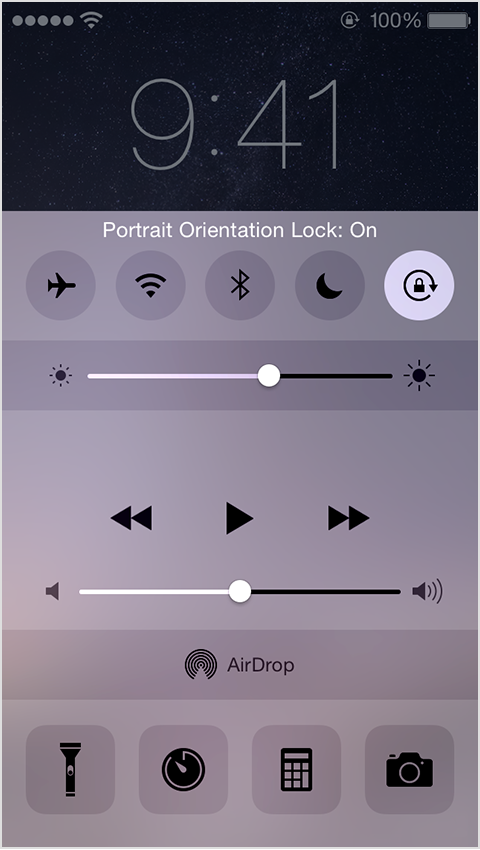
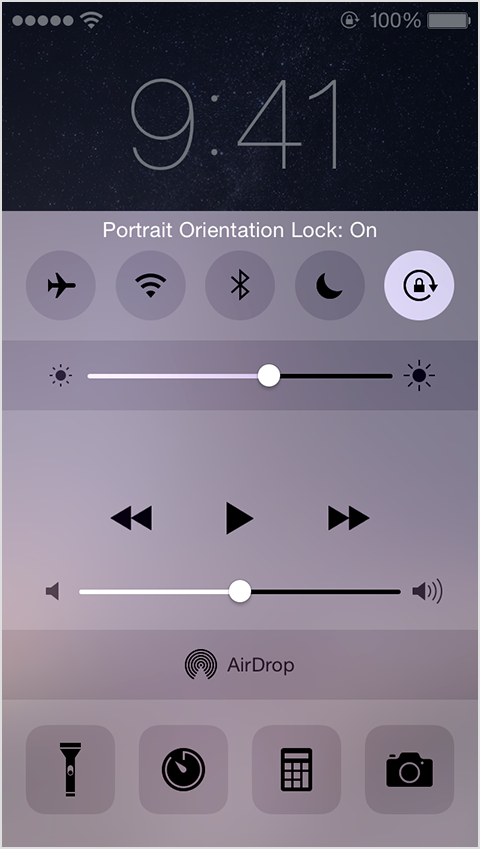
    Please. Apple, please. Stop making me open my control panel to lock and unlock portrait orientation every time I want to watch a video. YouTube sort of lets you bypass this by pressing the enlarge button. I just want to see functionality like this across all apps. Put an option in for “portrait lock except videos” or something. Just do this one thing and I’ll be happy, seriously. 

  • 10 Things You Never Knew About Your iPhone

    10 Things You Never Knew About Your iPhone

    Do you fancy yourself as being tech savvy? How much do you really know about your phone? If you know all ten of these iPhone tips and tricks, you may really be a tech wizard! Check out these 10 crazy things you never knew your iPhone could do! 

    10. Snap Pictures with Your Volume Button 

    This one is cute, letting you snap a picture with your phone like it’s an old-school camera with a top button. You don’t have to do anything to enable this, it’s just already on out of the box! Have fun snapping pictures! 

  • Expect Big Things from Apple’s WWDC

    Expect Big Things from Apple’s WWDC

    Last year’s WWDC (Worldwide Developers Conference) saw the announcement of the HomePod as well as the new iPad Pro 12.9 and iPad Pro 10.5. This was also when Apple revealed iOS 11 and watchOS 4. Apple will have to up the anty if it wants to compete with Google’s jaw dropping I/O conference. Lets look at some big things we expect to hear about in Junes WWDC.

    iOS 12

    This is a not a surprise, we have seen twelve iOS update keynotes at these things over the years. This year what we are looking to see is vast stability upgrades. Primary apps getting overhauled or upgrades, apps like  Mail, Camera and Photos ever calendars, calculators, and stocks. Could we make iMovie a little more mainstream and easier?  Security and performance focus would be less exciting but much needed. What not to expect is for apple to blow your hair back with some revolutionary feature or function, they will save that for September.


    iPhone SE

    I’ve written about this before, the SE has aged well and served its purpose but now its time for even the entry level iPhone to get a much needed upgrade. Why waste something this meaning less and cram it in with the big release in September when you can pop it out at the end of June and give a pop to the Q2 earnings.  I would expect the SE to unveiled and introduced at the WWDC and pre orders a week after.


    Watch OS 5

    They do this every year, while we are starting to hear rumors about the Watch 4, we will for sure see the preview for the new watch OS. Id like to see a quicker control option, new watch faces, and if the crowd gets too bored at this tech conference maybe test out a new sleep tracking feature.


    New Mac Pro

    We know a redesigned Mac Pro is coming, and Apple even recently made a point of reminding everyone when it said the following in a press release:

    “In addition to the new iMac Pro, Apple is working on a completely redesigned, next-generation Mac Pro architect-ed for pro customers who need the highest performance, high-throughput system in a modular, upgrade-able design, as well as a new high-end pro display.”

    Im thinking we will see a big keynote on this. I would expect it to be the highlight of WWDC, kinda mad I spent that $8000 on a new mac pro in Feb.


    What Else

    Those are the thing we know for sure they will hit upon at the WWDC but I wouldn’t be surprised to see a new Apple TV, with a boost to TV content. The Macbook and Mac Mini will be getting some attention as well, and don’t forget about a possible hint at a revamped iPad Pro for a fall release. Not to mention we will have to sit through hours of financial report and sales bragging from Tim Cook to look forward to..

  • New iPhone Mode May Lock Out Law Enforcement

    New iPhone Mode May Lock Out Law Enforcement

    ZDNet has found a “USB Restricted Mode” in the files for iOS 11.4, a feature that could have potentially massive implications. This feature disallows USB devices from accessing the phone if it hasn’t been unlocked in the last seven days. This could potentially work to stop intrusion devices, such as the Gray Key device, from functioning with iPhones in this mode.

    Gray Key

    Gray Key devices attempt to break into iPhones by guessing every permutation of the possible password. However, these devices require a connection through the Lightning port, and as such could be disabled by USB Restricted Mode. This could serve as an excellent security feature for iPhone users, ensuring that only individuals with the correct password access their phone.

    Law Enforcement

    Apple has notoriously clashed with law enforcement agencies in the past over encryption. Agencies have repeatedly requested that Apple provide or create a skeleton key of sorts capable of opening any iPhone. The use of such a key would allow law enforcement to access suspected criminals’ phones in an attempt to obtain incriminating evidence. Apple has had (understandable) reservations about the ethics of such a key.

    Where USB Restricted Mode Fits In

    While it is possible that USB Restricted Mode is something more experimental and less directed specifically at law enforcement, it would make sense if it was specifically a response to this ongoing struggle. In any event, any features that protect user privacy are good features: there is no guarantee that Gray Key devices don’t fall into the wrong hands. Having features that protect users from such malicious access to their devices is clearly a high priority to Apple, and it will likely continue to pursue similar initiatives in the future.

  • Top 5 Tech Gifts to Blow Away Your Low-Tech Mom This Mothers Day

    Top 5 Tech Gifts to Blow Away Your Low-Tech Mom This Mothers Day

    Its Monday, and you forgot Mothers day is less then a week away. I do it every year, I only remembered it this year because as usual it falls on the same weekend as the TPC at Sawgrass. Thankfully I have an Amazon Prime account and more then two days to go. So lets take a look at the hottest tech for the coolest Mom.


    1. FitBit Versa- $200

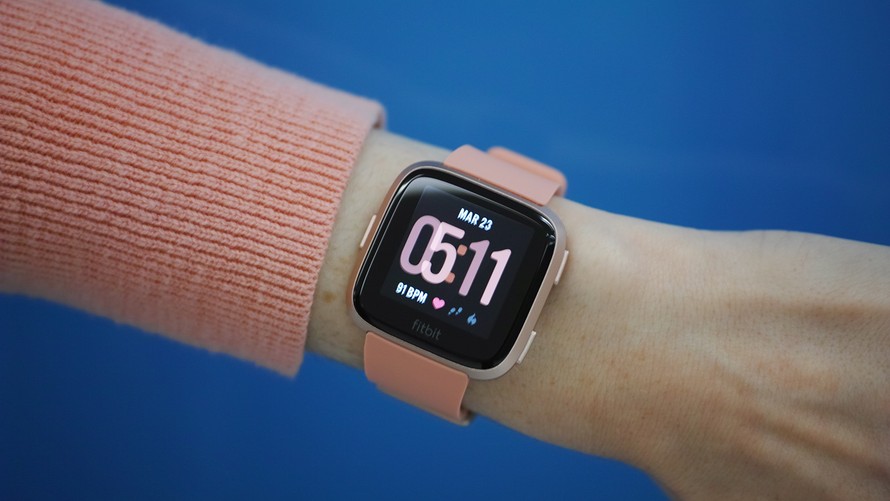
    The Fitbit Versa isn’t just an affordable, attractive fitness tracker. New moms will appreciate all the convenient apps, like a stopwatch for timing nursing sessions or NFC payments for Starbucks when she has (d’oh!) forgotten her wallet. The additional $40 Fitbit Coach subscription also gives her access to quick seven- or ten-minute workouts, if she needs to get moving a little bit but can’t leave the house. Just don’t let her check the sleep tracker.

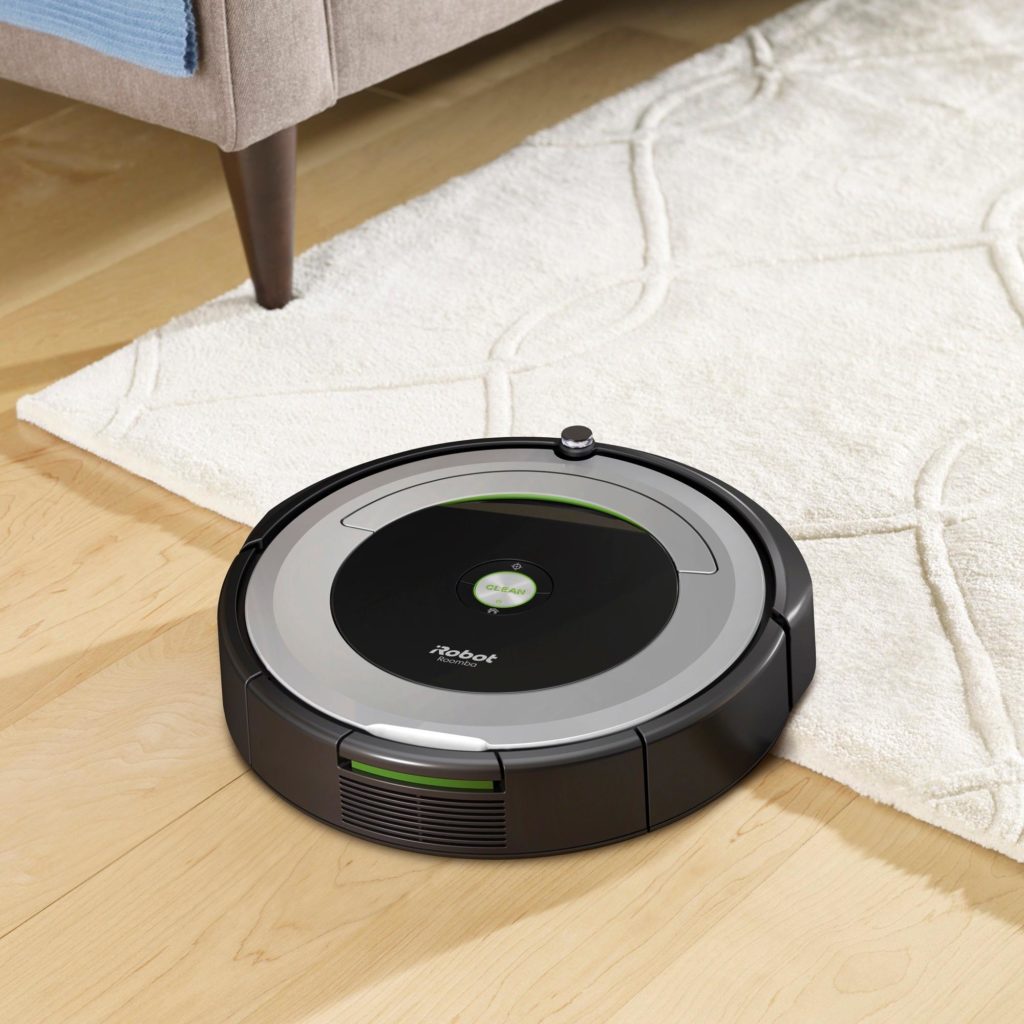
    2.Romba 690- $375

    Moms been vacuming for you your whole life, get her a Robot to do it for her. You know your mom could fill her house with robots to do every boring, tedious, and time-consuming chore, she probably would. But since she can’t, take one small thing off the list and get her iRobot’s midrange robot vacuum, which has a surprising amount of cleaning tech for a reasonable price. The 690 has iRobot’s uncannily accurate Dirt Detect system, virtual wall barriers, and clean, simple app. She can even use it as a tiny, tiny ottoman when it’s done.

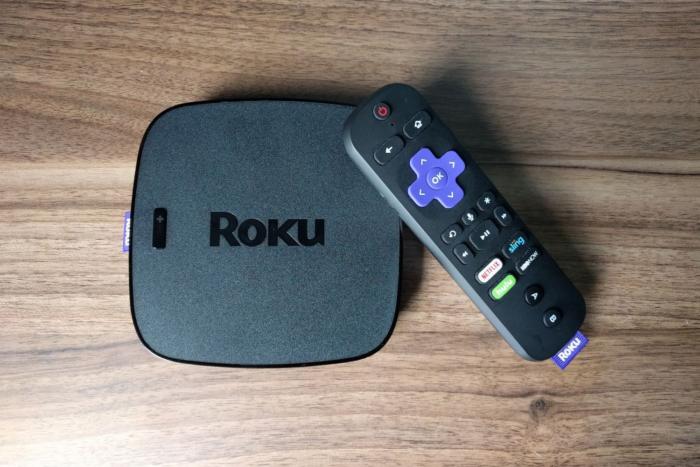
    3. Roku Ultra 2017- $90

    One big reason for the new Roku Ultra box adds a private listening mode and a handy remote finder button. Yes our mom constantly looses the remote, especially to the streaming service HD box, the Roku Ultra has all the benefits of the Roku but with the remote finder.

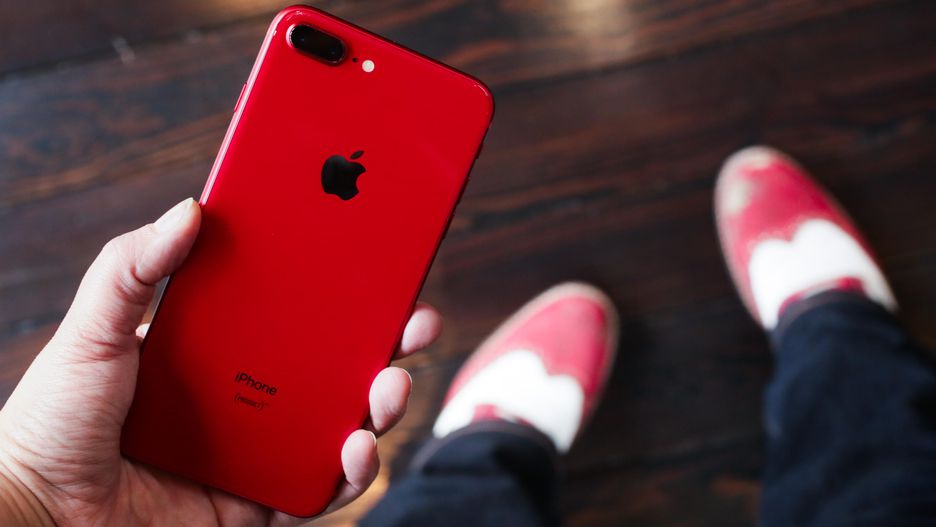
    4. Iphone 8+ – $949

    Your Mom needs a new phone, bite the bullet and take care of this for her. Get her something big, easy to see and not to complicated. The iPhone 8 plus is perfect for all Moms. While we know the X is the device to have, the new gesture control may be a bit much. Mom across the world are still a bit weary of the facial recognition, plus the home button is comforting for them. Be a good child and get her a new iPhone.


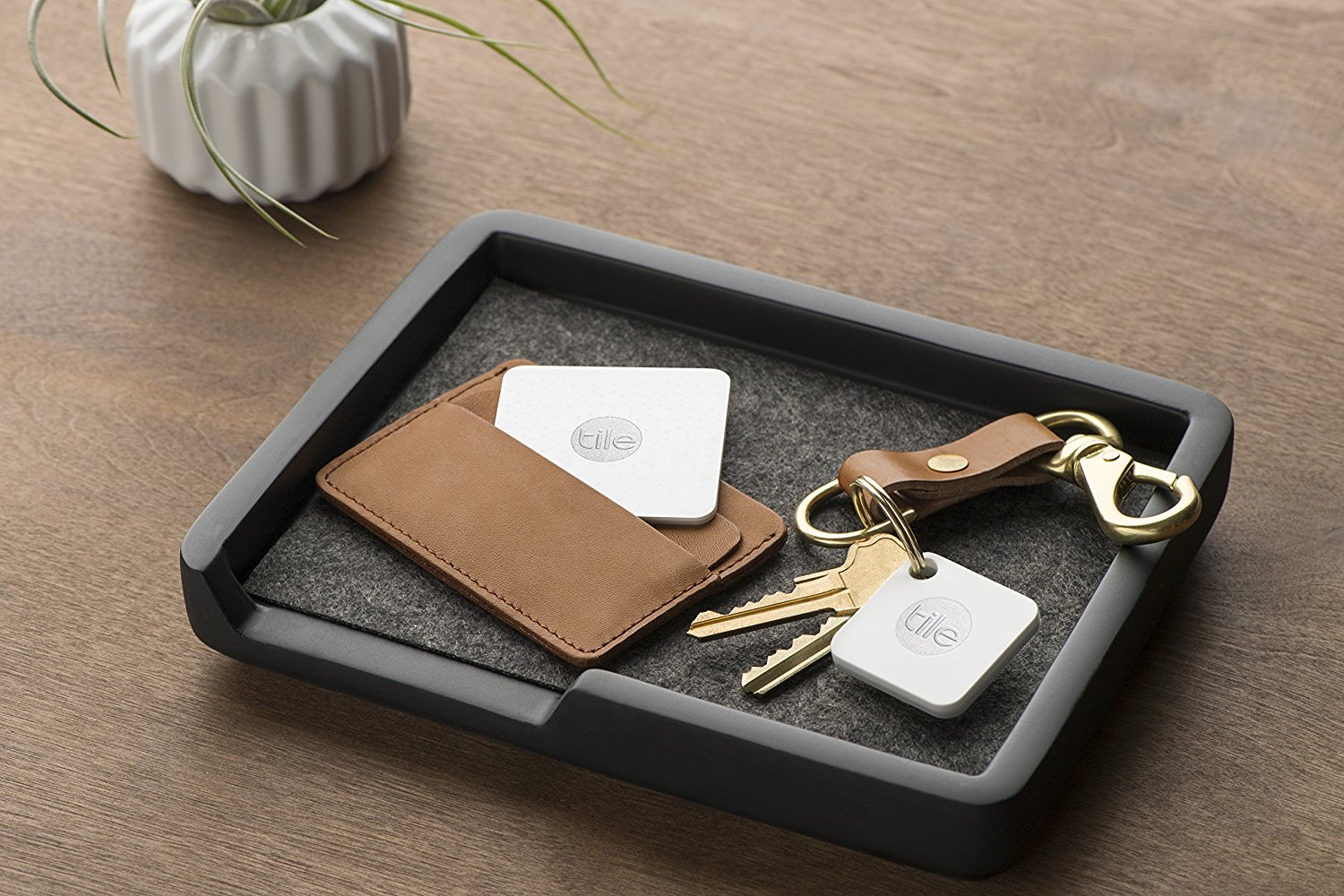
    5. Tile- $20

    Maybe dropping a big gift on Mom inst in the budget this year, fret not we have you covered. Your mom is getting older all the time, you have already notices I’m sure the increased frequency in which she is loosing her keys, phone, purse, glasses, or those cheater classes she has started to wear. The Tile can help, It’s a small, battery-powered device that beeps when you ring it from a phone, or it can ring your phone when you press the button on the front.


    The Final Thought

    Getting your Mom something for Mothers Day she doesn’t understand is the easiest way for her to brag to her friends what terrific children she has. She needs that, she deserves a nice day, she could use some new tech. Its the very least you could especially If you are going to miss dinner because you are at a Golf tournament in Florida for the weekend.

  • Tech Throwback: The Original iPhone

    Tech Throwback: The Original iPhone

    I like to take a look at where I’ve been to evaluate where Im going. Technology is cyclical after all… wait no its not. That said I still like all the feels that come rushing back like a flood of nostalgia every time I get my hand on the tech I grew up with. Im going to go back periodically and take a looking at the stuff that used to blow our hair back and get our minds rolling. Some of these device blew up and changed the world, some where ahead of their time and some just fell flat and became colossal failures. Today’s throwback is at the very center of our every day life, The iPhone.


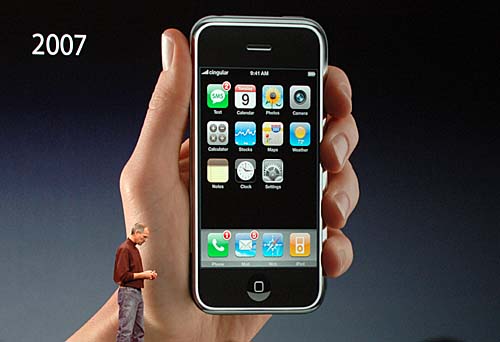
    Eleven years ago  Steve Jobs announced a wide-screen iPod with touch controls, a revolutionary mobile phone, and a breakthrough internet device. But it wasn’t three products. It was one product. And we got it, Steve. We got iPhone. Its mind boggling today to consider life with out this device. As a very early adopter, Yes I had my first of many iPhones the night before the release. One of the perks of working for Cingular at the time, I was instantly dependent on it. Since that day I have never spent another day in which I haven’t touched an iPhone.
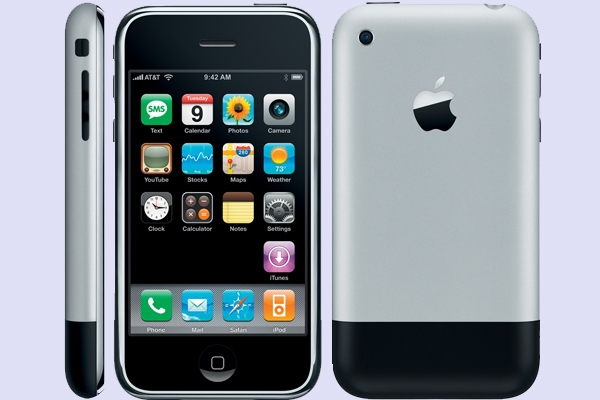
    Steve said at the legendary iPhone reveal” iPhone is a revolutionary and magical product that is literally five years ahead of any other mobile phone. We are all born with the ultimate pointing device—our fingers—and iPhone uses them to create the most revolutionary user interface since the mouse.”

    The Stats

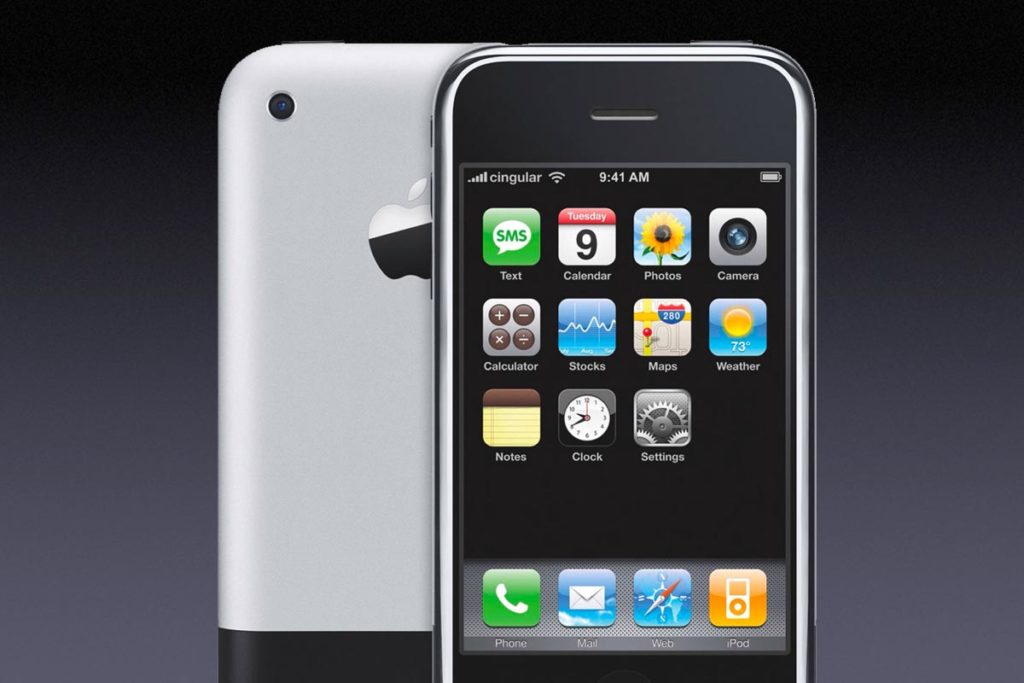
    The original iPhone, based on the P2 device of the Project Experience Purple (PEP) team, code-named M68 and device number iPhone1,1, had a 3.5-inch LCD screen at 320×480 and 163ppi, a quad-band 2G EDGE data radio, 802.11b.g Wi-Fi, Bluetooth 2.0 EDR, and a 2-megapixel camera.

    It was powered by an ARM-based 1176JZ(F)-S processor and PowerVR MBX Lite 3D graphics chip, manufactured by Samsung, with a 1400 mAh battery, and had 128MB of onboard RAM. Two NAND Flash-based storage tiers were available at launch: 4GB or 8GB.

    More importantly, iPhone also included several sensors to enhance the experience, like an accelerometer that could automatically rotate the screen to match device orientation, a proximity sensor that could automatically turn off the screen when close to the face, and an ambient light sensor that could automatically adjust brightness.

    Getting Back in Touch With My Roots

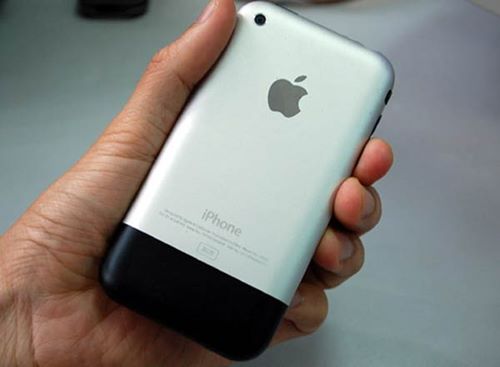
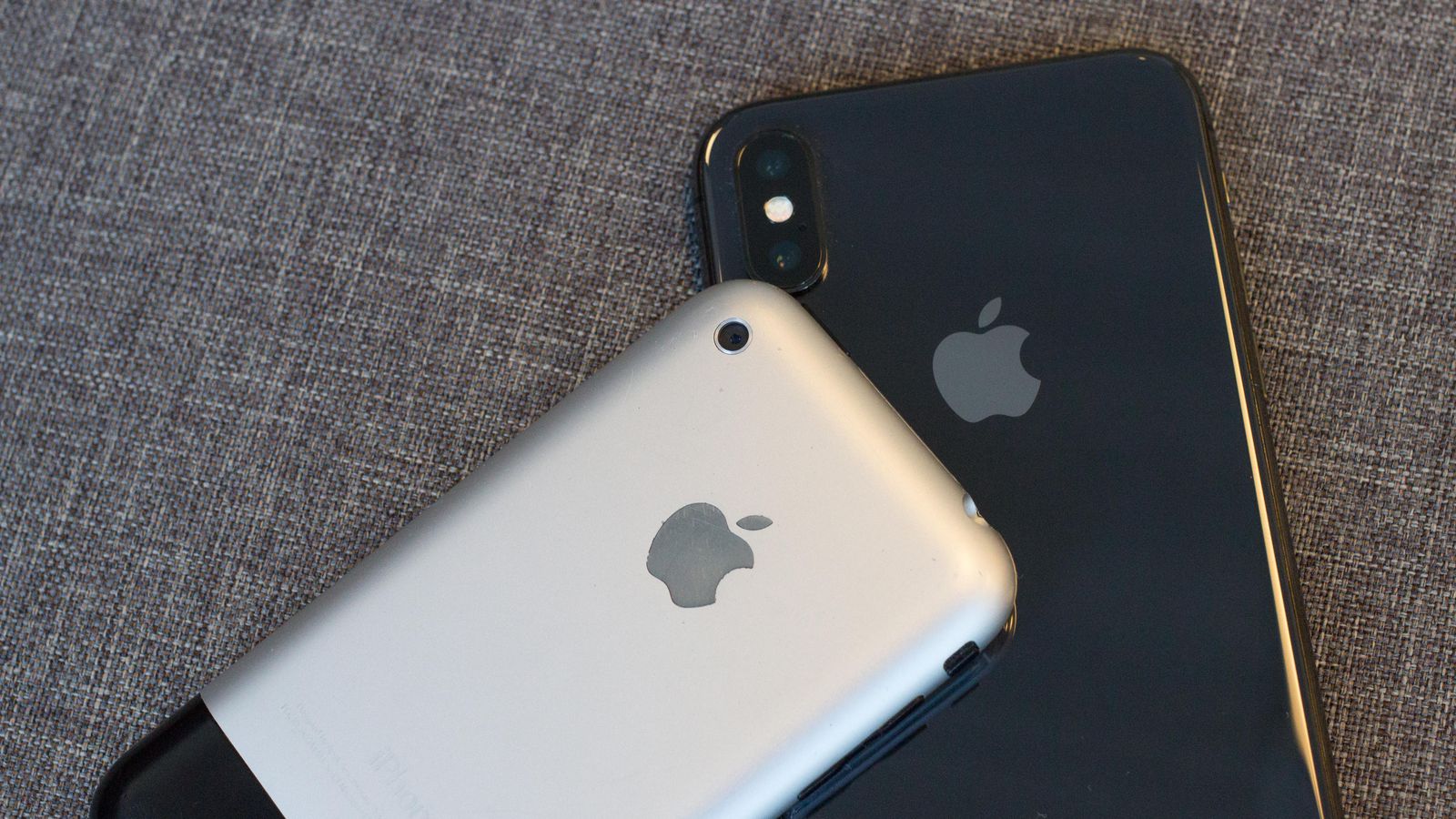
    First grip on this old original iPhone, its so small, I feel like i could crush it with just a squeeze of my palm. I always like the look of it a lot more then the 3g or iPhone 4 models, something about the brushed aluminum. The power cord is huge, the 30 pin adapter is so ancient looking. As I power it on, I see the absence of so many crucial apps. No app store, no tv app no iMovie or podcast. Its like an iPhone with out the bloatware? where is Garage band or iTunes U? no emojis, or Facebook, or text tones or background pictures, newsfeed, drop down or drag up options,  As the white girls would say.. This is so basic. but it dose have a native YouTube app, so that is neat.

    The iPhone is still 2g, not 3g so the internet is dreadfully slow and I can not send a multimedia message.. yeah, no picture messages. I did find a work around for this by emailing them to there sms number in an email format. I checked my Myspace which was still logged in on after 10 years. The cool thing about this particular iPhone, aside it being a day one model is I upgraded immoderately to the 3g the following summer, and I never updated the software after the December 2007 update, so this remains a pretty original iPhone.

    All the pictures are fuzzy old mobile phone pictures, I used to think they where amazing. It did make for some crazy action shots though. What has really astounded me is the battery still functions, It was only used for a year then a second year as an ipod but still 11 years is a long time for a battery to hold.


    The Final Thought

    This was the spark that set us up for this bizarre world we have evolved to. We all know it and love it, When school kids 100 years from now look back at this time in the world, they will study about the iPhone on a device that was inspired by the iPhone.