Tag: tablet

  • Need a New Laptop? Our Team Reviews the Best on the Market

    Need a New Laptop? Our Team Reviews the Best on the Market

    We’ve reviewed the top laptops and notebooks on the market today!-


    Samsung Chromebook Plus:

    Samsung’s Chromebook Plus is an excellent laptop for those who are looking for a laptop with a smaller screen. This laptop is great starting option for kids.

    • 11 hour batter
    • lightweight- 3lbs
    • 4GB of Ram and 32 GB of storage

    Acer Chromebook:

    Acer’s Chromebook is great for basic tasks without compromising on overall size. For the price it is a great option.

    • 15.6 inch screen
    • High processing power
    • 16GB of storage


    An excellent choice if you want a high quality windows laptop.

    • <$500 price point
    • 256GB SSD
    • 8GB of Ram


    Lenovo Ideapad S340:

    HP 15z Touch Laptop:

    Touchscreens are great for kids, a natural transition from interacting with a phone. This laptop has great better life and graphics.

    • 15 inch HD screen
    • 9 Hours battery life
    • Built in Webcam


    ASUS Vivobook 15

    Another amazing choice for those on a budget who also want a large screen.

    • Powerful video card
    • USB-C ports
    • 3.5 lbs


  • Apple iPad Air Review

    Apple iPad Air Review

    Apple will release its fourth generation of the iPad Air line this October. There is much anticipation for this roll out because of the A14 Bionic System. The device was unveiled in September, along with Apple Watch 6 and Apple Watch SE. Unlike its predecessor, the latest iPad Air has more features and affordable pricing. Its versatility is incomparable to the iPad Air 3. It is best compared to the iPad Pro 12.9. This fourth-generation Air iPad offers so much more considering how the iPad 3 Air was similar to the basic entry-level iPad. Apple has redeemed the Air line of product with this latest release. iPad Air 4 operates at the same level as the iPad Pro 2020.

    The specs for the iPad Pro 2020 include a 12-inch or 11-inch display and the A12Z bionic processor. It also does not come with the home button; users get to enjoy the edge-to-edge display.

    iPad Pro 2020 also comes with a LiDAR depth scanner for AR and the TrueDepth scanner for face identification. Users can also purchase accessories for use, including the Apple Pencil 2, the trackpad-fitted Magic Keyboard, and a Smart Keyboard Folio. The iPad Pro 2020 retails for $799 for the 128GB and $1,649 for the 1TB model.

    iPad Air 4 has a lower price compared to the iPad Pro 2020. It will cost $599 or $729, making it affordable considering the upgrades included. The third model of the Air series cost ranges between $499 to $649. Therefore, in regards to pricing alone, this latest release is reasonably priced.

    iPad Air Specs

    ● It comes with a 10. 9-inch Liquid Retina IPS LCD; the most advanced display technology in an Apple device
    ● It has a P3 wide color gamut and TrueTone.
    ● Has a display resolution of 1640 * 2360 pixels
    ● It has a scratch-resistant glass protecting the iPad from minor scratches and oleophobic coating, providing oily substances resistance.
    ● The primary camera is 12MP, similar to the iPad Pro, and has the HDR feature. It shoots videos at 4K, capturing images at 24 or 30 or 60 frames per second. It also captures images at 1080p at 30 or 60 or 120 frames per second.
    ● It has a Gyro-EIS feature, which improves low light photography. EIS provides a consistent frame compensating for handshaking.
    ● The FaceTime camera is 7MP with HDR and has a video quality of 1080p and captures 30 and 60 frames per second.
    ● It has a touch ID system that is mounted at the top, providing a larger display.
    ● It is fitted with an accelerometer, gyrocompass and barometer.
    ● It comes in silver, space gray, rose gold, green and sky blue.
    ● It has a USB-C port, Wi-Fi 6, stereo speakers and LTE
    ● It uses the second generation Pencil, Magic Keyboard, and Smart Keyboard Folio supported
    ● It possesses Apple’s latest A14 Bionic Processor.
    ● You get a free year of Apple TV when you purchase this device

    iPad Air Features: A Comparison

    Bionic Chip

    The new iPad Air comes with Apple’s latest A14 Bionic Chip. None of Apple products currently has the A14 Bionic chip. There are speculations that the chip will be available on iPhone 12.

    The A14 Bionic system will be the first 5-nanometer chip in the market. The size reduction allows Apple to pack in more transistors. It is now common knowledge that the A14 Bionic chip has 8 billion transistors compared to 8.5 billion transistors in the A13 Bionic system and 10 billion in the A12 Z series bionic system.

    The more the transistors, the better the chip is at multi-tasking and speeds. The chip makes iPad Air 4 excellent for gaming and AR.

    A14’s CPU
    Additionally, this latest bionic chip has a 6 CPU core with the perfect balance between energy-efficiency and performance. Two of the cores are high-performing Firestorm cores enabling the gadget to handle demanding tasks at impressive speeds. The remaining four are high-efficiency Icestorm cores which maximize the performance in different power budgets.

    What this means for the A14 Bionic chip provides faster performance and better power utilization. The A12 chip is 40% faster than A12 and 16% faster than the A13 chip. Therefore, this new iPad Air is expected to possess unprecedented speeds than any of Apple’s devices presently in the market.

    A14’s GPU

    Aside from the CPU, Apple has developed a GPU for the A14 Bionic chip. The purpose of this GPU is to maintain efficiency while saving energy. The GPU is a four-core graphics engine performs better than the A12 Bionic system by 30%. It works 8% better than the A13 chip.
    With this chip, users will get good performances while preserving battery life. The new chip enables tasks to be performed at a lower voltage frequency while the device maintenance peak performance.

    A14’s Neutral Engine

    Apple has included a silicon block in its SoCs called the Neural Engine. The hardware is an accelerator with machine learning and AI calculations functions. The Neural Engine is a product of continued innovation first introduced in the A11 Bionic Chip. Therefore, this next-generation chip is possibly more impressive than the original A11. While the A11 ANE performs approximately 600 billion operations per second and has the impeccable Face ID feature, the A14 chip does even better. A14 boasts of 16 cores, eight more cores than A12 and A11. It can perform 11 trillion operations per second.

    Apple is a master at integrating hardware and software on all its devices. Its inclusion of custom accelerators like the AMX and ANE is an ingenious way of improving learning. The AMX contains large-scale mathematical computations libraries for Apple’s developers to use without the need for low-level programming. Accelerate provides high-performance, energy-efficient computations on the CPU by leveraging its vector-processing capability.

    The Accelerates minimize room for errors and provides support for Apple’s novel hardware. The Neural Engine in the A14 chip is expected to perform ten times faster than the A13 chip and 20 faster than the A12 chip.

    Another big difference between the iPad Pro and previous releases from Apple is that the iPad Air 4 does not have Intel. It uses machine learning in the pace of Intel. In the current error of data analytics, machine learning applications are becoming increasingly important. However, the efficacy of Apple’s innovation remains to be evaluated.

    iPad Air Body -Comparison

    The new iPad Air is 9.57 inches long, 7.03 wide, and 0.24 thick. It maintains the same thickness as 2019’s iPad Air. However, iPad Air 2019 was longer by 0.03 inches and narrow by 0.18 inches. Both the previous and incoming iPad Air weigh 1.01lb. Both models iPad Air have a glass front and Aluminum back and frame. Compared with the iPad Pro, the latest iPad Air is small and 0.01 inches thicker. The iPad Pro is 11.05 inches long, 8.46 inches wide, and 0.23 inches thick.

    Display Features Comparison

    The iPad Air 2020 and 2019, and the iPad Pro have the same type of display features. They both use IPS LCD enabled touch screens with 16 million colors. However, iPad Air 2020 and iPad Pro have screens with an 85% screen-to-body ratio, while the iPad Pro has a 73.3% screen to body ratio. The iPad Air resolution is slightly inferior with 264 ppi density than iPad Pro’s and iPad Air 2019’s 265 ppi.

    All three iPad’s have a wide color gamut and TrueTone, but iPad Pro has a 120Hz refresh rate. While the lack of 120Hz ProMotion is a downer, it is a feature that can be done without unless you are using your iPad for drawing or video production.

    TrueTone adjusts your display lighting to accommodate your environment. The P3 wide color range makes your display, picture and video vibrant. Furthermore, the quality of the display is intensified with the 500 nits brightness for the iPad Air. iPad Pro has a 600 nits brightness while the iPad Air 2019 does not have this display feature.

    Nevertheless, the display features are standard with minor additions and subtractions. All in all, the three devices display high-quality images across the board.

    Camera, Photograph and Video Quality Comparison

    As for the Camera, both the iPad Pro and iPad Air 4 have a 12MP camera with dual-pixel PDAF. The feature uses all the camera pixels to autofocus; thus, it refines the focusing system’s speed and accuracy. However, the iPad Pro also has a dual-pixel and ultra-wide 10MP camera. Its camera features include a Quad-LED dual-tone flash and HDR, which provides light consistency resulting in a uniformly lit background and foreground. The Quad-LED feature enables you to shoot videos in low light.

    The iPad Pro also has Time-of-Flight sensors (ToF) and 3D Light Detection and Ranging (LiDAR) scanner for depth. LiDAR uses lasers to determine distances and depth. Although LiDAR is similar to ToF, used by Android devices, in function, ToF uses single pulse infra-red light to generate maps. On the other hand, LiDAR fires a train of laser pulses at different scenes over short time intervals giving an improved length of cover five meters and better object occlusion.

    The technology is currently in use by cars to determine how close they are to objects. Apple introduced the LiDAR scanner in iPad Pro and is expected to use the same technology in the iPhone 12. The feature is currently lacking in the iPad Air set to be released on 15th September.

    The iPad Air only has HDR, enabling you to get good photos and videos in high contrast situations. The iPad takes three pictures in succession and blends them, giving it better details in brightness and undertones.

    Nevertheless, the incoming camera iPad Air is an upgrade compared to the iPad Air 2019 camera. The iPad Air 2019 has an 8MP rear camera with an f/2.4 aperture. Pictures can only be shot in HDR. Both iPads have a 1.2MP shooter to a 7MP with an f/2.2 aperture that shoots in 1080p at 30frames per second. However, iPad Air 4 can also shoot 1080p at 60fps. The cameras on both devices can also shoot wide color capture in Photo and Live Photos.

    Apple Pencil and Keyboard Support

    All of Apple’s lineups support its pencil. In general, The Pro lineup released from 2018 uses Apple Pencils 2. The Air and mini lineups use Apple Pencil 1. However, the iPad Air uses Apple’s second-generation pencils. While the first generation of pencils supports abroad range of apple products, the second generation is the best of the styluses.

    Apple pencil 2 has a flat edge compared to the round-edged predecessor. The edges help prevent the pencil from rolling off. It also has a matte finish for better grip, an upgrade from Apple pencil 1, which has a glossy finish leading to slippage. Apple’s first-generation pencil picks up grease and leaves fingerprints.

    Both pencils have an 8.9 mm size, suitable for ergonomics compared to similar products in the market. Both pencils have good drawing performance.

    The iPad Pro and IPad Air fourth generation use the Magic Keyboard. The keyboard uses a Smart Connector. Additionally, it is a scissor-switch keyboard and a glass trackpad. The top layer of the keyboard looks like a piece of fabric that is water-resistant. The keys are printed with white paint.
    Smart Keyboard Folio only supports the fist and second-generation iPad Pro 11-inch and the third and fourth generation of the iPad Pro 12.9 inch. The iPad Air lineup does use the Smart Keyboard Folio except for its fourth generation. Additionally, the smart keyboard does not require Bluetooth to connect to the iPad. It uses a smart connector found on the iPad.

    iPad Pro Vs. iPad Air 4

    From the comparison, it is quite evident that the iPad Pro excels in many of the iPad features. However, the iPad Air offers the novel A14 Bionic chip with better performance and efficiencies. While we have to wait for the rollout to ascertain the A14 Bionic chip’s efficacy, it presently remains unmatched.

    Additionally, the iPad Air is much more affordable compared to iPad Pro. Therefore, if you are into staying ahead with technology, then the iPad Air is an excellent option. Similarly, if you are looking for a fast and energy-efficient device, the iPad Air 4 will serve you well. On the other hand, if you are into videography, gaming, or photography, the iPad Pro has better features.
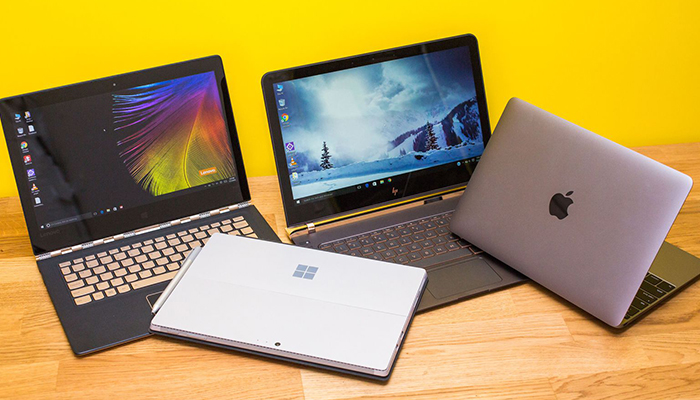
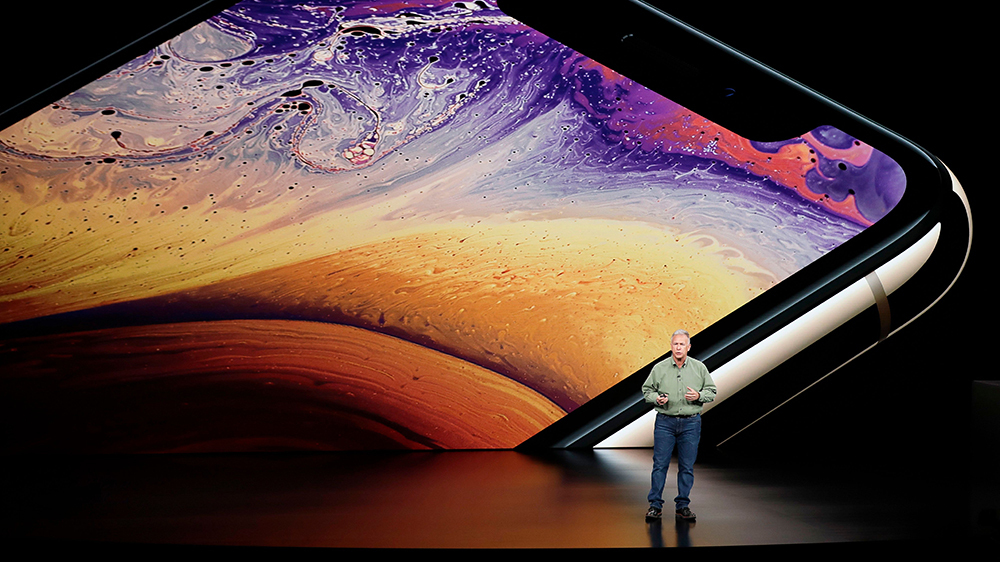
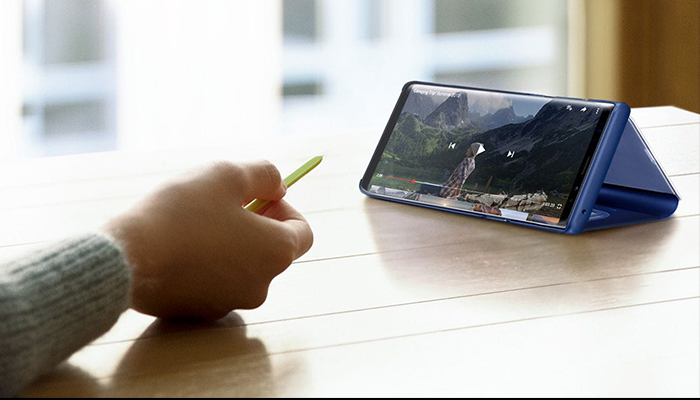
  • Want the New Galaxy S Pen for Free? Here’s How:

    Want the New Galaxy S Pen for Free? Here’s How:

    The Samsung Galaxy line of devices still has that one feature, that one tool that no other phone pulls off quite as well – the S Pen stylus. Are you interested in the new S Pen but not quite ready to dish out $1,000+ on a new smartphone? Here’s a hack on how you can get it for free:

    If you’re like most Android or Apple users, you probably just upgraded your smartphone not too long ago. But, as usual, the new versions keep rolling out. Who can keep up? We’ve got great news, these retailers are slashing $100 – $150 off the Samsung Galaxy Tab S4, which includes the brand-new S Pen! We’ve got the scoop on the best deals.

    Samsung is a dominant player in the smartphone industry, so it should come as no surprise that the company also makes a great range of tablets. Named of the best iPad Pro alternatives, the Samsung Galaxy Tab S4 brings more than just a tablet experience into the table. You can now take advantage of the portability of a tablet with the productivity of a desktop computer, all in one device.

    If you’ve been eyeing that brand-new S Pen and could use a new tablet, this is your chance! Check out this list of retailers slashing major $$$ off prices:

    Amazon

    Amazon currently has a deal on the Samsung 9.7-inch Galaxy Tab S3 (S Pen included) that lets you have it for only $449 – that’s 18% lower than its usual $550 price tag. From entertainment and creativity to productivity, there’s so much you can do with the Samsung Galaxy Tab S3. Grab the black version today on Amazon at a discounted price of $449 while in stock.

    Walmart

    If you are looking for an all-around premium tablet, the Samsung Galaxy Tab S4 10.5-inch Tablet a legit contender – and it comes with that S Pen you’ve been eyeing. Available in 64GB and 256GB models, Walmart is giving away $150 discounts on both variants, selling it now for $498 and $598 from its original price of $648 and $748, respectively.

    Best Buy

    The cheapest Samsung Galaxy Tab S4 model typically sells for $650, but you can get one right now for just $500 from Best Buy. Apart from the $150 discount, customers who purchase the tablet will also receive a free S Pen and a $50 e-gift card, and a six-month Trend Micro Internet Security subscription.


  • Which Tablet is Worth your Money?

    Which Tablet is Worth your Money?

    Smart phones are nice, but sometimes you want a bigger screen for your smart device. Whether you’re drawing, looking at photos, watching movies or playing games, tablets are awesome addition to your smart device arsenal. When you just want that bigger screen for a handheld touch device, nothing else will do!

    Nothing says quality, solid build and premium design more than our 5 best premium tablets. From major manufacturers such as Apple, Samsung, Amazon, Microsoft and Google these tablets carry the state of art in technology and design. With that in mind, let’s check out some of our favorite premium tablets!

    Microsoft Surface Pro

    This tablet is so premium that it’s also a laptop. The Surface Pro made our list of best touchscreen laptops, too, which might sound weird until you see one in person: it really is both. With a stellar screen and great form factor, you can’t get a much cooler 2-in-1 tablet. Retailing for $659, it’s not too pricey.

    There are only a few real downsides for the Surface Pro. The very incremental advances it possesses when compared to its predecessors are slightly disappointing.  Additionally, the design is a little too minimalist: there is no USB-C port! Then again, it’s still a great tablet, so it’s a small nitpick.

    Google Pixel C

    Your favorite Android tablet, the Google Pixel C performs like a giant version of its phone siblings. The Pixel C also has an optional magnetic keyboard that is quite solid, letting the tablet act as a laptop. This is easily the most powerful Android tablet that exists, for what it’s worth. The tablet performs great while multitasking and rarely suffers stutters or slowdown.

    If you need a tablet for work or just like pushing your technology to its limit, this is a great pick for you. On the other hand, this one is a bit expensive, retailing for $950. Additionally, many users see Android as a drawback instead of a feature. Many apps are released on iOS first and often perform better there to boot.

    The Samsung Galaxy Book

    This tablet rightfully belongs on the quickly growing list of impressive Microsoft Surface Pro contenders. The Samsung Galaxy Book is a top-shelf Windows tablet with a price to match. Its robust processing power, high-end display and essential add-on accessories make it one of the best tablet-hybrids.

    It’s a Windows 10 tablet with a stunning 12-inch Super AMOLED display, Intel’s latest processors and detachable keyboard cover with stylus. It starts at $1,130 for the Wi-Fi-only version and $1,300 for the LTE model, sold via Verizon, which was the configuration we reviewed. Samsung offers a 10-inch variant that runs for $630, but this review is of the 12-inch model.

    iPad Pro

    No list of premium tablets would be complete without Apple’s contender in the mix. And this time around, unsurprisingly, Apple is our favorite. The iPad pro is a rock-solid tablet, with a gorgeous Retina display and fantastic performance. Many users have a preference for iOS, and for good reason. Slowdown is almost nonexistent, and app support is fantastic.

    If there are any drawbacks, they’re the same ones that apply to all Apple products: expensive peripherals and proprietary charging. If you want the Apple Pencil or proprietary keyboard to go with it, this one will run you some serious cash. For just the iPad itself, you’ll be spending around $600.


  • Which Tablet is Worth your Money?

    Which Tablet is Worth your Money?

    Smart phones are nice, but sometimes you want a bigger screen for your smart device. Whether you’re drawing, looking at photos, watching movies or playing games, tablets are awesome addition to your smart device arsenal. When you just want that bigger screen for a handheld touch device, nothing else will do!

    Nothing says quality, solid build and premium design more than our 5 best premium tablets. From major manufacturers such as Apple, Samsung, Amazon, Microsoft and Google these tablets carry the state of art in technology and design. With that in mind, let’s check out some of our favorite premium tablets!

    Microsoft Surface Pro

    This tablet is so premium that it’s also a laptop. The Surface Pro made our list of best touchscreen laptops, too, which might sound weird until you see one in person: it really is both. With a stellar screen and great form factor, you can’t get a much cooler 2-in-1 tablet. Retailing for $659, it’s not too pricey.

    There are only a few real downsides for the Surface Pro. The very incremental advances it possesses when compared to its predecessors are slightly disappointing.  Additionally, the design is a little too minimalist: there is no USB-C port! Then again, it’s still a great tablet, so it’s a small nitpick.

    Google Pixel C

    Your favorite Android tablet, the Google Pixel C performs like a giant version of its phone siblings. The Pixel C also has an optional magnetic keyboard that is quite solid, letting the tablet act as a laptop. This is easily the most powerful Android tablet that exists, for what it’s worth. The tablet performs great while multitasking and rarely suffers stutters or slowdown.

    If you need a tablet for work or just like pushing your technology to its limit, this is a great pick for you. On the other hand, this one is a bit expensive, retailing for $950. Additionally, many users see Android as a drawback instead of a feature. Many apps are released on iOS first and often perform better there to boot.

    The Samsung Galaxy Book

    This tablet rightfully belongs on the quickly growing list of impressive Microsoft Surface Pro contenders. The Samsung Galaxy Book is a top-shelf Windows tablet with a price to match. Its robust processing power, high-end display and essential add-on accessories make it one of the best tablet-hybrids.

    It’s a Windows 10 tablet with a stunning 12-inch Super AMOLED display, Intel’s latest processors and detachable keyboard cover with stylus. It starts at $1,130 for the Wi-Fi-only version and $1,300 for the LTE model, sold via Verizon, which was the configuration we reviewed. Samsung offers a 10-inch variant that runs for $630, but this review is of the 12-inch model.

    iPad Pro

    No list of premium tablets would be complete without Apple’s contender in the mix. And this time around, unsurprisingly, Apple is our favorite. The iPad pro is a rock-solid tablet, with a gorgeous Retina display and fantastic performance. Many users have a preference for iOS, and for good reason. Slowdown is almost nonexistent, and app support is fantastic.

    If there are any drawbacks, they’re the same ones that apply to all Apple products: expensive peripherals and proprietary charging. If you want the Apple Pencil or proprietary keyboard to go with it, this one will run you some serious cash. For just the iPad itself, you’ll be spending around $600.


  • The Best Tablet Computer Bang for Your Buck

    The Best Tablet Computer Bang for Your Buck

    Ah, the tablet. While everyone loves their smartphone, sometimes you want a bigger display. Whether you like the convenience of watching movies in bed, want a good device to play games on, or need to do actual work, tablets offer tons of handy versatility! However, some brands of tablet can be prohibitively expensive. If you’re looking for something more affordable, we’ve compiled a roundup of our favorite budget tablets!

    Amazon Fire HD 8

    Found on Amazon for $60, this little tablet is a great value for your money! Amazon’s proprietary tablet makes an awesome e-reader, as you might expect from the one-time bookseller. While the Amazon Fire 8 has rather lackluster cameras and somewhat less sharp display than its competition, it’s still a great value. If you want a tablet that works for web browsing, watching movies and reading books and don’t need a ton of fancy features and software, then this is a great pick. If you’re looking for something a bit better overall, but a tad pricier, read on!

    Lenovo Tab 4 8

    Lenovo, a respectable name on its own, has created a neat little tablet with a lot of personality in the Tab 4 8. If you’re already familiar with the Android OS from your smartphone then you’ll have no trouble with the OS in tablet form, which can make this a good choice for those who don’t want to learn a new OS. The Tab 4 8 is very solid, coming in at “middle of the pack” in nearly all ways, including its desirable price tag: you can pick this one up for $130. The Tab 4 8 has good battery life, a decent display, an inoffensive, likable design and great overall software performance. While this is a full $70 more than the Fire HD 8, you get a completely superior overall product, so if you don’t mind spending a bit extra then this is a great choice for you.

    iPad 2017

    The 2017 iPad is seeing a price drop now that the 2018 models are hitting the market. The iPad is far and away the most expensive tablet on this list, selling for around $270 on Amazon right now, but you absolutely get what you pay for. Retina Display and FaceTime cameras, Apple mainstays, are certainly great to have here, and the always-awesome iOS software is just as great on a tablet as on a smartphone. While it is expensive compared to the others on this list, if you’re looking for a tablet under $300 that delivers a premium experience and works like a dream, the iPad remains the best tablet out there. While some are put off by the relatively expensive accessories and high price of the device itself, this remains your best value, dollar-for-dollar, in tablets.

  • Tablet Talk: Microsoft Surface Pro

    Tablet Talk: Microsoft Surface Pro

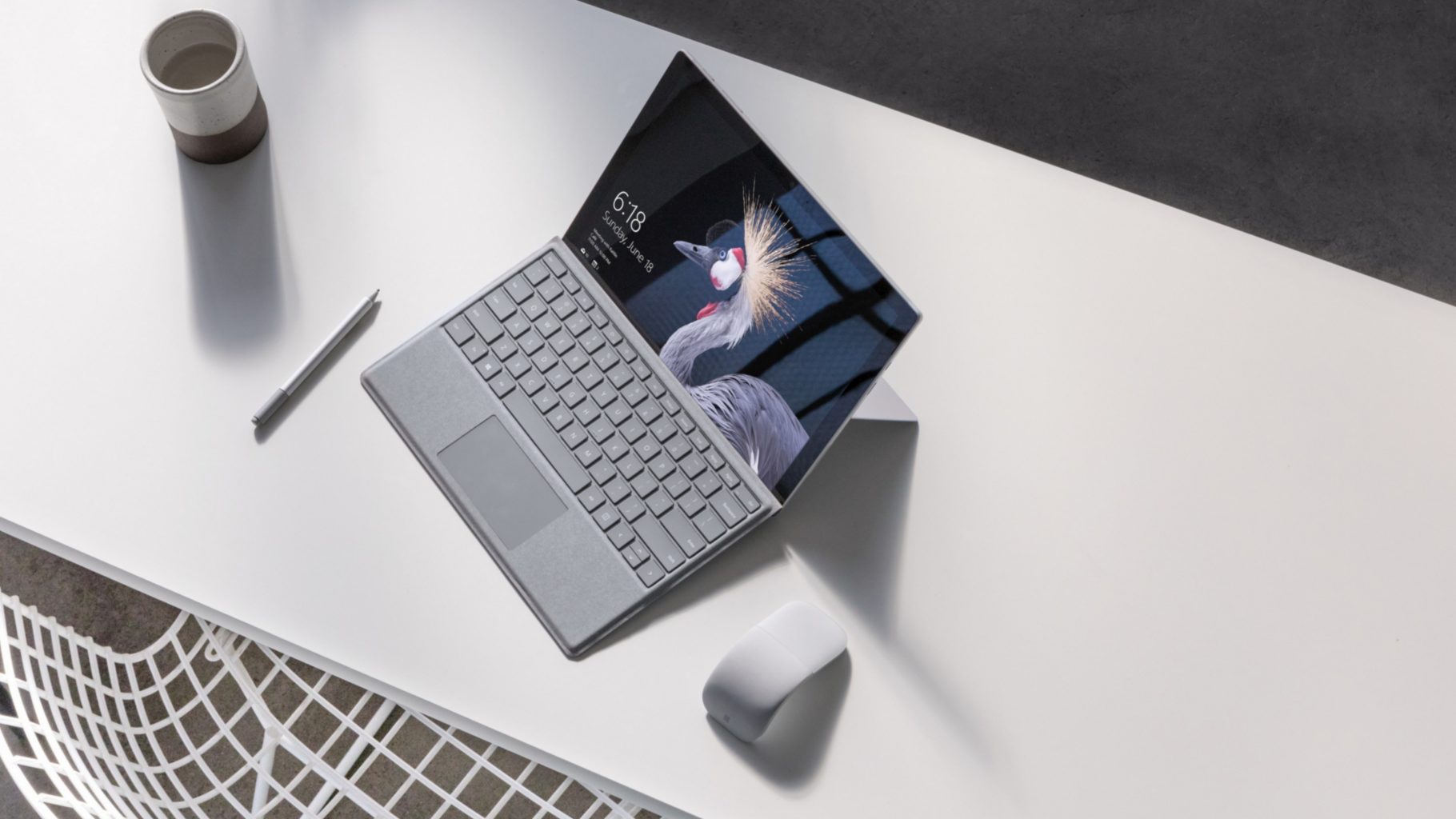
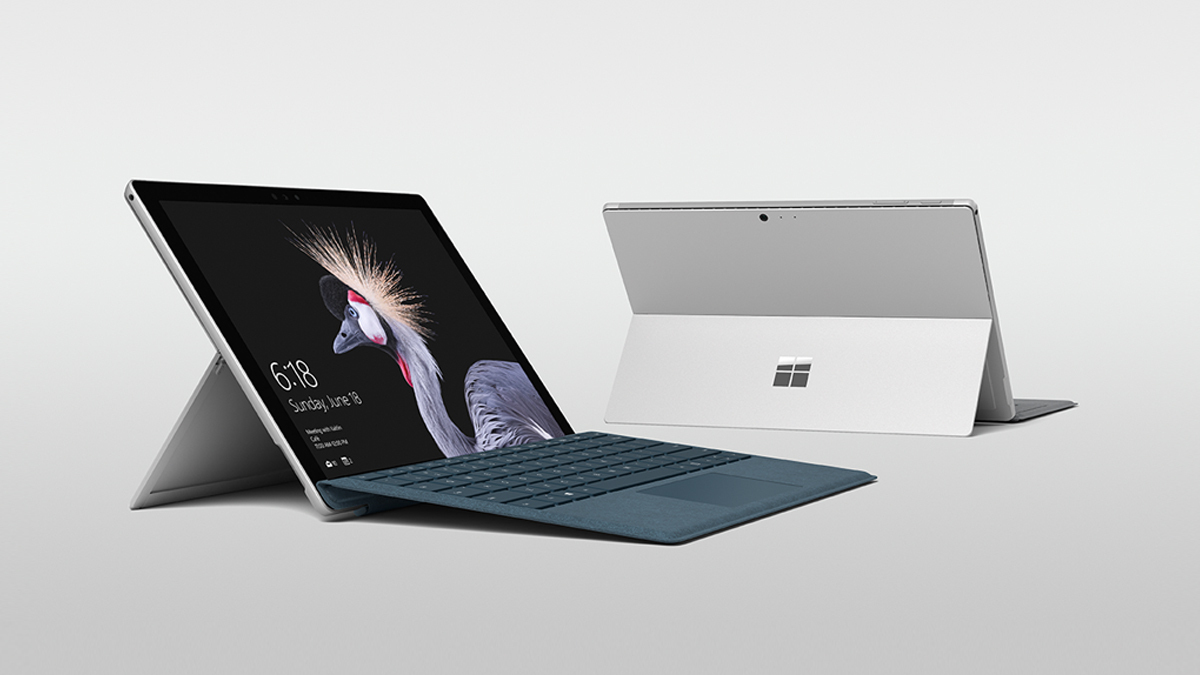
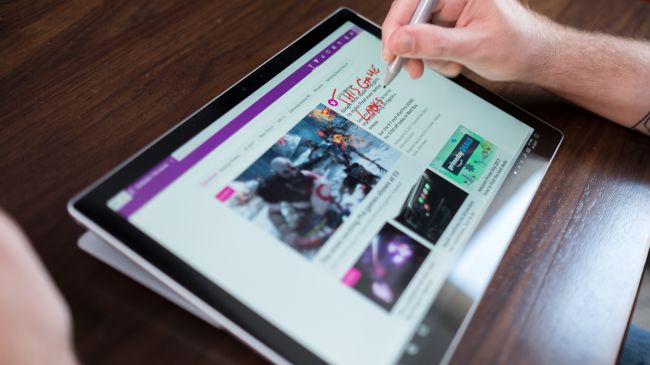
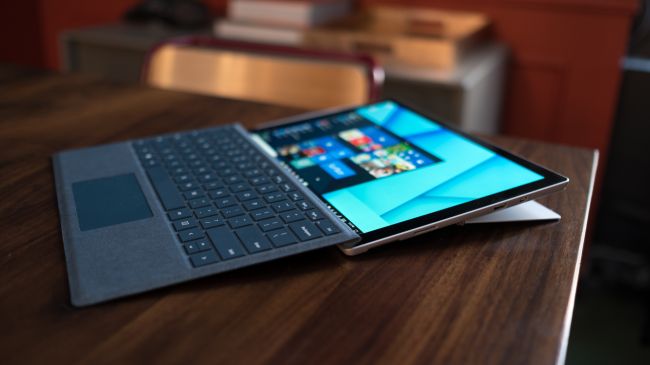
    The Surface Pro has always been the The ultimate laptop with versatility of a studio and tablet. Now its better than ever, the new Surface Pro gives you a best-in-class laptop, plus the versatility of a studio and tablet. The stunning PixelSense Display supports Surface Pen1 and touch, while up to 13.5 hours of battery life2 gives you plenty of juice to work all day and play all night.

    The Great

    • Brilliant PixelSense display
    • Simple, elegant design
    • Improved Type Cover keyboard
    • Fantastic performance


    The Not

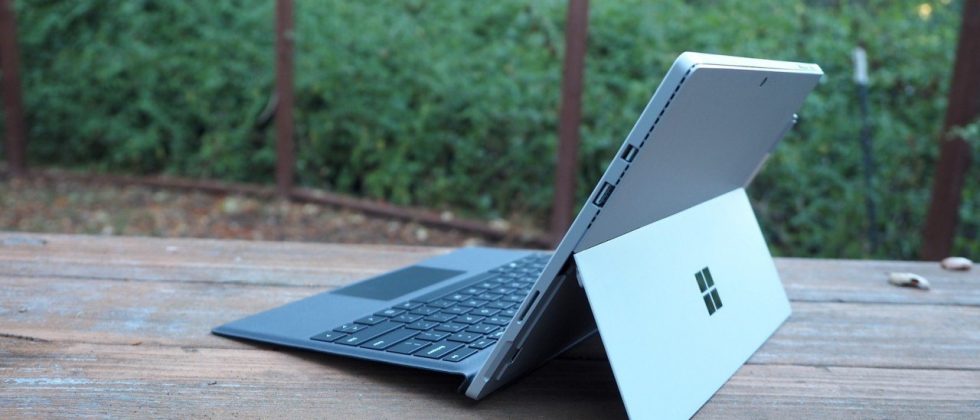
    • No USB-C
    • Surface Pen and Type Cover sold separately
    • Better, but still mediocre battery life

    The Conclusion

    With its fantastic PixelSense display, improved Type Cover, faster performance and even better battery life, the Surface Pro is still the king of detachable 2-in-1s.

    The Design

    Not wanting to tempt fate by messing with an exceptional design, Microsoft made the new Surface Pro look almost identical to the previous two models.Sure, the company has rounded off a few edges to make the Surface Pro a little curvier and more pleasant to hold, but all the familiar elements are here, including the kickstand, power button, volume rocker and front-facing speakers.

    The Performance

    I  can see why Microsoft is moving away from referring to the Surface Pro as a tablet, given that it’s packed with very laptop-like components. Our review model was equipped with a fast dual-core Intel i7-7660U CPU and 16GB of RAM. The Core i7-7660U is no longer at the cutting edge, as Intel’s 8th-gen Core processors are now available, but it managed respectable performance.

    Surface Pen is Vastly Improved

    Why Microsoft opted not to call this the Surface Pro 5 is beyond us, as you can now see the firm changed practically every facet of the product. The Surface Pen got some of the most meticulous and belabored treatment.

    For one, Microsoft upped the pressure sensitivity of its pen to 4,096 levels of detectable pressure, meaning creators have more control over the width and intensity of their lines in illustrations or designs than before. Perhaps more importantly, the Pen now sports a much lower latency, meaning that the tip of your Pen has a far lower chance of “leading” the ink on the PixelSense display.

    Finally, the Pen also supports tilt detection now, though only through the new Surface Pro – the other current Surface devices will get the support for this feature through a firmware update.


    Quick Spec Look

    • CPU: 2.5GHz Intel Core i7-7660U (dual-core, 4MB cache, up to 4GHz with Turbo Boost)
    • Graphics: Intel Iris Plus Graphics 640
    • RAM: 16GB LPDDR3
    • Screen: 12.3-inch, 2,736 x 1,824 PixelSense display (Contrast ratio: 1,300:1, 100% sRGB color, 10-point multi-touch, 3:2 aspect ratio)
    • Storage: 512GB SSD (PCIe 3.0)
    • Ports: 1x USB 3.0, mini DisplayPort, microSDXC card reader (UHS-I), headphone/mic jack
    • Connectivity: 802.11ac Wi-Fi (2 x 2 MIMO), Bluetooth 4.1 (Low Energy)
    • Cameras: 8MP rear-facing, auto-focus camera (1080p HD); 5MP front-facing, 1080p HD camera
    • Weight: 1.73 pounds
    • Size: 11.5 x 7.93 x 0.33 inches (W x D x H)

    The Final Thought

    Nearly five years after Microsoft introduced the device that created the 2-in-1 category, the company’s Surface Pro systems are still the detachables other companies are trying to beat. So how does Microsoft improve upon its class-leading hybrid? By refining its simple tried-and-true design, improving performance, shoring up some concerns about battery life, and creating a new line of enhanced and more colorful Surface accessories.

    I think Microsoft is still playing it a bit too safe in a few areas. While improved, the Surface Pro’s battery life still lags behind those of other ultraportable laptops, and the lack of a USB-C or Thunderbolt 3 port are strange omissions for a premium flagship device. And after three years in which the Surface Pro has had essentially the same aesthetics, I find myself wanting a bit more excitement out of this machine’s design. But if you want the best detachable out there, the Surface Pro is still the one to get.

  • HP Chromebook X2 Detachabley Terrific

    HP Chromebook X2 Detachabley Terrific

    So we have made it to a place in time where Chromebooks can run Android applications as natively as a Google Pixel 2, it is only natural that we’re starting to see detachable, hybrid Chromebooks that double as tablets.

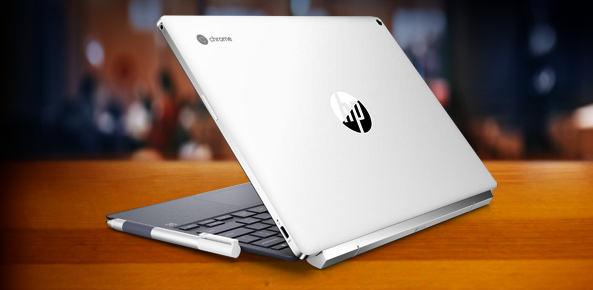
    Now HP is leading the charge in the 2-in-1 detachable Chromebook space with its Chromebook x2. Like the HP Spectre x2 before it, the HP Chromebook x2 is a thin and lightweight tablet that can be magnetically hinged to and unhinged from its included keyboard at will. That’s where the similarities end between the HP Chromebook x2 and its Windows-based predicessors.

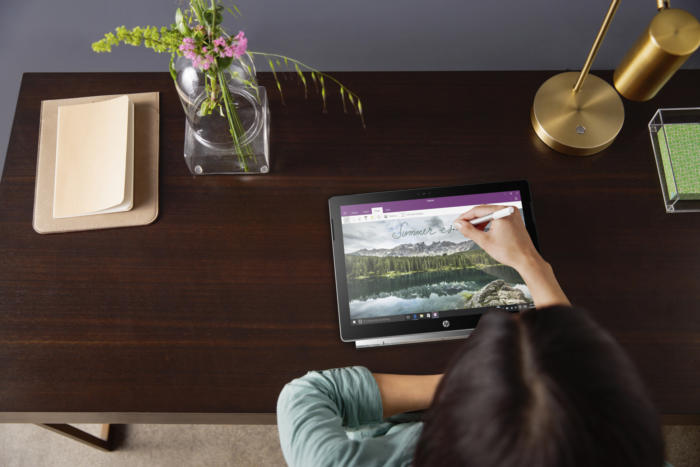
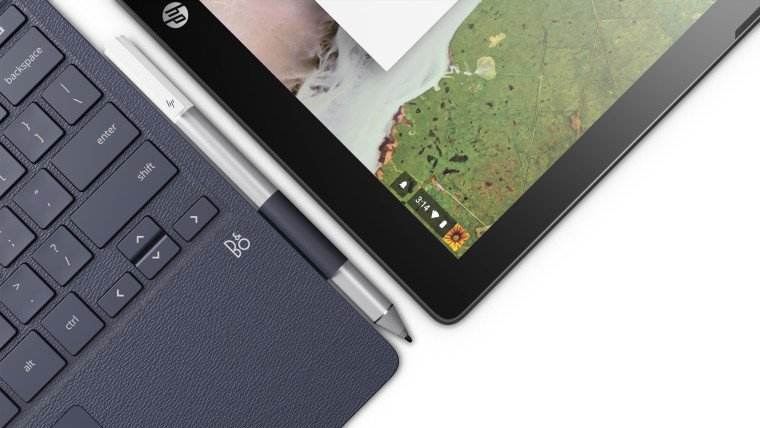
    HP is making Chrome OS devices that can do away with the keyboard. It just unveiled the Chromebook x2, a 12.3-inch laptop that’s really a detachable tablet — unlike the earlier Chromebook x360, you can leave the keyboard behind instead of merely flipping it behind the screen (though you can do that too). There’s an included pen for note-taking and sketching, and you’ll find a 13-megapixel rear camera on top of a more conventional 5-megapixel front shooter.


    Hows it Running?

    The Chromebook x2 has a Core m3 processor from Intel’s prior generation of Kaby Lake chips, 4GB of RAM (it can be configured with 8GB, too), 32GB of storage, a 2400 x 1600 resolution, stereo speakers, a 5-megapixel front camera, a 13-megapixel rear camera, two USB-C ports, a microSD card slot, a headphone jack, and an estimated 10.5 hours of battery life. It weighs a little bit more than an iPad Pro, and it’s a little bit thicker than an iPad Pro, but not by much.

    HP also emphasized that the keyboard was designed to hold firmly enough to the tablet that it should feel like a clamshell laptop when the two are connected. I haven’t seen the Chromebook x2 in person, but HP’s images make it look relatively nice. While the Chromebook x2 looks like a bargain compared to the iPad, it’s expensive for a Chromebook, which people often buy for around $300.


    The Final Thought

    So if you’re looking for a more premium Chromebook, and you don’t want to shell out $1,000 for Google’s Pixelbook, the Chromebook x2 seems like a potentially interesting middle-ground. But we won’t know for sure until it comes out later this summer on June 10th.

  • Laptop Lookout: Dell XPS 15 2 in 1

    Laptop Lookout: Dell XPS 15 2 in 1

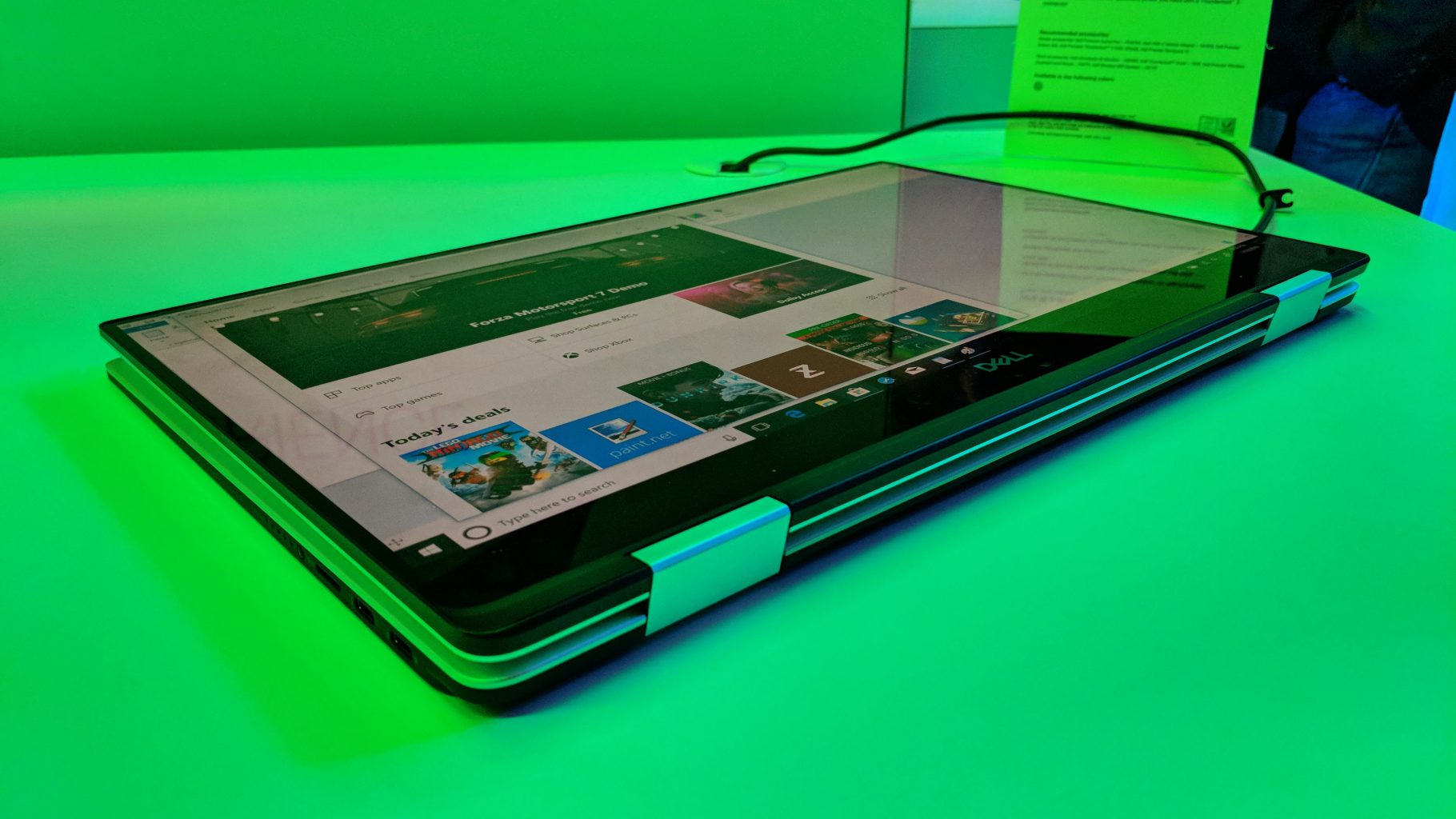
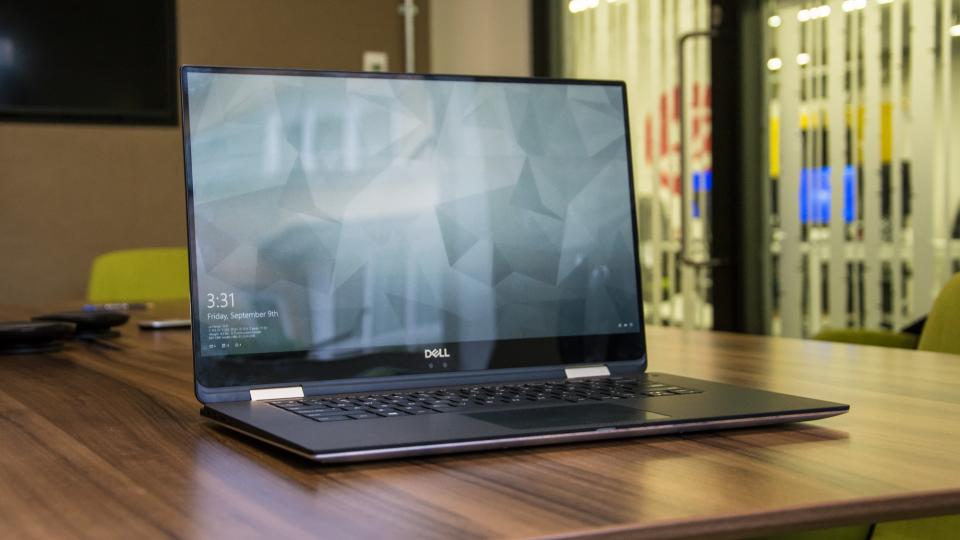
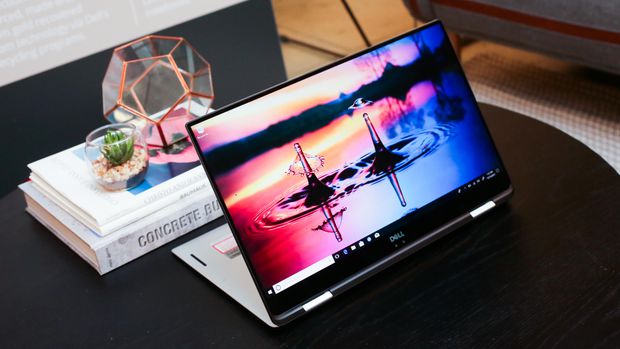
    It’s a hybrid inside a hybrid. That’s the best way to think about the new XPS 15 two-in-one from Dell. This big-screen laptop has a 360-degree hinge, so it folds all the way back to form a tablet — we’ve seen that plenty of times before, but never in Dell’s high-end XPS 15 line.


    The Great

    • Gorgeous 4K display
    • Blazing fast CPU
    • Much improved battery
    • Legacy ports still at play
    •  Clear audio
    • Strong performance

    The Not

    • Middling graphics
    • Poor webcam placement
    • Lots of Bloatware

    The Conclusion

    This is the best 15-inch laptop money can buy. That’s thanks to strong build quality, a brilliant screen, a comfortable soft-touch deck and an Nvidia GeForce GTX 1050 GPU that can handle entry-level gaming and some serious Photoshopping.


     Dell’s new XPS 15 2-in-1 makes the statement this time around. As its name implies, the XPS 15 is a 2-in-1 convertible that lets you fold the 15.6-inch screen back on itself for use in tablet mode or tent mode.
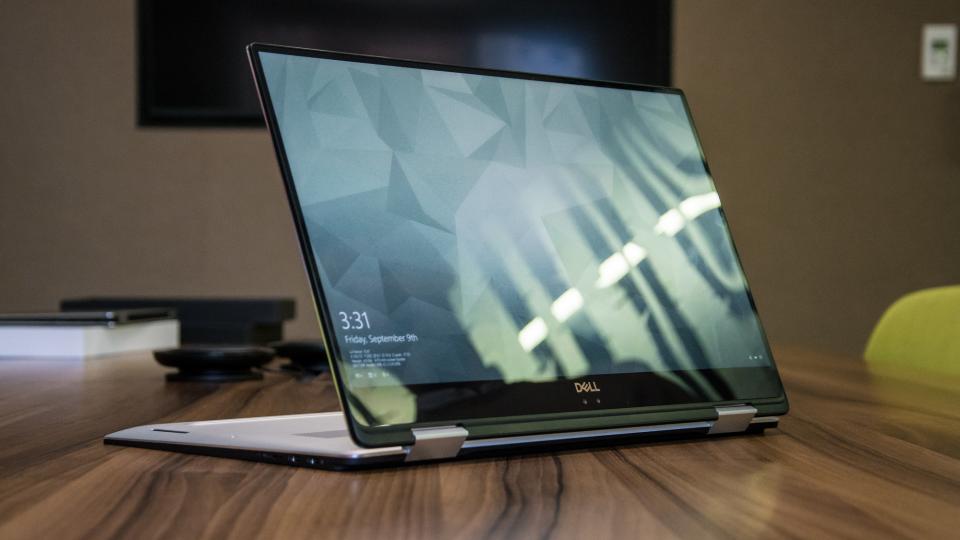
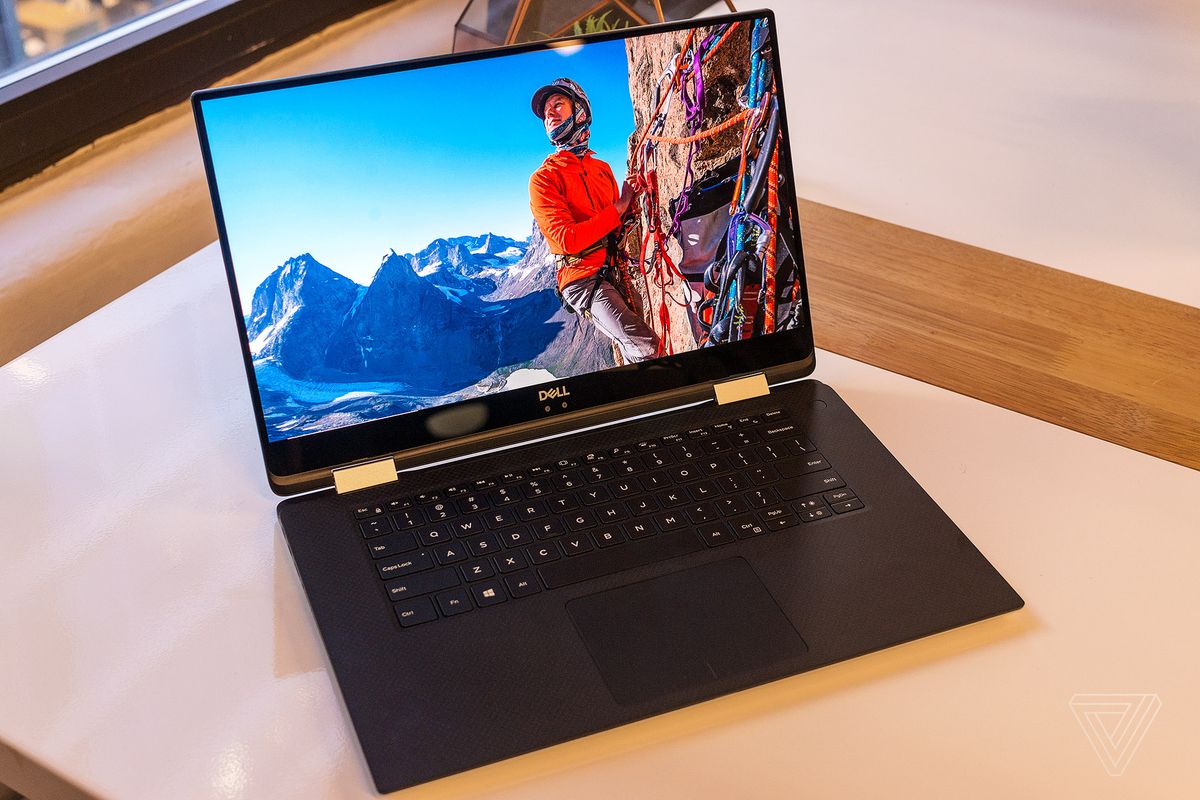


    The XPS 15 combines jaw-dropping resolution and vibrant color in a large 15.6″ touch display. Its crisp, sharp detail and rich color is perfect for editing photos and graphic design with Full HD or the optional UltraSharp™ 4K Ultra HD (3200×1800). Comes with 500GB 7200RPM Hard Drive + 32GB Solid State Drive Windows 10 Home 64-bit English and 8GB 2400MHz, DDR4; up to 32GB (additional memory sold separately). View amazing graphics on the 15.6″ FHD (1920 x 1080) InfinityEdge, Non-touch and Intel HD Graphics 630 videocard.


    The Updates

    It looks a lot like the notebook, but Dell has done more than slap a new hinge on its existing design. The XPS 15 2-in-1 is an all-new design that takes dramatic measures to reach its weight of 4.3 pounds and thickness of .63 inches – figures that are among the best in its class.

    Dell has incorporated Gore fabric into its chassis. More commonly used for lightweight athletic apparel, Gore is an excellent insulator, yet also light and thin. That apparently makes it a good fit for directing heat through a notebook chassis. You can’t feel the fabric when you touch the machine, but it’s there, keeping heat where it should be.


    Quick Spec Look

    • Intel Core i5-8305G or i7-8705G
    • GPU       Radeon RX Vega M
    • RAM      Up to 16GB
    • Storage Up to 1TB PCIe SSD
    • Display  15.6-inch 4K or 1080p
    • Size        3.9 x 9.3 x 0.6 inches
    • Weight 4.3 pounds
    • Battery Up to 15 hours
    • Ports     Thunderbolt 3, USB Type-C, microSD card, HDMI, Headphone

    The Final Thought

    All the benefits of the 2 in are here, it has the flexibility. Its durable and powerful, sounds great and a performance monster. I can say it runs a little hot, and i wish there was a better GPU for new gaming.

  • New iPads this March!

    New iPads this March!

    Good News Everybody, the highly top secret Apple company has leaked a little bit of news. IT looks like we will be seeing two new iPads in march. While the details are still fuzzy here is what we know and what we can gather.

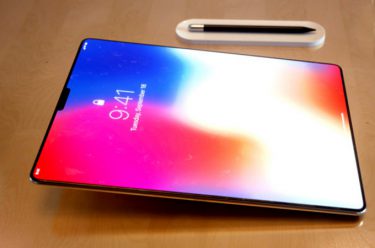
    A  product filing from app was discovered this week that received approval from the Eurasian Economic Commission on two devices codenamed A1954 and A1893, The product description in the filing was labeled as ‘tablet computers’. The codes are in line with Apples current product ID’s. Apple is working on new iPads that it could announce in March. Those reports say that the design will be slimmer and have less bevel on the screen, similar to that of the iPhone X. Additionally, Apple could be planning to deliver the Face ID options we have in the iPhone X in the iPads.

    In the past we have seen a release event or announcement on the iPhones and recently AirPods two weeks after a similar EEC approvals. My guess is we will see the event March 6th, with it featuring two new iPads, but not the iPad Pros. Replacement for the current, consumer-level 9.7-inch iPad seems likely, and judging from the product numbers I would guess they are both the same device with one of them being a cellular model.

    Probably nothing earth shattering here but its always cool to get new toys from Apple, but maybe just maybe it will be. iPad X?