Author: Nick McLane

  • Three of Our Favorite 4K Projectors

    Three of Our Favorite 4K Projectors

    There’s no denying that televisions can provide a great viewing experience. But if you want the true movie theater feel in your home, then you need a projector. Projectors can also be very handy for easier portability, so if backyard viewing is your thing, then a projector trumps a large television any day of the week!

    Here are some of our picks for the best 4K projectors available. Enjoy some ultra-HD goodness!

    Optoma UHD60 4K Ultra UD Home Theater Projector – $1,799

    Not only does the Optoma offer the stunning 4K resolution that you would expect, it also supports HDR10 color technology. This means the blacks are blacker and the colors are more vivid than ever (if the source film supports HDR).

    With 3,000 lumens and a contrast ratio of 1,000,000:1, the Optoma is able to deliver razor sharp images that you can see in 4K detail from up to 10 feet away. 1.6X zoom and 1.30 to 2.22 throw ratio means you can fit your images in various spaces 140 inches and up. The Optoma features a single DLP chip system for easy set up.

    Vivitek HK2288-WH 2000 Im Bright Ultra HD 4K DLP – $1,425

    This is the best budget 4K projector you can buy currently. At this price point, there is no competition!

    This Vivitek features a 2,000 lumen bulb and a 1,000,000:1 contrast ratio. Like the Optoma, it supports HDR10 for enriched brightness and beautiful color reproduction.

    Also, like the Optoma, this Vivitek features a DLP chip system.

    Epson Home Cinema 5040UB – $2,299

    The Epson 5040UB features a 3-chip design which ensures that there is never a rainbow effect to your picture. It also supports HDR10 high dynamic range and high contrast. Like the others, it features a 1,000,000:1 contrast ratio for better brights and darker darks.

    At 2,500 lumens, it lands between the Vivitek and the Optoma on the bulb output. You can set up to 10 positions for motorized focus, zoom and lens shift.

    Another great feature is the Bright 3D Drive which allows for 3D projection.


  • LG Cinebeam 4k Projector Truly Beams

    LG Cinebeam 4k Projector Truly Beams

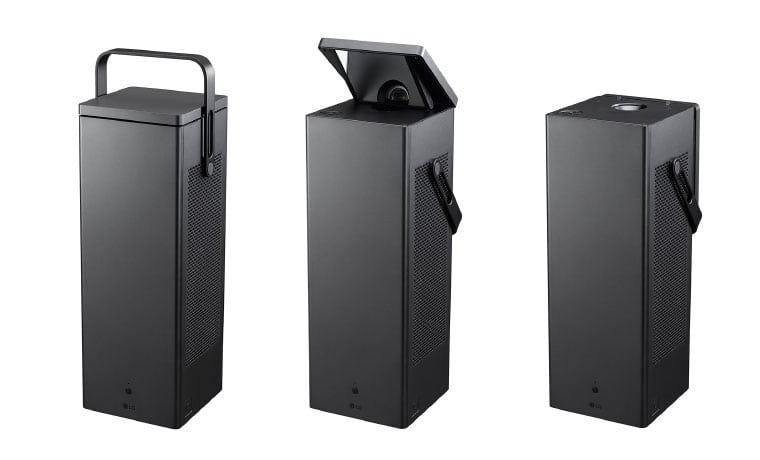
    The latest tech from the South Korean manufacturer LG is set to embrace the Ultra-HD revolution in its LG Cinebeam 4k Projector, specifically the all-new HU80KA 4K Projector that we saw at CES earlier this year: LG has just released that the portable projector starting at  $2,999.

    The Great

    • Bright
    • Light
    • Beautiful Picture
    • Ultimately Portable
    • Best Value for 4k Screen Size

    The Not

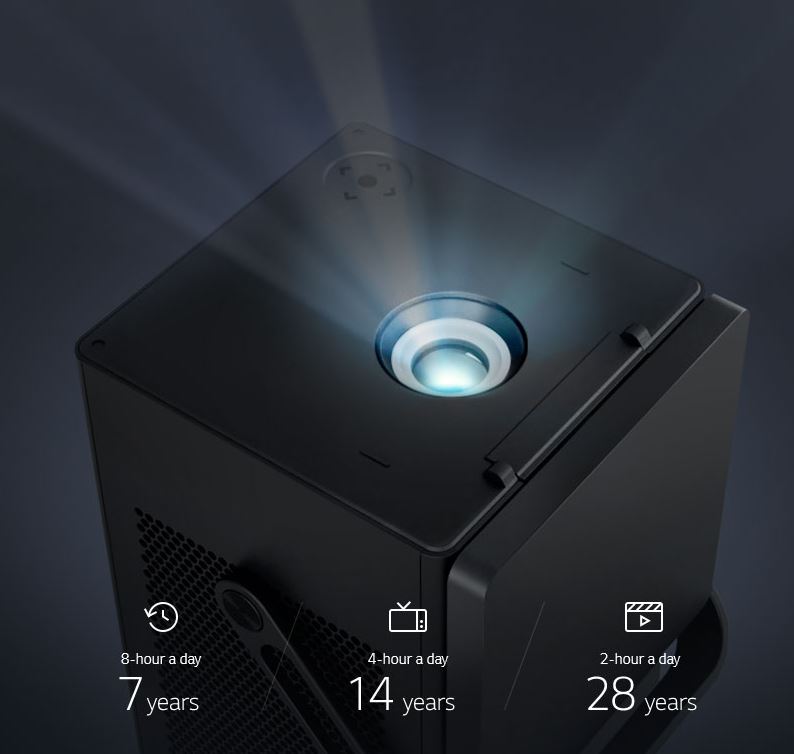
    • Limited Light Lifetime

    The Conclusion

    The LG Cinebeam 4k Projector is LG’s brightest projector yet, able to display a 150-inch picture at 2,500 lumens, while its HD projectors top out at 2,000 lumens. To take advantage of this extra brightness, the HU80KA also supports high dynamic range via HDR10, though unfortunately, Dolby Vision doesn’t appear to be supported. Two built-in 7-watt speakers provide enough audio power in case you’re bringing the projector with you, but you can easily connect it to an external speaker system or sound bar using the optical output, HDMI, or wirelessly via Bluetooth.


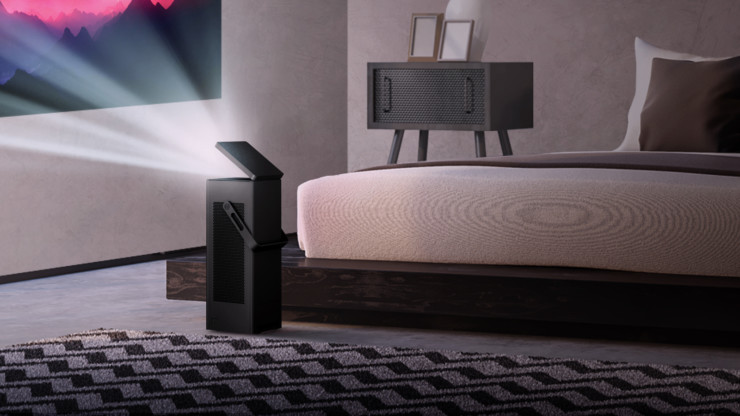
    The LG Cinebeam 4k Projector is a versatile and beautifully glorious black box. Spunky one-two 7 W speakers that you can choose to hook up to external speakers and sound bars via optical or Bluetooth. Size and weight, this compact package comes in at about 14 pounds, but delivers far above its competition with a stunningly sharp laser engine that projects up to 2,500 lumens, allowing crisp viewing even in bright conditions. Coupled with LG’s innovative Trumotion Technology, the compact box paints an amazing 150″ screen (74″ by 132″) on your wall from 14.1 feet. Do the math, and a screen 70″ or greater can be projected directly on the ceiling. Makes it Nice for viewing in bead but also just adding a nice Star light canopy or thunderstorm right above your bed.

    LG Cinebeam 4k Projector 77 Inch OLED

    Even a mammoth 77-inch OLED is dwarfed by a 150-inch picture, and that’s exactly what the new LG Cinebeam 4k Projector UHD projector brings to the table. Even better, the CineBeam is available now for a price that is close to what you’d expect to pay for a 75-inch 4K TV — not bad for what promises to be one of the best home theater projectors around.

    Not only can the LG Cinebeam 4k Projector deliver a huge picture, but it does so in a compact, portable form that doesn’t require you to find a table or stand for setting it at the exact right height. LG Says, as the projector’s mirrorless I-shaped engine allows the projector to display without problems whether it’s mounted on the wall, hung from the ceiling, or placed on the floor.


    The Final Thought

    Will the projector outclass OLED in terms of black levels? Probably not – especially without the aid of more advanced HDR formats like Dolby Vision or HDR10+. But, that said, its portability and price may help LG’s latest beamer beat out the competition in its design class.


  • Looking for the Biggest Display? Check out a 4K Projector!

    Looking for the Biggest Display? Check out a 4K Projector!

    While TV panels keep getting bigger and bigger, the hassles of installing and storing them do, too. Not to mention, they consume a ton of power and they’re super fragile! If you’re interested in having a massive, gorgeous 4K display but don’t want to worry about a TV, what are you supposed to do? Well, you could check out an awesome 4K projector!

    We’ve got three here, chosen for their various strengths, to help give you an idea of what to look for. 

    Epson 5040UB 

    While this projector is technically a 1080p projector, it uses some interesting optical shift technology. That optical shift makes it give the appearance of a 4K image without actually being 4K. This one is on the list for its price point, however, as it offers a great image quality for its cost. If you’re just looking to dip your toe into projecting, this $2,300 projector is a good place to start. It sports a great range of colors and looks vibrant. It’s only big drawback is that it only has an HDMI 2.0 input, meaning it’s not very future-proof for upcoming 4K releases.


    Sony VPL-VW285ES 

    If you want to see every single pixel of your 4K image, this Sony projector is for you. If you have true 4K you want to watch on a massive scale and have it look great, this projector is perfect. It is a little expensive, though, coming in at $5,000, but it’s well worth it. If you’ve ever wanted to have movie-theater quality images in your house, this is how you do it. Now all you need is a big tub of popcorn and a comically large soda to drink! The only downside to this one, aside from steep price, is the colors. The color range isn’t as good as the other projectors on this list, and our pick for favorite blows it out of the water in terms of black levels.  

    Our Favorite 4K Projector: JVC DLA-X590R 

    Much like the Epson we mentioned earlier, the JVC is technically a 1080p projector. However, it uses optical shift technology to scale the images it sends up to 4K. Its biggest strengths are its strong colors and intense contrast. This 4k projector will wow you with its deep black values and vibrant colors. While it isn’t quite as crisp or sharp as the Sony, it’s much more affordable and offers better color values. Those features alone make it our favorite, as it does an incredible job for the price. You can usually snag this projector on Amazon for around $3,000. You won’t be dissapointed: this little guy punches way above his weight class! 


  • Best Study Laptop for Students: What to Look For

    Best Study Laptop for Students: What to Look For

    When you’re shipping off for college, you want to make sure you’re bringing the best gear with you. Of course, you want only the best backpack, binders, pencils and such, but that’s not where you need to really worry about quality. The most important consideration you need to make for your college gear is in your laptop.

    When you’re studying, you’ll need to use your laptop to find the information. During class, when you’re taking notes, you’ll need to be able to quickly navigate your note-taking app and get everything in order while the professor is lecturing. When you’re writing essays, you need to be comfortable with the laptop’s keyboard. And, of course, you’ll want to make sure you’re aptly entertained when it comes time to unwind.

    Weight

    First off, when you’re shopping for a laptop for college, make sure it’s light and easy to throw in a bag and carry around with you. You’re already going to be sporting a ton of books and carrying all of your scrap paper and pencils to and from class. The last thing you need is to also have to worry about lugging a heavy laptop with all of this stuff.

    Remember, though, that a lot of your time using the laptop will involve typing and writing essays. This means you’ll want to have a good-sized trackpad and keyboard for the most ergonomic experience. If you do have to sacrifice on keyboard size to keep the laptop to a reasonable size and weight, of course, you can opt for a USB keyboard and mouse to keep in your room for heavy-lifting tasks.

    Screen

    You probably don’t need a massive, 17-inch OLED screen for the laptop you’re going to be using mostly for schoolwork. Also, per our last tip, you probably don’t want a laptop that big taking up so much space in your backpack. A 13- or 15-inch screen will likely be more than enough for scholastic purposes, so don’t go overboard when you’re looking at screens.

    If you’re looking for something to serve as a great entertainment device for when you’re back in your dorm, consider getting a Roku and a small HDTV. Alternatively, if you’re wanting to play video games, you could probably find a good deal on a Nintendo Switch, which would dramatically lighten your load compared to buying a full-fledged gaming laptop.

    Memory

    When you’re considering what kind of storage your laptop needs, make sure you’re getting a solid state drive. SSDs are more expensive than conventional hard drives, but they are well-worth the extra money. That’s because SSDs are stationary, unlike hard drives that spin in your computer, and so they travel much more safely. The less moving parts a portable computer has, the better!

    SSDs also load information significantly faster than hard drives. Keep in mind, however, that it’s hard to notice this bump for the types of tasks you’ll likely be using a school computer for. If you often use Photoshop or render graphics, such as for video games or design, however, you’ll see a marked improvement in speed for SSDs.

    Power

    Finally, we get to the big question. What kind of power should your school laptop have? Budget-conscious students will say “nearly none,” while gamers and tech fiends will say “all of it,” but neither is accurate.

    For the purposes of research, writing papers and browsing the web, all while not tearing too hard into the laptop’s battery life, the best option is more measured. A Coffee Lake processor, for instance, will offer a great balance of power and performance. However, if you’re looking for a more budget, school-focused machine, something like a Chromebook might be the best option.


  • Is Your Basement Trapping Moisture? Here’s how to Avoid Mold

    Is Your Basement Trapping Moisture? Here’s how to Avoid Mold

    Depending on where you live, basement humidity might be a serious issue for you. A damp basement can seriously affect the value of your home and can even result in structural damage. Fighting this humidity can be quite the uphill battle. If you’re at your wit’s end with a damp basement, here’s some tips for trying to dry it out!

    How to Dry out a Damp Basement

    Ventilate Well

    Make sure the basement is well-ventilated! Still, stagnate air is ideal for moisture to accumulate. Dark, still and quiet areas are also prime real estate for mold growth. The last thing you want in your house is mold! On a dry day, open doors or basement windows and put fans in the basement. Get that air circulating! Move it the heck out of your basement! Pair this with things like a dehumidifier to make sure you’re really drying the place out.

    Dehumidifier

    A straightforward solution might just be to run a dehumidifier in your basement. A lot of folks overthink their damp basement problems and don’t think about this incredibly straightforward and cost-effective solution. For around $200, a dehumidifier alone might just solve your entire problem.

    Just set up a medium-sized dehumidifier in the basement and let it run. These are a great idea for a number of reasons. For one thing, they can keep moisture buildup from resulting in dangerous puddles. For another, they can also reduce the growth of mold, which loves dark, moist areas. This means that running a dehumidifier can do wonders for your health!

    Reseal and Plug Leaks

    The concrete in your basement may need resealing if a dehumidifier alone can’t solve your problem. If this is the case, don’t panic.  If you’re noticing a lot of condensation through the concrete walls or floor of your basement, you can address the problem by resealing the concrete. You can go to any hardware store and find concrete paint and sealer. There are varieties for both walls and floors, so make sure you get the one that addresses your specific issues.

    While you’re resealing your concrete, make sure you address any potential leaks too. Things like basement windows, openings for your dryer to vent heat and the like can be entryways for a lot of moisture. This is especially true in rainy regions or during wet times of the year. Make sure to seal these areas well with silicone seals or weather strips. Then, make sure you run a dehumidifier and ventilate the area well.

    Address Any Issues with your Gutters

    If your gutters have spouts that let out close to your foundation, they could be pouring water into your basement. This can ruin even the best weather-treatment or sealing. To remedy this, make sure the spouts from your gutters let out at least four feet from your home. Additionally, make sure that the water that leaves the spout runs downhill away from your home. It won’t do any good to just have it roll back into your house!

    This is better for you home in general, too, not just your basement. The erosion this can cause around your foundation is pretty severe. The value of a home with a compromised foundation is negligible compared to one with a solid foundation! This should be high on your list of considerations if you have gutters that let out near your home.

    Air Out Wet Items Outside

    If you’ve got wet items from the basement flooding or just general dampness, take them out of the basement. It might seem like a good place to air them out but think about it. If you’re trying to dry the basement out, you really don’t need to have damp items airing out. That’s just going to work against all the hard work you’re doing trying to dry the place!

    Instead, take things like wet suitcases or furniture outside to a patio or deck. That way, they’re exposed to open air and sunlight and will dry out much faster. This also ensures that your home isn’t exposed to even more moisture! If the items you’re drying can’t go outside, consider drying them in the garage or a bedroom that is well ventilated.


  • Easy Smarthome Devices to Increase Your Homes Value

    Easy Smarthome Devices to Increase Your Homes Value

    From smart thermostats to automated lighting and everything in between, there’s no question that innovative, Internet-enabled technology can make a home more fun, convenient and safe. What you may not know, however, is that it also represents a potentially valuable investment. Im going to take a$7000 investment to smart home upgrade to increase my homes value by $25000. Lets look at how I spent it and what value it brings.

    Appliances

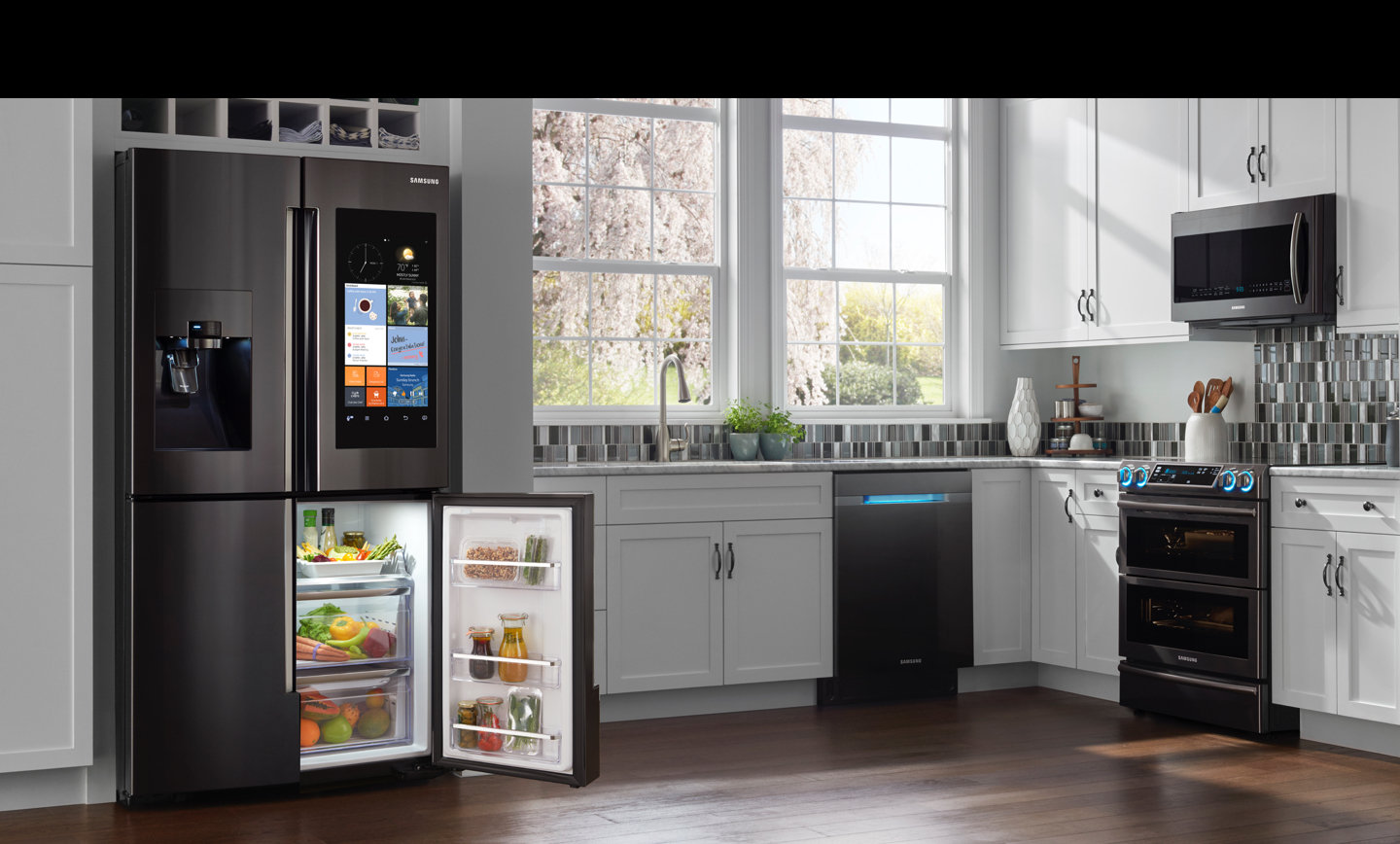
    I started with replacing the refrigerator and stove, with smart appliances.

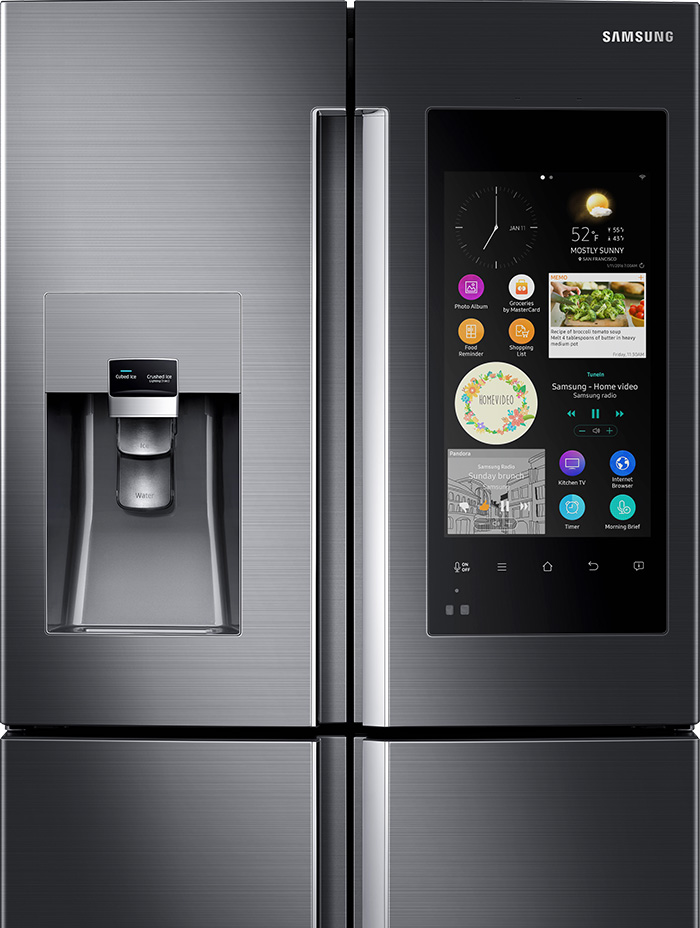
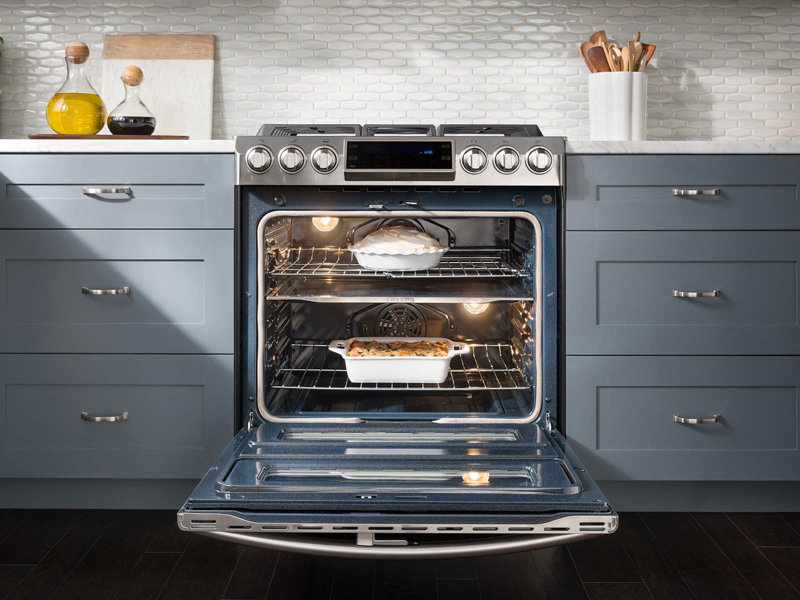
    for a combined $4300 I installed the Samsung Family Hub 2.0 wifi enabled fridge and  the Self-Cleaning Slide-In Gas Convection Range both in stainless steel of course. considering I was going to have to spend $2000 anyway on these appliance the extra money to purchase the smart appliance is well worth it for the wow factor alone.  

    Samsung Family Hub 2.0 Refrigerator

    The Samsung Smart Fridge is really cool, looks great, creates shopping lists and lets me see inside from anywhere with 3 built-in cameras. It  also set expiration notifications to make sure everything is fresh. Plus it has Bixby built in for a digital voice assistant right in the kitchen, I’ve always wanted to talk to my refrigerator.


    Samsung Self-Cleaning Slide-In Gas Convection Range

    The stove looks like something you would see in a professionals kitchen, its no joke.  There are cooking options with the intuitive guiding light controls. This lets you program your favorite recipes, plus easily control temperature and  time settings. Wi-Fi connection gives you real-time alerts and control the cooktop and oven remotely. You just have to  download the app for iOS or Android devices.


    I was able to get both devices with a bundle package at best buy, factoring the money I was going to spend anyways im only out ($2130)

    Lighting

    Next step set the mood, for 3 main light switched I installed the Brilliant Smart Panel. With the digital touch screen or simple verbal commands, this switch can control your homes lights, air conditioning, intercom system, video surveillance, music and has a built in camera and even the ability to make video calls.

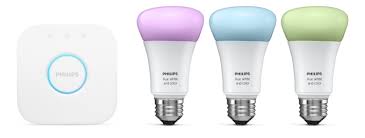
    I replaced all light bulbs with Phillips Hue Smart Lighting, this will allow the lights to be controlled from the 3 smart-panels, with the color bulbs setting different lighting and the colored light strips in the kitchen.

    This has added a great wow factor, adding in the Sonos speakers already through out the house. I can set music and lighting with just a shout. ($1000)

    Little Things

    The Smart Panel for Brilliant can control a lot of smart devices, so I upgrade my thermostat to the Nest, a Smart lock from August, Skydrop 8-Zone Smart Sprinkler Controller, Smart Security Video system from Nest with a video doorbell and an Amazon Eco Show for Alexa integration with all the new devices. ($1500)

    Bathrooms

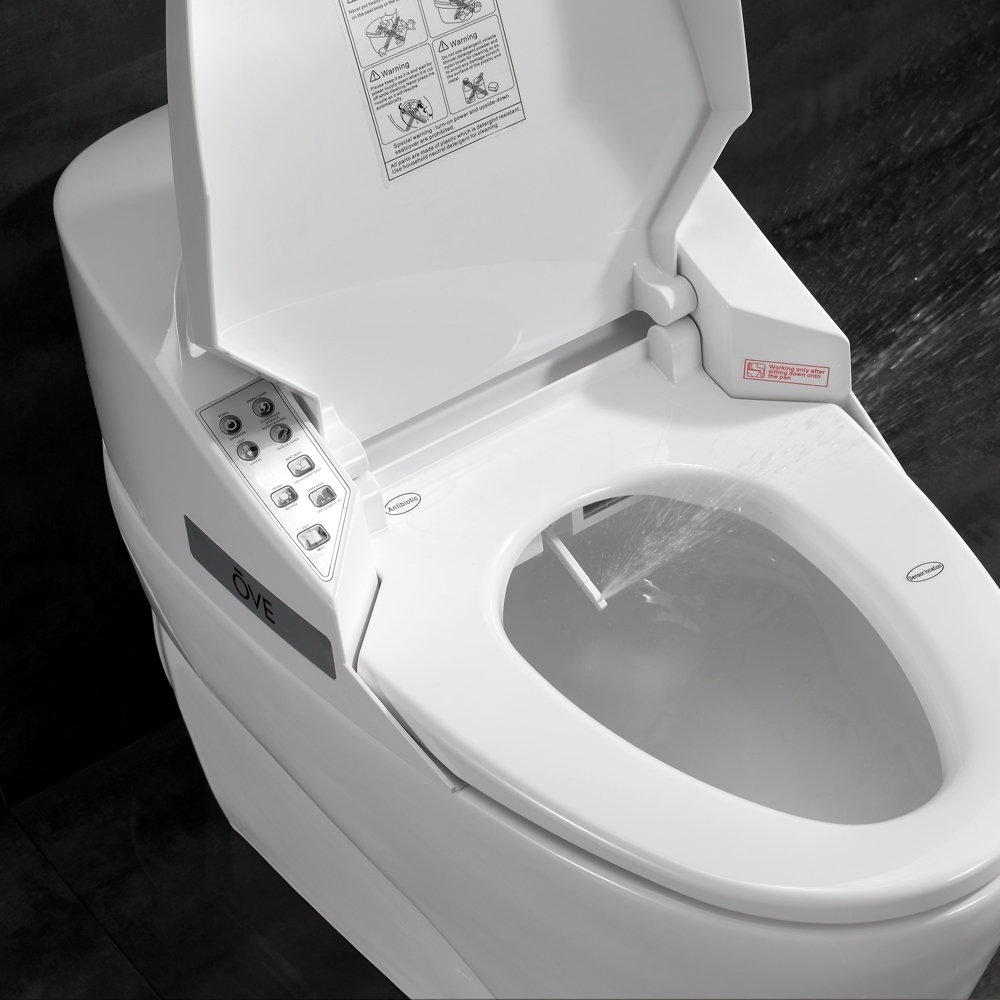
    This home has 2 bathrooms so I’ve updated both toilets to the Smart 1 Piece by OVE. Little expensive, but a heated seat, warm bidet water, and air drying features are a big sell for small price. This looks great and comes with a remote control. You can adjust the power and temperature right from your remote.


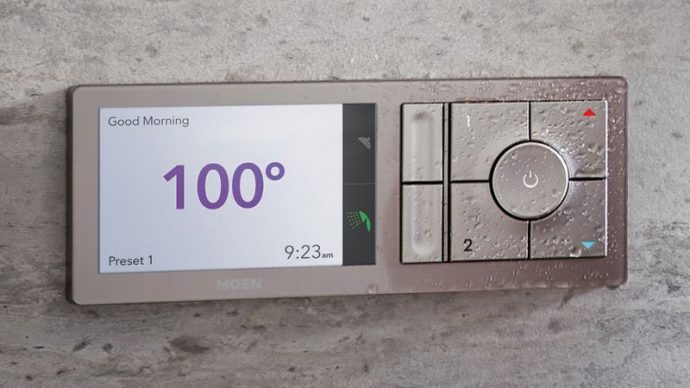
    I also updated the 2 shower-heads and added the Moen U Shower Smart Home Connected Bathroom Controller. The Moen U integrates smart temperature control, timers and also an app. You can even pre-time your morning shower, walk yourself to the bathroom and it turns on automatically as soon as it senses your presence!

    I have effectively updated my home and prepped it for sale. With these little upgrade I have moved my home from the bottom end of its appraisal to the top by making it a cutting edge smart-home and increasing my value and netting me an extra $18, 000 after the sale.


  • Best Kitchen Cleaning Supplies

    Best Kitchen Cleaning Supplies

    Some people really just love cleaning. For other people, it’s a chore they hate but they’ve got to do it. In either event, you’re going to want the very best kitchen cleaning supplies when you go to clean up. If you’re not rocking the best kitchen cleaning supplies then you’re not getting the best clean!

    Best Kitchen Cleaning Supplies

    Wring Mop

    Sometimes the classics are well-worth using. The old-school wring-mop is fantastic for floors that aren’t made of wood. Tile, concrete and the like are ideal surfaces for using an old-school wring mop. Make sure you get a good detergent and some hot water, and maybe a bit of vinegar, and you can clean up most any mess on a non-wood floor.

    You know what they say: if it isn’t broken, don’t fix it! This is a critical cleaning supply for kitchens without wood floors.

    Non-cellulose Sponge

    Another great example of a classic kitchen cleaning supply that you should rely on is the non-cellulose sponge. Why non-cellulose? Well, their design doesn’t trap in water that will act as a bacteria-spawning hotbed. That means the normal bad smell and stains associated with sponges don’t come into play here!

    Sponges are great for use on surfaces like countertops that you can’t clean with a mop. After all, you can’t get your mop up that high! Sponges work wonders cleaning appliances like fridges and stoves, too. Make sure you pair them with a good detergent and warm water for best effect!

    Mrs. Meyers Cleaning Products

    A lot of reviewers rave over Mrs. Meyers brand cleaning products. They offer a wide variety of products that are must-haves for cleaning! Whether you’re just getting started with your own place or you’ve been cleaning for a while, you should invest in this cleaner. It’s great at breaking up accumulations of dirt and leaves a great smell behind.

    If you’re environmentally conscious, good news: Mrs. Meyers is too! It’s environmentally friendly without sacrificing cleaning power. That’s the definition of a win-win! It comes in a variety of pleasant scents that aren’t overpowering, making your kitchen smell great while you clean.

    The best part of Mrs. Meyers products is the price, though! From their website you can often find great deals on the product. Right now you can even get three bottles sixteen-ounce bottles for $9! That makes this product less expensive on average than leading brands! That’s hard to beat!

    Coconut Oil Spray

    Hear us out! We know it sounds weird, but coconut oil can play a vital role in your kitchen cleaning. For one thing, it’s all-natural, which is a huge bonus. For another thing, it’s a fantastic furniture polish! If you have furniture or leather in your kitchen, such as your kitchen table or chairs, coconut oil spray is a must. When used in conjunction with sponges and scrubbing, it can make your kitchen pieces look amazing!

    Microfiber Cloths

    The type of cloths you use to clean eyeglasses are amazing for kitchen cleaning. Whether you’re cleaning counters, floors, tables or anything else, microfiber cloths are amazing. They don’t trap water or bacteria, they dry really rapidly and they work on everything. Using them on a variety of surfaces will show you just how great they are!

    They’re also super handy for cleaning in other parts of the house. For instance, if you’ve got a flat-screen TV that needs to be cleaned, a dry microfiber cloth alone can do wonders.

    Bona Mop

    Bona brand mops are similar in some ways to Swiffer wet mops. The main similarity is in the way they both work well on wooden floors. If you live in an older home with an original wood floor, you know how difficult it can be to maintain. So many cleaners are bad about stripping the finish and damaging the wood.

    Thankfully, the Bona Mop and Bono Floor Cleaner are made to help maintain wooden floors. The cleaner is gentle on wood but great at cleaning up messes. If you’re trying to clean an older wooden floor, you might be at a loss as to how you’ll be able to get it clean without damaging it. That’s where Bona comes in!

    When it comes to cleaning, you’ll need a wide variety of supplies. While this isn’t a comprehensive list, we hope it helps you get started in cleaning your kitchens like a professional!


  • Online Furniture Stores that Beat Physical Retailers

    Online Furniture Stores that Beat Physical Retailers

    Furniture shopping can be fun, but stores are often crowded and most people don’t really have the time to actually go looking for furniture. Now, don’t get us wrong: we all love a good trip to Ikea. That said, there’s definitely a lot that goes into furniture shopping.

    Everything from the selection to bringing the furniture home to setting up can be a great big hassle.  But thanks to the internet, shopping for furniture and home decor has never been easier. With all these stylish and affordable goods at your fingertips, it’s very easy to decorate and style your home. It’s a new dawn for everyone who loves beautiful designs, and there are several great places online to shop for new furniture.

    If you’re looking to shop for new furniture and avoid the physical retailers, consider these online furniture stores. After all, online shopping is always a great alternative to going to brick and mortar stores to shop!

    Online Furniture Stores

    Blu Dot

    Blu Dot is an interesting retailer from a design perspective. They were originally founded back in 1997, and their focus has always been on design. The two architects and sculptor who started the site have always tried to make the furniture designs modern, striking and accessible all at once. This shows in both their web design and their furniture design!

    With a stated goal of bringing good design to as many people as possible, it’s easy to see why they’re so highly recommended. The mix of materials, styles and sensibilities at play with their furniture is always neat to see. If you like a more off-the-wall look, this is for you!

    Wayfair

    Wayfair is one of the most customer-friendly online furniture stores out there. While you might spend hours on other sites just looking for the right piece of furniture, Wayfair cuts through that like a knife. The “Shop This Look” feature allows you to create a cohesive interior décor that will wow any guest.

    It doesn’t stop there, though. You can filter results based on custom price ranges, and the search functionality is exceptional. The search results are highly accurate and almost always exactly what you’re looking for. They even offer free shipping on items over $50! That’s a hard deal to beat.

    Apt2B

    If you’re looking to furnish a smaller space, such as an apartment, this is the retailer for you. Apt2B specializes in smaller furniture for apartments and town homes, furniture that maximizes smaller spaces. The furniture is designed with an eye for space economy, bringing big style to small furniture.

    Thankfully, that big style doesn’t make for a big price tag: the prices are all rather reasonable. The range on display is upscale and modern, and even the hippest of buyers will love what they have to offer.


  • Live Life in 4K with These Ultra Resolution Monitors!

    Live Life in 4K with These Ultra Resolution Monitors!

    While 4K technology has been available for some time now, it is becoming more and more affordable. More video games, streaming services and computer programs are taking advantage of the crystal-clear resolution, and we have our picks for best 4K monitors, all in one place for you to review! Check it out!

    BenQ PD3200U 32″ 4K Designer Monitor

    This monitor from BenQ has a very interesting feature: dual upstream USB ports, allowing for two computers to be hooked into one monitor and controlled from the same keyboard and mouse. For those who want a 4K picture experience with excellent color and crispness and the convenience of cooirdinating a dual-computer set-up, this BenQ monitor is a great choice. This one also has the added benefit of not requiring scaling, meaning that most third-party apps won’t give you any trouble, and its tremendous 32″ size makes for a gorgeous viewing experience! The only downside to this one is the price: it goes for a fairly steep $800.

    Dell P2715Q

    As far as older model monitors go, this Dell is a great choice for 4K viewing. Thanks to Dell’s awesome three-year warranty, you don’t need to worry about dead pixels ruining your viewing experience, and this monitor has a fantastic viewing experience at that. Excellent color quality pairs with its DisplayPort input’s 60 Hz 4K picture to make for a fantastic picture quality. This monitor has multiple USB 3 ports and a very adjustable, user-friendly stand for ergonomic viewing angles. For a reasonable $430, this Dell is a great choice. The only downsides are its relative age and large bezels, which somewhat cut into the otherwise stellar picture.

    Dell P2415Q

    For those who want a great-looking 4K image but have less desk space to dedicate to a monitor, this 24″ Dell is a great choice. This monitor is essentially just a smaller P2715Q, with comparable colors and black values, and all the same bells and whistles as its larger sibling. It also sports a USB 3 hub and is under the same excellent 3-year warranty and has a very adjustable stand. This one runs around $350, making it a significantly lower price point than the P2715Q. Much like its sibling, however, this monitor has large, unsightly bezels that cut into the image, but this is a small gripe. The P2415Q is certainly the greatest 24″ 4K monitor on the market, and if you’re looking for a smaller 4K experience, this is right for you!

    LG 27UD68P-B

    Our favorite 4K monitor, this LG impresses at every level. For $400 this is a fantastic value, sporting user-friendly menus and amazing picture. The color accuracy and black values of this display are some of the best on the market, and there is no better monitor for the price. LG has always been known for quality displays, and this is no exception to that reputation. This monitor also supports the new FreeSync technology, an adaptive scaling technique that pairs with compatible AMD graphics cards to minimize graphical tearing. If you’re looking for the very best in 4K monitors for a very reason


  • Top Ten Home Security Cameras

    Top Ten Home Security Cameras

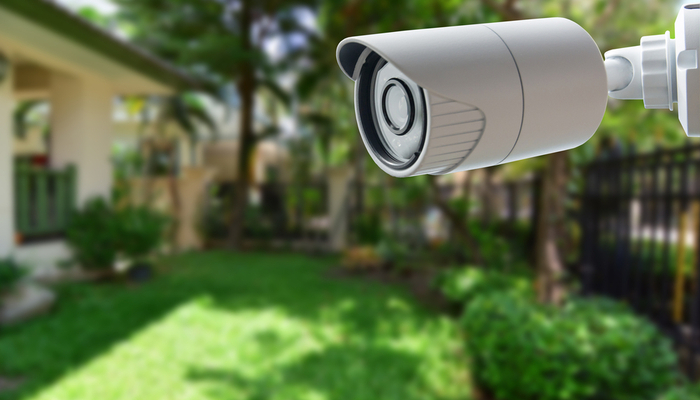
    If you’re interested in home security, odds are that you would like to install a home security camera. However, there are tons of options out there for which one you should pick. Dealing with security companies and pushy salesmen is awful, to boot. So, what are you supposed to do? Luckily, we’ve compiled a list of the top ten home security cameras. If you’re hoping to secure your home, here’s a great place to start!

    Top Ten Home Security Cameras

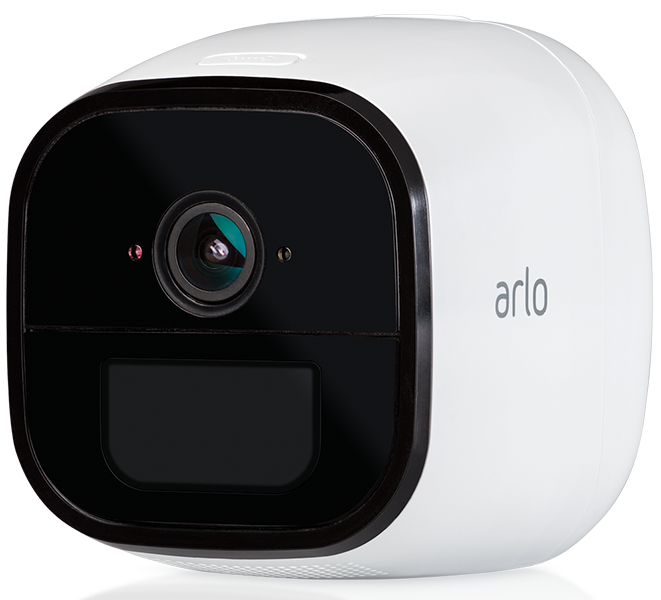
    10. Netgear Arlo Go
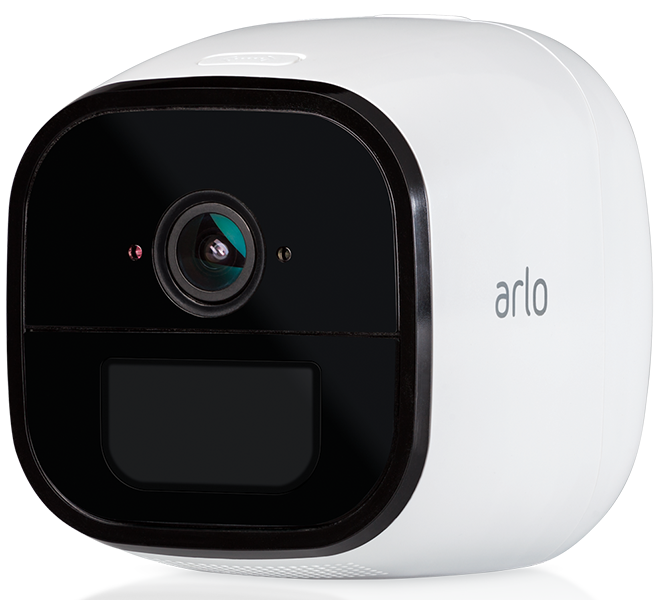
    Photo Credit: Arlo

    This wireless camera works with Alexa and shoots in 720p. It offers both cloud storage and on-site storage, which is a cool plus. It can send you live feed straight to your phone if you pay for the cell service. However, it is pretty expensive: this camera will cost you around $430. That’s a pretty hefty price tag for a device that only shoots in 720p.

    9. Reolink Argus 2
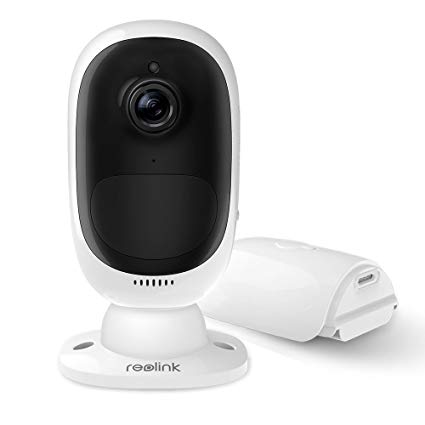
    Photo Credit: Amazon

    This camera is a straightforward if dependable entry. It’s wireless and powered by its own internal battery. It doesn’t have a terribly loud siren, which is somewhat disappointing. It also can’t integrate with smart home devices, which is unfortunate. However, it’s weather-resistant and works great as an outdoor camera. This one will run you $130, which is a great price.

    8. Ring Spotlight Cam Battery
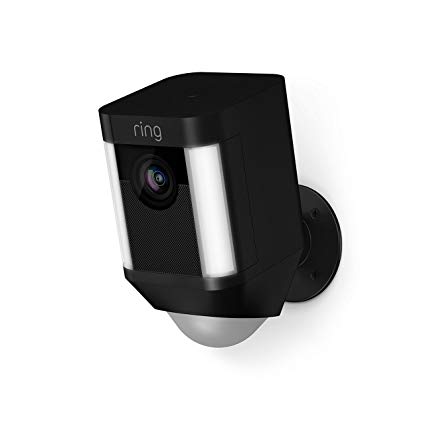
    Photo Credit: Amazon

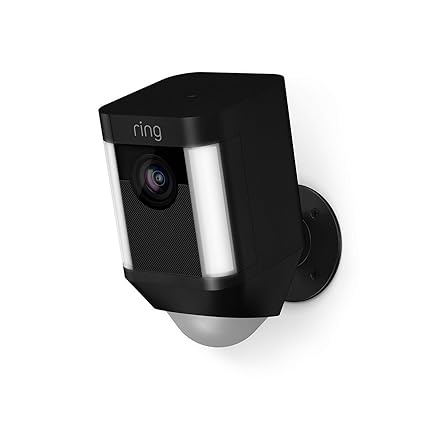
    Triggered recording and a bright spotlight are two big upsides to this camera. It shoots sharp footage and has a very loud siren, which is great. However, you have to have a subscription to Ring’s service in order to view the recorded video. If you already have Ring devices at your house this one is a no-brainer. It’s also wireless and works with Alexa, making it a true smart-home device. It’s also pretty affordable, running $200.

    7. Nest Cam IQ Outdoor
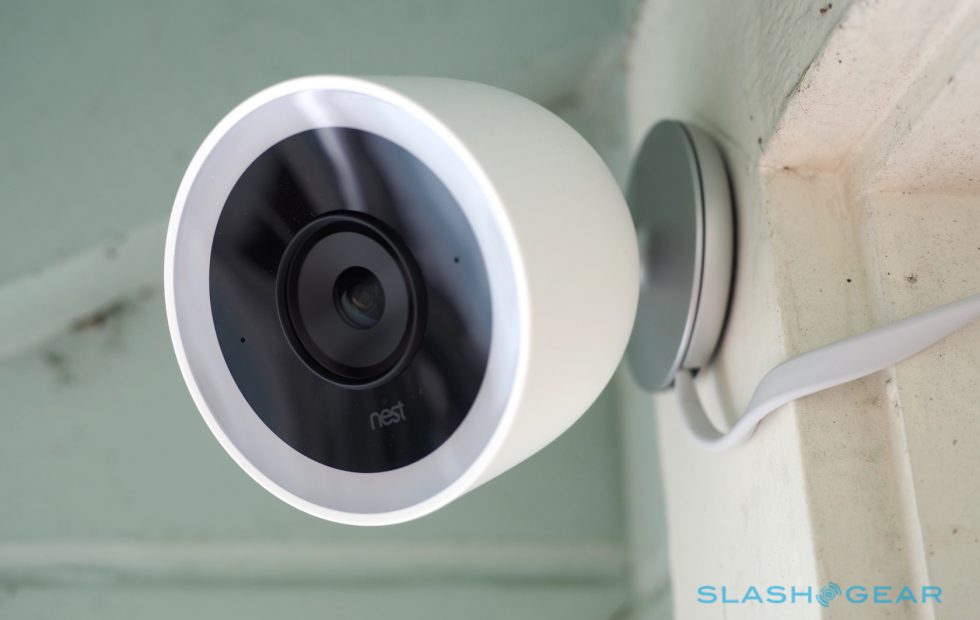
    Photo Credit: Slashgear

    Nest’s first entry on this list is excellent, shooting 4K footage 24/7. It’s totally weatherproofed, which makes it ideal for outdoor use. It even has close-up tracking and HDR, making it great for those who need to really see what’s happening around their house. It will set you back, though: it runs $350.

    6. Tend Secure Lynx Indoor
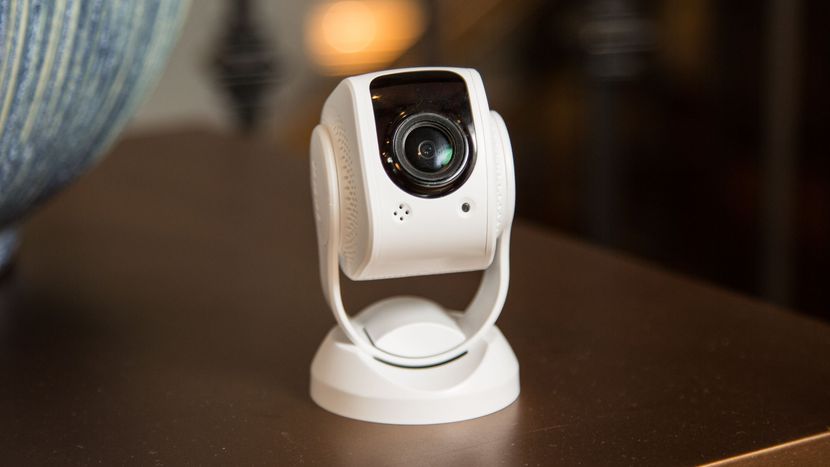
    Photo Credit: Cnet

    This camera makes the list for just how darn affordable it is. It only runs around $60, yet it still shoots in 1080p. That’s a great value, but it’s somewhat offset by the lack of smart home integration. That said, it offers free cloud storage and even has facial recognition! It only works indoors, though, so keep that in mind.

    5. Nest Cam IQ
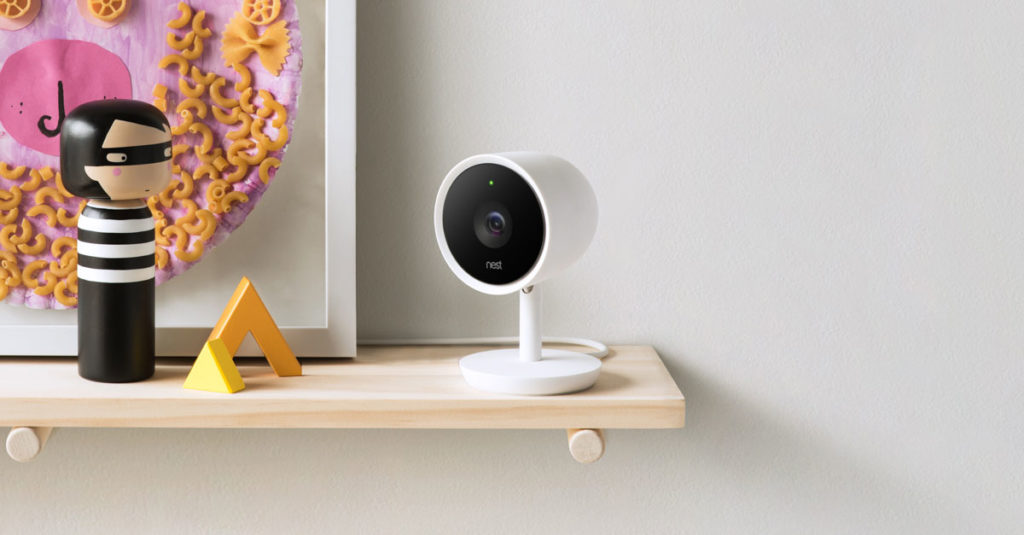
    Photo Credit: Nest

    Another entry from Nest, the indoor version of IQ is also a solid option. It costs a bit less, coming in at $300, but it offers many similarly excellent features. The Nest Cam IQ has two-way audio, letting you talk to people you can see from the camera. It has a ton of great smart home integration and shoots in 1080p. If you’re looking for a solid, if pricey, indoor camera, this is a fine option.

    4. Wyze Cam V2
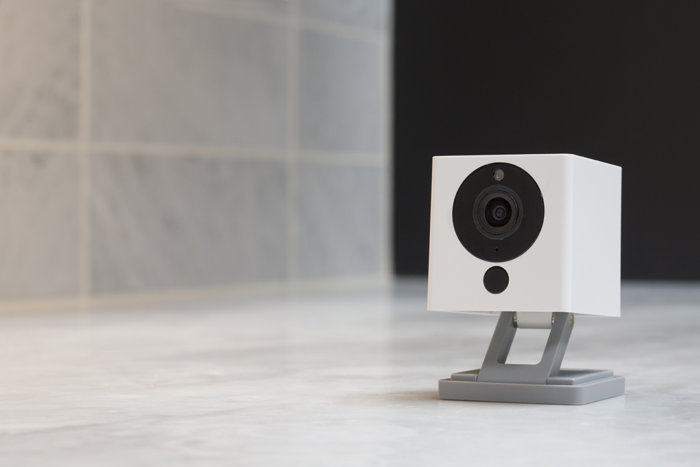
    Photo Credit: TechHive

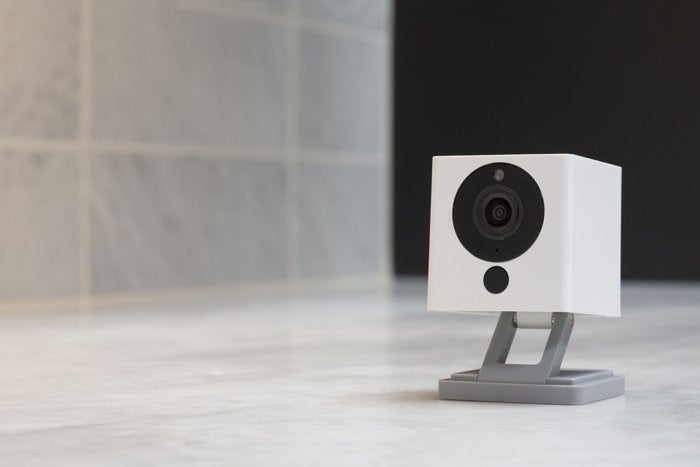
    If you though the Tend Secure Lynx Indoor was affordable, check out the Wyze Cam. This camera will run you a bank-shattering $20. Yeah, twenty, as in the same price as seeing a movie and getting some popcorn with it. For twenty bucks you get a camera that shoots in 1080p and offers local and cloud storage. It’s not the most high-tech thing in the world, but it will secure your home. If you’re looking for a simple, straightforward and affordable camera, go with this one. It’s a great deal!

    3. Netgear Arlo Pro 2
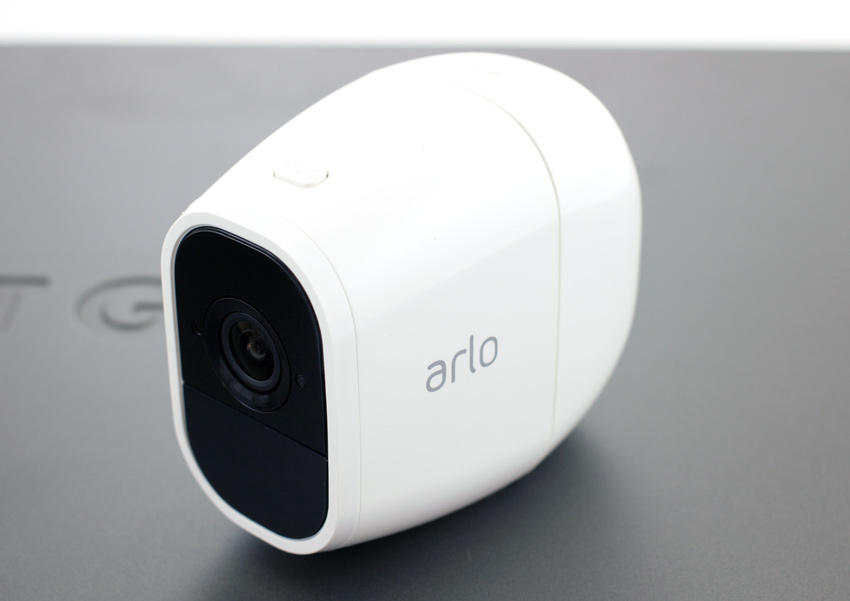
    Photo Credit: Storage Reviews

    This expensive but hefty camera is likely the best overall on this list, but it’s far too expensive to recommend to everyone. It will set you back $430, which is a lot, but you get a ton of features. The system shoots 1080p video, is completely waterproof and is wireless. This camera works great both outdoors and indoors and offers cloud storage for free. It even pre-buffers your videos when you go to watch playback! If only it was more affordable.

    2. iSmartAlarm iCamera Keep Pro
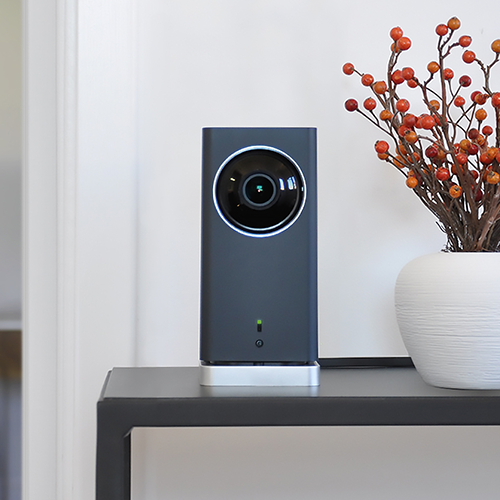
    Photo Credit: iSmartAlarm

    While this camera retails for $200, it offers a number of premium features. Mechanical tilt and pan let you feel like a master of security. You also get free cloud and local storage for all the footage you capture! As you would expect, it shoots 1080p and it even offers time-lapse shooting. The only downside to this camera is that it only works indoors!

    1. D-Link Full HD Wi-Fi Camera DCS-8300LH
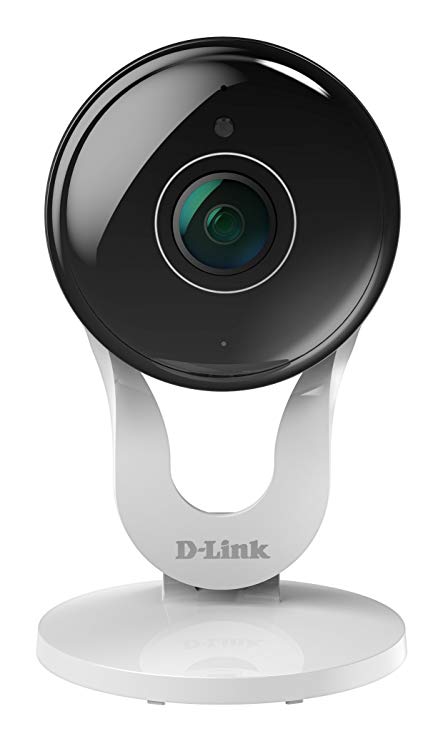
    Photo Credit: Amazon

    A fully-integrated home security camera that offers 1080p shooting and Alexa support? Yes, please! Free cloud and local storage along with great voice commands make this one of the best home cameras. It even costs less than most of the competition: it’ll only set you back $90. While the other cameras on this list are great, the D-Link Full HD Wi-Fi Camera is the best overall interior home security camera. The only real downside here is some minor distortion from the style of body, but that’s not enough to make this anything less than the best bang for your buck.