Category: xPick

  • Back to School Tips: What to Buy and How to Save

    Back to School Tips: What to Buy and How to Save

    When you’re shipping your little ones off to school, the last thing you want is for them to be underequipped. In the modern classroom, things are fast-paced, interconnected and competitive. Getting high marks is harder now than ever before, so making sure your kids are outfitted with the best gear is a must to help them stay competitive. Today we’re going over the must-have tech and best deals you can find on back-to-school gear.

    Back to School Tips

    Only Shop Deals

    Between buying back-to-school clothes, school supplies and new tech the kids might need for school, you might find yourself spending a lot of money on them. This is why we highly recommend you only shop for deals this time of year. If you just buy the first thing you see every time you walk into a store, you’re going to find yourself seriously strapped for cash in no time.

    Make sure you’re getting deals on all school supplies that start around at least 40% off. For clothes, buy either steep discounts, like 30% off or better, or buy secondhand clothes that are significantly cheaper than brand-new. When it comes to tech, it’s okay to buy laptops or tablets that are a few generations behind to save a few hundred bucks. Make sure you make that cash last!

    Don’t Get Distracted

    There are tons of gadgets and gizmos that you might think the kids could need for school. Things like e-readers might seem like sensible purchases until you realize that a tablet does the same thing, but can also double as a notepad and research aid. Don’t let marketing hype trick you into buying tons of stuff that your kid doesn’t actually need for school.

    Another example of this is stores selling back to school clothes in big “sales events” without actually offering significant discounts. Remember, there are tons of stores you can go to in order to find deals on clothes. If you go to a department store and see absurdly high “sale” prices on clothes, it’s best to leave and look for better deals elsewhere.

    Power vs Convenience

    If you plan to buy your kid a laptop for school or for college, it’s best to know what you’re looking at. A lot of high-end laptops might look like they’re great for students, but think critically. How much power does a student really need to write research papers and type notes? A super high-end processor and a 4K screen might be a bit of overkill on a device meant to help with studies.

    We recommend prioritizing a smaller laptop, something like a Chromebook or a netbook. These are less expensive than high-end gaming laptops, offer a smaller, more portable profile, and don’t guzzle battery charge as quickly. These things all make them ideal for putting in a school bag and carrying from class to class to take notes. Your tech-savvy youngster might be begging for a super-powered laptop with tons of RAM and great graphics, but they’ll appreciate not lugging that heavy beast all over campus.

    Fitness Tracker

    If you’re sending a kid off to college and they seem interested in fitness, it might be worth looking into getting them a fitness tracker. Examples like the FitBit and Apple Watch are great for keeping track of time spent exercising and calories burned. They can also serve as handy ways to keep from opening the smartphone and scrolling ad infinitum when it’s study time!

    Many people who use smart watches or fitness trackers that pair with their phones have noted their time saving functionality. Since you don’t have to open your phone to see the time or check an incoming message, you don’t have the same desire to start scrolling through your social media feeds. This frees up that much more time to study and do schoolwork!


  • Credit Cards with the Best Incentives!

    Credit Cards with the Best Incentives!

    Credit card incentive programs or rewards give back to you for every dollar you spend doing shopping or paying for a service. They reward you in cash backs, hotel and airline points, free gas and more.

    To benefit from the incentives, you are supposed to spend responsibly and pay your balances in full every month. So, before deciding which credit card to apply for, ask yourself, what are your spending habits? How many categories do you like spending on? What types of rewards would be more beneficial to you? With the answers to these questions, you will be able to pick the right credit card for you.

    What to Know About Credit Card Rewards
    Before diving into the rules, it’s important to understand what entails a rewards card. If a card offers you the opportunity to earn points, miles, or cash backs, it’s a reward card. They either provide you with flat-rate rewards (rewards of the same amount) or bonus rewards on specific categories, for instance, increased rates on dining out or groceries.
    Reward credit cards, therefore, encourage you to pay via credit cards instead of cash or debit card. Rewards, however, have rules. One of them is that it becomes confusing to navigate your card’s program if you are allowed to redeem rewards. Also, if you have up to four credit cards like the average American, it will be hard to understand the ins and outs of multiple incentive programs, especially if there is a mix of points, cash backs and mile cards. Let’s review credit cards that offer hard to find incentives.

    1. American Express® Gold Card
    If your heart beats for food, then the American Express® Gold Card is best suited for you. Whether you love preparing terrific dishes at home or dining out, this card rewards you a competitive 4X points for every dollar you spend on any restaurant worldwide or U.S. supermarkets (for up to $25,000 annually in purchases, then 1X). Travelers can also benefit from the 3X point rewards on flights, but they have to book directly with airlines or use Amextravel.com to get these rewards.
    However, the value of the points depends on how you redeem them. There are many ways you can spend them. You can use them to pay retailers like Amazon or redeeming for gift cards. You can use them to redeem statement credit to book travel.
    Travelers get an annual $100 airline fee credit, which covers in-flight beverages, food, seat upgrades, and baggage fees. What’s more, there is a $120 annual dining credit. This totals to $220 in annual rewards. The card has a $250, meaning the rewards you earn help “pay” the card.

    Pros
    • Strong incentive program with 4X points on dining and 3X on flights.
    • 35,000 Membership Rewards points welcome bonus for spending $4,000 within the first 3 months.
    • Up to $120 in dining credits and $100 in airline fee credit. They also have a $100 hotel credit.
    • No purchase fees charged outside the US.

    Cons
    • Doesn’t come with an introductory APR period.
    • $250 annual fee.
    • It’s a charge card, and it requires you to pay your balance fully in each billing cycle.

    2. Chase Sapphire Preferred® Card
    Compared to Chase Sapphire Reserve, Chase Sapphire Preferred® Card has a broader appeal and similar features and a high-sign up bonus but at a lower annual fee of $95. Chase Sapphire Reserve comes with a yearly fee of $550, and we don’t recommend it.
    The Sapphire Preferred® Card gives 2X Ultimate Rewards points on dining and travel, while Reserve offers 3X points. Preferred Card also offers 5X points on Lyft and 1 point for every dollar spent on anything else.
    Each point is worth a lower 1.25 cents a piece on every travel booked via Chase, but they can be transferred to hotel loyalty or frequent flyer programs. The credit card does not provide annual travel credit, but it has a car rental primary coverage as well as purchase protection and trip delay protection.
    You earn 80,000 bonus points if you spend $4,000 or more on purchases in the first three months since the account opening. You get $1,000 toward travel when you redeem those points.
    Many people prefer Chase Sapphire Preferred® Card because of the incredible sign-up bonus, the travel perks, and other benefits at a lower price. If you eventually decide to try Reserve, you can upgrade from Preferred.

    Pros
    • High sign-up bonus with lots of points.
    • A powerful travel coverage
    • Has partnered with major airlines and hotel brands
    • Comes with a bonus category for consumers who aren’t spending on air travel at the moment.

    Cons
    • The card doesn’t offer any statement credit benefits, including Global Entry/TSA PreCheck application fee credit.
    • Earns points more slowly that Reserve.
    • No annual travel credit.

    3. Southwest Rapid Rewards® Priority Credit Card
    When it comes to flexibility, Southwest Airlines Rapid Rewards takes the airline medal. The airline also offers two free checked bags for every passenger without the need for a credit card. Many families prefer Southwest Airlines because of these benefits.
    The Southwest Rapid Rewards® Priority Credit Card earns 2 points for every dollar spent on Southwest flight on their Rapid Rewards program. It also earns 2 reward points for every dollar spent on other purchases.

    They charge an annual fee of $149 and earns 40,000 points for $1,000 spent on the first three months from the date of opening your account. Another benefit of this credit card is that you can rebook your flights after prices go down. The only drawback is the Southwest’s lack of assigned seating, which is a turn off for most passengers.

    The Priority Card also offers a $75 Southwest travel credit annually. They also add 7,500 bonus points on your cardmember anniversary every year and 20% cashback on inflight purchases.

    What’s more, if you combine the rapid rewards card with a business card, you will come close to earning 125,000 point total required to get a Southwest Companion Pass. This gives you the ability to take a loved one or friend with you without paying a cent, and it could save you thousands of dollars.

    Pros
    • You earn 2 points for every dollar you spend
    • 40,000 points upon spending $1,000 in the first 3 months.
    • A more convenient annual fee of $149.
    • Rewards you with $75 Southwest travel credit every year.
    • You get 7,500 bonus annually on cardmember anniversary.

    Cons
    • No credits for an expedited airport security program.
    • Southwest doesn’t have a smaller international reach.

    4. Blue Cash Preferred® Card from American Express
    If you are not super excited about earning reward points which are valuable but tricky to redeem, and you prefer cash back, then Blue Cash Preferred® Card from American Express is the best option for you, even though it has a $95 annual fee.

    The added much-needed features in 2019, which included valuable bonus categories due to the changing consumer habits. They also launched a new streamline service, which gives cardholders a 6% streaming, a category which other cards don’t recognize. That was an addition to already existing categories of 6% cashback on US supermarket purchases.

    The card from American Express comes with other packs, including several travels and purchase protections. Cash backs are in the form of a statement credit, which can be used to “erase” purchases. To earn more cashback instead of points and miles, you can refer to their website for more information.

    This card is every commuter’s dream, thanks to its unlimited 3% cashback on gas or transit (including taxis, tolls, ride-shares, trains, buses, and more). The card does not earn membership rewards points, but it remains a simple way of earning rewards on the things you spend every day.

    Pros
    • A $250 statement credit upon spending $1,000 on purchases within the first three months.
    • Bonus cash backs on useful categories.
    • Generous bonus rewards at US supermarkets.
    • Intro APR offer.

    Cons
    • Unlike many cash-back cards, they charge an annual fee.
    • If you exceed $6,000 in expenses at US supermarkets every year, you may need to use another card.

    5. Capital One® Venture® Rewards Credit Card
    Capital One’s travel incentive program is not as lucrative as the offer from other banks, but they recently expanded their credit benefits. They added airline transfer partners and launched transfer bonuses. Even though the transfer value is not as great as the one with Chase, Capital One miles are easy to earn and use.

    The Capital One® Venture® Rewards Credit Card earns 2 miles for every dollar spent on purchases. The miles can then redeemed as a statement credit and used to “erase” travel purchases. For instance, if you buy a flight ticket, let’s say of $500, you can cancel it with 50,000 miles.

    Ventura comes with a $95 annual fee, which is lower compared to other rewards cards. Also, cardholders receive a credit for a Global Entry or TSA PreCheck application after every four years, for up to $100. This is a perk that can save you a lot of money if you not just time but also money.

    The card doesn’t have any foreign transaction fees and also includes additional travel perks, which include 24-hour travel assistance services, travel accident insurance, and auto rental collision damage waiver.

    Pros
    • 5X miles on rental cars and hotels booked via Capital One Travel.
    • TSA PreCheck application or Global Entry credit of up to $100 every 4 years.
    • Annual fee waived in the first year.
    • No bonus categories you need to follow.

    Cons
    • Other credit cards have higher rewards.
    • No introductory APR.

    6. Wells Fargo Propel American Express card
    If you are looking for the best option for gas rewards, Wells Fargo Propel American Express Card is the best choice. What’s more, it’s completely free, and there’s no annual fee. Propel offers an affordable way of earning a fixed value points on all categories you spend on daily.

    Earning a 3X on so many categories is like a free ticket to heaven for a no-annual-fee card, making this card the best option for beginners who have not tried the rewards game yet.

    If you have the Wells Fargo Visa Signature card, which is yet another no-annual-fee card, every point could be worth 1.5 cents. However, this is not a better reward card than Propel for travel experts. It lacks transfer partners, and Propel helps beginners a lot out of it.

    This card offers zero interest on every purchase or balance transfers for a whole year. It then provides 14.49% to 24.99% variable APR in the following year.

    Lastly, they also offer cell phone protection against theft or damage for up to $600 per claim or $1,200 per 12-month period. However, to get this reward, you must pay your bills with a Wells Fargo Propel Card.

    Pros
    • No annual fee
    • 0% APR in the first year.
    • No blackout dates on air travel.
    • No fees are charged on all purchases made internationally.

    Cons
    • Balance transfer charged 3% fee.
    • You can only redeem a minimum of 2,500 points.

    Hidden Benefits
    Credit cards have quite a few hidden perks that save you money and offer more protection. Here are some of them.

    Credit Card Price Protection
    If you buy an item only the price to drop after a few weeks, you may be pretty disappointed. Luckily, some of these credit cards, such as Citi® Double Cash Card or Chase Sapphire Preferred Card, may come through for you. They offer more than 60 days of protection. If they find a lower price in the offer, the difference is credited back to your account.

    Cell Phone Coverage
    How many times have you dropped your phone or lost it, never to find it again? Luckily, credit cards offer cell protection as an added perk.
    Some coverage will only cover a stolen phone with a police report for proof. Others pay damage costs.

    Delayed/Lost Luggage Protection
    Some cards offer protection for lost or damaged baggage while others cover both. When you lose your luggage after a flight, you are never offered much help.
    If you have this type of coverage, and you have an essential meeting to attend, but you lost your luggage, you can pass by the suit shop instead and head to the meeting right away.

    Bottom Line
    There you have it. There are so many rewards and benefits you can get from your credit card. However, you need to apply for a credit card that is better suited for your needs. If you are a beginner, the Wells Fargo Propel is the best choice for you. However, if you have a mix of cash backs, miles, and points from different issuers, you will not be able to combine the rewards.


  • Searching for Medicare Part D?

    Searching for Medicare Part D?

    If you rely on Medicare for your health care, you may find that Medicare doesn’t cover everything. For those on a fixed income, it can be extremely difficult to afford medication or any additional health care costs not covered by Medicare.

    If you are currently in a difficult situation where the health care bills are piling up, consider Medicare Supplemental Insurance. Medicare Supplemental Insurance is insurance that can help cover what Medicare doesn’t. We analyzed several plans, our findings are below

    Best Medicare Supplemental Insurance

    Information About Supplemental Insurance

    An important note: in order to get supplemental insurance, you must have both Medicare Part A and Medicare Part B. Part A covers inpatient, and Part B covers outpatient care. Another factor to consider is Supplemental insurance only covers one person. Additionally, as long as you’re paying your premiums, Medicare supplemental  insurance can’t drop you, no matter what medical issues you may begin to suffer from.

    Supplemental insurance may not always cover everything Medicare misses.  Supplemental insurance is not going to cover all expenses. Things like vision, dental, prescriptions, long term care and private nursing are also not typically covered. Finally,  supplemental insurance must be acquired within the first sixth months of you turning 65 and you must already be on Medicare to qualify.

    United Healthcare Insurance Company

    The United Healthcare Insurance Company is endorsed by the AARP. This company offers a great deal of benefits for those on Medicare. In 2019 they had a 94% satisfaction rate amongst users. They also offer coverage that can be combined with a Medicare Part D plan. Those with this policy can visit any doctor that accepts Medicare! United Healthcare allows you to choose from a wide variety of plans, coverage, deductibles and benefits so you have coverage to fit your health needs and your financial situation.

    State Farm

    State Farm is another option for supplemental insurance. State Farm Medicare Supplement Insurance is designed to cover the gaps in Medicare, helping to pay deductibles, co-insurance and co-payment amounts not covered by Medicare. State Farm also provides you the flexibility to choose between different plans to meet your individual needs and budget. They are a well-respected agency and are renowned for their high customer satisfaction ratings “Like a Good Neighbor, State Farm is There” tagline is very true. State Farm insurance might be able to cover hospital or medical services your Medicare won’t pay for as well.

    Humana

    Humana offers Medicare supplemental insurance that covers Medicare Part A and B. Humana’s policy covers coinsurance for medical expenses, co pays, hospice care and hospitalization, skilled nursing facility care, and blood work. Additionally, the Humana plan also covers copayments for outpatient services. Remember, this is in addition to your Medicare coverage, so getting this extra coverage could save you a lot of money when you have expensive outpatient services. Particularly if you have frequent doctor’s visits, you may find yourself saving a ton with this supplementary policy.


  • Which Galaxy Phone Is Right For You?

    Which Galaxy Phone Is Right For You?

    Samsung has been pretty busy making smartphones in their Galaxy family of phones. No fewer than nine Galaxy devices are new for this year, so it might be difficult deciding which is right for you. Thankfully, we’ve got the lowdown for you: here’s our guide to the Galaxy family of phones.

    Samsung Galaxy Guide

    Samsung Galaxy S10

    For starters, the Galaxy S10 is the flagship phone of the Galaxy line. It offers the most standard-style experience, with a medium screen size, solid build quality, great battery life and a sharp display. Lots of unique features, like the in-display fingerprint scanner and the ability to wirelessly charge, aren’t quite as new and flashy as they once were.

    However, just because its family of phones offers some of its cool features elsewhere doesn’t mean you should write off the S10: at $900, it represents a great price for the mainline Galaxy phone lineup. For those looking for a great, standard-style handset with the best build quality and don’t mind a high price tag, the S10 is one of the best Android phones out there.

    Galaxy S10 Variants

    The S10E is the budget version of the Galaxy S10, occupying a similar space to the iPhone XR and Pixel 3A. Unlike its bigger brother, the S10E retails for only $750, and it sports a smaller overall display and handset size. If you’re looking for a phone with a lot of features and a smaller profile that fits easily in a pocket, the S10E is a good option. However, if you love massive displays and cutting-edge tech, consider looking into the full-fledged S10 line.

    On the other end of the spectrum from the budget S10E is the S10 Plus, a $1,000 smartphone with a 6.4-AMOLED screen that looks downright amazing. Fans of huge screens and long battery life should consider the S10 Plus a must-buy, as it offers both in abundance. If you can swing the huge price, this is easily the best S-line Galaxy phone that Samsung has yet made, though its massive size might be a bit of a drawback for those who prefer smaller handsets. A 5G-enabled version of the S10 Plus is also available for $1,300.

    Samsung Galaxy Note 10 Line

    The Note line of phones popularized the massive “phablet” size handsets that are commonly sold as “Plus” or “XL” models of other flagship lines. Ironically, despite the note being the “plus size” Galaxy phone, the Galaxy S10 Plus offers a bigger screen than the Note 10. The main difference, however, is that the Note sports the excellent S Pen, a productivity aid that doubles as a Bluetooth trigger for the camera. Coming in at $950, the Note 10 actually slots comfortably between the S10 Plus and the standard S10.

    Samsung Galaxy Note 10 Plus sports an extremely massive 6.8-inch display that easily bests every other Galaxy device (barring, of course, the Galaxy Fold). It retails for $1,100, making it the most expensive non-folding Galaxy device as well as the largest. Unlike the standard Note 10, the Plus offers expandable memory with an SD card. There is also a 5G-enabled Note 10 Plus, retailing for $1,300.

    Samsung Galaxy A50

    The discount-priced Galaxy A50 is one of our favorite budget Android phones. The A50 sports an in-display fingerprint scanner, a big 6.4-inch screen and three great cameras. For the old-school users, this phone also sports a conventional 3.5mm headphone jack! For only $350, this is a great entry-level, budget smartphone. If you’re looking for something with lots of new bells and whistles, though, the A50 might not be the best choice for you.

    Samsung Galaxy Fold

    The yin to the Samsung Galaxy A50’s yang, the Galaxy Fold will retail for $1,980 and offers a tremendous 7.3-inch, tablet-like inner display. The front face of the folded device is only 4.6 inches, though its far from the main attraction on this stylish and futuristic phone. If you’re looking for the fanciest and craziest smartphone in the world, the Fold is what you’re after. That is, of course, if you can swing the two thousand bones to buy the thing.


  • How to Reduce Your Car Insurance Rates for 2021

    How to Reduce Your Car Insurance Rates for 2021

    Even if you’re not driving as much anymore, you are required to have car insurance. There are many options out there for the price conscious consumer. Today we’re taking a look at some of the best car insurance companies for the money in 2020.

    We’re looking at a combination of factors when deciding on the best: customer service, customer satisfaction, price and a good shopping experience. There are plenty of car insurance companies who want you as a customer, and it behooves you to choose wisely.

    Amica Insurance

    Amica isn’t the biggest names in terms of recognition, but they are a juggernaut in the field of customer satisfaction. Amica consistently scores huge marks from their customers in terms of satisfaction: people with Amica feel taken care of, important, and well-covered. Amica has proportionally lower complaints from customers than any other agency in the country.

    Car insurance policyholders with Amica get all kinds of goodies like free lock and airbag replacement. You also get a complete reimbursement of your lost wages if you have to go into court at Amica’s request: they have you covered. If you lose your keys, or they get stolen, they’ll cover the cost of getting you replacements. Oh, and did we mention that in most states they won’t take depreciation out of your new car in the first year if you total it?

    Erie Insurance

    Another smaller company with a low profile and stellar customer reviews, Erie Insurance is beloved by their policyholders. The consistently get five-star satisfaction reviews, and they offer a ton of killer perks. The only problem, however, is that they operate in a small selection of states. Only Wisconsin, Ohio, Illinois, Indiana, Kentucky, New York, West Virginia, Maryland, Tennessee, North Carolina, Virginia and Pennsylvania are covered.

    If you do happen to be covered, however, Erie is well-worth considering. They offer a rate-lock so that you know your premiums won’t go up unless you add cars or drivers to your policy. After three years, you get accident forgiveness so that your first at-fault accident doesn’t carry a surcharge. They also offer goodies like a diminishing deductible and even pet injury coverage if your pet is hurt in a car accident.

    Nationwide

    Nationwide insurance is the only insurer on this list with a large national profile, and for good reason. Normally operating at the scale they do makes it difficult to keep customers satisfied, but they manage to be both massive and care about their policyholders. Ignoring their obnoxious televised commercials, Nationwide is a good company to have in your corner. They consistently score five-star customer satisfaction reviews, and they have a very low number of customer complaints year over year.

    The much-talked-about vanishing deductible is one of Nationwide’s staples, and it can really add up: after five years of safe driving, you’ll have $500 off your deductible. In some states, Nationwide offers accident forgiveness, which can be a lifesaver if you get into a little fender bender and don’t want your rates to go up. Likewise, their “On Your Side Review” offers you the yearly chance to go over your life and needs to make sure you’re getting the right coverage and all the discounts you need. In short, Nationwide treats their customers with care and tries to make sure they feel valuable and cared for.


  • Building a Website is Easy! Here’s How:

    Building a Website is Easy! Here’s How:

    Building a website is as simple as walking through the park. With the right tools and systems, nothing could be as simple to make. You don’t necessarily need any coding knowledge or need to hire a web developer because there are many self-serve platforms that are easy to use. The only tricky part is choosing one that is perfect for your needs.
    If you are a business owner, blogger, or an individual, you can create your own website with ease or hire a professional to do it for you. This post will guide you through the basics of building a website that represents your business and brand.

    Why You Should Create Your Own Website

    A website is one of the most powerful tools for communication. It helps you to connect to the world. It’s where you share your passion for music or business, inform people about your hustle,  sell products, or otherwise. There’s no limit to what you can do with your website and there are tons of possibilities available for you. Here are the most popular tools for website building.

    Best Tools to Help you Build Your Own Website:

    As you already know, you don’t have to worry about servers or physical space because site builders are cloud-built. All you need is a computer with access to a web browser like Mozilla Firefox, Google Chrome, or Safari. All the tools have their pros and cons. We will help you identify tools that may work for you and respective possible shortcomings.

    1. GoDaddy
    Building a website on GoDaddy is easy and straightforward. GoDaddy is a name to reckon within the digital space. They provide domains and hosting, but they are best known for website building. Being one of the most established internet companies, the website builder has been in the market for about four years. The recently added editor comes with a completely new look with added features.

    One great thing about GoDaddy is that it offers a beginner-friendly website builder packed with mobile-optimized designs. They have four plans to choose from, the most affordable being $10 per month. One of the benefits you get is the 24/7 customer support. However, the name of the domain is not included in the $10 package. That means you will only benefit from it through their “Ecommerce” plan. Another advantage of using GoDaddy is that you can now test their website builder in the first month at no cost. This is an opportunity to understand the advantages and disadvantages of the website builder. GoDaddy uses ADI (Artificial Design Intelligence) to make website building a lot easier. Whenever you enter the type of website you would like to have, it creates an example site that you can edit, saving you time and technical effort.
    This makes GoDaddy the fastest website builder in the world, especially for beginners. The end product is a website that is simple and speedy, but may not have the advanced features you require.

    Pros

    • Easy to use
    • Smartphone-optimized layouts
    • Free website builder test for the first month
    • Makes work easier by creating an example site

    Cons
    • Editor layouts are limited
    • Blog is too basic
    • Poor support quality

    2. Wix
    Just like GoDaddy, Wix has become pretty well known. Wix became popular due to its expensive marketing campaigns. I’m sure you have seen their ads on YouTube starring Jason Statham, Heidi Klum, and Gal Gadot. As we speak, the Wix website building is hosting more than 160 million websites. What makes Wix stand out? For starters, they offer a drag and drop feature, which makes it easier to create smaller websites. Wix has free and paid packages that provide web hosting as well as access to domain names. They also offer hundreds of templates which gives you many choices in design. Many people prefer Wix because it’s affordable, easy to use, and a hassle-free way of creating your website.

    Gone were the days when we had to pay whiz-kids to build our sites. Wix’s template editor allows you to explore and put your creativity to use without any coding knowledge. If you have gone through the websites created by Wix, they all look professional and beautiful. The reason why you should create a website with Wix is because of their impressive layouts, which are designed for every type of business, large and small. There are layouts for restaurants, businesses, online stores, artists and more. Websites created by Wix are optimized for mobile devices and can also be spiced up with any of the numerous tools in the Wix App Market.

    Wix is like a prefabricated house. It provides a fundamental structure that cannot be changed or altered in any way. However, you can choose a theme, just like you can paint the walls of the house, and add photo galleries, just like you would add furniture.

    Here is our view on the pros and cons of using Wix:

    Pros
    • Extremely flexible
    • Excellent templates
    • Easy to add animations
    • Artificial Design Intelligence (Available for projects like yoga, portfolio sites, etc.)
    • Hundreds of website app on App Market
    • Provides automatic site backup
    Cons
    • The cheapest ad-free plan is not actually cheap. Starts at $14 per month
    • Loading speed is slower, especially on mobile devices.
    • Templates cannot be changed easily. You can only change the design

    3. WordPress
    WordPress is the most popular website builder in the market at the moment. Unlike Wix and Godaddy, WordPress is completely free. It powers more than 33% of all the sites on the internet. Don’t confuse the WordPress.org content management system with WordPress.com, a hosting service. Though they are under the same umbrella or brand, they have different functions. WordPress.org gives you full access to all features of WordPress. You will, however, need some technical know-how to run a website with WordPress.org. The biggest advantage of WordPress is expandability. Once you manage to run your website on the platform, there’s no going back, and no limits.

    Here are some examples of scenario which make WordPress stand out:
    -You want to have a premium membership area within your website that supports online payments.
    -You work in real estate, and you want to provide a potential client with a database to search for property.
    -You need advanced SEO features to beat your competition.
    -You want an impressive design that supports all the latest technical features added on your website while leaving room to adjust the code.

    Long Story short, WordPress.org allows you to build a unique website. WordPress.com works like Wix and GoDaddy, offering a much lighter platform while allowing you to achieve similar results as drag and drop website builders.

    Pros
    • The software is free to install. Hosting and premium templates must be purchased, though.
    • Great flexibility allowing you to code anything you wish to change.
    • You can move from one hosting to another.
    • A CMS with the widest variety of templates.
    • A variety of plugins for e-commerce, multilingual websites, member pages, etc.
    • Many programmers specialize in WordPress.
    Cons
    • Requires updates regularly for your security.
    • Installation may require basic knowledge.
    • WordPress was made by volunteers, and they don’t offer assistance within their system.
    • You don’t get to see the end result immediately unless after publishing.

    4. Bluehost:
    While building a website, you’ll also need web hosting services. The best choice and most popular is Bluehost. They have been around for a while, offering the best hosting at a pocket-friendly price. They also provide excellent customer support. Bluehost offers basic shared hosting from as low as $2.95 monthly on a three-year contract. They offer you a variety of features for your website needs. For instance, they have a great SEO tool that tracks how your website is doing on the search rankings for specific keywords. This allows you to optimize your site for better search rankings.

    When choosing web hosting, you need to understand the purpose of your website, the amount of traffic and growth you expect, and your budget among other factors. Other vital things to consider are the types of servers available, load speed, uptime, and customer support. Using this criteria, Bluehost tops the list as the best hosting.
    Bluehost covers everything you need from a host. That includes installing WordPress, upgrading your WordPress to improve security, or getting more control by upgrading VPS. The hosting also has its share of disadvantages.

    Pros
    • Cheap on the first term
    • Solid uptime
    • Unmetered bandwidth (Doesn’t limit the traffic of your website)
    • Generous storage

    Cons
    • Speed is not that great
    • Bad support
    • Only US servers available
    • No free migration
    • Poor backup options

    The Basics of Running a Website

    To create your own website, you need to follow the following basic steps.

    1. Register your Domain Name
    The first step to owning your own website is registering a domain name. The name should reflect on the products you sell or the services you offer. Doing so will help customers to find your business quickly. Your customers also expect your domain to represent your brand and also be the same as your business name.
    The domain name will also be used for your business’s email address. While you may use your personal email, sending emails from your business address will look professional.
    To register a domain, find an established registrar like GoDaddy. Cheaper options may offer poor support. You may need to change contact information or hosting companies, and a registrar like GoDaddy will be more helpful.

    2. Choose a Web Designer/Developer
    Services like GoDaddy and Wix don’t require you to be a web designer to build a site. If you don’t intend to earn from your leads, you can use Wix to create a free website.
    However, if you need to generate leads, you will need to hire a web designer. Some designers work with developers and marketers who can help your business succeed.

    3. Prepare your Content
    Think about what you want to share with your customers via your website. It helps you to know what sections you want to include on the site.
    You might need to hire a professional writer to structure your content. A website that is well designed and informative will help your business stand out.

    4. Build Your Website
    You can do it by yourself or have a web developer do it on your behalf. It needs to be kept up to date.
    Also, set a free account with Search Console and connect to Google Analytics. This will unlock Google Analytics reports. It will also provide you with critical information about issues your site may be experiencing,

    If you decide to hire a professional, it may be useful to understand some of the basic terms related to building websites. The following are basic terms to know when hiring a web designer:

    1. 301 Redirect
    This is a permanent redirect for one URL to another, usually from an old website page to a new one.

    2. 404
    404 is an error message that is displayed when the user can’t find what they requested.

    3. Accessibility
    These are concerns about making a website accessible by people who experience disabilities. All websites should follow the Americans with Disabilities Act (ADA) guidelines.

    4. Caching
    A cache acts as a temporary data storage and aids the site speed by storing important information on your computer after visiting a site for the first time. When you revisit a site, the computer will not reload the site information.

    5. Bandwidth
    This refers to the amount of data transmittable over a connection at a given time.

    6. API
    Application Program Interface, or API, is how computers and applications communicate with each other.

    7. Cookies
    Cookies are small text files that carry a unique anonymous identifier and visit information sent from a website to the browser and stored on the visitor’s hard drive.

    8. Call-to-Action (CTA)
    This is usually in the form of text, banner, image, and uses action-oriented language to make the user act and engage.

    9. Domain
    The name of the website. People type it into the browser to visit it.

    10. HTML
    Hypertext Markup Language is a markup language used to build web pages and show content like images, text, video, and links.

    11. HTTP & HTTPS
    Hyper Text Transfer Protocol Secure (HTTPS) is a secure version of HTTP, which is a protocol in which data is sent from the browser over to the website and vice versa.

    12. Hosting
    Hosting is the web server where all the files and details of your website are stored.

    13. Page Speed
    A measurement of the time it takes for content to load on a specific web page.

    14. Search Engine Optimization (SEO)
    SEO is creating or modifying content for the sake of better visibility on search engines.

    15. SERP
    Search Engine Results Pages are displayed to the users after searching for something on a search engine such as Google.

    16. SSL Certificate
    Secure Socket Layer is a security protocol with the purpose of establishing encrypted communication between a website and a web browser.

    17. User Experience (UX)
    UX is the interaction a user has with a website’s interface, from wireframing to copywriting, designing, and programming.

    18. User Interface (UI)
    UI is the interaction between user and computer.

    19. Javascript
    Javascript is a programming language used to create interaction within web browsers.

    20. Wireframe
    A visual guide that shows the structure of a web page that doesn’t have any design elements. It’s mostly used when redesigning a website or designing a page.

    Summary:
    Your website can be central to your personal or professional success. It can be a place where you connect with the world. Starting one for your business will not only establish credibility, but it will also connect you with your customers. All you need to do is keep it updated with fresh content, be quick to address technical issues, and keep your customers happy!  Once your website is active, be sure to check your analytics and webmaster tools. Always make changes to your site based on the results or reports you see from Google Analytics. This will help you to maintain the visibility of your site and generate more leads, sales, or interactions with your customers.

    Related Posts:

    Need a New Laptop? Our Team Reviews the Best on the Market

    We’ve reviewed the top laptops and notebooks on the market today!-   Samsung Chromebook Plus: Samsung’s Chromebook Plus is an excellent laptop for those who are looking for a laptop with a smaller screen. This laptop is great starting option for kids. 11 hour batter lightweight- 3lbs 4GB of Ram and 32 GB of storage […]

    2021 Phone Deals and Review

    If you are in the market for a new android phone to replace your current handset, you have a bit of work ahead. The breadth of options for new android phones can be overwhelming, especially if you don’t know what you’re looking for in your next android phone. But choice is the best thing about […]

    Home Internet Deals- Free Disney+, Hulu and other Big Incentives

    If it is time to upgrade your home internet, make sure you’re getting the absolute best deal on the market. Our team has put together a great list of the Best Home internet deals. Check it out! Verizon Fios: Internet plans start at $40 and come with a free year of Disney+. If you opt for the Fios […]

    Best Small Business Software Review

    A survey on entrepreneurs indicated that over half of their productive time is spent managing daily business tasks. Just 32% of their time is used on activities that result in business growth. Big businesses streamline daily activities by using software tools for businesses. These tools automate functions, eliminate manual actions and errors, and reduce redundancy […]

    Unlimited Phone Plans with Netflix, Hulu & HBO Max

    Did you know you can get Disney Plus with your Verizon account? Check out our reviews below. Overview: AT&T: Includes HBO Max Stream all of your favorite movies, TV shows and Live TV right on your smartphone. These plans start at $50 a month. Sprint: Includes Hulu.  All levels of Sprint’s unlimited plans include the […]

    Searching for a Zoom Alternative?

    Remote working is in full swing. Do you need an alternative to Zoom? Stay in touch with your customers and coworkers with our top conference call services. When you’re considering the best conference call services, consider the following factors: Call Limits Call Recording Ease of setup Video Conferencing Customer Support Call Quality Free vs. Paid […]

    Home Office Furniture Review & Sale

    Working from home is here to stay for many workers across the US. Make sure you have the best home office! Large tech companies including Facebook, Amazon, Google and more have instructed employees to plan for remote working at least through the end of 2020 if not longer. Does your home office need an upgrade? […]


  • Need a Divorce? Save BIG With These Tips

    Need a Divorce? Save BIG With These Tips

    The first decision is the hardest. You and your partner have decided to get a divorce. There are now a multitude of important life-defining decisions to be made. You don’t want to rely on a simple Google search and luck to find your lawyer. Your divorce attorney is going to handle multiple components of your divorce. They’re going to act as your advisor, spokesperson, negotiator and trusted confidant. They are going to be the person you rely on the most to advise you of your rights and the best course of action in your divorce.

    Start with research

    A simple google search is a great place to start. But nothing replaces a real face to face meeting. You want to be able to get a feel for the person and not rely on the opinions of others. Your gut instincts are more reliable than you might think. If the lawyer doesn’t advertise how long they’ve been practicing divorce law, that’s a good sign that they’re not very experienced.

    Find a good fit

    It’s nearly impossible to tell if a lawyer’s disposition matches what you’re looking for from a web search. Before deciding, you should think about what you want from them. Do you want a lawyer who’s empathetic to your plight? Do you want a lawyer who will be extremely aggressive in fighting for you? Do you want a lawyer who understands both sides and finds it important to have a cordial resolution? Do you want a law office with deep resources that can untangle a complicated situation?

    Talk to friends

    Some people prefer to keep their divorce a completely private matter. However, asking friends who’ve gone through a divorce for advice can be very beneficial. It’s important to remember that everyone’s experience and desired outcomes are different during a divorce.

    Knowing the right questions

    finally, when you sit down to interview lawyers to represent you, make sure to have in-depth questions ready. You should already have answers concerning their background. Typical questions like, “How many cases have you won,” aren’t particularly pertinent in a divorce case.

    Ask things like:

    How do you view the division of assets?

    What do you find the most challenging part of the divorce?

    What do you view as the best possible outcome for my specific situation?

    Communication is key

    You want a lawyer that makes you feel like you’re a priority. If your prospective lawyer is difficult to get ahold of early in the decision process that’s a strong indicator that you may want to look elsewhere. Your lawyer is not going to magically become more responsive once they have your money.

    Attention to detail

    Whenever you’ve made the decision to hire your lawyer make sure to pay special attention to your contract. Many lawyers will have minimum fees that’ll be charged for services even if you don’t take advantage of them. So, take out that red pen and come to an agreement about specific fees before you sign your name on the dotted line. Never be afraid to ask questions about certain parts of their contract.


  • Do’s and Don’ts When Using Shopping Apps

    Do’s and Don’ts When Using Shopping Apps

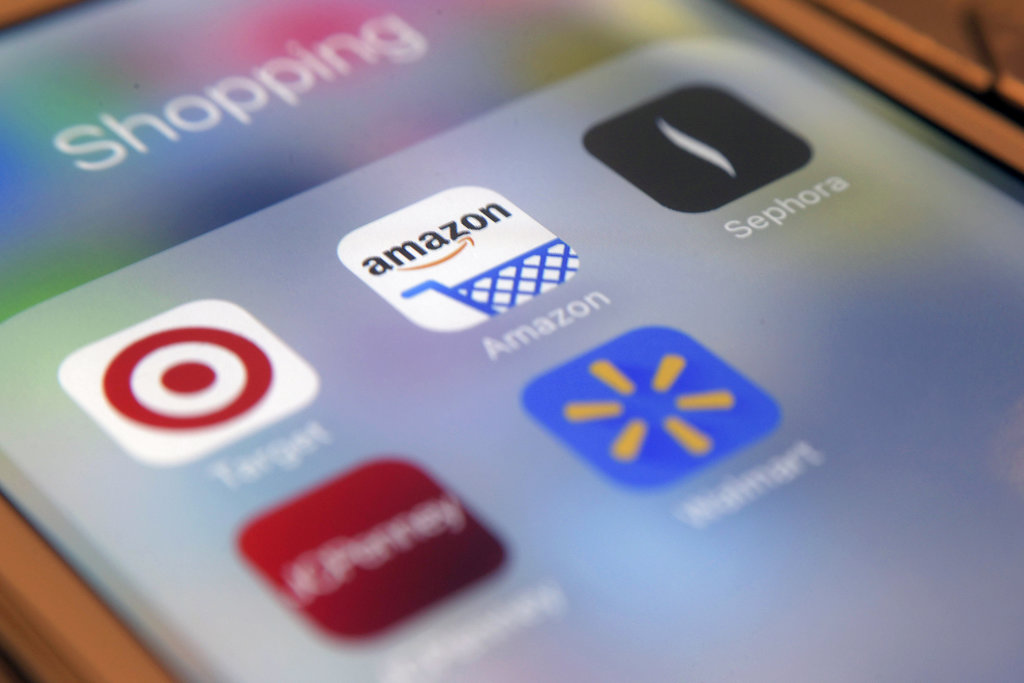
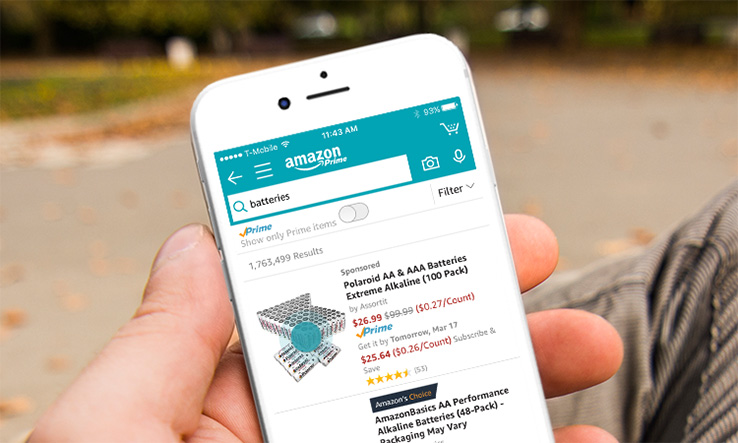
    Retailers such as Target and Amazon are embracing shopping apps to help consumers save money and time with features like digital wallets and augmented reality. When used strategically, apps can streamline in-store trips and online purchases, but shoppers could also find that convenience comes with a risk: impulsive decisions and overspending.

    “Now shopping can be anytime, anywhere, multiple times a day, which is great for customers who value convenience,” said Casey Taylor, a partner in the Atlanta office of Bain and Company, a management consulting firm. “But for customers on a budget, what I would share as the primary caution is that it makes it very easy — almost too easy.”

    Here’s how to get the most out of retail apps, while avoiding the downsides.

    Shopping App Amazon

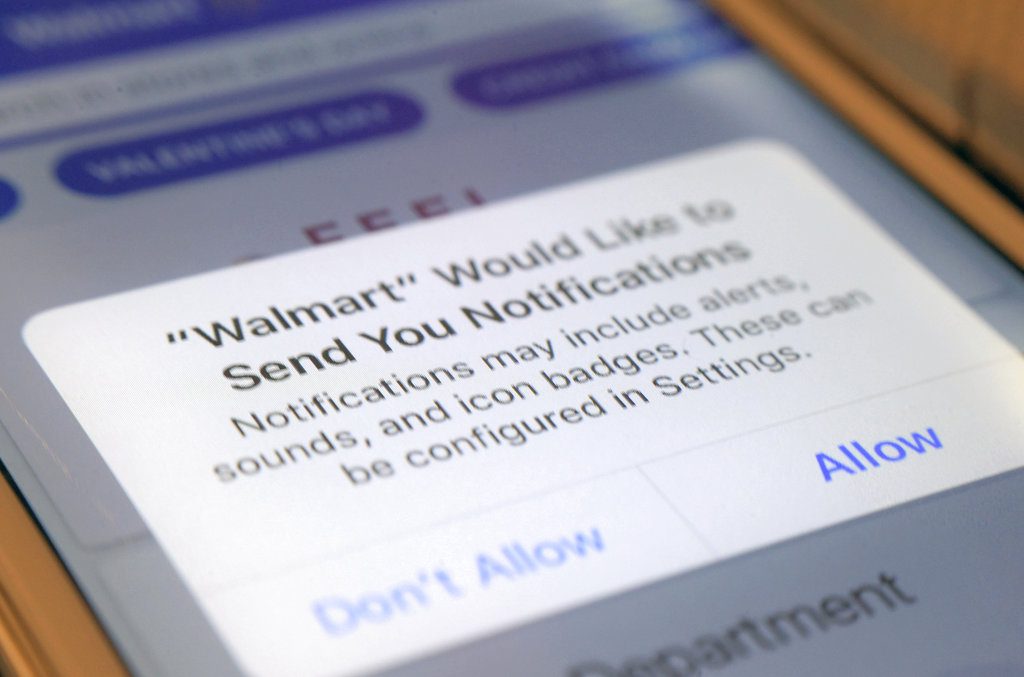
    DON’T ENABLE NOTIFICATIONS

    Push notifications — alerts that pop up on your phone — and emails tend to “catch people at vulnerable moments,” enticing them to spend money on things they otherwise wouldn’t, said Marshal Cohen, chief industry analyst at the NPD Group, a market research company.

    Data show that 9.6 times more users make a purchase when an app sends a promotional push notification compared with those who didn’t receive one, according to Leanplum, a mobile marketing platform. Notifications also increase the amount an average shopper spends 16 percent.

    A quick fix: Turn off notifications in the app or your device’s settings and opt out of retailers’ emails if they’re too tempting to resist overspending.

    Shopping App Notification

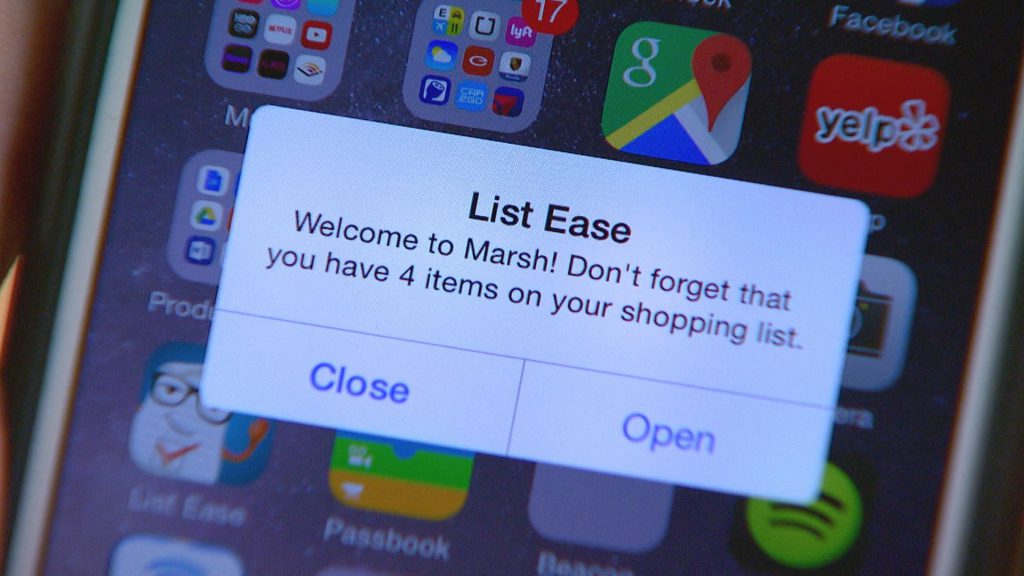
    DO MAKE A SHOPPING LIST

    Take inventory and make a list of what you need. Shopping lists can deter impulse purchases by keeping specific merchandise top-of-mind. Most retailer apps make it easy to view and edit lists on your device.

    For example, the app for Kohl’s enables shoppers to set a budget , and then automatically deducts the price of each item on the list. Other merchants, like The Home Depot, include maps or aisle numbers to help customers track down products on their lists at local stores.

    shopping apps list

    DON’T KEEP PAYMENT INFORMATION ON FILE

    Although storing shipping and billing information speeds up the checkout process, it can also smooth the way for frivolous purchases. Researchers have found that compared with cash, behind-the-scenes payment methods make shoppers feel detached from their money — and more likely to spend.

    “Now with technologies where you can just use your fingerprint, or you just take a photo of your credit card, it makes payment incredibly simple,” Taylor said.

    Instead, enter payment information each time, rather than saving credit card numbers or linking to a PayPal account. The extra step makes the exchange of money feel more real.

    At the very least, “take a breath before tapping ‘checkout’ to make sure that your purchase is as much about you really needing that item versus the fact that the shopping experience has become more entertaining and has become very easy,” Taylor said.

    shopping apps payment

    DO USE YOUR CAMERA

    Use the camera feature within apps to read product details and customer reviews.

    “It allows you to have a greater usage of knowledge of what those products you’re purchasing can do,” Cohen said.

    Some apps surface product information when an item’s bar code is scanned with the camera. Beauty retailer Sephora’s app incorporates augmented reality, which allows shoppers to virtually try on makeup products and colors as they look into their device’s camera.

    As well, cameras can summon savings: Snap a picture of your receipt in Walmart’s app, and its Savings Catcher tool will match a competitor’s lower advertised price — even after your purchase. Walmart refunds the difference on an electronic gift card. Target’s app checks for manufacturer coupons and in-store deals on scanned items.

    DON’T FOCUS ON ONE RETAILER

    shopping app retailers

    Through exclusive offers and built-in loyalty programs, “individual retailers’ shopping apps intend to lock-in shoppers,” Jie Zhang, professor of marketing at the University of Maryland’s Robert H. Smith School of Business, said in an email. For example, the wallet feature on the J.C. Penney app lets shoppers see and redeem rewards, coupons and gift cards in one place.
    But using only one retailer’s app could mean missing out on opportunities to save money.

    “Yeah, there might be a 20 percent-off sale, but it could be really easy to go get 35 percent off somewhere else for the same exact product,” Cohen said.

    Use a price comparison tool, like ShopSavvy or Google Shopping, to locate the best price across multiple merchants.
    By LAUREN SCHWAHN, NerdWallet


  • Protect Your Identity Online With These Tools

    Protect Your Identity Online With These Tools

    Whether it’s another big data breach or someone trying to steal your passwords, there’s always something to watch out for online. However, there are a number of tools you can use to protect your identity and browse without worrying. Today we’re taking a closer look into some of these tools to help you understand what you need to surf the web worry-free.

    Protect Your Identity Online

    VPN

    A VPN, or a virtual private network, is a fancy-sounding name for a relatively simple service. Originally created to allow people to access their work intranet while working from home, a VPN allows you to “tunnel” your internet traffic to an external server. Essentially, a VPN hides who you are when you’re browsing online by making it look like traffic from your computer is coming from somewhere else. By tunneling your traffic to another server, your traffic can appear to be coming from a distant country, and your identity is hidden from websites you visit.

    This offers you some unique benefits. For instance, it allows you to access websites that might be blacked out in your area. You can sidestep local blackouts on sites like Netflix, on regional sports teams you want to watch and even on banned content in your area. While doing this is technically against the user agreement of the sites in question, the ethics of doing so are left for you to decide for yourself. In either case, a VPN is a great way to hide your identity online and protect your activity from prying eyes.

    Password Manager

    Everyone knows the first rule of making passwords for your online accounts is that you need to make each site have a different password. If you’ve got tons of logins for various websites, such as online banking, paying bills and social media, it can be hard to keep track of all your passwords, though. That’s where cloud password managers come in. These convenient and time-saving services are also incredibly good at securing your online information.

    A password manager service allows you to hide all of your passwords on a remote server that you access with one master password. This allows you to keep track of all of your passwords easily, while also hiding them from potential keystroke-monitoring programs or simply people watching your fingers while you input them. While it might sound risky to keep all of your platforms saved on one server, it’s actually much safer to keep them encrypted in this way than to store them in a text file on your computer, or on a physical piece of media that can be stolen.

    Careful Browsing

    Scammers and phishers are everywhere online. The illusion of anonymity emboldens con men and grifters to try to steal your information, your credit and your money. As such, you need to be careful when you’re browsing online. Even a strong VPN and encrypted passwords can’t keep your identity safe if you fall for a phishing scam. Make sure you’re vigilant about the sites you visit, and never input your personal information into a site you don’t trust.

    If you get an email or see an offer online that’s too good to be true, it is. Never give someone your password, you Social Security number or your credit card information online. The only exceptions to this are verified government websites, sites you pay your bills through and known online sellers like Amazon or eBay. A fishy site with a strange domain name and broken English in all of the item descriptions is probably not the site you should be shopping on. Remember: if it looks suspect online, don’t input any personal information.