Category: Computers

  • Best Sites to Find Free Audiobooks

    Best Sites to Find Free Audiobooks

    Audiobooks are a great way to focus on reading without having to set aside time for just sitting still. A lot of people have such busy schedules that audiobooks are the best way for them to take in literature. After all, you can listen to an audiobook while jogging, while working, even in the car while on the way to work and back. This makes audiobooks a valuable asset in a busy schedule! However, they can be more expensive than old-fashioned books. Here are some of the best sites to find free or inexpensive audiobooks so you don’t break the bank!

    Best Sites to Find Free Audiobooks

    OverDrive

    OverDrive is an audiobook site that works in concert with local libraries to offer free books to library card holders. If you have a local library card then you can download free audiobooks from OverDrive. They offer apps through Android and iTunes, as well as Windows phones. They also have a desktop site, of course, that you can download MP3s through to upload to any device you would like.

    OverDrive is a great choice for lovers of the local library. If your library has an audiobook you’d like to listen to, odds are good that it’s being hosted on OverDrive. Libraries are a great public resource, and OverDrive does a great job of extending their reach beyond just the walls of the building itself. They offer a great selection of newer books and classics alike.

    The search function is easy and fast, and you can quickly navigate books by authors, genres, series and more. If you’re looking to quickly fill up your device with audiobooks, OverDrive is a great way to start doing just that. If you’ve already got a library card, you’re ready to go!

    LibriVox

    Literature is as old as civilization itself. As such, it’s no surprise that more works are in the public domain than there are works that aren’t. LibriVox is a site that hosts free audiobooks of works that are in the public domain.

    An interesting aspect of LibriVox is that the narrators are all volunteers. As such, the quality of the reading can change dramatically based on the volunteer. Some volunteers are excellent actors with impeccable readings full of life and emotion. Others are more robotic, simply reading the words from the page in a constant string. Some narrators may have difficult-to-understand accents, while others might be on par with most premium paid audiobooks.

    Many books have multiple readings available, and there are several languages available to choose from. If the audiobooks you want to hear are in the public domain, LibriVox is a great place to look for free audiobooks. After all, you can’t beat free!

    Open Culture

    Open Culture is an educational site that is completely free for all users. They host a number of classic works of literature, and their site also hosts a number of educational courses, textbooks and films. If you’re looking to learn more about a subject and dig more deeply into it, consider Open Culture a resource worth digging into! The site even offers 900 free audiobook downloads.

    Open Culture doesn’t offer the most robust selection of newer books, however. It also doesn’t support a wide variety of audiobook formats, so it might be more difficult getting their audiobooks to work on all of your devices. However, they do link to both iTunes and Spotify, which streamlines the process immensely.

    While the site is totally free, donations are appreciated. If you’re looking for a great educational site that hosts countless classic works of literature, Open Culture is a great choice for you.

    Scribl

    Scribl is a service that is more akin to a podcast service than a traditional audiobook site. The service is great for people who like smaller, more easily digested audio, much like podcasts. If you often go on jogs or have short bursts of time you like to listen in, Scribl is a great way to go. The audiobooks on Scribl can be broken down into smaller files and taken in one bite at a time.

    Additionally, Scribl has more new releases than most free sites. There are some paid books on the site, though, for brand-new or high-profile releases. However, when you buy an audiobook on Scribl, you also get access to the e-book version! This allows you to read up on your favorite books even when you don’t have your headphones available, or if you just like to follow along with the narration when you can.

  • Top Password Managers for 2019

    Top Password Managers for 2019

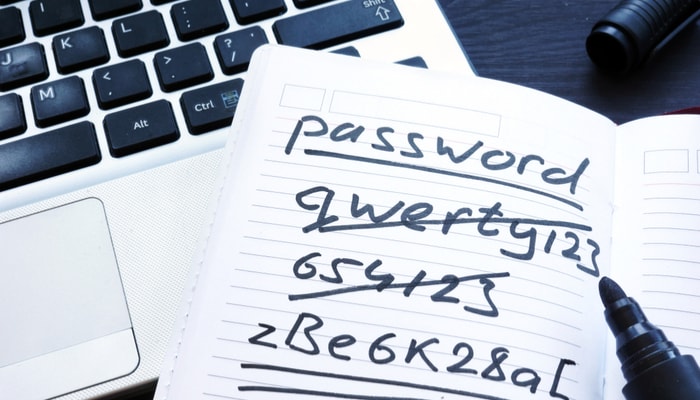
    If you’re anything like us, you’ve got a ton of passwords to keep up with. Whether it’s social media, work-related sites or entertainment, you’re going to need to keep up with a large number of logins. When it comes to memorization, we can barely remember our own birthdays, let alone complex logins. And writing it down is right out: we’re just as likely to lose the paper it’s all written down on, or be unable to read our own handwriting. The best option is to use one of these awesome password managers!

    Top Password Managers for 2019

    Why Use a Password Manager?

    Even if you’re not a forgetful type like we are you’re going to find a lot of great uses for a password manager. For one thing, password managers will generate very strong passwords that hackers are unlikely to guess or happen upon. Further, most password managers protect your info behind a powerful wall of encryption software.

    Another strong upside to using a password manager is that it can also help streamline your online experience by storing your payment information. This is hugely helpful for frequent online shoppers, as it keeps you from having to constantly re-enter your credit card number. This frees up not only your time but also your worry. As these services are encrypted, you don’t need to worry about a hacker stealing your card info.

    What Makes for a Good Password Manager?

    Ideally, you want a password manager that is easy to use, gives you lots of security options, and uses multi-factor login. Also, generally, the best password managers are going to include encryptions that work locally as well. This means that if a hacker gets into your device without providing multi-factor login, they’re going to end up with jumbled, encrypted and unusable gibberish instead of your personal information. Likewise, the best password managers will have their central databases encrypted in this same way.

    Blur

    One of the most all-inclusive and affordable password management options comes in the form of the Blur product. This product is also a suite of protection software for users, insulating them against the worst of hackers and malicious online thieves. They offer a robust suite of online protections for passwords, credit card numbers and more.

    One of their more appealing features is the way that Blur can store your information locally, via an encryption, over the cloud or both. It can autofill passwords for you, avoiding keystroke detection, and it can also generate strong passwords with one click. Further, the service is capable of generating throwaway, single-use credit card numbers and phone numbers, keeping your real numbers safe from prying eyes.

    This password manager will run you around $40 per year for the full version, though a free version also exists.

    Sticky Password

    The odd name belies this excellent password manager’s great strengths. Sticky Password also, interestingly, donates a portion of its license fees to the Save the Manatee foundation. So, if you’re a fan of manatees, this is the password manager for you!

    As for features that you might find useful, Sticky Password is full of them. While the app doesn’t provide any virtual wallet features, it more than makes up for that with its strong form-filling capabilities. If you’ve ever loathed filling out forms online, you’ll love how intuitive and quick this app’s auto-fill is. You’ll rarely find yourself entering your personal info: Sticky Password has you covered.

    These guys offer a low license fee of around $30 per year. That’s not too bad!

    Keeper

    Another great option, Keeper works on iOS, Mac, Android and Windows. It has Duo integration, allowing for one-tap authentication, as well as the single sign-on enterprise feature. It also supports biometric logins from phones, such as fingerprint scanners and facial recognition software. These encryption methods are very difficult to hack into, making them ideal for people who want to keep their passwords as safe as possible.

    Interestingly, Keeper allows for a legacy contact to inherit your passwords. In case you’re worried about what will happen to your data after you’re gone, Keeper has you covered. This feature would see your data being passed to a trusted legacy contact, ensuring your information isn’t forever sealed behind a passcode that can’t be determined without you around.

    Additionally, Keeper can import saved passwords from built-in browser-based password managers. These includes the ones found in Chrome, Firefox and Opera, meaning your existing password storage gets to stick with you! This manager will run you around $26 per year.

  • VR Gaming Laptop Deals

    VR Gaming Laptop Deals

    I have a top of the line power computer with a 40 inch monitor at home. What good does that really do me when Im not home. When you need a powerful rig you can take with you, there’s no substitute for a VR gaming laptop.

    Gaming laptops come in all shapes and sizes, for different needs and budgets. Some come with full-size Nvidia GeForce GTX graphics cards, while others go for the more efficient Max-Q designs that enable thinner chassis and quieter fans. While many gaming laptops come with 1080p display, some opt for 4K models.This holiday season there are a number of sales, let look at some of the best VR gaming laptops.

    Evaluating VR Laptops

    There are a few key components you want to evaluate for your VR laptop. Here is a quick break down.

    Processor:- You will use this VR ready laptops for gaming or photo/video editing work so it must have a powerful processor to handle your heavy task. So I suggest you go for latest Gen i7 processor, below all the laptops have latest 7th Gen i7 processor.

    RAM:- To handle high-end games and also to handle your intense gaming session I suggest you go with at least 16GB of RAM. To give you a smooth experience without slowing down your machine while you are playing games or doing heavy multitasking laptop wants that much RAM if it is more than 16GB then it’s good.

    Dedicated Graphic Card:- For any VR Ready laptops required a high capacity dedicated graphics card to provide you a great gaming or visual experience.

    Storage:- If you are buying this VR ready laptop for a gaming, photo/video editing work or anything else its depends upon your work how much storage space you want.

    Cooling System:- A cooling system helps to keep the laptop cool in a long session while you are working, doing heavy multitasking work or intense gaming session. This cooling system helps you in a several ways like it saves your system from overheating, protects expensive components of laptop and helps to avoid surprise shutdowns or any lags issue.

    Dell’s Alienware 17

    The Alienware 17 (starting at about $1,479) comes equipped with up to an NVIDIA GTX 1080 with 8GB of GDDR5 VRAM, which is pretty much bananas. The GTX 1080 is near the very top of the NVIDIA line and will have no problem running your Rift or Vive. The 17.3-inch display is available in 1080p, 1440p, and 4K configurations, each costing a bit more than the last. Each display does look beautiful, so if you’re looking to save some bucks, here’s where you can get away with it without affecting your VR experience — you won’t be looking at the screen much anyway.

    If you’re into overclocking, the 7th-generation Intel Core i7-7820HK quad-core processor can be boosted up to a 4.4GHz clock speed; again, keep in mind this crazy performance is coming from a laptop. With up to 32GB of DDR4 RAM and a big solid-state drive (SSD), you’re sure to have a great VR gaming experience with the Alienware 17 VR gaming laptop. Its big, and may be a lot to handle in the coach section of an airplane. There is always the 15 inch model as well.

    MSI GE62VR Apache Pro VR Ready Gaming Laptop

    As we all know MSI is one of the well-known brands for gaming and without MSI laptops gaming laptop buying guide is incomplete so here is MSI GE62VR Apache Pro. If we talk about its internals then it has include 7th Gen Intel Core i7-7700HQ quad core processor which provides you a faster performance. This MSI laptop paired with 16GB of RAM and houses with 128GB of SSD + 1TB of HDD drive. For a better visual experience, it has dedicated 6GB of graphic card from NVIDIA’s Geforce GTX 1060. The laptop has got 15.6 inches full HD display with 1920 x 1080 resolution.

    It’s SteelSeries, Dragon Center and other gaming features which are integrated well with your VR gear so it will give you an amazing gaming experience. It’s Cooler Boost technology helps your system to stay cool, so it will maximise the performance of your VR gaming laptop while you are playing an extreme gaming.

    Razer Blade 15 VR Gaming Laptop

    Last buy not least is my favorite VR gaming laptop. The Razer Blade 15. The standard Razer Blade has been redesigned, now with a 15.6-inch display and new hardware inside. There are a few configurations to choose from, but for about $2,130 you can grab an 8th Gen Intel Core i7-8750H CPU, 16GB of RAM, a 256GB SSD, and a NVIDIA GTX 1060 Max-Q GPU. Want more power? Go with up to a GTX 1070 Max-Q GPU to push it over the edge. With all models, you’ll get for ports HDMI, USB-C, and three USB-A 3.1, perfect for connecting VR.

  • Confidential Facebook Documents Seized by UK Parliament

    Confidential Facebook Documents Seized by UK Parliament

    In an odd turn, the UK Parliament had confidential Facebook documents seized. Parliament has been gearing up for an international hearing regarding alleged misconduct by Facebook. The documents include correspondences among top Facebooks executives, apparently including CEO Mark Zuckerberg himself.

    Facebook Documents Seized by UK Parliament

    Zuckerberg
    Photo by Justin Sullivan/Getty Images

    How Were the Documents Seized?

    During a business trip in London, the founder of Six4Three was compelled by Parliament to give up the documents in question. Six4Three is no longer operating, but their founder still possessed documents relating to Facebook after working with them.

    Next week, there will be an international hearing in London relating to Facebook’s numerous scandals. The Cambridge Analytica leak, potential election meddling and constant misinformation are stated topics the hearing will focus on.

    Facebook’s Pushback

    The social media company responded to the events in England with shock. “We consider these to be entirely without merit and that the repeated filings demonstrate that this is more about attacking our company than it is about a credible legal claim,” said Richard Allan in a letter to Parliament. Allan is the head of Facebook’s public police.

    Parliament’s Stance

    Damian Collins, the head of Parliament’s Digital, Culture, Media and Sport Committee, had a retort for Allan in the form of a letter. On Twitter Collins posted the letter, which reminds Allan that it is within Parliamentary privilege to seize and publish the documents. Since Facebook operates in the UK, they are subject to Parliament’s laws and mechanisms.

    Collins warns that if Zuckerberg visits England he will likely be compelled to appear before Parliament. Following the Cambridge Analytica scandal, Zuckerberg has avoided visiting the UK.

    The International Hearing

    The hearing in London could lead to serious issues for Facebook. If the hearing finds that Facebook is to blame for the multiple security breaches and the spread of disinformation, they could find themselves fined severely.

    Such findings could lead to similar committees in the EU and even the US slapping huge fines on Facebook. Scrutiny on the company is at an all-time high following the multiple incidents under investigation.

  • MacBook Air 2018: Is it Worth the Price?

    MacBook Air 2018: Is it Worth the Price?

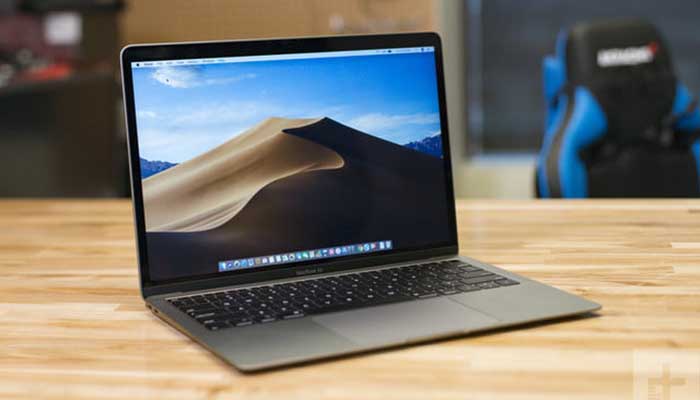
    While Apple continues smartphone dominance with the iPhone X line, they’ve been struggling with their laptops recently. Competitors like Microsoft have been out-performing them for the past few years. Is the MacBook Air 2018 poised to change that, or will it fall flat?

    MacBook Air 2018 Review

    Design

    At first glance this is very clearly a new beast than previous generations. It’s incredibly thin and light and stows away in a bag very easily. It’s a bit bigger than the 12-inch MacBook Pro, oddly, though it’s a bit smaller than the 13-inch model. It’s something of an in-between of those two laptops in more ways than one.

    The screen is big and gorgeous, as you’d expect from any Apple product. The bezels around the screen have been pulled back significantly, making this a much more modern-looking device. The keyboard is a bit shallower than the previous MacBook Air but it still feels fine for typing.

    Performance

    This is an upgraded machine from its previous incarnation in many ways. Notably, this version is sporting an 8th-Gen i5 processor, more RAM options and generally more power. It’s not quite as mighty as the 13-inch MacBook but it’s much more portable. Likewise, it blows the 12-inch MacBook out of the water but it’s a bit bulkier than that device.

    For most common tasks this is going to be an excellent productivity machine. If you want a device from which you can type up assignments, listen to music, do research and watch YouTube, you won’t be disappointed. Photo and video editing are a dream, as usual for Macs. Professionals, college students and entrepreneurs alike will find this device plenty powerful enough for most tasks.

    Bottom Line

    This is an excellent entry into the MacBook line. Acting as a midpoint between the 12-inch and 13-inch designs, the MacBook Air 2018 comes in a full $100 cheaper than either of those devices. It retails for $1200, though you can likely find it on sale for up to $100 less in some places. All in all, this is a great productivity laptop with a good balance of portability, power and sleek design that will impress any Mac fans.

  • Best 5 Laptops Under $500 in 2018

    Best 5 Laptops Under $500 in 2018

    Laptops are very essential these days- for school, work, or just personal use. The price of a premium new laptop can cost up to $1,000, which is pricey for anyone. Numerous companies have made laptops more affordable while keeping the quality and capabilities of more expensive laptops.

    You don’t have to feel like you’re settling when shopping for a laptop under $500. There are value-priced notebooks that include full-HD displays, solid performance and long battery life, plus all the ports you need. We picked all the best all-purpose laptops in $500 price range which we think are best laptops to suit the wide range of requirements of people. Here is a list of the best five laptops under $500!

    1. Dell Inspiron i3567 Laptop

    The latest version of this Dell laptop has a powerful system in place with 8GB of memory and a 128GB hard drive and a Intel Core i3-7100U 2.4GHz processor. It has a professional feel in it’s all black look with a 15.6-inch laptop with a screen resolution of 1366 x 768. The operating system runs smoothly with Windows 10 and is backed with a 12 month warranty, with 12 months of tech support.

    • A new, powerful hardware system
    • Has many ports and slots to use your external devices
    • 8 GB Ram
    • 7th Gen Intel Core i5 processor
    • It is not backlit enabled
    • Battery life up to 5 hours

    2. Acer Aspire A515-51-50RR Laptop

    The Acer Aspire 5 is one of the best budget full-size laptops you can find in stores today. It checks most of the right boxes: well built, slim and fairly light, gets a decent keyboard, an IPS screen and modern hardware, performs well, runs cool and quiet and lasts for a long while on a charge. This slim and sleek laptop is a great all round performing laptop, especially for the price. The visuals are spot on with vivid, bright colors.

    • LCD display and is backlit
    • 2.50 GHz Intel Core i5-7200U processor
    • Storage: 1TB hard disk
    • Intel HD 620 graphics
    • Battery life up to 7 hours
    • All-plastic chassis

    3. HP 15-ay191ms Laptop

    The HP 15-ay191ms, a signature edition laptops that comes with a seventh-generation Intel Core i3 processor, 8GB DDR4 system memory, 1TB of storage and a touchscreen, but still remains insanely affordable. It’s one of those laptops you’d buy without a second thought if you find inexpensive chromebook attractive, but really, really need Windows. If you love touchscreen, this one’s for you! This laptop contains the Kaby Lake processor which makes this laptop consume little power. Apps are not an issue here, they all run very smoothly.

    • Touchscreen
    • Intel Core i3-7100U processor
    • 8GB RAM
    • 1TB hard drive
    • Lag-free performance
    • Battery life up to 6 hours

    4. Dell Inspiron i3567-5185BLK Laptop

    Yet another Inspiron made this list! This version comes in different color options and a textured finish.  Packed with a large 15.6 Inches display and a decent 7th Gen Intel Core i5-7200U up to 3.1GHz CPU processor. This Dell laptop model would work well for portability with its 4.85 Pounds lightweight design and sleek black look. Great for school work or the family computer. A huge bonus with this laptop is it doesn’t heat up much!

    • 2.4 GHz Intel Core i3-7100U processor
    • 8GB RAM
    • TB hard drive
    • LED display with a built-in webcam and mic
    • Battery life is up to 6 hours

    5. ASUS Chromebook Flip

    This is one of the best convertible laptops on the current market. The Asus Chromebook Flip C302 is worthy of its premium stature with a gorgeous screen, tactile keyboard and a classy design that’s equally as comfortable to use in tablet mode or as a traditional laptop. The screen is a full HD touchscreen and can be converted from a laptop to a tablet by turning the screen. A top pick for a college student!

    • Intel Core m3 processor
    • 4GB RAM
    • 64GB of SSD storage
    • Battery life of up to 10 hours

  • Best 5 Laptops Under $500 in 2018

    Best 5 Laptops Under $500 in 2018

    Laptops are very essential these days- for school, work, or just personal use. The price of a premium new laptop can cost up to $1,000, which is pricey for anyone. Numerous companies have made laptops more affordable while keeping the quality and capabilities of more expensive laptops.

    You don’t have to feel like you’re settling when shopping for a laptop under $500. There are value-priced notebooks that include full-HD displays, solid performance, and long battery life, plus all the ports you need. We picked all the best all-purpose laptops in $500 price range which we think are the best laptops to suit the wide range of requirements of people. Here is a list of the best five laptops under $500!

    1. Dell Inspiron i3567 Laptop

    The latest version of this Dell laptop has a powerful system in place with 8GB of memory and a 128GB hard drive and an Intel Core i3-7100U 2.4GHz processor. It has a professional feel in it’s all black look with a 15.6-inch laptop with a screen resolution of 1366 x 768. The operating system runs smoothly with Windows 10 and is backed with a 12-month warranty, with 12 months of tech support.

    • A new, powerful hardware system
    • Has many ports and slots to use your external devices
    • 8 GB Ram
    • 7th Gen Intel Core i5 processor
    • It is not backlit enabled
    • Battery life up to 5 hours

    2. Acer Aspire A515-51-50RR Laptop

    The Acer Aspire 5 is one of the best budget full-size laptops you can find in stores today. It checks most of the right boxes: well built, slim and fairly light, gets a decent keyboard, an IPS screen and modern hardware, performs well, runs cool and quiet and lasts for a long while on a charge. This slim and sleek laptop is a great all around performing laptop, especially for the price. The visuals are spot on with vivid, bright colors.

    • LCD display and is backlit
    • 2.50 GHz Intel Core i5-7200U processor
    • Storage: 1TB hard disk
    • Intel HD 620 graphics
    • Battery life up to 7 hours
    • All-plastic chassis

    3. HP 15-ay191ms Laptop

    The HP 15-ay191ms, a signature edition laptops that comes with a seventh-generation Intel Core i3 processor, 8GB DDR4 system memory, 1TB of storage and a touchscreen, but still remains insanely affordable. It’s one of those laptops you’d buy without a second thought if you find inexpensive Chromebook attractive, but really, really need Windows. If you love touchscreens, this one’s for you! This laptop contains the Kaby Lake processor which makes this laptop consume little power. Apps are not an issue here, they all run very smoothly.

    • Touchscreen
    • Intel Core i3-7100U processor
    • 8GB RAM
    • 1TB hard drive
    • Lag-free performance
    • Battery life up to 6 hours

    4. Dell Inspiron i3567-5185BLK Laptop

    Yet another Inspiron made this list! This version comes in different color options and a textured finish.  Packed with a large 15.6 Inches display and a decent 7th Gen Intel Core i5-7200U up to 3.1GHz CPU processor. This Dell laptop model would work well for portability with its 4.85 Pounds lightweight design and sleek black look. Great for school work or the family computer. A huge bonus with this laptop is it doesn’t heat up much!

    • 2.4 GHz Intel Core i3-7100U processor
    • 8GB RAM
    • TB hard drive
    • LED display with a built-in webcam and mic
    • Battery life is up to 6 hours

    5. ASUS Chromebook Flip

    This is one of the best convertible laptops on the current market. The Asus Chromebook Flip C302 is worthy of its premium stature with a gorgeous screen, tactile keyboard and a classy design that’s equally as comfortable to use in tablet mode or as a traditional laptop. The screen is a full HD touchscreen and can be converted from a laptop to a tablet by turning the screen. A top pick for a college student!

    • Intel Core m3 processor
    • 4GB RAM
    • 64GB of SSD storage
    • Battery life of up to 10 hours

  • Best Online Stock Trading Platform

    Best Online Stock Trading Platform

    Stock trading can be a scary concept. After all, investing in markets is something difficult that only professionals can do, right? Well, not really. All you need to start trading today is some money to invest and a good online stock trading platform.

    Best Online Stock Trading Platform

    E-Trade

    The poster child for online stock trading, E-Trade is a great place for beginners to start. If you’ve never done any trading before, we recommend E-Trade. You can get acquainted with the basics through their learning tools. They offer web seminars, reading material and more to get you comfortable with the idea of investing in stocks.

    They even have a team of market analysts who can help guide you in the best ways to invest your money. Their analyses are available through the site, and you can even contact a 24-hour helpline to give you market advice. Really, it’s a great all-in-one for beginners.

    Ally Invest

    Ally Invest is fantastic for those looking for a more budget-friendly way to trade. That’s because they have a low price for trading and a low commission structure for an online stock trading platform. They offer $5 trades, or $4 trades for people with more than 30 trades per quarter. That’s a pretty enticing deal for those looking to make a lot of trades!

    If you’re a relatively confident investor who just needs a good, stable and inexpensive platform, Ally Invest is for you. They’ve got a few nifty tools for users, and they offer the best bang for your buck.

    TD Ameritrade

    TD Ameritrade doesn’t have the low price of Ally Invest, but they offer some other interesting features. Trade Architect is TD Ameritrade’s beginner-friendly platform that will introduce new investors to all the concepts they need to know. The simplified platform is considered a rival to E-Trade’s easy-to-understand approach.

    TD Ameritrade also offers a platform called Thinkorswim, which is great for established and confident investors. Thinkorswim offers market analyses, charts, graphs and in-depth reports fit for the most discerning of investors. So, whether you’re a greenhorn or a grizzled vet, TD Ameritrade has an online trading platform that will work for you!

  • Best Internet Monitoring Programs

    Best Internet Monitoring Programs

    It can be hard to parent effectively in the age of information. The internet is a big, unregulated place full of things kids probably shouldn’t see. While the simplest solution is to simply keep young children away from the internet, that’s an unlikely solution. That’s where these internet monitoring programs come in!

    Best Internet Monitoring Programs

    Net Nanny Review

    This service is so well-known that its name is almost synonymous with internet monitoring programs in general. This service costs $40 a month, which makes it a bit on the pricier side. However, it works across multiple platforms and offers control directly from an app. If you have Android, that is! Sorry, iPhone users.

    Net Nanny allows you to choose from a variety of filters to stop access to tons of different types of content. Most monitoring services prevent access to nudity or violence, of course. Net Nanny lets you increase the granularity of what is filtered, however. This allows you to rest easy knowing your children’s particular fears or phobias are being filtered out.

    Symantec Norton Family Premier Review

    Norton, well-known for their antivirus software, also has a well-regarding internet monitoring service. This service is highly recommended, due to its high-quality web interface and strong filtering tools. You can monitor and filter access from all devices that are connected to a network. This allows you to keep your children safe no matter what device they’re using.

    The only downside to Norton’s service is that it isn’t available on Mac. If your household doesn’t own a Mac, however, you have nothing to worry about. Another notable shortcoming is a lack of strong social media controls, but you can always just ban social media sites outright to avoid the problem. What 8-year-old needs Facebook, anyway?

    Qustodio

    A well-made and easy-to-use tracker, Qustodio works across Macs, Windows and mobile devices. It allows for strong filtering and monitoring tools, as well. It has a somewhat outdated web interface, but that’s outweighed by the strength of its monitoring and filtering. If your house has a wide variety of devices, from iOS to Android to Macs and PCs, this is the best monitoring program for you.

    The only notable downside to Qustodio is its relatively high price. The service runs $50, which is a touch expensive. However, it’s well-worth the robust monitoring and peace of mind it offers.

  • Best Ways to Check Credit Score

    Best Ways to Check Credit Score

    If you’re looking to make a big purchase, like a car or a house, odds are you’re going to need a loan. The way lenders check to see if you’re eligible for that loan, of course, is your credit score. If you often pay bills on time and are financially secure, your score should be high but you should regularly check your score.

    Grab hold of your financial potential with free information about your credit score. Knowing your credit score is important because it helps you decide what your buying power is and what areas to focus on to improve this important score.

    There are many factors that go into determining a credit score, including employment status, credit history, and financial consistency. There are also several different types of credit scores rather than a standard way to measure creditworthiness. Although banks and lenders may have their own method to determine a credit score, there are ways that general consumers can monitor their credit activity and keep on top of the score as it changes over the years.

    If you’re looking to check your credit score you’ll want to do it for free. That’s where these free credit check sites come in!

    Best Free Credit Reports

    Credit.com

    Credit.com allows you to see your Experian and VantageScore results for free. VantageScore is a newer model of credit scoring that is usually more up-to-date than the traditional FICO score. You have to sign up for an account with Credit.com, but it’s a free process. The site is known for its credit report card, a quick glance at which things go into your credit. This way, you can see what factors you may need to address to get your score higher!

    Credit Karma

    Credit Karma has become the most popular of the free credit monitoring sites for many reasons. You’ve likely heard of this one. Credit Karma offers scores from TransUnion and Equifax, and both are shown as VantageScore. Credit Karma is a free site as well, and they don’t share customer information. If you’re looking for a no-frills credit check, you’re looking for Credit Karma. They offer a great mobile app, too.

    Quizzle

    Since 2008, Quizzle has been helping its customers understand their credit history and providing free access to their full credit report and credit score. Quizzle offers free Equifax and VantageScore reports. Once every three months you can see a free report of your score. Quizzle technically has a premium account too, though you’re better off just using the free functions. The free functionality doesn’t require a credit card, too.

    WalletHub

    WalletHub offers personal financial tools to users online. Their main product is offering a free daily credit score and report associated with it. WalletHub requires you to take a pre-screening questionnaire before you get your free score. Once you answer a few basic questions, such as your income and the last four digits of your Social, you get a TransUnion credit score. The report is similar to Credit.com’s credit report card, showing you what factors influence your score the most.