Category: Electronics

  • Can’t Find the Time? Try these To-Do Apps

    Can’t Find the Time? Try these To-Do Apps

    You’re busy every single day. You’ve got tons of stuff to do, but you can never find the time to squeeze it all in. How are you supposed to organize your time and take command of what you need to get done? One of the easiest ways to get your time back is to use a to-do app. These to-do apps are some of the best available and will help you organize your time and get back on track!

    Best To-Do Apps

    Any.do

    Any.do is only available on iOS, but it’s a stellar to-do list app for those with iPhones. There’s a free version available, which is great for those on a budget. This app can nudge you when you need to do something you’ve set up, which is great if you’re trying to build new habits.

    For instance, if you’ve been meaning to hit the gym more. Another example is if you’ve been meaning to get in the habit of cleaning more regularly or going for walks. Whatever good habit you’re trying to cultivate, Any.do can help you get it down to second nature.

    Todoist

    Todoist, available for iOS and Android, is a great option for those who need to be more productive. If you’re a student trying to juggle time between work and school, this is a great option. Likewise, if you’re a professional who works from home, or does freelance work, this is a great way to organize your time and make sure you hit deadlines.

    Asana

    Another app available on both iPhone and Android, Asana is great for busy professionals who need help organizing their workflow. The free version is quite robust, and the app is clean, clear and easy to use. Setting up recurring tasks is a breeze. Essentially, this app can act as a second set of eyes to make sure you went over everything you meant to get to in the day.

    It’s impossible to put a price on discipline, but these apps are free. So, if you’re trying to get it together and organize your time, you’ve got nothing to lose with these wonderful to-do apps.

  • Which Console is Right for You? PS4 vs Switch

    Which Console is Right for You? PS4 vs Switch

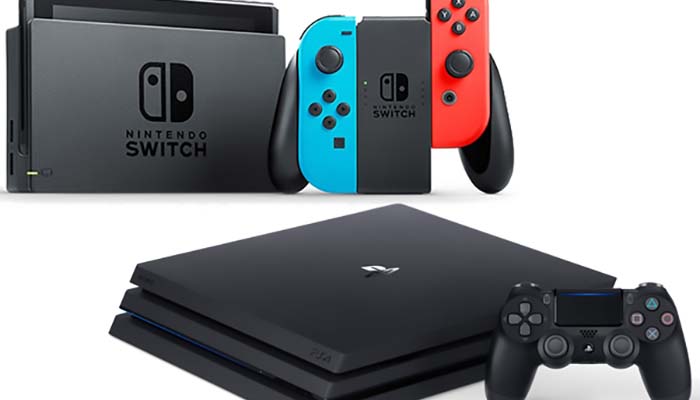
    If you’re a little late to the current generation of gaming, you might be wondering which console is the right call for you. There area number of reasons to own either system, but most people don’t have enough income (or free time) for two systems. If you’re tossing up which one to get, don’t worry. We’re here to help you figure out which one is right for you!

    PS4 vs Switch

    Portability

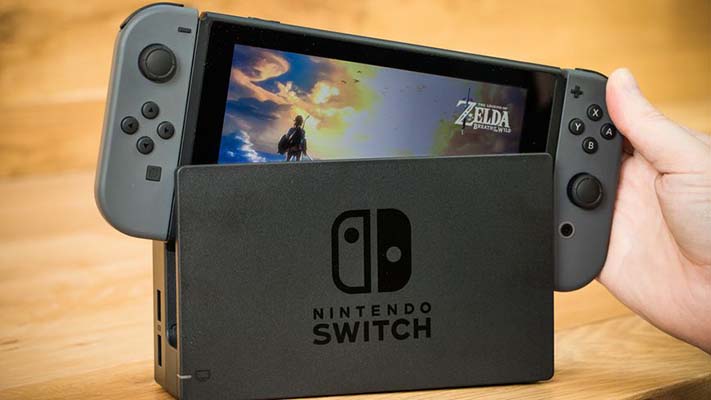
    The biggest and most notable aspect of the Switch to point out right away is the portability factor. The Switch can be taken out of its dock and used like a gaming tablet, making it a very flexible device. If you’re playing a game in the living room but need to catch your train, just pop the Switch out of the dock and head out the door.

    Most games look great at 720p on the smaller Switch system screen. It’s a testament to Nintendo’s magic that Super Mario Odyssey and Breath of the Wild look so silky-smooth even in handheld mode.

    Power

    The PS4 way outclasses the Switch in terms of raw power. This goes double for the PS4 Pro. While you can’t take either system with you on the go, they’re both incredibly beefy consoles that can put out a gorgeous image. The PS4 Pro is even capable of rendering 4K images at 60 FPS, making it one beast of a home console.

    If crisp graphics are a bigger deal to you than portability, consider a PS4.

    Exclusives

    Both systems sport impressive lineups of exclusive games. The PS4 boasts God of War, Horizon: Zero Dawn, Persona 5, Spider-Man and tons of other AAA adventures. Nintendo’s console, of course, sports their lineup of exclusive series, from Splatoon to Mario to the Legend of Zelda.

    In short, if you’re after a fun, portable system with ample couch co-op and colorful characters, you want a Switch. Meanwhile, if you want big, cinematic gaming experiences in your living room and don’t mind having no local multiplayer worth mentioning, get a PS4. Both systems bring something awesome to the table.

  • Spotify Posts 100 Million User Numbers, Doubling Apple Music

    Spotify Posts 100 Million User Numbers, Doubling Apple Music

    There are two big names in the world of music streaming services. On the one hand, there’s Apple Music, which is baked into the infrastructure of Apple’s iPhone line. On the other hand, there’s Spotify, an algorithm-driven service that compiles personalized playlists for listeners.

    Spotify has now announced that their paid memberships have now exceeded 100 million users, doubling the 50 million Apple announced in January.

    Spotify Now Doubling Apple Music Subscribers

    Juggernauts of Streaming

    While there are tons of streaming services available, the biggest names in the mix are Spotify and Apple Music. Apple offers access to a wide range of songs from the iTunes store, allowing for downloads of songs and albums. The other big draw of Apple Music is that you get access to Beats One Radio, which is a live internet radio service featuring real DJs and radio shows.

    Spotify is much more math-driven: there are no DJs, no real people selecting the songs on the playlists. However, the system is able to cater much more directly to the tastes of the user, thanks to the automated song selection software.

    In Perspective

    While Spotify is posting huge numbers in terms of global subscribers, Apple seems nonplussed by the situation. Apple Music is growing at the fastest rate of any streaming service in the US. This is good news for Apple, as the US is the largest single market for music consumption in the world.

    Spotify, unlike Apple, also offers a free version that allows users to listen without paying but with ads. This, coupled with Apple’s more limited scope than Spotify, has made the Sweden-based service a popular global streaming option.

    Of the two services, neither has a particular edge in an even field. Apple Music isn’t available on quite as many platforms as Spotify, but it can be downloaded on Android devices. For music-savvy users, either service is excellent for daily use.

  • Which Media Streaming Device is Right for You?

    Which Media Streaming Device is Right for You?

    Today, most media we consume comes from the internet. Even if you get normal cable, you probably also want to watch Netflix or Hulu or some other service on your big screen. However, you’re wondering which streaming device you should use to stream this content to your living room. We’re going to help you figure out which one is right for you!

    Keep in mind that many smart TVs already come with some manner of streaming service built-in. For instance, many newer 4K TVs already include support for Roku, Apple TV or Android TV out of the box, so you may not need to buy a separate device. However, our guide can help you figure out which type of smart TV you’d prefer to buy!

    Best Media Streaming Devices

    Roku

    Roku is a big name in the world of streaming devices. The Roku Express is a wonderful budget option, often found for as little as $30. If you’re willing to spend a little more, however, you can get Roku Premiere for $40, which offers support for 4K streaming, voice controls for searching and control options through a smartphone app. In either case, Roku offers support for all major entertainment apps, such as Netflix, Hulu, HBO Now and Sling TV.

    Roku is a great introductory streaming device for people who have yet to step into the digital content world. We recommend their affordable devices very highly for newcomers.

    Amazon Fire TV

    Amazon Fire TV is a great pick for people who love the voice controls of Alexa. Likewise, if you like Amazon’s content services, like Instant Video and Prime Video, you’ll love how integral these services are to the Fire TV menu. The Fire TV Stick is $50, while the Fire TV Cube, which allows for hands-free voice control, is $120. Much like all good streaming devices, many entertainment app options are available.

    In our opinion, Amazon Fire TV is the best option for those who love voice controls and Amazon’s original content.

    Android TV

    While Amazon Fire TV technically uses Android, it’s a very heavily altered version from what you find on Google’s own Android TV platform. There are several devices that run Android TV, but the most notable among them is the Nvidia Shield. Android TV is perfect for users who are already fans of Google’s Android system. Android is fast, user-friendly and supports all of the major apps.

    We recommend Android TV for those users who like their Android phones or who love a very personalized streaming experience.

  • Cutting the Cord: Can You Still Watch TV Without Breaking the Bank?

    Cutting the Cord: Can You Still Watch TV Without Breaking the Bank?

    Recently, several high-profile internet TV streaming services have jacked up their prices. Hulu with Live TV, DirecTV Now and YouTube TV have all seen price increases in the last month. It’s becoming hard to find internet TV for less than $50 per month, making it cost roughly the same as just bundling TV with your internet provider.

    That’s not what people were promised when they cut the cord from cable. Cord cutters jumped ship so they could get the TV they wanted without spending so much. Is there a way to still watch TV without breaking the bank—and without giving the cable company a dime?

    How to Watch TV on a Budget

    Sling TV

    Sling is often mentioned before other streaming TV services due to the consistency of its price. Sling started out with a $20 per month option, though they bumped that up to $25 not long ago. However, $25 for the 40 or so channels Sling offers isn’t too bad when you compare it to other expensive cable services.

    There are two options with Sling: Sling Blue and Sling Orange. The major difference is whether you get ESPN or Fox Sports. There are also a la carte channel package add-ons that cost around $5 per, but if you’re looking to get out while saving money, you should probably avoid these.

    AT&T Watch TV

    AT&T offers a rather low $15 per month price to access lots of channels, like TNT, TBS and CNN. If you’re an AT&T Unlimited Plan holder, it’s actually included with your phone service. Currently, AT&T Watch TV is the least expensive internet TV provider out there.

    On the negative side, AT&T only offers one stream, so no multi-TV viewing in the house. Similarly, there’s no DVR and you also don’t get access to a Roku app. While AT&T is inexpensive, it’s a bit difficult to recommend to someone used to normal cable.

    Philo TV

    Philo TV offers a comparable selection of channels to Sling, but for $20 per month. That also includes unlimited DVR with 30-day storage and up to three streams on one account. In short, if you’re looking for a good value on internet TV, the happy medium seems to be Philo.

    Philo also offers an Apple TV app, Roku app and Fire TV support. It’s a rather robust package!

  • Emulation, ROMs and the Future of Video Games

    Emulation, ROMs and the Future of Video Games

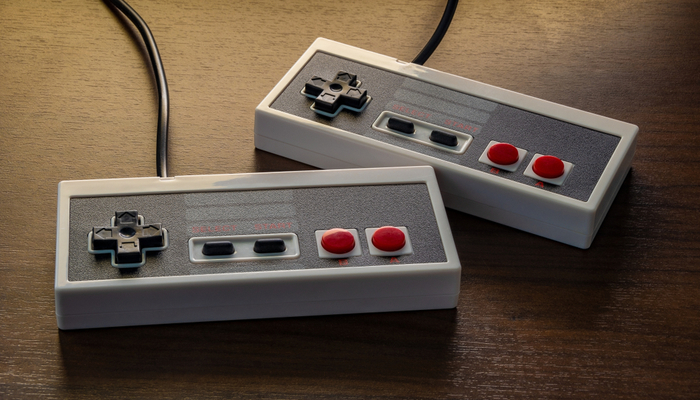
    Emulation, the process of writing code that plays video games outside of their originally intended hardware, is of somewhat murky legality. It’s quite popular among video game enthusiasts to download emulators and ROMs, or the raw code that makes up a video game. However, the legality and morality of such emulation is still a contentious topic in the industry. Let’s unpack it.

    Morality, Legality, and “Ownership”

    What’s Legal?

    Officially speaking, emulators and ROMs aren’t illegal. Downloading ROMs of games you don’t own, however, could be considered illegal file sharing. Making ROM backups of games you do own isn’t an issue, though, as it’s your property. What about downloading games you do own, but don’t have the equipment to back up? There’s no clear legal answer to these questions.

    What’s Right?

    Moreover, many emulation enthusiasts have noted that their hobby isn’t hurting anyone. If a company isn’t selling a certain older game anymore, someone downloading a ROM of it isn’t cutting into anyone’s bottom line. This issue comes up often with Nintendo, as the Big N is often hesitant to release their older games in an easy-to-acquire manner.

    Nintendo holds that, since their games are their property and theirs alone, it’s up to them how they distribute it. Someone making a ROM of a game they own and then distributing it over the internet steps on Nintendo’s rights, in their view. Whether or not they are actively selling a game is their call, and someone trying to bypass them could hurt future sales of a rerelease or remaster.

    Preservation

    Preservation of older eras of gaming is a big part of emulation. Many emulation enthusiasts have noted that, without their work, many games would simply be lost to history. Some games exist in only certain regions in some configurations, while others were simply distributed in small numbers and are very hard to find.

    Modern gaming presents many concerns in this field. As physical media becomes less popular and companies push their digital sales, many emulators worry that large corporations will hold the keys to gaming history. If a game is only released digitally, it’s impossible to make a backup of it. What happens when the company that released it decides they don’t want to host it on their servers anymore?

    Here Today, Gone Tomorrow

    The always-online nature of modern gaming means that ten or twenty years from now, gaming experiences you once had will simply be a thing of the past. For a modern example, look at games like Halo 2 and World of Warcraft. Halo 2’s revolutionary multiplayer was unavailable for years after the servers shut down before being recreated in the Master Chief Collections.

    Likewise, the always-updating World of Warcraft bears little resemblance to its launch build. Demand for the “vanilla” version of the game has become so high that published Blizzard is now working on a “Classic WoW” release that promises to be largely the same experience that gamers once had in 2004.

    What this means for the future of gaming, however, is that the companies that own these games will be the ones to make these calls. If a company has no desire to make a prior version of their game available, that’s the end of the conversation. No one can bust out a prior build on a disc or cartridge like with the prior generation of games.

    In short, the modern gaming landscape is shaping up to be more disposable, more temporary and more ephemeral than any era that’s gone before. What have we gained by giving up the older methods of distribution? Convenience and always-updating experiences. What have we lost?

    Potentially, we may have lost the ability to track the history of this very medium we love.

  • The Best Qi Charging Pads: Charge Your Phone Wirelessly

    The Best Qi Charging Pads: Charge Your Phone Wirelessly

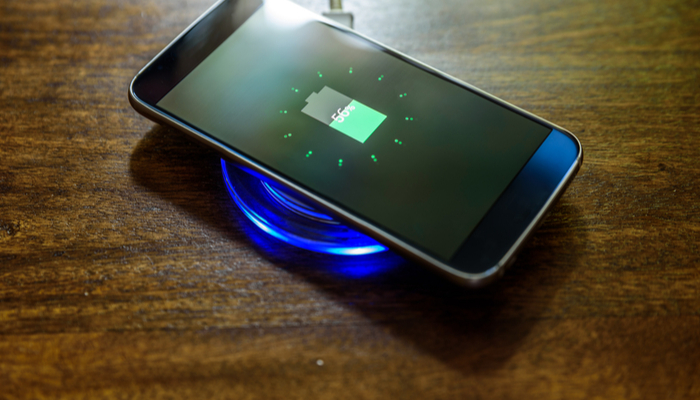
    No one likes having to fumble and look for their charging cord when they just want to charge up their phone. Between being hard to see in the dark and easy to lose track of, charging cables just feel so outdated. Thankfully, Qi-enabled phones can use wireless charging pads to juice up.

    Today we’re going over some of our favorite Qi charging pads. These are totally safe, wireless pads that allow you to simply place your phone on them and then watch as it charges up wirelessly. Ditch the cords: wireless charging is here.

    Qi Charging Pads

    Mophie Charge Stream Pad+

    This handy charing pad is made of a non-slip material that ensures your phone won’t just slide off when you’re trying to charge it. Most Qi pads are so small that it’s not uncommon to accidentally knock your phone off of it, though this Mophie pad has much better grip, so this is less of an issue.

    That said, this is a bit on the pricey side, running around $50. That’s a bit much for the average Qi charger.

    RavPower RP-PC063 Wireless Charger

    Coming in at $16, this RavPower Wireless Charger is one of the best budget Qi pads out there. It charges quickly and efficiently without breaking the bank. The build quality and structure of this pad won’t be winning any awards, but it’s a small trade-off for the great low price. In short, if you’re looking to just try out Qi charging to see what all the buzz is about, this is a good intro for you.

    RavPower RP-PC034 Fast Charger

    One of our favorite Qi charging pads is the RavPower Fast Charger. This is one of the fastest-charging pads out there, even rivalling some wired charging solutions. Remember, wireless charging, by its nature, is slower than wired charging, though it is much more convenient. As such, a fast charger like this is ideal for people used to faster charging times.

    This pad tends to keep phones cooler while charging, offering less heat dispersal of energy. It’s a simple-looking black pad with just the RavPower logo on it, and it looks completely discreet on a desk or side table. Best of all, it’s not too pricey, coming in at $30.

  • Google Stadia Update: All Pricing Options on the Table

    Google Stadia Update: All Pricing Options on the Table

    When Google unveiled its ambitious Stadia streaming service last month, the biggest question lingering over it was the cost. Will the service be subscription-based? Will users purchase games in the same way they would from Steam? Or, will there be an altogether different pricing model?

    Google’s Phil Harrison has partially addressed these questions, speaking at the LA GamesBeat Summit earlier this week. Harrison stated, “Our platform at a fundamental level has been architected to support a very wide variety of what people call ‘monetization options.’ Everything from purchase to transaction to subscription.”

    Stadia Pricing Models

    Google Stadia

    Google Stadia is Google’s upcoming foray into the world of games-on-demand streaming. The service promises to stream games to nearly any screen or device you can connect to the Internet and will allow you to use whatever controller you would like. The service has been met with cautious optimism by some, and outright suspicion by others.

    On the one hand, some have noted that the potential of streaming high-quality, 4K, 60 FPS games to any screen without needing any hardware will be quite enticing to some customers. However, others have noted that the system is unlikely to be as stable or clean as Google is promising.

    Pricing Question

    Many observers saw Stadia as likely to be Google’s attempt to create a Netflix-like subscription model for games. This would look similar to Xbox Games Pass or PlayStation Now, which both allow for access to a large library of games for a monthly fee.

    However, according to Harrison, Stadia’ systems will allow for a variety of pricing options. “There is no technical limitation on how we have architected the platform to support a variety of business models,” Harrison explained at the GamesBeat Summit.

    In Practice

    Stadia will allow for what Google is calling “frictionless” discovery of new games. For instance, a Stadia user could be watching a favorite YouTuber play a game, and then click open the exact spot the video is in into their game. It would make sense if Stadia allowed for a games pass subscription or timed free trials for these sorts of “discovery” play sessions.

    In short, Stadia is attempting to subvert the normal “storefront” experience of buying games. Google’s marketing holds that Stadia will allow for a more immersive culture of sharing and discovering games. Harrison noted that friends could even text you a link to a new game, and you could open it and stream it directly to your phone to try it out.

    We’re reserving judgement on the ambitious-sounding system until it becomes a reality. Time will tell if Google can deliver on the lofty promises they’ve made regarding the service.

  • Rumor Mill: Cheaper Switch Coming in June

    Rumor Mill: Cheaper Switch Coming in June

    There have been rumors swirling regarding new versions of Nintendo’s mega-popular Switch system for months. Most rumors have centered on a supposed “Pro” version that fans hope includes better graphical capabilities and a larger, brighter screen. However, recent rumors indicate that a less-expensive, more kid-friendly Switch is likely to hit as early as June of this year.

    Less Expensive Switch Coming in June

    The Rumor

    This rumor comes courtesy of a report from Bloomberg, which corroborates existing speculation regarding the hybrid console. However, the rumor doesn’t include any information regarding exact release date, console specifications or a price point. All that is included in this rumor is that  the system will likely see a June release and will cost less than the existing Switch.

    Best Guesses

    If we had to hazard a guess, a less expensive Switch model could go a few ways. One of the simplest ways for Nintendo to do this would to be making a Switch that doesn’t, well, Switch. A system with no dock and without the capability of up-scaling graphics for TV mode could be sold for less than the existing $300 model.

    This move, while simple, seems unlike. The biggest selling point of the Switch is the ability to play in handheld mode or TV mode. As such, a more likely outcome is a Switch model without detachable Joy-Cons, a smaller screen and perhaps even a small battery.

    This model could still include a dock, though it would likely require buyers to furnish their own controllers for use in TV mode.

    Potential Price

    We wouldn’t be surprised to see a scaled-back Switch retail for between $220 and $250, making it a more affordable option. Nintendo has long seen the young demographic of gamers as ideal targets for their handheld systems, making console revisions like the Nintendo 2DS with that exact demographic in mind.

    It makes sense that Nintendo would want to release a less expensive, more kid-friendly version of their mega-hit console. Parents are more likely to buy their kids a cheaper console, especially if they already have a Switch or PS4 in the living room.

  • Should You Buy the All-Digital Xbox One?

    Should You Buy the All-Digital Xbox One?

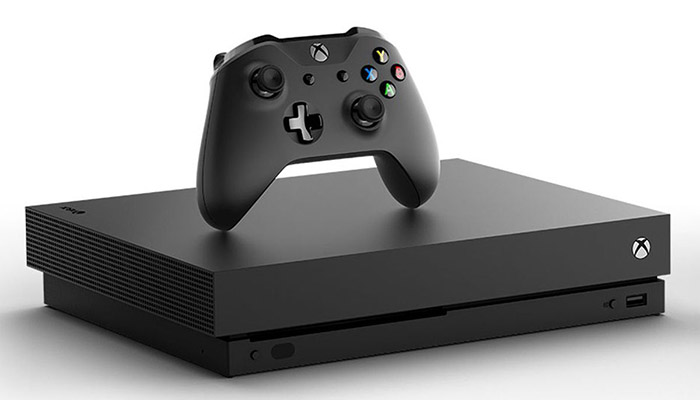
    The new All-Digital Xbox One S is due out on May 7th, though there are a lot of questions surrounding the new console. Microsoft’s newest Xbox One is an unusual device: it sports no disc drive and can only play games that are downloaded digitally. Should you buy this new version of the Xbox One, or should you wait to see what else is happening with Microsoft’s games?

    All-Digital Xbox One S

    What’s Up This?

    The existence of the all-digital Xbox One S might come as a bit of a surprise to some people. Who would even want a game console with no disc drive? Well, if you’re asking that question, you already know this system isn’t for you. However, if you want to play Microsoft’s Xbox games without breaking the bank and don’t mind the idea of downloading all of your games, read on.

    The Difference

    The all-digital Xbox One is the exact same system as the normal Xbox One S. The only difference, of course, is the lack of disc drive. However, the system is also $50 less expensive than the disc-drive version, and it comes packed with three games.

    For $250, you get an Xbox One S with no disc drive, an Xbox One Controller and Minecraft, Forza Horizon 3 and Sea of Thieves. Since Microsoft’s Spring Sale is on right now, you can pick up three months of Xbox Games Pass for $1. That means for the low price of $251 you can get access to tons of Microsoft and third-party games.

    Should You Buy It?

    If you already own an Xbox, there’s nothing new here. However, if you don’t have a game system and want one to play the newest AAA titles, this is a very wallet-friendly way to do just that. Microsoft’s made some huge strides in making their brand more appealing for gamers in the last few years. Maybe it’s time to give their newest Xbox a shot!