Category: Electronics

  • Best Smartphones in 2019: Best Phones Money Can Buy

    Best Smartphones in 2019: Best Phones Money Can Buy

    When it’s time to upgrade, you want nothing but the best. If money is truly no object and you want to own the very best cellphone, you’ve got an overflowing number of options in 2019. From Samsung phones with killer displays to Google’s unbelievably cameras, there are ample options. If you’re looking for something from Apple, the newest iPhone X models are also stellar options.

    Today we’re breaking down some of the top smartphones on the market and what each offers. For today’s list, we’re not worried about price: we’re only concerned with raw performance. Here are the best of the best, the cream of the crop, the best smartphones that money can buy.

    Android or iOS?

    While the conversation about the best phone rages on, so does the conversation about the best phone OS. Of course, both iOS and Android have their distinctive pros and cons. However, we’re not going to tell you which side to pick, so we’ve included top phones from both sides of the ongoing smartphone wars.

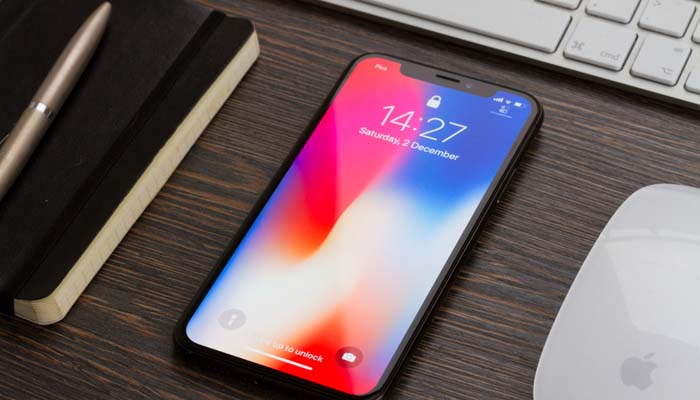
    iPhone XS

    The newest iteration of Apple’s revolutionary iPhone X line is a worthy successor to the phone lineage that started the smartphone craze. No physical face buttons, no fingerprint reader and no bezels, aside from that controversial screen notch, make this a sleek, black mirror. The Face ID unlocking tech is stellar, working in a variety of lighting and weather conditions. This tech is truly years ahead of other phone maker’s facial recognition. This is all powered by the unparalleled A12 Bionic chip running the phone.

    The iPhone XS also sports a number of incredible cameras, each taking stellar pictures in both standard mode and portrait mode. What’s more, those pictures pop incredibly on the XS’s massive OLED screen, its deep blacks and vibrant colors making for a truly impressive handset. That being said, this is quite the pricey phone: starting out at $1,000 for the normal size one, and jumping even higher for the larger iPhone XS Plus, this one will set you back. However, that’s the price you pay for the best iPhone ever made.

    Samsung Galaxy S10 Plus

    If you didn’t expect the Samsung Galaxy line’s newest iteration to show up, you might not be a smartphone enthusiast. The S10 Plus carries forward a number of innovations seen on prior iterations of the Galaxy line, including a long battery life, a huge screen and a top-of-the-line processor. While the Infinity-O design isn’t the most popular design decision Samsung has ever made, but it’s easy enough to overlook.

    Using the MicroUSB input, you can expand the phone’s storage to an impressive 1.5 TB. That’s a lot of music and photos! Likewise, the phone’s astonishing Live Focus photo style looks incredible for pictures taken with the interior selfie cams. Now, if only those selfie cams didn’t cut an ugly hole in the middle of the screen…

    Google Pixel 3 XL

    The closest thing to an iPhone you’ll see on the Android platform, Google’s Pixel phone line has the keys to the Android kingdom. As Google makes Android, their in-house smartphone line gets all of the latest goodies and updates for the OS. Essentially, this is the Apple “walled garden” design ethos, but executed on an Android device.

    The Pixel 3 XL impresses in pretty much every way. The screen is huge and gorgeous. Camera performance is unparalleled and blows us away every time. The processor running under the hood gives Apple a run for their money, and that’s really saying something. If you’re interested in being on the cutting edge of Android updates and love Google’s design philosophy, then you’ll love the Pixel 3 XL.


  • Watching TV for Free: Ditching Cable

    Watching TV for Free: Ditching Cable

    No one likes paying a ton of money just to watch TV. In 2019, it’s very difficult to justify spending a ton of money on TV when you can watch tons of content online for free. After all, YouTube offers a ton of content for free watching, while there are free shows available on a number of official sites. With all of this free content available online, surely there are better ways to watch TV without spending a lot of money. Here are some of the best free TV platforms you can watch right now.

    Free TV Platforms

    Over-the-Air Channels

    Of course, there are a number of channels offered for free over the airwaves. Even if you have an HDTV, you can still tune in to over-the-air channels via an HD receiver. Your local digital stations will include the local news, weather and normal syndicated TV channels. You won’t have to worry about missing some of the biggest TV show premiers, and you don’t even need an internet connection or a smart TV to access these channels.

    The only equipment you need to see your local digital channels is a digital HD receiver and an HD television. There’s no fee for accessing this content, as you already have accessing to these public TV channels. This is the lowest-tech way to access free TV channels, and a tried-and-true method.

    Roku

    One of the best ways to access a wide variety of free content is by getting a Roku device for your living room television. Essentially, a Roku device turns any existing HDTV into a smart TV. This means you can access online content, such as the free Pluto TV or YouTube apps, or you could opt for paid services like Netflix or Hulu. In either case, Roku also offers a “Featured Free” tab for free content through the platform.

    A Roku Express, the lowest-costing Roku device, retails for $30 and gets you set up for online TV through your living room. As another note, there are a number of TVs that are pre-packaged with Roku software, so make sure you’re not already set up with Roku before you head out to buy a Roku Express.

    Pluto TV

    Another free TV option for people looking to cut the cord is Pluto TV. Pluto is a curated content platform that collates a large amount of online content. Essentially, Pluto takes a number of videos that are already available for free online and presents them in handy groupings, adds in commercial breaks, and makes them into TV channels. For instance, lots of channels focus on video games, or cooking, or other granular and specific topics.

    Some larger channels could have reruns or licensed content from the likes of MTV or Comedy Central, for instance, both of whom have Pluto TV channels that offer a free sub-set of their lineups. The biggest draws to Pluto are that it’s free, it’s HD, and the content is incredibly varied and entertaining. If you just want something to watch and don’t want to pay anything to watch it, Pluto is for you. All you need to watch is an internet connection! If you want to watch it on your TV, you can get the app for free on Roku.

    Local Library

    Your local library has quite the large selection of DVDs available for you to borrow. Access to public libraries is free for all citizens of a city, so there’s no reason to not take advantage of this free resource that is available to you. You can find a number of new movies available for borrowing at your library to help you have movie night without spending a dime!

    Remember: a penny saved is a penny earned. Don’t spend more than you have to for your entertainment!


  • 5G Networks are Coming: Are You Ready?

    5G Networks are Coming: Are You Ready?

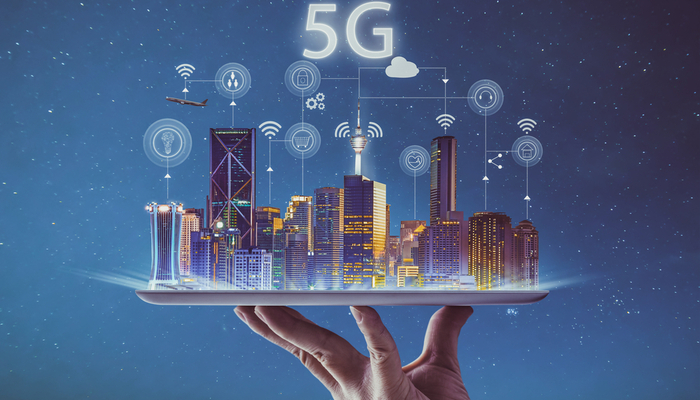
    The biggest shift in wireless communications history is coming up soon, and it goes under the name “5G”. The newest advancement in wireless communications technology, 5G networks will revolutionize communications speed and change the way the world communicates. This might sound like hyperbole, but it isn’t: this will be a huge moment for technology. Are you ready for the changes?

    5G Networks

    What is 5G?

    5G is a network specification, much like 4G LTE or 3G. These are all types of wireless communication, defined by industry standards, bandwidth and speeds. Think of them like wireless internet speeds, and as loose indicators of the current face of wireless communications technology. Notable advances in technology in the last few years are what has made 5G a possibility.

    When 5G networks go live for a wide-release, carriers like AT&T, Verizon and Sprint will be offering cell phone networks powered by 5G technology. Samsung, Apple and other flagship smartphone manufacturers will also be creating phones with the capability of connecting to 5G networks and making the most of the new technology.

    What This Means

    5G connection speeds are expected to be absurdly fast. As in, downloading a movie in seconds, stream 4K video at 60 FPS, upload video in moments kind of fast. This will bring about big changes in more than just cell phone technology, of course. There will be robotic devices capable of letting a surgeon perform a procedure from across the country. Self-driving cars will be able to connect and make adjustments based on traffic reports in seconds.

    Other functionality could extend to entertainment, augmented reality and consumer products, too. Imagine holding your phone up while watching a football game, and having your screen superimpose live stats and graphics to help you keep track of players, all updated on the fly. That’s the kind of power 5G will bring: the applications are sure to be mind-blowing.

    When Can We Expect This?

    5G networks aren’t quite a widespread reality yet. The technology is currently undergoing rigorous testing and production and is in the final stages before wide release. Some smaller scale, individual-city level 5G tests have been done, but these are using somewhat limited versions of the expected 5G technology.

    At the earliest, we could expect to see some larger cities receiving 5G support in late 2019. However, this is an optimistic estimate and assumes that carriers push for early trial versions of the technology. As for nationwide coverage of 5G networks, that is likely as far away as mid- to late-2020. While this might sound like a long time, the massive increase in power will more than offset the long wait.

    What Phones Can Use 5G?

    It’s unlikely your current phone will be able to use a 5G network unless you have a bleeding-edge phone prototype. In fact, few manufacturers are even selling phones that will be able to use eventual 5G networks yet.

    However, there are a few brand-new phones that are either coming soon or have just been released that will be able to take advantage of 5G when it arrives. If you want to be absolutely future proof, here are some of the phones you should be looking at.

    Upcoming 5G Phones

    The Samsung Galaxy S10 5G, which starts at $1,300, was released in mid-May in the US and will offer 5G connectivity. The Galaxy Fold, which was delayed into later 2019, will also be able to use the upcoming network.

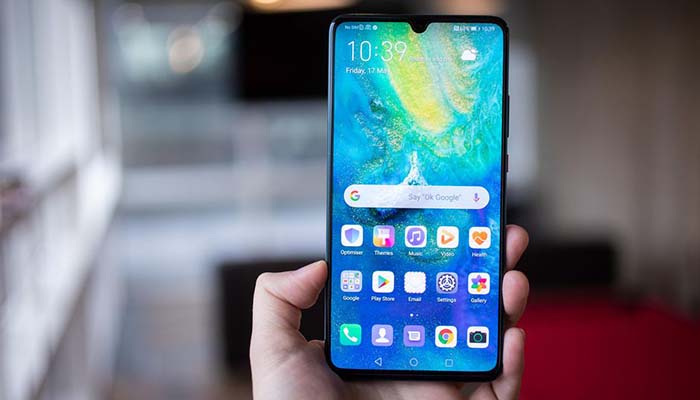
    The Motorola moto z3 will offer a 5G mod chip that will allow you to use the upcoming network, as well. It’s currently available for purchase, but the 5G chip will be launching later. Also coming to the 5G game will be phones for Chinese smartphone maker Huawei, including their Mate 20X 5G and upcoming foldable Mate X.


  • Best Ways to Market Your Business Online

    Best Ways to Market Your Business Online

    We’re far from the days when taking out an ad in the local newspaper and hoping word of mouth was enough to keep your business afloat. Whether you’re a small business owner who is new to the game or you’ve owned a medium business for decades, online marketing is an important aspect of success. If you’re wondering what you can do to market your business online, you’ve come to the right place.

    How to Market Your Business Online

    Social Media

    It’s time for your company to have a dedicated social media presence. There’s no two ways about this: either your Facebook, Instagram and Twitter accounts are on point or you’re leaving money on the table. There’s nothing you can do to buy the kind of buzz, engagement and word of mouth that a good social media manager can afford you.

    If you don’t have a social media manager, that’s a role you need filled as soon as possible. A young and tech-savvy employee with a penchant for engaging with people on social media could be promoted to such a position, or you could look outside the company to hire such a person.

    Local Listings

    There are three major online local listings you should be represented on. Firstly, and most importantly, there’s Google Places. You want to show up on Google searches, and you want to be included in online listings, so you need to be registered on Google Places. This is doubly important if your business is a retailer or a restaurant.

    The other online listings are Yahoo! Local and Bing’s online listing. All three of these online listing services are free, and they’re a great way to get your business out there. Consider getting your online presence up and running through these services.

    Blogs

    Another great way to build your online presence is through a blog. This is something your social media manager can take on, as well, or you could hire a professional writer for this position. In either case, a blog is a great way to engage customers and endear people to your brand.

    Things that a blog could cover are quite varied and could depend on your business’s specifics. For instance, if your business is a restaurant, your blog could cover recipes, specials, events and news relating to the restaurant. Whatever makes your business tick, that’s what you should blog about.

    Search Engine Optimization

    Search engine optimization, or SEO, is a process of making your website’s pages easier to find in search engine results. This involves using specific keywords and repeating the keywords in headers, titles and meta descriptions. A web developer, site designer or some similar type of professional would be ideal to tap in this sort of marketing push.

    Consider hiring a freelance web designer to make sure your business has a webpage that is ideal for search engine optimization. They’ll be able to go in and make your site look great, and make it more searchable on sites like Google.

    Email Marketing

    Email marketing allows you to email your customers directly when they’re on a mailing list. You could email them news about new offers and deals, or coupons for hot new items. You could also email them to keep them abreast of news relating to your business, potentially increasing customer engagement with your brand.

    In short, there are a number of ways you can leverage the internet to make your business more recognizable and to increase your business’s performance. Really, the biggest mistake you could make is ignoring your online presence. There’s money to be made: you only need to capitalize on online marketing so you can make it!


  • Huawei Ban: What This Could Mean

    Huawei Ban: What This Could Mean

    Huawei, the world’s second-biggest smartphone manufacturer, has been having a rough couple of months. Most recently, the Trump Administration issued an executive order that cuts the Chinese company off from American resources such as Google’s Android platform.

    Trump’s order, called “Securing the Information and Communications Technology and Services Supply Chain,” effectively bans Huawei from doing business in America, or with American companies. What does this mean for the Android brand and for Huawei?

    Huawei Ban

    What Does This Entail?

    The Department of Commerce released a statement on the ban in order to explain what it means.

    “The executive order prohibits transactions that involve information and communications technology or services designed, developed, manufactured, or supplied by persons owned by, controlled by, or subject to the jurisdiction or direction of a foreign adversary whenever the secretary of commerce determines that a transaction would pose a threat to national security,” reads the statement.

    This means, in effect, that Huawei, as a Chinese communications company that is known to have close ties to the Chinese government, is being viewed as a “foreign adversary”.

    Why Did This Happen?

    This ban reflects years of tense relations between Chinese and American companies in the tech sector. In 2012, the federal government warned carriers in the US of carrying Huawei’s handsets. There has been a fear that Huawei would use its devices to spy on American corporations and steal secrets.

    In fact, there has long been speculation that Huawei’s meteoric rise and unparalleled technological advancement in the last decade was largely a result of stealing intellectual property from tech companies in other countries. Huawei, for their part, has repeatedly denied any claims that it has stolen IP or engaged in any form of corporate espionage.

    What Will This Mean?

    In the short term, this ban might not amount to any real damage. Without wading too deep into foreign policy, the Trump Administration is in the midst of a very tense trade standoff with China. It’s likely that this Huawei play will be used as a bargaining chip in future trade talks between the two massive economies.

    In the long term, if the ban stays in effect, it’s likely it will slow the US rollout of 5G communications tech. Many telecom companies rely on technology imported from China, much of it made by Huawei. Unlike Samsung or Apple, Huawei is as much a telecom company as a smartphone manufacturer.

    Global Scale

    While Huawei remains a major player in China, their decoupling from Google could prove disastrous for their bottom line. Google has announced they’ll be honoring the executive order, pulling support for their Android operating system from Huawei. That means that Huawei devices won’t be getting updates for their OS, or critical security updates from Google.

    Huawei has stated it will support its own devices with regular security updates, though this is a bold claim. It’s unclear if the company has the programming staff to undertake such a massive job. Meanwhile, the lack of support from Google means that Huawei will have to rely on an open-source version of Android. This will have them several months behind the competition in terms of updates and features.

    Samsung Ascendant

    Huawei was on track to dethrone Samsung as the de facto king of Android. Recent advances in Huawei’s tech had them nipping at Samsung’s heels. For their own part, the Korean smartphone manufacturer has been lagging behind on innovation, with their recent slate of phones being more iterative than revolutionary.

    The ban from Washington DC could prove to be a huge windfall for the Korean company, however. Samsung stands to gain a lot from their chief rival being halted in their tracks and cut off from Google’s support. Samsung, meanwhile, continues to enjoy its partnership with Google, getting early test builds of Android OS to make sure their phones run smoothly.

  • Best Ways to Save Battery on your Phone: Stop Running for the Charger

    Best Ways to Save Battery on your Phone: Stop Running for the Charger

    If you’re constantly finding yourself dashing for the phone charger, you’re probably sick of your short battery life. Why is your phone always dying, you ask? Well, you might have your phone settings drawing too much power from the battery. Here are some of the best ways to save battery life on your phone.

    How to Save Phone Battery

    Brightness

    The first setting you want to check is your brightness. If your phone is dying too fast, turn off auto-brightness and turn your phone’s screen brightness way down. Your phone’s huge, backlit screen is a massive draw of power, so having it turned all the way up is a surefire way to burn through your battery quickly.

    Low Power Mode

    Most phones have some form of battery saver mode. For instance, with the iPhone, when your phone is below 70 percent power, you can activate low power mode to cut off nonessential functions and let your phone operate at a much lower power consumption rate.

    If you want to save battery even before you hit that 70 percent benchmark, though, here are some more steps you could take to slow your battery’s depletion rate.

    Location Settings

    Go into your phone’s settings and deactivate location services for all of your apps. If you use your maps app to navigate, consider keeping that one on. However, leaving location services on for all apps lets them drag on your battery as they run in the background, doing you no good other than targeting you with ads based on where you’ve been.

    Background Functions

    Turn off your app’s background functions, like automatic updating or refreshed. While you’re at it, you can go into your settings and turn down the frequency with which apps fetch new data in the background. That means that app like Facebook and Twitter will look for new notifications less frequently.

    If you really want to cut back on your phone’s power use, consider cutting your cellular data off entirely when you’re not using it to surf the web or use an app. Background features in apps are a massive draw on your battery life.

  • Sega Genesis Mini: Pricing and Release Details at Sega Fest

    Sega Genesis Mini: Pricing and Release Details at Sega Fest

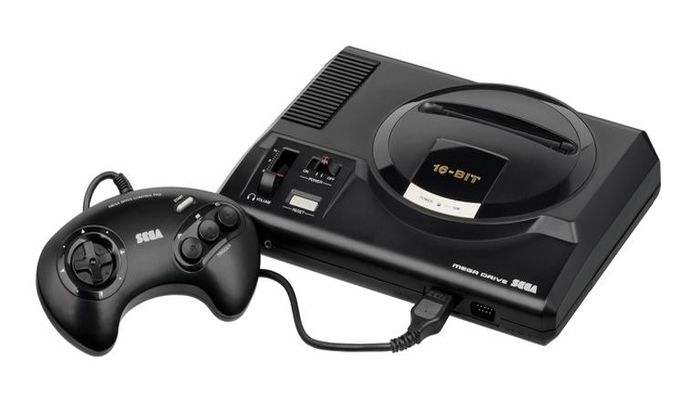
    The upcoming Sega Genesis Mini looks promising. Sega has ditched third-party hardware makers in favor of manufacturing a proper emulation of their own classic hardware. At Sega Fest 2019, we got even more details about the upcoming retro console, including ten more game reveals and info on pricing and release!

    Sega Genesis Mini

    The Games

    While we already knew 20 of the games coming to the Genesis Mini, Sega has unveiled ten more games coming to the system. These include Ghouls and Ghosts, Sonic Spinball, Beyond Oasis, Golden Axe, Street Fighter 2, Vectorman, Mega Man: the Wily Wars, Alex Kidd and the Enchanted Caste and Phantasy Star 4.

    The remaining 10 games coming to the Genesis Classic will be unveiled in June, according to Sega.

    Pricing and Release

    We learned more than just that at Sega Fest 2019, too. We also learned when we can expect the micro console and how much it will cost! The system will release on September 19th, and is already available for preorder at some retailers.

    As for how much it’ll run you, Sega has announced an MSRP of $80. With any luck, the system will be produced in large enough quantities that anyone who wants one will be able to snatch them up before scalpers do. Hopefully Sega learns from the mistakes of the NES Classic launch, which saw systems being sold on eBay for four times their MSRP by scalpers.

    In Europe, the system will be marketed under its Mega Drive branding, much as it was originally in the 80’s and 90’s.

    What’s in the Box

    The Sega Genesis Mini will come with two replica Genesis controllers, as well as an adorable mini version of the classic console. It’ll also come packed in with a USB cable for power and an HDMI cable so you can hook it up to your TV.

    We’re excited to get our hands on one, if only to relive some of the classic Sega goodness of years gone by. Also, it’ll look great next to our SNES and NES Classic Minis.

  • Which Smartphone has the Best Camera? Head to Head

    Which Smartphone has the Best Camera? Head to Head

    Smartphones are getting better all the time, and one of the areas they’ve been excelling in recently is the camera. Smartphone cameras are an area where this is especially true: it seems that they’re always getting that much better! Which phone camera is the best, though? Today we’re going to look at some of the best cameras available in a smartphone!

    Best Smartphone Cameras

    Google Pixel 3

    The Google Pixel 3 sports an incredible camera that will impress you in any conditions. Taking pictures in dark or moody environments still yields gorgeous pictures, thanks to some crafty software solutions from Google. The Pixel 3 offers gorgeous portrait mode shots, too, using its software to simulate the Bokeh dual-focus style of portrait pictures.

    All of this is housed in one of the most stylish and slick Android phones on the market. If you want to take some great pictures and own a flagship phone, the Pixel 3 is the phone for you.

    iPhone XS

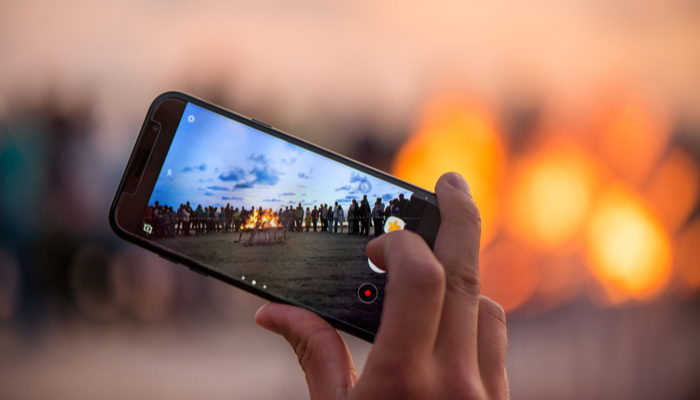
    The iPhone XS sports the best iPhone camera we’ve ever seen. While it takes great night shots thanks to its software, it also takes stellar portrait mode shots due to its multiple rear-facing cameras. Interestingly, it can even take selfies in portrait mode, using the multiple forward-facing cameras, though these are of a lower quality than the rear camera.

    Notably, the iPhone XS offers the best phone video recording on the market. While a few Android phones offer better-looking still shots, none of them can match how silky and gorgeous the video quality on the iPhone XS is. That’s not to mention just how good images look on the iPhone XS’s huge OLED screen!

    Huawei P30 Pro

    This phone isn’t for sale in the US, thanks to some complex legal pressures on Huawei. However, if you’re in the market for a great Android phone with the best still-shot camera around, consider buying the P30 Pro from a third party. Just beware of sketchy sellers when you’re shopping!

    The P30 Pro is a great handset, though it’s a bit on the pricey side, even before you have to buy it secondhand in the US. That said, if you want to take the best pictures around, the P30 Pro is the phone for you.

  • Microsoft Build 2019: Biggest Headlines

    Microsoft Build 2019: Biggest Headlines

    Microsoft’s Build summit is a yearly developer’s conference held to unveil new features in Microsoft’s various initiatives. This year’s headlights weren’t focused on Xbox or Windows, the way one might expect. Instead, Microsoft focused on their Azure platform, deep-learning algorithms, mixed reality and all things artificial intelligence.

    Here are the biggest headlines from Microsoft Build 2019.

    Microsoft Build 2019

    AI is Here to Stay

    Microsoft is driving full-speed ahead with artificial intelligence. While the company is best-known for its Windows operating system, they’ve been focusing ever more and more on their artificial intelligence projects. Namely, Azure, their deep-learning software, has been a huge focus at the last few Build events.

    Initiatives like Azure Cognitive are focused on understanding audio and visual data, while voice recognition is another huge push for the company. The keywords here were machine learning and data interpretation. For the most part, it appears that Microsoft is focused on offering services for businesses, using machine learning to parse huge amounts of data.

    Microsoft’s in with Blockchain

    Microsoft announced their recent involvement with cryptocurrency at Build 2019. They unveiled the JP Morgan Ethereum ledger platform, Quorum, which was built using Microsoft Azure. However, blockchain tech is about more than just crypto. Microsoft announced they’d be using blockchain technology to help businesses form trustworthy ledgers built on the infallible nature of the chains.

    Mixed Reality

    Mixed Reality, or augmented reality, is a type of VR that allows for virtual constructs to be displayed alongside real-world objects. The most obvious applications, of course, are for video games. However, other uses for mixed reality could include virtual presentations of 3D blueprints, making it an ideal tech jump for drafters and designers.

    Linux for Windows

    The only big Windows news at the Build conference this year will likely be completely overlooked by the average user. The Windows Subsystem for Linux functionality was recently added in a Windows 10 update, which is a big deal for developers, thanks to Linux’s dev-friendly architecture. However, it’s unlikely that the average Windows user will have any need to mess around with Linux.

  • Alexa Will Keep Your Home Safe with Alexa Home Guard

    Alexa Will Keep Your Home Safe with Alexa Home Guard

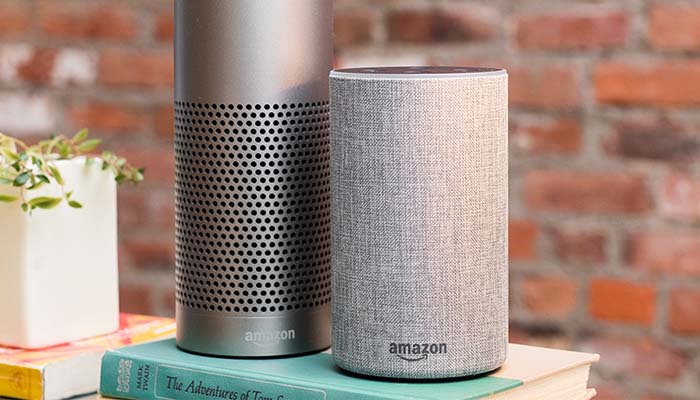
    Amazon’s Alexa is getting some new functionality for users in the US. The new functionality, Alexa Home Guard, will take steps to keep your home safer from burglars and home invasions. While Amazon has clarified that this new service will be no replacement for a home security service, it can be set up to send messages to your existing home security system.

    Alexa Home Guard

    How it Works

    The Alexa Home Guard command, “Alexa, I’m leaving” will set your Alexa into Home Guard mode. When you step out, Alexa will be on the listen for whatever criteria you’ve set up to listen for. This can include the sound of breaking glass, or the sound of a smoke alarm going off.

    When the system is tripped, you can set up a variety of responses the system goes through in reaction. Firstly, the system can send you a push alert to your phone to let you know what tripped the system, along with a recording of the incident.

    Additionally, you can set the Home Guard system up to bring up your smart lights in an attempt to scare off would-be intruders. While this isn’t exactly the same as having a home security system, it’s a close approximation that is free to use.

    Drawbacks

    While this service will be free and has lots of potential uses, there are a few drawbacks. For one thing, the system has to be listening the entire time you’re away. This could be a concern, given recent issues with Alexa listening in on conversations.

    Another drawback of the Alexa Home Guard system is that it is only listening for specific criteria, like breaking glass and a smoke alarm. More mundane sounds, like the door opening or a window being pushed open, wouldn’t fire off the alert system, making it a bit of a half-measure in terms of full home security. This explains why Amazon warns that this isn’t a replacement for a full-blown home security system.