Category: Electronics

  • Best Wireless Headphones for 2019

    Best Wireless Headphones for 2019

    Whether you’re looking for a good pair of headphones for working out or just something to wear while drowning out sounds during your commute, not having to fuss with wires is a huge plus. No one wants to worry about the tangle of wires in their pocket or bag, or their cord snagging on something and damaging their headphones. Thankfully, there are some stellar Bluetooth headphones on the market. Here are some of our top picks.

    Best Bluetooth Headphones

    Jabra Elite 65t

    If you like having wireless earbuds for sports activity, we can highly recommend the Jabra Elite 65t. These earbuds fit snugly in most ears, and they have a great sound quality for their small size. The drivers are solid, offering punchy bass, good mid-levels and decent overall sound: while these won’t be beating any dedicated audiophile headphones, they’re good for their price point and size.

    A notable draw to the Jabra Elite 65t is their microphones. They work incredibly well as a headset for taking phone calls, doing a great job of filtering out background noise. If you like wearing earbuds while jogging, cycling or other types of activity, this is a great draw. Taking a call while getting in your workout is a great two-in-one feature for busy professionals.

    Sennheiser Momentum True Wireless

    If you’re looking for the intersection of portability and sound quality, you’re looking for the Sennheiser Momentum True Wireless earbuds. These wireless earbuds offer incredible sound quality and accurate reproduction of recordings. They’re incredibly light: you might even forget they’re in your ears. When you need a good set of earbuds for taking with you on trips or to work and back, these are a great go-to.

    While they’re not the best for sports or activity, the Sennheiser earbuds are great for daily activity like walks or commutes. For the person who wants portable wireless earbuds that can be tucked into a pocket but still wants the best sound quality, these physics-defying little earbuds are the best option.

    AirPods 2019

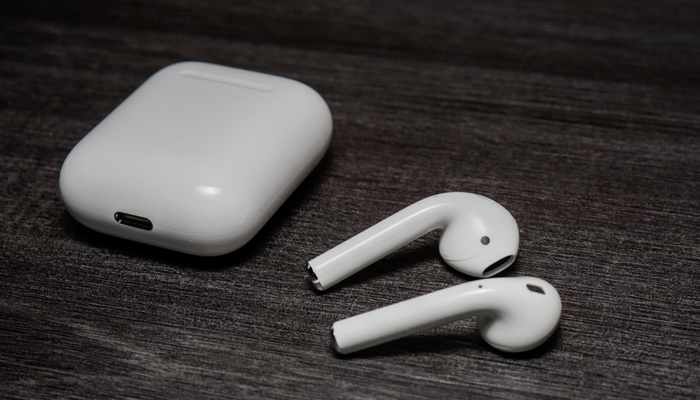
    The expensive and flashy AirPods are better than their reputation would have you believe. For their high price point, you get a pretty stellar product, as is typical for Apple. If you’re already in the Apple ecosystem, these are a no-brainer. Their intuitive gesture controls allow you to change song, adjust volume and answer calls quickly and without having to pull your phone out.

    The 2019 update brings even more useful tricks to the AirPods. They now feature better Siri integration, so you can use your voice to call up the virtual assistant. You can send messages, start playlists and ask for internet searches all while jogging, cleaning or whatever you’re doing while wearing the AirPods. If you love high-tech integration and cool fashion statements, the AirPods are a great pick for you.

    PowerBeats Pro

    If you love the idea of the AirPods but want a more fitness-oriented set of wireless earbuds, the Beats Powerbeats Pro are for you. The same technology that went into the second generation AirPods is on display in the PowerBeats Pro, just in a more fitness-oriented shape. The over-ear design on display here helps the earphones stay on your ears while your exercise, making them great for any active person.

    The sound quality with the PowerBeats pro is excellent, considering their size and price point. They’re a bit more expensive than the average headphones, but their great technology integration and stellar sound quality on phone calls makes them great for fitness-minded users. If you love listening to music while you work out and like the idea of the AirPods, the PowerBeats are perfect for you.


  • Cutting the Cord Without Breaking the Bank

    Cutting the Cord Without Breaking the Bank

    Ostensibly, the whole point of not having cable and using Internet TV is to keep your monthly costs down. After all, cable is prohibitively expense for the average person, so there’s no reason to have a cable subscription. However, if you’re subscribed to Hulu, Netflix, Sling and more, you’re going to see those monthly bills getting to a similar place as that cable bill.

    There’s good news though: there are plenty of free streaming services you can start using today. There’s no great reason to spend a ton of money on entertainment when so much is available for free, right now, on the internet. Let’s keep it inexpensive!

    Pluto TV

    Pluto TV is an internet streaming service available on most streaming platforms. If you have Roku, Apple TV, Fire TV, whatever: you can run Pluto. It works by aggregating content from the internet and grouping it into channels of like content. For instance, if you like anime, there’s tons of websites that have free episodes of anime, and Pluto uses those to create an all-anime channel. Similarly, if you’re into gaming, there’s a channel for that.

    Most of what you’ll see on Pluto is older re-runs of shows from major networks or online content from larger websites. There are commercials, which is how the thing gets monetized, but it’s completely free to download and use. When it comes to completely free television, Pluto is a great option.

    The Roku Channel

    If you run your streaming services through Roku, you can access the Roku Channel. This free streaming channel is operated by Roku themselves and offers classic and modern movies, news streaming and more. Essentially, it’s a great companion to whatever other content you watch on Roku. The channel also offers older streaming TV content, making it a bit of a grab-bag when it comes to entertainment.

    You can also manage your other subscriptions through the Roku Channel. For instance, if you have HBO or Shotime subscriptions, you can manage them through the Roku Channel, streamlining your bill while allowing you to find your content all consolidated to one place. If you use Roku, this is a great free TV option.

    Kanopy

    One of the coolest things about living in the modern world is public goods like parks, public transit and libraries. You’ve already paid for it through your local taxes, after all, so you might as well enjoy these public goods. Kanopy is one such public good in this category: it connects to your local library to allow you to rent movies, though the number you can “borrow” digitally could differ from library to library.

    Once you have the app downloaded, you enter your library card and then create a Kanopy account. Then, like that, you’re hooked up to watch free movies, courtesy of your local library. While you’re at it, consider heading by your library and checking out some books: there’s tons of great stories to be found within!

    Crackle

    The long-running service from Sony, Crackle, has been around in some form or another since 2004, long before Netflix was offering streaming content online. Interestingly, Crackle has a lot in common with Netflix. There are tons of older sitcoms and 90’s cult classic movies available on-demand, and there’s even original programming like The Oath that you can watch. Like Netflix, the selections are updated regularly and you can almost always find something to watch you haven’t seen before on Crackle.

    Unlike Netflix, however, Crackle is totally free. There’s no catch to it: the content streaming on the service costs nothing to view. Why not give it a shot? You can binge some of your favorite old sitcoms today, for free, through Crackle.


  • Best Smart Home Devices for 2019

    Best Smart Home Devices for 2019

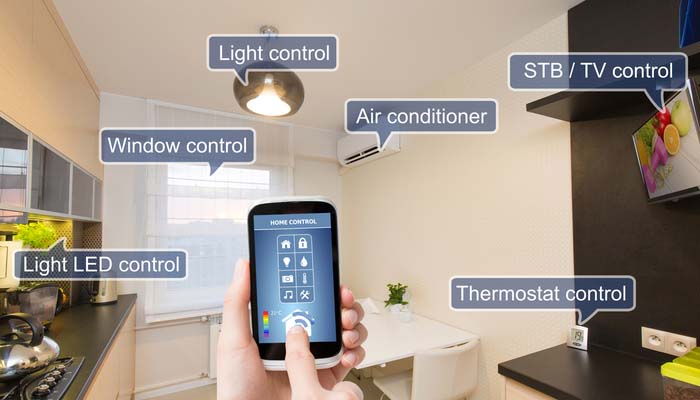
    If you’re just getting into smart home technology, you might be wondering what the best smart gadgets for your home are. You’re not alone: tons of people are interested in making their house a smart home but don’t know what products are the best for doing just that. Today, we’re helping you figure that out with our buying guide for smart home technology.

    Best Smart Home Devices

    Amazon Echo

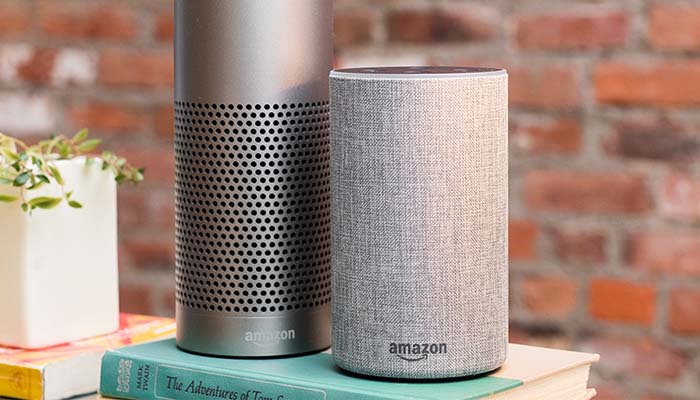
    The first part of any smart home is the hub. You need something to act as a central hub, or a brain, for your smart home. While there are a ton of options on the market, we recommend Amazon’s Echo line of products. There are products at all price points in the range, from the budget-friendly Echo Dot all the way up to the larger Echo Show and standard-sized Echo speaker. We highly recommend the Echo Dot to people who haven’t used smart speakers or smart home technology before.

    The Echo Dot 3rd Generation can be found at Amazon for $50, though if you go with an older generation you can get a speaker for even less than that. The Echo sports Alexa, Amazon’s stellar virtual assistant, who you can issue vocal commands to in order to control your smart home technology. Turning on your lights, ordering off of Amazon and even locking you door can all be controlled with your voice through Alexa.

    TP-Link Kasa Smart Plug Mini

    Smart plugs are the go-to smart technology for anyone just breaking into smart home tech. The reason? It can turn pretty much any simple device into a smart device. Let’s say, for instance, you have a favorite lamp in your living room, but it’s in an awkward position that’s hard to get to. Well, all you need to do is hook up a smart plug, name that plug “living room lamp” and synch it with your smart home hub.

    Once you’ve got it hooked up, you can use your hub to command the lamp on or off through your voice alone. Simply calling out “turn on the living room lamp” will signal the plug to send a current to the lamp, and like that, you’ve got a smart lamp without having to buy any other new technology. With some creativity, you can see how useful these smart plugs can be for someone just starting out.

    Philips Hue

    If you want something a little fancier for your smart lighting, we suggest the Phillips Hue line of products. These smart bulbs connect to your smart home hub and then you can use either the Hue app or your voice to control them. True to their name, these lights can cycle through a wide variety of colors and shades, so you can light a room to whatever color or lamination you’d like.

    Nest Thermostat

    One of the most useful smart home devices is the Nest Learning Thermostat. As its name suggests, this is a smart thermostat that learns your patterns to help make sure your home stays comfortable. Once it knows when you wake up, when you leave for work and when you get back, the thermostat will start to automatically set the temperature to your comfortable ranges. This is more than just convenient: it means you’ll likely see lower power bills.

    Beyond that, you can also use normal voice commands to change the temperature in your home. Little beats calling out to your smart hub to drop the temperature a bit and having your home not only listen, but follow through. It makes you feel like you’re living in the future to assume command of your home with your voice.


  • Laptop or Tablet: Which is Right for You?

    Laptop or Tablet: Which is Right for You?

    There are times when you’re not quite sure which device you need for your various tech applications. If you’re looking for an all-around entertainment device, a productivity machine or something in between, it can be hard to decide between a laptop or a tablet. If you add two-in-ones to the mix, things get even more complex. Today we’re looking at the pros and cons of each to help you narrow down which is right for you.

    Best Portable Technology Primer

    Laptop vs Tablet

    The first question you need to ask when considering a laptop versus a tablet is what you need your technology to do. If you’re just looking for something to watch Netflix in bed or play fun games, you might be looking for a tablet. Essentially, if you wish you had a giant version of your cell phone, you want a tablet. If you need something with a bit more horsepower, however, a tablet might not be right for you.

    For instance, if you want something that can render more impressive graphics than a tablet, you’re probably leaning more toward a laptop. Similarly, if you plan to do a ton of typing, like for school or work, you’ll need a laptop; or, at least, a two-in-one with a keyboard. Similarly, if you plan on playing more in-depth games than phone ports, you’ll want a laptop.

    Two-in-One

    If you’re looking for a combination of both pieces of technology, you want a two-in-one. There are a few compromises to be made on both sides when it comes to a two-in-one, though. Firstly, let’s talk about what a two-in-one is. A two-in-one refers to a computer that is both a laptop and a tablet. Typically this means that the screen is a touchscreen and can be detached from the keyboard.

    If you like the touch-screen functionality and comfortable media player aspect of tablets but also want to be able to type and work on documents, a two-in-one is probably a good fit. Keep in mind, however, that the two-in-one screen is often much bigger and runs hotter than a dedicated tablet. The actual computational power of the two-in-one is also typically lower than a dedicated laptop.

    Phablet

    Another option, if you’re really into the idea of a tablet but find most of them too large, is to get a phablet. A phablet is an oversized smartphone, something of a cross between a phone and a tablet. Examples include the Galaxy Note line and the upcoming suite of folding phones from manufacturers like Samsung and Motorola.

    These offer a larger screen sized for more comfortable phone gaming and media viewing while also being small enough to fit in a pocket or purse. You get to roll the costs of your smartphone and tablet together, too, allowing you to save a bit of money.

    Other Entertainment Portables

    If you’re in the market for portable entertainment but want more power than a tablet, you’re probably wondering what a good in-between would be. There are a few options for affordable-yet-powerful entertainment portables. For example, if you’re looking for an entertainment device for a child, you could opt for a Nintendo 3DS, a handheld gaming device.

    Similarly, if you’re looking for a portable piece of technology for entertainment during commutes and breaks from work, you could get a Nintendo Switch. The Switch has Hulu and YouTube support, too, making it similar to a small tablet you can use for general media. A full suite of Nintendo games like Mario and Zelda doesn’t hurt, either!

    So, there you have it. Hopefully this primer helps you decide on what portable technology you need to round out your tech demands!


  • Bose Noise Cancelling 700: Still the Gold Standard?

    Bose Noise Cancelling 700: Still the Gold Standard?

    When you hear the name Bose followed by the words “Noise Cancelling” you know you’ve got a solid piece of audio hardware in front of you. Whether you’re taking a long trip on an airplane, commuting via train or just trying to zone out in the break room, noise cancelling headphones can be huge lifesavers.

    The new Bose Noise Cancelling 700 headphones are upon us, and today we’re answering the question everyone has: are they still the gold standard in audio hardware? Let’s take a closer look.

    The Bose Standard

    The Bose 700 is a follow-up to the now-ancient Bose QuietComfort line, which first hit the market in the year 2000. That’s nearly twenty years ago now, and while the model went through a number of cosmetic changes, the innards remained largely the same for the better part of two decades. So, what’s so new and different that Bose had to introduce a brand-new line of headphones?

    Well, a lot. Firstly, the drivers that pump the sound out and the microphones that detect (and cancel) ambient sound are all brand-new for this headset. The construction is all new, too, incorporating a single stainless steel band that makes the whole set sturdier and more impressive in the hand. The rubberized padding on the inside of the ear cups is new, too. It’s comfortable and sweat-resistant, and a far cry from the old cloth and foam padded cups of the QuietComfort 35 II.

    What Else is New?

    There’s a lot of new things going on under the hood with the Bose 700, as well. There’s been a push on the part of Bose to make these headphones well-known as being great for taking phone calls, too. And, to their credit, they work rather well as headsets for taking phone calls, in case you get called in the middle of your commute or work day.

    The headset’s noise cancelling technology does a great job of preventing the person on the other end of the call from hearing the ambient noise around you, too, which is a huge help. The beam-forming technology in the mics can zero in on your voice and transmit just that to the other person. You can also toggle on voice monitoring so you can hear your own voice through the headphones so you’re not shouting in a quiet room.

    Sound Quality

    We haven’t even touched on the most important part of any pair of headphones: the sound quality. As expected, it’s excellent. The drivers offer up crisp and clear sound on the mid-levels as well as on the bass. The bass isn’t as punchy or powerful as comparable Sony headphones, though it’s much tighter and hits with a lot more precision.

    This isn’t to say that the bass isn’t deep on these headphones: it is. However, when compared to some other high-end headphones, it can be ab it more controlled. This isn’t a good thing or a bad thing, it’s just the nature of these drivers. Unless you’re listening to a lot of music on a lot of different headphones, you likely won’t even notice the differences.

    Bottom Line

    The sound-canceling on display here is top-notch. The only competition hitting a similar benchmark is Sony, as some of their top-notch offerings are on similar territory. This is all to say: if you want the best, it’s this or Sony. As for the nitty-gritty differences, it’s all down to a matter of preference.

    If you’re looking for the top-of-the-line noise cancelling headphones and can stomach the $400 price tag, the Bose Noise Cancelling 700 are a great pair of headphones. They remain the gold standard, and Bose remains nearly unmatched at the top of the heap.


  • Which Streaming Device is Right for You?

    Which Streaming Device is Right for You?

    TV has changed in the last ten years. At one point in time, it was either cable or nothing. Now, with the popularity of Netflix, Hulu and internet TV at an all-time high, cable is the exception rather than the rule. If you’ve been looking to cut the cord and watch internet TV, you’re probably wondering what the best streaming device for your living room is. How can you narrow them all down, though? That’s what we’re here for.

    There are a number of options out there for streaming. Whether you’re an Apple fan who wants to use Apple TV for your content, or you want something smart-home integrated like Alexa, there’s a ton of options. Maybe you’re looking for something more general-use, like Roku? Let’s take a look at some of the most popular streaming options and what each brings to the table. Hopefully this will help you narrow down your options and make a good decision.

    Fire TV

    Fire TV is Amazon’s proprietary TV streaming platform. There are budget options, like the Fire TV Stick, which just plugs into the back of your TV, and more full-fledged platforms like the Fire TV Cube. No matter which one you’re looking into, there are a number of similarities between the platform’s various hardware devices. Namely, the user interface and the Alexa integration. If you like using your voice to pull up your favorite shows, Fire TV is for you.

    For those who really enjoy voice commands, the Fire TV Cube comes with a remote that offers voice-control option. You can navigate menus, search for actors and movies and issue commands all with your voice. It feels very natural to command your entertainment in much the same way you command your smart home features. For people who like high-tech solutions that just work without lots of fiddling and tech knowledge, Fire TV is a perfect fit.

    Roku

    Roku is a very well-known name when it comes to streaming devices. From the budget-friendly Roku Express to full-blown smart TVs with Roku integration, there are versions of the streaming platform across the spectrum of budgets. The best thing about Roku is how straightforward and simple it is. The remote is small and sports only a few buttons. A clean, simple user interface shows you the information you need to see to find your entertainment.

    If you’re new to the world of internet TV, or just want a simple way to turn your old TV into a smart TV, the Roku is the best option for you. While it might not sport the same wide variety of options and features as Fire TV or Apple TV, Roku offers a great platform for users who want a simple and clean platform. The low entry price of the Roku Express is also a huge selling point for the platform.

    Apple TV

    For those users who are fans of the Apple ecosystem, Apple TV is a no-brainer. Offering a great, seamless experience across your Mac, iPhone and Apple Watch, the Apple TV is a great extension of the clean design and deceptive simplicity that makes Apple so popular. Logging in to apps is simple, as you can copy passwords and logins directly from an iPhone or iPad.

    While the Apple TV ecosystem doesn’t offer as many apps as a system like Roku, it’s still a robust hub for your media. If you have lots of pictures or videos on your phone you’d like to see on your TV, AirPlay 2 gives you that option. You can even issue voice commands through Siri to find TV and movies you’d like to watch. The only downside? The higher-than-average price when compared to the competition.


  • Best Smart Speakers in 2019

    Best Smart Speakers in 2019

    While smart speakers were once seen as an unusual curio that your rich friends might have in their kitchen, they’ve become much more commonplace recently. The helpful and friendly voice that issues forth from the speaker is only part of the draw of these devices: they offer a wide variety of smart home functionality that you have to see to believe.

    If you’re thinking about getting a smart speaker but don’t know which one to go with, you’re not alone. There are a few great options out there, but it can be difficult to narrow the options down. Let’s take a look at some of the best smart speakers on the market to help you make a good decision.

    Apple HomePod

    Apple’s HomePod is something a black sheep when it comes to smart speakers. Powered by the familiar, if a bit outdated, Siri assistant that also runs in Apple’s phones and watches, HomePod is great for Apple lovers. It’s part of the Apple ecosystem, allowing for great integration with your iPhone, your Apple Watch and your Apple Music account. If you’re already rocking AirPods and an iPhone, you’re probably going to love the HomePod, too.

    However, if you’re not already an Apple faithful, you’ll probably find the HomePod’s steep asking price of $300 to be a bit much. Siri’s a bit more limited in her responses and case functions than Google Assistant and Alexa, as well. This all being said, the HomePod offers incredible sound that is tailored to the size and shape of the room it’s in. If you love Apple, or want a stellar sound quality, the HomePod is for you.

    Google Home Mini

    Google’s well on their way to world domination, and the Home Mini is a good indicator of why. The useful and great-sounding little speaker retails for just $50, making it a good entry-level option for those curious about the smart speaker “thing.” Google Assistant is really good at understanding commands, and can interpret plain language better than either Siri or Alexa. Not to mention, the assistant sounds normal and has human-like inflection, which can be comforting compared to the slightly robotic Siri.

    Google’s Assistant works very well when you need it to read off recipes or walk you through tasks you’re having it look up for you. If you forget the name of a smart home feature you have, it can normally figure out what you’re talking about. It’s also got a wider variety of smart home devices that it works with than the HomePod, coming close to the variety offered by Alexa’s Echo family of devices.

    Amazon Echo

    Amazon Echo devices are some of the most popular smart speakers on the market, for a number of reasons. Firstly, Amazon’s devices are often on sale on their online web store, and the devices are advertised heavily on TV. Alexa has a natural-sounding and calming voice, and can answer a number of questions and perform a lot of tasks for you with just your voice commands. If you’re just looking to try out a smart speaker and see what it’s all about, you want an Amazon Echo Dot, which can be found for $50 online.

    While Alexa might not be the clear winner in 2019 like she was in 2016, Amazon’s device is still the most useful overall for the price. There are so many smart home devices that are compatible with Alexa that you can safely buy just about any smart bulb or smart lock and know it’ll work with your device. The sound quality on the speaker is great for the price, and you can even hook the device up to your own speaker if you want to get better quality sound out of it. All in all, this is a great option for newcomers to the field.


  • Preventing Porch Pirates: Protect your Packages

    Preventing Porch Pirates: Protect your Packages

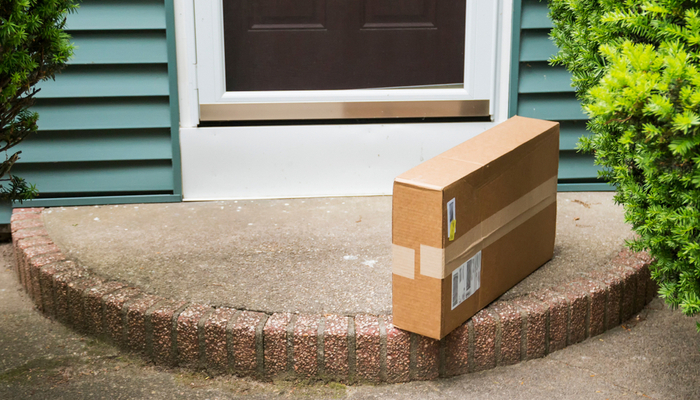
    Porch pirates, or people who steal your packages off your front porch, are a serious problem in the age of Amazon. You’re likely to have dozens of packages delivered to your front door every year, and each one that gets dropped off while you’re at work is liable to be stolen by a ne’er-do-well. How can you protect your property and ensure your stuff doesn’t get pilfered?

    Protecting Your Packages from Porch Pirates

    Amazon Key

    One of the most direct ways to address this problem is to sign up for Amazon Key. A variant of the Amazon Cloud Cam, this service allows you to give Amazon delivery employees access to drop your packages off inside your home. You can use the Cloud Cam functionality and your smart home’s smart key to grant them entry to drop off your package, and then use the smart key to digitally lock back up when they leave.

    One of the best things about the Cloud Cam set up is that it allows you to see the delivery person, grant them access (or not) and then lock back up. You can see your home and your package the whole time, and there’s no chance for anyone to just slip up can easily steal off with your package: they’d have to just break into your home, which is far less likely.

    Box Lock

    A similar solution is to use a delivery box located on your porch to take your deliveries. If you have concerns about smart locks and letting strangers into your home, this is a similar alternative that locks your packages up without giving anyone access to your home. Firstly, you need a smart lock like BoxLock, or a similar product.

    BoxLock works by connecting to the paired app via wi-fi, allowing you to enter your pending deliveries. Then, when the delivery person arrives, they can use the BoxLock to scan the package, which temporarily unlocks it and allows them to put your package in the strongbox. Then, the lock automatically closes back up when they leave. This way, your packages are safely locked up, and no one had to enter your home.

    Security Cam

    A more old-school, and direct, way to deter (and detect) thieves is to just install a security camera. This does a few things that help secure your packages. Firstly, it acts as a strong deterrent: most thieves aren’t dedicated enough to stealing your stuff to hazard getting caught on camera doing so. Merely seeing the camera is usually enough to convince them to move on to another would-be victim.

    Secondly, and most directly, if they do go through with stealing your stuff, you’ll have video evidence of the event. You’ll be able to show the police the image of the person stealing your property, and this makes it that much more likely the person will get caught. You might even get your stuff back!

    Video Doorbell

    Along the same lines as a security camera, you could get a video doorbell service like Ring. These services are much more discreet in appearance than a security camera, though they’re great for keeping tabs on your home from a distance. Several video doorbells can be installed with motion detection, so they’ll ping you when someone is on your porch, and they can even start recording when someone walks up.

    Once you see that someone is on your porch, if it’s someone stealing your package, you can actually talk to them through most video doorbells. Often, this alone is enough to scare off petty crooks: hearing your voice, knowing they’re being watched, is typically a big enough scare to get them to move on to some other, less well-monitored mark.


  • Which 4K TV Should You Buy? Our Tips

    Which 4K TV Should You Buy? Our Tips

    If you’re in the market for a new 4K TV, there’s a ton of options on the market for you to check out. The two biggest brands in the business of making TVs are easily Samsung and LG, though thy market their panels under different names. Samsung’s TVs are advertised as QLED, while LG’s are called OLED.

    What’s the difference between these two screen types? Is it just marketing hype, or is something different about their construction and picture quality? Today we’re breaking down the differences between LG and Samsung panels, and giving you some advice on what to look for in a 4K TV panel.

    OLED vs QLED

    OLED, a term used by LG for their screens, as well as some other technology like iPhone X and Apple Watches, stands for “organic light emitting diode.” QLED, on the other hand, stands for “quantum dot LED”. While OLED screens are emissive, meaning the pixels emit their own light, QLED screens are transmissive, meaning they have a backlight passing through them.

    This might sound like a lot of scientific jargon, but it’s important for understanding how each screen creates its image, and why some TVs look better than others. In short, this all means that QLED TVs, while they might sound fancy, actually have more in common with older LCD displays, while OLED displays are a new and more powerful type of technology.

    The Difference

    OLED screens are much more expensive to produce, especially at large sizes. LCD screens, which the QLEDs from Samsung are a variant of, are significantly more affordable, and have been the main type of flat screen panel for about a decade now. Where LCD screens have a crystal display and pixels that have light shined through them to make the image, OLED screens are composed of millions of tiny subpixels that emit their own light.

    This means that, generally speaking, OLED screens have more dynamic and dramatic image quality. They tend to have better blacks and contrasts, as they can simply toggle off pixels to make a perfect contrast. LCD screens, on the other hand, will always let at least a bit of light through the panel, meaning that blacks can often look gray and washed out.

    QLED Strengths

    This isn’t to say that QLED is strictly worse than OLED: Samsung’s panels excel in some areas. Due to their reliance on backlight, they’re able to get very bright compared to OLED screens. As such, bright and colorful content, such as content that supports HDR colors, looks incredible on QLED screens.

    OLED can also make HDR look amazing, with its deep contrasts. However, if you’re in a bright room, you might want to favor a QLED screen, as they can compete with natural light much better than OLED screens can. When shopping for a TV, consider the room the panel is going in when you’re deciding between OLED and QLED.

    Buying Guide

    So, if you’re in the market for a 4K TV and you want the very best image, and nothing else will suffice, you probably want an OLED screen. OLED screens don’t fade over time like LCDs, they don’t have a “sweet spot” you need to view the image from, they offer great contrast, and their color accuracy is unparalleled.

    If you’re on a bit more of a budget, or the panel is going into a room that is normally very bright, you might consider a QLED screen. While the contrast isn’t as good, the colors are still vibrant and the resolution and frames-per-second are identical to those found on an OLED panel. The main edges for the QLED are the lower price and the brighter overall image.


  • Best Deals on Laptops

    Best Deals on Laptops

    Having a nice smartphone is cool, and a good tablet can be great for entertainment uses around the house. When it comes to productivity and getting things done, however, what you really need is a full-fledged laptop. As long as you’re not looking to go too far into the gaming side of things, which will quickly increase the price, you can get a good laptop for school or work for under $500. Let’s take a look at some of the best deals on laptops.

    We’re looking at these laptops based on a number of factors. The primary factor, of course, is price: only laptops under $500 can make this list. The secondary factor is overall usefulness: since laptops compete in price with tablets, we’re concerned primarily with laptops that can help you with your productivity for tasks like typing or creating presentations.

    Acer Aspire E 15

    Far from the prettiest or lightest laptop on the market, the Acer Aspire E 15 is a squat and industrial-looking laptop that you can pick up for under $400. The $360 configuration sports a low-end dual-core i3-8130U and a below-average 6GB of RAM. It offers a sizable 1TB hard drive, though, and the price is notably lower than many competing Windows laptops. The Aspire E 15 is an interesting little laptop for a number of other reasons, though.

    Coming in at 5.3 pounds, the Aspire E is also surprisingly weighty. That said, the design is rugged and likely to last you for a while. If you’re still working with physical media, the laptop includes a DVD drive and even a burner for encoding your own info. Interestingly, this laptop also supports memory expansion: you can open it up and add more physical memory and storage space.

    HP 15

    The very simple and straightforward naming convention of the HP 15 matches up with its very plain and almost dorky design. The 15 is a very inexpensive laptop, coming in for the low price of around $400, though it’s not winning any beauty contests. It sports big bezels, rounded corners and a bulky, blocky design that’s reminiscent of something a child might use. That said, it’s got the goods for someone looking for an inexpensive laptop.

    The HP 15 runs full Windows, which is unique for a laptop of this price range. Many laptops under $500 are Chromebooks, which run on Google’s low power consumption, budget-friendly Chrome OS. If you need a laptop for productivity, such as typing in Word or making PowerPoint Presentations, then the HP 15 is a great inexpensive option. It’s worth noting that it only supports the older, weaker 2.4 GHz Wi-Fi, so it might be worth skipping this one if you don’t use ethernet connections often.

    Dell Inspiron 15 5000

    Another 15-inch Windows laptop, the Inspiron 1500 can often be found on sale for just under $500. If you need a good compromise between low price and high power, this is the laptop for you. It offers up 8GB of RAM, allowing you to multitask and handle beefier requirements like photo editing. The CPU is an i5-8250U, making it a good mid-range CPU that can handle most task.

    Interestingly, the display here is a true HD display. This means that you get the best of both worlds: the price of a budget laptop with the features of a higher-end device. For the cherry on top, this laptop sports a 256GB solid state drive. Solid state drives have some notable advantages over hard disk drives: notably, they load information much more quickly, and they also have no moving parts, making them safer to travel with and likely to last longer.

    sc name=”disableGoogleAds” ]