Category: Electronics

  • Top 3 Affordable Luxury Car Interiors in 2019

    Top 3 Affordable Luxury Car Interiors in 2019

    You spend a lot of your time inside your car and we know the impact the interior has on your overall driving experience. Luxury car interiors have shifted gears and broken barriers in comfort and technology during the past decade. But just how nice of a car can you get for your dollar? We have the scoop.

    1. Audi A4
    Source: Audi USA

    Starting at $39,200

    Cutting-Edge Technology

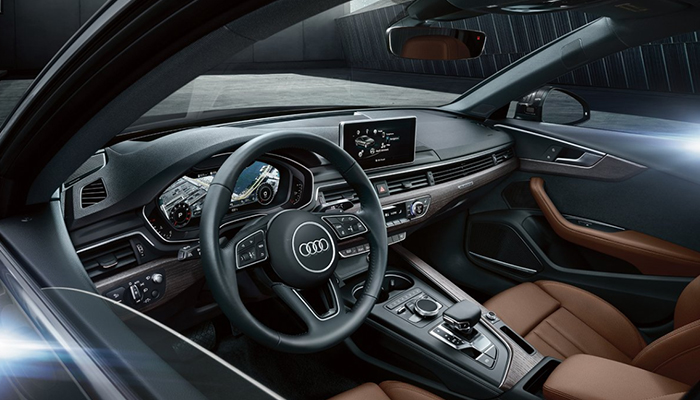
    While the Audi has always offered an exceptional interior experience, the A4 takes luxury interiors to the next level. They offer cutting-edge technology, starting with virtual cockpit set in a whopping 12.3-inch display. Here the driver can customize information, such as navigation, radio, and even Google Earth imagery.

    MMIÂź touch

    An amazing detail that many competitors at the A4’s price point do not offer is the available 8.3-inch center display. This includes MMI¼ touch with handwriting recognition technology which allows drivers to write their destination quickly without distractions rather than trying to navigate the screen using their finger on the touchpad.

    Pre senseÂź

    Audi’s goal is to raise the bar on the driver’s experience – and awareness. The A4 is equipped with pre sense¼ to protect the vehicle in unusual or emergency movements as an effort to increase the drivers’ awareness and help prevent accidents. It will help to detect other cars or pedestrians while automatically initiating the emergency breaks at up to 52 mph!

    Easy on the eyes

    Sporting high-quality leather upholstery, the A4 comfortably seats up to five people. In addition to comfort and support, the seats are ventilated and heated in both the front and rear, setting this 5-star vehicle up for success during anytime of the year!

    2. BMW X3

    Starting at $42,450

    Passion for performance

    BMW owners are notorious for their loyalty to their luxury vehicles. The X3 is a cost-effective model that includes all the luxury touches that are non-negotiable for BMW drivers. With technology such as rain sensing wipers, front and rear parking sensors, automatic emergency breaking and driver drowsiness monitoring, the X3 is crafted to sharpen the driving experience.

    Distinctive design

    Hop inside the X3 and revel in the high-quality materials used throughout the modern interior. The X3 seats up to five people across two surprisingly spacious rows dressed in upscale leather. With intelligent connections the X3 offers a seamless interface to include the latest version of iDrive that responds to touch, voice commands, and even gesture detection technology.

    Heads-up display

    Another key feature that helps this luxury vehicle stand out from the competition within its price point is the Heads-up Display. This feature offers holographic projection on the drivers windshield that provides vital driving information such as speed limits, navigation guidance and emergency warnings all while keeping your eyes on the road.

    Stay connected

    Always one step ahead BMW has included wireless charging and a wifi hotspot that allows your passengers to connect at ease. To put the cherry on the cake, the X3 includes a 3D Surround View App that lets you remotely view it from every angle, from anywhere. This feature is meant to give you peace of mind by allowing you to make sure your X3 is safe – and right where you left it.

    3. Volvo XC90
    Starting at $47,000

    Scandinavian design & Swedish craftmanship

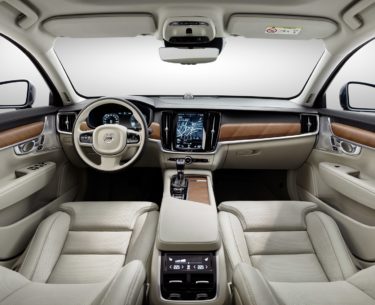
    Volvo doesn’t shift gears very often, but when it does, it makes it count. The XC90 breaks barriers with its cutting-edge safety and timeless design. This luxury SUV is crafted with clean, minimal Scandinavian designs as genuine walnut wood inlays and seats that even offer massage and ventilation options!

    A place to relax

    With word-class legroom, the X90 accommodates all your passengers in luxury and comfort with seven standard seats. Similar to a movie-theater design, the third-row seats are raised to give its passengers a better view. They can even be folded from the trunk with just a simple touch of a button.

    The power of touch

    The technology in the XC90 has been crafted to keep you in control all while making your life easier. Volvo wanted to display the most important features right at your fingertips by including their Digital Driver Display behind the steering wheel. This feature automatically adjusts the brightness according to the surrounding outdoor light and even projects a hologram with vital driver information on the windshield.

    Get a better view, all around

    The 360 Surround View Camera that gives you a bird’s eye view of the XC90 and its surroundings. Connection is made easy in the XC90 so you can seamlessly connect your smartphone to Apple CarPlay and Android audio quickly and easily, every time. Use your voice to turn your XC90 into your personal assistant with capability to access your music, send messages or take calls.

  • Best Laptop for College Students: What to Look For

    Best Laptop for College Students: What to Look For

    When you’re shipping off for college, you want to make sure you’re bringing the best gear with you. Of course, you want only the best backpack, binders, pencils and such, but that’s not where you need to really worry about quality. The most important consideration you need to make for your college gear is in your laptop.

    When you’re studying, you’ll need to use your laptop to find the information. During class, when you’re taking notes, you’ll need to be able to quickly navigate your note-taking app and get everything in order while the professor is lecturing. When you’re writing essays, you need to be comfortable with the laptop’s keyboard. And, of course, you’ll want to make sure you’re aptly entertained when it comes time to unwind.

    Weight

    First off, when you’re shopping for a laptop for college, make sure it’s light and easy to throw in a bag and carry around with you. You’re already going to be sporting a ton of books and carrying all of your scrap paper and pencils to and from class. The last thing you need is to also have to worry about lugging a heavy laptop with all of this stuff.

    Remember, though, that a lot of your time using the laptop will involve typing and writing essays. This means you’ll want to have a good-sized trackpad and keyboard for the most ergonomic experience. If you do have to sacrifice on keyboard size to keep the laptop to a reasonable size and weight, of course, you can opt for a USB keyboard and mouse to keep in your room for heavy-lifting tasks.

    Screen

    You probably don’t need a massive, 17-inch OLED screen for the laptop you’re going to be using mostly for schoolwork. Also, per our last tip, you probably don’t want a laptop that big taking up so much space in your backpack. A 13- or 15-inch screen will likely be more than enough for scholastic purposes, so don’t go overboard when you’re looking at screens.

    If you’re looking for something to serve as a great entertainment device for when you’re back in your dorm, consider getting a Roku and a small HDTV. Alternatively, if you’re wanting to play video games, you could probably find a good deal on a Nintendo Switch, which would dramatically lighten your load compared to buying a full-fledged gaming laptop.

    Memory

    When you’re considering what kind of storage your laptop needs, make sure you’re getting a solid state drive. SSDs are more expensive than conventional hard drives, but they are well-worth the extra money. That’s because SSDs are stationary, unlike hard drives that spin in your computer, and so they travel much more safely. The less moving parts a portable computer has, the better!

    SSDs also load information significantly faster than hard drives. Keep in mind, however, that it’s hard to notice this bump for the types of tasks you’ll likely be using a school computer for. If you often use Photoshop or render graphics, such as for video games or design, however, you’ll see a marked improvement in speed for SSDs.

    Power

    Finally, we get to the big question. What kind of power should your school laptop have? Budget-conscious students will say “nearly none,” while gamers and tech fiends will say “all of it,” but neither is accurate.

    For the purposes of research, writing papers and browsing the web, all while not tearing too hard into the laptop’s battery life, the best option is more measured. A Coffee Lake processor, for instance, will offer a great balance of power and performance. However, if you’re looking for a more budget, school-focused machine, something like a Chromebook might be the best option.


  • Google Home vs Amazon Echo: Which Smart Home Hub is the Best?

    Google Home vs Amazon Echo: Which Smart Home Hub is the Best?

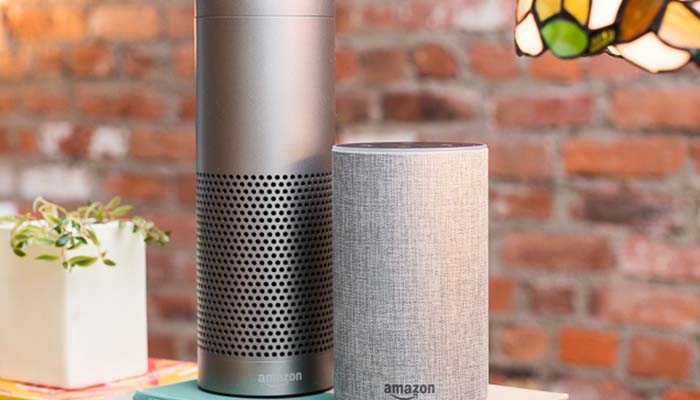
    If you’re considering jumping into the world of smart home devices, then your first big decision is which hub you want to go with. While Apple offers a hub through their HomePod, the Siri-powered device is much more expensive and limited in features than Amazon and Google’s offerings, respectively. Between the two smart home juggernauts, which is the best for outfitting your home?

    Google Home vs Amazon Echo

    Smart Hub Overview

    A smart hub is a device that coordinates all of your smart home devices. Typically, these hubs are also “smart speakers.” This means that they’re capable of music playback, and both Google and Amazon’s smart speakers contain virtual assistants that help you use your smart home features. For example, if you want to listen to a song, you can use voice commands to ask the virtual assistant to play it for you.

    The other major use of a smart home hub is calling on the virtual assistant to perform smart home tasks. This could include turning on smart lights, preheating smart ovens or tuning smart thermostats. All of these functions are controlled by voice commands, making them very satisfying for tech fans and very helpful for busy professionals. If you need to know what the traffic report is, you can ask your virtual assistant. If you want to lock your front door with a smart lock, tell your virtual assistant.

    Google Home

    Google Home is a bit newer to the market than Amazon’s Echo devices, but it quickly made up for lost time. Distinct from Amazon’s device in a few ways, the Google Home Mini is a great intro smart speaker for people looking to get into the smart home world. Google Assistant, the virtual assistant that powers the device, has a warm and conversational voice, and sounds only slightly robotic. It’s capable of controlling a wide variety of smart devices from many different manufacturers.

    Notably, Google’s Pixel phones can be used as Google Home devices when paired with smart home technology you have. As such, if you have a Google Pixel, you essentially already have a Google Home device. The Google Assistant that is on Pixel phones is the same software that is housed in Google Home speakers. If you’re already in Google’s ecosystem with devices like Google Wi-Fi, Google Pixel or the like, then Google Home is a great choice for you.

    Amazon Echo

    The originator of the current smart speaker market, Amazon’s Echo devices hold the largest market share. They’re the most “generic” of the smart speakers you’ll find in stores and offer a wide variety of compatible smart home devices. Alexa, the virtual assistant that powers the Echo, is a very flexible and easy-to-use software. It responds quickly and accurately to a number of commands and can usually decipher even thick accents.

    The Echo Dot is priced similarly to the Google Home Mini, and the two are of comparable usefulness in everyday scenarios. In fact, the two devices are so similar that it’s hard to recommend one over the other. The main differences between the two is the performance of the virtual assistant. Google’s is a bit more robotic and colder, while Alexa is a bit livelier.

    Bottom Line

    Both Google Home and Amazon Echo are fine platforms for smart home hubs. If you like the idea of using a Google-based ecosystem for your home, of course, the Google Home is ideal for you. However, if you would rather have a more general and widely-applicable virtual assistant, the Amazon Echo is a bit more flexible. Both are excellent devices in the same price range, however, so it really comes down to personal preference.


  • Getting the Most for Your Old Smartphone: Smart Selling Tips

    Getting the Most for Your Old Smartphone: Smart Selling Tips

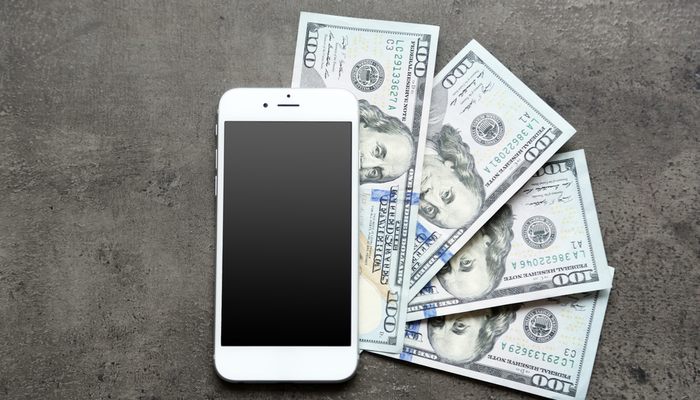
    When you purchase a cell phone, it begins to depreciate in value rather rapidly. This is somewhat like what happens to brand-new cars. The resale value of phones and new cars both drops dramatically as soon as you begin using either of them. In the case of phones, we’ve got some tips for ways you can keep this depreciation to a minimum. This way, when you go to sell your phone, you get the most you possibly can for it.

    Smartphone Selling Tips

    Phone Case

    Get a phone case as soon as you purchase a new phone. Make sure that as soon as you open the box you’ve got the phone in the case. Carrying the phone around without a case for any length of time is a surefire way to have the phone get cracked or scuffed when you inevitably drop it. Yes, we understand that many modern smartphones are gorgeous and feel great in the hand. This doesn’t mean you shouldn’t get a case.

    Your phone’s case is its first line of defense against being out in the world. Dropping it, banging it into things and scratching it can all be ways to reduce your phone’s value. One you’ve got a case on it, don’t stop there: unless the case is a full-enclosure that covers the screen, you need a screen protector. This acts as a second screen, protecting the actual screen from scratches and cracks. Ideally, you should grab a glass screen protector, as they’re more durable and can absorb more shock than plastic covers.

    Original Packaging

    When you get a new phone, don’t discard the original packaging. Set it carefully to one side, and keep as much of the original material that came with it as you can. When you go to resell the phone after you’re ready to upgrade, you’re going to want to have this stuff on hand. The same goes for the original charger and headphones that come with the phone.

    This is because you get the most money from your old phone by selling it yourself on Craigslist or eBay. Instead of selling it to your phone carrier, selling it to a private individual allows you to set the price to whatever you think is fair. Then, by including the original packaging, headphones and charger, you can charge a good bit more than other sellers who are just selling the handset. You could even include the case and screen protector as part of the price, too.

    Clean it Up

    No one wants to buy a grungy old handset. This is another huge plus to having a case: typically, your phone’s case will keep the handset from getting too dirty. However, if you intend to sell the phone and its case, both need to look pristine. There are a number of ways to safely clean electronics, so make sure you clean your phone carefully. Don’t use dish soap or harsh cleaners: specialized electronic cleaning solution and a microfiber cloth are what you’re looking for.

    Repairing the Screen

    Do a bit of research if the screen of your phone is cracked. If you find that people selling the phone with a cracked screen are fetching a much lower price than a pristine phone, you need to look into repairing the screen. Find out whether it’s more expensive to get the screen repaired than the difference in price the phone would fetch.
    For instance, if people are selling the same phone as you for $500 used, but phones of the same model with a crack are selling for only $400, then an $80 screen repair nets you an extra $20. We’d call that a good value.


  • Wi-Fi 6: Should You Upgrade Now, or Wait?

    Wi-Fi 6: Should You Upgrade Now, or Wait?

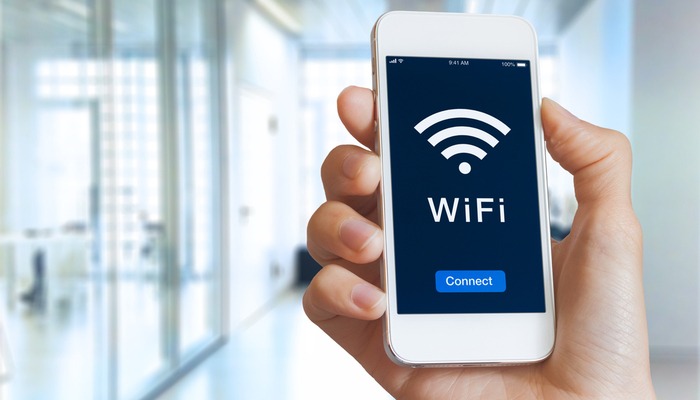
    The newest certification of Wi-Fi speeds, Wi-Fi 6, is now a reality. Next-generation routers like the Netgear Nighthawk AX12 are capable of speeds up to thirty percent faster than the top-of-the-line Wi-Fi 5 routers that are the current standard. What does this mean for the average consumer? Is it time to upgrade, or will your existing router be good for a while longer? Let’s take a closer look.

    Wi-Fi 6

    How Fast is it?

    The first question that needs to be asked of the new wireless standard is “just how fast is it?” Unsurprisingly, the answer is that it’s absurdly fast. In preliminary testing, Wi-Fi 6 routers have shown themselves capable of speeds pushing 1.2 gigabits per second. This means that the newest wave of routers would have the transfer speeds required to allow for incredibly smooth streaming video and games, as well as download speeds that sound unreal.

    At present, the fastest Wi-Fi 5 rated routers aren’t capable of pushing 1 gigabit of speed. This means that anyone with a direct fiber internet connection capable of putting out a gig of speed aren’t able to get all of the speed they’re paying for! As such, if you’re already paying for fiber speeds, it might be time to consider upgrading to the cutting edge of routers.

    What This Means

    This new Wi-Fi certification means more than just blisteringly fast speeds. Thanks to the increased power offered by the new standard, public Wi-Fi will likely get better in the coming months and years. Wi-Fi 6 routers can cover a much broader area than their Wi-Fi 5 cousins, and they can also connect to more devices at once without compromising speeds.

    Notably, Wi-Fi 6 routers are backward-compatible with Wi-Fi 5 devices. This means, essentially, every device you own that can use a Wi-Fi connection, from your phone to your tablet to your laptop. However, most devices that are rated for Wi-Fi 5 won’t be able to take full advantage of the speeds offered by Wi-Fi 6. That said, the routers themselves will be able to service more devices at once, meaning they’ll be useful even for older devices.

    High-Speed Internet

    One of the most important things to keep in mind when you consider router transfer speeds is that they’re only one link in a chain. Think of it like being on an assembly line making widgets. If you can make thirty widgets in a minute, that’s great! However, if the person to your left, who hands you completed wodgets to make into widgets, can only make ten wodgets in a minute, then you’re bottlenecked. As such, you can only make as many as the slowest person in the chain.

    The same thing occurs with Wi-Fi routers. Even if you had a brand-new Wi-Fi 6 router capable of transferring data at over a gigabit per second, that wouldn’t do you any good if your ISP is only sending you speeds at 100mbps. As such, most houses that are getting the average internet speed actually aren’t going to be interested in the newest Wi-Fi 6 routers right away. That is, of course, unless they want to future proof.

    Future Proofing

    In the years to come, it’s expected that average internet speeds will continue to rise steadily. As direct fiber connections become more common, speeds exceeding one gig will become the norm. This means that in the next few years, it’s likely that most Wi-Fi 5 routers will become outdated and unable to keep up with average transfer speeds.

    In short, that means that most homes won’t need a Wi-Fi 6 router right away. However, if you already get fiber internet speeds, you might see a bump in your Wi-Fi speeds with these new routers. Similarly, if you want to future-proof your home for the coming increases in internet speeds, you could opt for a Wi-Fi 6 router now. In either case, you’ll be picking up one of these new routers sooner or later as Internet speeds increase across the board.


  • Samsung Still Makes Tablets? Galaxy Tab S6 Review

    Samsung Still Makes Tablets? Galaxy Tab S6 Review

    Believe it or not, Samsung still makes tablets. The newest Galaxy tablet, the Tab S6, offers a number of exciting new features to differentiate itself from the pack. While general interest in tablets may be down, Samsung seems to want to change that.

    While tablets were all the rage in 2013, the interest in them has cooled notably in the past few years. More and more phones are getting huge screens, while laptops are getting smaller, lighter and more affordable. Tablets are just being squeezed from too many directions. However, the Galaxy Tab S6 is here to prove that there’s still innovation to be found in the world of tablets.

    Under the Hood

    As you’d expect from any premium tablet, this thing is a beast in terms of processing power and overall strength. A Qualcomm Snapdragon 855 powers the device, allowing it some serious chops when it comes to rendering graphics, multitasking and playing games. In general, if you’re looking for the strongest Android tablet on the market, the Tab S6 has you covered.

    The screen is a huge, gorgeous AMOLED, coming in at 10.5 inches and sporting bright, vibrant colors. Much like the Galaxy S10, the screen is so crisp and clear that it gives you plenty of real estate to appreciate just how good the excellent camera on the device is. Quad speakers on the Tab S6 offer a ton of sound quality, creating a sonic landscape that is encompassing and deep without even needing headphones.

    New Features

    The S Pen that works with the tablet is great, as usual. It’s tremendously useful for productivity tasks, taking notes and thumbing through presentation slides. It’s also useful as a long-range camera shutter, allowing you to take pictures from your tablet even if you’re across the room from it. The strong magnets in the back of the Tab S6 allow you to slap the S Pen on there to get a charge. About ten minutes of charge should get you through a day of use, according to Samsung.

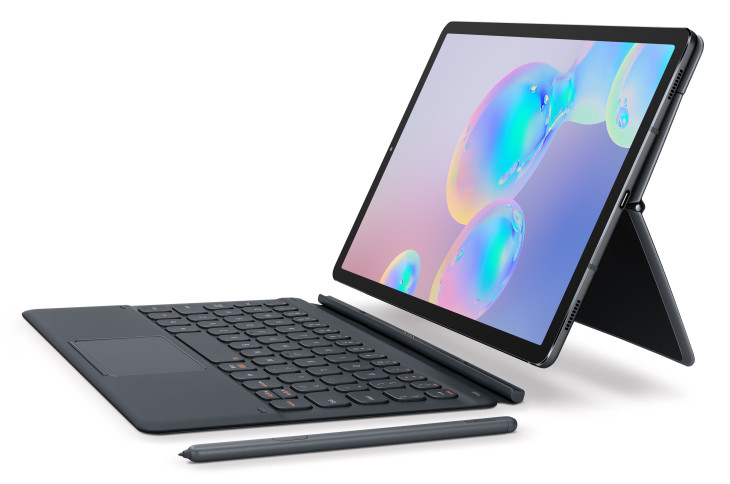
    The Book Cover Keyboard accessory makes the Tab S6 feel almost like an Android-powered laptop. It’s stellar for productivity, allowing you to use your tablet like a powerful, small computer for tasks like composing emails or writing essays. Combined with the excelled DeX desktop interface that comes with this version of Android, and you’ve got a very powerful, versatile device.

    DeX has mouse support, and, as such, the new Book Cover Keyboard has a trackpad. This allows you to use the Tab S6 essentially just like a laptop. Unlike most two-in-ones, which are laptops pretending to be tablets, the Tab S6 is actually a tablet doing a good laptop impersonation. While it won’t be replacing your MacBook for editing videos, it’s a great device for people who need to tackle everyday tasks.

    Other Goodies

    Thanks to the super-powerful processor running under the hood, the Tab S6 seems positioned to be a strong mobile gaming platform. Thanks to a partnership with Discord, Android promises you’ll be able to use the Game Launcher overlay to chat with your friends even while you’re gaming. The high resolution display and powerful processor have the Tab S6 well-suited to even the most demanding of Android games on the App Store. Simply put, this thing could crush some Fortnite.

    The on-screen fingerprint scanner and USB-C compatibility are just icing on the cake. The tablet comes in a variety of colors, including gray and blue, and will retail starting at $650. It comes with the S Pen, but the Book Cover Keyboard is an extra $180. Later this year, Samsung promises to launch a version of the Tab S6 with LTE built-in.


  • Anker Soundcore Liberty Air: Discount Price AirPod Killers

    Anker Soundcore Liberty Air: Discount Price AirPod Killers

    If you love the idea of wireless earbuds for your runs and walks, you’re likely intrigued by Apple’s AirPods. They’re stylish, they have great sound quality and they’re truly wireless. There’s a lot to love about them, except for that tremendous price tag. Coming in at around $160, the AirPods are seriously expensive for being small earbuds that don’t do a great job of blocking out other sounds.

    That’s where high-quality alternatives come into play. Anker’s Soundcore Liberty Air come in at the low price of $80, making them literally half the price of Apple’s offering. However, are you getting half the value when you go with Anker, or do the Soundcore Liberty Air earbuds live up to their “Airpod Killer” nickname?

    Sound Quality

    Of course, one of the first considerations when you’re looking at a pair of earphones is the sound quality. Thankfully, the Soundcore Liberty Air earbuds aren’t lacking on that front. The drivers, though small, pack a ton of punch. The bass levels are rich and smooth, not booming by any stretch but powerful in their own way. Mid-tones sound even and clean, and the higher register is audible even on loud, highly-compressed songs.

    One of the biggest strengths of the sound quality of the Soundcore earbuds is that they sport a rubber ear tips, creating a seal with the inside of your ear. This not only helps them stay put when you’re running or jogging, but it also helps them to block out outside sounds and makes the listening experience more encompassing. This is a marked improvement over the AirPods, which don’t do a great job keeping sound out.

    Design

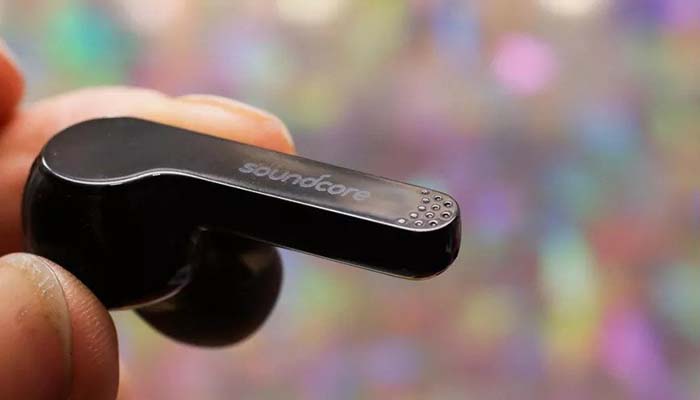
    If you’re not a huge fan of the “hair dryer” design of the AirPods, you’re likely going to like the look of the Soundcore Liberty Air earphones. They sport a shorter, flat tail, as opposed to the long, cylindrical tail of the AirPods. The back of both earbud is actually totally flat, making these discreet and stylish earbuds. As we mentioned earlier, they sport rubber ear tips that allow them to make a seal with your ear. Not everyone loves this earbud design, but if you do, these are great.

    They fit snugly in their charging case, which offers an excellent storage solution while also providing up to an extra three charges. Since each charge lasts around five hours, this means you’ll likely get a solid twenty hours if the earbuds and the charging case are both totally topped off before you leave the house. That’s a lot of juice for these little earbuds, making them a great companion for a commute or a long plane ride.

    Minor Quibbles

    On the negative side, if you don’t like the rubber ear tips, then you really don’t like them. They’re integral to the sound quality of these earbuds, as getting a good seal is how they deliver their sound. If you can’t get a good seal due to the shape of your ears, then you’re going to find these to be absolutely worthless earphones.

    Another small quibble is the charging case: it uses Micro USB instead of USB-C, making it a bit outdated in that regard. It also means the case charges a bit more slowly than it would if it used a more modern power cable.

    Bottom Line

    That all being said, the Anker Soundcore Liberty Air earphones are a great deal at $80. If you’re in the market for good true-wireless earbuds, then these are a great pickup. The only real concerns are the ear tip design and the somewhat-dated charging case. All-in-all, these earbuds are close to deserving their nickname of “AirPod Killers”.


  • Best Back to School Tech: Keys to Academic Success

    Best Back to School Tech: Keys to Academic Success

    There’s something magical about the first day back at school, isn’t there? Popping new line paper in your binder, busting out freshly sharpened pencils and getting to know all of your new classmates. In 2019, however, there’s more to it than just that: you need to have the right tech for success. What do you need to excel this year at school?

    From the best laptops for taking notes and doing research to the best entertainment devices, we’ve got you covered. Whether you’re buying for yourself before you head back to college, or you’re a student asking your folks to get you the hottest new tech, the goal is to save money while getting an edge on the coursework. Let’s take a look at some of the best back to school tech.

    Best Laptop: MacBook

    There’s nothing quite like being able to take notes at the speed you type. While writing is more direct, typing is faster by a wide margin: that’s where a good laptop comes in. Whether you’re a freshman just going into college or a grad student heading in for your doctorate, there’s nothing quite like having a good station to take notes from. What’s more, the newer MacBook models are thin and light, fitting easily in a backpack.

    The bright screen, responsive keyboard and robust suite of creative programs available to Macs are a huge draw for students, as well. If you need to edit photos or videos, record your music or other such creative endeavors, a Mac is the right tool to have on hand. Not to mention, your classmates will likely appreciate the stylishness that the Mac brings to your study time!

    Best Apps: Chegg and Calendar

    Whether you’re an Apple or Android user, the most important app in your phone for going back to school is your calendar app. There are also third-party apps for to-do lists and reminders, though both Android and Apple have such functionality baked into the core of their OS. Make sure you put your class schedule in your phone, as well as reminders for test dates, club meeting times and other extracurricular activities.

    Another important app is Chegg, an online resource that is great for students. It’s replete with resources like books, test prep, study materials and more. It’s a bit pricey, so finding someone to split the cost with could be a good move. In any event, if you need someone on your side to help you with the more free-form feel of college, Chegg is a great resource.

    Best Storage Solution: Google Drive

    Remember: store everything on the cloud as well as on your hard drive. We prefer Google Drive for this, though iCloud is great for Apple fans, too. In either case, it’s important to have cloud backups of all of your materials in case something horrible happens to your laptop or thumb drive. In the event that your hardware is destroyed or lost, you can fall back on your cloud backups.

    Make sure you also save often. There’s nothing more soul-crushing than powering through thousands of words for an essay just to have the battery die on your laptop and you lose all of your hard work. Make sure you remember the shortcut for “save document” and save often! There’s no reason to put yourself at a disadvantage when the unexpected strikes.

    Best Tablet: iPad

    It’s nice to be able to kick back and watch some Netflix or YouTube to unwind from a long day of class and studying. That’s where your tablet comes in. We’re partial to the iPad, but there are other great options out there too. In either event, tablets are great for reading articles or books while relaxing in bed or between classes, and you can even keep up with your emails and planner if you synch the tablet with your phone’s apps.

    The big screen, powerful processor and connectivity features are what make the iPad such a great companion for a college student. When it’s the end of the day and you’re just trying to kick back and enjoy yourself, the tablet is a great way to pay a couple of games or watch a bit of your favorite show before bed.


  • Best Smartwatches: Fitness Tracking and Keeping Time in Style

    Best Smartwatches: Fitness Tracking and Keeping Time in Style

    One of the most notable changes in wearable tech in recent years has been the shift from more sci-fi, goofy wearables like Google Glass to more practical and stylish items like smartwatches. Whether you’re a busy professional who needs a handy wrist-mounted smartphone or a fitness enthusiast looking for a good tracker, there are tons of great smartwatches for you. Let’s take a look at some of the best.

    We prioritized two things in this list: firstly, price point. The best technology is the tech you can afford, so we only included smartwatches that are a good value for the features they offer. The second consideration was style. If you’re going to be wearing a piece of technology as a fashion statement, it needs to look good. Finally, and most importantly, we considered the overall usefulness of the features on display in the individual smartwatch.

    FitBit Versa

    If your primary reason for wanting a smartwatch is to track your fitness and tell time while you work out, then the Versa is a great choice for you. It’s notably on the lower end of the price spectrum for smartwatches, coming in at a solid $200 MSRP, and available on sale for under $170 at many retailers at time of writing. The simple and straightforward UI and barebones features can make this watch feel a little lacking for some tech enthusiasts, though it makes a solid fitness tracker.

    If you’ve never owned a smartwatch, starting with the Versa wouldn’t be a bad idea. There’s not a ton of bells and whistles to keep up with, nor are there complex menus to navigate to get to your fitness data. For someone looking for a straightforward and no-nonsense smartwatch for fitness tracking, the FitBit Versa makes a great workout companion.

    Apple Watch Series 4

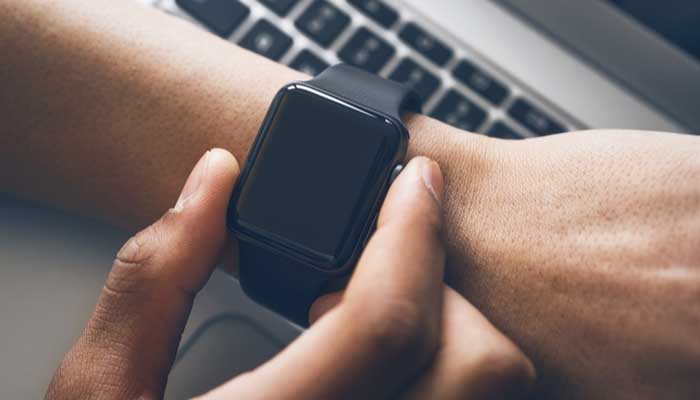
    The big, bold OLED face and the advanced heart monitoring functionality set the Apple Watch Series 4 apart from the competition in a big way. The signature square face with rounded corners makes the Apple Watch recognizable at a glance, and an easy status symbol for Apple faithful. A variety of stylish and functional bands are available from Apple’s own store, and numerous third-party outfitters make their own bands for the popular watch.

    Fitness features are a huge draw to Apple’s smartwatch. Advanced features for tracking heartrate over activity can even detect ECG! The watch can automatically detect workouts and track your runs, allowing you to keep track of your fitness with ease. The waterproof construction and loud speaker are also huge plusses for the stylish little smartwatch.

    Samsung Galaxy Watch Active

    In much the same way that the Apple Watch is the smaller iteration of the iPhone’s design, the Samsung Galaxy Watch is the scaled-down answer to Samsung’s own Galaxy smartphones. Much like the phones it gets its name from, it’s a solid competitor to Apple’s offering for fans of Samsung’s designs. The design is light and simple, and it’s a great companion for any fitness enthusiast. Robust fitness features like exercise tracking and great heartrate monitoring make this a stellar option for those looking for a fitness tracker.

    One of the best aspects of the Galaxy Watch Active is the price point. Coming in at only $200, it’s a fair sight more affordable than a lot of the competition, but it still offers comparable features. Many people prefer the round face, making it appear more like a traditional wristwatch. In fact, many watch faces mirror the appearance of a wristwatch, making the device more discreet and less flashy than some of the competition, too. This could be a pro or a con depending on your style.


  • Stop Losing Your Keys—And Other Bluetooth Tracker Life Hacks

    Stop Losing Your Keys—And Other Bluetooth Tracker Life Hacks

    Bluetooth trackers give you a ton of options for tech-savvy users looking for great life hacks. The possibilities are limited only by your imagination, so the more uses you can think of for them, the more useful they become. Today we’re going to help jumpstart your imagination by going over some of our favorite Bluetooth tracker life hacks.

    Bluetooth Tracker Life Hacks

    Key Tracking

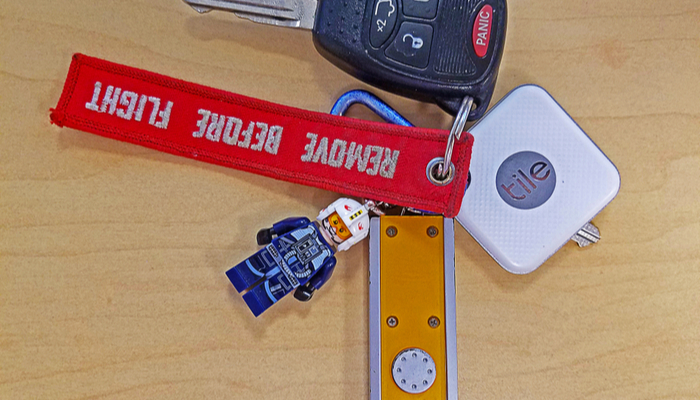
    How often have you lost your keys and wished you could call them the way you can call your cell phone when you lose it? There’s little in the world as frustrating as being in a hurry to leave the house but you can’t find your keys. The trick to this one is pretty straightforward: hook up a Bluetooth tracker and sync it with your phone. Then all you need to do is put the tracker on your key ring. If you misplace your keys, all you have to do is ping it from your phone.

    Most Bluetooth trackers will react to this by letting out a pinging sound, though some will buzz and vibrate and others still will light up, or some combination of the three. While keys are the most common items you’ll use the trackers on, there are some others you might not have considered.

    Wallet or Purse

    Another great use of Bluetooth trackers is stashing one in your wallet or purse. This allows you to safely find them if they are misplaced, though you can also rest assured that if someone tries to steal it, you can ping it for it to emit a loud tone. The presence of the tracker may even dissuade potential thieves, as they might think the tracker is a GPS-enabled device.

    If you want a more thief-proof tracker, you can opt for GPS-enabled trackers. These use either cellular or satellite networks to triangulate the tracker’s location, allowing you to track the item further than just through Bluetooth. If you often misplace items or you’re worried about them getting stolen, this is a great option for you.

    TV Remote

    One of the most commonly lost items in any household is the TV remote. If you’re constantly searching around for your remote, try attaching a tracker to it. This will let you ping the tracker through the phone app and find your remote in no time. The same goes for things like video game controllers, tablets and the like. If it’s small and often misplaced, a Bluetooth tracker is a great option.

    Luggage

    If you travel on planes often, you know how frustrating it can be to find your luggage on the carousel. What better way to keep track of exactly where your luggage is than by incorporating a Bluetooth tracker into your luggage? That way you’ll be able to quickly tell if your luggage is nearby, and even ping it to distinguish it from similar-looking bags to your own. This could save you a ton of time on your next trip.

    Kid’s Items

    If your kids are constantly losing their items at school or summer camp, it can be very frustrating. In order to help keep up with them, consider throwing a Bluetooth tracker in the items they commonly lose. For instance, if they consistently lose track of their lunchbox, their coat or their backpack, consider putting a tracker in those items.

    Keep in mind that most trackers aren’t meant to track kids or pets themselves, so while you might be tempted to throw one on your pet’s collar, that’s not what the items were designed to do. That said, the usefulness of the items depends on you use them.