Category: Electronics

  • Google’s DeepMind AI Now Capable of Rendering Scenes

    Google’s DeepMind AI Now Capable of Rendering Scenes

    Google’s DeepMind neural network is now capable of rendering scenes. Not just any scenes, mind you, but complex ones. Using its neural networks and learning functions, DeepMind is capable of rendering hypothetical images it hasn’t seen before. While that might all sound rather abstract and hard to understand, it’s a huge leap for learning software. What exactly does this mean, and what effect will it have on AI going forward? 

    Rendering Scenes 

    The reason this is important, if somewhat boring-sounding at first, is that it represents a logical form of imagination. The AI is now capable of understanding a description of a geometrical scene, rendering it, and then rendering it from angles it has neither been showed nor had described. This is something humans do already, and easily.  

    So easily, in fact, that you’re likely overthinking what is being described. If you see an image on a car, you can assume that it has four wheels, whether or not you can see all four in the image. Similarly, you can intuit that the pavement behind the car in the image is still there. You can even guess that there are seats inside the car, as well as a steering wheel and a radio.  

    DeepMind’s New Functionality is a Game-Changer 

    This is the AI equivalent of imagination. An AI capable of understanding spatial scenes and making predictions based on limited data is a quantum leap forward. What’s more, the developers overseeing DeepMind didn’t anticipate this functionality.   

    Ali Eslami, a Google team leader, had this to say in a phone interview with Ars Technica. “One of the most surprising results [was] when we saw it could do things like perspective and occlusion and lighting and shadows. We know how to write renderers and graphics engines.” However, the most compelling thing Eslami found that the laws of physics represented were discovered by the software. The software was said to be a “blank slate,” and it was able to “effectively discover these rules by looking at images.” 

    We’re living in an exciting era. AI advancements have been coming faster and faster, and soon we may even see fully aware learning software. This is both exhilarating and terrifying.  

  • Microsoft’s Andromeda Can Fold Our Lives

    Microsoft’s Andromeda Can Fold Our Lives

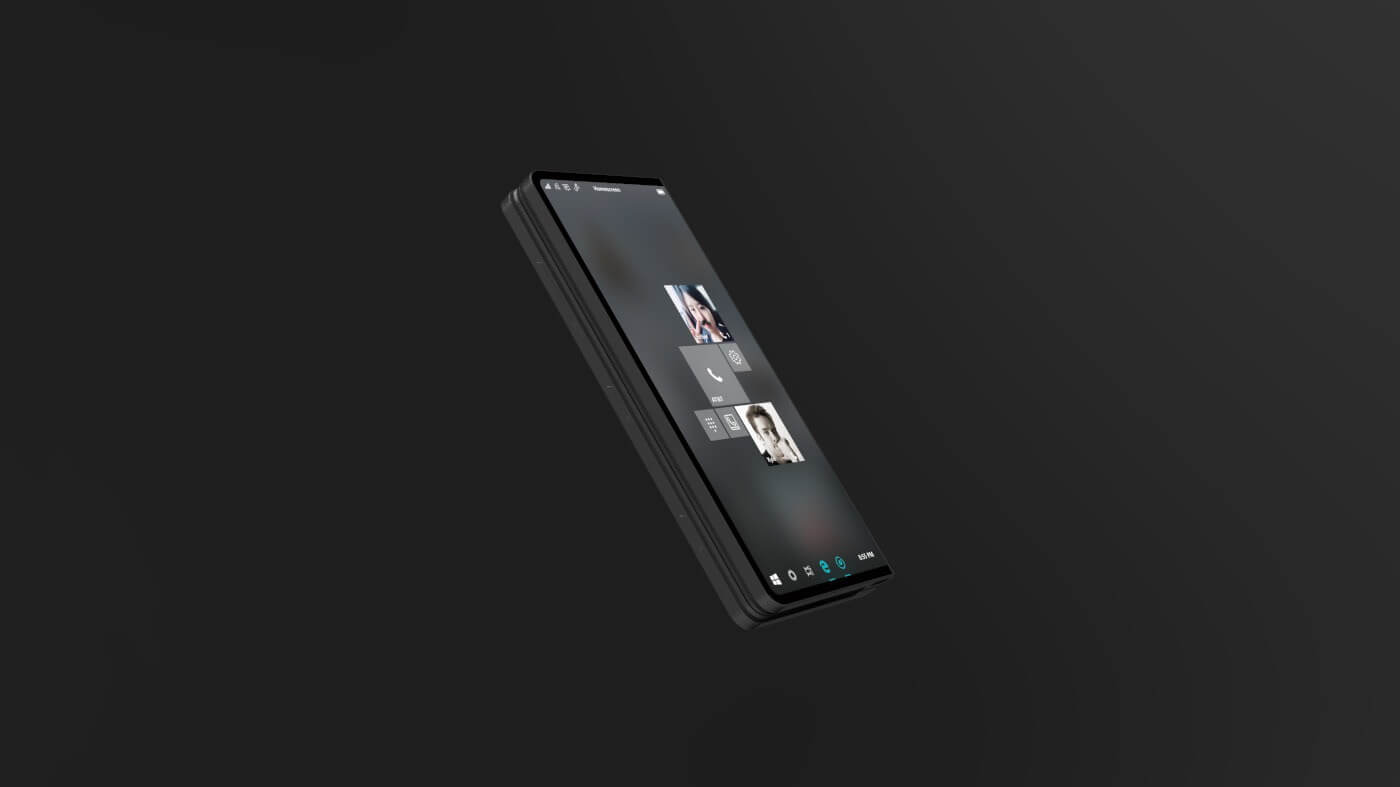
    Microsoft’s dual-screen Andromeda computing device, which is understood to launch and explode the pocketable PC has been gather rumors for months like a snow ball. While not much is solid we know this will collaborate the mobile space with the laptop PC power.  Now, according to recently leaked internal emails, we are learning that Microsoft’s Andromeda is a “new and disruptive” device that will be part of the company’s Surface hardware family.

    What We Already Know

    Microsoft says “It’s a new pocketable Surface device form factor that brings together innovative new hardware and software experiences to create a truly personal and versatile computing experience,”. Microsoft’s Andromeda could become the ultimate convertible computing device. It will have the capability to transform into any one of five form factors depending on usage. While today’s convertible notebooks with 360-degree hinges can only be used in up to three usage modes, Andromeda can transform between closed, flat, convex, concave, and full modes.

    Microsoft’s Andromeda is  a unique and innovative response to the massive and putrid disaster that Windows mobile and its terrible devices have become to be.  Microsoft commented on what this foldable surface could be by saying  “It will blur the lines between mobile and stationary computing,”. Microsoft is tentatively planning to release Andromeda in 2018. They also noted similar devices from some of Microsoft’s top OEMs to “follow afterwards.”

    We have know for years that Intel is also working on similar dual-screen devices. Its said  that it will eventually exploit and embody Microsoft’s software break through with Andromeda. Intel has already created prototype devices with dual displays and electronic paper displays s.  Asus and Lenovo are creating devices that are inspired by Intel’s own concepts. I can say with the ut most certainty one device will be available later this year.

    The Final Thought

    The pictures of Microsoft’s Andromeda paint a much better vision then I can with words. Mark my words thought, his is the future being developed today. The 20’s, the 2020’s,  will roar once again with the foundation this foldable tech will bring. Our future will hold just one device, a tablet, laptop, smartphone, TV and massive desktop in one pocket.  I’m excited the tech of my 40s could finally be the consolidation I’ve always desired. Now I’m getting very excited for this next decade. One device to rule them all…..

  • Samsung Galaxy Note 9 Rumor Roundup

    Samsung Galaxy Note 9 Rumor Roundup

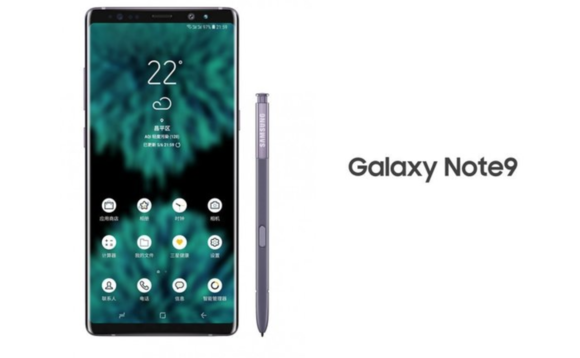
    Many consider Samsung the frontrunner when it comes to Android phones. And really, that’s an apt assessment: Samsung’s no joke! The next phablet-sized phone from Samsung, the Note 9, is set to be released on August 9th, which is must sooner than anticipated. It seems Samsung’s looking to beat Apple to the punch so the hype for the next iPhone X doesn’t drown out their phablet. What can we expect to see from the giant phone? We’ve got a Galaxy Note 9 rumor roundup for you to find out! 

    Bixby 2.0 

    Rumors about the updated functionality of Samsung’s virtual assistant Bixby have been swirling since the Note 9 was announced. Details are scarce at this moment as to what that might entail. However, it wouldn’t be unreasonable to assume that shortcuts like the ones being introduced to Siri in iOS 12 could be coming to Bixby. Shortcuts are pre-programmed vocal cues meant to call up specific apps or functions, and they’re Apple’s answer to Alexa. It wouldn’t surprise us to see Bixby rocking similar features. 

    Design 

    Early leaks of the Note 9’s design indicate it won’t differ much from the Note 8. It’ll sport a USB-C port, a stash for the S pen and very slim bezels. Many Android users will be pleased to hear that the Note 9 will not be rocking the notch like so many other modern smartphones. Instead, it’ll simply sport very, very slim bezels to maximize screen size.  

    Previous rumors held that the Note 9 would have an in-display fingerprint scanner, but that now seems less likely. Since the phone is launching in August, that’s not a lot of time for announcements of that scale. Additionally, rumors from the supply chain suggest that Samsung has decided on a back-of-phone scanner. However, it isn’t totally out of the realm of possibility, just unlikely.  

    Pricing 

    While we have no concrete pricing info yet, judging from the previous Note release, this one won’t be cheap. The Note 8 launched at $929, and it was even more in countries outside of the US. With Apple’s iPhone X costing $1,000, we could see Samsung charge even more for the phone. This is to be expected, of course: it’s a premium smartphone with a giant screen and an included stylus. You weren’t getting out for cheap to get the very best! 

  • Sonos Beam, The Answer to the SoundBar Problem

    Sonos Beam, The Answer to the SoundBar Problem

    The Sonos playbase sound bar had its problems. It was large, unsightly and looked like it belonged in the low rent apartment of a Best Buy employee. Sonos is now fixing this with the Sonos Beam. The latest in the Sonos family of speaker includes Alexa — and promises Google Assistant support — and it improves your TV sound immensely. Designed as an add-on to your current TV, it can stand alone or connect with the Sonos subwoofer and a few satellite surround speakers for a true surround sound experience. It truly shines alone, however, thanks to its small size and more than acceptable audio range

    The Great

    • Great Design
    • Terrifically Priced
    • Elegant Size
    • Big Amazing Sound


    The Not

    • Lacks pop on Sound Effects in Movies

    The Conclusion

    The Sonos Beam is the best sounding, best looking soundbar you can buy for $300. Its a great way to get started on your Sonos collection and start the ultimate home filling speaker system.


    The Design

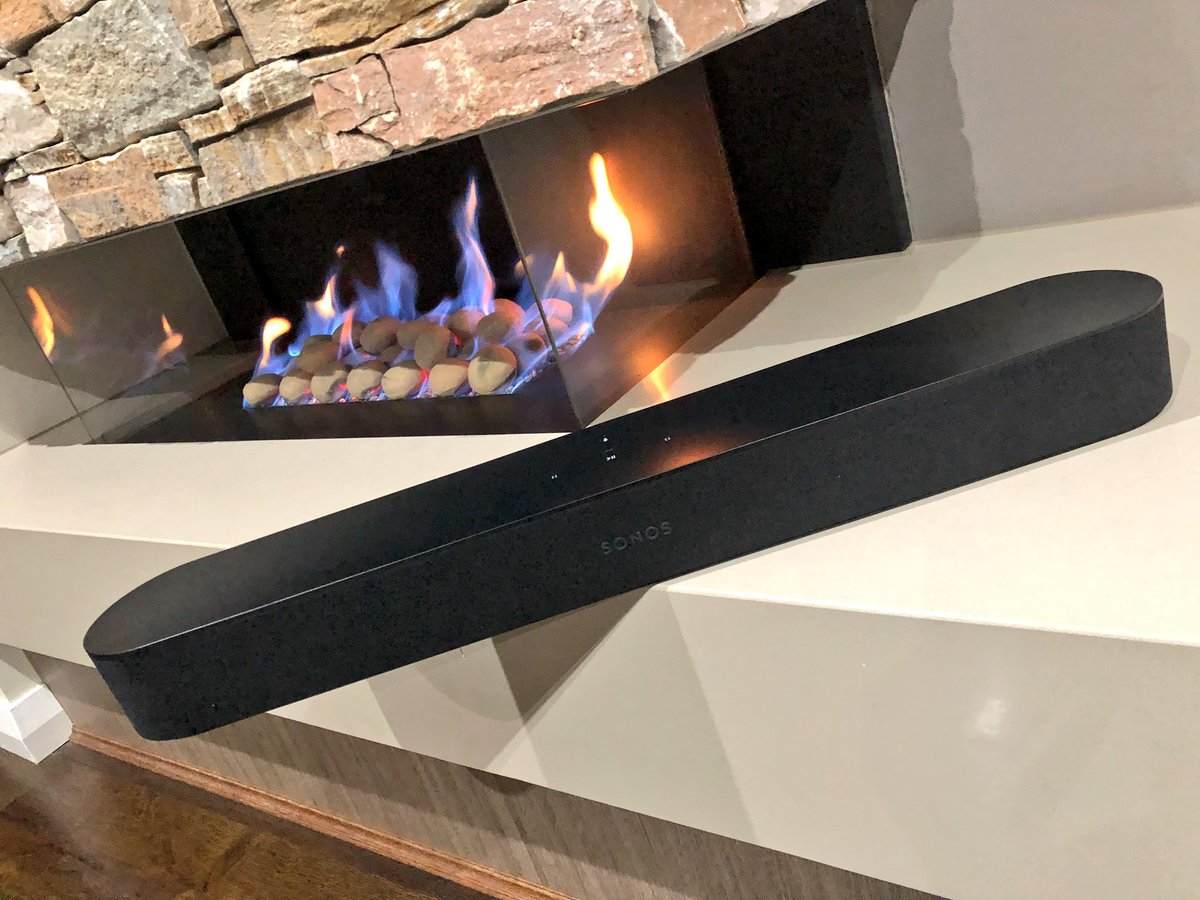
    No metal grill on this Sonos, surprisingly it sports a e wrap-around cloth grille of the Beam . You know, the ones most commonly associated with the company’s ultra-budget competition. Yes its a bit of a  surprise on a Sonos product. Yet, the speaker retains a Sonos look with its plastic top and the touch control panel that debuted on the One. The pill-shaped Beam is smaller than most other sound bars at just 25.6 inches wide by 2.7 inches high and 3.9 inches deep (68.5 by 651 by 100 mm). You can get it in black or white. Unfortunately, the Beam doesn’t include a wall bracket in the box, but the company will sell you one for an extra $59.

    The Beam is two feet long and three inches tall. It comes in black or white and is very unobtrusive in any home theater setup. Interestingly, the product supports HDMI-ARC aka HDMI Audio Return Channel. This standard, introduced in TVs made in the past five years, allows the TV to automatically output audio and manage volume controls via a single HDMI cable.


    The Sound

    Not surprisingly, the Beam sounds pretty great too, though not quite at the level of the Playbar or Playbase. The soundstage is wider and the bass reaches lower on both of those models, especially the Playbase, but they’re both significantly larger and more expensive. For its part, Sonos recommends the Beam for small and medium-sizes rooms, where these disadvantages are minimized.

    The Sonos Beam does have some liabilities. Ive noticed with the soundbar by itself, it lacks sound and misses on sound effects. Mostly in high action movies with alot of explosions the Beam seems to sound flat, almost like it is dimming down the boost in sound. Im not entirely sure if this is a noise reducing functionality or a issue with the Beam itself> However when paired with other Sonos speakers they seem to fill the air and pick up what the Beam seemed to put down.


    The Final Thought

    With this low cost, High quality soundbar the Sonos Beam will be picking up a lot more customers and putting them in the Sonos sound world. Much like potato chips, when it comes to Sonos speakers, you cant stop at just one.


  • Google’s Duplex AI Now Open to Beta Testing

    Google’s Duplex AI Now Open to Beta Testing

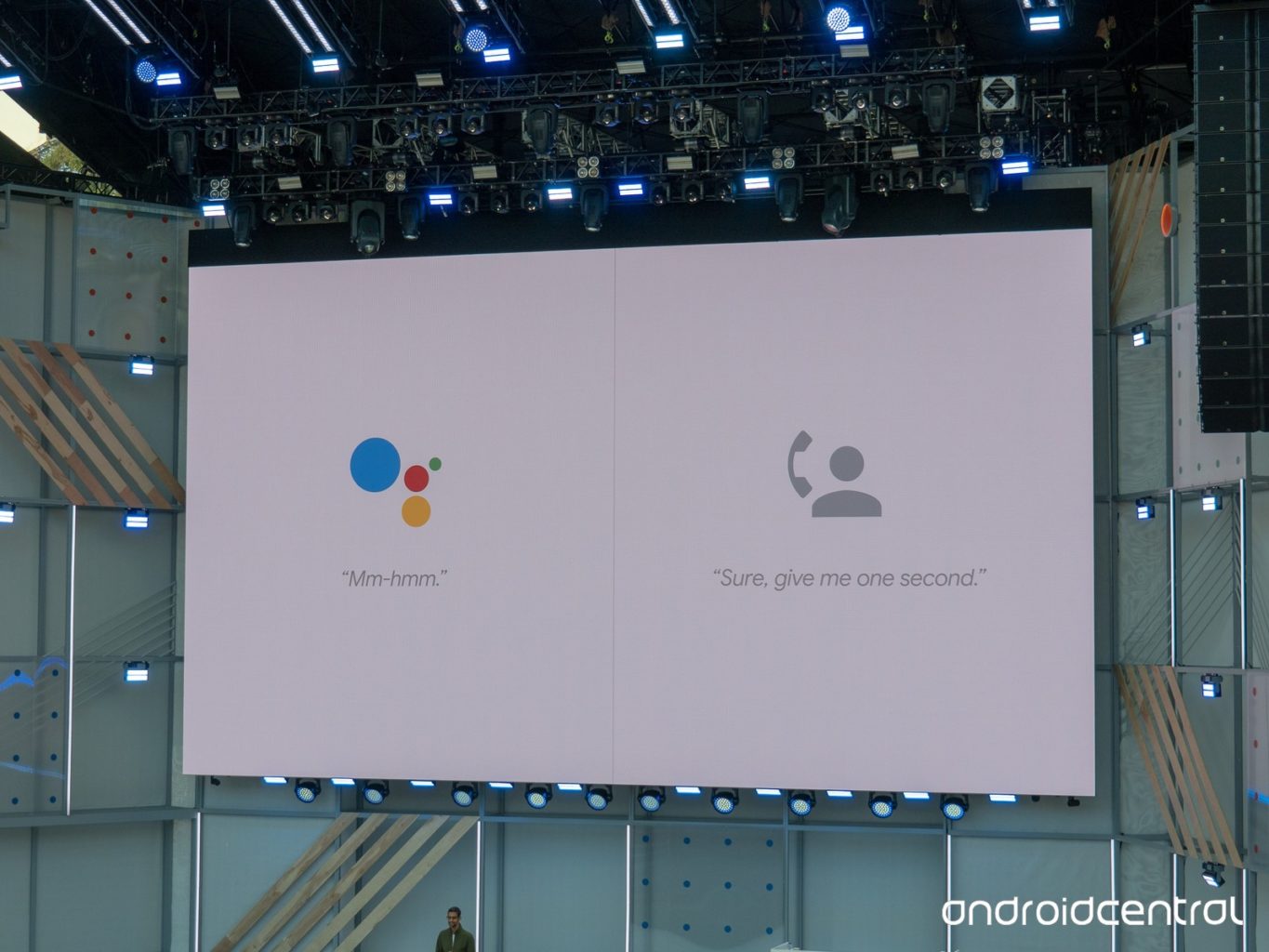
    The eerily human-sounding Duplex AI is now in its beta testing phase. The technology sparked a ton of interest when it was introduced at Google’s I/O 2018 conference. On the one hand, this kind of human-sounding virtual assistant was surely the next step for the technology.  

    However, concerns were raised over the ethics of the software. It sounds nearly indistinguishable from a human to the untrained ear and was made to make phone calls. Googe says the software will identify itself as non-human when it goes live, but that doesn’t mean there’s no room for misuse. ting phase. The technology sparked a ton of interest when it was introduced at Google’s I/O 2018 conference. 

    The Beta Testing 

    Google has begun the beta testing phase by having Duplex call businesses that have opted in to the program. Such businesses will receive calls from Duplex to verify things like business hours, and holiday hours. The primary function of the AI, booking appointments, won’t go live until later this summer. For the time being, Google is simply fine-tuning the technology to sound more lifelike and hone its conversational skills.  

    A Question of Responsibility 

    What kind of responsibility does Google bear in regard to Duplex’s ability to fool people? Technology like this could be used to make a nonliving entity fool humans into thinking it’s alive. Google has attempted to address these fears, stating that the AI will tell whoever it talks to exactly what it is. Something like “Hi, I’m the Google Assistant, calling to make a reservation for a client,” will be stated, perhaps not in those exact words. Even if it’s supposed identify itself as AI, it’s the existence of the technology itself that worries some analysts. 

    Google, for its part, has released its manifesto on AI, detailing what they will and won’t develop. It seems they are interested in ensuring the launch of Duplex is ethical. This is good, as it will set the tone for future mass-market AI releases. By setting the right tone out of the gate, Google may be seeking to curb fears that AI will be mishandled. We’ve got our fingers crossed that they know what they’re doing. 

  • Tech Throwback: Web TV

    Tech Throwback: Web TV

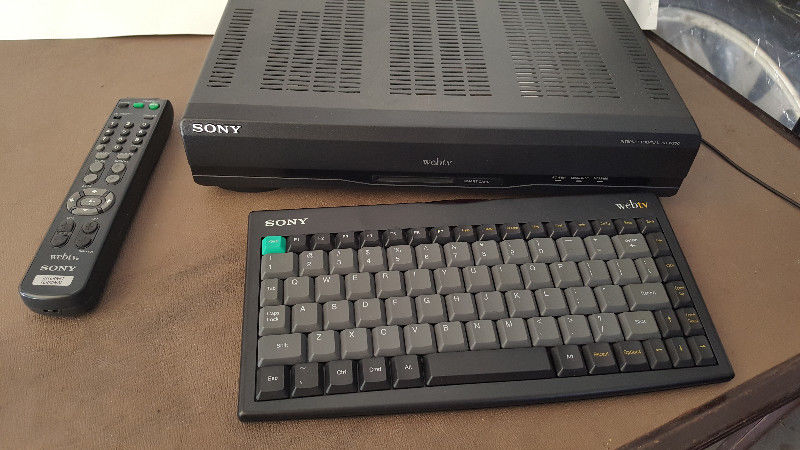
    I like to take a look at where I’ve been to evaluate where Im going. Technology is cyclical after all… wait no its not. That said I still like all the feels that come rushing back like a flood of nostalgia every time I get my hand on the tech I grew up with. Im going to go back periodically and take a looking at the stuff that used to blow our hair back and get our minds rolling. Some of these device blew up and changed the world, some where ahead of their time and some just fell flat and became colossal failures. Today we have a massive swing and a miss. This was an idea that seemed right and destined for greatness but just missed. Today lets pull up the old Web TV.

    This was the brain child of  Steve Perlman. He first combined computer and television as a high-school student when he decided his home PC needed a graphics display. He went to build software for companies such as Apple and Atari. While working at General Magic, the idea of bringing TVs and computers together resurfaced.

    One night, Perlman was browsing the web and came across a Campbell’s soup website with recipes. He thought that the people who might be interested in what the site had to offer were not using the web. It occurred to him that if the television audience was enabled by a device to augment television viewing with receiving information or commercial offers through the television, then perhaps the web address could act as a signal and the television cable could be the conduit. Pretty brilliant and right there in front all of our faces.

    Web TV and How it Worked

    Web TV was launched on September 18, 1996 with Web TV set-top boxes in stores from Sony and Philips. They ran all of the servers in an old BMW dealership.The initial price for the Web TV set-top box was US$349 for the Sony version and US$329 for the Philips version, with a wireless keyboard available for about an extra US$50. The monthly service fee initially was US$19.95 per month for unlimited Web surfing and e-mail.  The box featured a 64-bit RISC CPU chip, and a smart card reader. The smart card reader was not utilized significantly. The web browser was compatible with both Netscape Navigator and Microsoft Internet Explorer and the Web TV set-top box featured 2 MB of RAM. The first WebTV set-top boxes had a 33.6 kbit/s modem, and later versions had 56kbit/s modems.

    By 1998 Web TV was on its way, they where pulling 1.3 billion dollars a year and it looked like we where on the way to a TV/computer consolidation. Then Microsoft stepped in 2001. They purchased Web TV and it all seemed to fall apart. They keyboard and controls where difficult to use. The applications where not growing with the rest of the tech world. Shortly after the MSN TV re-branding it was all but dead in the water.

    The Final Thought

    With out the adaptations of the most popular internet apps and functions this just became that cool thing that one friend in the neighborhood had. Skip forward a few years and Smart tvs are a cornerstone to our digital world. While I attempted to find an old Web Tv box and play with it in a demonstration for this article, apparently its just not feasible with there being no internet connection service to log on through. Web Tv came and went with no fanfare, soon to be totally forgotten. Never getting its just deserves and never to be seen or used again but for those brief years of 95-2001.

  • Which Bitcoin Wallet is the Best for You?

    Which Bitcoin Wallet is the Best for You?

    Once you’ve bought, or mined, your bitcoin, you’ll need somewhere to keep them if you don’t plan on using them on an exchange right away. There are a few different applications, or wallets, that you can store them in. Today, we’re rounding up a few of our favorite “hot” Bitcoin wallets. “Hot,” in this instance, refers to the fact that these are always connected to the Internet, unlike “Cold” wallets that can be offline.  

    Exodus 

    A pleasing-looking multi-currency wallet, Exodus is a great user experience. If you plan on storing large amounts of crytpocurrency, though, it’s not the best, as it’s partly closed-source code. This means that if there are any bugs in the code that could lead to data breaches, the community can’t vet them and fix them. However, if you plan on storing smaller amounts of Bitcoin, or other currencies, this is a fine choice. You can even use the Shapeshift service to exchange your Bitcoin or other crypto right from the wallet.  

    Exodus has you generate a 12-word “seed” that it then encrypts your keys with. This means that if you somehow lose access to the version of Exodus you currently have, you can recover it with your seed. Simply write the seed down someplace safe and your Bitcoin is protected from hard drive wipes.  

    Jaxx 

    Jaxx, much like Exodus, is another multi-currency wallet that has Shapeshift. And, much like Exodus, it’s closed-source, so potential security gaps can’t be spotted by the community. In fact, last year, once such bug reared its head, allowing users with access to your version of Jaxx to steal your currency. That said, it’s a fine app for those who simply want to store small amounts of Bitcoin or other currencies. The ability to convert from different currencies through the app is quite convenient. 

    Closed-source code aside, Exodus and Jaxx are both visually appealing, convenient and user-friendly. If you’re just dabbling in a bit of crypto, Jaxx is a great Bitcoin wallet. 

    Bitcoin Core 

    A very early Bitcoin wallet, and easily the most robust, Bitcoin Core is a “full node.” That means it downloads the entire blockchain that tracks every Bitcoin transaction, which is around 160GB. The reason for this is security. Since Bitcoin Core knows the entire blockchain, it is nearly impossible to fool it, thus ensuring you won’t be defrauded. Someone attempting to spend the same coins twice, or spoof funds would be easily detected and shut down by this wallet.  

    Bitcoin Core is great if you intend on storing a ton of Bitcoin. It’s also great if you like your anonymity, as it encrypts transactions through the Tor network. This is all pretty costly on bandwidth, though, so it’s really for power-users first and foremost. 

    Our Favorite Bitcoin Wallet: Electrum 

    Electrum is a “thin” wallet, which is in contrast to a full-node like Bitcoin Core. Rather than downloading the full blockchain, it uses secure server connections to verify transactions. This means it uses much less internal memory and bandwidth, allowing it to be much leaner. Electrum, like Jaxx and Exodus, also allows for seed-based recovery in case you lose access to it. For general use, Electrum is our favorite overall wallet. It’s relatively secure and is quite useful for its file size and bandwidth use. While not the most robust wallet, it is the best option for most users.  

  • Feature Round-Up: Acer Chromebook Tab 10

    Feature Round-Up: Acer Chromebook Tab 10

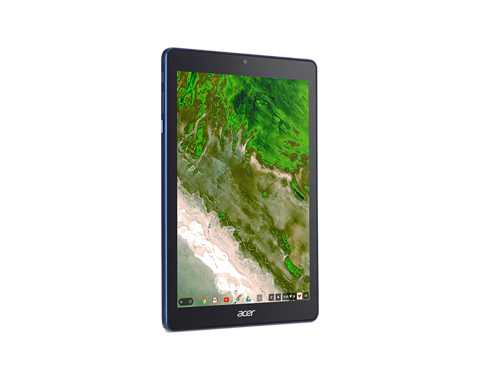
    While Android tablets are all but dead now, Google is still interested in using tablets for educators and students. To that end, the first tablet running Chrome OS, the Chromebook Tab 10, is slated to be the best classroom slate yet. We’ve got a quick roundup of some of the most notable features of the Acer Chromebook Tab 10. How will it make the class experience better for teachers and students? Let’s check it out! 

    The Specs 

    First off, it’s a huge tablet. It’s got a 9.7-inch screen and weighs a solid 1.2 lbs. This is great for the classroom, as it means it’s got enough mass to not get lost or misplaced! On the tech side, it’s got 4 GB of RAM, an OP1 CPU and a Mali T860 GPU. This all adds up to the tablet being more than powerful enough to handle any classroom duties. This will likely be many kids’ first experience with tablets, so it’s good that this one has all the power needed to handle basic tasks.  

    Interestingly, it also sports a USB-C port. That port’s versatility is a great boon for classroom settings! Charging, of course, is the primary use, but sending video and transferring data are also uses the port allows for. 

    Design 

    This big tablet has a rubberized back and big bezels. It’ll likely prove quite durable and kid-friendly. It’s set to come in a number of bright colors, making it great for kids. That big size does bring up a problem, though: it’s hard to type on. While Chrome OS allows for Bluetooth keyboard connection, the Acer Chromebook Tab 10 doesn’t have one included. As such, typing on the big on-screen keyboard is a little awkward. For kids with small hands, it’ll likely be even harder. The fix, laying it on a table and pecking the keyboard with the index finger, works, but itsn’t ideal.  

    Stylus 

    It also sports a Wacom stylus, which can be whipped out to easily pen notes in the middle of class. It’s a little short and wouldn’t be great for a professional or artist, but for a kid taking notes or drawing it’s perfect. It doesn’t recognize tilt, and it sports a bit of latency, but these are deal-breakers for what the tablet’s meant to do.  

    Acer Chromebook Tab 10: A Little Awkward, but Great for Students 

    The tablet is a bit funky, and the Chrome OS has some kinks when used for a tablet. However, Acer’s tablet is a great proof-of-concept. The student-friendly Chrome OS is absolutely well-positioned for tablet use, it just needs a bit of fine-tuning. The tablet costs $329, making it relatively affordable for classroom use. Thusly equipped, kids will be learning in no time. If we keep using technology like this, maybe the future will be pretty bright after all. 

  • Changes We Want to See in the Next iPhone

    Changes We Want to See in the Next iPhone

    Apple’s iPhone X made waves when it was released last year, but maybe not as many as the American tech giant would have liked. While the launch wasn’t a flop by any means, it could have been bigger. What could Apple have done to make the phone more desirable? What changes would we like to see on the next iPhone? Today we’ve got a roundup of the changes we most want to see from Apple. 

    USB-C Port 

    The proprietary port that debuted with the iPhone eventually gave way to the Lightning port. However, as the industry moves to USB-C, a universally praised standard, Apple lags behind. The tactic of using a proprietary port to charge more for replacement charging cables is unsightly. Apple could score serious goodwill for bucking their tradition of brand-specific ports. The Macbook line already uses USB-C exclusively, so this one doesn’t seem outside the realm of possibility.  

    Fast Charging 

    While on the subject of charging ports, we’d love to see Apple catch up to the industry on fast charging. While the Lightning cable allows for reasonable charge times, true fast charging hasn’t hit the iPhone yet. Given that nearly every Android phone has fast charging in the box when you buy it, it’s pretty glaring that the $1,000 iPhone X doesn’t. What gives, Apple? While you can get a Turbo Charger and a USB-C to Lightning converter, you shouldn’t have to use weird workarounds to use industry standard tech on a cutting-edge phone. 

    Ditch the Switch 

    That side switch for controlling vibration and alerts has got to go. The functionality it controls could easily be worked into the control center of the phone. It isn’t convenient to have this arbitrary function bound to a physical button. A button that can be easily flipped accidentally while in a pocket. Thus, causing your phone to ring at full volume during a meeting. Yeah, I’m not bitter or anything. But they should absolutely leave this dumb side switch off for the next iPhone. 

    Most Important Change for Next iPhone: Lose the Notch 

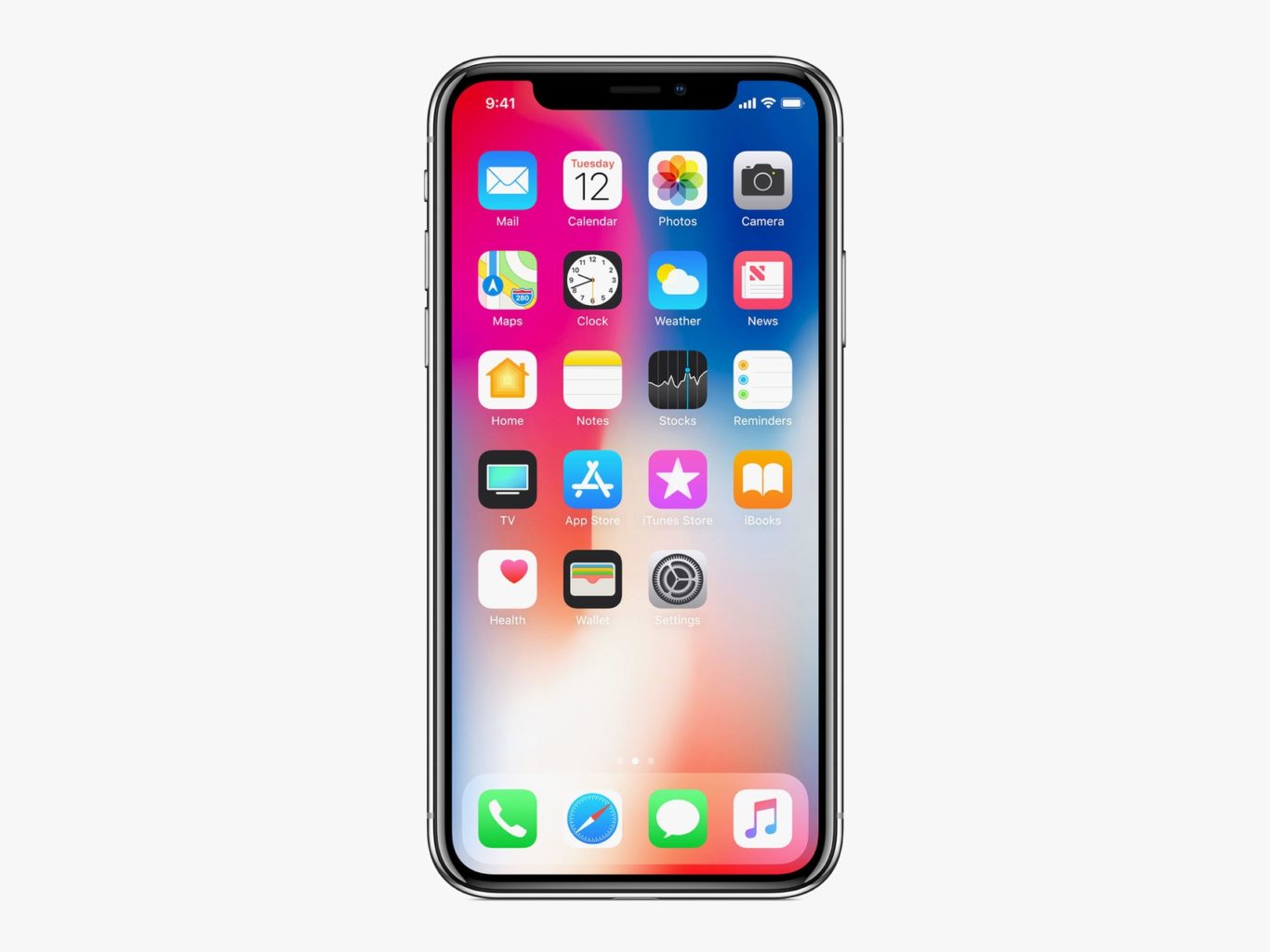
    This is the big one. While many users have grown accustomed to the screen-notch, it’s an eye sore for many potential users. Apple had to find space for the Face ID technology somewhere, that makes sense. But perhaps holding off on edge-to-edge displays until the technology allows the elimination of the notch is better than this compromise. The notch is distracting at worst and bearable at best, which is hardly something you want people saying about your $1,000 phone. If Apple can find a way to make the screen truly edge-to-edge, we’ll all be quite pleased! 


  • Smartphone Spotlight: Galaxy Note 9

    Smartphone Spotlight: Galaxy Note 9

    The 128GB Galaxy Note 9 can be purchased through carriers including AT&T, Sprint, T-Mobile, U.S. Cellular, Verizon Wireless and Xfinity, along with Best Buy, Costco, Sam’s Club, Straight Talk Wireless, Target, Walmart, Samsung.com and the ShopSamsung app.

    The Great

    • Slamtastic Screen
    • Instalike worthy camera
    • Adequate long battery
    • Interesting new S-Pen tricks
    • All the Specs needed

    The Not

    • Way, way too pricey
    • Possibilities of Violent Explosions

    The Conclusion

    The Galaxy Note 9 is Samsung’s Ultimate cry for tech geek attention. It has all the specs, a gigantic, magnificent, Fortnite worthy screen, a Bluetooth-powered S Pen, and a headphone jack… you know just all the essentials on the checklist for the kind of Android user that Samsung is targeting with a Note update. It’s a Phablets lover’s dream come true, if it doesn’t kill you

    Who still remembers the terror Samsung bestowed amongst the world two years ago? Who remembers when the Samsung Galaxy Note 7 launched to much fanfare with ravastious acclimates from all. Shouting from the heavens this is sciences gift to man. A short while after the device made it into the worlds hands the batteries violently exploded it was seemed like a coordinated terrorist attack.

    Y’all remember when that happened? At the time, Samsung had initially responded with assurances that it was an isolated problem that it would handle on a case-by-case basis, but eventually realized the issue was beyond control. Eventually, it issued a full recall for all Note 7 devices around the world. That was two years ago, this is the Note 9 we are talking about today.

    Galaxy Note 9 puts powerful technology in the hands of the tech geeks and gamers who demand more powerful and more screen from their smartphones. It certainly boast Innovative features and design make it the only phone to keep up with the next generation of users. Yes the rumors we have been telling you are true. Packed with a huge battery, a massive screen, and a powerful stylus, the Note 9 has more of everything than any other phone on the US market.

    How does it look and feel

    It’s large, I mean this phone is obscenely large. And when you put it in a case, it will become a liability. This is not a one-handed phone for any but the largest hands. Samsung moved the fingerprint sensor so no longer will the Note 9 fit into Note 8 case. On the bright side no more inadvertently smudging the camera lens.

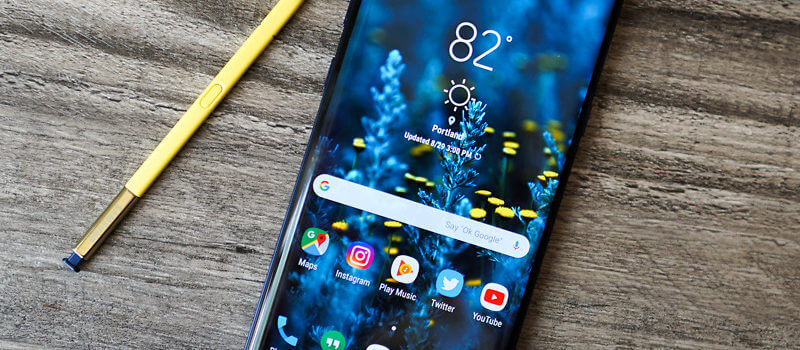
    The Galaxy Note 9 has a 6.4-inch quad HD Super AMOLED curved screen, and USB-C and standard headphone jacks, it is IP68 Waterproof. We have been through this, the checklist of required wants and needs are covered. Not only that but it is stunning, think Charlene Theron on the red carpet elegant.

    No 5g on The Galaxy Note 9

    We have talked about 5G coming next year, Don’t get hung up on that; it will be another year before 5G is widespread and before chipset makers work out the power-management kinks that come with new wireless data systems. Yes write that down you are hearing it here first. Next year’s Note 10 will be 5G. Wanna wait that long? Anyways, The existing X20 modem get speeds up to 700Mbps with the right carrier setup, showing there’s still plenty of room in 4G. That’ll do, That’ll do just fine.

    Sounds and Stuff

    The Note 9 brings the S9+’s dual speakers to the Note line. The two speakers are by the earpiece, and along the bottom. Compared to the previous Note 8’s single bottom speaker, the speakers here aren’t much louder but clarity and treble are off the charts. Outside of the iPhone X I don’t think I have heard a better device speaker.

    The Biggest Difference

    The Galaxy Note 9’s biggest upgrade is its enhanced and gargantuan 4,000mAh battery hit it with a 10-hour battery test video. Yes you know the one where I leave it on the10 hour loop of He-Man singing 4 non blondes “what’s going on”. Results, 13% left, astounding. This leads me into projecting screen-on battery life out to 12 and half hours. That Destroys all other flagship smartphone on the market. The battery is significantly larger than the one in the Galaxy S9+ (3,500mAh, 10+ hours), the Galaxy Note 8 (3,300mAh, 6 hours), or the Galaxy Note 5 (3,020mAh, 8 hours and 30 minutes).

    Quick Speck Look

    • Graphics Mali-G72 MP18
    • Processor Octa core (2.7 GHz, Quad core, M3 Mongoose + 1.7 GHz, Quad core, Cortex A55)
    • Architecture 64 bit
    • Ram 6 GB
    • Audio Features Dolby Atmos, Dolby Digital, Dolby Digital Plus
    • Display Type Super AMOLED
    • Aspect Ratio 18.5:9
    • Screen Size 6.4 inches (16.26 cm)
    • Screen Resolution 1440 x 2960 pixel

    The Final Thought

    If this thing doesn’t explode in our face we have a monster here. The screen alone will improve your Fortnite results instantly giving you an unfair advantage over any other player on a regular smartphone. It’s the battery though, it’s just too good to be true. Add in their shaky past and it’s something to be weary off.