Category: Electronics

  • Which Mobility Scooter is Right for You?

    Which Mobility Scooter is Right for You?

    So your mobility isn’t what it used to be… no problem! Today, some insurance companies will actually help with coverage on a mobility scooter, or even pay for the whole thing. Check it out for yourself! Either way, it may be worth checking them out and seeing if it fits your lifestyle. With that in mind, let’s look at the top ten mobility scooters.

    Drive Medical Phoenix Heavy Duty

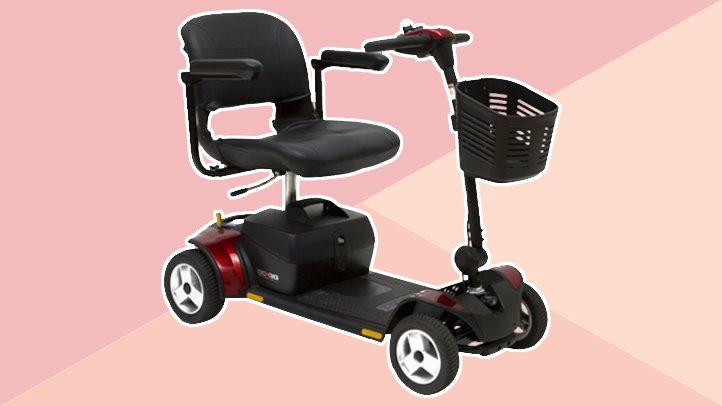
    A heavy, sturdy scooter for a great price, this one is a good pick. This one has a headlight, which is good for darker areas. It also has a basket in the front for carrying things, making it great for grocery store trips! The seat is customizable, broad and comfortable. For $1,200, this is a great heavy-duty pick.

    Pride Mobility Go-Go Sport

    This scooter is notable for its four-wheel drive and durability. It’s not terribly fast, topping at 4 MPH. That said, it’s rugged and durable, and works great when outdoors! If you like being outside and enjoying the sunlight, this is a great pick! For a combination of durability and mobility, check out the Go-Go Sport!

    E-Wheels EW-72

    A stylish and slick scooter, the E-Wheels EW-72 has a look inspired by classic cars! For those looking to really zoom, this scooter has a top speed of 15 MPH! As a heavy-duty scooter, it works quite well, as it has a top weight rating of 500 pounds! If you’re looking for a great, stylish, heavy-duty scooter, this is a great choice for you!

    Transformer Electric Folding Mobility Scooter

    Another great choice for carrying in a trunk and carrying around with you, this transforming scooter is pretty neat. It folds up into a nice, compact shape so it can go anywhere with you! The battery is airline compliant, so it can fly with you, which is great for those who fly often. If you’re on the move and need a scooter that can keep up, this is the one for you!

    E-Wheels Jellybean Electric Scooter

    The second E-Wheels scooter on our list, this one is also quite heavy-duty! This one is three-wheeled, though, so it’s got a bit of a different construction from some others on this list. The best thing about this scooter, though, is the high speed! It tops out at 18 MPH, which makes it a serious scooter! It has a great battery, too, offering up to 45 miles on a single charge. This one also has an anti-theft alarm, which is great! It sports a huge back-mounted basket, perfect for trips to the market.

    Spitfire 420 Ex

    Another great scooter, this one has interchangeable panels in different colors. The panels come in red, blue and silver, and are easy to change out! It also boasts quick-connect batteries, a comfortable seat and padded armrests. The wheels are anti-tip, which makes this a very safe pick. The front-mounted basket even has an interior lining, which is great for shopping. If you’re looking for a good mobility scooter for medical reasons, such as old age, this is a good pick.

    SmartScoot Lithium Foldable Travel Scooter

    This folding scooter is great to throw in the trunk or backseat and carry with you to a destination. The best thing about this scooter: the battery! It has great battery life for how portable it is for travel. It lasts for up to 12 miles! It also breaks down into three parts, and only weighs 27 pounds.

    Drive Medical Scout 3 Wheel

    At the very low price of right around $600, this three-wheeled scooter is a popular choice. A little less expensive than its four-wheeled counterpart, this one is a good value. The drawbacks to this scooter include its three-wheeled construction, slightly low battery life and make. There are more comfortable, high-end scooters, but if you’re looking for a good bargain, this is it. This scooter is the most affordable on our list!

    Best Value: Drive Medical Scout Compact 4 Wheel

    For those on a budget, the Drive Medical Scout Compact is a very popular choice. At $700, it’s a fantastic value, and it shows in its popularity. It’s a good scooter, with all the trimmings you’d expect from a medical mobility scooter. Older customers on a fixed income love the low price, and the price doesn’t compromise the quality. This one also has interchangeable panels in red and blue, so you can change your style! A great value for the money for those looking to save.

    Best Overall Mobility Scooter: Shopride Sunrunner

    If you’re looking for an especially comfortable scooter, look no further than the Sunrunner! It has a 300-pound capacity and a huge 25-mile battery. You can opt for a headlight, which is quite useful. It has a front basket, perfect for shopping. The star of the show is the big, comfortable seat, though. You can’t beat the level of comfort on display here! It’s hard to find something this premium and high-quality for this price! It retails for $1,500 but can often be found on sale for less.
  • Microsoft HoloLens 2 Could Be The VR Evolution

    Microsoft HoloLens 2 Could Be The VR Evolution

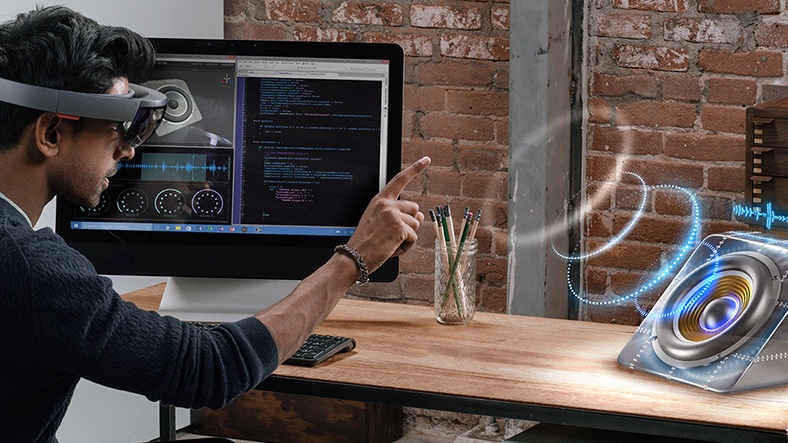
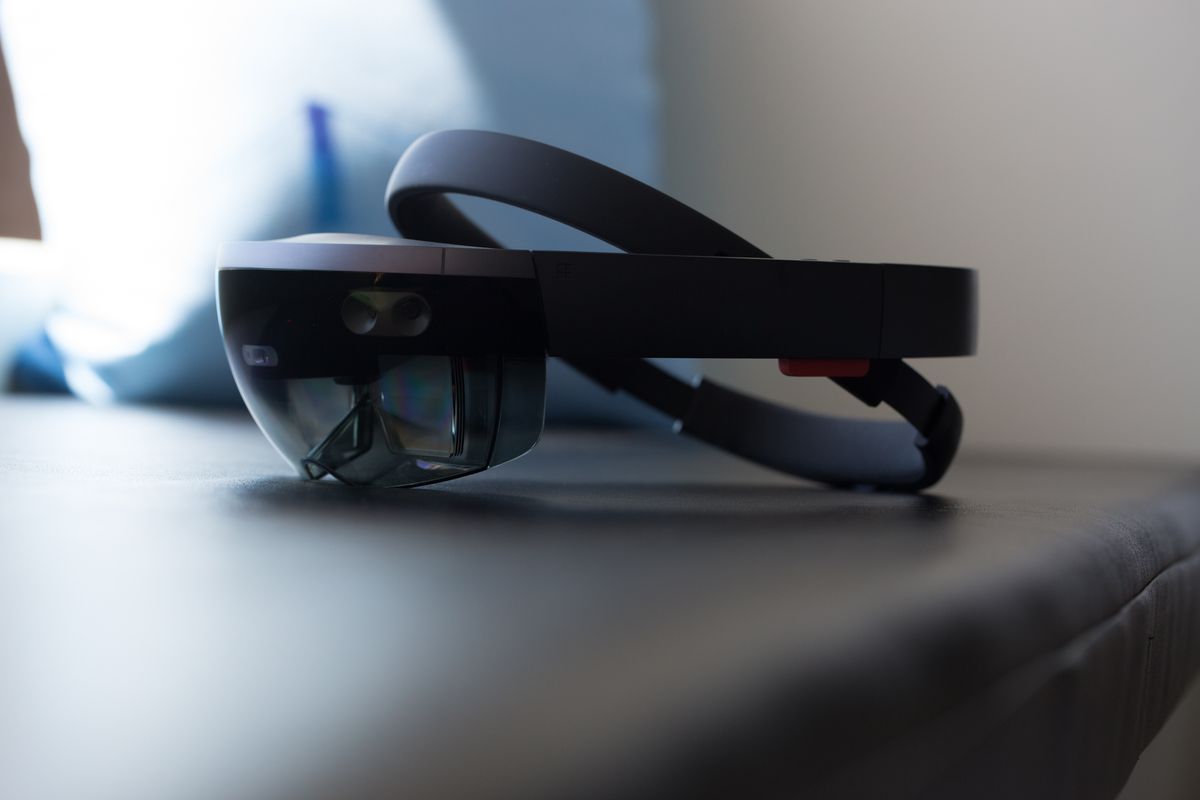
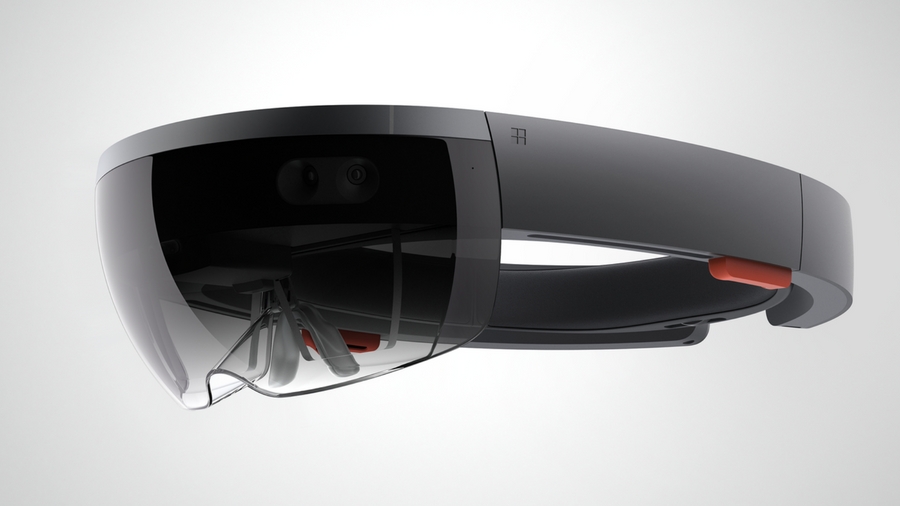
    They Said it, we know it, the Microsoft HoloLens 2 is coming. As itis said, It will arrive packing Qualcomm’s powerful XR1 chipset that’s designed for the next gen VR and AR experiences.

    In the guts of the Microsoft HoloLens 2 augmented/mixed-reality headset is stated to be an amazing and unexpected appearance of Qualcomm’s own XR1 VR chip. The Processor we thought was possible but seemed only plausible in theory. The processor isn’t technically as powerful as the Qualcomm Snapdragon 845, but according to all the information we have on the XR1 so far, it’s made for and capable of running the next gen VR headsets. The hardware itself is said to be coming to the market starting in early 2019.

    Qualcomm states that the XR1 is capable of streaming content at 4K resolution at 60 frames per second. This would certainly elevate the new HoloLens 2 to the top of the VR headset charts and dethrone the Oculus. The Microsoft HoloLens could re-invent the standard for the movie experience.

    Virtual and augmented reality headsets need to get cheaper and better to arouse casual buyers beyond hardcore gamers and tech geeks. We know the Oculus gets it, for just a mere $200. The current generation of Microsoft’s own headset, the HoloLens, starts at $3000. While its mostly for developers, the next generation needs lower price to be commercially viable.


    The Final Thought

    VR is set to explode, who wants to go first. The company that can get all the intricate pieced together and put out the headset that works great, easy to use and universally compatible with some jaw dropping experiences will get to rule the VR world. The platform is set the battle is open but no one seems to want to make a run at it. So they all know something we don’t ? I sure hope so and im not just standing here holding my breath for no reason. Come one Microsoft HoloLens 2, change my world… my VR world.

  • Best 5 Laptops Under $500 in 2018

    Best 5 Laptops Under $500 in 2018

    Laptops are very essential these days- for school, work, or just personal use. The price of a premium new laptop can cost up to $1,000, which is pricey for anyone. Numerous companies have made laptops more affordable while keeping the quality and capabilities of more expensive laptops.

    You don’t have to feel like you’re settling when shopping for a laptop under $500. There are value-priced notebooks that include full-HD displays, solid performance and long battery life, plus all the ports you need. We picked all the best all-purpose laptops in $500 price range which we think are best laptops to suit the wide range of requirements of people. Here is a list of the best five laptops under $500!

    1. Dell Inspiron i3567 Laptop

    The latest version of this Dell laptop has a powerful system in place with 8GB of memory and a 128GB hard drive and a Intel Core i3-7100U 2.4GHz processor. It has a professional feel in it’s all black look with a 15.6-inch laptop with a screen resolution of 1366 x 768. The operating system runs smoothly with Windows 10 and is backed with a 12 month warranty, with 12 months of tech support.

    • A new, powerful hardware system
    • Has many ports and slots to use your external devices
    • 8 GB Ram
    • 7th Gen Intel Core i5 processor
    • It is not backlit enabled
    • Battery life up to 5 hours

    2. Acer Aspire A515-51-50RR Laptop

    The Acer Aspire 5 is one of the best budget full-size laptops you can find in stores today. It checks most of the right boxes: well built, slim and fairly light, gets a decent keyboard, an IPS screen and modern hardware, performs well, runs cool and quiet and lasts for a long while on a charge. This slim and sleek laptop is a great all round performing laptop, especially for the price. The visuals are spot on with vivid, bright colors.

    • LCD display and is backlit
    • 2.50 GHz Intel Core i5-7200U processor
    • Storage: 1TB hard disk
    • Intel HD 620 graphics
    • Battery life up to 7 hours
    • All-plastic chassis

    3. HP 15-ay191ms Laptop

    The HP 15-ay191ms, a signature edition laptops that comes with a seventh-generation Intel Core i3 processor, 8GB DDR4 system memory, 1TB of storage and a touchscreen, but still remains insanely affordable. It’s one of those laptops you’d buy without a second thought if you find inexpensive chromebook attractive, but really, really need Windows. If you love touchscreen, this one’s for you! This laptop contains the Kaby Lake processor which makes this laptop consume little power. Apps are not an issue here, they all run very smoothly.

    • Touchscreen
    • Intel Core i3-7100U processor
    • 8GB RAM
    • 1TB hard drive
    • Lag-free performance
    • Battery life up to 6 hours

    4. Dell Inspiron i3567-5185BLK Laptop

    Yet another Inspiron made this list! This version comes in different color options and a textured finish.  Packed with a large 15.6 Inches display and a decent 7th Gen Intel Core i5-7200U up to 3.1GHz CPU processor. This Dell laptop model would work well for portability with its 4.85 Pounds lightweight design and sleek black look. Great for school work or the family computer. A huge bonus with this laptop is it doesn’t heat up much!

    • 2.4 GHz Intel Core i3-7100U processor
    • 8GB RAM
    • TB hard drive
    • LED display with a built-in webcam and mic
    • Battery life is up to 6 hours

    5. ASUS Chromebook Flip

    This is one of the best convertible laptops on the current market. The Asus Chromebook Flip C302 is worthy of its premium stature with a gorgeous screen, tactile keyboard and a classy design that’s equally as comfortable to use in tablet mode or as a traditional laptop. The screen is a full HD touchscreen and can be converted from a laptop to a tablet by turning the screen. A top pick for a college student!

    • Intel Core m3 processor
    • 4GB RAM
    • 64GB of SSD storage
    • Battery life of up to 10 hours

  • Elon Musk’s Boring Company Selected to Build Tunnel in Chicago

    Elon Musk’s Boring Company Selected to Build Tunnel in Chicago

    Chicago’s downtown area is notably difficult to get to from the airport. O’Hare International is extremely busy, and traffic back and forth from there to Downtown Chicago is a nightmare any time of day. Obviously fed up with the gridlock, the Chicago city government has selected The Boring Company to build a tunnel from O’Hare to Block 37. Locals know downtown’s Block 37 as the Loop. 

    A Huge Win for the Boring Company 

    Until this point, the Boring Company’s biggest claims to fame were the concept tunnels underneath LA and Elon Musk owning it. This tunnel, if successful, could work as a template for future projects like it in other cities. Musk’s concept of a multilayered, car-centric network still seems rather far-off. A more grounded approach like this tunnel, however, seems to be a great starting point.  

    How the Company Was Chosen 

    Chicago had an open period of “Requests for Qualification,” and Boring passed through two rounds of such requests. Chicago maintained that the tunnel project was to not cost tax payers any money, for one thing. Another request was that it be capable of conveying passengers from the Loop to O’Hare in less than 20 minutes. Finally, Chicago requested that a ride on one of the tunnel cars cost less than a comparable taxi ride. It seems that Musk’s company fit all criteria, as Chicago has decided to go ahead with them. 

    A Few Details 

    The company has stated that the tunnel cars will travel between 125-150 MPH, meaning they can take passengers downtown in about 12 minutes. That’s a huge step up from the normal time to commute via car. It was also reported that cars would leave from both stations once about every 30 seconds, meaning you’re never waiting to board a car. While the exact costs and length of the construction are still to be negotiated, it seems Chicago is eager to have the project underway.  

    The most difficult part of these projects isn’t the actual work of moving earth and constructing tunnels. The hardest part is getting through all the regulations and safety protocols that come with digging beneath a city. The Boring Company likely wants to it can complete this project with speed and for a reasonable cost. If it can do that, and the tunnel is safe, they will have made quite the name for themselves. However, if the project is a bust, it might spell disaster for the company and Chicago’s plans. 

  • Microsoft Seeks to Break into Retail Stores, And Kinect May be Involved

    Microsoft Seeks to Break into Retail Stores, And Kinect May be Involved

    Remember Kinect? It seemed like Microsoft trying to infringe on Nintendo’s turf at the time. If you remember the distant epoch of 2010, the Wii was still riding on some serious popularity. Motion-controlled gaming was huge, and Microsoft wanted a slice of that pie. So, to compete, they released a camera and microphone combination called Kinect.  

    The real wonder of the technology wasn’t the camera, though, it was the software powering it. Fast forward to 2018, when AI is a breath away from being a reality, and Microsoft is reviving the once-dead Kinect software in some innovative ways. And one is the elimination of checkout lines and cashiers. 

    Amazon’s Influence 

    The influence of bookseller-turned-juggernaut Amazon on the face of technology is hard to overstate. One example is Amazon’s cashier-free convenience store, Amazon Go. If you missed it, the first Amazon Go opened in Seattle last year and has a truly unique business model.  

    There are no cashiers, and there is no checkout line. Instead, you scan in past a turnstile with your Amazon Go app, which has your credit card info on file. Then you grab the stuff you want and technology in the store tracks what you have. When you leave, the app bills you for whatever stuff you have in your bag. Simple, right? Well, it’s powered by a pretty complicated suite of technology.  

    So complicated, in fact, that many traditional retailers are made quite nervous by it. How could they afford to implement such a complex change in their stores to stay competitive? Amazon is certainly saving costs by not having cashiers, and customers love the convenience. Could this spell doom for traditional retailers? 

    Not if Microsoft Has Anything to Say About It 

    Enter Kinect’s new lease on life. Microsoft is currently working to help implement technology like Amazon’s in traditional retail store like Walmart and Target. While details are currently slim, the move makes sense. Retailers scared of becoming irrelevant can pay for Microsoft’s Kinect AI and stay competitive. Microsoft, in turn, keeps up with Amazon without having to invest in any inventory or construction.  

    At the moment, it’s not set in stone. There are currently no announcements as far as roll-out or implementation of this technology. It’s still in the planning phase. However, if it materializes, it could spell the end of a lot of retail jobs. Hopefully the retailers affected would find other positions for the employees losing jobs. 

  • Competition Heats up Over Processors, Intel’s Dominance Threatened

    Competition Heats up Over Processors, Intel’s Dominance Threatened

    Intel is a processor juggernaut. No other company has been able to hold a candle to Intel for the past decade, and it shows. When you go out and try to buy a laptop, what chips do you see advertised as being inside? Intel. If you ask someone which chips their PC has, the answer is Intel. And that’s terrible for the consumer! A lack of meaningful competition means that things stagnate, and prices rise. Well, there’s good news: Intel’s competitors are closing in. Today we’ve got a quick roundup of the companies that are making processors to compete with the massive CPU manufacturer. 

    AMD 

    The biggest competition that comes to mind when you think of processors is AMD and Intel. However, AMD’s reputation has always been that they play second fiddle to Intel. However, after AMD unveiled their monster 32-Core Threadripper 2, things look a bit different. The absurdly-powerful Threadripper blows all of Intel’s processors out of the water, even when Intel’s dubious experimental prototypes. It seems AMD might be able to carve a niche for themselves as high-end makers of speedy processors. 

    That said, AMD alone can’t hope to change the face of the CPU market. Thankfully for consumers, they’re not the only major player gunning for Intel. You see, Intel has caught no end of flak for overlooking the smartphone market. That blunder may yet come back to haunt them. 

    Qualcomm 

    That brings us to Qualcomm, a company you may not be familiar with. Qualcomm makes processors called System on Chip that run in Android smartphones. The best part? They’re actually quite powerful. While they likely won’t be putting their CPUs in desktops anytime soon, Qualcomm is aiming to break into the laptop market. In a partnership with Windows, Qualcomm has begun shipping processors in Always Connected PCs. The Always Connected line aims to make laptops more comparable to smartphones by giving them LTE connection and higher battery life.  

    Qualcomm is the ideal manufacturer for processors for such a project, as they have a great track record with efficient chips that conserve battery. Balancing power use with performance is a delicate process that Qualcomm is adept at, making them a critical aspect of breaking up Intel’s stranglehold. While AMD beats Intel in the desktop space, Qualcomm can outperform them on laptops. This could get Intel moving again, making their processors better, faster and cheaper. There is, however, a third threat looming over Intel. 

    Apple to Make their own Processors 

    For the better part of a decade, Intel has provided the CPUs for Apple’s laptops and desktops. In 2006 Apple started using them instead of their in-house PowerPC chips that had failed to compete with Intel. That might all change soon, though. Apple has opened their own engineering lab, and rumor has it that they have been snatching up prior Intel employees. For years, the processors in iPhones have been made in-house by Apple. It seems like the smartphone giant might be posed to make the leap to putting their own chips in their computers, too. 

    The iPhone X, for instance, sports an A11 Bionic chip that puts all other cutting-edge smartphone CPUs to shame. If Apple scales that same tech up and ships Macs with it, Intel could be in for some serious competition. Between their alliance with Apple being under threat and two competitors moving in on their once-uncontested claim, things look to be heating up for Intel. And that’s awesome for the consumer. When companies are forced to change, adapt and compete, the quality of their products is sure to go up. And we’re sure to reap the benefits! 

  • Tablet Talk: The Samsung Chromebook Plus V2

    Tablet Talk: The Samsung Chromebook Plus V2


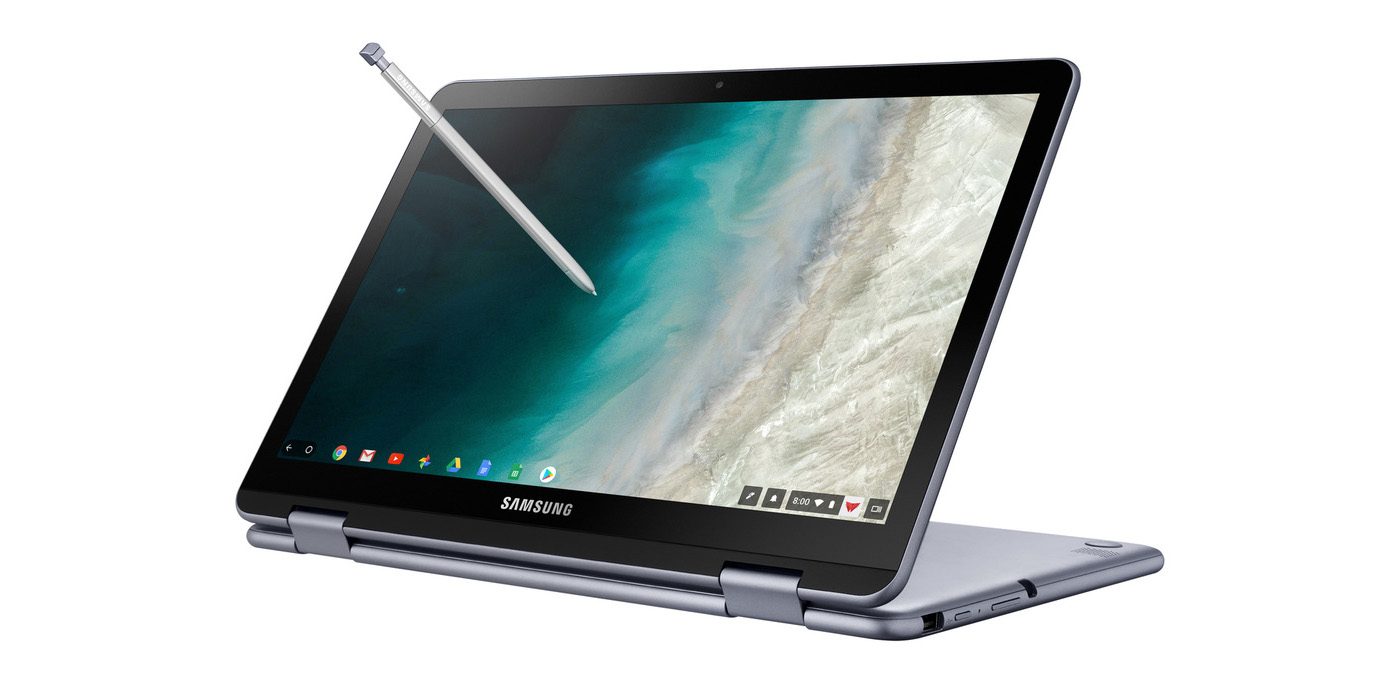
    Samsung announced a new version of its Samsung Chromebook Plus , titled the Chromebook Plus (V2) with an Intel Celeron processor and front and rear facing cameras. It will be available only from Best Buy and goes on sale June 24 starting at $499.99. Samsungs press release says “For those who use Chrome OS to do more on the go, the new light and thin Samsung Chromebook Plus (V2) sets the standard with front and rear cameras, built-in pen, and a more powerful processor”


    The Standard, Really Just Standard

    It looks like one thing Samsung got right for sure is the use of the word standard. This 2 in one is definitely that, standard. The 2-in-1 convertible is designed to help people get the most out of Chrome OS. Samsung has listed some highlight from the announcments..

    1. Front and Rear Facing Cameras to Stay Connected – Communicate visually with the 1M front-facing camera and a 13M F1.9 rear-facing camera with autofocus. Simply fold your laptop into tablet mode and capture your view from any angle. The front camera is ideal for video chats with classmates or clients, friends or family. Plus, store photos and videos right on your cloud.
    2. Unleashing Creativity – The Samsung Chromebook Plus (V2) stands out by comingwith a built-in pen. Experience the power and precision of the stylus. It’s always with you when you need it, and it never needs charging. Write a note, sketch out an idea, edit a document, sign a document, or even use the pen to magnify small text and capture carefully cropped screenshots.
    3. Do More, Store More – Tackle anything that comes your way, wherever you are, with more power and more storage. The upgraded Intel® Celeron® processor and long-lasting battery keep you going all day.In addition to users’ personal cloud storage, the Samsung Chromebook Plus (V2) has 32GB of built-in storage, with the option to add up to 400GB with a microSD card (sold separately) – room for favorite photos, documents and music, as well as for storing movies to watch offline on the go.
    4. Premium Design, Premium Experience – designed for comfort and peace of mind, with a curved-cap keyboard built to withstand spills up to 60cc. The device’s rounded edges offer users a comfortable grip whether it’s being used as a notebook or a tablet. The Samsung Chromebook Plus (V2) offers even more functionality to users with multiple connected devices, including easy file sharing between Chromebook and mobile devices. Smart Lock from Google makes it easy to store and use passwords across your devices.

    The laptop will use an Intel Celeron 3965Y processor (a change from the old Plus’ ARM processor, though the Chromebook Pro used an Intel Core M3). The “rear” camera, above the keyboard, for use in tablet mode, is a new addition. The laptop will have 4GB of RAM and 32GB of storage.
    The Chromebook Plus (V2) has a 1920 x 1080 display with a 16:10 aspect ratio. The previous model had a 3:2 aspect ratio with a 2400 x 1600 resolution. While an unexpected announcement, nothing unexpected here.

    Quick Spec Look of The Samsung Chromebook Plus

    • PROCESSOR Intel® Celeron® Processor 3965Y
    • MEMORY 4GB
    • STORAGE 32GB
    • GRAPHICS Intel® HD Graphics 615
    • POWER 39Wh
    • WEIGHT 2.93 lbs
    • CMF Stealth Silver
    • DIMENSION 11.34 x 8.19 x 0.63-7.0 inches
    • PORTS 2 x USB-C™ [4K display out with optional adapter, Charging] 1 x USB3.0
      MicroSD card reader
      3.5mm headphone jack
    • MATERIAL Aluminum alloy/Glass/Plastic
    • DISPLAY Aspect Ratio: 16:10
      Brightness: 300nit
      Touch Screen
    • CAMERA Dual: 1M (front); 13M (on keyboard deck)
    • SPEAKER Stereo Speakers (1.5W x 2)
    • STYLUS Built-in-pen

    The Final Thought

    This is just another mediocre Samsung device, put out by what is becoming the standard of a mediocre company. Samsung fails to innovate or at least manipulate someone eases innovation yet again. Uninspired, its just the Chromebook on the self if you need a Chromebook and you probably don’t.

  • AMD ThreadRipper 2, 32 Core Processor Announced

    AMD ThreadRipper 2, 32 Core Processor Announced

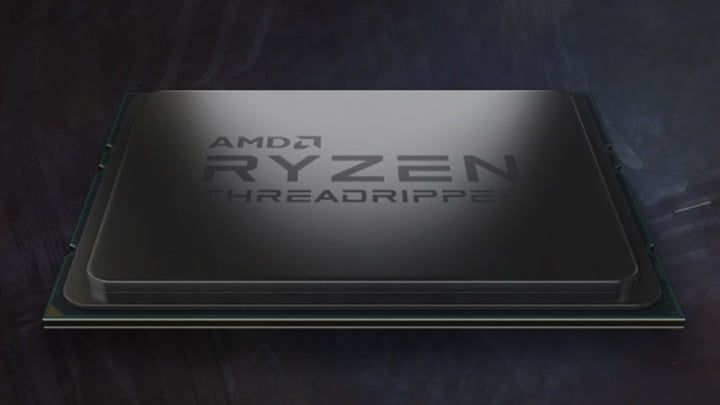
    AMD has a major announcement that may alter the axis of the processor world. They have announce a new AMD ThreadRipper 2, 32 core, 3gz goliath of processing power. Intel… panic. That’s just what they did. While Intel has maintained a dominance over its main chip rival AMD, today they panic as the tide may be turning and Intel’s 28-core demo during Computex 2018 is a sign it is worried about the chips AMD is bringing to market this year. They became so worried in fact they held a borderline suspect speed test of their 28 core processor that ended up boasting 5GHz.

    Intel demonstrated the chip as running at 5GHz across all core. This seemed more then a little dudious. While a true score, the setup required to achieve it is far from conventional and well beyond what could currently be achieved in a desktop PC for a reasonable price. The motherboard alone used to conduct the test is well over $10,000.

    More about the AMD ThreadRipper 2

    This new AMD ThreadRipper 2 is raw, unadulterated power. The chip runs at 3GHz, but achieves a 3.4GHz all-core boost on demand. Its TDP is 250W, so it can be used with already available X399 motherboards sporting the TR4 socket, and is expected to be available to buy in August. While not much more is know, we will watch this develop with great interest

    But How Would I Cool Something Like This,

    The raw power alone should have your mind bending with complex thoughts of the logistics on that kind of computer power. How do you keep that cool and from overheating. Rest asure the AMD’s ThreadRipper 2 announcement has us all excited at the prospect of 32 cores and 64 threads coming to the desktop, but we are going to need to top the processor with a capable cooler to bring the rumored 250W TDP under control. AMD told us at Computex that the new ThreadRipper 2 models will come with the Asetek bracket that provides compatibility with leading AIO watercoolers. But the company has also worked with Cooler Master to develop a new air cooler, Wraith Ripper, specifically for the Threadripper’s TR4 socket. Problem Solved

    The AMD Wrait Ripper has Seven copper heatpipes wick heat up into the hefty fin stack while a concealed 120mm fan in the center of the cooler provides airflow at a relatively tame 39dBA. The top of the housing features four Phillips head screw mounts that attach directly to the four threaded fasteners that mount into the TR4 socket. Supes simple to install. However it seriously heavy, as it would have to be so it can dissipate roughly 250W of thermal output.

    The Final Thought

    When I think back to the computing power used to send us to the moon for the first time, The AMD ThreadRipper 2 seems untheroretical, but yet here we are. We are on the Verge of a processor explosion, The landscape will change. New players will emerge and AMD is on its way to a decade of processor dominance. Your move intel.

  • The Best Wireless Home Security Systems

    The Best Wireless Home Security Systems

    Sadly we live in a world where  wireless home security systems are not just a necessity but vital. There are a lot of options for wireless home security systems, even do it our self options. Do-it-yourself setups are ideal for homeowners on a budget because they can save you a bundle on installation charges and subscription fees. Then there are the professional systems. The nice thing about professionally installed systems is you don’t have to lift a finger; after you’ve placed your order a technician will come to your home, set everything up for you, and show you how the system works. When it comes to my home and my family I want a professional wireless home security system. Lets take a look at the 3 best options available today.


    1.ADT Pulse

    ADT formed in the 1800s as American District Telegraph, the world’s first telegraph-based alert system. They are not number one for being the oldest, they are also by far the best. With features like  Wireless or Hardwired options, Professional instillation, Doorbell monitors, Intrusion Protection, Medical Response and state of the art  Home Automation. Just having the sign in your lawn reduces your risk of intrusion by 63%.

    The cost is manageable, and miniscule for piece of mind. ADT home security costs can range from $9/week * to $14/week * based on your monitoring package. However, an ADT home security cost depends on which monitoring package best fits your needs. The ADT monthly fee for the standard Essentials package starts at $36.99/month

    2.SimpliSafe

    This solutions is making a big splash. Using small and efficient IoT enabled devices and 24/7 live human monitoring they offer a complete protection package. Utilizing, Entry and motion sensors, Glassbreak detection, Video security.  Heads up burglars, start running. Being totally wireless, Its easy to install your self and customer service is just a quick call away. It’s like having your own personal security guard with a direct line to the police. Video equipment with instant live link anytime an alarm is triggered lets you see whats happening when you are not at home. You can Arm and disarm SimpliSafe with just a single touch on those incidental false alarms.

    3. Vivint

    Vivint the solution for All-wireless security. All your home controls on one app. Vivint Smart Home helps you live more and manage less. THey have a wonderful small sensor that can be placed at any entry point. This sends you a wireless alerts anytime a door or window opens. With a total control app you can manage your security entry points, Smart Locks, Doorbell Camera, Outdoor Camera, and Element Thermostat.


    The Wireless Home Security Systems Final Thought

    All of these will secure your home, protect your family and significantly reduce the chance of a home invasion. They are all very low cost and almost completely  hassleless. With all the threats we have looming, wireless home security systems are a non-negotiable for any homeowner.


  • Data Caps Blatant Money Grab? Comcast’s Latest Announcement Makes It Seem that Way

    Data Caps Blatant Money Grab? Comcast’s Latest Announcement Makes It Seem that Way

    Comcast implemented a data throttling program in 2008 that was aimed primarily at slowing BitTorrent users. However, the system hasn’t been used much in the past few years, and now, a decade later, it has been disabled altogether. In an announcement on June 11th, Comcast had this to say: 

    “As reflected in a June 11, 2018 update to our Xfinity Internet Broadband Disclosures, the congestion management system that was initially deployed in 2008 has been deactivated. As our network technologies and usage of the network continue to evolve, we reserve the right to implement a new congestion-management system if necessary in the performance of reasonable network management and in order to maintain a good broadband Internet access service experience for our customers and will provide updates here as well as other locations if a new system is implemented.” 

    What This Means for Data Caps 

    While common sense has held for years that companies charging for data overages are just squeezing consumers, this announcement is proof. Straight from the horse’s mouth, as it were, we now have Comcast saying they are perfectly capable of meeting demand. They claim that their data caps are in place in order to promote “fairness,” but that makes little sense. Data isn’t a finite resource, so someone using more isn’t leaving less to the people around them.  

    What’s even worse than Comcast’s insistence on data caps is their implementation of them. Users are limited to 1TB of data per month and must pay an extra $10 for every 50GB over that. Otherwise, users can opt to pay an extra $50 per month to have no data cap. However, consumers have no way to verify that the metrics Comcast uses to determine how much data they have used are accurate. In fact, reports of users being charged overages for data they didn’t use aren’t unheard of.  

    Worst of all, Comcast maintains that the overages help to pay for system upgrades, not day-to-day traffic. But they already have heavy-traffic users pay more. Higher speeds, which are required for downloading large amounts of content or competitive gaming, are much more expensive than lower bit-rates. This means that those who pay for faster internet will chew through their allotted data faster, meaning they’re getting hit by these higher costs twice when they go over the cap. 

    Comcast Could Prove a Dangerous Example Post-Net Neutrality 

    Comcast now has little incentive to act ethically, as the regulations that reigned them in are gone. Instead, data throttling and de-prioritization will likely become key aspects of their business model. Why shouldn’t the company charge more for the service they could provide for less? What’s stopping them from unfairly throttling content they don’t approve of? Articles like this one could be flagged and be unable to render on the screen of someone using Comcast for internet.  

    This dystopian prediction might sound like hyperbole, but it would be well within Comcast’s power to do so. It would also fit with their previous practices. Then, other ISPs would be likely to follow in their example. Since ISPs are largely monopolies in their areas, consumers would have no recourse. While only time will tell, one thing is clear. Comcast, and other telecom companies, implemented data caps for one reason: to shake down consumers for more money. They’re clearly completely capable of meeting current data demands without the need for such harsh caps. But the caps are good for their bottom lines, so they’re not going anywhere.