Category: Electronics

  • Microsoft Announces Xbox Scarlett

    Microsoft Announces Xbox Scarlett

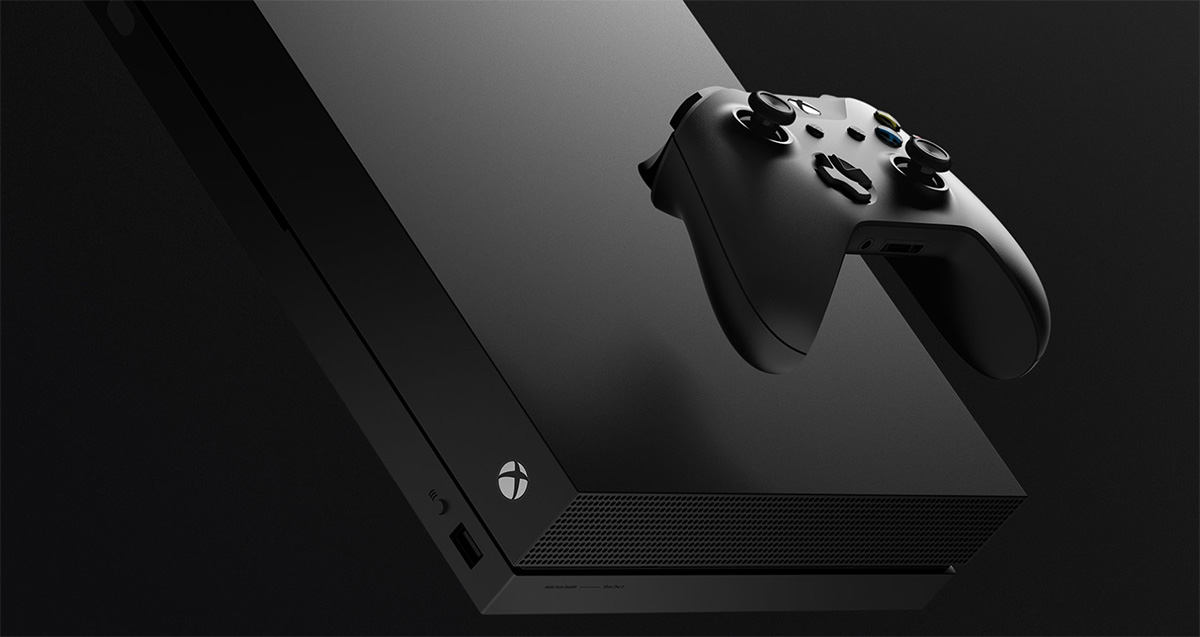
    Taking the stage at the E3, Microsoft was quickly confirmed that it was designing new Xbox hardware. Microsoft Xbox Scarlett, but when can I play it? looks like it will be a lot sooner then originally planned. Our sources have claimed that the next-gen Xbox, nicknamed Scarlett, should launch sometime in 2020. I’m guessing probably late q3 early q4 for the holiday rush.  We havent got any technical details yet, however it’s they are touting this as a “family of devices”. I hope they can find a way to bridge the console with PC gaming and make it a one stop experience.

    What Could Xbox Scarlett Be?

    The timing, if accurate, may seem unusually quick given that the Xbox One X only launched near the end of 2017. Microsoft has done slot to improve the Xbox One but it falls short of driving sales, most xboxers would just as easily go with an upgradeable gaming PC then buy a new xbox every 2 -3 years.  A Xbox Scarlett launch in 2020 might be necessary to keep pace. If Microsoft can complete that bridge and supplying me with the solo immersive and higher quality of pc gaming, with the flexibility of moving to the TV for multiplayer action and gathering, while facilitating the component upgrading to keep systems current, They may just stumble upon the next generation of inspiring gamers.


    While we don’t know when Sony is planning to release PlayStation 4’s successor. The company’s current system continues to far outsell the Xbox One. Recent sales estimates put the system’s total sales at around double that of the Xbox One, which can be attributed to a better library of exclusive games and the PR struggles Microsoft had with the Xbox One back in 2013.


    The Final Thought

    We know Xbox Scarlett is a working coded name. I’m really hoping they through us a left hook and just name it Xbox 2. I wish we had something more concrete to bring you. Specs, picture leaks, Rumors and speculations.. But relax, we will feed you baby birds, as soon as the info develops. As for now we wait…impatiently might I add

  • Wishlist Roundup: Ways We Wish Apple Would Update Mac

    Wishlist Roundup: Ways We Wish Apple Would Update Mac

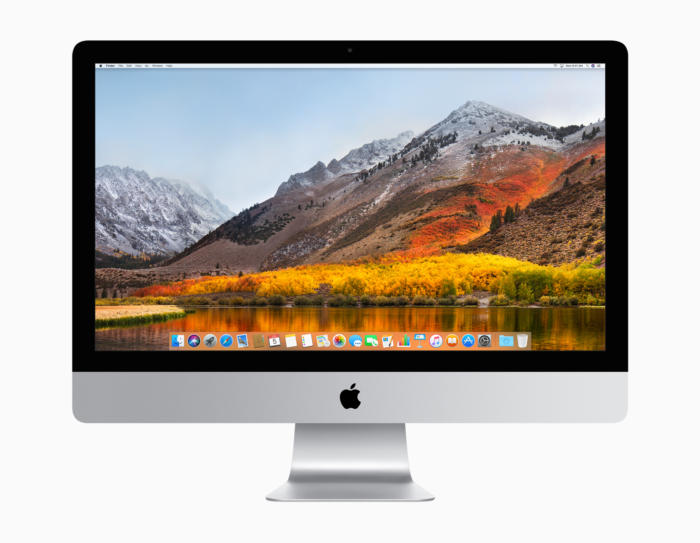
    WWDC has come and gone without a whiff of a new design for Apple’s iconic Mac brand of computers. While there were many incremental changes to iOS teased, it’s still disappointing to see one of the world’s leading tech brands leave questions unanswered. When will they address some of the most pressing issues plaguing the current generation of Macs? That all said, what issues are we talking about? What aspects of Apple’s MacBook line need addressing? 

    The Butterfly Keyboard 

    The current keyboard design is just straight-up bad. If you get the slightest crumb or piece of debris in the keyboard it can cause a stuck key. Those stuck keys are incredibly difficult to correct and often require taking the MacBook in for costly repairs. This issue seems to have cropped up only recently with the “butterfly” design keyboards. 

    Even when they aren’t sticking, the keys are notoriously hard to type on. Their small size and incredibly short travel time make it very easy to make typos, and they are quite noisy. Hopefully Apple gives their MacBook keyboards a full redesign soon. 

    Just a Few USB-A Ports, Apple, Please 

    The USB-C port is a wonder, we get it. Google and Apple both swear by it, and for good reason. It’s a wonderful advancement, capable of handling tons of roles and sporting a reversible design so that you don’t bend pins by trying to slot it in upside-down. But the new MacBooks having only USB-C ports is downright absurd. Plenty of people still have thumb drives and accessories that use USB-A.  

    Sure, there are companies that sell reasonably-price USB-A to USB-C dongles. But it’s a step we shouldn’t have to take to use basic functionality on our computers. Come through on this one, Apple! 

    Optional Touch Bar 

    While the 13-inch MacBook has the option for Touch Bar or not, the 15-inch has no such choice. The 13-inch without the Touch Bar costs a full $500 less than the Touch Bar-sporting version, which is quite a bit for a glowing AMOLED bar. Handy as it is, it should be treated as an optional design, not a mandatory part of high-end MacBooks. If Apple were to offer a less-expensive, Touch Bar-free 15-inch Macbook, they would certainly earn some goodwill. And certainly some new customers, to boot! 

    Better Mac Pro Support 

    Not every Mac user has a laptop. There are dozens of desktop Mac users! Dozens, I tell you! Unfortunately for them, the Mac Pro hasn’t seen any substantial updates since 2013. What was meant to be the high-end for Mac has ended up being a disappointment. Serious video/photo editing, graphic design and other creative tasks are handled well by Mac. However, professionals who once turned to Mac are now opting for PC’s instead. 

    What could Apple do to reverse this? Well, they could start by acting more like normal computer manufacturers and allow users to customize their own rig. This could also allow them to sell lower-priced, entry-level Macs and appeal to a wider audience. As it stands, Apple’s closed-ended design is great for phones but a hindrance for their computers. 

  • Google Pay, Samsung Pay, Apple Pay; Which is the Best Virtual Wallet?

    Google Pay, Samsung Pay, Apple Pay; Which is the Best Virtual Wallet?

    Between Apple, Samsung and Google there are a ton of virtual wallet apps looking to power your transactions. Today we’ll break them down based on their strengths and weaknesses and tell you which one is our favorite! 

    Google Pay 

    Google Pay and Apple Pay have a lot in common. They both use NFC technology to broadcast information over short-range bands. This means the merchant you’re buying from needs to have an NFC-enabled card reader. While most modern businesses are equipped with standard NFC technology, some Mom and Pop places will be behind the curve on this. Google Pay also allows you to send money to other people, regardless of whether they use Android or iPhone. You can also use certain Android Wear watches to pay! 

    The downside to Google Pay, though, is that it only has one layer of authentication. One your phone is unlocked, Google Pay just works automatically. It doesn’t ask for a fingerprint or PIN, it just sends the transaction. This could be an issue for those who shop a lot online and are used to using the secondary authentication as confirmation that they’re about to actually spend money. The other drawback to Google Pay is that it isn’t as widely accepted online as Apple Pay, which is ubiquitous. 

    Samsung Pay 

    Samsung has an edge over the competition: magnetic secure transmission. Where Google and Apple both use NFC technology to broadcast info, Samsung can use MST to “trick” older machines. Card machines all read magnetic information, so Samsung Pay fools them into thinking a card has been swiped. This allows you to use e-pay even at vendors who aren’t explicitly set up for it. The Samsung Gear S3 also supports MST, if you’re a smartwatch fan. Samsung Pay, like Apple, does require a biometric scan or PIN to confirm purchases, which is good.  

    The drawbacks? Samsung has no peer-to-peer payment option, which is a bummer. It’s also only available on Samsung phones, making it the most limited of the three. It’s MST technology is pretty awesome, though. 

    Apple Pay 

    Apple Pay is the most widespread of the three as far as online support goes. It’s available only on iPhones, though. It uses NFC, like Google Pay. You can send peer-to-peer payments, but only to other iOS users with an Apple ID. You can also use an Apple Watch to pay if you don’t want to go digging in your pockets for your phone at checkout. It uses either a fingerprint scan or Face ID to authenticate purchases.  

    The drawbacks here are the lack of MST and the Apple-only peer-to-peer.  

    Which Virtual Wallet is the Best? 

    Turns out, they’re pretty evenly matched. Apple has a slight edge over Google with its authentication and ubiquity, but Google has peer-to-peer payments with anyone. While Samsung has no peer-to-peer payments, it does have MST, which is critical in certain cities with less high-tech merchants. The bottom line is that they are all fine and shouldn’t influence your decision to buy a phone. Unless, of course, you intend to replace your real wallet with you virtual one. In that case, I would have to recommend Samsung, as it works with the widest variety of card readers. 

  • Top 5 Gaming Laptops for 2018

    Top 5 Gaming Laptops for 2018

    It takes a lot of stones to be a full fledged gaming laptop and those stones come a large price. These gaming laptops are built to handle what ever our nest and most bizarre gaming programmers can throw at them, and they do it with style and grace. Today we are gonna take a look at the 5 best gaming laptops for 2018.

    1. Alienware

    • CPU: Intel Core i9-8950HK
    • Graphics: Nvidia GeForce GTX 1080 (8GB GDDR5X VRAM)
    •  RAM: 32GB
    •  Screen: 17.3-inch QHD (2,560 x 1,440)144Hz
    •  Storage: 246GB PCIe M.2 SSD, 1TB 7,200RPM HDD

    What has this beast at the top is not only the brand new and highly overclocked processor, top of the line GPU and the 13 zone customizable LEDs, but the Tobii Aware software and eye tracker..It works and its awesome. This is hands down the best gaming laptop and will be for at least a year.

    2. MSI GS 65

    • CPU: Intel Core i7
    • Graphics: Nvidia GeForce GTX 1070 (8GB GDDR5X VRAM, Max-Q)
    •  RAM: 16GB
    •  Screen: 15.6-inch FHD (1,920 x 1,080) anti-glare, wide-view 144Hz panel
    • Storage: 512GB M.2 SSD

    The MSI GS65 packs a ton of power into a very breathtaking and inspiring design. Blasting on with an 8th-generation Intel Core i7-8750H CPU and an Nvidia GeForce GTX 1070 GPU, But a quick run down of the specs will see why this Laptop didn’t grab the number one spot, but cut it a little bit of slack it is a few months older and its still a very bad,bad man gaming laptop.

    3. Razer Blade Pro

    • CPU: Intel Core i7-8750H | 7th Gen
    • Graphics: Nvidia GeForce GTX 1080 (8GB GDDR5 VRAM) |
    • RAM: 16GB | Screen: 17.3
    •  Storage: 512GB M.2 SSD

    This is one of my favorites, it  was crafted to deliver incredible performance in an impossibly thin form factor. It is also the world’s first THX® Certified Mobile Device, the Razer Blade Pro sets a new standard for desktop replacement laptops.

    4. Dell G3 17

    • CPU: 8th Generation Intel® Core™ i7-8750H Processor
    •  Graphics: NVIDIA® GeForce® GTX 1060 with NVIDIA® Max Q Design technology, 6GB GDDR5 video memory |
    • RAM: 16GB DDR4
    •  Screen: 17.3-inch HD 1,366 x 768 TN – QHD 2,560 x 1440 OLED touchscreen
    •  Storage: 180GB – 512GB SSD

    While this has some respectable power, this configuration will cost a little more the $1000 making this the best value for a gaming laptop with out suffering any power loss. It will deliver an ultimate and immersive gaming experience.


    5. Lenovo Legion Gaming Laptops

    CPU: 8th Generation Intel® Core™ i7-8750H Processor
    Graphics: NVIDIA® GeForce® GTX 1060 with NVIDIA® Max Q Design technology, 6GB GDDR5 video memory |
    RAM: 32GB DDR4
    Screen: 17-inch HD 144fps
    Storage: 180GB – 512GB SSD

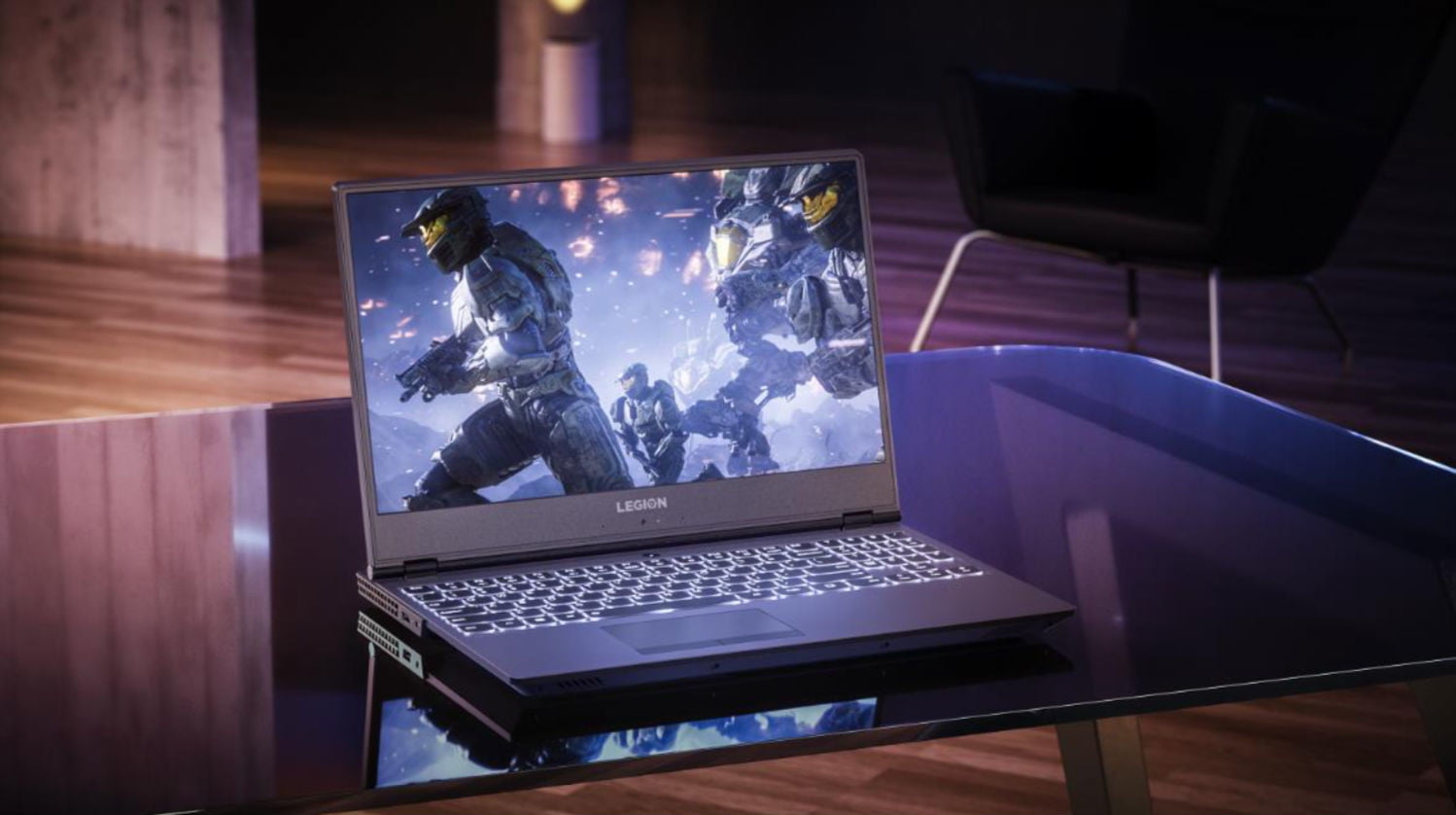
    Clean new design. Relatively light. Fantastic 144 screen refresh-rate options. Corsair keyboard with per-key RGB lighting. The fresh design of the Legion Y730 holds promise, with a well-rounded feature set at a relatively modest price. Its big hold back it for a brand new released Gaming laptop its not blasting the i9 chip and maxes out with the GTX 1060 on top a high price then the G3 although the 730 is but better looking and dosent feel as cheap as the G3.


  • Laptop Lookout: Lenovo Legion Revamped

    Laptop Lookout: Lenovo Legion Revamped

    Laptops are the cornerstone of our computing resources in this day and age. We need power, robust performance and ultimate portability for every aspect of our daily lives. This is a guide and insight to the best Laptops on the market and today I’m here to talk about the Revamped Lenovo Legion Gaming Laptop.

    The Great

    • Nice Responsive Keypad and Trackpad
    • Solid Performance
    • Great FPS
    • Premium Graphics and Audio & Optional Dual Drive Storage


    The Conclusion

    Lenovo’s new approach to gaming focuses on entry and mid-tier consumers looking to play games without breaking the bank. The new Legion series laptops meets minimum specks for a 2018 gaming laptop and it can deliver great frame rates at medium settings for even the most demanding games. While they’re all built for gaming but designed for everyday use.

    Lenovo has announced four new Lenovo Legion gaming laptops. There’s the $929.99, 15-inch Legion Y530 available in June, and the $959.99 Y7000 available in August. There’s also the 15 and 17-inch Y730s available in September starting at $1,179,99 and $1,249. Today we will talk about their strengths, weakness and the difference between

    Breakdown The Lenovo Legion

    The first two Lenovo Legions, the Legion Y730 and Y530 laptops, feature skinny and slight bezel screens, dual-chamber cooling,  and up to Nvidia’s GeForce GTX 1050Ti GPU. Wait, what? That is a low end gaming GPU.. That wont run some of the top games out now, let alone whats coming out.  Eighth-gen Intel Core i7 processors, but we have 9th gen available. An optional 144Hz full HD IPS display is offered on the Y530, while the Y730’s noteworthy feature is its Corsair iCUE RGB backlit keyboard (which features six macro “Y” keys).Each of Lenovo’s new systems feature top and side bezels that are 0.26-inches thin, allowing for viewers to enjoy more of the laptop’s display.

    The Y530 laptop, which will be a Best Buy exclusive when it’s available in June for $930, is noticeably smaller than its predecessor, and loses the red accents from before. Instead, you’ll find an all-black lid with a Legion logo, which some might find more attractive, although others might call boring.

    Lenovo partnered with Corsair to bring credibility to its RGB lighting scheme for the Lenovo Legion Y730 laptops. The RGB, 16MM-color backlit keyboard, vent lighting, and underlighting are all controllable via Corsair’s iCUE software. Good news is if you like the out of the box generic look for the Legion Y530 and Legion Y7000, you can turn them all off.

    Quick Spec Look

    • CPU: 8th-gen Intel Core i5-8300H or Core i7-8750H
    • Memory: Up to 32GB DDR4, or you can get up to 8GB of that and 8GB of Corsair Overclocked Memory.
    • Display: All displays will be FHD (1920×1080) anti-glare IPS with a maximum brightness of 300 nits, with the choice of either 60Hz or 144Hz refresh rates.
    • GPU: Choice of Nvidia GeForce GTX 1050 or GTX 1050 Ti. These are Nvidia’s midrange discrete GPUs.
    • Storage: Choices of 128GB-512GB PCIe NVMe SSDs and 1TB or 2TB hard drives.
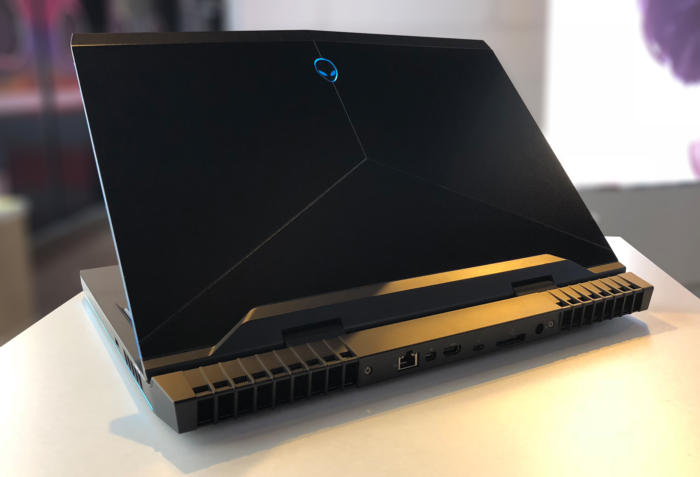
    • Connectivity: Lenovo arrayed most of the ports on the back of the Legion Y730. There you’ll find (as seen in the photo below, left to right) miniDisplayPort, full HDMI, USB 3.1 Type A, RJ-45 ethernet, another USB 3.1 Type A, the power port, and a lock port. On the left side you’ll find a Thunderbolt port and an audio jack, and on the right side you’ll find a third USB 3.1 type-A port.


  • Razer Expands RGB Support to Third Parties

    Razer Expands RGB Support to Third Parties

    Serious PC gaming doesn’t require you to have a flashy assortment of glowing peripherals and PC parts. It does, however, look super awesome. WIth tha in mind, Razer has expanded their back-end Chroma support to work with a wider range of manufacturers’ hardware.  

    Wait, What? RGB? Synchronization? 

    RGB is a type of lighting that is quite popular with PC gamers. As awesome as the flashing lights can look, it’s often a pain to synchronize their colors and flashing lights. This is due to the software used to control their color schemes: nearly every company uses different software. Corsair, AMD, Logitech and even Razer all have their own control programs. 

    To remedy this, Razer has issued its new Chroma partnership program. The stated goal? Helping make your entire set-up much more synchronized. Now, if you have hardware from AMD, MSI, Thermaltake, NZXT, or a few others, you can synch them all with the Chroma program. 

    What’s the Big Deal? 

    For those who haven’t used RGB, it might not seem like that big of a deal. However, many games, like Overwatch and Fortnite, offer some awesome functionality with the technology. Overwatch, for instance, changes your RGB colors when you change characters, further immersing you in the game. Additionally, having a unified keyboard, mouse, headset and PC case can make your set-up look slick and futuristic. Unless, of course, the colors and pulses are all out of sync. 

    The Downside 

    The only bad news in this announcement is the timeline. For the time being, very few manufacturers have hardware out that supports the partnership project. Razer’s new program is a step up over its previous initiatives, though. The previous partnership program required that hardware had to be hard-programmed to work with Chroma. This means that manufacturers had to consider Chroma while making their own peripheral. The new program, however, uses a new Razer API to connect all the devices through software. 

    Razer has stated that we can expect supporting hardware by the end of the year. If you’re interested in just jumping in with a great gaming keyboard, though, you can check out our favorites right here. 

  • Bitcoin Falling: Less than Half as Valuable as it Was Last Year

    Bitcoin Falling: Less than Half as Valuable as it Was Last Year

    Last year, in December of 2017, Bitcoin hit its all-time high, an astronomical $20,000 per Bitcoin. Following this high-water mark, the cryptocurrency has been steadily losing value. On Sunday it dipped even lower, now being worth only $7,200 per Bitcoin. It is worth noting, however, that the price is far above what it was this time last year. At that time, a single coin cost $2,800. 

    A Sign of a Dying Fad? 

    It seems unlikely that this volatility is suggesting any long-term issues for Bitcoin, or indeed, for cryptocurrency in general. Many find cryptocurrencies to be ideal, as the blockchain technology that powers them is secure and difficult to fool. While most markets have been hesitant to pick up the currency, it’s likely not becoming irrelevant any time soon. Recent fluctuations are only natural. As demand waxes and wanes, mining operations scale up and GPU prices stabilize, changes in price like this are to be expected. 

    Notable opponents of Bitcoin, Warren Buffet and Jamie Dimon have both recently reiterated their reservations about the new form of currency. Regarding Bitcoin, Buffet had this to say: “When you’re buying nonproductive assets, all you’re counting on is the next person is going to pay you more because they’re even more excited about another next person coming along,”

    Effect on Power Companies 

    Power companies have taken note of the extreme demand of large crypto-mining operations. Mining Bitcoin requires a tremendous use of power to solve the complex algorithms that yield them. Due to this, mining companies prefer to operate in regions like Quebec, where energy is cheap. In response to this increased demand, Hydro-Quebec, the company that supplies power for the province, has cut off power to mining companies.  

    The company has stated it holds no ill-will towards mining companies. In fact, they expressed that they saw crypto-mining as an avenue of growth worthy of consideration. However, in Hydro-Quebec’s own words, they want to exercise caution. “Guidelines are nevertheless required to ensure that the development of this industry maximizes spinoffs for Québec without resulting in rate increases for our customers. We are actively participating in the Régie de l’énergie’s process so that these guidelines can be produced as quickly as possible.” 

    Similarly, a few months ago, power companies in New York raised energy rates for mining companies. It seems their ravenous power consumption has begun to have an effect on the average person in their region.  

  • Laptop Lookout: Alienware 17 R5

    Laptop Lookout: Alienware 17 R5

    Alienware has a new gaming laptop for their 17 line. They have spared no expense, except yours of  course, to develop a mind boggling, earth shattering, nay I say completely volatile piece of gaming tech here. Alienware threw everything it could at the Alienware 17 R5 , cramming a 6-core Intel Core i9 processor in there, along with 32GB of RAM, and a GTX 1080 graphics card. It’s certainly outfitted like a gaming desktop, so here we go.


    The Great

    • Excellent build quality
    • High refresh rate display
    • Variety of configuration options
    • Exceptional gaming performance
    • Tobii Eye Tracker
    • 13 customizable lighting zones
    • High Quality Audio


    The Not

    • Heavy and large
    • Mediocre 3 hour battery life
    • CPU performance fails to  competitors


    The Conclusion

    Its Bad, bad bad to the bone. Its all you can ask for in a gaming laptop. It has the power, the speed, the sound and the look. Not to mention a functioning eye tracking for aiming.. Moderatly priced and highly impressive fps in all test I’ve done, including a stunning 93 fps in Battlefront.

    Whats New With The Alienware 17 R5

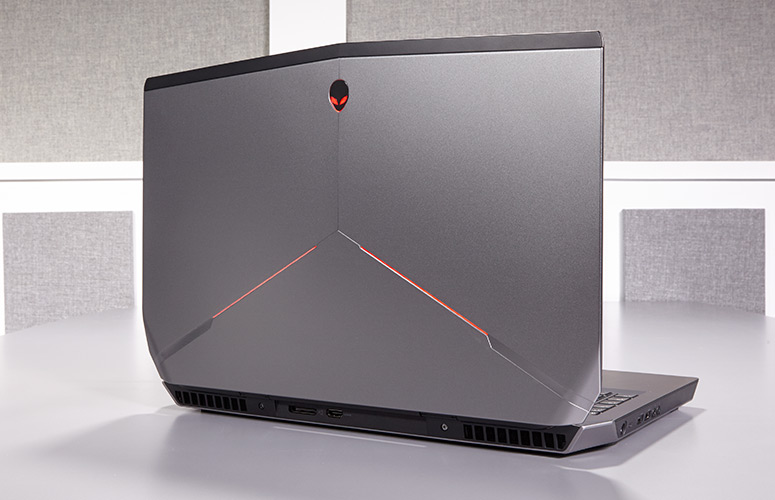
    For the Alienware 17 R5, Alienware made design modifications to the exterior design, creating a slimmer chassis with even more customized lighting opportunities. Completely revamped the cooling and audio systems make for quieter fans and louder speakers. Then did an overhaul of the Alienware Command Center software making it much easier to  customizing your lighting and overclocking your processor and graphics card. Add in a powerful Intel 8th Gen Core i9 processor that can be overclocked to 5 GHz and and a factory overclocked Nvidia GeForce GTX 1080 GPU plus speedy SSD and a brilliant QHD screen, you have the premier gaming laptop.  The Alienware 17 RS is also the first in the series to implement Intel’s new 2.9-GHz, 8th Gen Core i9-8950HK processor with a whopping 32GB of RAM, and thanks to the Alien Command Center, you can overclock this bad boy to a smoking 5 GHz.

    Design

    Alienware added even more LED zones to the Laptop, while making the system slimmer with its new hinge-forward design. There are now 13 LED zones you can control from the control center. Once open you find yourself staring at a full-size traditional keyboard glowing with stunning backlights. The keyboard and a massive touchpad glow in excitement. The 17.3-inch panel sits above the glossy plastic strip housing the Tobii Eye Tracker.


    Quick Speck Look

    • CPU Intel Core i9-8950HK @ 2.9GHz
    • Operating System Windows 10 Home
    • RAM 32GB
    • Hard Drive Size 256GB SSD
    • Hard Drive Type PCIe m.2 SSD
    • Secondary Hard Drive Size 1TB
    • Secondary Hard Drive Speed 7,200rpm
    • Display Size 17.3
    • Highest Available Resolution 2560 x 1440
    • Native Resolution N/A
    • Graphics Card Nvidia GeForce GTX 1080 (8GB GDDR5X)
    • Video Memory 8GB
    • Wi-Fi 802.11ac
    • Wi-Fi Model Killer 1435 802.11ac 2×2 WiFi
    • Bluetooth Bluetooth 4.1
    • Touchpad Size 4.0 x 2.1
    • USB Ports 4
    • Warranty/Support 1-year
    • Size 16.7 x 13.1 x 1.2 inches
    • Weight 9.77 pounds

    The Final Thought

    One Word.. Fantabulous. Its not the gaming laptop we needed but its the laptop we deserve. Eye tracking aiming is game changing for me, makes battlefront so much more fun..

  • Net Neutrality Repeal Likely to Occur Monday

    Net Neutrality Repeal Likely to Occur Monday

    By the time you’re reading this article, it is likely that Ajit Pai’s net neutrality repeal will have been finalized. And with it, a great deal of protections that keep consumers safe will have been stripped away. While the sky likely won’t fall overnight, it is certain to be the beginning of a very different era for the internet.  

    Challenges to Net Neutrality 

    Net neutrality regulations that were put into place during the Obama era have been under fire for some time. The regulations, which saw that internet providers must treat all data equally, has been instrumental in keeping the internet fair and free. Republicans, however, have largely railed against the protections, claiming they are evidence of governmental overreach and that they compromise the free market. While this is ironic, it is also tragic.  

    The repeal of net neutrality will likely be a non-issue for giants like Amazon and Facebook, but it will be crippling for smaller sites. Start-up sites are likely to be largely relegated to back-channels by ISPs, as they don’t bring in the same revenue as larger sites. As such, the internet will likely grow more homogenous and it will become harder to navigate away from “preferred” content. ISPs may even block access to certain sites unless those sites, or consumers, pay a premium. 

    The Repeal 

    The Senate voted to negate FCC Chairman Ajit Pai’s repeal on May 16th, but the issue hasn’t come to a vote in the House of Representatives. Since the House has a Republican majority, it is unlikely that it will have come to a vote by the time this article is published. This is a shame, and a great loss for the freedom of expression on the internet. Hopefully the repeal won’t cause dramatic shifts overnight, but the outlook is not good.  

    With luck, the worst of the effect we could see won’t have gotten in full swing by the end of the next election cycle. If the right people are voted into office, net neutrality legislation could become a focus of the legislative branch. Then, hopefully, consumer protections could be reinstated. For the time being, we have our fingers crossed. On June 11th, the internet will be without its previous guidelines, and we will be at the mercy of internet providers to act in good faith.  

  • Luxury Car Breakdown: 2018 Tesla Model 3

    Luxury Car Breakdown: 2018 Tesla Model 3

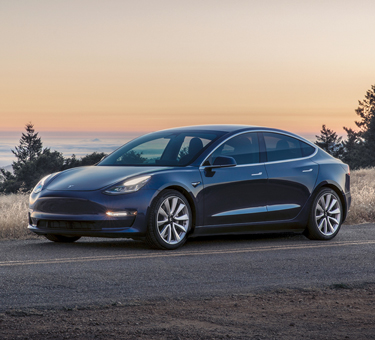
    Everyone’s talking about Tesla right now. Their CEO, Elon Musk, is something of a celebrity and their cars are hot-ticket luxury items. Tesla’s newest luxury car, the 2018 Model 3, is here. Well, for some people. If you happened to reserve yours in advance. And you happened to be towards the front of the line. What’s the verdict? Read on to find out our thoughts on the futuristic vehicle. 

    Biggest Draw: Price 

    Tesla has a bit of a reputation as a company that makes cars rich people can afford, and that’s it. In order to bring themselves to mass-market, though, Tesla has made the Model 3 affordable. Musk has been promising a $35,000 electric car for years now, and the Model 3, nominally, delivers. It is worth noting, however, that the models currently available for reservation are closer to $58,000 than $35,000. Why is that, you might ask? 

    Well, there’s a few reasons. For one, the car is currently only available in its long-range configuration, which starts at $44,000. The long-range version can drive 310 miles on a full charge, while the standard-range gets about 220 miles on a full charge. Not to mention the price for wheels and paint, which add Additionally, amenities like heated seats come in the “Premium Package,” which adds $5,000 to the price tag, as does Autopilot. If you want to enable the vehicle to use the eventual self-driving functionality, you’ll spend another $3,000. Finally, you have to pay another $1,000 to have it delivered.  

    Okay, we finally have the thing paid for. Now what? Well, according to those who’ve gotten theirs and taken it for a spin, the next part is pretty sweet. 

    Interior 

    To get into the vehicle, you use a sleek black card that comes with it to unlock it. You can also pair an iPhone or Android phone to the car to have it unlock as you approach, which is awesome. Once you’re in, the interior is sparse and minimal. The design is either incredibly clean or dreadfully bland depending on who you ask. Personally, I tend towards the former, but I can see how someone might be put off by just how spartan it is for how much the car costs.  

    Oddly, the vehicle has no gauge cluster. Instead, it has a large, iPad-like display that handles all of the measurements and functions usually displayed on such gauges. It’s… it’s weird. But also, kind of cool? So, this display handles everything from speedometer to displaying how much charge is left. You control the radio, the autopilot, the wiper blades and nearly every other feature through it. It’s the only spot of note in the otherwise bare interior. If you’re into discreet, sleek tech you might love it. It’s as though Apple made a car with their focus on slick, immutable form. 

    The Drive: Worthy of the Title “Luxury Car”? 

    Is the car fun to drive, though? That’s the really important part. Thankfully, the answer is yes, and dreadfully so. The vehicle almost begs to be driven hard and fast, which, tragically, drains the battery pretty rapidly. That said, it hugs turns very well and steers like a dream. All reports say the Model 3 is a zippy, mean machine, especially considering it’s 100% electric.  

    The Verdict: Awesome, but Unfinished 

    Time will make the Model 3 the coolest car ever. Once it’s available for the (much more affordable) $35,000 and the kinks are worked out of the awkward interface, that is. As it stands, for how much you spend for the thing, and how clunky (and dangerous) it is to take your eyes off the road to fiddle with settings, it’s a bit disappointing. That said, the car is still stellar. It’s sleek, fast and high-tech, so enthusiasts won’t be disappointed. The average consumer will still be left wanting by the few wrinkles in the design, but I’m confident Tesla will have them ironed out in time.