Category: Reviews

  • The Best Raspberry Pi Starter Kits

    The Best Raspberry Pi Starter Kits

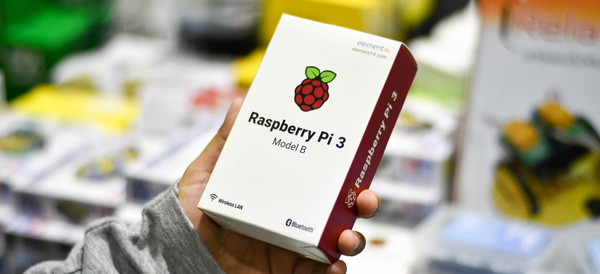
    The tiny, easily customizable computer Raspberry Pi is a very popular choice for aspiring tinkerers and DIY enthusiasts. The flexible, affordable Raspberry Pi technology is somewhat daunting for new users, so to help you make an informed decision, we’ve rounded up our favorite Raspberry Pi starter kits! Whether you’re looking to make a retro game console or a DIY desktop computer, we’ve found the kit for you!

    Vilros Raspberry Pi 3 RetroPie Arcade Gaming Kit

    For gaming enthusiasts who may have missed the chance to own an NES or SNES Classic during their limited release windows, Vilros has this excellent starter kit for $84. Unlike the official Nintendo mini consoles, the RetroPie is not limited to certain specific games or even systems. The RetroPie software included with the kit can emulate a wide variety of retro systems, including the Game Boy, Dreamcast, Neo Geo and others.

    This kit comes with a power supply cable, heat sinks, an HDMI cable, a 32gb microSD card, and, importantly, two SNES-style USB controllers. The highlight of this kit is the adorable and sturdy NES-style case that can house your tiny computer, completing the retro aesthetic of any emulation project.

    Raspberry Pi 3 Desktop Starter Kit

    The Desktop Starter kit is a great, affordable option for those who have an HDMI cable already on hand and simply want to get started tinkering. For $60, this officially licensed starter is a great value, and comes with a case for the computer, a power supply, a 16gb microSD card, and comes pre-loaded with NOOBS and Raspbian software.

    This starter kit is great for those who simply wish to start on projects right away, or who have projects that don’t require HDMI cables and want to save money over more involved starter kits, like the aforementioned Vilros Retro Kit. It is worth noting, however, that this kit also doesn’t have any heat sinks, which means you’ll need to provide those yourself if you don’t want to risk damaging your computer. However, for those who are already savvy builders with tech know-how, this kit is a great way to introduce yourself to the Raspberry Pi platform.

    Sunfounder Picar-S Raspberry Pi 3 Robot Car Kit

    The most expensive starter kit on this list, but also the most involved, the Robot Car Kit is $160 and tons of fun. This kit comes with everything you need to build your own remote-controlled car, and comes equipped with sensors to detect light sources, follow preprogrammed paths and even navigate around obstacles!

    The car can even be controlled via an app from a phone or a computer, making it an excellent project for a young robotics enthusiast or an aspiring builder! As a first foray into more “active” Raspberry Pi builds, this car kit is a fun way to learn about the Raspberry Pi platform, and mechanics in general.

    CanaKit Raspberry Pi 3 Complete Starter Kit

    Canakit’s starter is a fantastic all-around choice for enthusiasts to begin their projects. For $70 you get a Raspberry Pi 3, a glossy black case, a 2.5-amp power supply cable, heat sinks, an HDMI cable, and an all-important 32gb microSD memory card. This kit comes pre-loaded with NOOBS software to get you started, and CanaKit also offers a $50 version of the kit with a clear case for those who wish to show off the circuit board that makes their computer tick.

    This kit is by far the best selling Raspberry Pi starter, and for good reason: everything you need to start your own projects is right here. Made with newcomers to computer-building in mind, this kit has all the basics you need to get started with your own inventions. Highly recommended to those with little to no experience building computers or working with hardware!

    Want More Raspberry Pi?

    If you liked this article, make sure to check out our Top 10 Raspberry Pi DIY Projects! Maybe you’ll find inspiration for your next project!

  • The Best Retro USB Controllers

    The Best Retro USB Controllers

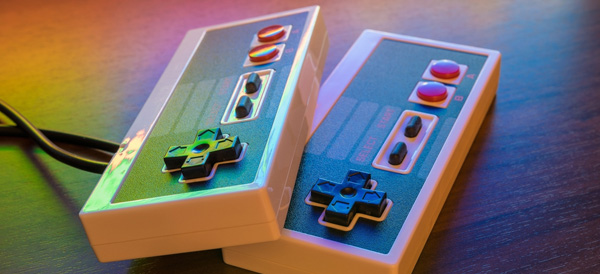
    Retro is back in a big way, and nothing shows that more than the popularity of retro re-releases like the SNES and NES Classic consoles, the presence of game anthologies on Steam, and RetroPie custom gaming rigs. If you’re a retro enthusiast, chances are you’re looking for the best USB controller to relive some of those classic games. Well, look no further, because we’ve found four awesome USB controllers that you’re going to love!

    Retrolink N64-Style Controller

    While the N64 controller itself is somewhat awkward and more than a little difficult to use with most games, if you plan on playing N64 games via emulation, the Retrolink is great. The controller has a great make, with satisfying, clicky buttons and good feedback, but is hindered by the very thing it is: it’s shaped and laid out just like an N64 controller, for better or worse. This controller has little appeal across a wide library of retro games, but if you’re looking to play Ocarina of Time, or Mario 64, and want an authentic experience, then the Retrolink is for you! The Retrolink can be picked up on Amazon for around $15, making it a very affordable option for those seeking to emulate via RetroPie rigs.

    Hyperkin Genesis Controller

    For those who grew up loving the little blue hedgehog over the mustachioed plumber, the boomerang-shaped Genesis controller design holds a special place in their hearts. This controller features the iconic glossy black look and boomerang shape of the controller that inspired it and sports the full six face buttons. If you’re absolutely diehard about Sega and want to play nothing but Genesis titles on your RetroPie or through Steam, then this controller will feel right at home in your hands. However, for more general retro gaming, I still have to recommend the Buffalo Classic Gamepad, as the classic SNES design is tried-and-true, and just feels more natural on so many retro games. However, if your nostalgia is for the forgotten glory days of Sega, you won’t be disappointed by the Hyperkin.

    8BitDo SNES30 Pro Wireless Controller

    8BitDo’s SNES30 Pro is an odd-looking gamepad at first, as it appears, at first, much like the North American SNES controller, but it also sports two analog sticks, much like Sony’s Dualshock controller. The SNES30 Pro is wireless, using Bluetooth to connect, which certainly adds to the controller’s cost: it’s around $50 from Amazon. It’s also a bit on the small side for being a dual-analog controller, measuring nearly the same as the Buffalo Classic. This can be a problem during extended play periods when using the analog sticks, as those with larger hands will likely find their hands cramping during play. However, if you plan on playing some 3D retro games, or you don’t mind the small size, this controller is an excellent choice!

    Buffalo Classic USB Gamepad

    Our pick for best retro gamepad! Sporting a look straight out of the early 90’s, this game pad is a pretty faithful clone of the SNES classic dog-bone style controller design. The make on this controller is exceptional, the buttons have great resilience and action, and the D-Pad clicks and reacts just like the fantastic SNES original. You can snag this beauty on Amazon for $20, and I couldn’t recommend it more for retro 2D gaming. However, the lack of analog sticks means this controller is nearly unusable for 3D games and is best used on SNES and Genesis-era titles. However, that’s less bug than feature, and for games from this era, you won’t find a better controller.

    Looking for an Easy Way to Make Your Own Emulator?

    Check out our article on the best Raspberry Pi starter kits! Within, you’ll find our picks for the best kits to use when starting your own Raspberry Pi project, so you can get started making your own retro gaming rig!

  • The Best VPNs

    The Best VPNs

    VPNs, or Virtual Private Networks, have become immensely popular lately. Whether you want to use one to increase your internet speed, browse more safely, or just watch Netflix episodes that are region-locked in your area, VPNs are awesome to have to increase your browsing experience! With that in mind, here are our four favorite VPNs! Keep in mind that we’ve picked only paid service VPNs, as they offer more security and a higher quality browsing experience.

    StrongVPN

    StrongVPN lives up to its name. With a large number of dedicated IP addresses, servers and server locations, users have a great deal of privacy and security with Strong. All of Strong’s network infrastructure is owned by the company, and as such there are no bandwidth or traffic restrictions, a definite plus to a VPN provider. Strong has a reasonable monthly fee of $10, or you can opt for the $70 yearly price, which is easily a great deal for your money among the most popular VPNs.

    IPVanish VPN

    For users who want a the most anonymity possible from a VPN in their browsing, IPVanish is a good choice. Their main selling point is that they keep absolutely zero logs, promising a great deal of privacy to the user. The service’s other features tailored to privacy include a connection kill switch, allowing the user to go dark at the push of a button, and IPVanish is dedicated to supporting the Kodi media platform.

    Kodi is known for hosting media such as movies and TV, and is popular among VPN users due to its accessibility and lack of a monthly fee, unlike comparable services like Netflix and Hulu. IPVanish is also the not expensive in terms of VPNs, costing either $7.50 a month or $58.49 for a year and offering support for BitCoin.

    PureVPN

    Another great VPN option, PureVPN accepts BitCoin like IPVanish and offers a 30-day refund policy. While PureVPN keeps logs, unlike IPVanish, they are still a quality choice. For $11 per month, or $70 for three years, PureVPN makes up what they lack in privacy in a blazing fast connection. PureVPN is also unique in that it has support for ChromeBook and, much like IPVanish, they support Kodi. For a user looking for a relatively inexpensive, very fast VPN, who doesn’t mind a relative lack of privacy, PureVPN is a good pick!

    Nord VPN

    Our favorite VPN, and really the best all-around pick! On the other end of the spectrum from IPVanish, Nord offers a solid user experience with a smaller number of incognito options but for a very competitive price and with a fantastic user-end experience. Nord offers various levels of subscription to their service, but their best plan is $106 for their three-year option. Otherwise, the monthly price is around $12 for their premium options, although they have more budget-concious options too.

    Nord’s other upsides are their six simultaneous connection slots, allowing more than any other popular VPN, and their dedicated IP address option is helpful for those looking to geo-spoof in order to sidestep region locking.

  • The Best Phones Money Can Buy

    The Best Phones Money Can Buy

    When it comes to premium smartphones, there’s certainly no shortage of choices out there for the discerning customer. If you’re on the lookout for the very best, look no further: here’s a round-up of the best of the best in the crowded smart phone field! Read on to find out what our favorite phones are.

    iPhone X

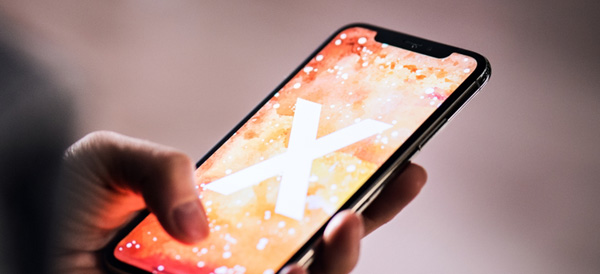
    The company that invented the smartphone retains their spot at the top of the heap. The iPhone X is an exemplary piece of modern tech, well worth its (admittedly hefty) price tag. This phone is sexy, for lack of a better term, with its edge-to-edge AMOLED display and sleek front face. This proves to be the phone’s drawback, as well: it’s very fragile, even compared to its younger siblings.

    However, the X is sporting the mighty A11 Bionic processor under the hood, making it the strongest iPhone ever from a technical standpoint. The star of the show on the software side is the new Face ID technology, which is consistently impressive and works in all kinds of environments and through all manner of obscuring features.

    Sunglasses, hats, facial hair: none of them managed to flummox the new face-reading tech. In summary, the phone is a stunner and will absolutely look great in your hand or handbag. As a luxury item from an instantly recognizable brand, the iPhone X is the future of more than just iPhone, it’s the future of smartphones.

    Samsung Galaxy S9

    Samsung, the challenger to Apple’s throne, certainly didn’t phone in their iPhone X competitor. The S9 isn’t quite as impressive as the iPhone X, but it comes very close. From a hardware perspective, the S9 is the absolute cream of the crop for Android phones, and even the most complicated of apps and multitasking are handled with aplomb by Samsung’s little powerhouse.

    The Infinity Edge display is almost as striking as Apple’s AMOLED screen on the iPhone X, but it lacks some of the same appeal at a glance. That all being said, the S9 is a very, very good phone. If you’re a die-hard believer in Android and would never be caught dead with an iPhone, then you will not be disappointed in this phone. However, the S8 is significantly less expensive and the S9 does not represent a massive leap forward in technology when compared to its predecessors in the way the iPhone X does for its own family. In summary: it’s great, but it’s not an iPhone X.

    GOOGLE PIXEL 2

    Meanwhile, the Google Pixel 2 presents itself as a very different device from what Samsung and Apple are pushing. The Pixel is a distinct and striking device, but it has a somewhat plastic-like finish and just isn’t quite as sleek as the iPhone X or S9. The Pixel does, however, have the best camera of the bunch, taking incredibly high-resolution photos. It also sports silky-smooth software and a fantastic user interface, with personal assistant technology that gives Siri a run for her money.

    If you prefer a slightly larger screen, the Pixel 2 XL is also a fantastic choice and comparable to its smaller counterpart. Google’s device is playing in a slightly different space than Samsung and Apple’s, and that’s okay! However, the Pixel lacks a lot of that same “wow” factor and desirability when it comes to its competitors.

    In summary, however, all three of these phones represent the very best of what the market has to offer, and each will make an excellent addition to your lifestyle, whether you’re concerned primarily with turning heads, taking stunning pictures, or just having a top-notch user experience!

  • Tablet Talk: Amazon Fire HD 10

    Tablet Talk: Amazon Fire HD 10

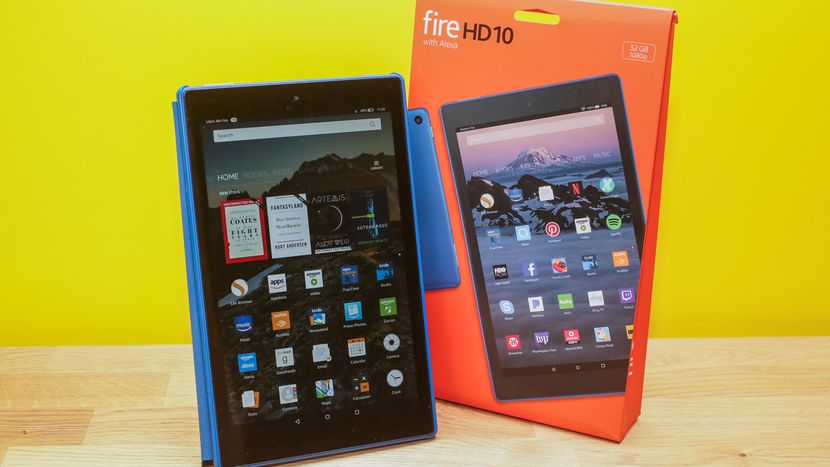
    Tablets are the mash of our technology dependence theses days. They are big phones or weak laptops or any combination of the two. They can be big, they can be powerful, They can be an all in one device or just a side gadget. In all future set movies or media the tablet is a main stream tool, they call them data pads or data cards, but no one uses a keyboard in the future. This being said there are a lot of tablets with many options to navigate through so Im going to break them down in an easy to read guide to help you find the tablet match of your dreams. Today we are going to talk about the Fire HD 10.


    The Great

    • Bright
    • Vivid screen
    • Sharp performance
    • Significant RAM and processor upgrade


    The Not

    • Expensive
    • Lack of Google Apps
    • Slow Gaming

    The Conclusion

    While its 10.1-inch Full HD display is the best of any Amazon tablet you can buy, it’s also the most expensive Fire, costing three times as much as the Fire 7 and $70 more than the Fire HD 8


    The Design

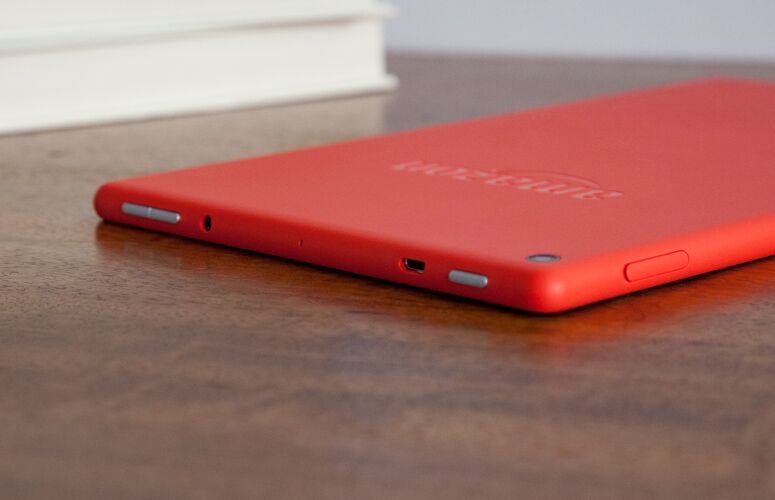
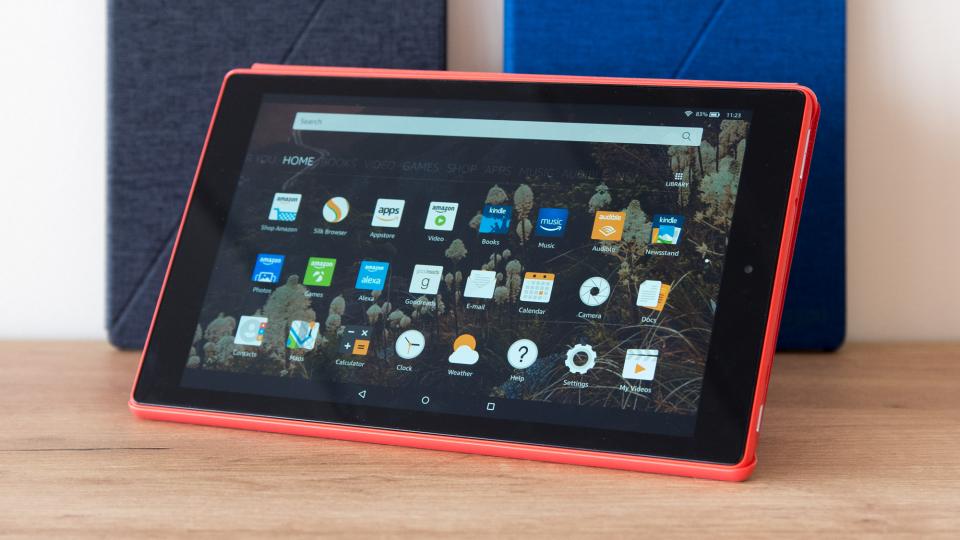
    The Fire HD 10’s matte shell — which comes in black, orange and blue — is made of a plastic that feels far more reliable than it looks.Weighing 1.1 pounds and measuring 0.4 inches thick, the Fire HD 10 is slightly thicker than the Lenovo Tab 4 10 (1.1 pounds, 0.3 inches), but heavier than the 7-inch Amazon Fire 7 (0.7 pounds, 0.4 inches) and the 8-inch Fire HD 8 (0.8 pounds, 0.4 inches). It is bigger but it has a cheap plasticy feel to it that is disappointingly low class. The rest looks uninspired and functional with no sleek tech feeling at all.


    The Display

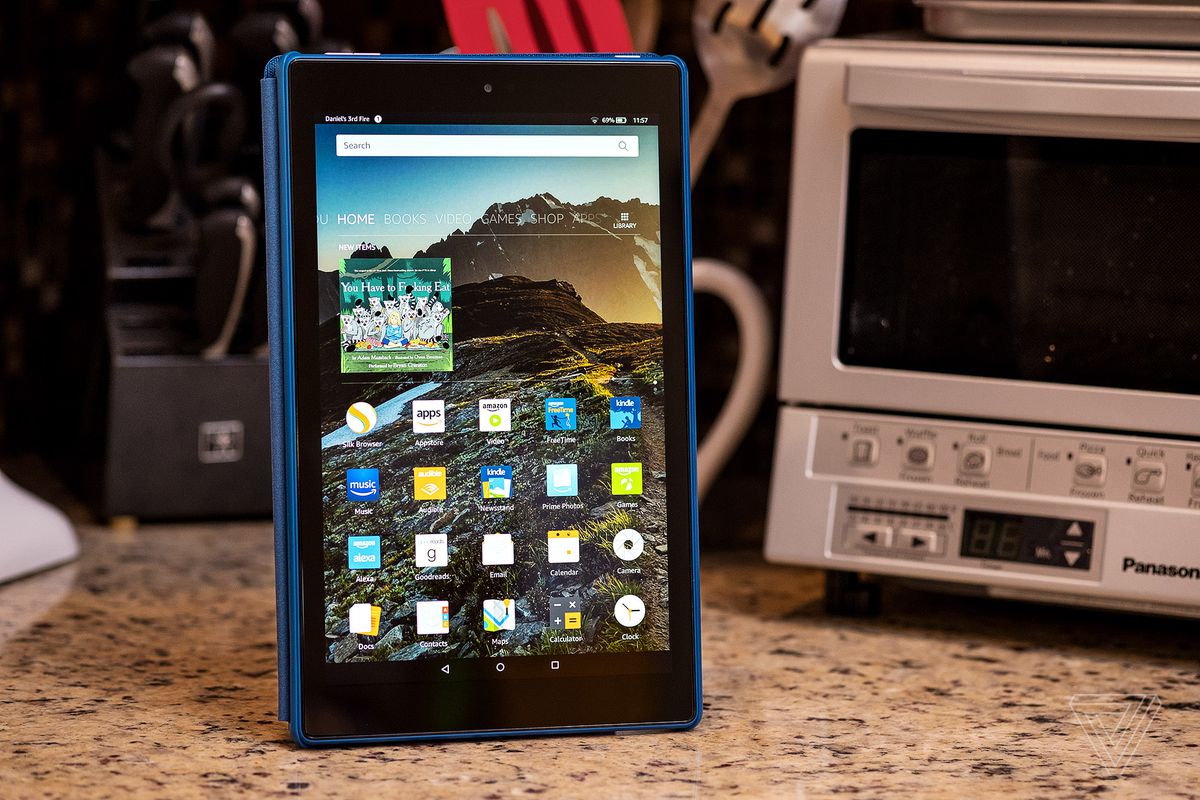
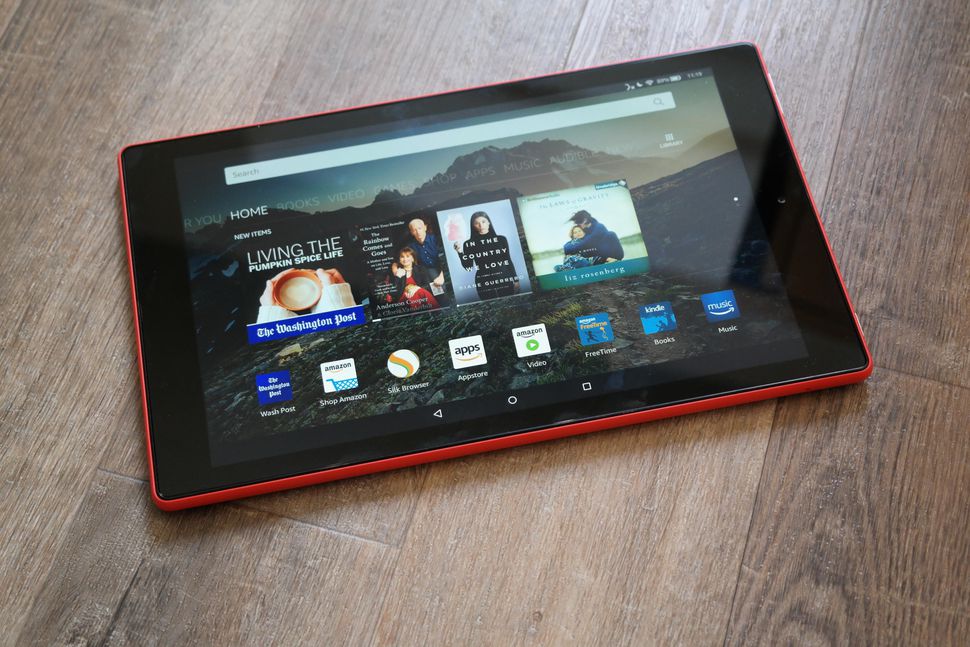
    Bright.Vivid. Easy to read. That is there angle. The Fire HD 10’s 1920 x 1200-pixel panel produces crisp, bright and vivid images, making a case for its larger 10.1-inch screen. The HD 10’s panel is significantly more colorful than its competitors’, producing 104 percent of the sRGB spectrum. That’s similar to the 99-percent tablet average and above the 87-percent Tab 4 10, the 78-percent Fire 7 and the 79-percent Fire HD 8. This display is not the sharpest or most beautiful ive seen in a tablet, but its brighter and easier to read then any other.


    The Other Stuff

    The Fire HD 10 features two stereo speakers, as well as Dolby Atmos for headphones, which helps to make surround-sound audio more immersive. Amazon also included a 2-megapixel camera on the rear, which is a laughably low resolution for a front-facing camera these days. Alexa works kinda cool on this,  you can simply say “Alexa” out loud, even when the tablet is asleep. It works much like Amazon’s Echo devices, except you also get some on-screen feedback in addition to the assistant’s voice responses. I do have to note some Alexa functions are missing, but some one shouting hey Alexa buy 10 bottles of shampoo will still result in me getting $500 worth of tea tree shampoo rushed to my home.

    Fire HD 10 Quick Spec Look

    • Display10.10-inch
    • Processor1.2GHz quad-core
    • Front CameraYes
    • Resolution1280x800 pixels
    • RAM1GB
    • OSFire OS
    • Storage16GB
    • Rear Camera5-megapixel


    The Final Thought

    Never been a big fan of amazon tablets, they to me always seemed like old people tablets. In reality they’re not bad, especially given their low prices, but they’re much slower than I am accustomed to. However for the Price, you cant beat the screen size and it functions much better then expected.

  • 4K UHD Blu-ray Player Round-Up

    4K UHD Blu-ray Player Round-Up

    If you are planning to upgrade to a shiny new 4K television, then your next step will likely by purchasing a 4K Blu-ray player. After all, how else will you be able to watch The Last Jedi or Bladerunner 2049 in all of their 4K glory? Read on for our list of the best 4K Blu-ray players currently on the market.

    Xbox One X – Around $500

    Watching movies in 4K is a phenomenal experience – but so is gaming! If you are interested at all in the modern era of video games, then you should consider Microsoft’s Xbox One X to pull double duty as your 4K player and gaming machine.

    The interface is slightly awkward and you’ll need to purchase a universal remote if you don’t want to power own a controller every time you want to start a movie, but we think that the pros outweigh the cons when it comes to versatility and power.

    If the Xbox One X is out of your price range, consider the Xbox One S. You’ll get similar 4K UHD capability at a much cheaper price. The visuals on some games will be less impressive than the Xbox One X, but that’s why the X costs twice as much.

    Sony UBP-X800 – Around $250

    The Sony UBP-X800 should be your top choice for a more media-focused experience. It supports almost everything you could throw at it. Of course, it supports 4K UHD Blu-rays, but you can also upscale standard Blu-rays, 3D Blu-rays and DVDs at superior quality. HDR and Bluetooth audio support round out the features.

    The machine comes ready to stream and supports most of the major services and has a customizable menu. It’s a sturdy feeling machine with a metal chassis that gives off a premium vibe. If you’re not interested in gaming, this should be your go-to player.

    Samsung UBD-M8500 – Less than $200

    The Samsung UBD-M8500 is a solid entry-level and budget-friendly 4K player that will handle your UHD content with crisp and beautiful clarity. Compared to the Sony, however, the upscaling of DVDs and 1080p Blu-rays are a bit lackluster. HDR is supported but note that 3D Blu-ray discs are not.

    You can also use this unit to stream your content from the major providers. The menu system on this model takes advantage of 4K screens and looks better than Sony’s menus. The Samsung SmartHub UI gives users quick access to key menu features and apps without having to go back to a home screen.

  • Three of the Best SSD Drives to Speed Up Your Computer

    Three of the Best SSD Drives to Speed Up Your Computer

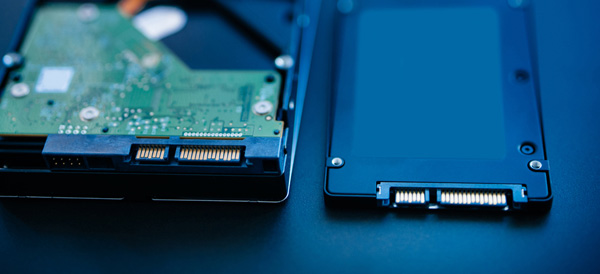
    Of all the upgrades that you can perform on an existing computer, swapping an old spinning hard disk with a solid state drive (SSD) will net you the best results. Your computer will boot up faster, copy/paste/load files faster and generally feel snappier.

    SSDs were incredibly expensive when they debuted, but as with all tech prices have steadily fallen. Here are some of the best upgrade options if you are shopping for an SSD drive.

    Samsung 850 EVO

    Consistently rated among the best SSD drives available, now is a great time to find a deal on the Samsung 850 EVO. Prices can fluctuate, but the introduction of the new 860 model will help a great deal.

    Available in both M.2 and mSATA configurations, the 850 is available in a variety of storage sizes. Fast read and write speeds built around 3D NAND flash storage backed by a 5 year warranty makes the Samsung 850 EVO a great choice for upgrading to SSD.

    Crucial MX500

    If your budget is the main priority for your upgrade, then the Crucial MX500 may be a better option than the Samsung 850 EVO. It comes in the standard 2.5 inch drive size that will fit any desktop (you may need a mount) and many laptops.

    While performance isn’t quite what the Samsung can offer, this is still a massive upgrade from a spinning hard drive. It features 3D NAND flash storage and a 5 year warranty.

    Adapta XPG SX7000

    While most M.2 SSD drives are much more expensive than their SATA counterparts, the Adapta XPG SX7000 has managed to keep their prices relatively competitive while giving you a super-fast M.2 PCIe option for your SSD storage.

    You’ll need to research your computer’s motherboard to see if it is compatible with an M.2 SSD, but if it is then you are in for a treat! Outperforming SATA drives by a wide margin, the Adapta SSD is perfect for hardcore gamers and professional word that requires a lot of file manipulation.

  • The Best Facebook Apps for Smartphones – Android Edition

    The Best Facebook Apps for Smartphones – Android Edition

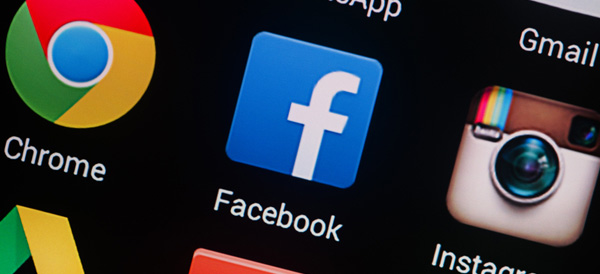
    The most popular social media service on the planet offers official apps for nearly every platform. But unfortunately for users, those official apps don’t always cater to their needs, or they may drain battery or slow down older Android devices. Luckily, there are some alternatives to the official apps – here are our top five!

    Friendly – Free / $1.99

    Friendly is a newer Facebook app that comes with some nice filtering options if you are annoyed by Facebook clutter. You can customize your news feed, filter out keywords, set a theme and use Facebook chat.

    The Pro version will cost you $1.99 to unlock. We think Friendly is well worth the cost, especially if filtering is appealing to you.

    Fast – Free / $1.49

    Fast has been around for a long time and it has evolved into a very full-featured Facebook app. With Fast, you can post, comment, share and access Groups and Pages. It even supports chat in the app, unlike the official Facebook app itself.

    There is a Pro version available for $1.49 and a Lite version that provides more basic Facebook access.

    Metal – Free

    Metal supports both Facebook and Twitter and has been gaining a lot of popularity. The app is actually a web-wrapper, which means it runs a mobile version of the Facebook/Twitter websites inside the app. There are some UI tweaks, themes and more. Although Metal is free, there are no ads. Definitely worth trying out!

    Simple – Free / $1.49

    Living up to its name, Simple is another web-wrapper app for Facebook that includes all of the basic features that you expect. You can interact with posts, upload photos and video and chat through Facebook Messenger.

    The free version is ad supported, but you can purchase the full version for $1.49 to remove them.

    Puffin for Facebook – Free

    If you have an older Android device and other Facebook apps are too slow and clunky, then consider giving Puffin for Facebook a try. It’s a browser app that is made specifically for Facebook, created by the developers of Puffin Browser. This app features some data compression tricks that lets you use less data and works great on slow network connections. If an old device or a slow connection is your situation, check out Puffin.

  • The Best Wireless Home Security Systems

    The Best Wireless Home Security Systems

    Sadly we live in a world where  wireless home security systems are not just a necessity but vital. There are a lot of options for wireless home security systems, even do it our self options. Do-it-yourself setups are ideal for homeowners on a budget because they can save you a bundle on installation charges and subscription fees. Then there are the professional systems. The nice thing about professionally installed systems is you don’t have to lift a finger; after you’ve placed your order a technician will come to your home, set everything up for you, and show you how the system works. When it comes to my home and my family I want a professional wireless home security system. Lets take a look at the 3 best options available today.


    1.ADT Pulse

    ADT formed in the 1800s as American District Telegraph, the world’s first telegraph-based alert system. They are not number one for being the oldest, they are also by far the best. With features like  Wireless or Hardwired options, Professional instillation, Doorbell monitors, Intrusion Protection, Medical Response and state of the art  Home Automation. Just having the sign in your lawn reduces your risk of intrusion by 63%.

    The cost is manageable, and miniscule for piece of mind. ADT home security costs can range from $9/week * to $14/week * based on your monitoring package. However, an ADT home security cost depends on which monitoring package best fits your needs. The ADT monthly fee for the standard Essentials package starts at $36.99/month

    2.SimpliSafe

    This solutions is making a big splash. Using small and efficient IoT enabled devices and 24/7 live human monitoring they offer a complete protection package. Utilizing, Entry and motion sensors, Glassbreak detection, Video security.  Heads up burglars, start running. Being totally wireless, Its easy to install your self and customer service is just a quick call away. It’s like having your own personal security guard with a direct line to the police. Video equipment with instant live link anytime an alarm is triggered lets you see whats happening when you are not at home. You can Arm and disarm SimpliSafe with just a single touch on those incidental false alarms.

    3. Vivint

    Vivint the solution for All-wireless security. All your home controls on one app. Vivint Smart Home helps you live more and manage less. THey have a wonderful small sensor that can be placed at any entry point. This sends you a wireless alerts anytime a door or window opens. With a total control app you can manage your security entry points, Smart Locks, Doorbell Camera, Outdoor Camera, and Element Thermostat.


    The Wireless Home Security Systems Final Thought

    All of these will secure your home, protect your family and significantly reduce the chance of a home invasion. They are all very low cost and almost completely  hassleless. With all the threats we have looming, wireless home security systems are a non-negotiable for any homeowner.


  • 2018’s Best Touchscreen 2-in-1 Laptops (So Far)

    2018’s Best Touchscreen 2-in-1 Laptops (So Far)

    There has been a huge increase the in number of 2-in-1 laptops that feature touchscreen controls for tablet mode. Love it or hate it, touchscreens are here to stay, and they will likely continue to be evolved into mainstream computing.

    Here are some of our favorite touchscreen laptops available right now.

    HP Spectre x360

    This lightweight, slim bezel 2-in-1 is a great option for the most mobile users among us. The battery life is amazing, and the keyboard is also a pleasure to use. You won’t find a better balance between tablet and laptop than this system.

    Microsoft Surface Pro

    The Microsoft Surface Pro has positioned itself to be the touchscreen laptop to beat. It is designed from the ground up to work around a touch interface and the Surface Pen. Going beyond simple touchscreen controls and note taking, the Surface Pro also aims to be a digital artist’s tool. Unfortunately, the newer version of the Surface Pro no longer includes the Surface Pen, so expect an accessory purchase right off the bat.

    Lenovo Yoga 920

    If screen real estate is your priority, then the Lenovo Yoga 920 should be where you begin looking. The general 13.9-inch display is larger than many 2-in-1 systems. With a fully metal build and an interesting take on laptop hinges, the
    Yoga makes a classy statement. It also features the same level of touchscreen sensitivity as the Surface Pro despite the larger screen.

    Samsung Chromebook Pro

    What would happen if you took a Samsung Note 8 and blew it up into a 2-in-1 computer? You’d get the Samsung Chromebook Pro. If Chrome OS is your jam but you find typical Chromebook offerings a little short on power, then the Chromebook Pro is well worth looking into. The Google Play store alone means that you will have more than enough apps for both your productive and procrastinating sides.