Category: Reviews

  • Laptop Lookout: Razer Blade Pro

    Laptop Lookout: Razer Blade Pro

    The new 14” Razer Blade gaming laptop in Full HD or 4K UHD strikes the perfect balance between power and portability. Experience streamlined performance with the latest 7th Gen Intel® Core™ i7 Quad Core processor and smoother, detailed gameplay graphics or connect a VR headset for an even more immersive gaming experience.
     
    [adSOC]  

    The Great

    • Slim, attractive chassis
    • Choice between a 4K Nvidia G-Sync display and 1080p panel with 120Hz refresh rate
    • Great overall and graphics performance
    • Excellent sound
    • 1080p version has a super-comfortable, customizable keyboard

    The Not

    • Expensive
    • SSD not very fast
    • Gets hot when gaming

    The Conclusion

    Razer manages to fit a high-end graphics card into an amazingly thin laptop. Gamers and graphics pros alike will love the performance, but not the loud fans and misplaced touchpad.

    The Design
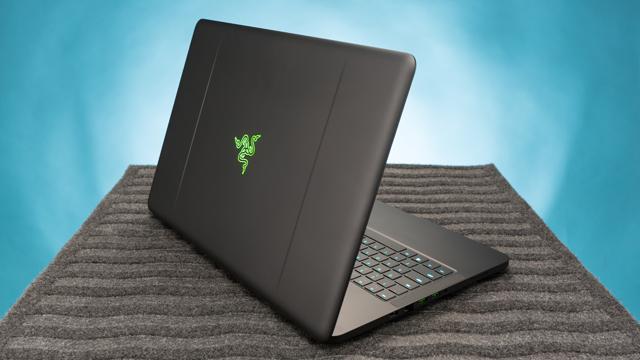

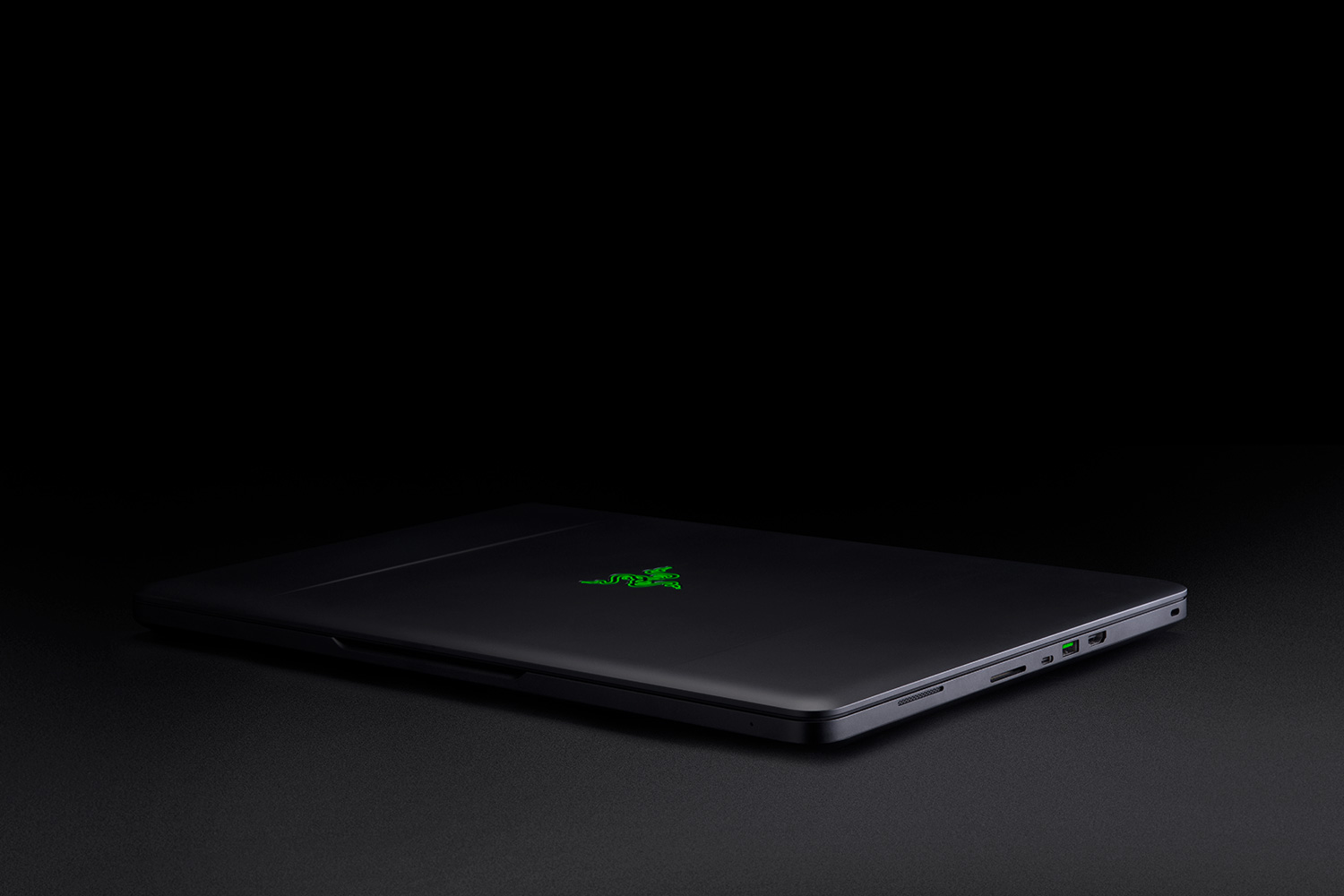
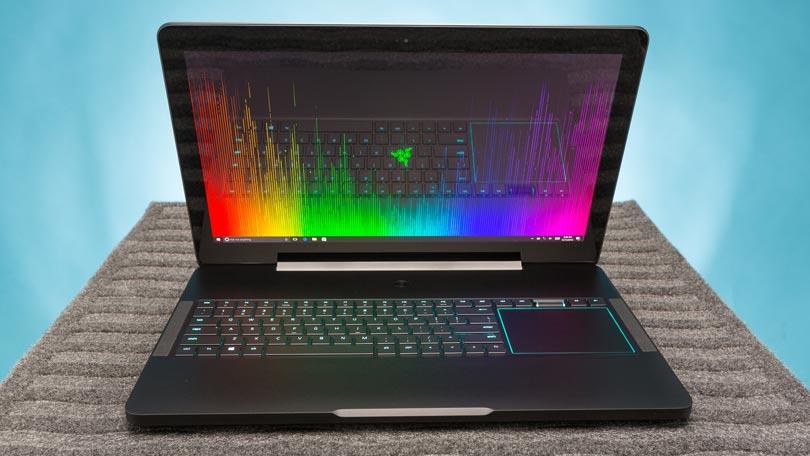
    There’s just something about a Razer laptop that makes the pulse quicken ever so slightly when you see it. Constructed from black CNC aluminum, the Blade Pro follows the Razer design dictates to a T, just on a bigger scale. The center of the laptop’s lid is slightly recessed, creating a pair of subtle ridges that help accentuate the glimmering emerald three-headed snake emblem.

    The system’s interior offers more ebony aluminum, with the center of the deck housing the full-size keyboard and rather large touchpad in a slightly recessed compartment. A power button sits at top center on the device, daring you to press it. At 7.7 pounds, the 16.7 x 11 x 0.89-inch Blade Pro is still the slimmest and lightest 17-inch gaming laptop in the land.

    The Variables
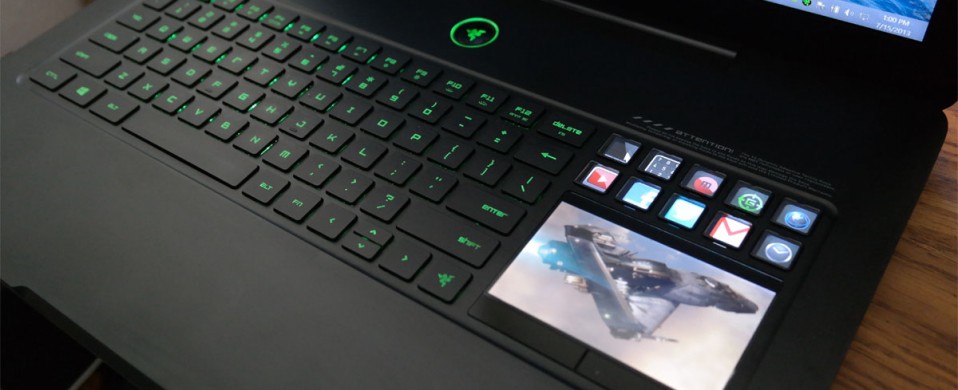

    This system doesn’t seem to struggle at all, even when playing demanding games set to high at its full 4K resolution. Drop your resolution to full HD and you still get playable frame rates with settings at ultra.The Blade Pro can easily replace a desktop, and if that’s your goal, there is an HDMI 2.0 output that handles video and audio. It’s joined by a Thunderbolt 3 port that can also handle display output in addition to three USB 3.0 ports, an SD card slot and Killer E2400 Gigabit Ethernet.
     
    [adSOC]  
    Rather than positioning the trackpad beneath the keyboard, the Blade Pro’s pointing device is beside it on the right-hand side. More than once, we found ourselves tickling the surface below the keyboard, but it doesn’t take too long to get over this phantom pain. The taller, squarer shape makes scrolling a breeze. It’s an arrangement that feels familiar if you’re used to having your mouse next to a keyboard and it’s also far more convenient to use than a trackpad positioned between the wrist rests.

    What Are The Options
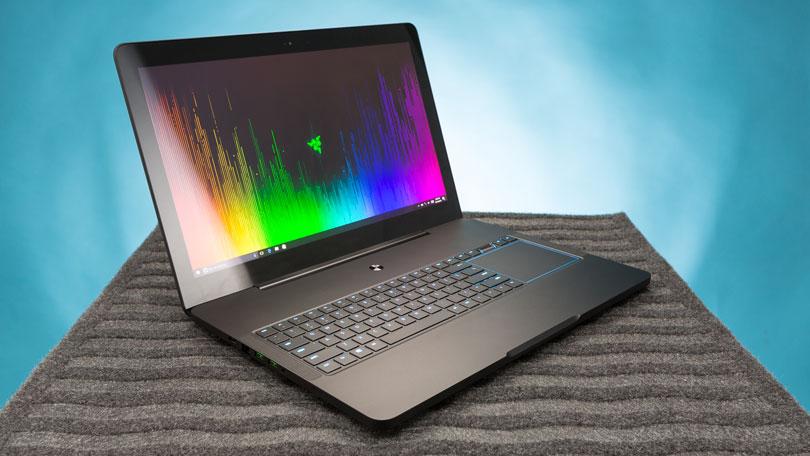

    I had a grand ol’ time reviewing the $3,999 base configuration of the Razer Blade Pro, which has an overclocked 2.9-GHz Intel Core i7-7820HK processor with 32GB of RAM, a pair of 256GB PCIe SSD in RAID 0 configuration and a Nvidia GeForce GTX 1080 GPU with 8GB of VRAM.

    Want more storage? It’s definitely going to cost you. A pair of 512GB PCIe SSD in RAID costs $4,399, while the RAID 0 1TB option brings the price up to $4,899.

    But if you’re looking for a less expensive option, there’s the $2,299 model, which has a 2.8-GHz Intel Core i7-7700HQ CPU, 16GB of RAM, a 256GB PCIe M.2 SSD with a 2TB 7,200-rpm hard drive, an Nvidia GeForce GTX 1060 GPU with 6GB of VRAM and a 1920 x 1080p display.

    The Display


    Staring at the Blade Pro’s 4K panel is like looking into a fever dream of color. The Nvidia G-Sync technology made sure that Geralt’s ashen-white hair cascaded realistically over his broad shoulders as he ran toward a cadre of flesh-eating Ghouls in Witcher 3: Wild Hunt.For gamers who value buttery-smooth graphics over higher resolution, the Blade Pro is also available in full HD (1920 x 1080), a first for this iteration of the desktop replacement. Instead of a super-high resolution, the 1080p panel has a 120Hz refresh rate. It’s not Nvidia’s G-Sync technology, but you should still get some lovely graphics.

    Quick Speck Look
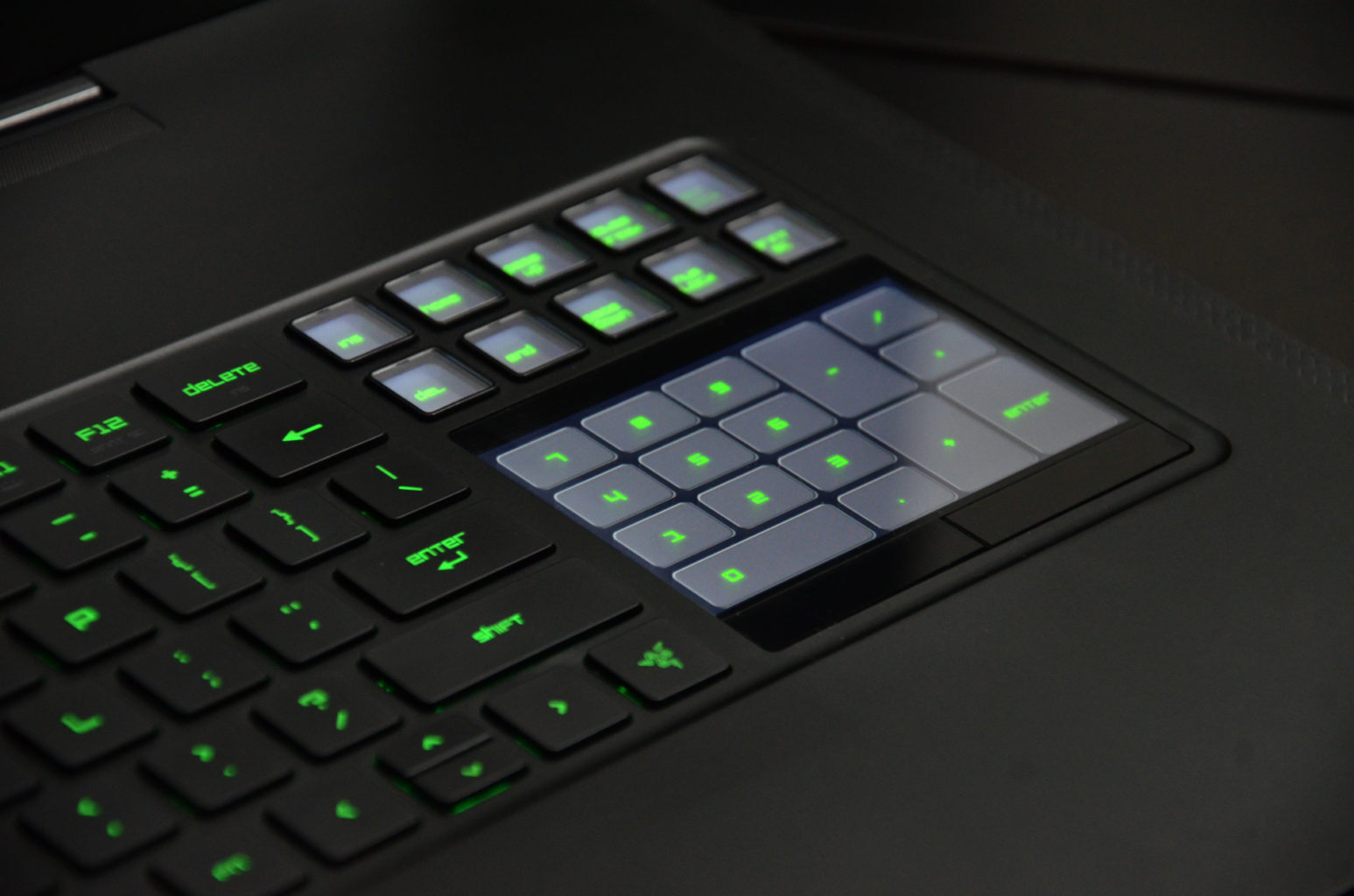
    • CPU: 2.6GHz Intel Core i7-6700HQ (quad-core, 6MB cache, up to 3.5GHz)
    • Graphics: Nvidia GeForce GTX 1080 (8GB GDDR5X VRAM), Intel HD graphics 530
    • RAM: 32GB DDR4 (2,133MHz)
    • Screen: 17.3-inch IGZO UHD (3,840 x 2,160) LED with multi-touch G-Sync
    • Storage: 1TB PCIe SSD
    • Ports: 3 x USB 3.0 port (SuperSpeed), 1 x Thunderbolt 3 (USB-C), HDMI 2.0, SDXC card reader, Killer E2400 Gigabit Ethernet, headset jack
    • Connectivity: Killer DoubleShot Pro Wireless-AC 1535; Bluetooth 4.1
    • Camera: 2MP built-in webcam
    • Weight: 6.76 pounds (3.07kg)
    • Size: 16.8 x 10.9 x 0.88 inches (42.7 x 27.7 x 2.24cm; W x D x H)

    The Final Thought

    Thanks to these features, the Razer Blade Pro lends itself to be just as good at rendering beautiful game worlds as it is for accurately color correcting videos.There’s always been a distinction between gaming laptops and desktop replacement laptops, not any more this is Razor town now, Charlie.
     
    [adSOC]  

  • Best Wireless Headphones on a Budget

    Best Wireless Headphones on a Budget

    Whether you’re at the gym, work, traveling, or just relaxing at home, wireless headphones make life easier. These Bluetooth-enabled devices pair with your phone or computer, allowing you to listen to your favorite tunes—or watch a late-night horror movie without disturbing the rest of your household—free from the tangled tether of traditional wired headphones.

    While top brands such as Bose and Beats offer incredible sound quality in their wireless headphones, they also come with a hefty price tag. For the budget conscious consumer, here are 5 of our favorite wireless headphones under $50.

    Skullcandy Uproar

    These headphones combine the classic over-the-ears styling with Bluetooth connectivity and a built-in microphone so you can answer calls. They also come packaged with a remote to control volume and playback. The online reviews are overwhelmingly positive, with 93% of Best Buy customers stating that they would recommend the headphones to a friend.

    JBL T450BT

    Larger than the Skullcandy Uproar, these headphones have a more old-school look. However, they’re foldable for portability. They boast an 11-hour battery life and feature controls on the earcup for volume, playback, and phone calls. For listeners who are all about that bass, JBL delivers! They promise big, booming sound from these lightweight headphones.

    Samsung Level U

    These in-ear headphones are comfortable, lightweight, and last 11 hours on a single charge. The intuitive design has easy-access control buttons and a neck strap that manages not to look too ridiculous when you’re working out at the gym. One word of caution, however; the Level U is not sweatproof, so dedicated exercisers and serious athletes may want to choose a different option.

    Sound Blaster JAM

    These on-ear headphones are easy to use, thanks to the one-click feature that lets you switch between a phone call and your music with a single tap. You can also pump up your jams with the built-in bass-boosting option. The 12-hour battery life and ultralightweight design make these headphones ideal for travel or a long day at the office.

    Anker SoundBuds Slim

    The least expensive headphones on the list are also the best value. With a comfortable in-ear design, carrying pouch, and nifty magnetic earbuds that allow you to wear them like a necklace while not in use, these headphones are fantastic for tossing in your gym bag or purse. They are sweat resistant, but be aware that you’ll only get about 7 hours of use from a single charge.

  • Top 3 Tablets For The Kids

    Top 3 Tablets For The Kids


    The Kids these days love their tech toys, and continue to blow are minds how quickly they can learn to use them and the functions they get out of them. Here is the top beginner tablets for kids that wont break the bank and can handle their abuse.


    1.Lenovo Tab 4 8

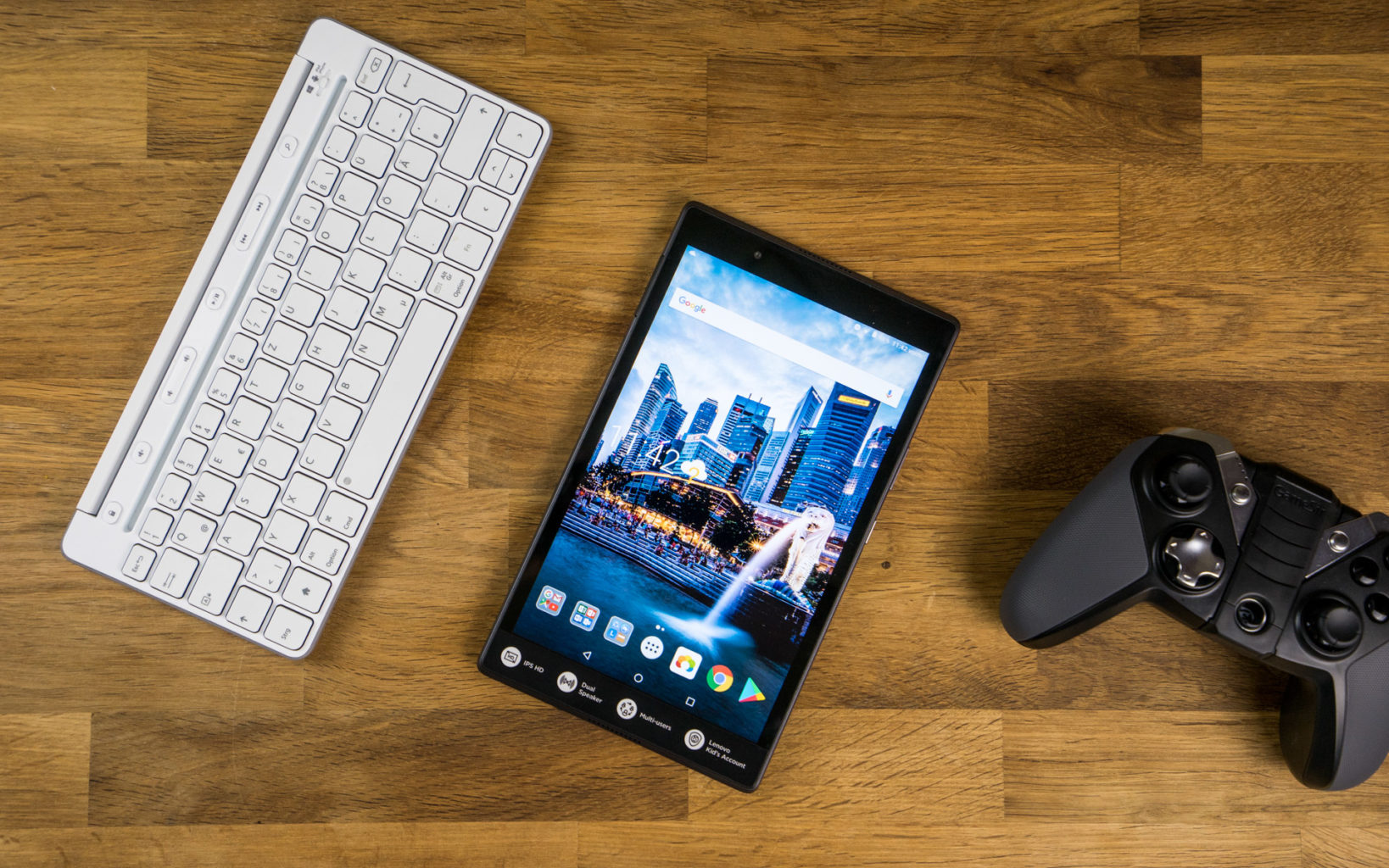
    Lenovo’s new 8-inch tablet is a good option for slightly older kids, ones with more experience with technology that don’t need the training-wheels of a tablet made for younger tots. Unlike Amazon’s Fire tablets, the Tab 4 8 offers a true Android experience, so you can use Google’s apps without the annoyances and risks involved with side-loading. It also offers good battery life and performance, and a bright, colorful display.

    For $20 extra, you can get Lenovo’s Kids Pack add-on, which includes content curated just for kids, parental controls, options for scheduling and limiting play time, a protective bumper case, stickers and a blue light filter.


    2.Amazon’s Fire 7 Kids Edition

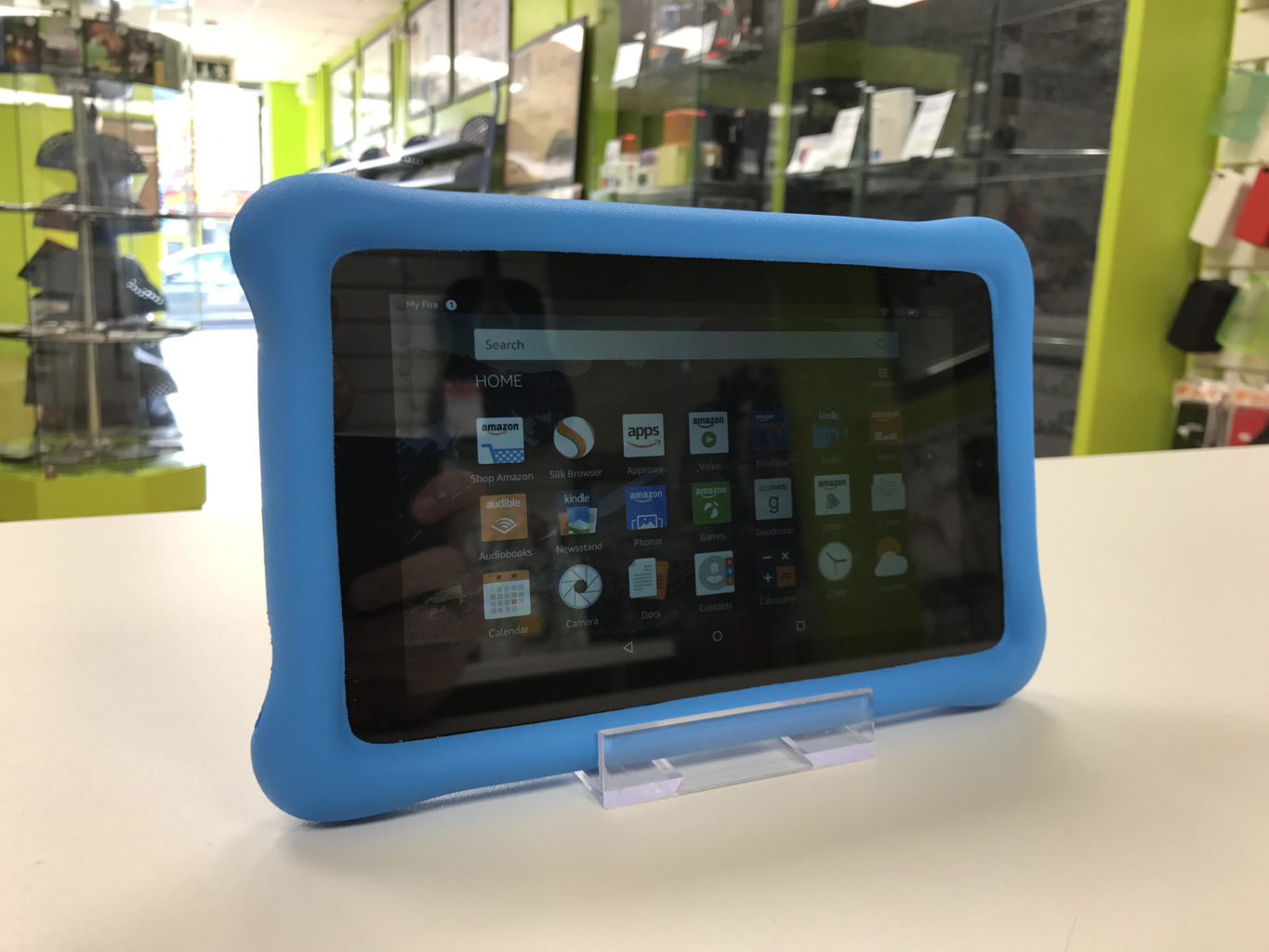
    .Amazon’s Fire 7 Kids Edition bundles the company’s 7-inch budget tablet ($49 on its own) with a new protective bumper and a year’s subscription to Amazon’s FreeTime Unlimited for just $99 (16GB). Right now, it’s even cheaper, thanks to a sale that knocked it down to the nice price of $69. FreeTime Unlimited gives you more than 10,000 books, videos, educational apps and games curated for children. Plus, a two-year guarantee promises a no-questions-asked replacement if your child destroys the tablet.


    3.Acer’s Chromebook Tab 10

    Acer’s announced the Chromebook Tab 10, the first tablet running Chrome OS. Made for the classroom, and priced to compete with the 2017 iPad ($329), it features a 9.7-inch, 2048 x 1536-pixel screen, runs on a OP1 CPU with 4GB of RAM and offers 32GB of storage. Includes aWacom EMR stylus and will (eventually) feature Google’s Expeditions AR, a classroom learning tool.


    Honorable Mention: Verizon’s GizmoTab

    Unlike every other tablet on this page, Verizon’s GizmoTab ($80 with a 2-year contract, $250 off-contract) packs LTE connectivity. This way, your kids can never complain about not being able to stream videos or download games on the go. The 8-inch slate comes with a rubber bumper that protects it from falls, so junior can’t break it. If you use the GizmoTab with a Verizon data plan, you’ll get access to 300 kid-friendly apps that offer educational and entertaining experiences.


    The Final Thought

    This generation will prove to be the most knowledgeable, what they do with that knowledge is up to us. They will know where the answers are to any question they can think of, leaving their brain open to progressing those thoughts and answers. Getting them started on the path earlier is probably a good idea and getting the right tablet to do it.

  • Tablet Talk:  ASUS ZenPad Z8s 

    Tablet Talk:  ASUS ZenPad Z8s 

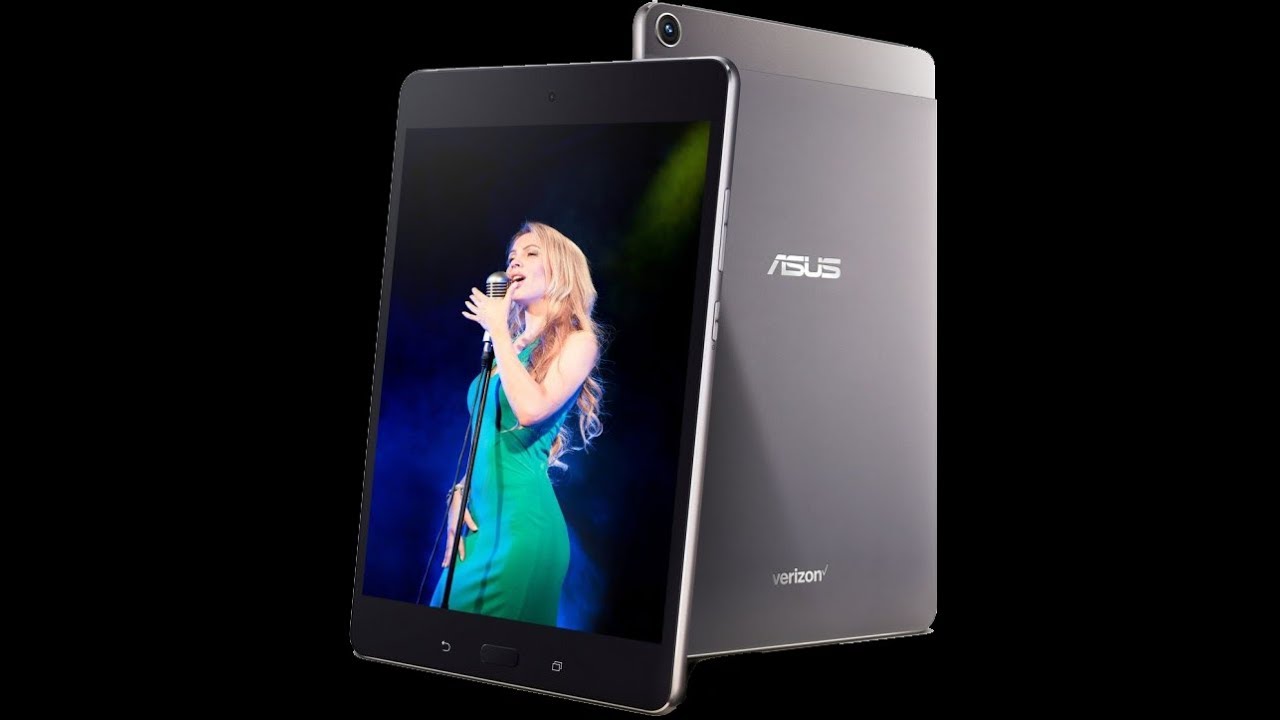
    ASUS ZenPad Z8s  is a Premium 7.9-inch tablet with a stylish, all-metal design, and featuring vivid visuals, cinematic audio, and powerful all-around performance ideal for both entertainment and productivity. ASUS ZenPad Z8s has elegant, modern styling with clean lines and an exquisite metallic texture that feels great to the touch. Its forged aluminum body weighs just 306g, is only 6.9mm thin, and is accented by double, diamond-cut edges, giving ZenPad Z8s a singular beauty that elevates the tablet experience.

    The Great

    • Bright and colorful display
    • Great performance
    • Solid audio
    • Stylish design

    The Not

    •  Verizon Exclusive
    • Short battery life


    The Conclusion

    The Asus ZenPad Z8s is a high-performance tablet that offers a bright display, loud audio and stylish design.


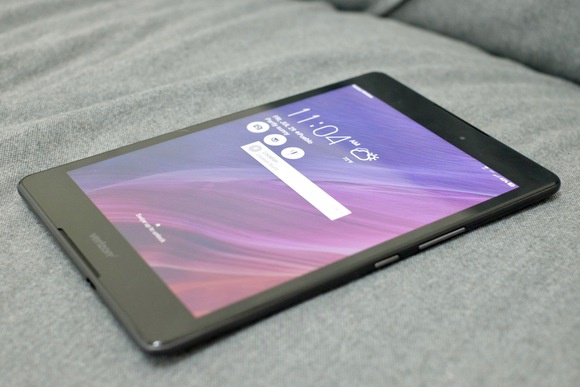
    If you’re a Verizon customer, then you’re in luck, because Asus has an exclusive tablet to serve your media needs. The 8-inch ZenPad Z8s provides a bright display, an impressive sound system and good looks, all for $250. Whether you want to watch videos on YouTube or takes notes in Google Docs, the Asus ZenPad Z8s is a reliable Android tablet that’s worth considering.
    Design: Stunning

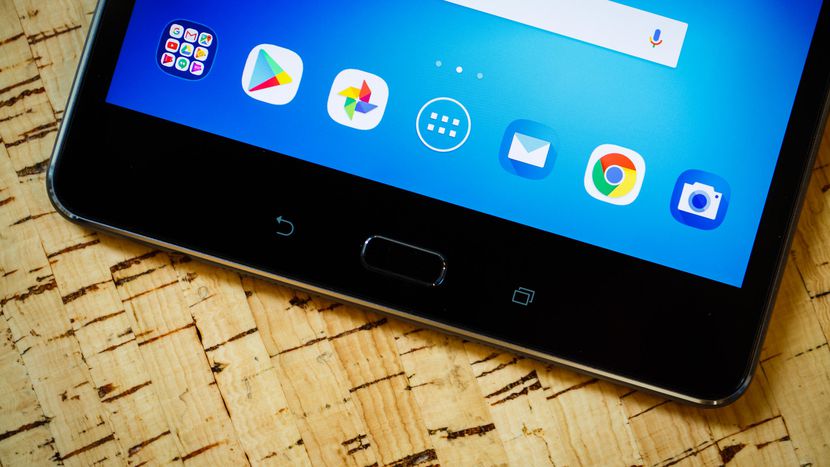
    The Asus ZenPad Z8s measures 8.0 x 5.3 x 0.27 inches and weighs 10.7 ounces, making it the lightest 8-inch tablet I’ve seen so far. Competitors like the Lenovo Tab 4 8 measured 11.2 ounces, while the Amazon Fire HD 8 measured 13 ounces and the 9.7-inch Apple iPad came in at 16.5 ounces.The ZenPad Z8s has a sophisticated appearance. Its aluminum backing is a matte, gunmetal shade with matching plastic sides and a top bezel that houses a 13-megapixel rear shooter. Thin chrome accents decorate the edges of the tablet and rear camera, which really makes the ZenPad Z8s stand out from the competition. A bright silver Asus logo sits in the middle of the shell, while a smaller Verizon logo is situated at the bottom

    The Asus ZenPad Z8S features a Snapdragon 652 Octa-core chipset with an Adreno 510 GPU, 3GB of RAM, and 16GB of internal storage expandable to 128GB via a microSD card.

    The ZenPad Z8S’s performance is generally passable, but not extraordinary. In our testing, it ran most things well, though we did experience slow-downs, occasional delayed response, and dropped framerates in games. The lag is most noticeable while opening the app drawer, Recent Apps or waking the device up. Basically, it seems to struggle with changes to onscreen content. Most of the time it runs smoothly, but the little hiccups are noticeable. Oddly, the default Asus keyboard doesn’t play too nicely with the processor, and feels clunky, but that was nothing a switch to Google’s Gboard couldn’t resolve.

    Quick Speck Look

    • Android 7.0
    • 1.8GHz Snapdragon 652
    • 3GB RAM
    • 16GB internal storage
    • MicroSD card reader, up to 128GB SDXC
    • Micro SIM card slot

    The Final Thought

    The $250 Asus ZenPad Z8s is a speedy media tablet at a decent price. Offering a bright display, great audio and sophisticated design, the ZenPad is hard to beat for the price. And if you’re not sure if you want to shell out the cash all at one time, Verizon offers 24-month financing for $10.41 per month. Or you can opt for a two-year contract and get the ZenPad for $150 instead.

    Shoppers who just want an inexpensive 8-inch tablet may prefer Lenovo’s $128 Tab 4 8 or Amazon’s $80 Fire HD 8, both of which have longer battery life but slower performance. If you don’t mind getting your hands on a slightly bigger screen with better overall specs, then Apple’s $329 iPad may be worth the investment. However, if you just want a 4G Android tablet that you can add to your Verizon line, the ZenPad Z8s is a great choice.

  • Tech Throwback: The HTC 8125

    Tech Throwback: The HTC 8125

    I like to take a look at where I’ve been to evaluate where Im going. Technology is cyclical after all… wait no its not. That said I still like all the feels that come rushing back like a flood of nostalgia every time I get my hand on the tech I grew up with. Im going to go back periodically and take a looking at the stuff that used to blow our hair back and get our minds rolling. Some of these device blew up and changed the world, some where ahead of their time and some just fell flat and became colossal failures. Today I’m powering up the HTC 8125 first commercial pocket PC and phone


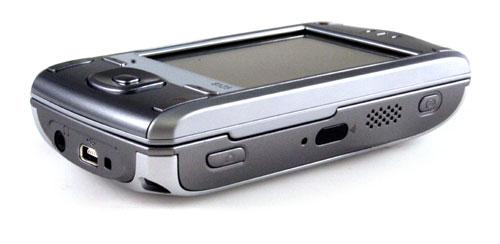
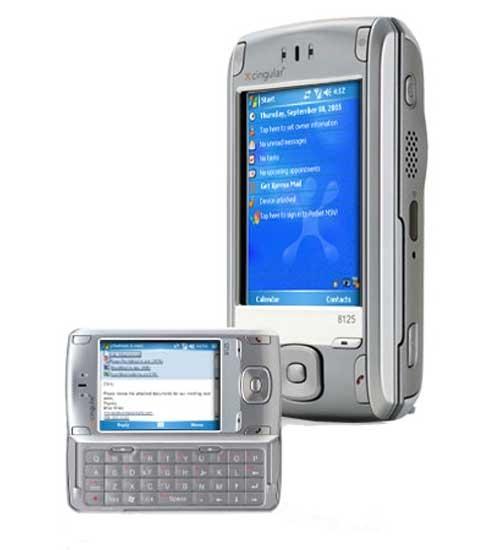
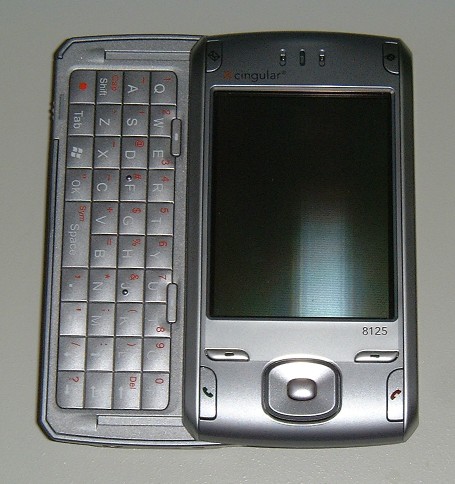
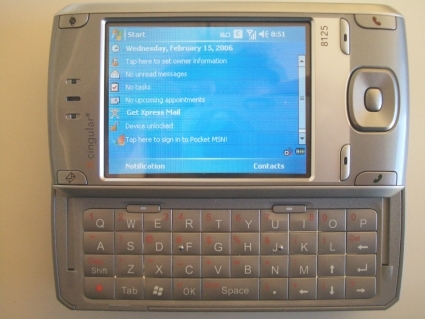
    The HTC 8125  is an Internet-enabled Windows Mobile Pocket PC PDA designed and marketed by High Tech Computer Corporation of Taiwan. It has a touchscreen with a left-side slide-out QWERTY keyboard. The 8125’s functions include those of a camera phone and a portable media player in addition to text messaging and multimedia messaging. It also offers Internet services including e-mail (including Microsoft’s DirectPush push e-mail solution, as well as BlackBerry services with applications provided by BlackBerry-partnered carriers), instant messaging, web browsing, and local Wi-Fi connectivity. It is a quad-band GSM phone with GPRS, and EDGE, and a single/dual band UMTS phone with HSDPA. It is a part of the first line of PDAs directly marketed and sold by HTC.


    Reintroducing

    Cingular’s 8125 has the right idea when it comes to hardware and software specs. But this hybrid PDA/cell phone’s design and usability disappoint.

    The thing that blew my mind 13 years ago is the 8125 is its built-in Wi-Fi. The device’s side panel includes a shortcut button that launches an on-screen Communication Manager menu. From here, you can enable or disable Wi-Fi, Bluetooth, PC Sync, and even the phone. I also liked how easy it was to set up the 8125 to access IMAP, POP3, and Microsoft Exchange e-mail accounts.

    When the keyboard is stowed away, the 8125 is chunky–and its thickness made it awkward to use for phone calls. In my hands-on trials, I could easily adjust call volume, thanks in large part to the tactile volume control on the side panel, but at times I couldn’t hear the person on the other end. Several people I called told me that I sounded far away
     

    The Final Thought

    This was the first Smartphone on the market, It was the first smartphone I owned. It was slow and unresponsive, but I had internet at a dial up speed anywhere I went. The sight and thought of its potential blew people mind and opened conversations. Once this phone was release mankind was off to the races. Thank you HTC for picking up where the newton fell and setting up the future.

  • Comparing Music Streaming Services in 2018

    Comparing Music Streaming Services in 2018

    It’s not news anymore that music streaming is available on practically every device, and many people already subscribe. But tech is always moving forward and there are new streamers and new features coming out constantly.

    Are you looking to sign up for a new service or check out the competition for a potential switch? If so, here is our summary of the most popular services for 2018.

    Streaming Services & Cost

    You’ll see the following streaming services mentioned in this article:

    Amazon Prime Music – Free with Prime

    Amazon Music Unlimited –  $9.99

    Apple Music – $9.99

    Deezer – Free or $9.99

    Google Music – $9.99

    Spotify – Free or $9.99

    Tidal – $9.99

    Music Library

    Pretty much all of these services offer over 25 million songs, which should cover just about anything you want to listen to. But there are some niches and exceptions to consider.

    Firstly, Amazon Prime Music only has a library of 2 million songs. That’s paltry compared to their Music Unlimited service, which offers a library similarly sized to Spotify, Apple Music and Google.

    Secondly, if you are a big fan of Jay-Z and his circle of friends (Beyonce, Rihanna, Madonna, Alicia Keyes, Usher and more), then you may want to consider Tidal for its exclusive content.

    If you are a big Taylor Swift fan, then Apple Music is the only streaming service offering her bestselling 1989 album.

    Device Compatibility

    This isn’t really an issue in 2018. Android, iOS and any modern web browser will be able to access and stream any of these services.

    It may be worth noting that Amazon’s Echo and Echo Dot speakers will allow you to play and control Amazon Music Unlimited. And if you are okay with only using that service from a single Echo speaker, you can subscribe for a reduced rate of $3.99 per month. That’s a steal if you’re willing to sacrifice the multi-room feature.

    Music Discovery

    What’s the point of having access to 30 million songs if the app doesn’t help you find new music that fits your tastes?

    Overall, we think Spotify is the most helpful to find new music. However, Deezer has a very cool “Hear This” feature that works better than Spotify’s “Discover.” Apple Music takes a while to learn what you like, but their “For You” section can grow to be quite decent.

    Amazon Prime relies on your purchase history and reviews on Amazon, so you’d have to be pretty deep in that world to get any good recommendations. Amazon Unlimited does a slightly better job with recommendations.

    Tidal takes a different route and showcases a curated list of unknown and upcoming artists from around the world.

    Radio

    All of these services offer a streaming radio service. The free versions of any of these services offer only a limited number of skips when listening to the radio.

    Overall, Spotify and Deezer are very similar, offering channels based on artists you like as well as genre stations. Apple Music offers custom radio as well as an actual radio station: Beats 1.

    Amazon offers streaming radio with a thumbs up/thumbs down feature to help train it. Tidal and Google Play also offer stations based on artists you like.

    Overall, the radio features of these services are quite similar. Apple Music’s Beat 1 is pretty much the only standout feature.

    Offline Listening

    Sometimes you can’t stream because of data caps or location. Pretty much all of these services have you covered: you can download a number of songs and listen offline. Obviously, the free versions of Deezer and Spotify are the exception here.

    Spotify is a bit more restricting than the rest, allowing 3,333 tracks for 30 days of offline listening. Tidal doesn’t offer offline mode for Mac and PC. But otherwise, the services pretty much let you download to your heart’s content (or your device’s storage capacity).

    Other Features

    There are a few other features worth mentioning that each service offers over one another, with some overlap.

    Facebook integration in Spotify and Deezer allow you to see what your friends are listening to. Tidal has a simpler integration that allows you to share with your friends directly on Facebook.

    Apple offers Connect, which is a space for artists to share exclusive videos, photos and more.

    If you are an audiophile, note that Tidal offers high-fidelity lossless tracks. Note for the layman: you’ll need a good sound system to tell the difference. If you are a Sonos user, Deezer offers a lossless version called Deezer Elite. Apple offers a max of 256k AAC.

  • Laptop Lookout: Huawei Matebook X Pro

    Laptop Lookout: Huawei Matebook X Pro

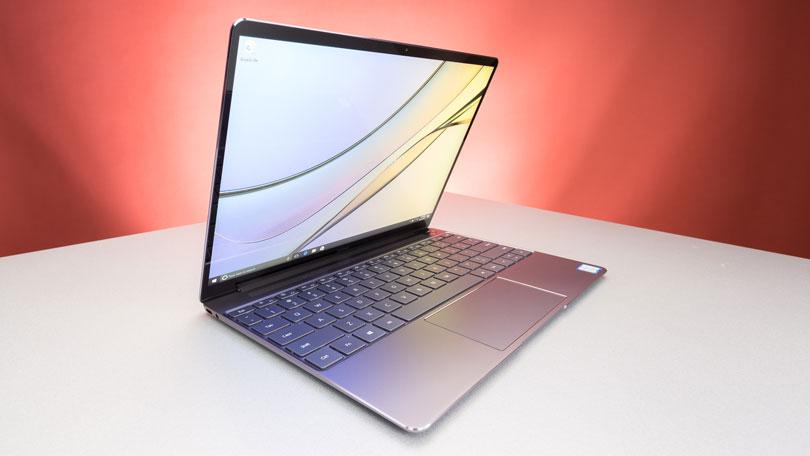
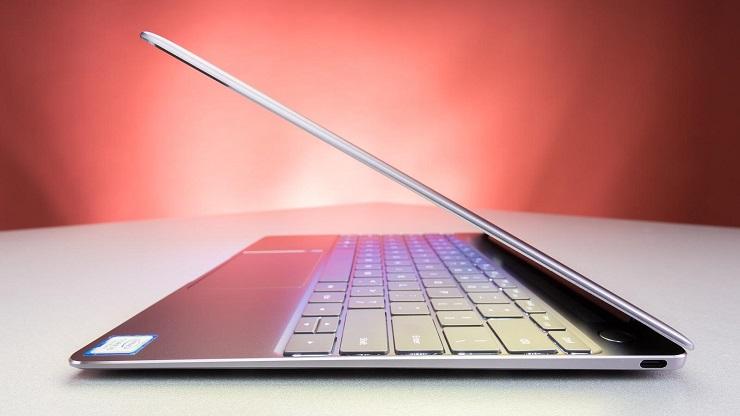
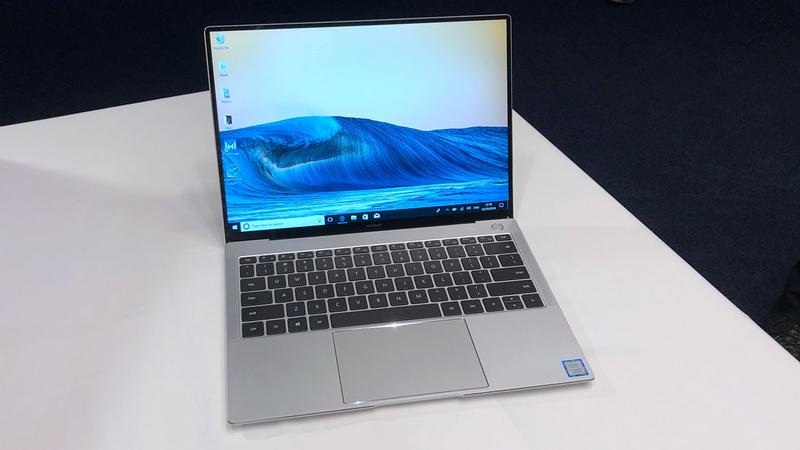
    HUAWEI MateBook X Pro is a ultra-slim notebook with FullView display of 91% screen-to-body ratio. The 3K touchscreen, powerful Intel processor and discrete graphics ensure this is a perfect companion for entertainment and work. With a 3K LTPS display comes with a remarkable 3000 x 2000 resolution, 260 PPI, 100% sRGB color gamut, 450 nits maximum brightness and 1500:1 contrast ratio. Immerse yourself in vivid details when viewing high definition pictures or watching 4K videos.

    The Great

    • Fast performance
    • Exquisite screen
    • Comfortable keyboard
    • Long battery life
    • Both USB Type-C and Type-A ports

    The Not

    • Very limited availability
    • High price
    • No SD card slot
    • Clever webcam is still flawed
    • Mystic Silver is Core i7 only


    The Conclusion

    The Huawei MateBook X Pro is a speedy, long-lasting premium notebook that’s hard to get.


    Chinese tech giant Huawei is not known for making laptops, but its 14-inch MateBook X Pro (tested at $2,350; starting at around $1,855) could change all that. Not only does it pack a gorgeous, high-res display and speedy performance, its battery lasts all day. And while its name and design beg for comparisons to Apple’s MacBook Pro, the MateBook X Pro’s keyboard is far more comfortable. The only things standing between you and its glory are its high price and severely limited availability.


    The Design

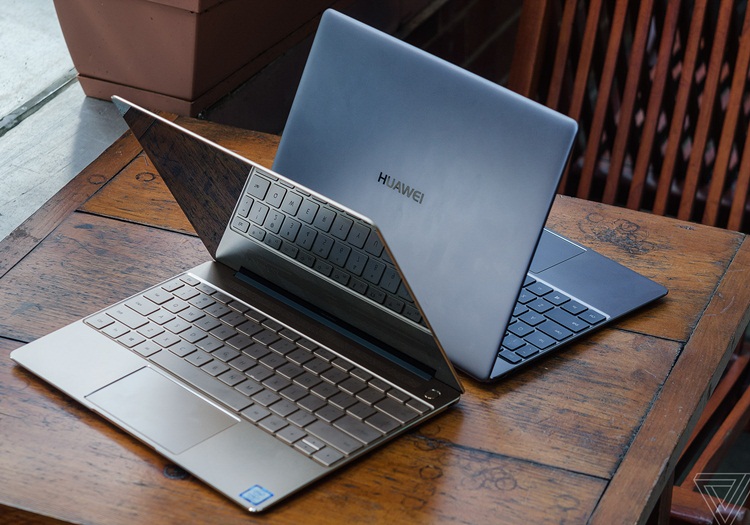
    The aluminum Huawei MateBook X Pro reminds me a lot of Apple’s MacBooks, and that’s a good thing. Not only is it a slim, silver wedge (also made in Space Gray), it’s easy to open its lid with a single hand, a hallmark of Apple’s notebooks. It also sports a shiny beveled edge around its keyboard deck, which the MacBooks do not.

    I still prefer the Apple’s designs in two slight ways: the Huawei logo — which looks like you chopped an Apple into a bunch of wedges — isn’t as elegant. Also, the MateBook X Pro’s lid and edges are flatter, lacking the tapered curves of the MacBook Air.

    The 14-inch MateBook X Pro weighs 2.9 pounds and measures 0.6 inches thick, making it similar in size and heft to the 3-pound, 0.6-inch thick Apple MacBook Pro (13-inch, Touch Bar). The Dell XPS 13 (2.65 pounds, 0.5 inches) is lighter, while the HP Spectre 13 (2.4 pounds, 0.4 inches) is both thinner and lighter.


    The Display

    The MateBook X Pro’s screen produces 124 percent of the sRGB spectrum, which exceeds the 113 percent premium laptop average. The MacBook Pro earned a similar 123 percent and the Spectre 13 measured a lower 111 percent, while the XPS 13’s 1080p screen (117 percent) and its 4K screen (130 percent) straddled the MateBook X Pro’s rates.


    Quick Spec Look

    • CPU: 1.8GHz Intel Core i7-8550U (quad-core, 8MB cache, up to 4.0GHz)
    • Graphics: Intel UHD Graphics 620, Nvidia GeForce MX150 graphics (2GB GDDR5)
    • RAM: 16GB LPDDR3 (2,133 MHz)
    • Screen: 13.9-inch 3K (3,000 x 2,000) LED with touch panel (3:2 aspect; 450 nits; 1,500:1 contrast; 100% sRGB)
    • Storage: 512GB SSD (NVMe PCIe)
    • Ports: 1 x Thunderbolt 3 USB-C, 1 x USB-C 3.1, 1 x USB 3.0, 3.5mm audio jack
    • Connectivity: 802.11ac (2 x 2 MIMO) Wi-Fi, Bluetooth 4.1
    • Camera: 720p webcam with far field microphones
    • Weight: 2.93 pounds (1.33kg)
    • Size: 11.97 x 8.54 x 0.57 inches (304 x 217 x 14.6mm; W x H x D)


    The Final Thought

    This may just be the Tech device that adds Huawei to the major players of Apple, Dell and Samsung to the minds of the american consumer. Welcome to the big leauges boys, we wear caps and sleeves at this level. Frankly, we’re stunned by Huawei’s sophomore effort in the laptop category. In one fell swoop, the MateBook X Pro presents an overwhelming alternative to my favorite laptop, the Dell XPS 13, and the MacBook Pro.

  • Verizon’s Unlimited Plan and the Details

    Verizon’s Unlimited Plan and the Details

    Last summer, Verizon split their main unlimited plan into three other ones:

    $75 de-prioritized Go Unlimited
    $75 prepaid version of Go Unlimited
    $85 all-in Beyond Unlimited

    While not the cheapest unlimited plans on the market, all three offer particular strengths, and are backed by the nation’s most powerful network. We’ve broken down Verizon’s two main unlimited plans below, and picked our favorite.

    Verizon Unlimited Data Plans Breakdown

    Plan Verizon Beyond                                           Unlimited Verizon Go Unlimited
    1 Line $85                                                                                       $75
    2 Lines $160                                                                                   $130
    3 Lines $180                                                                                   $150
    4 Lines $200                                                                                  $160
    Video Unlimited: HD                                                          Standard definition
    Mobile Hotspot :15GB/line/mo                               Unlimited at 600kbps speeds
    Mexico & Canada Unlimited talk and text; 512MB data limit/day                  Unlimited talk and text; 512MB data limit/day


    Verizon Beyond Unlimited

    The Great

    • Unlimited HD streaming
    • 15GB hotspot allowance
    • Unlimited talk and text in Mexico and Canada
    • Amazing coverage

    The Not

    • Pricy at $85
      Taxes and fees not included in priceNot much data allowance abroad

    The Conclusion

    While it’s hard to recommend an $85 unlimited plan with so many less expensive options out there, the fact is that Verizon’s Beyond Unlimited is backed by the most robust network in the nation.

    What’s more, Beyond Unlimited is chocked full of nice-to-have features like a generous 15GB hotspot allowance, unlimited talk and text in Mexico and Canada, and HD streaming. Pair that with Verizon’s superior coverage, and you’ve got yourself a winner.


    The Deats

    Full HD streaming
    With Beyond Unlimited, you can enjoy HD streaming to your heart’s content. If video quality is important to you, the plan makes sense.

    15GB Hotspot Allowance
    One of the key benefits included with Beyond Unlimited is the plan’s generous 15GB hotspot allowance. To learn more about using your phone as a hotspot, check out this article.

    Not the Cheapest
    It’s inarguable that there are a host of less expensive unlimited plans out there, especially among MVNOs. Still, how many of them can boast Verizon’s coverage? Answer: none.


    Verizon Go Unlimited

    The Great

    • Excellent network

    The Not

    • 4G LTE subject to data de-prioritization
    • Video limited to SD
    • Talk and text to Mexico and Canada not included
    • Hotspot limited to 600kbps

    The Conclusion

    Verizon also offers the slightly more stripped down Go Unlimited. It includes 4G LTE data, but it’s subject to de-prioritization, anytime. If you live in a place where there are lots of people on the Verizon network, this could potentially translate to slower speeds.

    Also, video on Go is limited to standard definition (480p), while the hotspot is offered at glacial 600kbps speeds. For all of these reasons, we recommend Beyond Unlimited over Go Unlimited. That said, if you’re looking for a less expensive way to enjoy unlimited data on Verizon’s amazing network, Go Unlimited may be just what you’re looking for.

    The Final Thought

    Its hard to justify the Beyond but due to the de priortization it is a must. I tried and tried to save that $10 but it is inevitable. They say that its 15gb vs 22 gb to deterioration, this reported has deemed that a lie.

  • Emporio Armani Opens The Door To Luxury Smartwatches

    Emporio Armani Opens The Door To Luxury Smartwatches

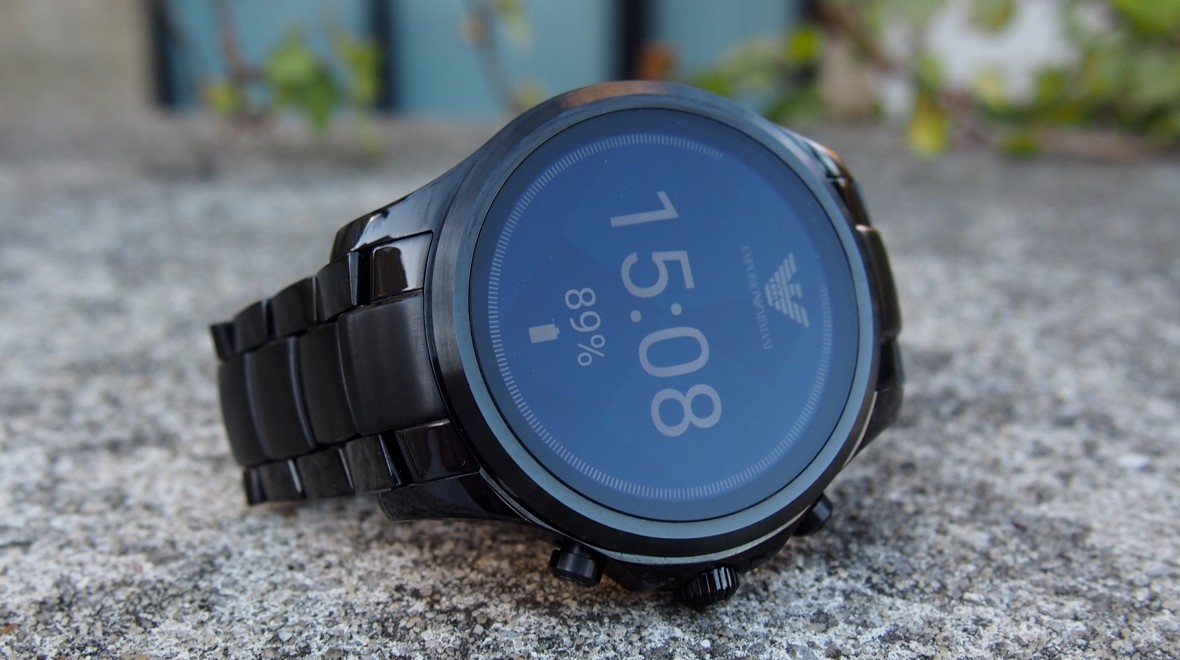
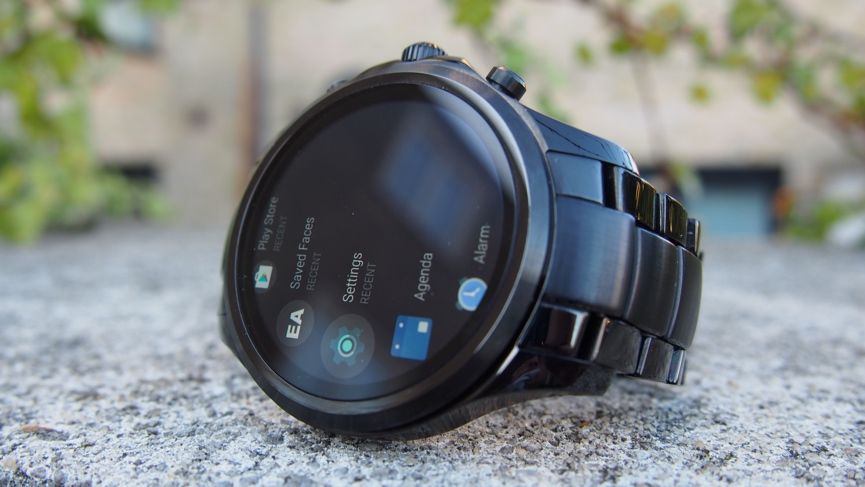
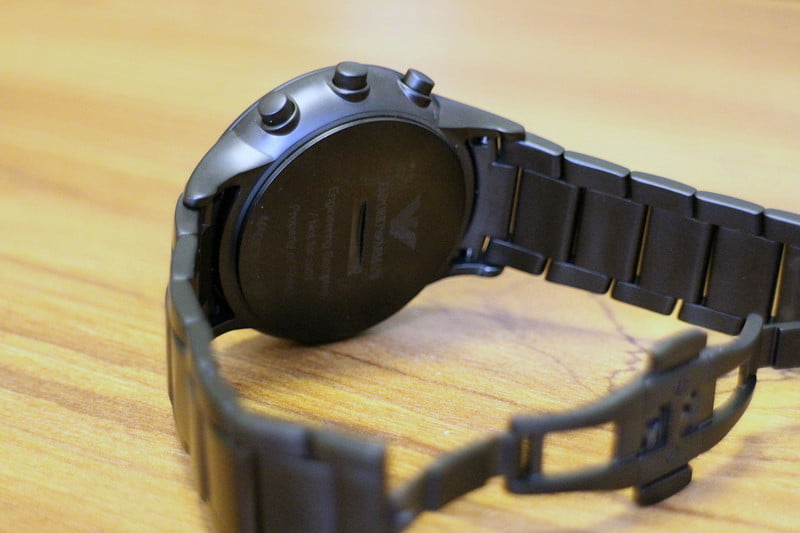
    The dynamic styling of Emporio Armani meets technology with a new collection of touchscreen smartwatches. This watch features the brand’ s most coveted designs with the added benefits of today’s wearable technology. The Emporio Armani Connected touchscreen smartwatch is compatible with both iOS® and Android™ phones, and are powered by Android Wear™ 2.0, Google’s smartwatch platform, and the Qualcomm® Snapdragon Wear™ 2100 smartwatch platform. Stay in the know with messages and notifications delivered directly to your watch and stay in style with a customizable watch face and interchangeable straps that can be changed to match your look. Connect to your favorite apps to track activity and access your music library. This black IP touchscreen smartwatch features a black dial with full display and is complemented by an easily interchangeable brushed-and-polished black IP bracelet.


    The Great

    • Sophisticated style
    • Crown controls Android Wear
    • Straps easily swapped to change the look
    • Comfortable, and beautifully presented

    The Not

    • Light on tech features


    • No Android Pay


    The Conclusion

    Smartwatches need to look good, and as luxury brands enter the market, we find they end up producing some of the best-looking wearables. One of the latest is the Emporio Armani Connected, Armani’s first Android Wear 2.0 smartwatch. It’s unquestionably attractive, with a name that oozes class, style, and sophistication but barley a smartwatch.


    Emporio Armani isn’t completely fresh to the world of smartwatches, after releasing a collection of hybrids last year. But with the Emporio Armani Connected and its full touchscreen face, this represents the Italian fashion house’s first dip into the world of Android Wear.Just as you would expect, entry doesn’t come cheap, either.


    Its Fancy

    Let’s be honest, if you’re looking to pick up this watch, you’re almost definitely more focused on the design than its connected features. And in our opinion, this is one of the sleekest options to consider.

    Like the rest of this year’s Fossil Group watches, there’s no flat tyre here, just a full AMOLED touchscreen offering a display which is up there with the best — and certainly an improvement on the Fossil smartwatches we saw in 2016. Interestingly, though, Armani has chosen not to release the actual specs regarding its screen.

    There’s been no skimping on build quality, either. While this admittedly feels like a more premium smartwatch thanks to our review model being the stainless steel band, the 46mm face doesn’t feel bulky or cumbersome when on the wrist. If you want a lighter variant or simply a different colour metal, 11 options are out there in total, giving you a strong pack to choose from.


    Smart Functions

    Emporio Armani and Fossil have shied away from releasing all the tech spec but we found the Qualcomm Snapdragon 2100 processor to provide a lightning  experience around the Connected. Delay when opening apps is minimal and menus almost never suffer from lag.

    Fitness enthusiasts will be disappointed, though, if they’re looking to branch out to a more stylish all-in-one, with no support for heart rate tracking, no GPS sensor and zero opportunity for swimming due to the IP67 water rating. When we have taken the Connected out on a token run, the metal band was (obviously) seriously uncomfortable in comparison to the Fitbit Ionic and Apple Watch, so those who are looking to take the device out with their smartphone should at least invest in one of the more sporty bands to switch out.

    What was a nice touch, though, was the ability to control our music while on the go – whether playing through Apple Music on an iPhone or Spotify on an Android device.


    The Final Thought

    Luxury smart watched are coming, this is just the start. The price tags will climb to close to the cost of a 3/2 split level home in rural Tennessee soon enough. This is a nice mid step between a nice looking watch and a smartwatch but it is neither great at either.


  • Airmega 400S  Clean Smart Air

    Airmega 400S Clean Smart Air

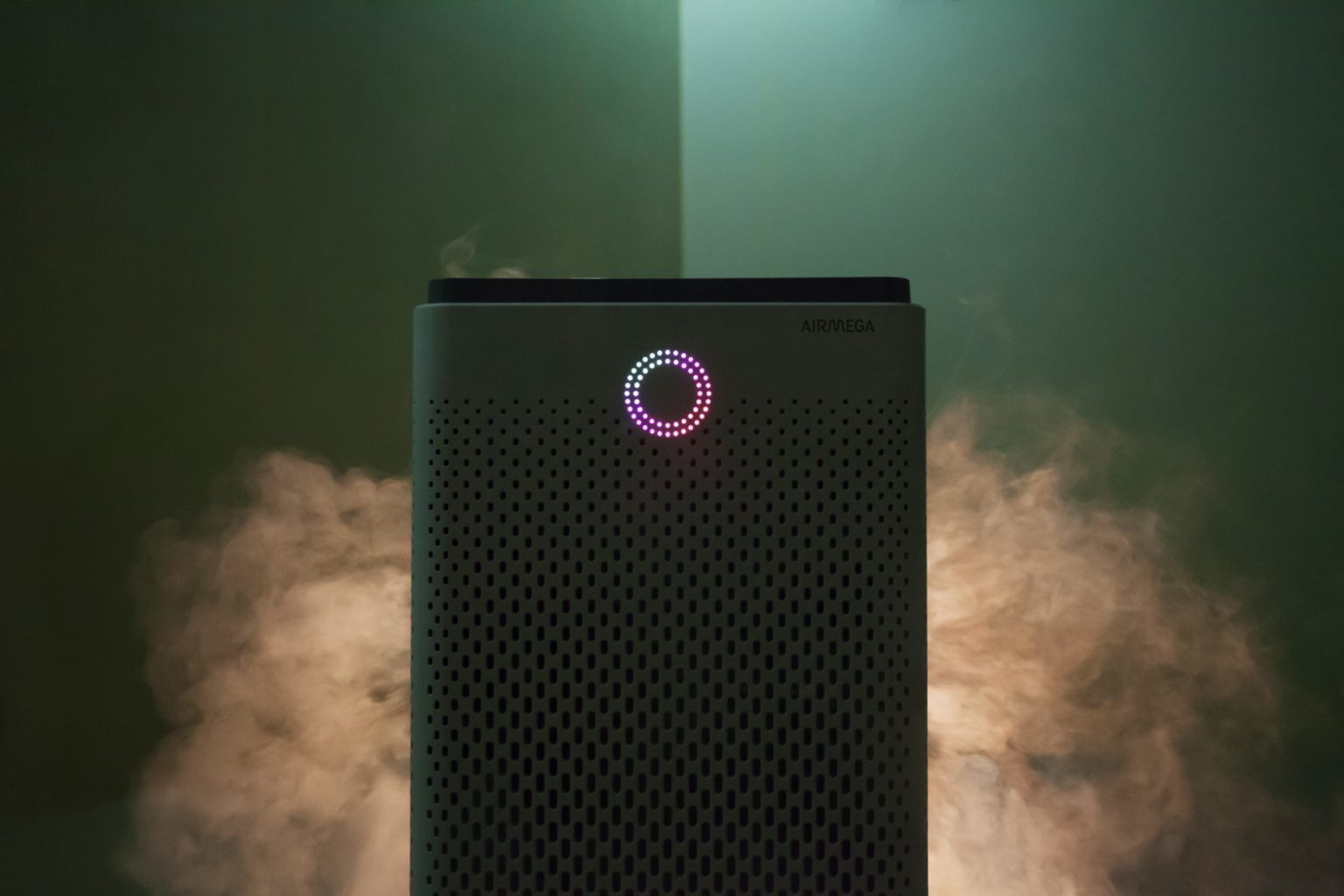
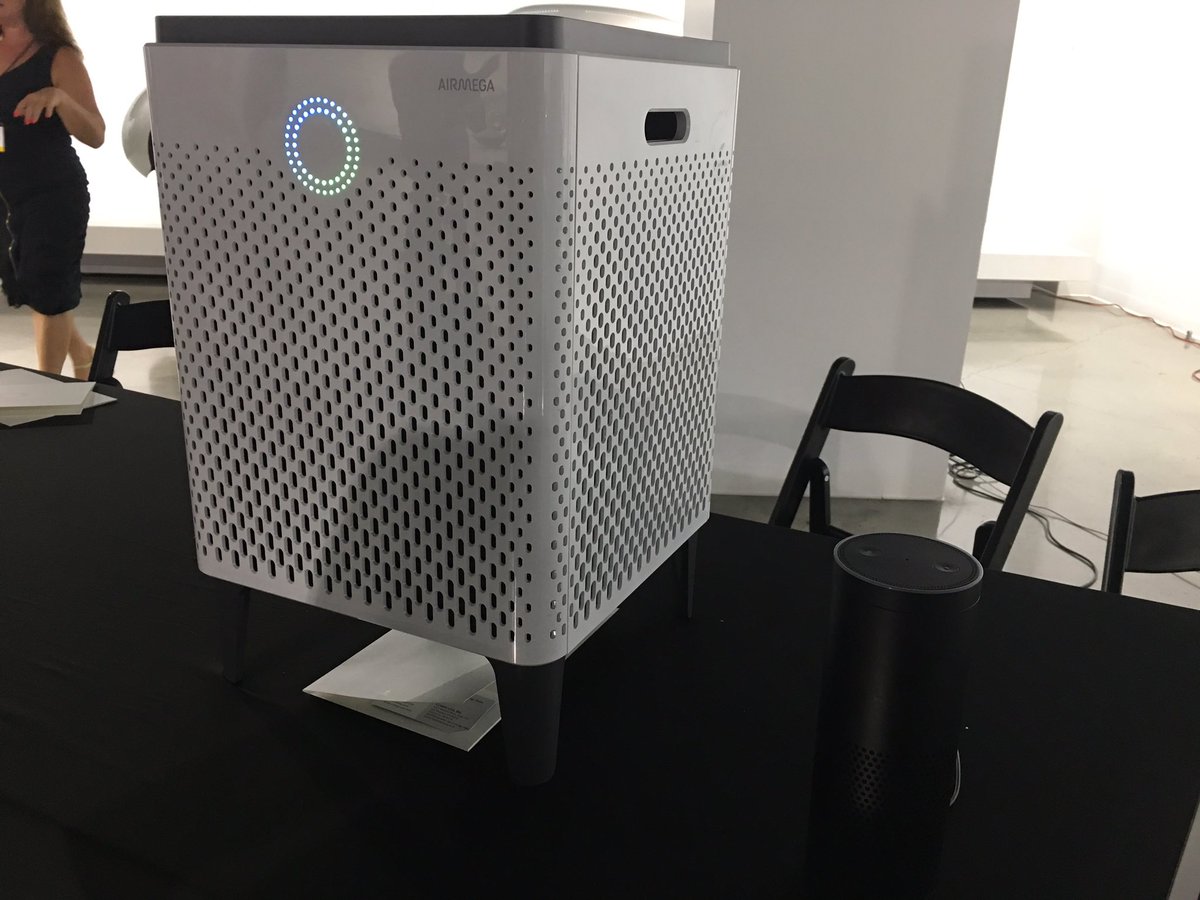
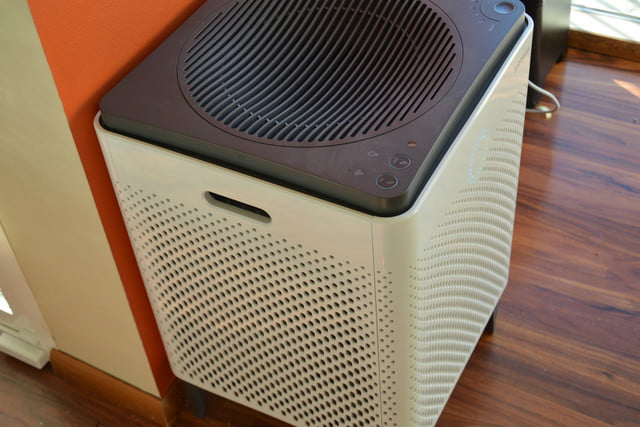
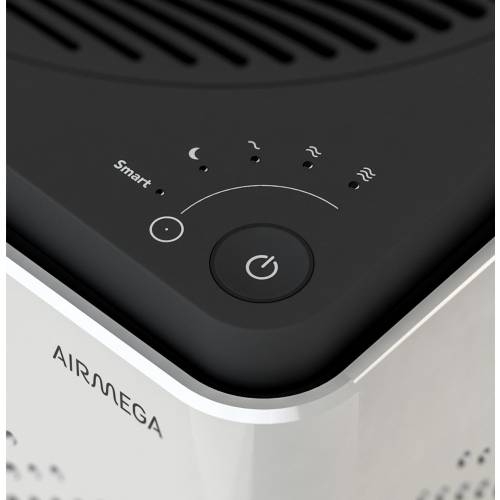
    The Airmega 400S  is a luxury air filter, a sci-fi lounge monolith with touch-sensitive controls and a ring of colored light that turns with the air quality. High-end in fit, finish and capacity, it’s also very online, with Internet-of-Things features and a stat-tracking app. Its $600 only, yay.

    The Great

    • Excellent room coverage – perfect choice for larger spaces
    • Great coverage also for asthma and allergy sufferers, who need extra air changes per hour
    • HEPA filter technology for maximum particle removal
    • Carbon filter removes 99% of harmful VOCs from the indoor air
    • Real-Time Pollution Sensor – LED colored ring makes it very easy to identify air quality offenders at a quick glance

    The Not

    • Issues reported with WiFi connectivity – sometimes difficult to pair up
    • No castors, so there may be mobility issues for some people
    • Limited choice of colors and no customization options


    The Conclusion

    The Airmega 400S can keep the air clean in up to a whopping 1,560 square feet of living space, so it’s well worth its considerable price tag. The device has a built-in real-time air-quality sensor, as well as a sophisticated dual-filter setup that allows it to keep both particles and odors at bay. You can control the air purifier via a sleek smartphone app or Amazon Alexa. The Airmega 400S is available in graphite or white.


    First Off How Well Will It Work

    Setting up this side-table-sized (23 x 15 x 15 inches) air purifier takes a total of 10 minutes and mostly involves peeling off a bunch of protective plastic and removing the wrapping from the unit’s two Max2 filters. Because this model also has wireless capabilities, it has a dedicated app that lets you set up air purifying schedules, check the air quality outside, and control the Airmega while you’re away from home. As with other connected smart home devices, this part of the setup process involves downloading following a handful of on-screen instructions in the app to connect the 400S to your Wi-Fi network.

    While we didn’t have a fancy lab or equipment that could accurately measure particulate or VOC levels, I did subject the 400S to as many real world tests as we could dream up. We cooked, we lit candles and matches, we even emptied the contents of dirt and dust-filled Roomba near the air purifier. As the doting owners of a 110-pound, perpetually shedding golden retriever named Benjamin-Mattdamon Affleck, I also subjected the Airmega to the dander wonderland that is our home.

    Results, terrific. It would pass any EPA clean air test if the EPA was still around. It’s dead quiet, too, especially at the lowest settings. There is not the slightest buzz of vibration. Washing and replacing filters is very easy. It messages you when they need a bath.  It’s about the size of a desktop mini-fridge, significantly larger than most consumer air filters, with three HEPA filters and the promise of full-house coverage. 1,560 square feet, they claim, which would make it competitive on a price-per-square-foot basis with less expensive models.

    What Makes This So Smart

    The Airmega 400s features 3 such ‘smart’ modes – auto, eco and sleep.  Let’s take a look at each.

    Smart Auto Mode

    If you decide to engage the auto mode feature the unit uses a sensor to detect how much pollutants are in your indoor air and then adjusts the fan speed accordingly.There are 4 fan speed settings on the Airmega 400s – sleep, low, medium and high. As a rule of thumb, the more pollutants are detected, the faster the fan will operate.When the sensor recognises that the indoor air quality has improved it will switch back down to a lower fan speed.


    Smart Eco Mode

    If the unit is in smart mode and the sensor has detected good air quality for a period of 10 minutes, the machine will automatically shut down the fan.This helps to save on your energy consumption, and in turn saves you money on your electricity bills, as it means you’re not running the air purifier when it’s not necessary.The fans will automatically start back up again should the sensor detect any pollution later.


    Smart Sleep Mode

    In sleep mode the unit will reduce its noise and power consumption if the sensor detects the room has been dark and the air clean for a period of 3 minutes. Like the eco mode, this feature is good both for the environment and your bank balance! It’s also handy if you plan to use the air purifier in your bedroom at night as it helps to minimise disturbance and let’s you get a better nights sleep.


    In recognition of the fact that so many of us like to use our phones for day-to-day tasks, Coway have developed a smartphone app (IOS and Android) which lets owners of the Airmega 400s control many aspects of their air purifier remotely.For example, you can set the fan speed and sleep timer, see the status of the filters, and access the different smart mode controls.

    You can also receive indoor air quality reports and real-time updates on outdoor air quality and pollution levels for your particular hometown straight to your phone . This lets you track the health of the air inside a room over a period of a few days or weeks, and is useful for identifying trends and the times when the air quality is at its best and worst. The Airmega 400s air purifier can also be paired with Amazon Alexa

    The Final Thought

    I’m extremely dubious about the utility and wisdom of an IoT air filter. But if you know you need an air filter, and you need one that’s attractive, quiet and very high-capacity, where a $300 Honeywell (or HEPA filters duct-taped to a box fan) would just be unacceptably loud, trashy or ugly, then I have and air purifier Id like to show you. I will say that in testing this for a review it is one of the few products I reviewed myself into buying. What? I like clean air and smart toys.