Category: Reviews

  • Sony Glass Speaker an OK Sounding Work of Art

    Sony Glass Speaker an OK Sounding Work of Art

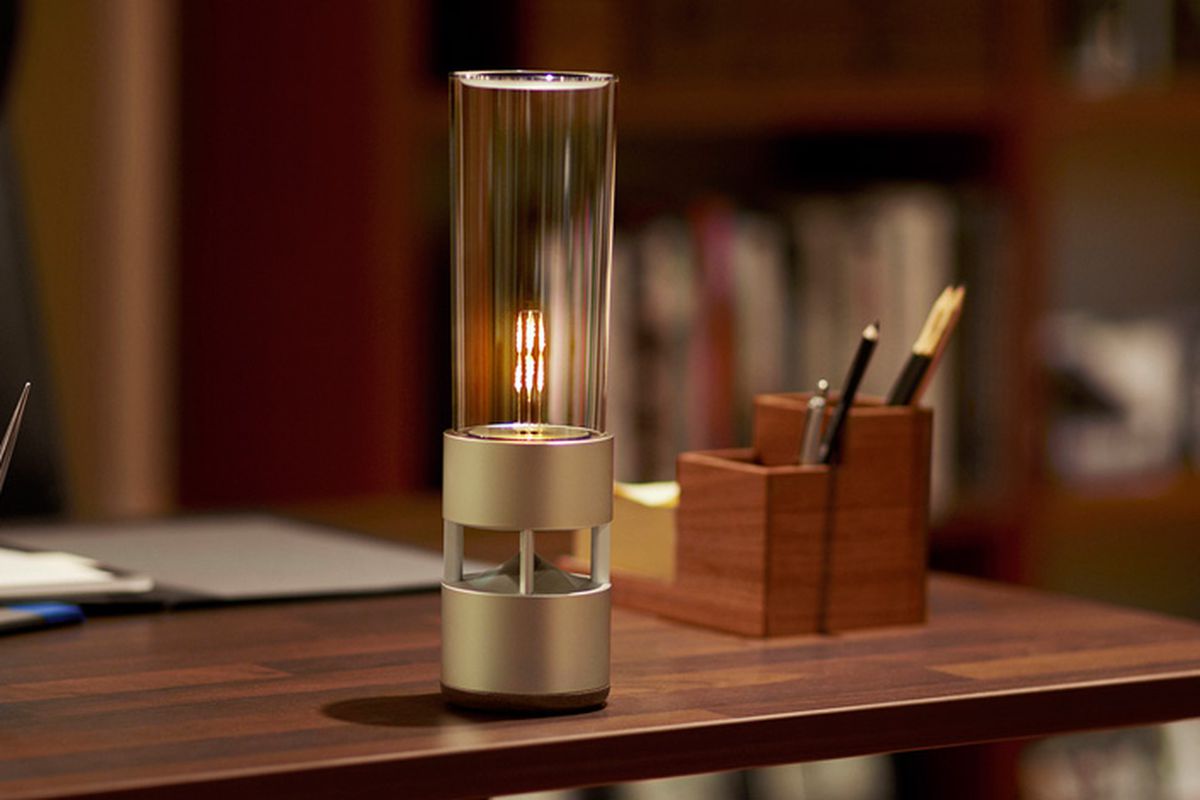
    The Sony LSPX-S1 Glass Sound Speaker brings light and incredible sound to any room with its soft LED filament combined with a cylinder-shaped design for the appearance of a lantern. This wireless audio device features an organic glass-tube tweeter surrounding the LED that also functions as the tweeter and a built-in 2-in woofer for clear, balanced music. Listen wirelessly over Bluetooth, plug in or use the built-in battery. The LSPX-1 is crafted with a solid aluminum body that delivers high-fidelity audio in a stylish design. The base of the Bluetooth speaker features a passive bass radiator built-in for big, powerful sound. Each of these features combine to craft a fully detailed 360-degree soundstage that sounds as beautiful as it looks. You can enjoy up to four hours of audio playback with the built-in rechargeable battery, allowing you to take the mobile speaker on the go.

    The Great

    • Beautiful, Almost an Art Piece
    • Portable
    • Bright,
    • Clear highs and rich bass delivered from seemingly hidden drivers
    • Dimmable LED light delivers warm, Edison bulb-like ambiance.

    The Not

    • Expensive
    • Not a ton of bass
    • Battery life is so-so.

    The Conclusion

    The Sony Glass Sound Speaker has a very cool, transparent design and is equipped with an integrated LED light that’s dimmable from your phone. It delivers clean, crisp sound at moderate volumes and has a built-in battery for portable use (4 hours of batter life).  If you can afford it, Sony’s Glass Sound speaker is beautifully designed, sounds good and complements minimalist, modern decors

     

    As a half wireless Bluetooth speaker, half lantern with a dimmable LED bulb that mimics a flame, it’s got double mood setting potential. It an also be moved around freely because it’s got an integrated rechargeable battery that gives you around four hours of music playback, depending on the volume level. You can also just leave it plugged in if there’s an outlet nearby.

    It’s one of those products you really want as soon as you see it, but its $800 price tag is an instant buzzkill unless you happen to be a lottery winner or a Rockefeller.

     

    OK, so this speaker’s a splurge, but it’s worth it! This gorgeous glass speaker by Sony will not only deliver 360-degree sound with exceptional quality, but it also improves the ambiance in your home via an LED filament light. The latter delivers a soft glow that resembles a candle or a lantern.

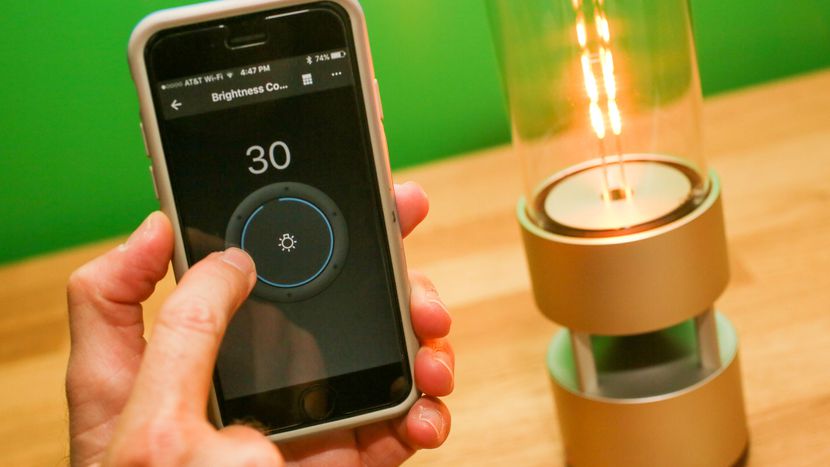
    You can control the speaker and its light via a smartphone app (available for iOS and Android), as well as pair a duo of LSPX-S1 units for an even more fulfilling sonic experience. Overall, it’s a pricey proposition that’s a true conversation piece.
     

    The Design

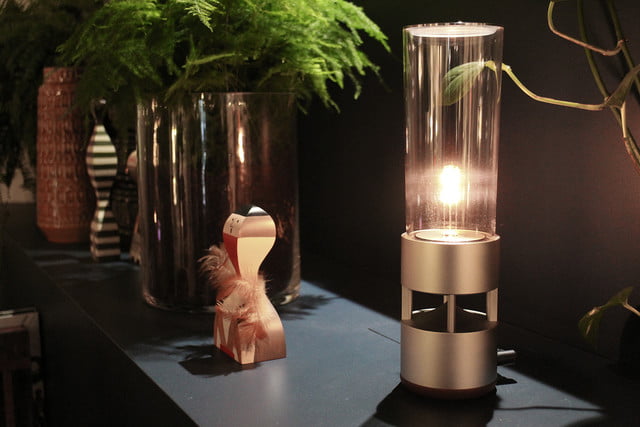
    Ok, so its beautiful. Its like a magnificent piece of art you would want to be displayed and have stuffy conversations about. The unique design—a tall, clear tower enclosing an adjustable LED light—even earned the item inclusion in the Museum of Modern Art’s online store.

    According to the site, the speaker is one of MoMA’s best sellers. The ad copy gushes that Sony has managed to “create a new kind of living experience,” one that looks like a “sleek, softly glowing lantern but is also a powerful speaker with breathtaking sound quality.”
     

    The Sound

    The bass has mediocre impact and the lower bass is lacking in power. The midrange is thin and somewhat hazy. And, working my way higher in tone, the lower and mid-treble are subdued while the upper treble is overly prominent with a sizzly sound. The overall sound quality is somewhat harsh at higher volumes.

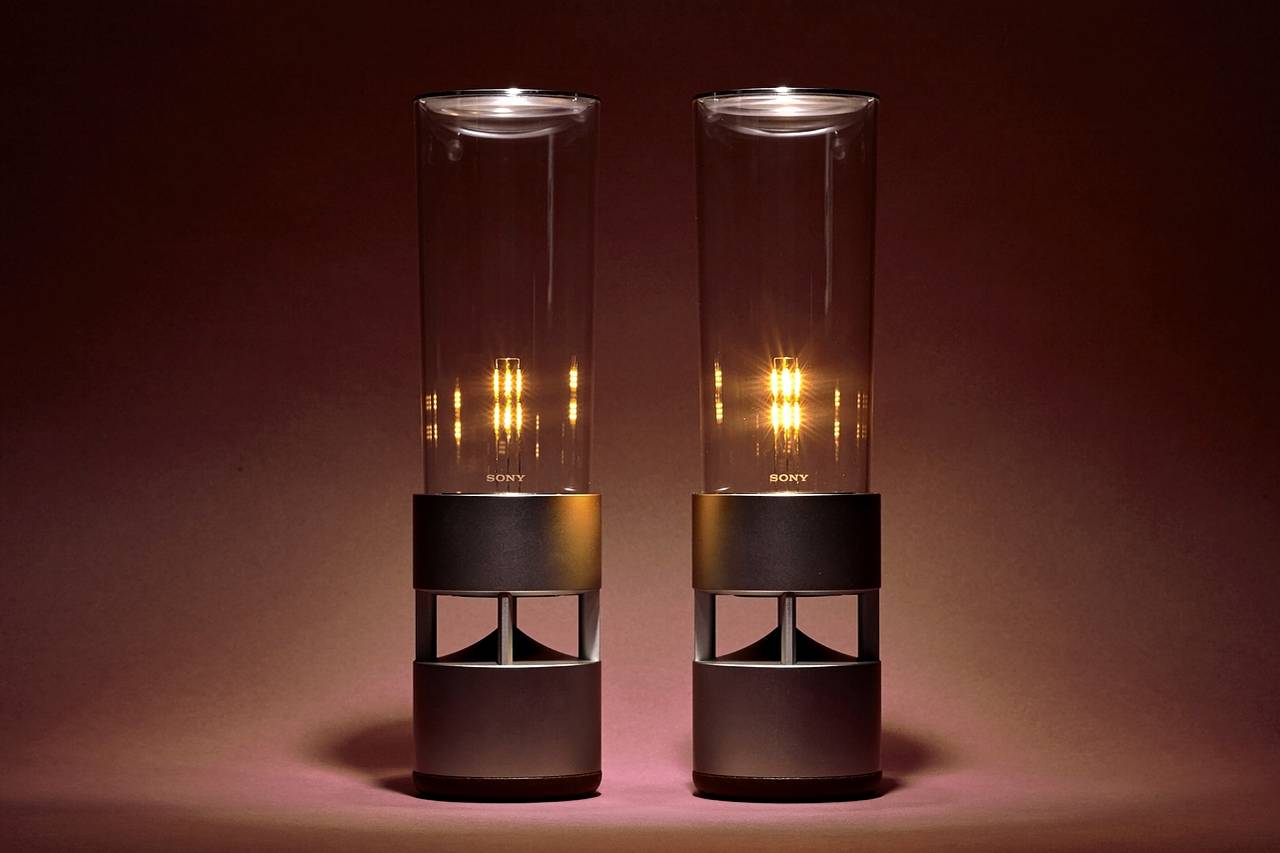
    With some speaker models, I find that adding a second unit really improves the overall sound, but that wasn’t the case when I  tested a pair of the Sony Glass Sound Speakers. Our testers found that the sound remained thin. Though the bass was slightly more robust, everything else was somewhat hazy and congested.
     

    The Final Thought

    While obviously not hi-fi, the sound quality was easily equal to that of most of the small portable Bluetooth speakers we’ve heard, and the Sony LSPX-S1 has two other advantages, one of which is that it looks lovely, and the other being that it doubles as a table lamp. Seriously, what more could you want for $800.

  • Top 10 Cars With the Best Mileage in 2018

    Top 10 Cars With the Best Mileage in 2018

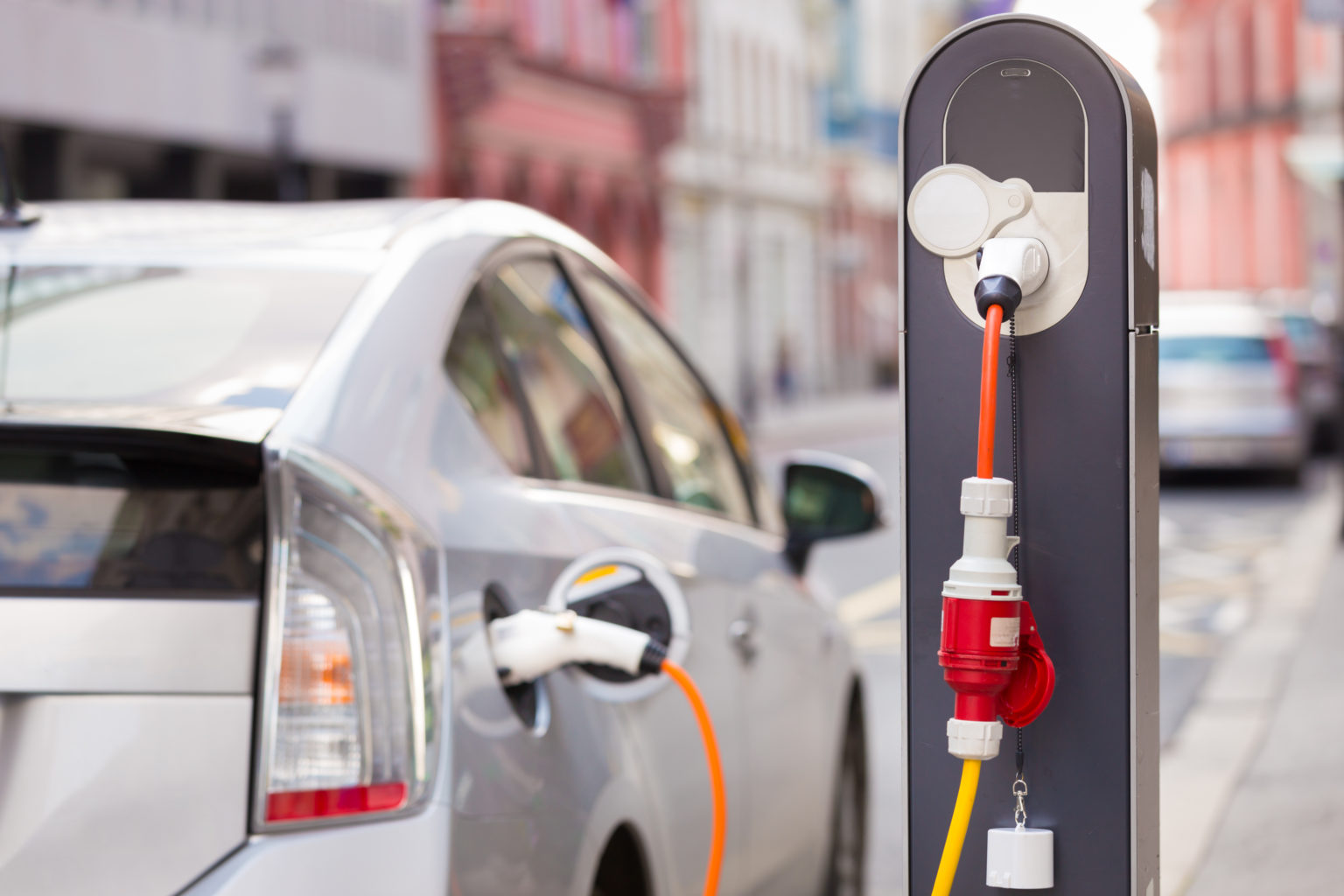
    Whether you want to save some money or save the environment, a gas saving car is something that interests many people. There are even cars on today’s market that are hybrids that you can plug in and run on electricity. Below is a list compiled of ten cars with the best mileage today.

    10) 2018 Kia Niro FE – 52 mpg city/49 mpg highway/50 mpg combo

    This Kia is subcompact SUV with a great deal of cargo space. It has many extra technology features and is one of the most efficient on the market. The Kia Niro FE is a hybrid vehicle, meaning you can use gasoline and plug it in to charge.

    9) 2018 Toyota Camry Hybrid LE 51 mpg city/53 mpg highway/52 mpg combo

    This hybrid Camry is one of the most powerful hybrids available on today’s market. Combined, the gasoline and electric puts out a 208 horsepower. A great addition to this car, it has a safety feature to warn of potential collisions and pedestrians, called Toyota Safety Sense.

    8) 2018 Toyota Prius Eco 58 mpg city/53 mpg highway/56 mpg combo

    This pick is completely gasoline run, and it has one of the best fuel economies. The safety score reigns high, as it also has the Toyota Safety Sense and other safety features. The score for this vehicle overall is great with almost a 9/10.

    7) 2018 Hyundai Ioniq Blue 57 mpg city/59 mpg highway/58 mpg combo

    Another top choice that is a great hybrid, it gets almost sixty miles per gallon just based off gasoline. That is insane! The price is an amazing one for a hybrid vehicle, if you are wanting something that is not going to break the bank, here is your best bet.

    6) 2018 Kia Optima PHEV 103 mpg-e/40 mpg combo

    Without using any gasoline, the Optima can travel up to 29 miles using electricity. This car is high-quality and has an amazing sound system. You can even hook up your phone to the car to the 10-speaker Harmon Kardon sound system.

    5) 2018 Kia Niro PHEV 105 mpg-e/46 mpg combo

    The crossover body style of this vehicle allows for more cargo space! This hybrid allows up to 26 miles of electric range. You are able to use Kia’s UVO eco infotainment system to do things like set up to charge your vehicle and even to heat the steering wheel!

    4) 2018 Chevrolet Volt 106 mpg-e/42 mpg combo

    One of the first vehicles to come out with a hybrid system, it has a perfect safety score of 10/10. You can’t beat the 53 miles this car runs solely on electricity. It is packed full of great features, the Chevy’s Teen Driver system being a unique one.

    3) 2018 Honda Clarity PHEV 110 mpg-e/42 mpg combo

    Honda is a very popular pick for a car, this hybrid can travel 47 miles just on electricity. The gasoline engine is strong with an amazing 212 horsepower. This car has many safety features like the LaneWatch camera and an adaptive cruise control.

    2) 2018 Hyundai Ioniq PHEV 119 mpg-e/52 mpg combo

    This version of the Ioniq has a more high class look to it yet has great cargo space. It is also a lot more economical than you may think; it can travel up to 29 miles alone on just electricity.

    1) 2018 Toyota Prius Prime 133 mpg-e/54 mpg combo

    Last, but not least, this car is the best pick of all hybrid vehicles. It has two electric motors and can run on that electric for up to 25 miles. Between charging this car and filling up on gas, the Prius Prime will last 640 miles! Other ways to help get the most of your miles in this car are to use the Entune Prime App to adjust the climate control.

  • Laptop Lookout: MacBook Pro 15

    Laptop Lookout: MacBook Pro 15

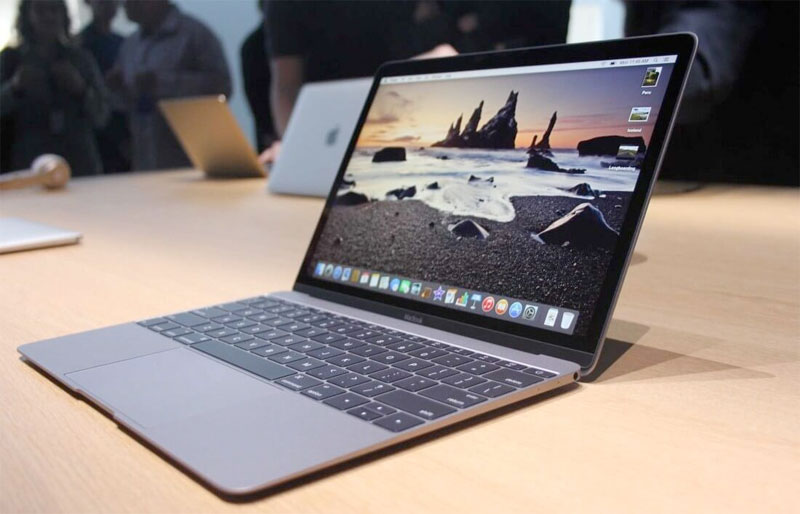
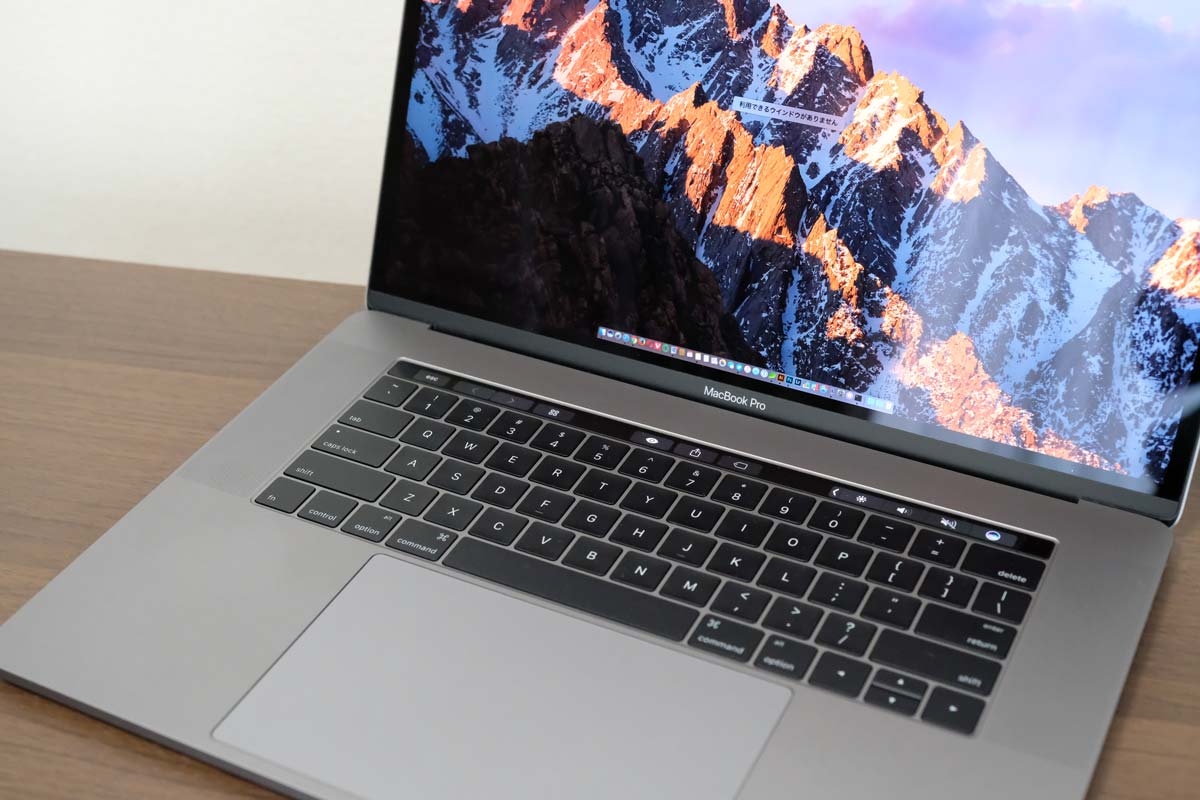
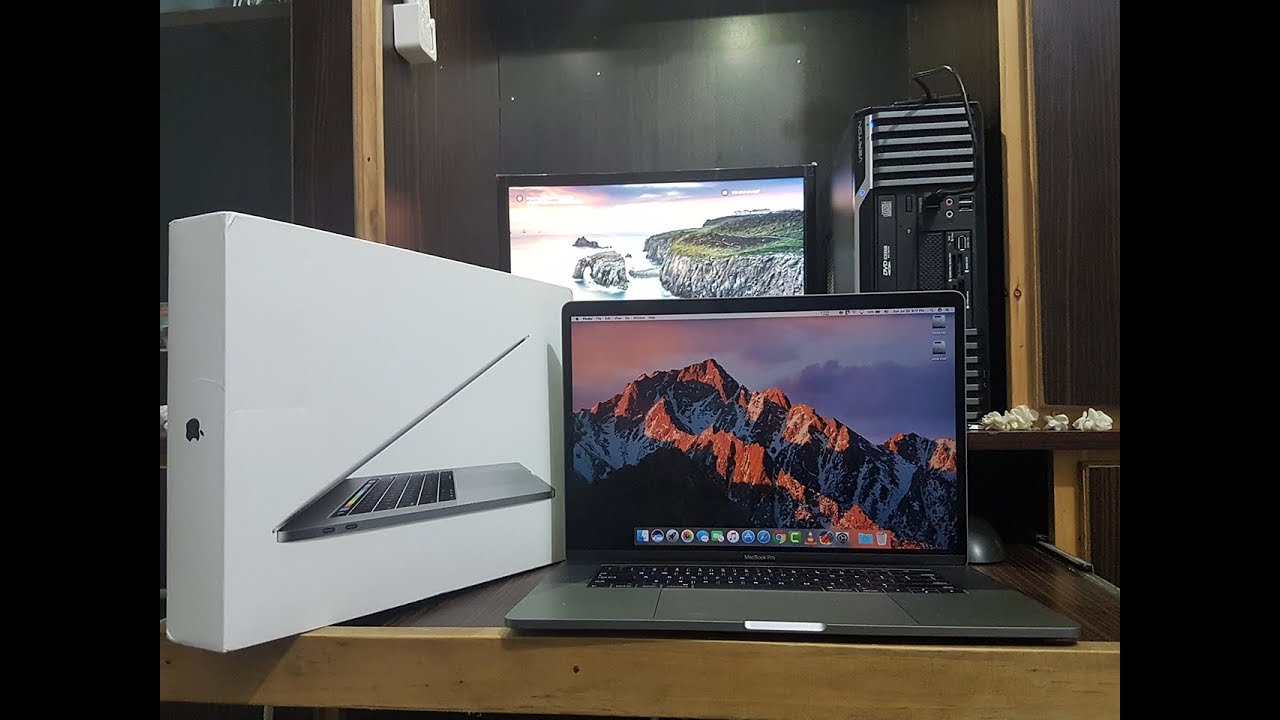
    It’s razor thin, feather light, and even faster and more powerful than before. It has the brightest, most colorful Mac notebook display ever. And it features the Touch Bar — a Multi-Touch enabled strip of glass built into the keyboard for instant access to the tools you want, right when you want them. MacBook Pro is built on groundbreaking ideas.


    The Great

    • Stronger processor
    • Faster RAM
    • Same excellent design

    The Not

    • Subpar battery life
    • Keyboard learning curve
    • Awfully pricey for the parts

    The Conclusion

    It is the standard for which all great laptops are measured and found wanting.


    The Pro status of Apple’s 15-inch MacBook depends on what sort of ‘pro’ you are. Traditionally creative pros would have turned to the Mac for their needs, be it design work, editing photos, working with video and animation, or other jobs that require decent graphic capabilities.


    The Design

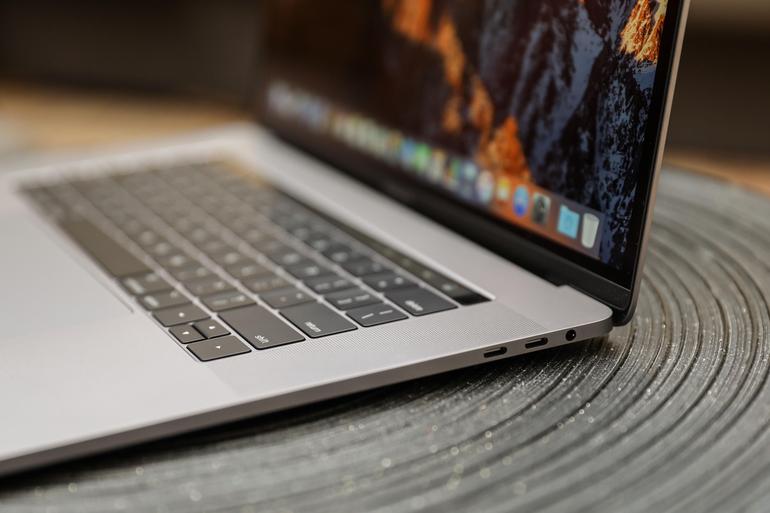
    Weighing 4 pounds and measuring 0.61 inches thick, the 2017 15-inch MacBook Pro is lighter and thinner than my personal 2012 model (which is 4.46 pounds and 0.71 inches), but I noticed the thinness a lot more than I noticed the weight, as my bag would feel just as heavy no matter which machine I was lugging.

    Touch Bar Really Useful for Only One Thing

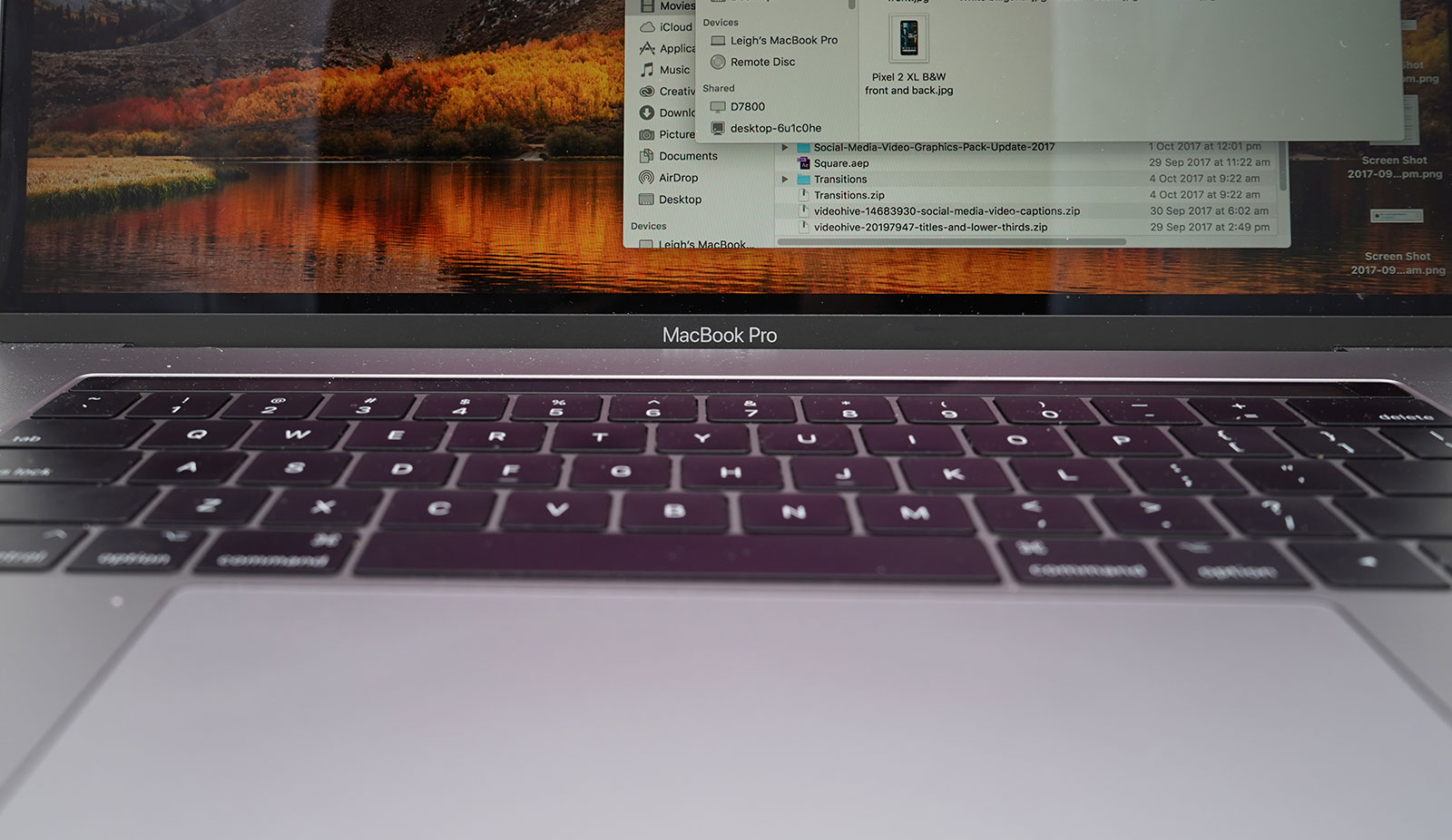
    The biggest innovation in the 2016 MacBook Pro (as well as this 2017 model) is Apple’s sliver of an OLED touch screen, which the company calls the Touch Bar My reaction? I’m sorry, but I want (most of) my effin Fn keys back.


    In my whole month with this MacBook Pro, I found that the Touch Bar was mostly an accident waiting to happen. The majority of my interactions with it happened unintentionally; while typing, I would activate the digital Esc key while trying to hit the ` or 1 keys.

    On the upside, the far right end of the Touch Bar contains a Touch ID sensor, which is my favorite part of the MacBook Pro’s outer body. The convenience it offers, allowing me to unlock my login IDs and passwords from the 1Password utility, is electric, especially when the alternative is typing out my complex, 23-character pass code.

    Though, having Siri as a button for easy, constant access is a major plus, given the wide control it has over macOS in comparison to other digital assistants.


    The Graphics Upgrade

    The 2017 Pro also gets an updated set of graphics hardware options. The integrated graphics chip goes from the Intel HD 530 to the HD 630 (part of that jump to the Kaby Lake platform), and the discrete graphics go from AMD Radeon Pro 450 and 455 parts to — you guessed it — Radeon Pro 555 and 560 options. Every 15-inch MacBook Pro laptop includes an AMD GPU, while the 13-inch models make do with Intel’s built-in graphics.

    If that’s the good news, then the bad news may be that if one or more of the features of the new MacBook Pro design kept you away, (the super-flat keyboard, the Touch Bar, USB-C ports, etc.) then this set of 2017 revisions isn’t going to do anything much to change your mind.


    Quick Spec Look

    • 15.4-inch LED-backlit display with IPS technology, 2880-by-1800 native resolution at 220 pixels per inch
      2.6GHz quad-core sixth-gen Intel Core i7 processor
      AMD Radeon Pro 450 graphics based on the 14-nanometer Polaris architecture
      16GB RAM
      256GB SSD
      4 x Thunderbolt port
      Touch Bar with Touch ID
      Price: $2,399 (up from $1,999 for the previous entry model)
      A fully kitted-out 15-inch MacBook Pro (featuring 2.9GHz quad-core i7, 2TB SSD, and Radeon Pro 460 with 4GB of memory) costs $4,299


    The Final Thought

    The updated 15-inch MacBook Pro gets faster processing and graphics options. It’s still the biggest and most powerful laptop Apple makes. The giant touchpad is easy to use and battery life is excellent. If you are in need of a new laptop look not further you will not find a better example of excellence.

  • Smartphone Spotlight: Huawei P20 Pro

    Smartphone Spotlight: Huawei P20 Pro

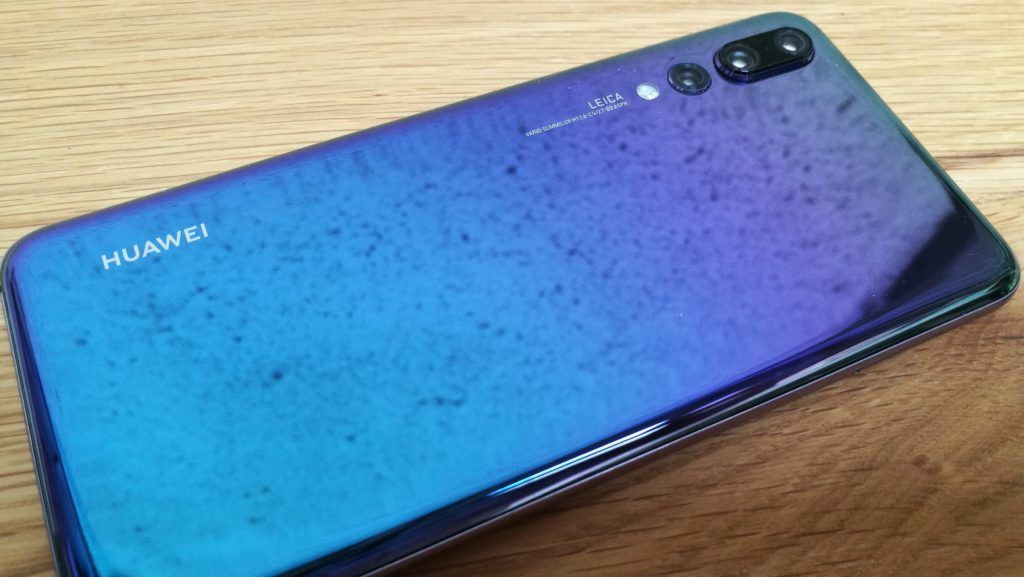
    HUAWEI’s P series has always been a pioneer of smartphone photography. Now the HUAWEI P20 Pro is once again leading the way with the revolutionary Leica Triple Camera, where aesthetic vision meets an advanced camera system that shines a light on intelligent photography. Inspired by the radiant energy of light itself, the HUAWEI P20 Pro is available in a new gradient color finish. The effect is a luminescent color progression that is unique amongst smartphones. Designed to be exceptional in every way.


    The Great

    • Fantasic camera
    • Big battery with lots of stamina
    • Optional (ish) notch
    • Fast face unlock

    The Not

    • No wireless charging
    • No headphone jack
    • Minor fizz to the OLED screen


    The Conclusion

    40MP, the world’s first triple camera, 5X Hybrid Zoom, artificial intelligence in all the ways, and the most unique color on any smartphone ever. These are just some of the features Huawei is hoping will make you check out its new flagship, the Huawei P20 Pro.


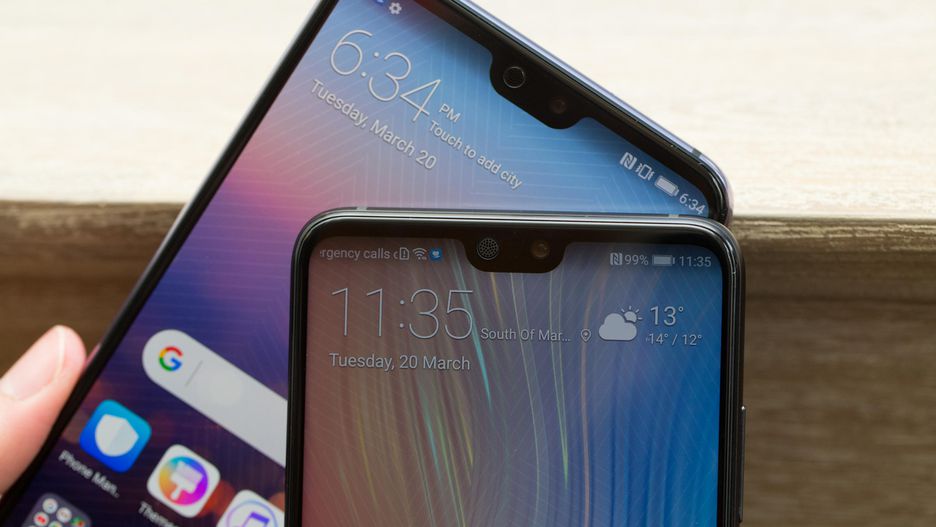
    The Huawei P20 Pro is a phone that stands out with its large, spacious display and its triple camera at the back. Its huge screen occupies most of its front, with a notch at the top housing the earpiece and front-facing camera. The triple camera arrangement is comprised of a massive, 40MP camera for regular shots, a 3X zoom telephoto cam, and a monochrome sensor enabling bokeh effects. On the inside is a powerful Kirin 970 chip, along with plenty of memory and a huge battery


    The Design

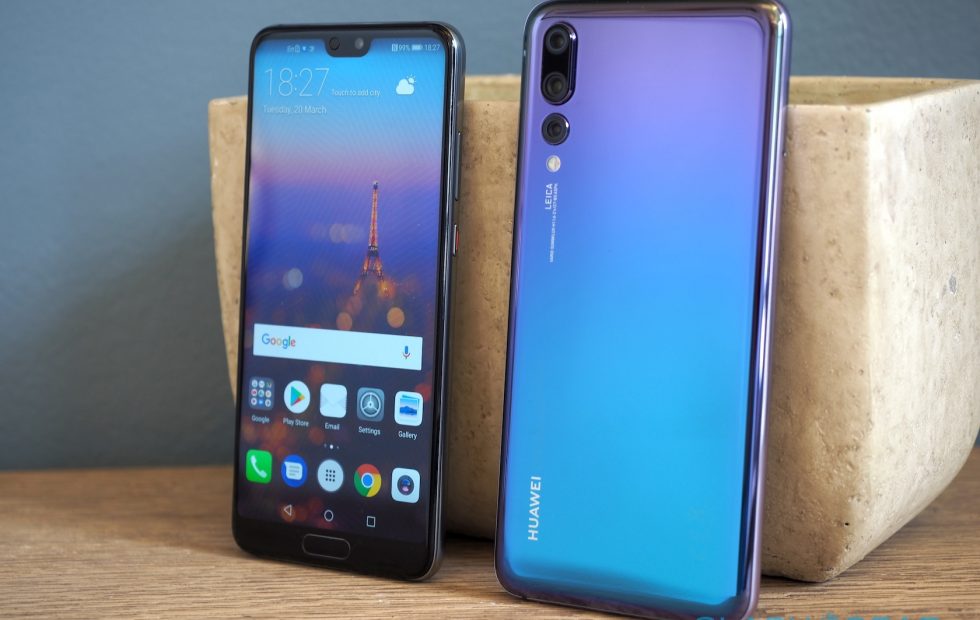
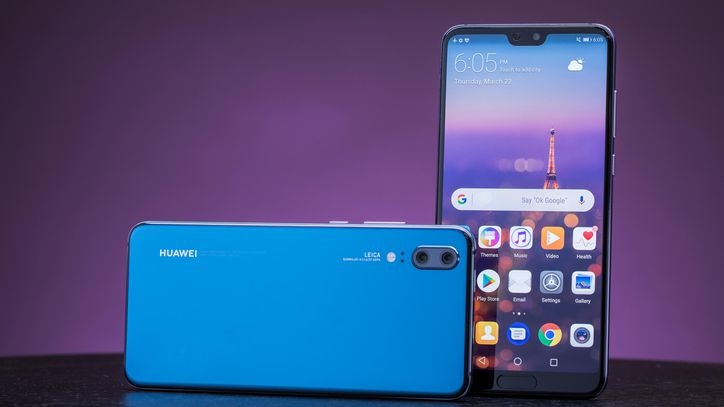
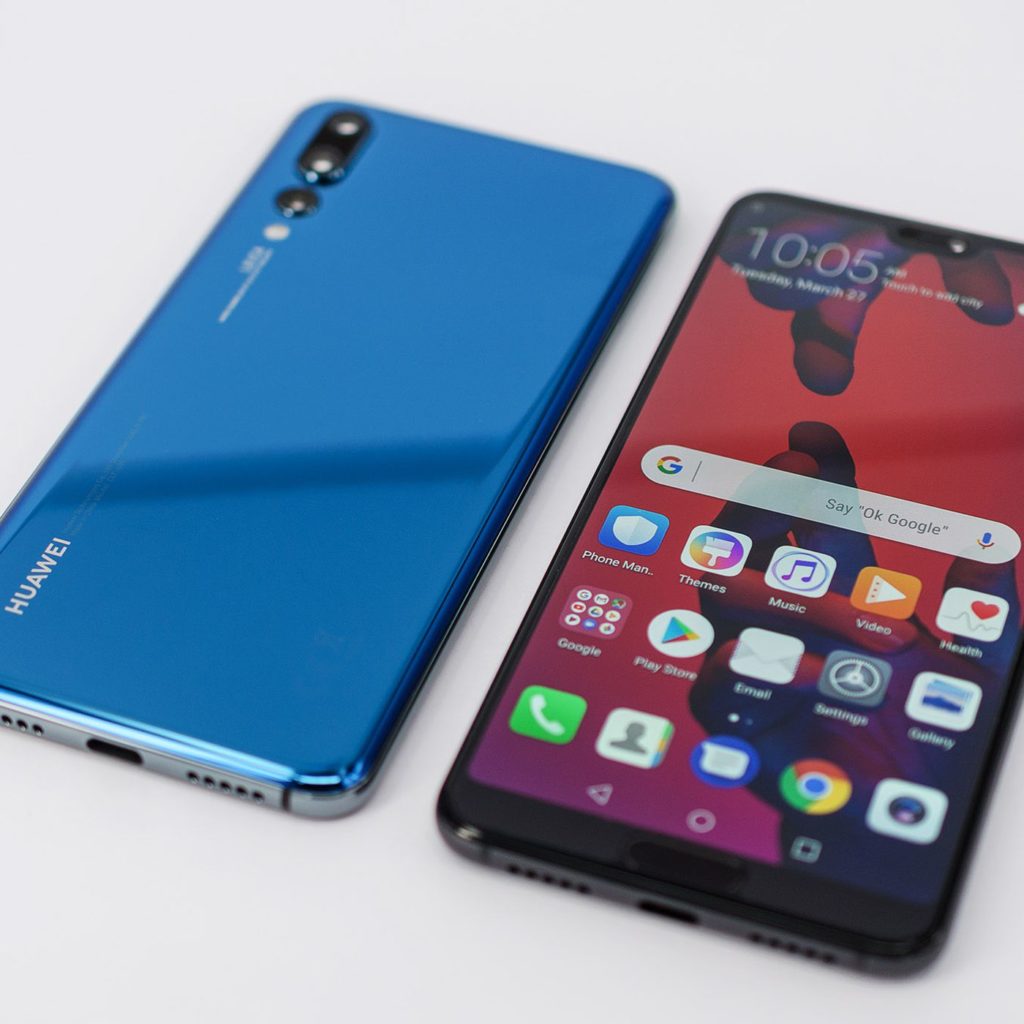
    The Huawei P20 Pro borrows several design cues from the iPhone X, with a vertical camera placement on the back and notch atop the screen. It stands out with three cameras and the unique twilight color, which awakens everyone’s inner wish for a real-life unicorn.

    Beneath the screen is Huawei’s fingerprint sensor, which is flat, wide, and allows you to unlock your phone while it’s laying face up on a table. I’m normally a bigger fan of Huawei’s rear-mounted fingerprint sensors thanks to their added support for summoning the notification shade, but the P20 Pro’s scanner is still fast and reliable and supports gesture controls for navigation.

    The power and volume keys on the right offer nice feedback and the power button has a nice accent color. The bottom houses a speaker, microphone, and USB Type-C port. There’s no headphone jack, but an adapter comes in the box. I’m not an audiophile so I usually pick convenience over function, so I’m fine with Bluetooth audio. It’s the easiest solution and the Huawei P20 Pro works well enough in this regard.


    The Camera


    If you’re interested in the Huawei P20 Pro, there’s a good chance it’s because of the camera array. There are three cameras on the back, one 40MP main sensor, a 20MP black and white one and a 3x zoom 8MP camera.

    You can shoot at 3x without digital zoom, and even get good results at 5x. The real star here is low light performance, though. Standard night shooting just about matches the best, but a dedicated night mode lets you take low light shots with dynamic range to rival an APS-C DSLR.

    The Huawei P20 Pro also has a very high-resolution 24MP front camera for detailed selfies and reliable face unlocking.

    Quick Spec Look

    HUAWEI Kirin 970 CPU, octa-core + micro core i7, 4 x Cortex A73 2.36 GHz + 4 x Cortex A53 1.8 GHz

    Size: 6.1 inches;

    Type: OLED;

    Colour: 16.7 M colours;

    Resolution: FHD 1080 x 2240, 408 PPI

    OS Android™ 8.1

    6 GB RAM + 128 GB ROM

    Rear camera:

    Tri-lens camera:

    40 MP (RGB, f/1.8 aperture) + 20 MP (Monochrome, f/1.6 aperture) + 8 MP (Telephoto, f/2.4 aperture), supports autofocus (laser focus, deep focus, phase focus, contrast focus)

    Note: The photo pixels may vary depending on the shooting mode.

    Front camera:

    Single-lens camera:

    24 MP, f/2.0 aperture, supports fixed focal length


    The Final Thought

    When all is said and done, the new Huawei P20 Pro will quite possibly be the hottest Android phone of 2018. On top of beastly specs and a very sleek design with one color that has a crazy gradient color effect, the P20 Pro has the best camera of any smartphone ever. The triple-lens design is truly unique, and it helps the P20 Pro pull in all sorts of extra data that tremendously improves image quality. There’s only one problem: the Trump administration doesn’t want you to have it. We will have to wait to see how this pending trade war works out before we see it in every teenagers hands in the US. There are 2 stores on eBay taking pre-orders now for the US and it will ship 4/18

  • Four Free Microsoft Office Alternatives

    Four Free Microsoft Office Alternatives

    Microsoft Office may dominate the standard office application world, but that doesn’t mean you have to shell out money to Microsoft to meet your needs. There are more than a few alternatives to Microsoft’s ubiquitous word processor, spreadsheet and more.

    LibreOffice

    This free and open source office suite is fully compatible with Microsoft Office and features six apps. Writer (word processor), Calc (spreadsheet), Draw (vector diagrams), Math (complicated mathematical functions) and Base (database program). Base is of special note to some users who may be looking for an alternative to Microsoft Access.

    LibreOffice is available for Windows, Mac and Linux. There are no official mobile versions aside from a document viewer on Android, but if your computer is still your home base, then LibreOffice may be the replacement office suite you need.

    Google Docs

    It’s hard to talk about Microsoft Office replacements without mentioning Google Docs. The search company’s collection of online office apps should meet most user needs. The fact that every document you ever create is safely stored in the Google cloud can be a lifesaver.

    You won’t find some of the advanced tools like you’d see in Microsoft Office or even LibreOffice. Compatibility can also be a bit tricky when you try to open Microsoft formats – the conversion doesn’t always look pretty.

    But if you are a basic office suite user who needs to simply create some text documents or simple spreadsheets, then Google Docs may be your best bet.

    Microsoft Office Online

    Microsoft wasn’t keen to stand by and watch Google Docs take a bite out of their user base. So they decided to release their own free versions of Microsoft Office apps.

    These stripped-down versions of their desktop program counterparts are similar to Google Docs in that they are missing some advanced features. But if you are living in a world of Microsoft formatted files and you don’t want the hassle of converting them all to Google Docs, then Microsoft Office Online has you covered.

    Zoho Workplace

    Zoho is a fairly new and exciting addition to online office applications. The new-look word processor ditches the classic Microsoft Word-style interface and uses a formatting sidebar instead. The spreadsheet similarly features a unique interface. Both can produce professional-looking documents.

    Zoho also offers a site creation tool, a file management solution and collaborative tools. If you are starting a small business, then Zoho might have all of your needs covered.

  • Three of the Best Budget-Friendly 3D Printers for Beginners

    Three of the Best Budget-Friendly 3D Printers for Beginners

    The market for 3D printers has exploded over the last few years. There are plenty of options now for rookie tinkerers and experts alike. Today, we are going to round up some of the best options for people who want to dip their toes into the world of 3D printing.

    XYZprinting da Vinci Mini – Around $200

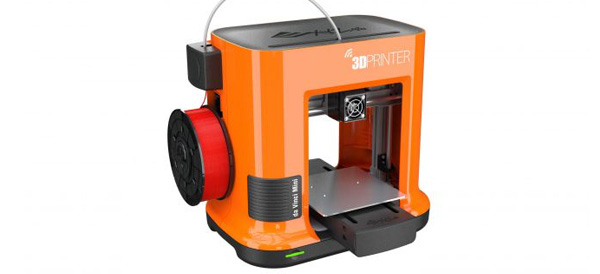
    This is the best budget 3D printer on the list. It’s an extremely affordable way to get into 3D printing. It’s also one of the easiest to use thanks to its interface. Don’t worry that quality was sacrificed, the 3D objects that this printer creates are very good considering the price.

    Its compact size also lends itself to beginners, as it is easy to put on your desk without taking up too much space.

    The da Vinci Mini uses fused filament fabrication and has a minimum layer resolution of 100 microns (maximum 400 microns).

    M3D Micro 3D Printer – Around $350

    Another great option for a starter 3D printer, the M3D Micro 3D Printer is a compact cube that can sit easily on your computer desk. It looks nice, runs impressively quiet and generates very decent small models. This is another great first 3D printer choice.

    The M3D uses fused filament fabrication and has a minimum layer resolution of 50 microns (maximum 350 microns).

    LulzBot Mini – Around $300

    If you enjoy tinkering with hardware, then this may be the 3D printer for you. The hardware is open source, so the community of users are able to create various add-ons for the printer. It’s not as stylish as the M3D or da Vinci Mini, but it is reasonably priced and if tinkering is important to you then looks may not matter as much.

    It does run a bit slower than the other models listed here. The LulzBot Mini uses fused deposition modeling and has a minimum layer resolution of 50 microns (maximum 500 microns).

  • Light L16, The New Camera Idea

    Light L16, The New Camera Idea

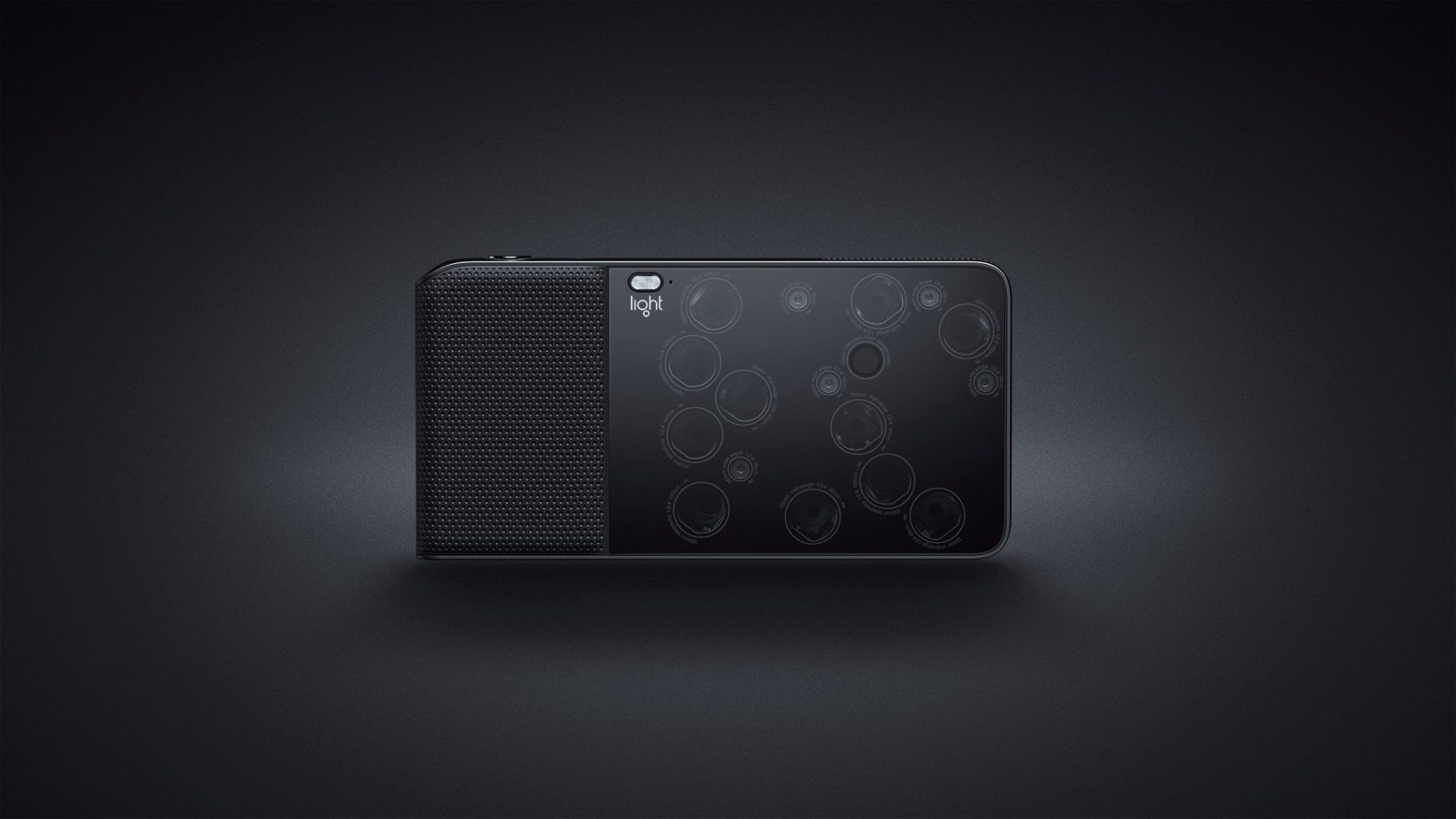
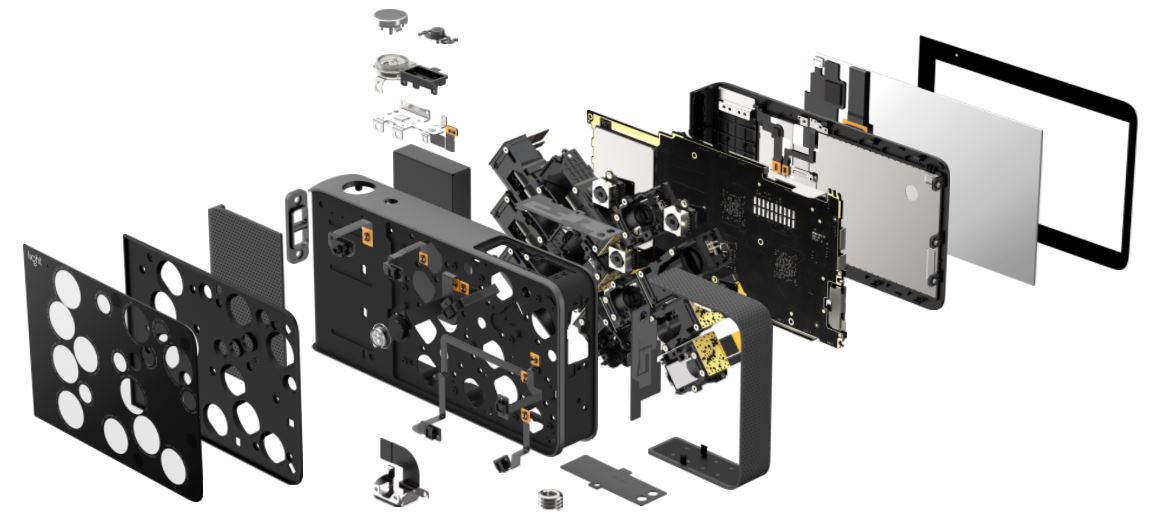
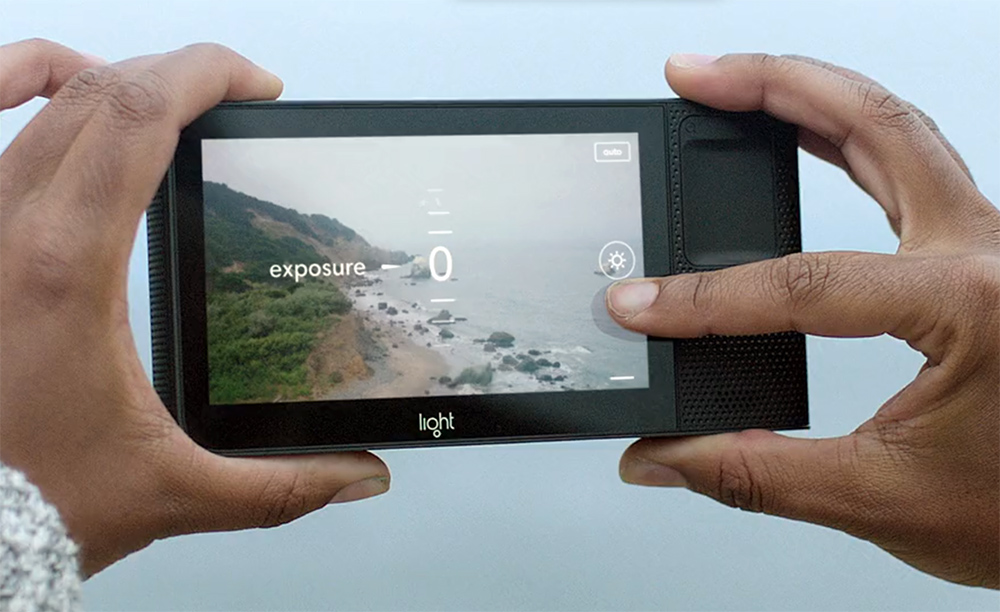
    The L16 combines breakthrough optics design with never-before-seen imaging technology to bring you the camera of the future. With more than 16 camera modules packed into its slim frame, the L16 captures the details of your scene at multiple focal lengths, then uses sophisticated algorithms to combine multiple exposures into a single high-resolution photo. The L16 replaces the bulk and weight of a traditional single-lens camera with many small lenses and sensors that lie at 45-degree angles across a flat plane. When the L16 is fired, light enters 10 or more apertures. Using folded optics, the L16 bounces this light off periscopic mirrors, through horizontal lens barrels and onto individual optical sensors. The result is one exquisite 52MP photo, formed from 10+ slightly different perspectives.

    The Great

    • Computational photography
    • New Approach
    • High Quality Pictures
    • One Camera Solution

    The Not

    • The Price
    • The Look
    • The Underwhelming Pictures


    The  Conclusion

    To get to the basics of it, the L16 makes use of 16 camera modules with varying focal lengths. “Computational photography” is used to fuse the individual photos with depth data that could produce results like a DSLR. Light’s approach towards the functioning is truly game-changing. The incredible zoom range is awe inspiring as it ranges from 28-150mm.

    Tell Me About This Thing

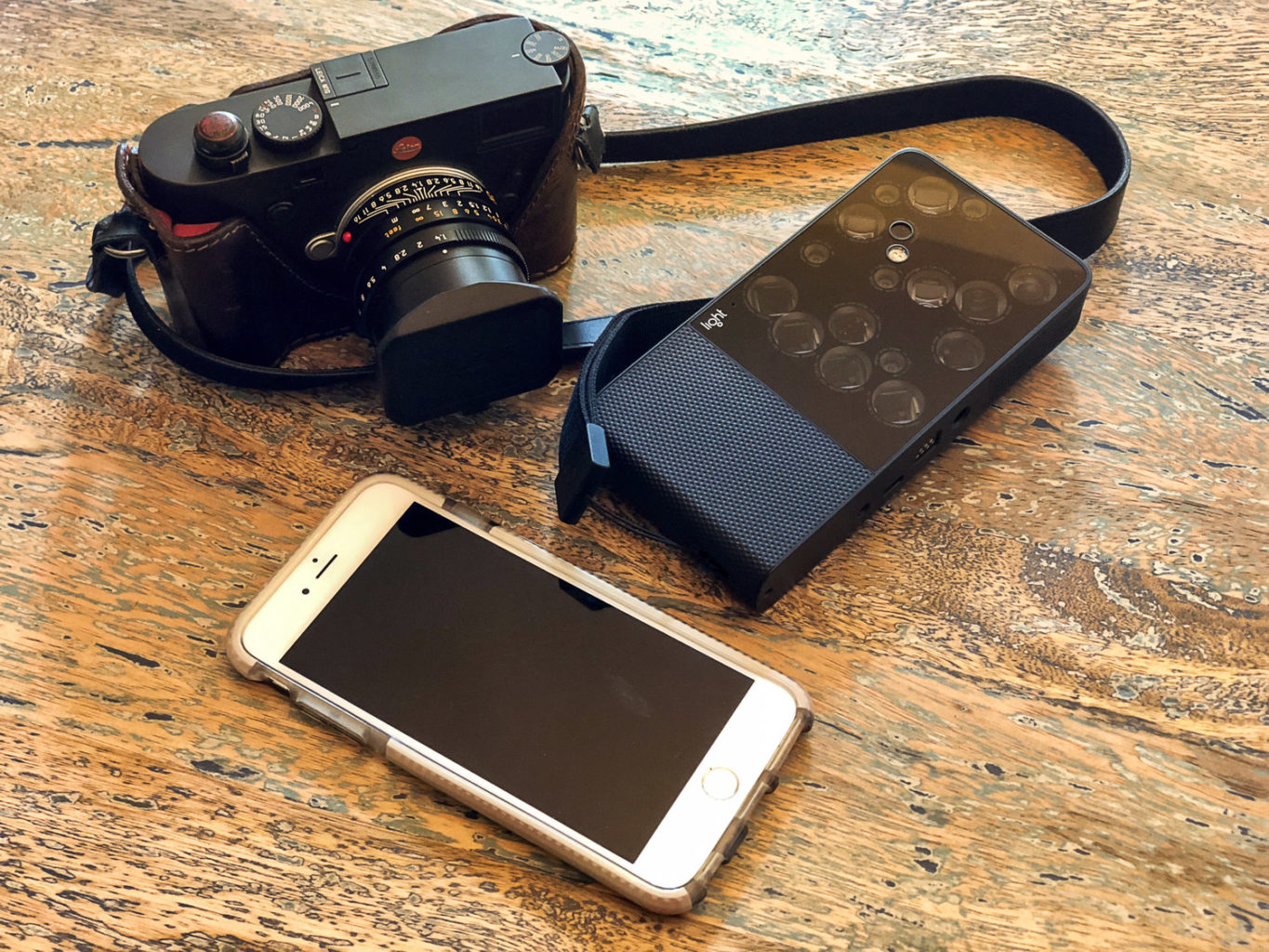
    The Light L16 camera is an engineering marvel. It takes 16 different smartphone-sized imaging modules, each carefully aligned behind a piece of glass, and uses them in concert with each other to create images that are bigger and better-looking than the results the individual cameras are capable of. It does all this in a form factor that’s two or three times thicker than, but not quite as wide as, an iPad mini, something that actually fits in a few pockets and is easy enough to stow in a bag. That’s Light’s selling point for this $2,000 camera: the L16 is ostensibly a full bag of camera gear in one body.


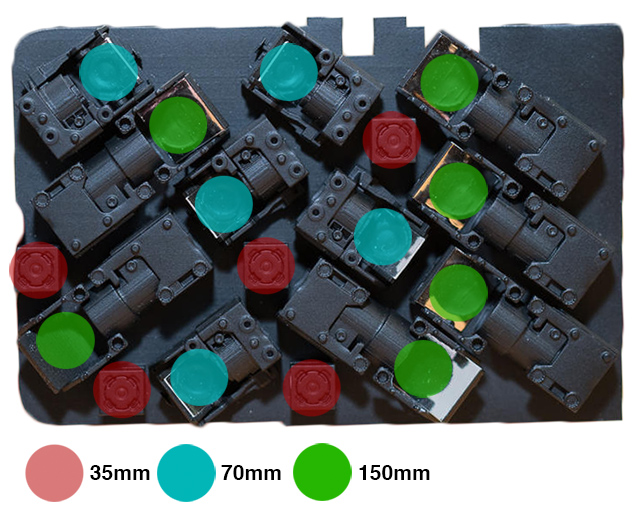
    If you’re having trouble grasping how the L16’s dizzying camera array works, think of it this way: you know how dual-lens phones like the iPhone or Note let you zoom from wide angle to telephoto in the camera app? This is that, stretched to the extreme. The 16-camera modules each have their own image sensor and lens, and they cover different focal lengths. There are five 28mm wide-angle modules, five midrange 70mm, and six 150mm telephoto ones.
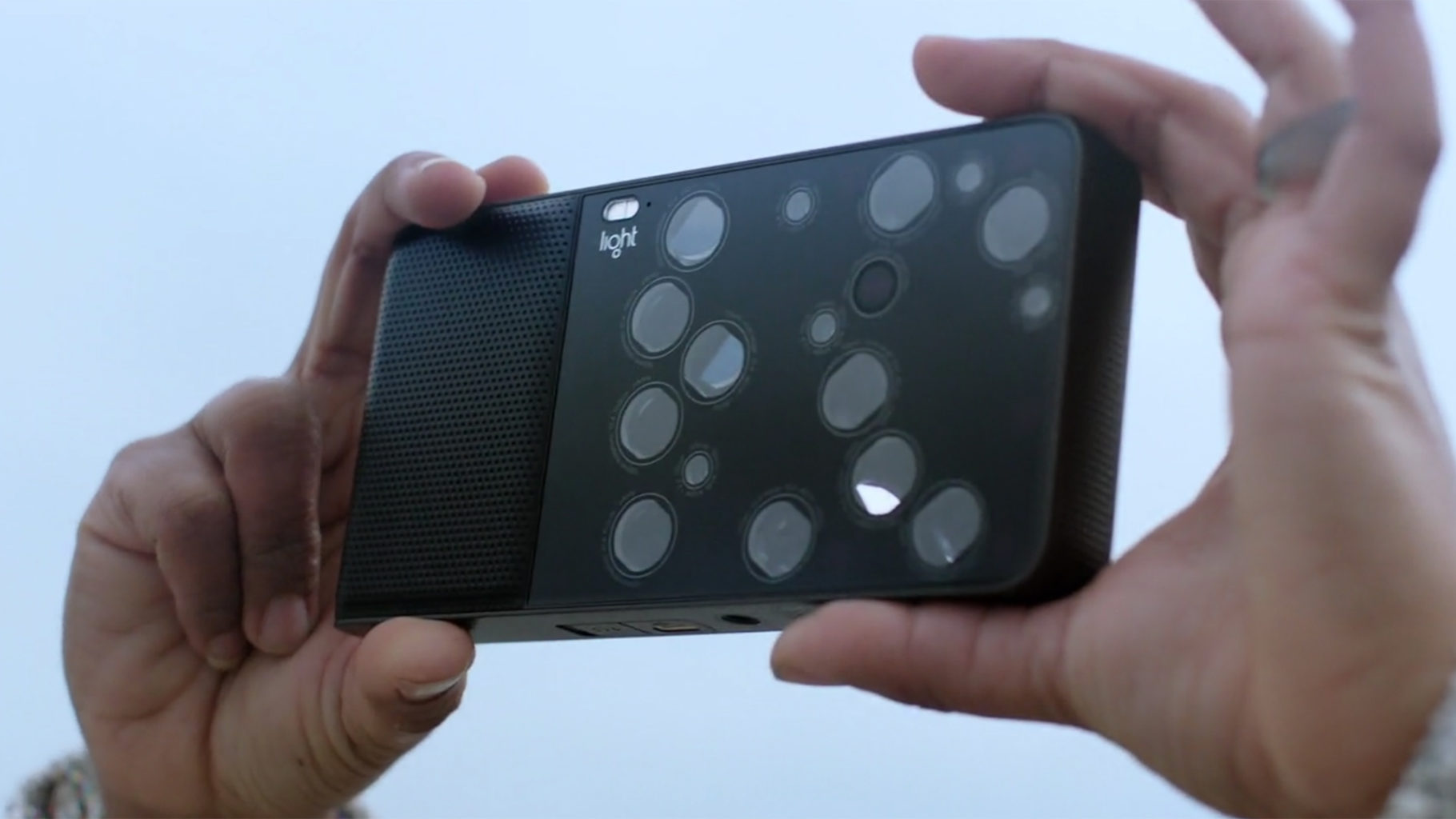
    The big difference between this camera and those phones is that the L16 simulates all the focal lengths in between 28mm, 70mm, and 150mm by combining data from multiple camera modules. So instead of digitally zooming in on the 28mm image to make it look like it was shot at 40mm, it’s replicating that focal length by stitching images together on the fly. This is also why the quality of the L16’s images can be a notch better than that of a single smartphone camera. The L16’s results are slightly greater than the sum of its physical parts, all thanks to some really clever software.

    What Do I think?

    To be honest, I’m not really sure what to think of the Light L16 camera. It’s a bit of a head-scratcher. On paper it’s a very clever idea: a multi-camera device that computationally creates high-quality, high-resolution photos from up to 16 small, low-resolution sensors, and yet is more pocketable than a big DSLR. The L16’s execution of this, however, at least at this point in time, leaves a lot to be desired. The design of the L16 is awkward, the shooting experience and performance are underwhelming, and the image quality is very inconsistent and often quite disappointing.

    This architecture gives Light a real flexibiilty for future products. Want a pocket-sized 400-600mm camera? Use different camera modules. Want a smaller 35-50mm camera? Drop some of the modules from the L16. It’s not quite that simple, but you get the point.

    Quick Spec Look

    • Full model name: Light L16
    • Resolution: 51.10 Megapixels
    • Sensor size: 1/3.2 inch
    • (4.5mm x 3.4mm)
    • Lens: 5.40x zoom
    • (28-150mm eq.)
    • Viewfinder: No / LCD
    • Native ISO: 100 – 3200
    • Extended ISO: 100 – 3200
    • Shutter: 1/8000 – 15 seconds
    • Max Aperture: 2.0
    • Dimensions: 6.5 x 3.3 x 0.9 in.
    • (165 x 85 x 24 mm)
    • Weight: 15.3 oz (435 g)
    • includes batteries
    • MSRP: $1,950
    • Availability: 10/2017
    • Manufacturer: Light

    The Final Thought

    This camera may not be something that the majority of people want or need, as smartphones are “good enough” and pretty close to the capabilities of the L16. I personally enjoy the semi-concerned glances of total strangers, clearly worried that the thing you just yanked from your bag is not a camera but a futuristic Men in Black sort of weapon.

  • Top 10 Cars With the Best Mileage in 2018

    Top 10 Cars With the Best Mileage in 2018

    Whether you want to save some money or save the environment, a gas saving car is something that interests many people. There are even cars on today’s market that are hybrids that you can plug in and run on electricity. Below is a list compiled of ten cars with the best mileage today.


    10) 2018 Kia Niro FE – 52 mpg city/49 mpg highway/50 mpg combo

    This Kia is subcompact SUV with a great deal of cargo space. It has many extra technology features and is one of the most efficient on the market. The Kia Niro FE is a hybrid vehicle, meaning you can use gasoline and plug it in to charge.


    9) 2018 Toyota Camry Hybrid LE 51 mpg city/53 mpg highway/52 mpg combo

    This hybrid Camry is one of the most powerful hybrids available on today’s market. Combined, the gasoline and electric puts out a 208 horsepower. A great addition to this car, it has a safety feature to warn of potential collisions and pedestrians, called Toyota Safety Sense.


    8) 2018 Toyota Prius Eco 58 mpg city/53 mpg highway/56 mpg combo

    This pick is completely gasoline run, and it has one of the best fuel economies. The safety score reigns high, as it also has the Toyota Safety Sense and other safety features. The score for this vehicle overall is great with almost a 9/10.


    7) 2018 Hyundai Ioniq Blue 57 mpg city/59 mpg highway/58 mpg combo

    Another top choice that is a great hybrid, it gets almost sixty miles per gallon just based off gasoline. That is insane! The price is an amazing one for a hybrid vehicle, if you are wanting something that is not going to break the bank, here is your best bet.


    6) 2018 Kia Optima PHEV 103 mpg-e/40 mpg combo

    Without using any gasoline, the Optima can travel up to 29 miles using electricity. This car is high-quality and has an amazing sound system. You can even hook up your phone to the car to the 10-speaker Harmon Kardon sound system.


    5) 2018 Kia Niro PHEV 105 mpg-e/46 mpg combo

    The crossover body style of this vehicle allows for more cargo space! This hybrid allows up to 26 miles of electric range. You are able to use Kia’s UVO eco infotainment system to do things like set up to charge your vehicle and even to heat the steering wheel!


    4) 2018 Chevrolet Volt 106 mpg-e/42 mpg combo

    One of the first vehicles to come out with a hybrid system, it has a perfect safety score of 10/10. You can’t beat the 53 miles this car runs solely on electricity. It is packed full of great features, the Chevy’s Teen Driver system being a unique one.


    3) 2018 Honda Clarity PHEV 110 mpg-e/42 mpg combo

    Honda is a very popular pick for a car, this hybrid can travel 47 miles just on electricity. The gasoline engine is strong with an amazing 212 horsepower. This car has many safety features like the LaneWatch camera and an adaptive cruise control.


    2) 2018 Hyundai Ioniq PHEV 119 mpg-e/52 mpg combo

    This version of the Ioniq has a more high class look to it yet has great cargo space. It is also a lot more economical than you may think; it can travel up to 29 miles alone on just electricity.


    1) 2018 Toyota Prius Prime 133 mpg-e/54 mpg combo

    Last, but not least, this car is the best pick of all hybrid vehicles. It has two electric motors and can run on that electric for up to 25 miles. Between charging this car and filling up on gas, the Prius Prime will last 640 miles! Other ways to help get the most of your miles in this car are to use the Entune Prime App to adjust the climate control.

  • Is the New Apple iPad Worth It?

    Is the New Apple iPad Worth It?

    Whether the newly released Apple iPad is a worthy purchase depends on a few factors, but there is no denying that the 2018 iPad is the best tablet you can buy for under $500.

    Education Push

    It’s clear that Apple wants iPads in every classroom. After establishing a foothold years ago, Google swept in with its Chromebook computers and has come to dominate school systems around the country.

    Apple wants their new classroom software to be the magic bullet in retaking the classroom, but time will tell. The new iPad, $329 for retail and $299 with an educational discount, is still pricier than many Chromebook models.

    Apple Pencil

    One great feature the new iPad has going for it is the ability to use the Apple Pencil. It uses the same touch sensor that the first iPad Pro used, which should be a very satisfying user experience. Since the Apple Pencil will set users back another hundred bucks, the adaptation rate for a budget-friendly tablet remains to be seen.

    Hardware

    The design can probably now be called “classic” as the new iPad looks identical to last year’s model and can trace its lineage back to 2013. It’s 7.5mm thick and weighs just over a pound.

    As far as processors go, the new iPad uses Apple’s A10 Fusion chipsets – the same kind that the iPhone 7 and 7 plus used.

    Pros and Cons

    For the price, the new iPad is a great value and you’ll have access to an incredible number of curated apps. The Apple Pencil support is also a fantastic feature if you can swing the extra hundred bucks.

    However, the classic design is pretty long in the tooth and the new iPad is thicker than some of the other iPads. The 8 megapixel camera on the back is decent for snapshots, but not much for creativity. And finally, although the price-to-value ratio is solid, $299 may still be too expensive for many schools looking to put a device in all of their students’ hands.

  • Wireless Earbuds: the Best 3 to Choose From

    Wireless Earbuds: the Best 3 to Choose From

    Wireless earbuds are the new way of listening to music and talking on the phone. All thanks to bluetooth, you simply can connect your earbuds to your phone and you’re set to use them! You can’t beat the cost for what these earbuds can do, so let’s look at the top three best on the market!


    Phiaton BT 100 NC

    If you’re looking for a great pair of earbuds to use for long periods of time, these are the best of the best. The charge is phenomenal which lasts for 7.5-12 hours, and you can even use them while they are charging! These earbuds are great to use at the gym because they are water and sweat resistant. If you decide you do not want to use the bluetooth feature, you can always use the cord that is included and plug it up to your headphone jack. The sound is great, noise cancelling is decent, and phone calls are amazing with these earbuds. Overall, these are the top pick of wireless earbuds!

    Samsung Level U Pro

    For these earbuds, you have to have a Samsung phone. The sound is not as great as some wireless earbuds, high notes may make your ears ring. But if you have a Samsung or Android phone or tablet, you can get the Samsung Level app and you can adjust the treble to help with this. The comfort of the collar is great and there are magnets that can attach the earbuds when not in use. To reactivate the earbuds to work, you simply separate them and your phone call or music will resume. Battery life is great with these earbuds, lasting at nine hours, and you can use these while they are charging as well.

    BeatsX

    If you’re an Apple user, these are a great pick for you! They are on the pricey side, but if you are not a fan of a bulky collar, these just might be for you. These earbuds can coil up pretty small, making them easily more portable. The great thing about these, which is super beneficial to Apple users, is it contains a W1 Bluetooth chip. The battery life is roughly eight hours, but these will not charge while in use. The sounds is great with these earbuds, minus the occasional extra loud bass. Phone calls work well enough, but will probably pick up more background noise than some wireless earbuds.