Category: Reviews

  • The Best Features from the New Windows 10 Update

    The Best Features from the New Windows 10 Update

    The latest Windows 10 update landed yesterday for PCs and tablets. Like the Fall Creators Update, this spring update adds new features and refreshes Windows 10 without changing the platform itself. Here are some of our new favorite features.

    Timeline

    The biggest new feature in this Windows update is Timeline. Essentially, it replaces the Task View button and allows you to see a synchronized view of all your past apps and activities across your multiple Windows 10 systems.

    You can use this feature to easily transfer activity from one Windows system to another. You can also combine the Timeline with Microsoft Edge on your smartphone to sync your browser history as well.

    Microsoft Edge Tab Mute

    Following in Chrome’s footsteps, Edge will also have the ability to mute tabs. Those annoying websites that like you blast you with autoplaying videos or sounds can now be easily muted.

    Fixed App Scaling

    A new Advances Scaling setting will allow you to fix desktop apps that appear blurry after your display settings change. The caveat is that it will only work on your main display and may not work for every single app.

    Faster Bluetooth Pairing

    In an effort to make pairing peripherals via Bluetooth simpler, Microsoft is working with vendors to ensure hardware will support their new fast pairing feature. Currently, the Surface Precision Mouse is the only one to support it, but new devices should appear soon.

    Enhanced Graphic Settings

    This is particularly useful for laptop users who may not want to use the same performance or power saving settings for every game. You now have the ability to customize the graphics performance per game.

  • The Best VR Headset for Your Budget

    The Best VR Headset for Your Budget

    Last week, Apple announced its plans to launch a wireless headset that includes both VR and AR technology. Unfortunately, you’ll have to wait until at least 2020 to get your hands on one. In the meantime, here are our top 5 VR headsets for a range of budgets and platforms.

    Tethered Versus Mobile Headsets

    VR headsets come in two flavors—tethered and mobile. As you can see below, tethered headsets cost significantly more than mobile headsets, but they also offer a much more advanced VR experience. Both types of headset require additional handheld controllers to interact with the virtual environment.

    Mobile headsets are designed to literally place your phone inside a box that you strap over your eyes. The lenses create separate images, one for each eye, giving you a sense of 3D space. Tethered headsets need to be connected to a separate computer. What you lose in flexibility, you gain in video quality, processing speed, and range of games with tethered tech.

    HTC Vive Pro ($799)

    There’s a reason the Vive series of tethered headsets is the most expensive on the market. The original Vive and the new Pro model have better specs than any of their competitors, but that may not be a big selling point to entry-level consumers, especially since you’ll also need a top-of-the-line PC to pair with the Vive Pro.

    One thing the Vive series does better than anyone else is room tracking. Their Lighthouse technology lets you move around with the headset on—a plus for a more immersive gaming experience—although you will still be connected by a cable to your computer. There are a decent number of titles that will work with the Vive Pro. In addition, HTC offers a subscription service called Viveport that includes giveaways, exclusive bonuses, and the ability to try out different games.

    Oculus Rift ($399)

    If you’re at all interested in VR, then chances are good you’ve already heard of the Oculus Rift. The biggest name in virtual reality also comes with the best, easiest to use controllers and the largest catalogue of games. The recent price drop also makes it more affordable, but like the Vive Pro, you’ll still need a powerful PC.

    The technology, originally funded by a Kickstarter campaign and then acquired by Facebook for around $2 billion, has improved since the earliest model of the Oculus Rift, but some users report issues with the built-in headphones and cite the precise positioning required for the headset to be frustrating. Still, it’s our choice for a mid-range PC headset.

    Sony PlayStation VR ($299)

    What if you don’t have a high-powered gaming PC but still want to dive into virtual reality? The Sony PlayStation VR headset is here for you. A hundred dollars cheaper than the Oculus Rift, the PSVR only requires—you guessed it—a PS4 to work. That’s a much smaller total investment if you’re just getting started.

    Plenty of people found the PSVR’s balance of quality and affordability to be right on the mark. Sony has sold more than 2 million of the headsets, outstripping the competition. It might not be the best possible VR experience, but this headset is a fun and novel way to interact with your PlayStation.

    Samsung Gear VR ($130)

    Let’s leave the realm of tethered headsets behind and check out the Samsung Gear VR. At less than half the price of the Sony PlayStation VR, Samsung’s mobile headset works with a range of Galaxy smartphones. If you’re looking to upgrade soon, Samsung frequently bundles the Gear VR with their newest phones.

    The mobile headset supports 360-degree video as well as a variety of apps and games. It is packaged with a Bluetooth controller to allow you to navigate the virtual world. Given that Oculus helped build the software, it’s no surprise that the Gear VR offers the best mobile virtual reality headset on the market today.

    Google Daydream View ($99)

    When Google announced the “Cardboard” VR headset in 2014, people couldn’t tell if it was a real product or a joke. The newest model of their Daydream View headset is streamlined, surprisingly comfortable, and a bargain at $100.

    The biggest advantage of this headset is that it will work with most smartphones, not just Google’s own Pixel. Keep in mind, however, that your experience will be limited by how well your phone can keep up. The new Daydream View has a full 100-degree field of view (an improvement over the previous model’s 90 degrees) and a simple 2-button controller.

  • Beau’s Number 1 App Reveiw: Love Balls

    Beau’s Number 1 App Reveiw: Love Balls

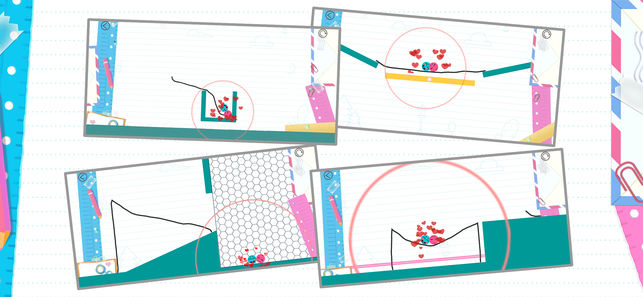
    Beau’s App series. Each week, I install whatever is the No. 1 bestselling app on the iOS or Android store and review it, to save you the effort in case it’s total waste of life. This week a game called Love Balls, calm down. Its a game that has you drawing lines to make balls touch and fall in love. Ok that sounds worse when i read it back. Love Balls is in the top spot and Im taking it on. How did it get to No. 1? Because it’s free, because it just came out for phones, and because they advertise this game on all social media networks and all you sheep just download it because you don’t want to be the only ones that didn’t in case its the next Pokemon go or candy crush.

    Hows it Rated

    Very Poorly, its a cheap, mind numbingly simple game that helps you time travel through monotonous parts of your day. The game is simple, use your brain and find a way to bump the balls. draw lines or shapes to bump the balls, use minimum amounts of  wisdom and imagination. Yes I played it, 3 and half days dissapeared from my life and I missed the premier of super troopers 2. Not really I was done with this app and review in 20 mins.


    But The Ads

    The biggest reason why this game is a waste of life is the ads. Like all free and cheaply designed app games to distract the masses are its packed with 30 seconds of ads for every 15 seconds of game play. They design  the ads to insist on finishing with no option to exit out, and if you leave the game they just pause that ads untile your patients level returns and you open the game again.


    The Final Thought

    Just pass, next week app will be better I hope. Also as a side note if you google love balls make sure you also add the word app, just trust me.


  • Tablet Talk: ThinkPad X1 Carbon

    Tablet Talk: ThinkPad X1 Carbon

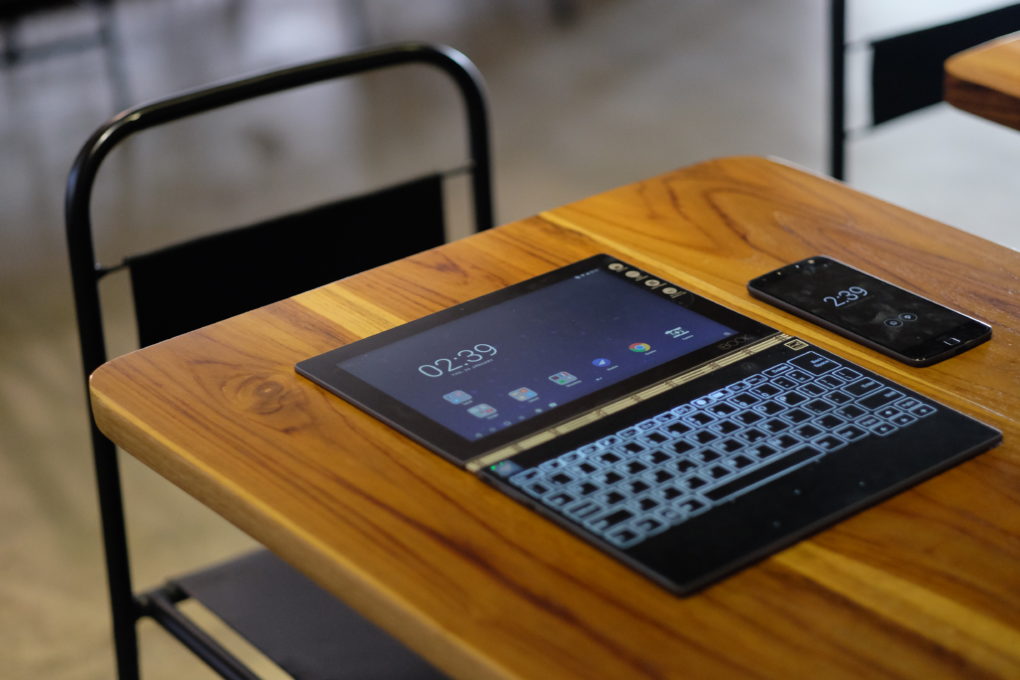
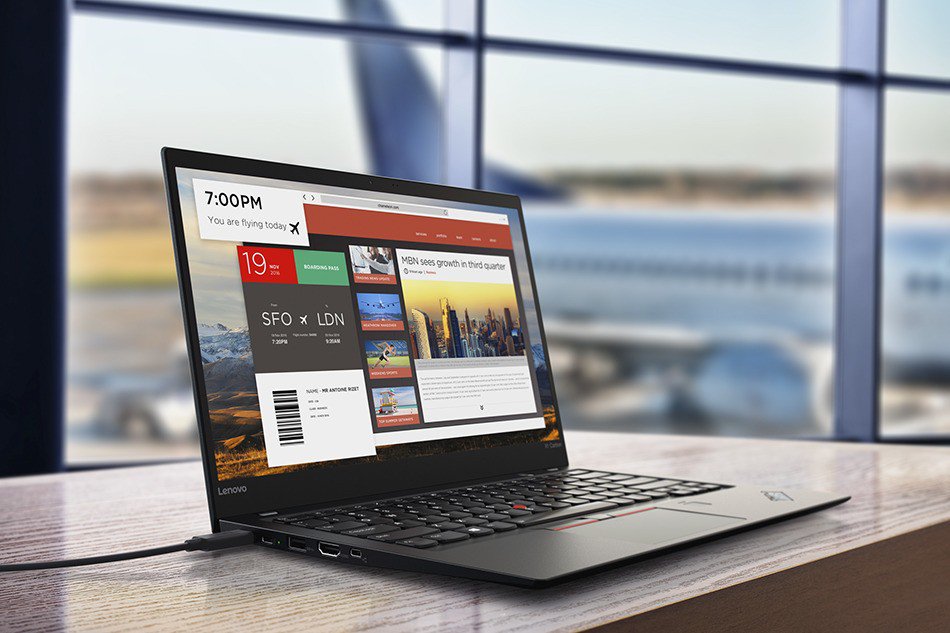
    Tablets are the mash of our technology dependence theses days. They are big phones or weak laptops or any combination of the two. They can be big, they can be powerful, They can be an all in one device or just a side gadget. In all future set movies or media the tablet is a main stream tool, they call them data pads or data cards, but no one uses a keyboard in the future. This being said there are a lot of tablets with many options to navigate through so Im going to break them down in an easy to read guide to help you find the tablet match of your dreams. Today we are going to talk about the Lenovo ThinkPad X1 Carbon.


    The Great

    • Beautiful, vivid display
    • Strong performance
    • MIL-STD 810G tested
    • Keyboard with TrackPoint comes standard


    The Not

    • Long battery life only with the extended batter sold seperately
    • Adding faster parts and optional modules will cost a lot

    The Conclusion

    he ThinkPad X1 Tablet is a lightweight laptop replacement with strong performance and a great display, but you will to buy the extended battery, non negotiable.


    This is the latest in the high-end ThinkPad X1 Tablet, which stands out by offering not only a standard keyboard cover, but also a series of modular add-ons, making this potentially a very flexible system. If flexible is what you want in a tablet, is it? read further then.

    The Design

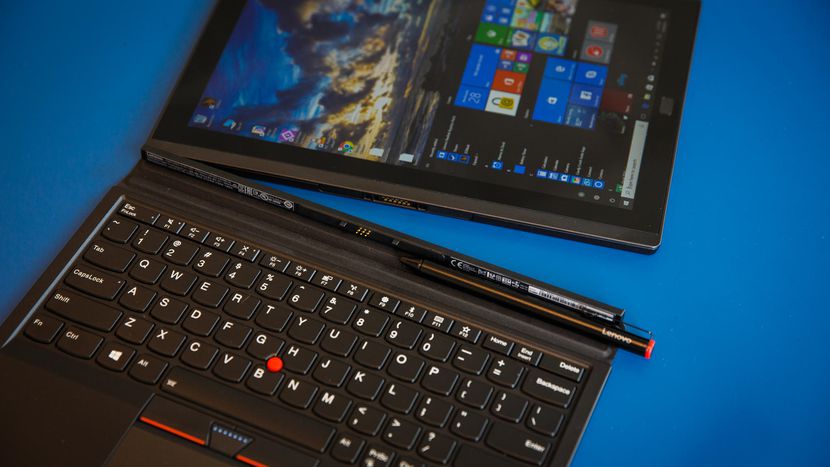
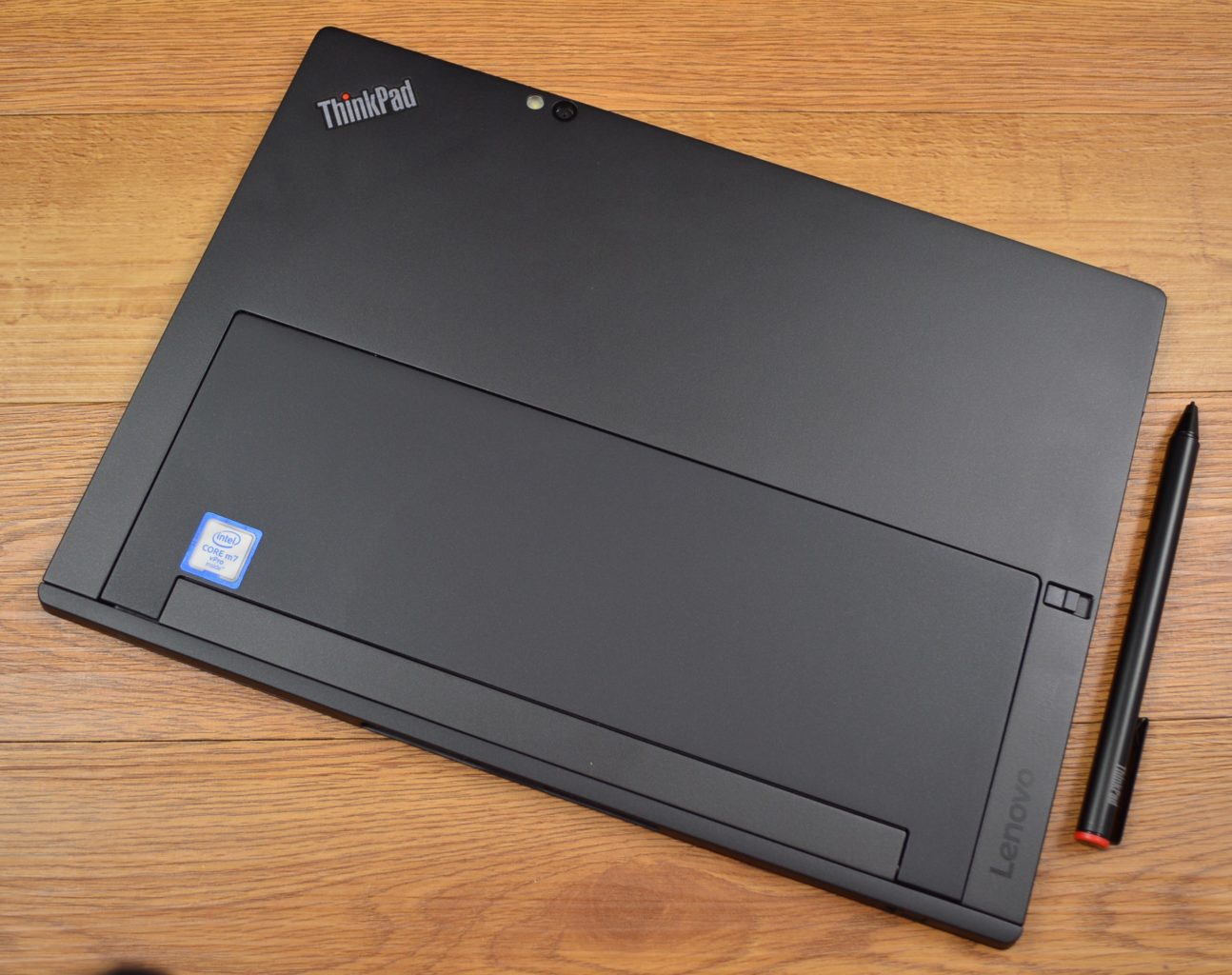
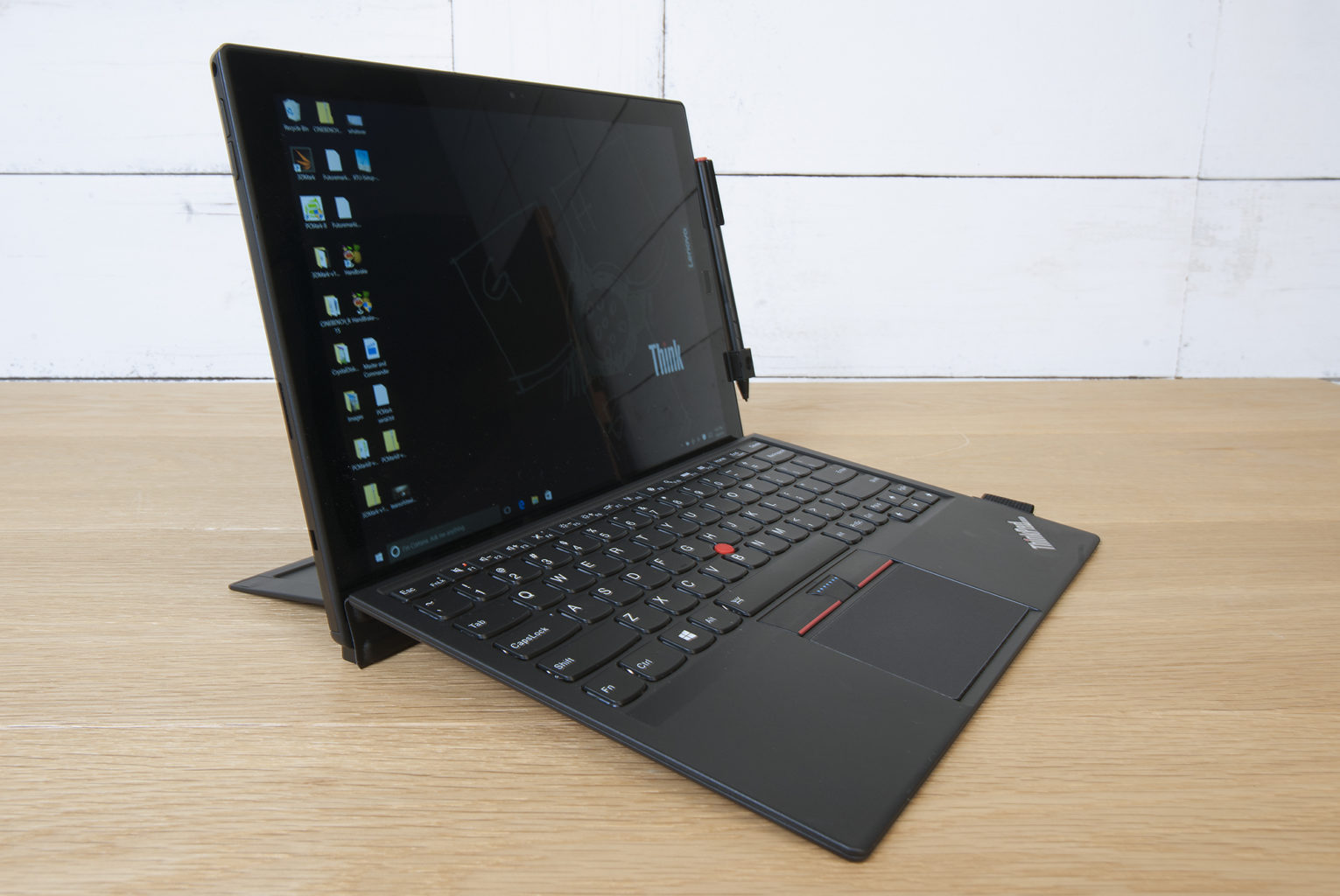
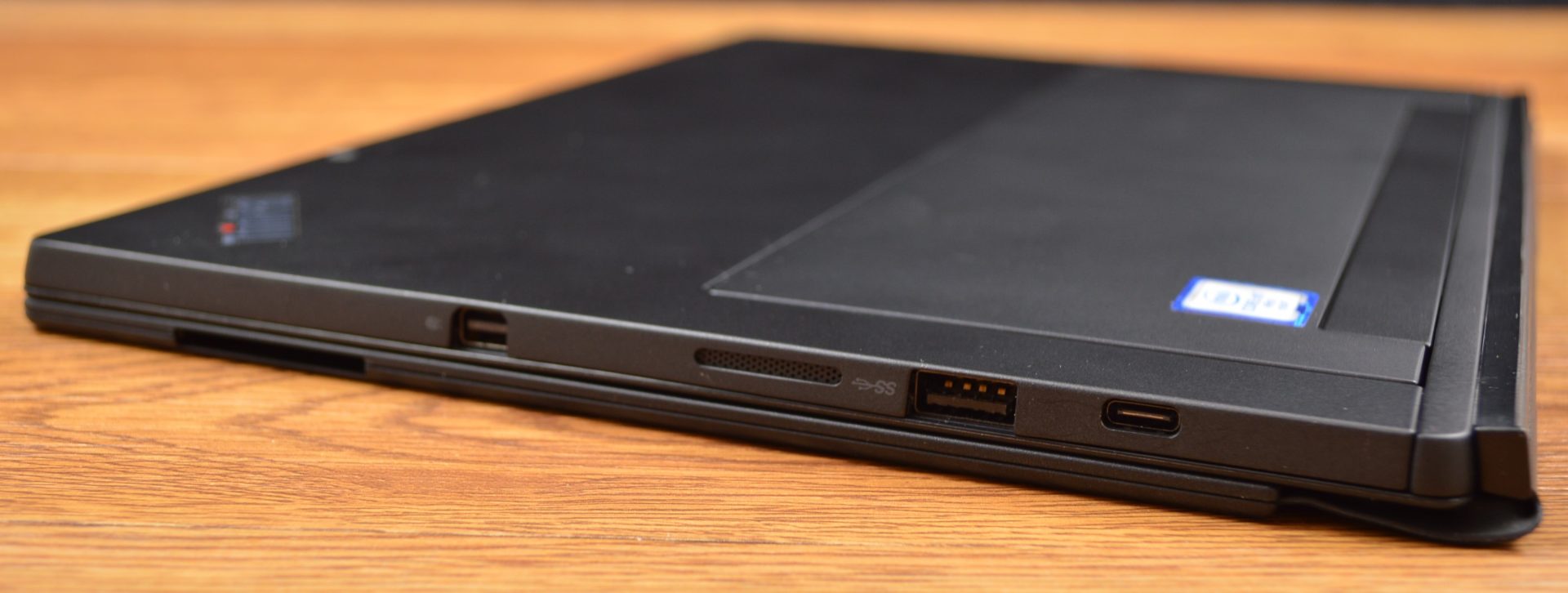
    The slim X1 Tablet shares a family resemblance with the rest of the ThinkPad line, thanks to its matte black finish, and the overall design of the tablet is unchanged from the 2016 model. The design is almost industrial, in matte black with sharp angles rather than smooth curves. Outwardly, it’s the same system, with a magnesium chassis, a durable business-rugged design and a built-in kickstand. It looks and feels great, no issues physically, its a stud. Lenovo is known for keyboards, and even in this attachable keyboard format, these keys are not too shallow. Lenovo has managed to create a small keyboard that works, and typing on it is a solid experience. The touchpad on here is a lot smaller, but you still get the familiar red trackpoint.

    The Display

    The 12-inch display is an IPS LED panel with a resolution of 2,160×1,440 pixels, which is essentially 2K. It provides a great viewing experience, one that stays vibrant with bright colors and shows good contrast. The image does not appear washed out from side angles, so theoretically you could share the display by watching Netflix with a few people.


    Quick Spec Look

    • Starting Price $1,599
    • CPU Up to 8th Gen Intel Core i7
    • RAM Up to 16GB
    • Storage Up to 1TB PCIe NVMe M.2
    • Display 13-inch, 3000 x 2000
    • Battery Life Up to 9.5 hours
    • Size 11.5 x 8.2 x 0.3 inches
    • Weight 1.9 pounds
    • Ports Thunderbolt 3, SD card reader, Nano SIM, headphone


    The Final Thought

    It lacks side by side in every way next to the Microsoft surface, You can do better, Lenovo can do better, we will get better. For now if you like carrying around a lot of peripherals and add ons with what is supposed to be the grab and go computing gadget then please go right ahead and find the Lenovo Think pad Tablet x

  • The Best Tablets for Kids

    The Best Tablets for Kids

    Screen-time for kids may be a controversial topic, but plenty of parents have discovered fun, educational ways to integrate technology into their children’s lives. We’ve rounded up the best tablets for kids of different ages so that you can make an informed decision about which one to purchase.

    Why Buy a Kids’ Tablet?

    Unlike “grown-up” tablets and smartphones made by Samsung or Apple, devices designed for kids have more robust designs to withstand rough handling and more options for parental controls to limit or block certain functions. Many kids’ tablets come pre-loaded with age-appropriate apps; for example, the kid editions of the Amazon Fire tablets are bundled with a subscription to FreeTime.

    Best Tablets for Ages 3 to 6

    For the littlest ones, a kid-friendly tablet like those made by Leapfrog is your best bet. The LeapFrog Epic is tough but basic, with an intuitive Android OS that can run either the premium proprietary apps from LeapFrog or third-party apps from Amazon. One downside to the Epic is the battery life, which only lasts about five hours. If you’re planning a trip and need to keep the kiddos entertained, make sure to bring the tablet’s charger!

    Best Tablet on a Budget

    Although it doesn’t have as many bells and whistles as the newest model, the Amazon Fire 7 Kids Edition is the best value on the market. We love the sturdy, bright case that comes with the Kids Edition, as well as the year-long subscription to Amazon’s FreeTime Unlimited, which is stocked with plenty of games, books, videos, and other digital delights. Best of all, Amazon offers a two-year replacement plan, so if accidents happen—and with kids, they often do—you will be covered.

    Best Tablet for Work and Play

    The Kurio Smart is an interesting hybrid of kids’ tablet and basic laptop. The detachable keyboard and Windows 10 operating system lets the Kurio Smart function more like a simple laptop, which is great for kids who need to browse the internet and use Microsoft Office products for schoolwork. It performs equally well as a tablet for reading and games once the homework is done.

    Best Tablet to Grow with the Child

    If you have the budget for it, the iPad Mini is the most versatile tablet on the market. While we wouldn’t recommend it for toddlers, elementary school kids can get years of use out of an iPad as their educational and entertainment needs change. Though more fragile than the tablets made just for kids, the iPad Mini can also do a lot more. Great display, long battery life, and top-notch support from Apple make the iPad Mini a worthwhile investment. Just make sure you also purchase a kid-friendly plastic case and a screen protector—you’ll want this tablet to last!

  • An Easier Way to Sell on eBay

    An Easier Way to Sell on eBay

    The updated mobile app from the veteran online marketplace will make it much easier to upload your stuff. The new eBay app, which has already rolled out on both iOS and Android, allows users to upload an item in a just a few seconds.

    Scan and Go

    The biggest change to the app is the addition of a barcode scanner, along with a product search feature. The app works best if you have the original box since you can simply scan the barcode. However, if you didn’t hang on to the box, never fear! You can still look up the name of the product in eBay’s extensive database and pull up the necessary information.

    The app fills out the majority of the fields for you although you’ll still need to enter the item’s condition. For many items, eBay is even able to provide images from its library, suggest a price, and calculate shipping costs. You can edit any of the pre-populated fields as needed.

    The Power of Data

    The new app builds on the simplified selling tools debuted by eBay last year. Using structured data and predictive analytics, the platform draws on its vast database of listings to cut down on the time it takes to upload an item. They hope that the streamlined process will make the platform more appealing to current sellers and newbies alike.

    “At eBay, we’re dedicated to delivering a seamless and efficient selling experience for both first-time and seasoned sellers alike,” says Kelly Vincent, eBay’s VP of Consumer Selling Product & Engineering. “This is one of many enhancements we’ll be making this year. We’ll continue to leverage structured data and new technology developments to help our sellers ‘get it sold.’”

    Limited Features

    Unfortunately, sellers who trade in vintage or unique items will find that the new app has limited functionality. The lack of barcodes on vintage items and the variability in condition means that these sellers will still need to enter most of their information by hand and upload their own photos instead of using the provided stock images available for newer mass-market products.

    Increased Competition

    When it arrived on the scene over 20 years ago, eBay was a revolutionary way to sell online. Since then, resale apps like OfferUp, Poshmark, LetGo, and ThredUp have emerged to pose serious competition. Facebook’s Marketplace has also claimed a piece of the online resale pie, focusing on connecting local sellers and buyers.

    Although there are over 13 million listings added to the site each week using the mobile app, eBay is betting that their faster, simpler uploading process will keep the platform competitive.

  • Battle of the Smartwatches: FitBit Versa vs Apple Watch

    Battle of the Smartwatches: FitBit Versa vs Apple Watch

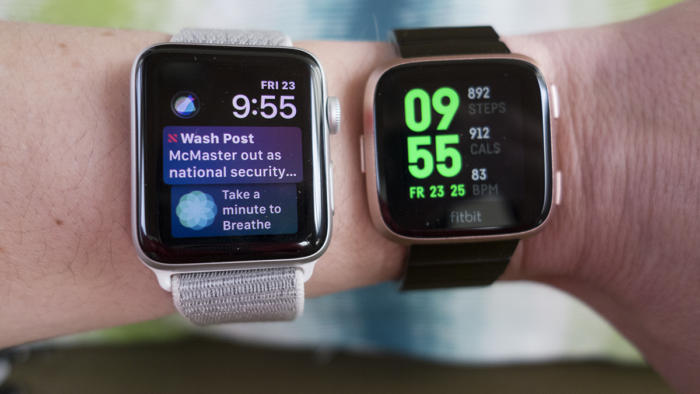
    The current smartwatch market has some serious competition with the Pebble Watch, Apple Watch 3, Samsung Gear 3 and now the new FitBit Versa smartwatch and fitness tracker.

    In terms of brand notoriety the Apple Watch is the clear #1 smartwatch out there so any new product has to compete with the tech giant’s dominance in this sphere.

    fitbit versa

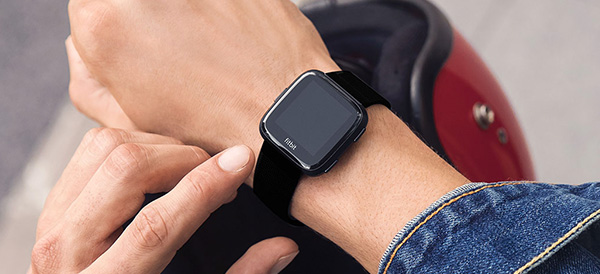
    At first glance, you might mistake the FitBit Versa for an Apple Watch. With a gently rounded square face of beveled glass, the Versa’s design mimics the original Apple Watch, but there are some key differences between the two gadgets. Which smartwatch is right for you?

    Design

    fitbit versa
    Aesthetically, there isn’t much to choose between the two smartwatches. Both share a similar design, interchangeable straps, a selection of metal finishes and a variety of watch faces to customize the look. The Versa is lighter and slimmer than even the smallest Apple Watch, but users have reported that the band on the Versa is much more difficult to swap out. The digital watch faces, which allow you to customize the look of your smartwatch, are finicky to search and install when it comes to the FitBit Versa, and the quality of the designs is uneven.  The FitBit Versa is really comfortable to wear because it’s so thin and light. The Apple Watch depending on your wrist size, can be uncomfortable and dig into your skin when the strap is pulled tight.

  • Tablet Talk: Microsoft Surface Pro

    Tablet Talk: Microsoft Surface Pro

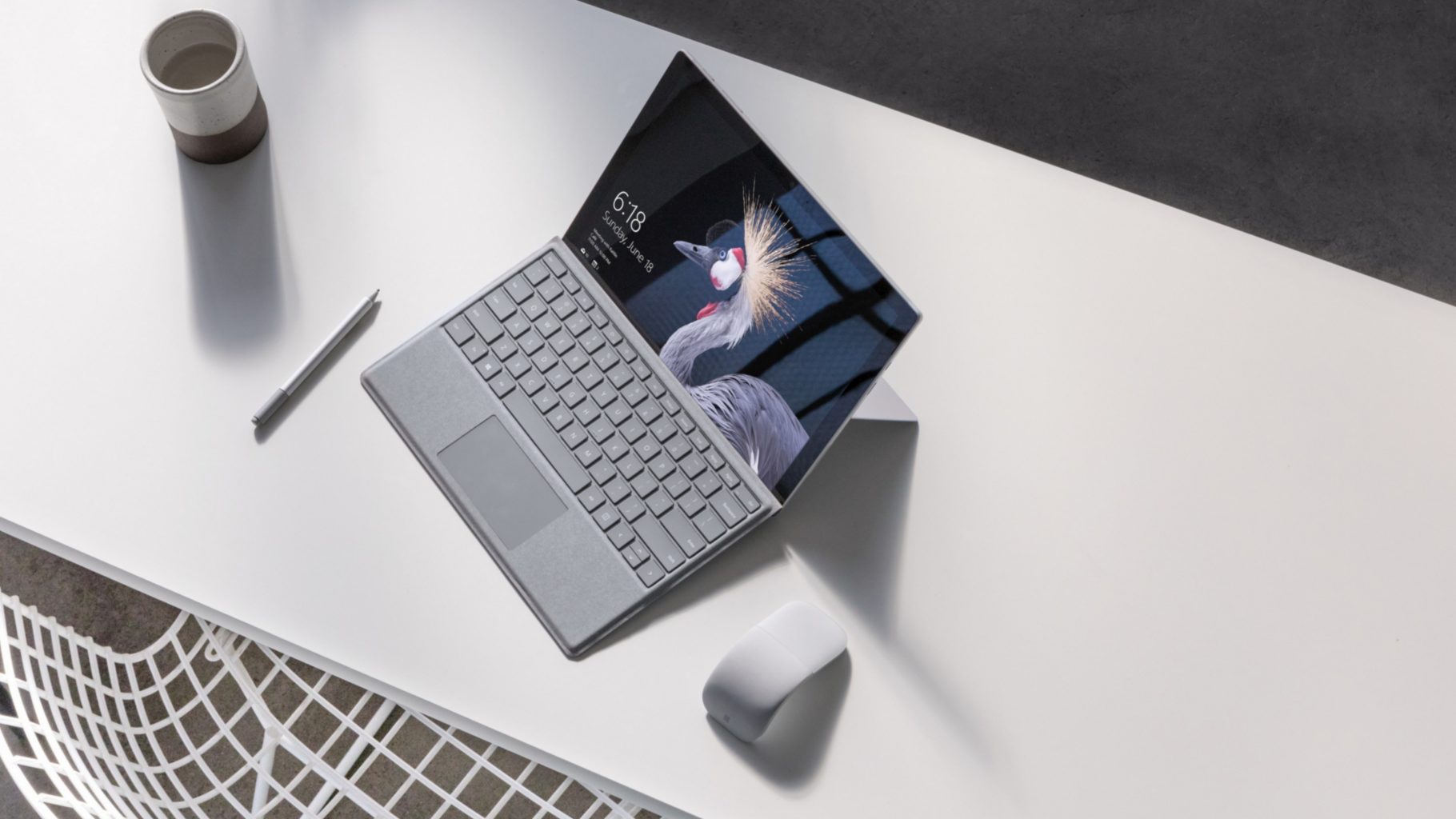
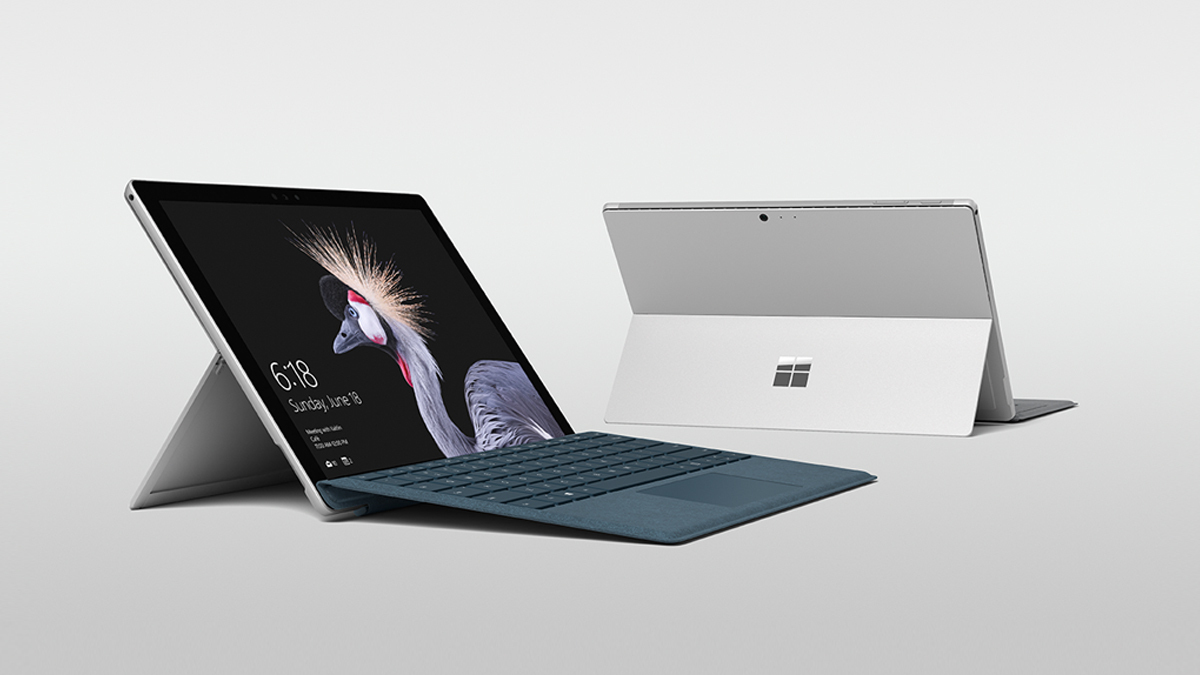
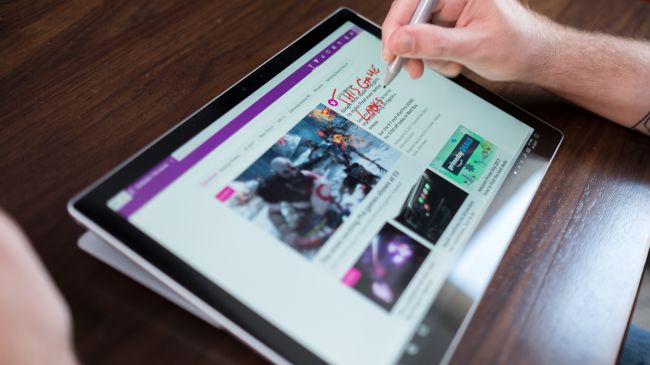
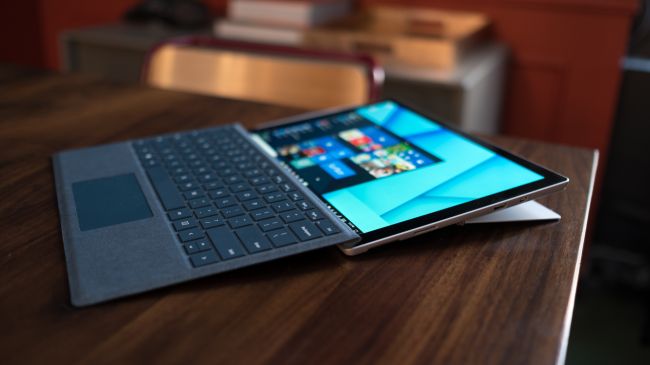
    The Surface Pro has always been the The ultimate laptop with versatility of a studio and tablet. Now its better than ever, the new Surface Pro gives you a best-in-class laptop, plus the versatility of a studio and tablet. The stunning PixelSense Display supports Surface Pen1 and touch, while up to 13.5 hours of battery life2 gives you plenty of juice to work all day and play all night.

    The Great

    • Brilliant PixelSense display
    • Simple, elegant design
    • Improved Type Cover keyboard
    • Fantastic performance


    The Not

    • No USB-C
    • Surface Pen and Type Cover sold separately
    • Better, but still mediocre battery life

    The Conclusion

    With its fantastic PixelSense display, improved Type Cover, faster performance and even better battery life, the Surface Pro is still the king of detachable 2-in-1s.

    The Design

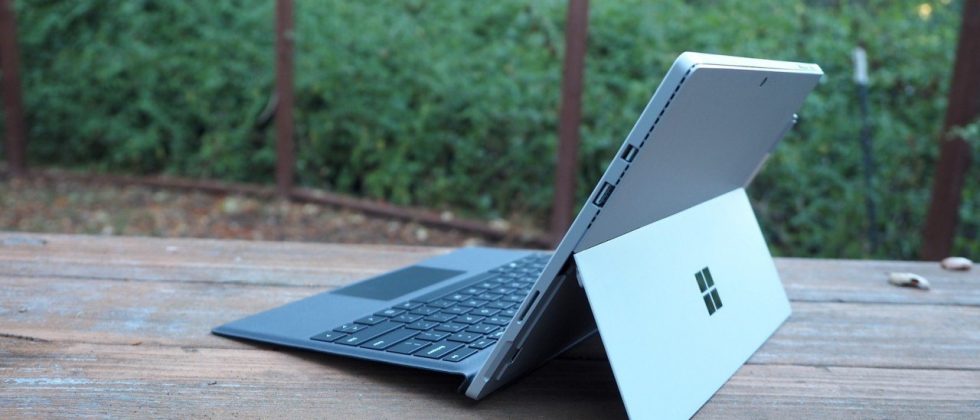
    Not wanting to tempt fate by messing with an exceptional design, Microsoft made the new Surface Pro look almost identical to the previous two models.Sure, the company has rounded off a few edges to make the Surface Pro a little curvier and more pleasant to hold, but all the familiar elements are here, including the kickstand, power button, volume rocker and front-facing speakers.

    The Performance

    I  can see why Microsoft is moving away from referring to the Surface Pro as a tablet, given that it’s packed with very laptop-like components. Our review model was equipped with a fast dual-core Intel i7-7660U CPU and 16GB of RAM. The Core i7-7660U is no longer at the cutting edge, as Intel’s 8th-gen Core processors are now available, but it managed respectable performance.

    Surface Pen is Vastly Improved

    Why Microsoft opted not to call this the Surface Pro 5 is beyond us, as you can now see the firm changed practically every facet of the product. The Surface Pen got some of the most meticulous and belabored treatment.

    For one, Microsoft upped the pressure sensitivity of its pen to 4,096 levels of detectable pressure, meaning creators have more control over the width and intensity of their lines in illustrations or designs than before. Perhaps more importantly, the Pen now sports a much lower latency, meaning that the tip of your Pen has a far lower chance of “leading” the ink on the PixelSense display.

    Finally, the Pen also supports tilt detection now, though only through the new Surface Pro – the other current Surface devices will get the support for this feature through a firmware update.


    Quick Spec Look

    • CPU: 2.5GHz Intel Core i7-7660U (dual-core, 4MB cache, up to 4GHz with Turbo Boost)
    • Graphics: Intel Iris Plus Graphics 640
    • RAM: 16GB LPDDR3
    • Screen: 12.3-inch, 2,736 x 1,824 PixelSense display (Contrast ratio: 1,300:1, 100% sRGB color, 10-point multi-touch, 3:2 aspect ratio)
    • Storage: 512GB SSD (PCIe 3.0)
    • Ports: 1x USB 3.0, mini DisplayPort, microSDXC card reader (UHS-I), headphone/mic jack
    • Connectivity: 802.11ac Wi-Fi (2 x 2 MIMO), Bluetooth 4.1 (Low Energy)
    • Cameras: 8MP rear-facing, auto-focus camera (1080p HD); 5MP front-facing, 1080p HD camera
    • Weight: 1.73 pounds
    • Size: 11.5 x 7.93 x 0.33 inches (W x D x H)

    The Final Thought

    Nearly five years after Microsoft introduced the device that created the 2-in-1 category, the company’s Surface Pro systems are still the detachables other companies are trying to beat. So how does Microsoft improve upon its class-leading hybrid? By refining its simple tried-and-true design, improving performance, shoring up some concerns about battery life, and creating a new line of enhanced and more colorful Surface accessories.

    I think Microsoft is still playing it a bit too safe in a few areas. While improved, the Surface Pro’s battery life still lags behind those of other ultraportable laptops, and the lack of a USB-C or Thunderbolt 3 port are strange omissions for a premium flagship device. And after three years in which the Surface Pro has had essentially the same aesthetics, I find myself wanting a bit more excitement out of this machine’s design. But if you want the best detachable out there, the Surface Pro is still the one to get.

  • Acer Spin 1 the 2 in 1 with Incredable Value

    Acer Spin 1 the 2 in 1 with Incredable Value

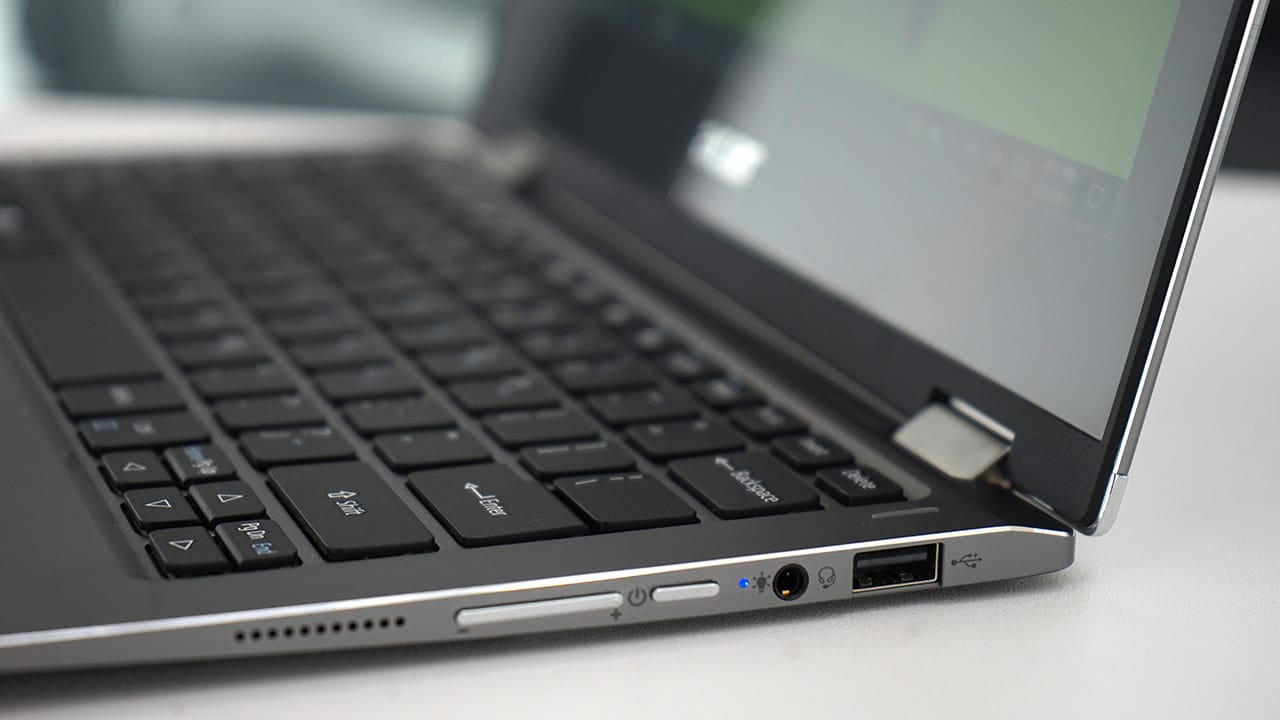
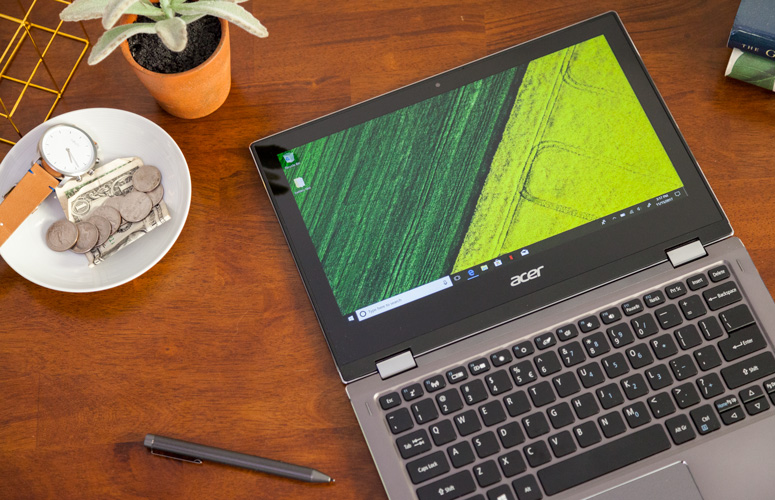
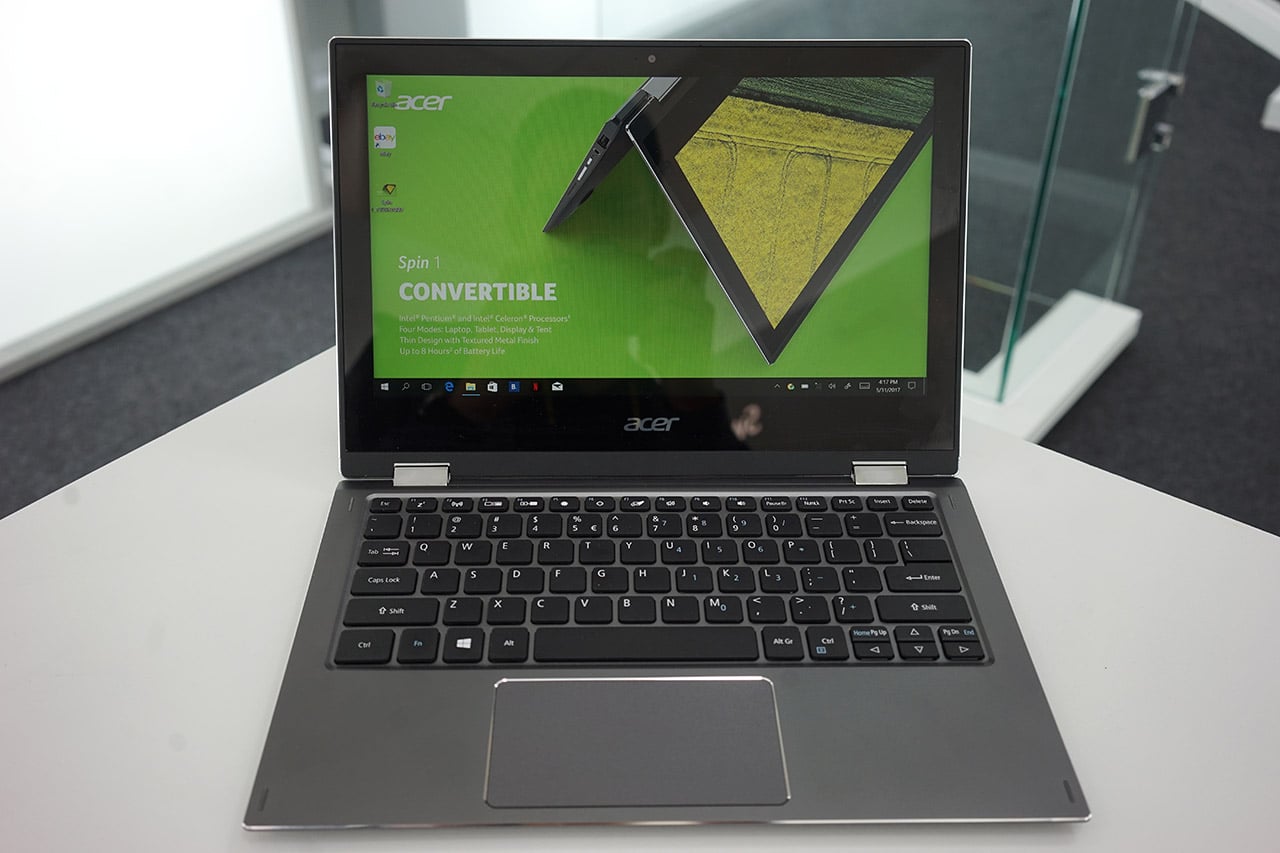
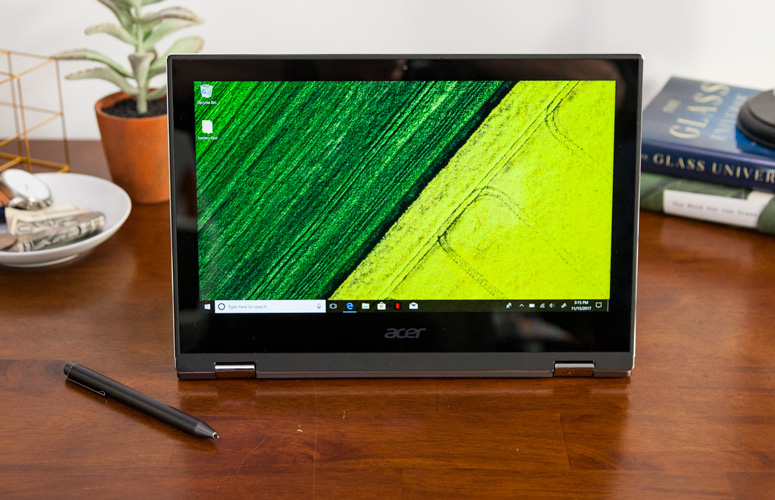
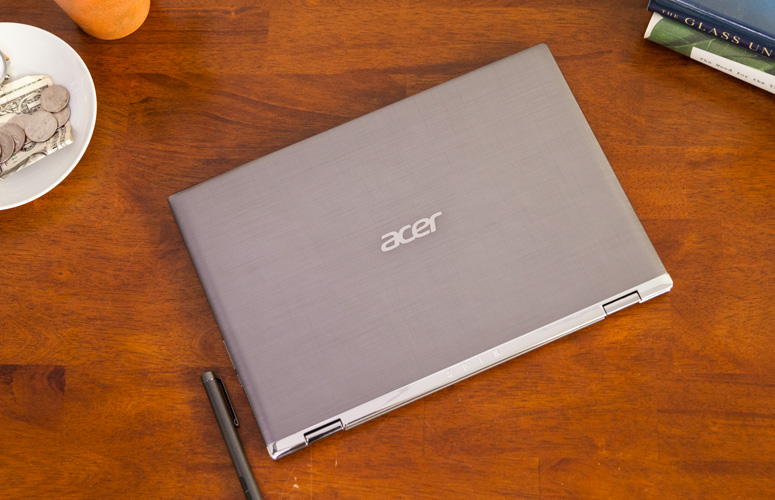
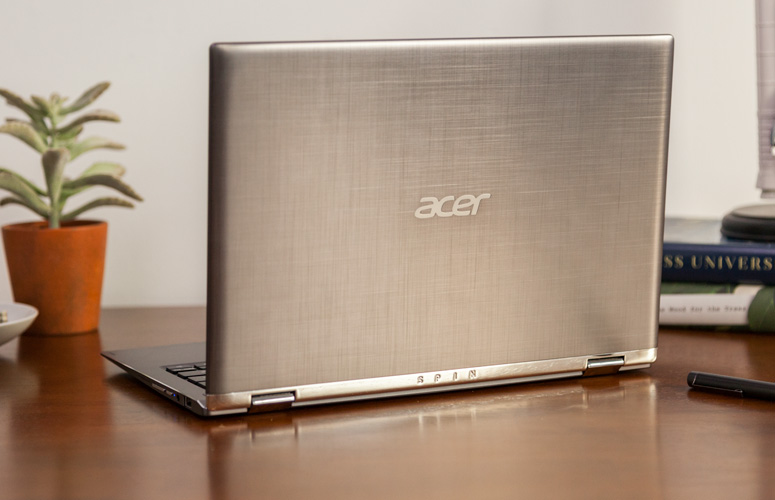
    Quickly turn thoughts into action on Acer’s Spin 1 Convertible laptop. Portable and light, this boundless device is fast and fun with an included stylus and Windows Ink so you can jot down a note or capture ideas as easily and quickly as they occur. It features a vibrant 11.6” Full HD IPS display and battery life that has enough juice to last you though your entire journey while the 360° hinge laptop smoothly converts between four modes —laptop, display, tent or tablet—by simply ‘spinning’ it into position.

    The Great

    • Sharp
    • Colorful display
    • Attractive metal chassis
    • Comfortable keyboard

    The Not

    • Below-average battery life
    • Small storage drive


    The Conclusion

    For under $350, the Spin 1 provides some features you usually see in laptops that cost closer to $1,000. Clad in a snazzy all-aluminum chassis, this 11.6-inch convertible has one of the most colorful and brightest 1080p screens on the market, giving it a better viewing experience than many systems three times its price. It also comes standard with an active stylus that supports 1,024 levels of pressure. With a Celeron processor and 32GB of storage, the Spin 1 probably won’t replace your primary PC, but it makes a great secondary device and is a fantastic choice for kids.


    The Design

    The Acer Spin 1 doesn’t look anything like a $329 laptop. Its gunmetal-gray aluminum chassis stands out in a price band where cheap, glossy plastic is the norm. I particularly like the subtle, cross-hatch pattern on the dark gray lid and how it contrasts with the shiny, silver hinge area. Thick screen bezels, however, keep the inside of the system from looking quite as stunning as the outside of the package


    The Display

    The 11.6-inch screen on the Spin 1 is so bright and colorful that it has caused me to question my assumptions about the laptop industry. If Acer can put a 1920 x 1080 IPS touch display this vibrant on a $329 laptop, why can’t manufacturers offer this kind of display quality in their $800 and $1,000 laptops?

    Keyboard and Touchpad

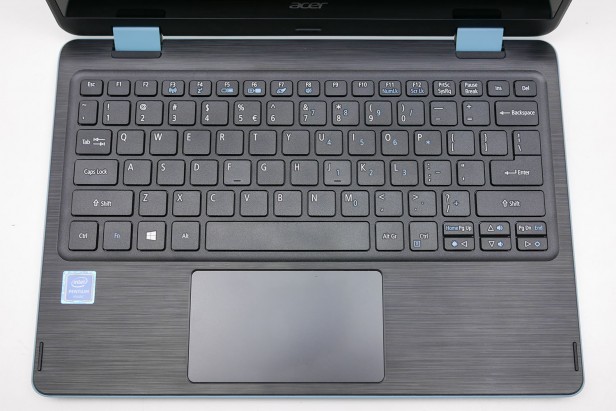
    When it comes time to type on most budget laptops, particularly 11-inchers like the Spin 1, I gird myself for an unpleasant experience. However, Acer’s 2-in-1 blew away my expectations with a snappy, responsive keyboard that didn’t have any of the flex or key stiffness I often see on much more expensive system

    The Performance

    We’ve spent more time than usual really paying attention to what the Acer Spin 1 feels like in use, because a lot of older Atom and Celeron laptops were just too slow to be enjoyable. For the most part this Celeron actually performs fine for the basics.Browsing the web, writing documents and other basic productivity jobs are painless. Using the Acer Spin 1 to write a few of our reviews felt much as it would on a laptop with a Core i5 CPU

    Quick Spec Look

    •  11.6-inch,
    • 1080p IPS screen
    • 4GB of RAM,
    • 32GB eMMC Storage
    • Intel Celeron N3350 CPU
    • 2.65 pounds

    The Final Thought

    If you want a cheap hybrid and have realistic expectations about performance, you should jump at the Acer Spin 1. It’s well-made, is comfortable to type on and has a superb screen for the price.


  • Top 5 Laptop Brands

    Top 5 Laptop Brands

    So its time to purchase a new laptop. There are so many options to consider, size,weight, screen size, power and batteryand dont forget which brand to buy. All Laptops Brands will give you the plethora of build and model options to customize so starting with the brand of laptop is probably the best place to start. Whether you’re purchasing a $1,500 gaming laptop or a $200 Chromebook, the brand matters. That’s why we rate the top 5 laptop brands each year, based on their support, design, innovation, value/selection and, most of all, product quality.
    [adTextOnly]

    1. Lenovo  (8.6/10)

    For 2018, Lenovo retained its place for a second year as the best laptop vendor, but it just barely edged out second-place Dell and third-place HP. Apple, which used to dominate this contest, fell all the way to fourth place, down from second last year.

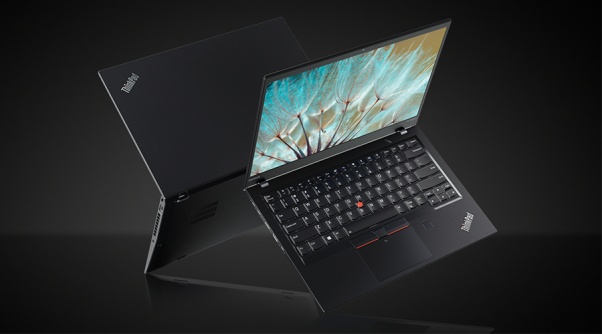
    Lenovo takes first place again this year, on the strength of the company’s fantastic product lineup. From the beautiful ThinkPad X1 Carbon, which was the only product to get a perfect, 5-star review in the past year, to the versatile Yoga 920, Lenovo’s laptops earned the most Editors’ Choice awards of any brand. And a full 53 percent of the company’s laptops scored 4 or higher. However, Lenovo’s tech support scores declined from last year, and stiff competition from HP and Dell made this a nail-bitingly close race.

    [adTextOnly]