Category: Smart Devices

  • Apple’s iPad vs Microsoft’s Surface Go: Which Tablet Wins?

    Apple’s iPad vs Microsoft’s Surface Go: Which Tablet Wins?

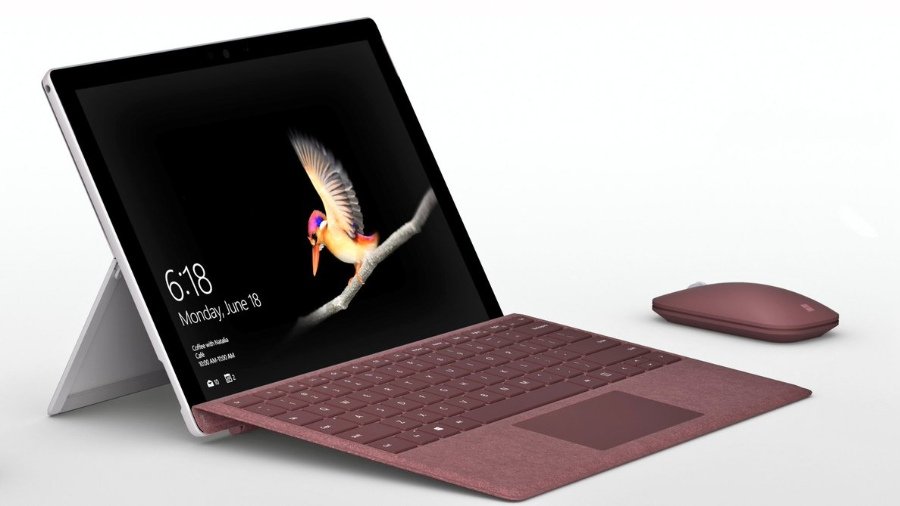
    With the Microsoft Surface Go taking on the iPad, many are wondering which tablet wins in a head-to-head. While neither is the most powerful in its respective hardware family, the two are both priced aggressively. The iPad is $329, while the Surface Go is $399, putting them in pretty direct competition. We’ll get into the pros and cons of each and see which the better buy is for your money!

    Apple’s Trusty iPad

    The iPad hasn’t changed too much since it was first introduced. While it now supports Apple Pencil and sports a retina display, the tablet is largely the same device it was when it launched the tablet craze. The 2018 model is slightly smaller and less expensive than the Surface Go, but they have similar power under the hood. That said, the iPad’s A10 Fusion chip is a bit more powerful than the Pentium Gold processor in the Surface Go. Similarly, the screen on the iPad is ever-so-slightly crisper and clearer than Microsoft’s 2-in-1.

    The iPad runs on iOS, the same as you’d find in an iPhone. That means you have access to the suite of apps from the App Store, but nothing resembling a full desktop ecosystem. iPad is compatible with both keyboards and the Apple Pencil, so you can use it as a pseudo-2-in-one.

    Microsoft’s New Hotness

    The Surface Go is definitely the new hotness on the tablet block. It has a few things on the iPad: firstly, it has more memory out of the gate. It sports 64GB of memory to the iPad’s 32GB, which is sizable. That means you can have more apps, photos, songs, whatever you please. Similarly, the Surface Go has double the RAM of the iPad, but that’s just a step up from 2GB to 4GB. How much difference that makes in day-to-day activities is hard to say, as neither is going to be running full AAA video games any time soon.

    The Surface Go is also capable of running Windows 10 in full desktop mode. It ships in 10 S, which is the tablet-style operating system that is an Apple competitor. If you want to upgrade it, you can do so for free, but its irreversible. However, many everyday users would likely prefer the full Windows 10 suite so that they can use more than just apps from Microsoft’s store.

    Which Tablet Wins?

    As all “this versus that” discussions between Apple and Microsoft, its hard to say which one wins. On the one hand, the iPad has the superior display and is much more stylish. The Surface Go, however, offers the full Windows 10 experience on a tablet, which is a big deal. They allow you to do similar things, but in different-looking ecosystems. It almost comes down to a “feel,” which is to say there is no right answer. Both are fantastic, but neither has a distinct edge. If one appeals to you aesthetically, or from a design perspective, go with it. They’re otherwise evenly matched!
  • Ticwatch Pro: Revolutionary Dual-Screen Smart Watch

    Ticwatch Pro: Revolutionary Dual-Screen Smart Watch

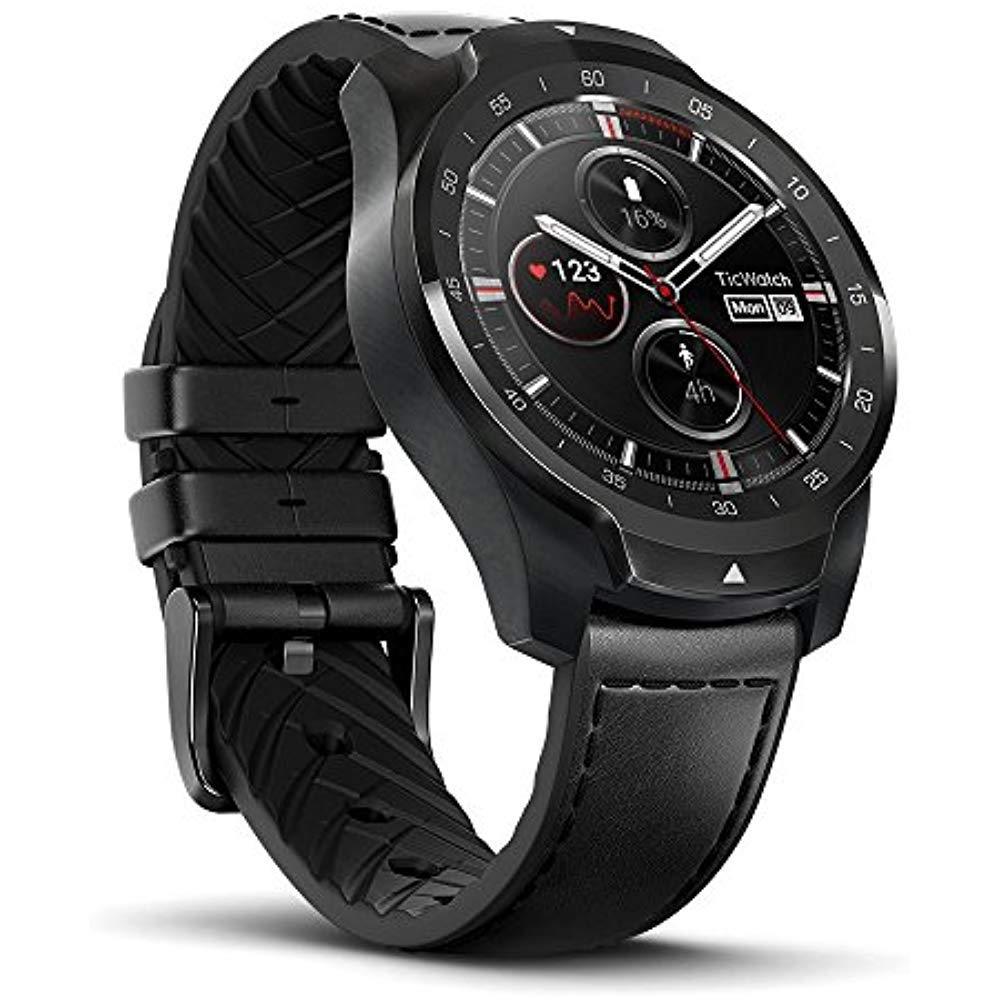
    The smartwatch field has been somewhat crowded for the last few years, but there has been little in the way of true innovation. Companies like Samsung, Fitbit and Apple have all iterated on roughly the same designs they’ve been using for years. Mobvoi has brought real innovation, however, with its newest smartwatch, the Ticwatch Pro. That innovation comes via the dual-screen technology that powers its two modes. More on that in a bit, though!

    Design

    While the watch’s internal mechanisms are quite impressive, the external design is also quite striking. The face is slightly recessed, and the bezels are contoured and rounded off ever-so-slightly towards it. Thankfully, the watch is water-resistant, rated IP68, meaning it’s fine for working out in or showering in. Mobvoi doesn’t recommend swimming with this device, though, even though the IP rating would suggest you probably could. While we won’t counter the recommendation of the manufacturer, it seems unlikely you would have any issues if your watch fell in the pool.

    The band, uniquely, is leather on the outside and silicone on the inside, making it the best of both worlds. If you intend to wear it to work or the gym, the band pulls double duty! Not having to swap bands to work out is certainly quite convenient.

    Ticwatch Pro: Dual-Screen Innovation

    That convenience and everyday usefulness extends to those dual-screens I was talking about earlier. You see, the Ticwatch has an LCD screen on top, and underneath it is an OLED screen. The OLED screen is the one you expect from a smartwatch: bold, vibrant and gorgeous. It’s easily on par with any other high-end watch on the market. The translucent LCD screen on top is key to the watch’s “Essential Mode,” by contrast.

    “Essential Mode” is a low-power mode that reduces the display to a few critical pieces of information. The time, your biometrics and other vital information is conveyed on the screen, which can last for weeks on a single charge. While you can engage Essential Mode yourself, it also activates when the watch’s battery gets too low. This is really quite useful, and sets the watch apart.

    Pricing

    The Ticwatch Pro is the most high-end smartwatch from Mobvoi, but it’s still rather inexpensive. As the company’s other smartwatches have been budget entries, this one is roughly middle-of-the-road. That refers to price, primarily, though, as the watch’s make is quite premium. It costs $250 through Amazon, but you need to have Amazon Prime to get one. That’s sort of a bummer if you’re not big on Amazon, but the company plans to explore other distribution methods soon.

  • Nokia 6.1: Resurrection of an Old Name

    Nokia 6.1: Resurrection of an Old Name

    While Apple’s iOS phone operating system is only available on their proprietary phones, Android is an open-source platform. As such, the Android OS is rife with competition. Some of the fiercest competition this year is coming for the Galaxy line of smartphones from Samsung. On the one hand, Google’s own Pixel smartphones are gunning for the throne. Even Motorola, once a maker of budget-friendly phones, is aiming to be the greatest high-end Android these days. One phone, however, is aiming to bring great power at a great value. And that phone is the Nokia 6.1, coming in at an impressive $269.

    The Specs

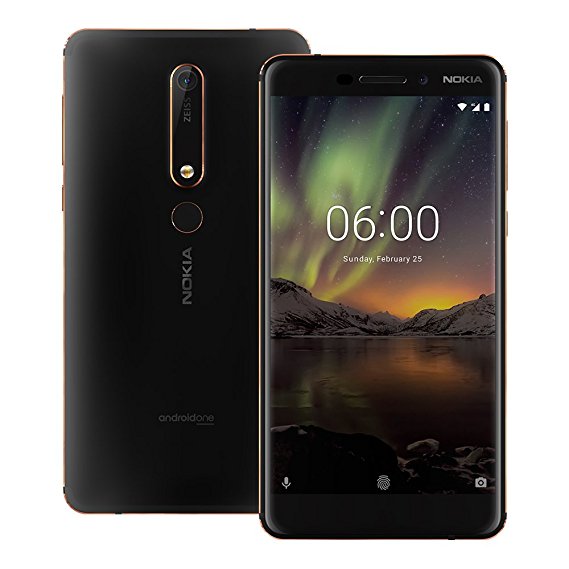
    The Nokia 6.1 is a technically impressive smartphone considering its cost. It’s powered by a Snapdragon 630 and sports a 5.5-inch 1080p display. It’s working with 3GB of RAM, and it rocks 32GB of internal storage. The rear camera has 16 megapixels, and the phone even sports a 3.5mm headphone jack. Like most modern smartphones, it charges with a USB-C port, which is nice.

    Design

    All of that is housed in a solid-feeling metal casing, giving the phone heft and making it feel durable. The flash is somewhat far from the rear camera, and the phone has a good bit of character. The design feels premium, if somewhat minimal. One would expect a phone in this price range to be bland and faceless, but the 6.1 is no such thing. It simply feels like a modernization of Nokia’s older design principals. That said, the design isn’t perfect: the rear fingerprint scanner is somewhat small. However, that’s a small gripe, as the phone otherwise carries that legendary Nokia durability.

    Nokia 6.1 Bottom Line

    If you’re looking for a good, clean Android phone with a lot of design purity, this is it. No frills, no gimmicks and no heavily-rebranded Android OS cloud this phone. The experience is minimal, the presentation is tasteful, and the price is right. If this phone is any indication of the types of things we’ll see from the new Nokia, then we can’t wait to see what they make next.

  • Samsung Galaxy J3: Is It Worth Getting?

    Samsung Galaxy J3: Is It Worth Getting?

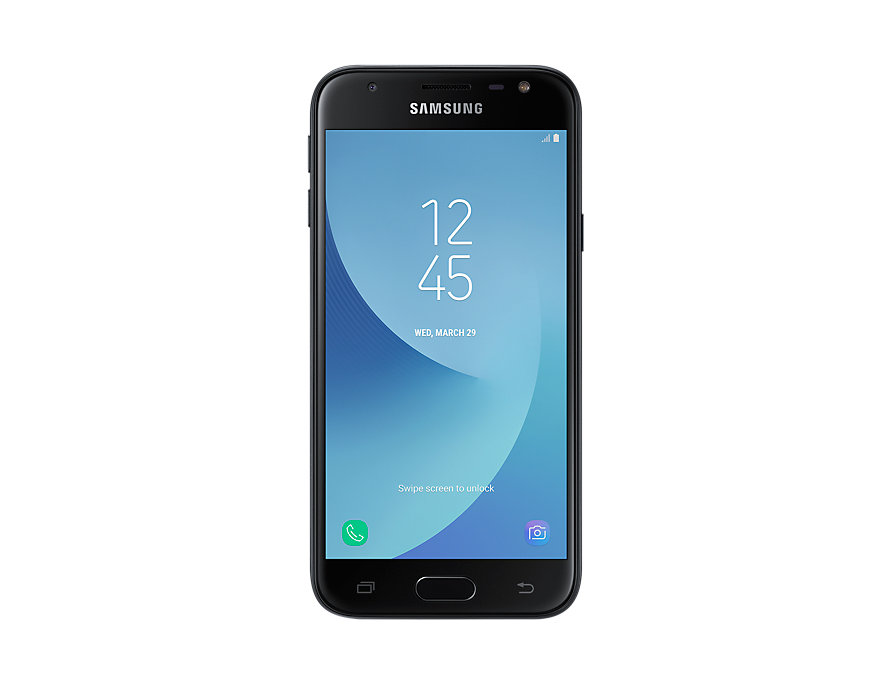
    Samsung dominates in the world of luxury, high-end smartphones. Their Galaxy series is renowned for being great, even if they’re relatively expensive. In order to combat the image of their phones being for high-end users only, their budget friendly Galaxy J series is priced much lower. However, is the newest J3 worth it, even for the reduced price tag?

    The Price

    The first consideration for a budget phone, of course, is price. In that respect, you can rest assured that this phone is inexpensive. It runs between $210 and $130, depending on where you’re getting it. If that sounds really cheap that’s because it is: most phones cost at least double that to carry modern tech. That’s the trick with the Galaxy J3, though; it doesn’t sport modern tech.

    Performance

    This phone is slow. Glacially so, in fact. The processor feels like something from 2010, as apps and basic functions lag and struggle to keep up with the user. Launching apps is sluggish, web pages populate slowly and even returning to the home screen has noticeable lag.

    The camera doesn’t fare much better. Indoor photos are fuzzy and light sources appear to have a blue haze clinging to them. Outdoor shooting is passable, but nothing to get excited about. The screen does the phone no favors here either. It looks alright, but not good. The battery life is the one redeeming feature of this stinker, lasting around 14 hours on a full charge.

    Samsung Galaxy J3 Bottom Line

    Needless to say, you should skip this phone. It surpasses the threshold of “budget phone” and dives head-first into the realm of “bad purchase.” If you’re in the market for a phone in this price range, look into something like the Moto G6 Play. It runs for $200 or so and sports a much better processor and camera. Neither are particularly impressive by modern standards, but they beat the heck out of the J3. In fact, if you’re not worried about $50 extra, the Moto G6 is a great budget option for $250.

    In either event, steer clear of the Samsung Galaxy J3. It’s not worth the price, even with how low that price tag is. The Samsung name alone can’t save this mediocre phone from being just that: another terrible budget Android phone.

  • Locked or Unlocked Smartphone: Which is Right for You?

    Locked or Unlocked Smartphone: Which is Right for You?

    The history of phone carriers has been pretty cut-and-dry. If you want a new phone, you go through a carrier. Carriers dictate which phones you can and can’t get, and you usually have to lock into a contract with them to get the phone. Typically, once that contract is up, you can’t really do much with the phone, as it’s locked in with the old carrier. However, in recent years, a new trend in phones is emerging. Lately, it’s much more appealing to many customers to buy unlocked versions of the phones they want. An unlocked smartphone is one that doesn’t require you use a specific carrier and can opt to use whichever you want. What are some of the pros and cons of using an unlocked smartphone, and how you can get one!

    How to Get an Unlocked Smartphone

    One of the simplest ways to get an unlocked phone is just to go through the phone’s manufacturer. If you want an unlocked iPhone X, for instance, you can get one from Apple. The same goes for Google Pixel and Huawei, to name a few. Another way to get an unlocked phone would be to buy one from a distributor, like Amazon or Best Buy. After buying one, you’ll have to get a carrier SIM card to use it.  Typically, it costs the same to buy an unlocked phone as it does to buy a locked one. That said, resale on an unlocked phone is usually higher, as it can be used on any carrier.

    All four major carriers (AT&T, Spring, T-Mobile and Verizon) have “bring your own phone” plans, but not every phone works on every network. Check the carrier you’d like to use and make sure you can use the phone you want on it!

    Pros to Using an Unlocked Phone

    The pros for having an unlocked phone are numerous. The most obvious, of course, is that you can use them on any network. This means that you can swap your SIM card for another one on the fly when you travel, letting you avoid exorbitant international charges. Additionally, you can pick from a much wider selection of phones when you’re buying unlocked. You’re not stuck with what specific carriers have available, so you can get whatever phone you like!

    Cons to Unlocked Phones

    Typically, when you buy an unlocked phone, you pay full MSRP for it. Carrier often offer incentives for going through them and signing contracts. Financing is usually available for unlocked phones, but you still can usually find some considerable discounts when going for a locked phone. Make sure to do your research on the individual phone you’re looking at to make sure you get the best deal!

  • SmartHome Automation and the 5 Gadgets you Need

    SmartHome Automation and the 5 Gadgets you Need

    We all have dreamed of the day when in George Jetson style all the devices in your life could connect to the internet. No im  just talking about computers and smartphones, but everything: clocks, speakers, lights, door bells, cameras, windows, window blinds, hot water heaters, appliances, cooking utensils. All of it.  Then we need those devices to communicate to each other, send you information, and take your commands. It’s not science fiction or a crazy 60’s cartoon,  it’s the Internet of Things (IoT) and SmartHome Automation, and it’s glorious.

    SmartHome Automation is exactly what it sounds like: digitally enabling everything from window shades to pet feeders—with a simple push of a button or a shout of your voice. Some activities, like setting up a lamp to turn on and off at your whim, are really cheap and easy. Then we have things like advanced surveillance cameras that are a bit trickier and require a more serious investment of time and money.

    Lets take a Look at some of the latest and greatest in home automation.

    1. iCamera Keep Pro

    The iCamera Keep Pro from iSmartAlarm ($199.99) is a full-featured home security camera that not only works as a standalone device, but can be incorporated into an iSmartAlarm DIY security system. The camera is full of useful features including a powerful 1080p image sensor, motion and sound detection, mechanical pan and tilt, time-lapse and event-triggered video recording, and a motion-tracking feature that allows the camera to follow a person around the room. Throw in free cloud storage, an SD card slot for local storage, and support for IFTTT integration, and you’ve got a killer indoor security cam.

    2.Phillips HUE

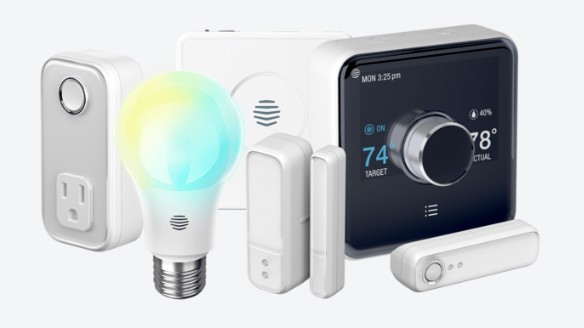
    One thing that you might want to do as soon as you decide to make your home a smart home is switch out the light bulbs – something easier said than done considering how many different options out there. Of them all, however, we think the best smart light bulbs are Philips Hue range of smart bulbs.

    If you opt for Philips Hue bulbs, you will need to get the Philips Bridge, which is kind of like a hub for your lights. The advantage, however, is reliability, and the fact that the system is compatible with a range of different standards and home control systems including Apple HomeKit, Nest and Samsung SmartThings.

    3. iHome ISP5 Control Smart Plug

    While there are great smart replacements for many devices, a much simpler option is simply using connected plugs in your power outlets. Doing so will give any device that plugs into a power outlet basic smart features like the ability to turn the device on and off, or the ability to monitor the device’s power usage.

    There are quite a few smart plugs out there (seriously, so many), but the best is the iHome ISP5 Control Smart Plug. It’s Wi-Fi enabled, and works with HomeKit, Nest and Wink – so it should play nice with your other smart home devices.

    4. The Wink Hub 2

    One device to rule them all, the Wink Hub 2 works with devices that use Z-Wave, Zigbee, Lutron Clear Connect, Kidde, Bluetooth, and Wi-Fi. It is also for the future. That includes just about everything in the smart home spectrum, from Philips Hue lighting and the Netgear Arlo camera, to Google Home. It’s the most reliable, widely supported hub we’ve tested.

    5.Haiku Home L Series 52-inch Indoor/Outdoor WiFi Enabled White Ceiling Fan with LED Light

    This smart ceiling fan is compatible with Alexa for a fully voice-controlled cooling system. It has been specially tested to ensure that it won’t rattle, click, or wobble and features an integrated LED light. Easily control settings via the included remote or mobile app. Add in a smart Thermostat and just tell your house what temperature it should be. Nice.


    The Final SmartHome Automation Thought

    We have gone over and over this a dozen times, SmartHome Automation functionality is the kitchen remodel of the 21st century. All these devices are relatively inexpensive but can really boost the value of your home. Besides the value they can great increase your enjoyment by making your life easier and much more relaxing. Try not to relax with the Hues orange glow light setting after supper, I dare you.

  • Retrospective Round-up: The App Store

    Retrospective Round-up: The App Store

    The App Store is ten years old. It’s hard to believe that the iPhone launched in 2007 without it, to be honest. When you think of the start of the smartphone revolution, you think of apps. “There’s an app for that” was such a ubiquitous slogan that you heard it everywhere in those days. When it launched in 2008, the App Store redefined what, exactly, a smartphone could do. With that said, let’s take a look back in time and round up the ways the App Store shaped the modern smartphone market.

    Attack of the Clones

    The first and most obvious impact of the fantastically popular App Store is the legion of clones it inspired. Of them, the Google Play Store is the most notable and the only other successful platform from the era. Truth be told, the success of the iPhone can be largely attributed to support from app developers. Blackberry’s decline can be certainly chalked up to the lack of support from those same developers.

    Gaming

    The App Store reshaped handheld gaming. Where Nintendo and Sony were battling with their traditional handheld gaming consoles, Apple did something unthinkable. Something that Nokia had tried a few years prior with the N-Gage. They made smartphones gaming devices. Nintendo hasn’t been muscled out of the gaming space, but they also couldn’t exactly push Apple out either. It’s impossible to fight just how big of an install base that smartphones have as a gaming platform. Nearly every adult has a smartphone; the same can’t be said of Nintendo’s 3DS.

    The impact of the app store on gaming is nearly immeasurable: the early 2010s were marked by a flood of “freemium” games. Games that would have previously found no audience could now reach a large demographic. Since they were free to start, these games could get into your device, and your head, easily. Then, once you were invested, you would spend a few bucks here and there on power-ups. This business model proved insanely lucrative and persists to this day. Thankfully, traditional game design is still alive and well in the core market.

    Phones Became Omnitools

    Before the App Store, phones were phones. After its launch, phones were damn near everything. Some apps make your phone a GPS, while others make it a video streaming device. Other apps might make your phone a banking portal, while others make it a music playback device. Nearly any functionality you could imagine was suddenly rolled into your phone. And all of that is thanks to this one software platform. It’s been a long decade, and a lot has changed. But here’s to the next ten years, and the changes they bring.

  • Apple Goes Live With USB-Restricted Mode

    Apple Goes Live With USB-Restricted Mode

    The newest iOS 11 update carries a rather important feature with it. Namely, iOS 11.4.1 comes with USB-Restricted Mode. And, frankly, that’s a big deal. This functionality was expected to ship with iOS 12 this fall, coinciding with the release of this year’s new phones. However, it’s a pretty big move, and it’s critical for iPhone user security. You see, one of the most common ways to break into an iPhone is through USB-based hacking tools like GreyKey. These brute-force tools just attempt thousands and thousands of passcode combinations, eventually just forcing their way in with sheer probability. How has Apple worked to counteract this?

    USB-Restricted Mode

    The iOS 11.4.1 update brought a new toggle to your settings: “USB Accessories.” This setting is off, by default, so you don’t have to worry about going in and doing it manually. What the setting does, however, is make the phone unable to be interfaced with by USB accessories if it has been locked for more than an hour. That’s pretty huge: GreyKey and similar illegal hacking hardware has to interface with the iPhone through the Lightning port. Disabling them directly is the bluntest answer Apple could have come up with, but it works perfectly.

    If a criminal steals your phone, it’s likely that you had it locked for a bit before it was stolen. Further, they will then have to exit the public area, go back to a safehouse and attempt to crack the phone’s security from there. This will likely push them past the hour deadline to try to crack the phone, thus making it a pointless endeavor to steal iPhones. Similarly, law enforcement will often take longer than an hour to process a detained person. This means that unlawful access to your phone will likely be impossible. Police will have to get a search warrant, thus cutting down on overreaching violations of citizens’ rights.

    Apple’s Role in Security

    Apple is a leader in electronic security. Their constant innovations in this field are an industry standard and are to be commended. Apple’s move with this newest feature is further evidence of their dedication to protecting the data of their users. Looks like those looking to unlawfully access your information will have to find some new way to break in.

  • LG to Open New OLED Factory in China

    LG to Open New OLED Factory in China

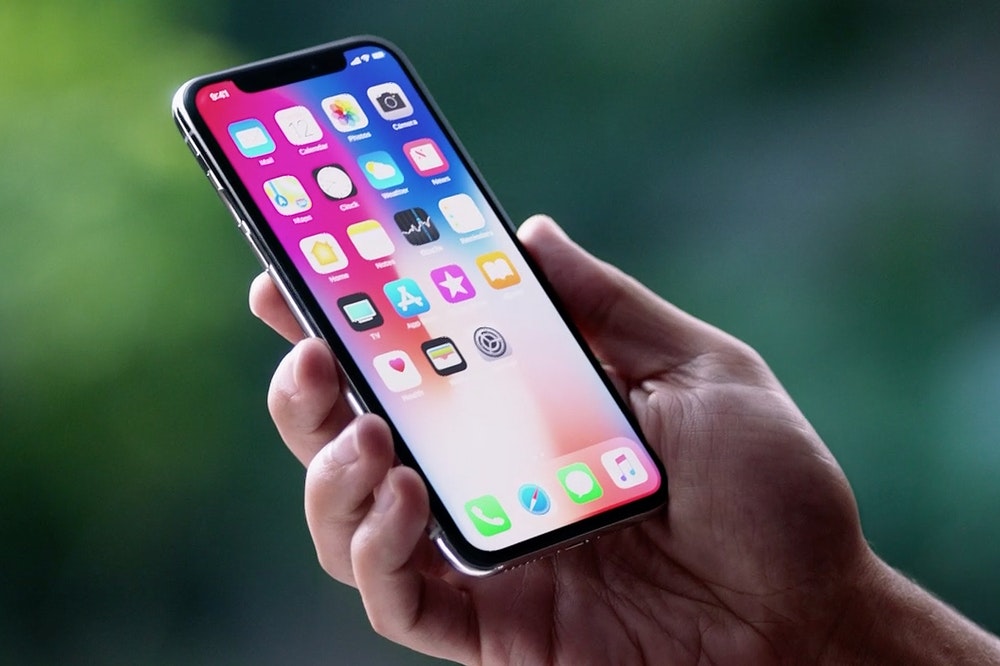
    In a big move, South Korean company LG has secured permission from the Chinese government to open a factory there. The factory, opening in Guangzhou, will focus on OLED panel production primarily. OLEDs, or organic light emitting diodes, are the technology behind the bright, sharp images seen in modern displays like the iPhone X.

    The factory will be built using a staggering $2.33 billion, which underscores how highly LG prioritizes OLED panel production. Many of the Korean company’s high-end televisions are powered by the technology, so this OLED factory will help to power the company’s personal interests. Further, Apple will seek to purchase the displays from LG as well, as it currently relies on Samsung. Ironically, the Korean Samsung is a primary rival of both LG and Apple. By cutting them partly out of the process of constructing iPhones, apple will distance itself from its chief competitor in the American smartphone market. Similarly, by ramping up production, LG will be able to continue battling Samsung in the TV market.

    The OLED Factory Itself

    The factory itself will begin with production targets of 60,000 displays per month. If that sounds like a lot, it’s a drop in the bucket. The company plans to ramp up production numbers to 90,000 displays per month. However, these numbers pan out, a the company is slated to provide between 2 and 4 million displays to Apple.

    The factory will be owned partly by LG, at a 70 percent stake. The Guangzhou Economic and Technological Development District will hold the other 30 percent. This will likely lead to a large increase in the number of jobs in the region, which explains the decision to allow the factory to be built. Concerns regarding environmental safety and fair compensation will likely be raised, as they often are with Chinese factories. However, the demand for smartphones and TVs stays high, so production rolls on.

  • Moto G6 Feature Roundup: Surprisingly High-End for Low Price

    Moto G6 Feature Roundup: Surprisingly High-End for Low Price

    Normally, if you want a high-end phone, you have to pay high-end money. In the case of the new Moto G6, though, that’s not quite the case. Motorola’s been making handsets for years now, but this may be their best balancing act yet. In nearly every respect, this is a step up from the G5 of last year. For the price, you’re not going to find a better smartphone value. 

    Upgrades This Year 

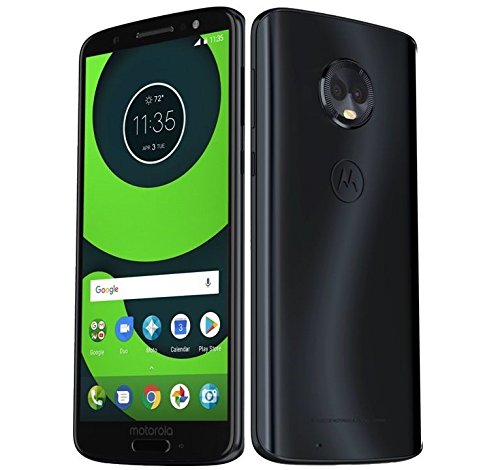
    If you’ve used a Moto G5, you know that it’s a great budget phone. However, this phone is an upgrade in nearly every way. This year’s model comes with a USB-C port instead of micro-USB, for one. For another, it sports two cameras, allowing for portrait mode photos (which are totally in right now, just check Instagram). The design has been modernized, too, with an ultra-long 18×9 display and curved edges. Not to mention, that smooth, enviable Gorilla Glass back. If those design notes sound familiar, it’s because they echo the excellent (if pricey) iPhone X.  

    The Downsides 

    The drawbacks to this phone aren’t numerous and are mostly forgiven for the low price point. For one, it has a relatively small battery when compared to the G5. That alone isn’t a deal-breaker, but it’s a slight bummer. It does support Turbo Charging through its USB-C port, though! The only other drawback is the somewhat lackluster camera. But, at the low price, it’s hard to fault this phone much for those gripes. 

    Moto G6: Bottom Line 

    The final word on this phone? For $250, you’re not going to find a more premium-feeling phone. If you like the Android operating system and want a great deal on a modern phone, you should check out the Moto G6. If you’re in the market for something that is a bit more premium, of course, the Samsung Galaxy family of phones is probably more your speed. However, if you’re not looking to spend a fortune on a smartphone but don’t want to look like you didn’t, this is the phone for you.