Category: Smart Devices

  • Samsung Galaxy Note 9 Rumor Roundup

    Samsung Galaxy Note 9 Rumor Roundup

    Many consider Samsung the frontrunner when it comes to Android phones. And really, that’s an apt assessment: Samsung’s no joke! The next phablet-sized phone from Samsung, the Note 9, is set to be released on August 9th, which is must sooner than anticipated. It seems Samsung’s looking to beat Apple to the punch so the hype for the next iPhone X doesn’t drown out their phablet. What can we expect to see from the giant phone? We’ve got a Galaxy Note 9 rumor roundup for you to find out! 

    Bixby 2.0 

    Rumors about the updated functionality of Samsung’s virtual assistant Bixby have been swirling since the Note 9 was announced. Details are scarce at this moment as to what that might entail. However, it wouldn’t be unreasonable to assume that shortcuts like the ones being introduced to Siri in iOS 12 could be coming to Bixby. Shortcuts are pre-programmed vocal cues meant to call up specific apps or functions, and they’re Apple’s answer to Alexa. It wouldn’t surprise us to see Bixby rocking similar features. 

    Design 

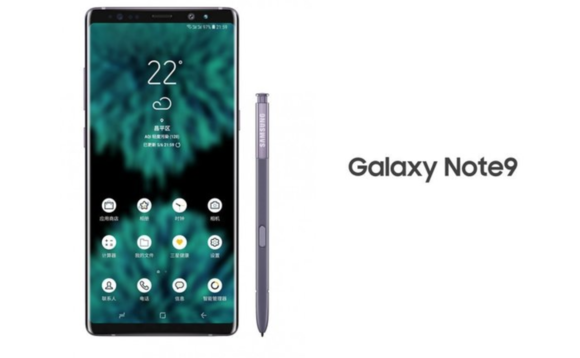
    Early leaks of the Note 9’s design indicate it won’t differ much from the Note 8. It’ll sport a USB-C port, a stash for the S pen and very slim bezels. Many Android users will be pleased to hear that the Note 9 will not be rocking the notch like so many other modern smartphones. Instead, it’ll simply sport very, very slim bezels to maximize screen size.  

    Previous rumors held that the Note 9 would have an in-display fingerprint scanner, but that now seems less likely. Since the phone is launching in August, that’s not a lot of time for announcements of that scale. Additionally, rumors from the supply chain suggest that Samsung has decided on a back-of-phone scanner. However, it isn’t totally out of the realm of possibility, just unlikely.  

    Pricing 

    While we have no concrete pricing info yet, judging from the previous Note release, this one won’t be cheap. The Note 8 launched at $929, and it was even more in countries outside of the US. With Apple’s iPhone X costing $1,000, we could see Samsung charge even more for the phone. This is to be expected, of course: it’s a premium smartphone with a giant screen and an included stylus. You weren’t getting out for cheap to get the very best! 

  • BlackBerry Key 2 Feature Roundup 

    BlackBerry Key 2 Feature Roundup 

    Believe it or not, some people still prefer a physical keyboard on their smartphones. BlackBerry was quite well-known in the early 2000’s for making early smartphones. And yes, those had physical keyboards too. The release of the iPhone brought about a near-universal change in the realm of smartphones, though, and most manufacturers scrapped physical buttons. It’s hard to imagine now, but at the time the digital keyboard of the iPhone was revolutionary. The tables have turned, now, as BlackBerry attempts to make physical keyboard cool again and is met with skepticism. 

    The Titular Keyboard 

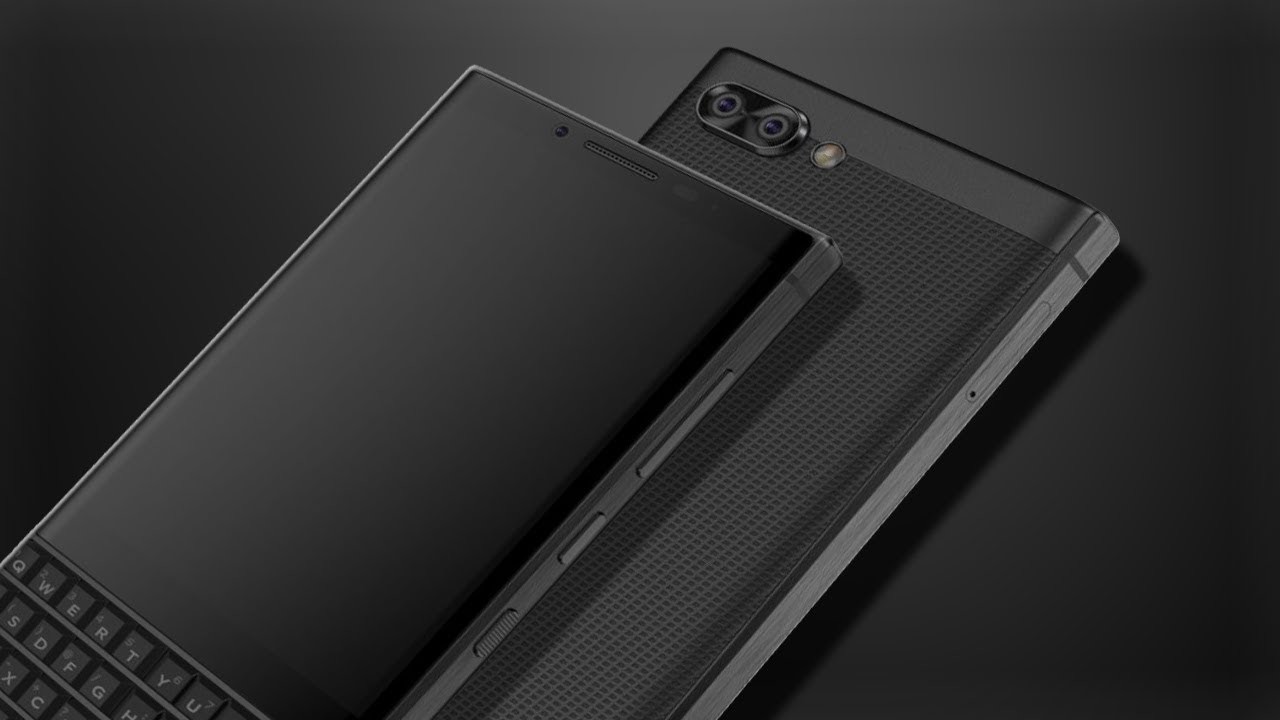
    The most surprising thing about the Key 2 is that there was a KeyOne. Alright, jokes at BlackBerry’s expense aside, the Key 2 is better than its predecessor in every way. The keys are more distinct and taller, and they’ve got great grip. The issue, though, is how tiny and cramped the keyboard has to be. As you can tell, having this keyboard on the bottom of the phone cuts down on how much screen you can have. The phone is still almost awkwardly long with the shortened screen, and you can thank the keyboard for that. 

    While I understand that there are users who don’t want to give up their physical keyboards, the keyboard here compromises a lot to be attached to a smartphone. It simply serves too many masters: it’s far too small for comfortable typing and far too large to be convenient on a smartphone. It just reminds me of why smartphones moved away from physical keys.

    Key-Based Shortcuts

    The one cool thing the keyboard is capable of, though, is the shortcut feature. Every key on the face can be bound to a different app and called up with a short or long press. This functionality is one of the few that inspires confidence in the keyboard design decision. That said, the functionality isn’t quite enough to justify the keyboard for those accustomed to normal smartphones.

    Laggy Touch Screen, Unpolished Operating System

    The touchscreen isn’t very responsive; users will find themselves pressing the screen multiple times to no avail. The lag and slowdown would have been unforgivable in 2007 after the iPhone release, and it’s downright embarrassing now in 2018. If BlackBerry wants the Key 2 to be taken seriously, it has to function as well as other flagship smartphones. The most telling sign of the unpolished nature of this product, though, is in the UI. Some apps, like G Mail, will pull up a digital keyboard when opened. That keyboard can’t be closed, and, given the Key 2’s small screen, leaves very little real estate for viewing messages. It’s not a deal breaker, but combined with the phones other shortcomings, it makes it hard to recommend.

    BlackBerry Key 2 Release Info

    The Key 2 is set to release on July 13th, and will run on Android. It’s MSRP is $649, which, when compared to the competition, is somewhat laughable. If you absolutely must have a physical keyboard, this isn’t the worst phone ever. However, for the price, you can find much better options in both Android and iPhone lines.

  • Samsung Galaxy S10 Rumor Roundup

    Samsung Galaxy S10 Rumor Roundup

    Samsung’s popular range of Galaxy phones are known for being some of the very best smartphones to run Android. As such, it’s understandable that rumors regarding the upcoming releases in the family are eagerly churned out. Which rumors about the Galaxy S10 are the loudest, and which are the most likely? Today we’re rounding up some of the rumors surrounding the upcoming Galaxy phone! 

    3D Facial Scan 

    Sources have reported that the newest Galaxy phone will forego the iris scanner in favor of a full 3D face scan. If that sounds familiar, it’s because that’s exactly what Apple’s Face ID is. Samsung seems to be gunning for its American rival with their newest phone. The rumors around this Samsung face scan indicate that if the technology isn’t ready by the time the Galaxy 10 is set to ship, it will continue to use the iris scanner instead.  

    In-Display Fingerprint Scanner 

    A feature that was supposed to be in the Galaxy S9, the in-display fingerprint scanner is rumored to be appearing in the S10. Chinese smartphone makers Vivo and Oppo have been pushing the limits on in-display scanners, and Samsung isn’t a company to be outdone. Interestingly, Apple chose to forego this avenue of technology altogether in favor of Face ID technology. Samsung, on the other hand, is pursuing both. While that may seem redundant, perhaps they’re looking to cover all potential bases.  

    No Phone Notch 

    Rumor has it that Samsung won’t follow the industry trend of the top phone notch. Instead, they’ll opt for very thin bezels on the top and bottom of the front display. The thin top bezel will house the camera, speaker and other technology that is usually housed in a phone notch. The presence of the bottom bezel is disappointing, but in leaked renders the phone still looks quite slick. However, if all these rumors are to be believed, Samsung might just have an iPhone X-killer on their hands. If they can deliver a phone with 3D facial scanning, an in-display scanner and a powerful processor, they’ll be poised to dethrone the iPhone. 

  • Rumor Roundup: Google Pixel 3

    Rumor Roundup: Google Pixel 3

    Google’s Pixel line of phones hasn’t dethroned iPhone the way it may have hoped, but it’s done a fair job impressing reviewers. The Pixel 2, for instance, is considered one of the best smartphones in the world right now. Behind, of course, the Galaxy 9 and iPhone X. That one likely stings for Google, a company that wants to be everything to everyone. How are they intending to reverse this trend for their next phone? Let’s check out some of the rumors surrounding their upcoming smartphone. 

    Another Phone with a Notch 

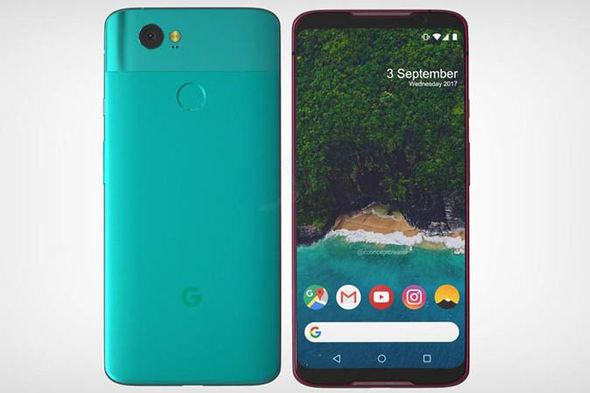
    A leak of the Pixel 3 design suggests that the phone will sport an iPhone X-style top notch. While many find the notch distracting and unnecessary, phone makers seem to take it as a marker of Apple-like design. Google, for their part, seem to be embracing the comparisons between themselves and Apple and leaning into this design decision. The same leaked render shows that the phone will have a back-mounted fingerprint scanner, instead of an in-display scanner. It also suggests that the phone won’t have the dual-camera setup on the back that many have adopted for Bokeh-style portraits. This makes the Pixel 3 something of an echo and downgrade from similar phones, design-wise. 

    Other Apple-Like Features 

    Another rumor holds that the Pixel 3 may have a Face ID-style 3D face-unlock. This is evidenced by the apparent dual front-facing cameras in the top notch in leaked photos. In fact, Face ID is the main reason Apple went with the notch design: the iPhone X had to put its face cameras somewhere. Thus, the notch was born.  

    Another Apple-like update, rumors hold that the Pixel 3 will sport negligible bezels, iPhone X style. This is great news for those who were hoping for a more visually striking phone from Google. As great as the Pixel 2 is, it’s design is a bit bland. In order to remedy this, it seems, the phone maker is aiming for a much bolder design.  

    Three Models of Google Pixel 3 

    Another leak holds that there will be three different Google Pixel 3 models released simultaneously. What this would entail isn’t yet known, but there are some conclusions we can draw at a glance. The first is that one of the models will likely be a budget option, perhaps with an LED screen and less memory. It stands to reason that a mid-tier version, maybe with an OLED screen and more memory would be on offer. Finally, a high-end, or maybe XL version, could be the third model.  

    We’ll certainly know more as we get closer to release. The Pixel 3 will likely be released sometime in late 2018, after September or October. 

    Feature Image Credit: Express.co.uk 

  • Feature Round-Up: Acer Chromebook Tab 10

    Feature Round-Up: Acer Chromebook Tab 10

    While Android tablets are all but dead now, Google is still interested in using tablets for educators and students. To that end, the first tablet running Chrome OS, the Chromebook Tab 10, is slated to be the best classroom slate yet. We’ve got a quick roundup of some of the most notable features of the Acer Chromebook Tab 10. How will it make the class experience better for teachers and students? Let’s check it out! 

    The Specs 

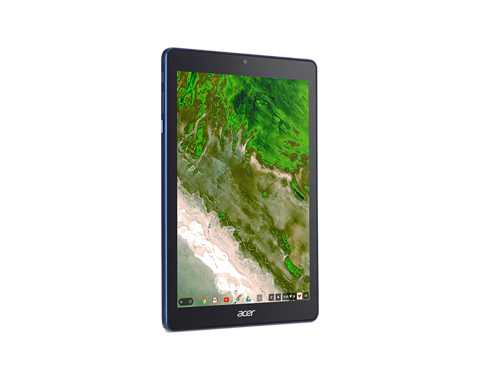
    First off, it’s a huge tablet. It’s got a 9.7-inch screen and weighs a solid 1.2 lbs. This is great for the classroom, as it means it’s got enough mass to not get lost or misplaced! On the tech side, it’s got 4 GB of RAM, an OP1 CPU and a Mali T860 GPU. This all adds up to the tablet being more than powerful enough to handle any classroom duties. This will likely be many kids’ first experience with tablets, so it’s good that this one has all the power needed to handle basic tasks.  

    Interestingly, it also sports a USB-C port. That port’s versatility is a great boon for classroom settings! Charging, of course, is the primary use, but sending video and transferring data are also uses the port allows for. 

    Design 

    This big tablet has a rubberized back and big bezels. It’ll likely prove quite durable and kid-friendly. It’s set to come in a number of bright colors, making it great for kids. That big size does bring up a problem, though: it’s hard to type on. While Chrome OS allows for Bluetooth keyboard connection, the Acer Chromebook Tab 10 doesn’t have one included. As such, typing on the big on-screen keyboard is a little awkward. For kids with small hands, it’ll likely be even harder. The fix, laying it on a table and pecking the keyboard with the index finger, works, but itsn’t ideal.  

    Stylus 

    It also sports a Wacom stylus, which can be whipped out to easily pen notes in the middle of class. It’s a little short and wouldn’t be great for a professional or artist, but for a kid taking notes or drawing it’s perfect. It doesn’t recognize tilt, and it sports a bit of latency, but these are deal-breakers for what the tablet’s meant to do.  

    Acer Chromebook Tab 10: A Little Awkward, but Great for Students 

    The tablet is a bit funky, and the Chrome OS has some kinks when used for a tablet. However, Acer’s tablet is a great proof-of-concept. The student-friendly Chrome OS is absolutely well-positioned for tablet use, it just needs a bit of fine-tuning. The tablet costs $329, making it relatively affordable for classroom use. Thusly equipped, kids will be learning in no time. If we keep using technology like this, maybe the future will be pretty bright after all. 

  • Ways to Tech-ify Your Space: Our Favorite Home Technology

    Ways to Tech-ify Your Space: Our Favorite Home Technology

    Whether you’ve had your place for a while now or just got your first apartment, you’re definitely looking for cool tech. Everyone wants a high-tech, sci-fi setup, right? Well, not quite: everyone loves the convenience of having cool tech around the house. With that in mind, we’ve got a list of some of our favorite pieces of home technology for your pad! 

    Smart Air Conditioning 

    This one might sound weird but hear us out. The Frigidaire Smart Window Air Conditioner (boy that’s a mouthful) is a very handy device for any apartment. The Smart AC connects to Wi-Fi, so you can control it from an app, which is great. If you’re out of town and want to make sure the electric bill isn’t sky-high, you can adjust the temperature from far away. Additionally, it supports Alexa voice commands, which is even more handy.  

    Smart Lock 

    If you’re like me, you absolutely hate getting locked out. Wouldn’t it be great if you could just unlock your door from your phone? Well, good news: you can! Companies like August and ADT offer various smart locks, but August is a great choice for those who don’t want ADT service. August’s Smart Lock Pro + Connect is $279 and comes with Apple HomeKit functionality. If you have friends coming over but you’re not home yet, you can unlock the door remotely. If you’re lying in bed worried about whether you locked the door, you can double check. 

    Robot Vacuum 

    A robotic vacuum is a fantastic companion for any home owner. I personally can’t stand having to sweep and vacuum all the time, so having a robot to do it for me is a must. Roomba is the most well-known brand of robotic vacuum, but they’re not the only player in town! Brands like iLife and Ecovacs also offer a great selection at various price ranges. The iLife V8s is a great budget pick at $260. 

    Our Favorite Piece of Home Technology: Amazon Echo 

    This one had to top the list. It’s just so handy! Between reading you the news, making calls for you and helping you with recipes, Alexa is the ultimate assistant. You can even connect your Echo to other smart home devices, like the aforementioned Smart AC and Smart Lock, allowing you to control all the aspects of your house with your voice. You’ll be feeling like a sci-fi tech master in no time with all this home technology! 

  • HTC U12 Plus, What We Know so far

    HTC U12 Plus, What We Know so far

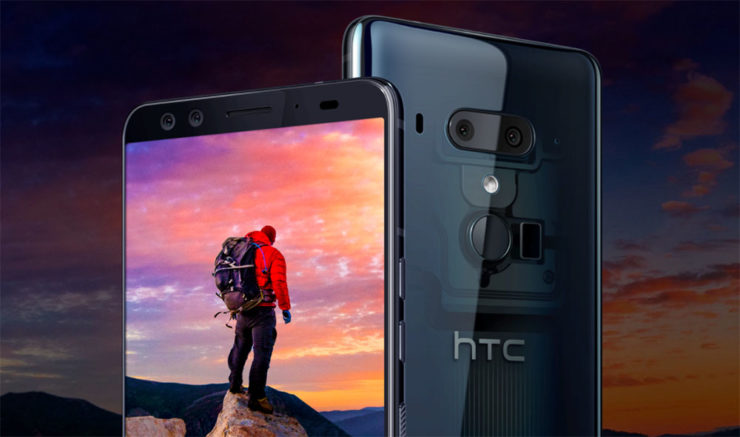
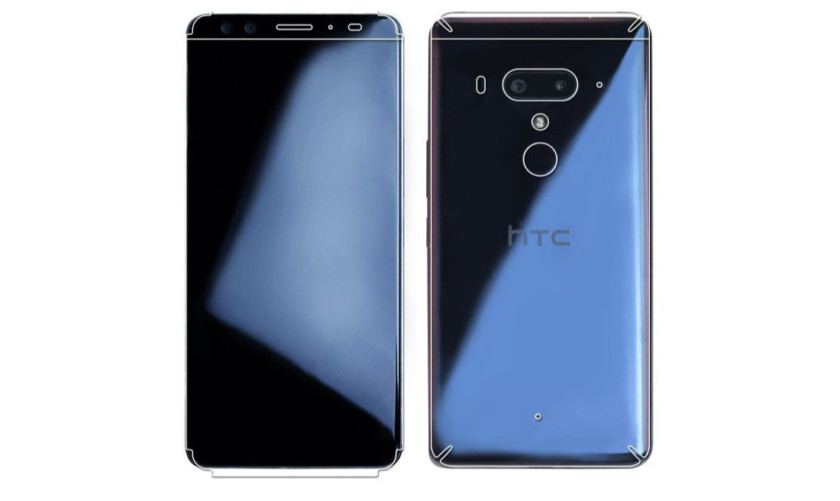
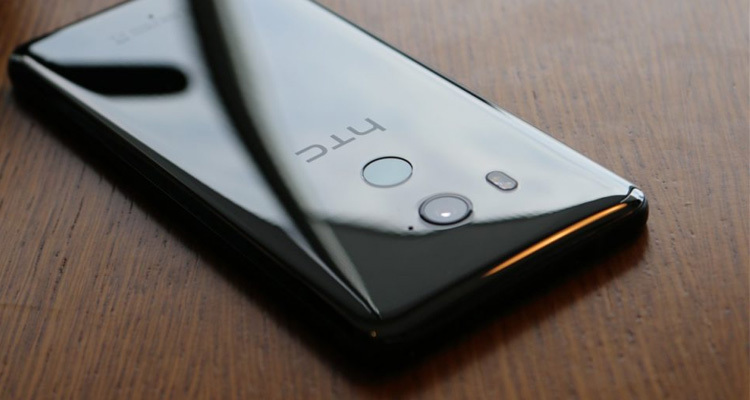
    HTC’s latest flagship has arrived! On top of new cameras and a full screen without a notch notch, HTC has created a phone is literally more sensitive than ever. This is the HTC U12 Plus. The HTC U12 Plus gives a great first impression, at least when it comes to design. Almost every modern flagship is made of glass panels held together by a metal frame, but HTC’s design feels sturdy with an almost brick-like heft to it. HTC may have changed designs over the years, but the build quality continues to be excellent. The new phone still manages to retain some of HTC’s signature style, so you won’t mistake it for anything other than an HTC.


    HTC U12 Plus comes with a 6.0-inch Quad HD+ display with no notch and thin bezels. That Super LCD 6 display is protected by a custom layer of Gorilla Glass that’s actually closer to Gorilla Glass 3 than 5. Gorilla Glass 3 is harder than 5, so it will likely be more difficult to scratch. Ill be the judge of that, grabs keys. As for software, it’s running Android 8.0 Oreo. Even though Android 8.1 has been out for five months, HTC still couldn’t manage to load up the latest version of Android on its new smartphone.

    The U12 Plus seems to be a big upgrade over its predecessors, at least on paper. It sports a 16MP wide-angle lens and a 20MP telephoto lens around back, while the front has two 8MP cameras. The U11’s camera was one of the best of 2017, so we’re really excited to see the U12 Plus

    HTC continues its minimalist Liquid Surface design language, giving us a beautiful glass design with IP68 water resistance.I would have liked to see a few more changes, the HTC U12 Plus is still a gorgeous device. We also have to applaud HTC for resisting the notch, something many other 2018 flagships are now rocking. Instead of physical keys, they are now pressure-sensitive. While these buttons may not provide a physical click, they do provide haptic feedback to let you know they’ve been triggered.

    The Colors for HTC U12

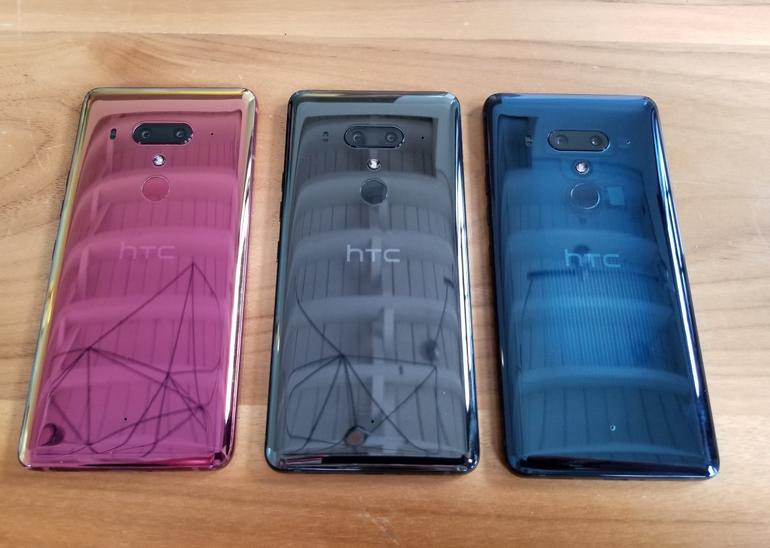
    The HTC U12 Plus will be available in ceramic black, translucent blue, and flame red.

    The ceramic black (known as titanium black in some markets) is probably the least exciting of the three options, but that’s not to say it looks bad. It’s a shiny, reflective, and polished glass option that is actually more gray than black.

    The translucent blue model is partially see-through, allowing you to see some of the internals. It isn’t quite on the level of a clear case, but it is still pleasantly unique.

    Finally there’s the flame red variant. This model has an eye-catching sheen that seems more pink than red. Unfortunately, the flame red won’t be available immediately at launch.

    Quick Spec Look

    • Display 6.0-inch Super LCD 6 2,880 x 1,140 resolution 537ppi
    • 18:9 aspect ratio
    • DCI-P3, sRGB
    • SoC Qualcomm Snapdragon 845 Mobile Platform
    • 2.8GHz, 64-bit octa-core
    • GPU Adreno 630
    • RAM 6GB
    • Storage 64/128GB
    • MicroSD expansion up to 2TB with Flex Storage
    • Cameras Rear cameras
    • Primary: 12MP wide-angle HTC UltraPixel 4 sensor, ƒ/1.75 aperture, 1.4μm pixels
    • Telephoto: 16MP sensor, ƒ/2.6 aperture, 1.0μm pixels
    • Phase detection and laser autofocus, OIS, HDR Boost 2, dual-LED flash
    • Front cameras
    • Dual 8MP sensors, ƒ/2.0 aperture, 1.12μm pixels, wide-angle with 84-degree field of view
    • Audio HTC USonic with Active Noise Cancellation
    • HTC BoomSound Hi-Fi edition
    • Hi-Res audio recording
    • Hi-Res audio certified
    • Qualcomm aptX HD, LDAC up to 32-bit high-resolution wireless audio via Bluetooth
    • Battery 3,500mAh
    • Non-removable
    • Qualcomm Quick Charge 3.0
    • IP rating IP68
    • Sensors Edge
    • Ambient light
    • Proximity
    • Motion G-sensor
    • Compass
    • Gyro
    • Magnetic
    • Fingerprint
    • Sensor hub for activity tracking
    • GPS, AGPS, GLONASS, Galileo, BeiDou
    • Network 2G/2.5G GSM/GPRS/EDGE
    • – 850/900/1800/1900MHz
    • 3G UMTS
    • – AWS/850/900/1900/2100MHz
    • – HSDPA 42, HSUPA 5.76
    • 4G LTE
    • – FDD: Bands 1, 3, 4, 5, 7, 8, 12, 13, 17, 20, 28, 32, 66
    • – TDD: Bands 38, 39, 40, 41
    • – Support Cat 18 Gigabit LTE: downloads up to 1.2Gbps, uploads up to 150Mbps, up to 5CA and 4×4 MIMO (where supported
    • – VoLTE and Wi-Fi calling (where supported)
    • Connectivity USB 3.1, Type-C
    • Bluetooth 5.0
    • Wi-Fi 802.11 a/b/g/n/ac (2.4 and 5GHz) with MU-MIMO
    • NFC
    • DisplayPort over USB Type-C
    • HTC Connect
    • AirPlay, Chromecast, DNLA, and Miracast
    • Software Android 8.0 Oreo
    • Dimensions and weight 156.6 x 73.9 x 8.7-9.7mm

    The Final Thought

    We got some movement from HTC. This is good. Any signs of life from the once dominant smartphone aficionados is good. Ive always said that HTC is for the high end smartphone user, not the everyday Eddie. The produce a high-end classy flagship smartphone that always goes under appreciated. Im sorry I just miss my HTC one..

  • Ten Things You Didn’t Know You Can Do With Your Chromecast!

    Ten Things You Didn’t Know You Can Do With Your Chromecast!

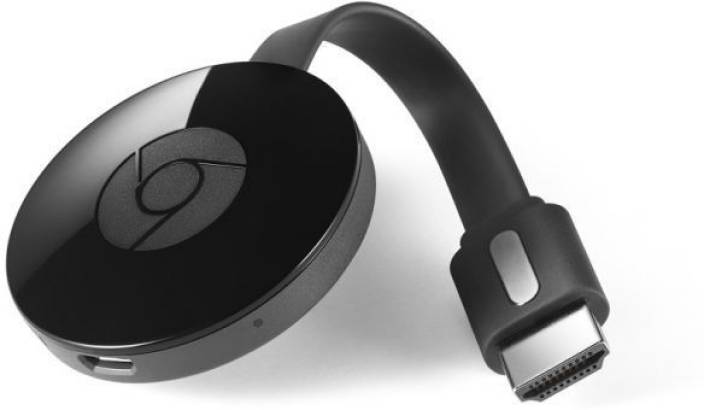
    Your Chromecast is pretty handy. In fact, it’s so handy, it’s probably got a ton of functionality you’re not even familiar with. How is this possible? Well, that’s Google for you: they cram every bit of functionality you can imagine into their products. Without any more delay, let’s dive in: what are the top ten coolest things your Chromecast can do that you don’t know about? 

    Remote Control 

    Photo Credit: The Good Guys 

    If your TV supports HDMI-CEC, you can use your phone to completely replace a TV remote! HDMI-CEC TVs can use a feature that allows them to match the input from their HDMI port. In short, with CEC online, when you start casting, your TV will automatically switch to it. No need to manually adjust the input! This one isn’t game-changing, but it’s a neat little quality of life feature! 

    Google Slides 

    Photo Credit: Gtricks 

    Need to give an impromptu presentation? Google Slides is great for putting presentations together on the fly. Even better, if you don’t have a thumb drive or some other transfer device, or just need to give the presentation from your phone, you can Cast your slideshow.   

    When you go to “Present,” just select “present on other screen.” Boom, like that, you’re a tech wizard and you’ve got a presentation on your big screen! 

    Daydreaming 
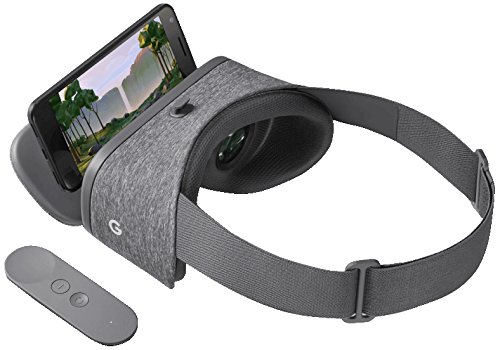
    Photo Credit: Amazon 

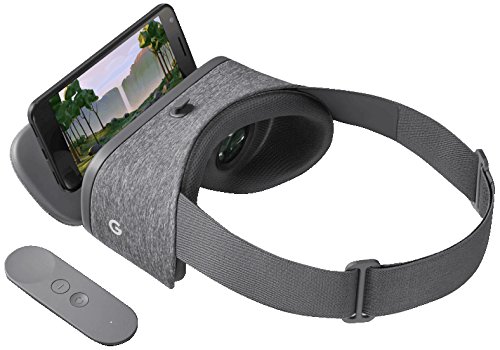
    Using a virtual reality headset makes you look pretty silly to onlookers. Since the people in the room with you can’t tell what exactly you’re seeing, you tend to just look like you’re flailing around. If you want to share your VR experience with your friends, though, you can cast from your Daydream View. This way everyone can see the obstacles you’re dodging through your Chromecast. (This works for Gear VR, too!)  

    Maybe this somewhat alleviates how silly you look with that VR headset on. 

    Use Your Home Sound System for your Music 
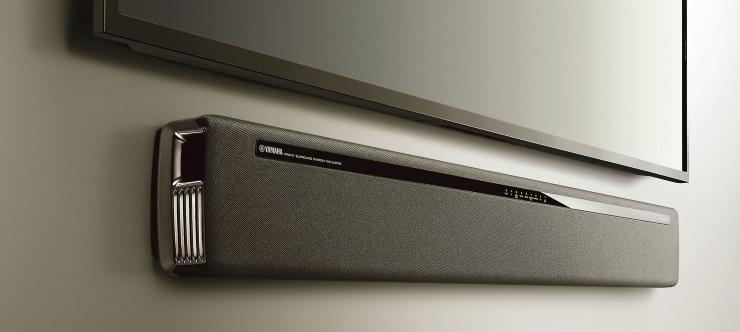
    Photo Credit: PCMag 

    If you have an awesome sound bar and really wish you could play your music through it, you can! Just get the Google Play Music app and cast to your Chromecast. If you pay $10 per month for a Play Music subscription you can even play Google’s streaming radio and vast library of artists.  

    LocalCast 
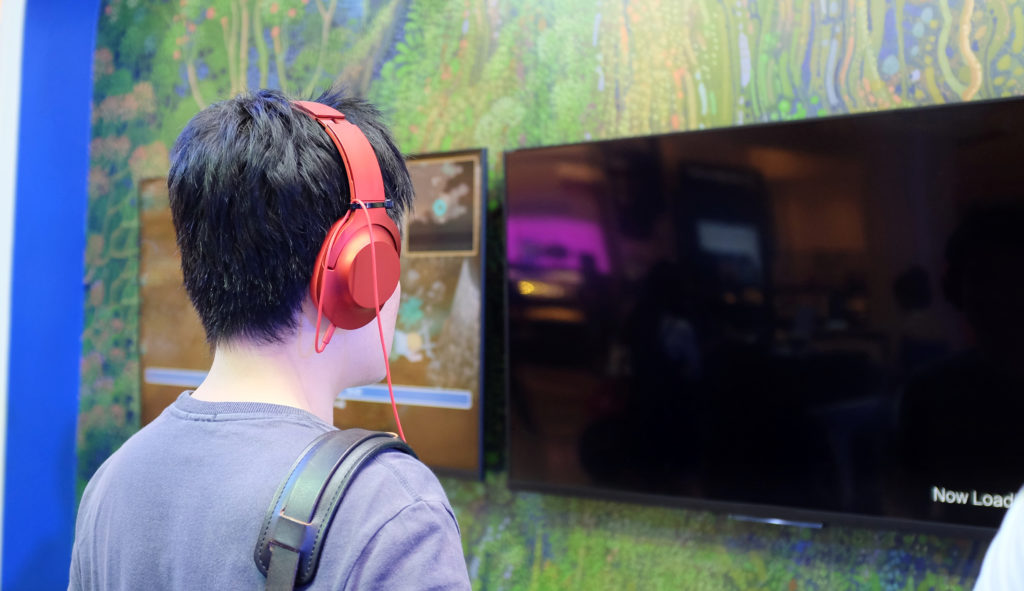
    Photo Credit: Shutterstock 

    Does your new smart TV have no audio out? This isn’t terribly uncommon. But what should you do when you want to watch something on your big screen but not disturb others in the house? Try LocalCast. LocalCast lets you send the image to your Chromecast but keep the audio on your smartphone.  

    This lets you get the picture quality of your TV but not wake up any sleeping housemates! A really handy functionality of your Chromecast, staying courteous is always a good thing! 

    CastPad 

    Photo Credit: Google Play Store 

    Available on Android devices, CastPad lets you draw in live time on your device and see it reflected on your TV through your Chromecast. The applications for this are pretty obvious at first glance, allowing for tons of fun with doodling. If you like Pictionary but don’t have any paper on hand, CastPad! If you want to have drawing contests with your friends, CastPad!  

    The possibilities are limited only by your imagination! Go ahead and invite some friends over and have fun drawing! 

    Watch Your Old DVDs 

    Photo Credit: Wikipedia 

    Well, sort of. This one is a bit of a workaround. Using the Disc to Digital service from Vudu, you can stream movies that you own the DVDs of. First you scan the UPC code on the DVD box, then you pay a small fee. It’s about $2 for a standard definition movie and $5 for an HD movie. Once you’ve paid, you can stream the movie to your Chromecast! 

    This one is great for people interested in de-cluttering their living room. Scanning your DVDs and then having a garage sale can help minimize the amount of physical clutter, which is great for minimalists and digital enthusiasts! 

    Link with Google Home 
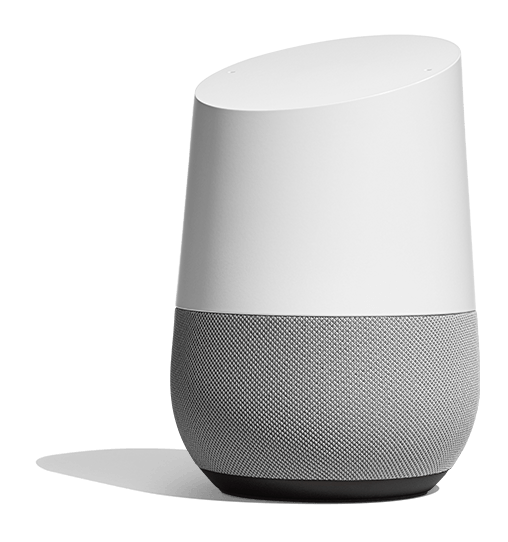
    Photo Credit: Google Store 

    This one takes a little bit of setup. If you connect your smart device, Google Home Speaker and Chromecast all to the same wi-fi they can all sync up. Then you go through some quick settings menus and link all three of the devices to each other. Once you’re set up, you can use your Google Home voice commands to fire up things like Netflix.  

    It might sound like a bit of overly-complicated setup to get going, but once it’s all together it’s super handy! It’s great whether you prefer voice command to remote controls for convenience or just like minimizing coffee table clutter. It also can impress the socks off your house guests when you tell your TV what you want to see, and it happens! 

    Speaking of Guests… 
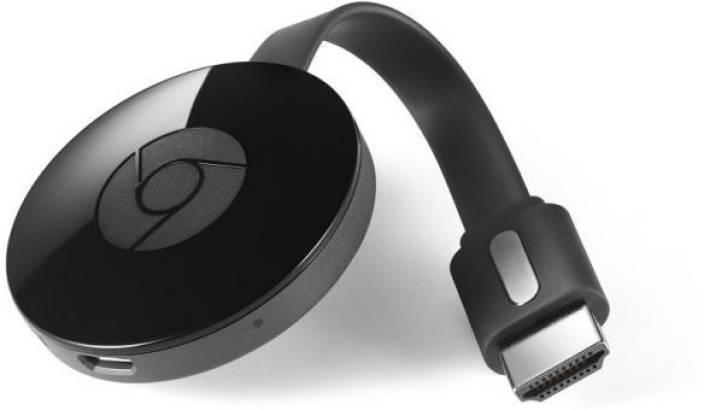
    Photo Credit: Flipkart 

    If you want your guests to have the option to use your Chromecast, but don’t want them to have to connect to your wi-fi, you might be a little flummoxed. Luckily, your Chromecast has a guest mode! While in guest mode, your Chromecast can receive casts from nearby devices without needing a wi-fi connection. 

    Our Favorite Off-the-Wall Chromecast Use: Heads-Up Display 
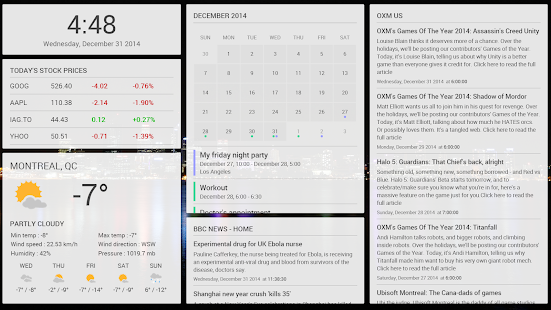
    Photo Credit: Google Play Store 

    If you’re looking to get all the information about the world that you need at a glance, you can check out Dashboard Cast. This super-handy functionality turns your TV into a heads-up display with customizable widgets. Want to see the weather, an RSS feed and the stock market? You got it. Want a clock, a news feed, a calendar and a traffic report? You got it.  

    This one is seriously awesome for its customization and functionality. You’ll feel like Captain Kirk on the bridge of the Enterprise getting status reports on all critical systems. Not to mention just how awesome it is to have all the info you need right at hand when you glance at your display. 
  • Need a Ride? Check out Our Favorite Ride Sharing App List

    Need a Ride? Check out Our Favorite Ride Sharing App List

    If you’re looking to hitch a ride, there’s no shortage of great ride sharing apps for you to try out. Which one is the best, though? Well, that’s subjective. But we can certainly tell you which one is our favorite! 

    Juno 

    Juno is a ride sharing app that focuses, first and foremost, on paying its drivers well. The idea is that better paid drivers will deliver a better experience for the end users of the app. This is pretty sound logic, all considered! However, Juno is still in a soft-launch window, so it’s hard to say how this will play on a large scale.  

    That being said, the app is clear and concise, cutting straight to the important stuff. The app has options for normal rides and an SUV option for when you and a bunch of pals need a ride. The app is pretty good about estimating the fare and giving ETAs, which are common but appreciated features. Keep an eye out for this ride sharing app when it goes into a full release! 

    Lyft 

    Lyft is the second-largest ride sharing app in the US, which is unsurprising. Featuring pricing comparable to Uber, Lyft is often used by people looking to compare and try to find the best rates for rides. Many drivers actually do the same thing, but in reverse, driving for both services and seeking fares that pay the most from each.  

    Lyft offers the standard ride sharing app features of normal-sized rides or “Lyft Plus” for large groups. The Lyft Line service is also available for those looking to keep the price of their fare down. It accomplishes this by having multiple users share one ride, somewhat like a city bus. This is great for keeping the price down during busy times of day! Speaking of, unlike Uber, Lyft caps its demand-based price escalation at 400 percent. Which is still a lot. But it’s good to know there is a cap, unlike Uber’s service. 

    Our Favorite Ride Sharing App: Uber 

    You may have seen this one coming, but we really like the original. Uber has gotten as big as it is for good reason: it’s a really great app! Pioneering all the ride sharing app features we’ve come to expect, Uber has had time to really hone its service. The end-user experience is really just top-notch.  

    Options for choosing what kind of car you want to ride in (sedan, SUV, luxury car) are present, as you would expect. Additionally, like Lyft, you can call an UberPOOL ride, allowing you to split the fare with strangers to keep the price down. The coolest thing that Uber offers that competitors don’t is UberASSIST, a specialized service for mobility-impaired people. ASSIST drivers are trained to help wheelchair users, and their vehicles are equipped to accomadate them as well! 

    There you have it, our favorite ride sharing apps. Next time you need to catch a ride, keep these apps in mind!  

  • Digitsole Smart Sneakers

    Digitsole Smart Sneakers

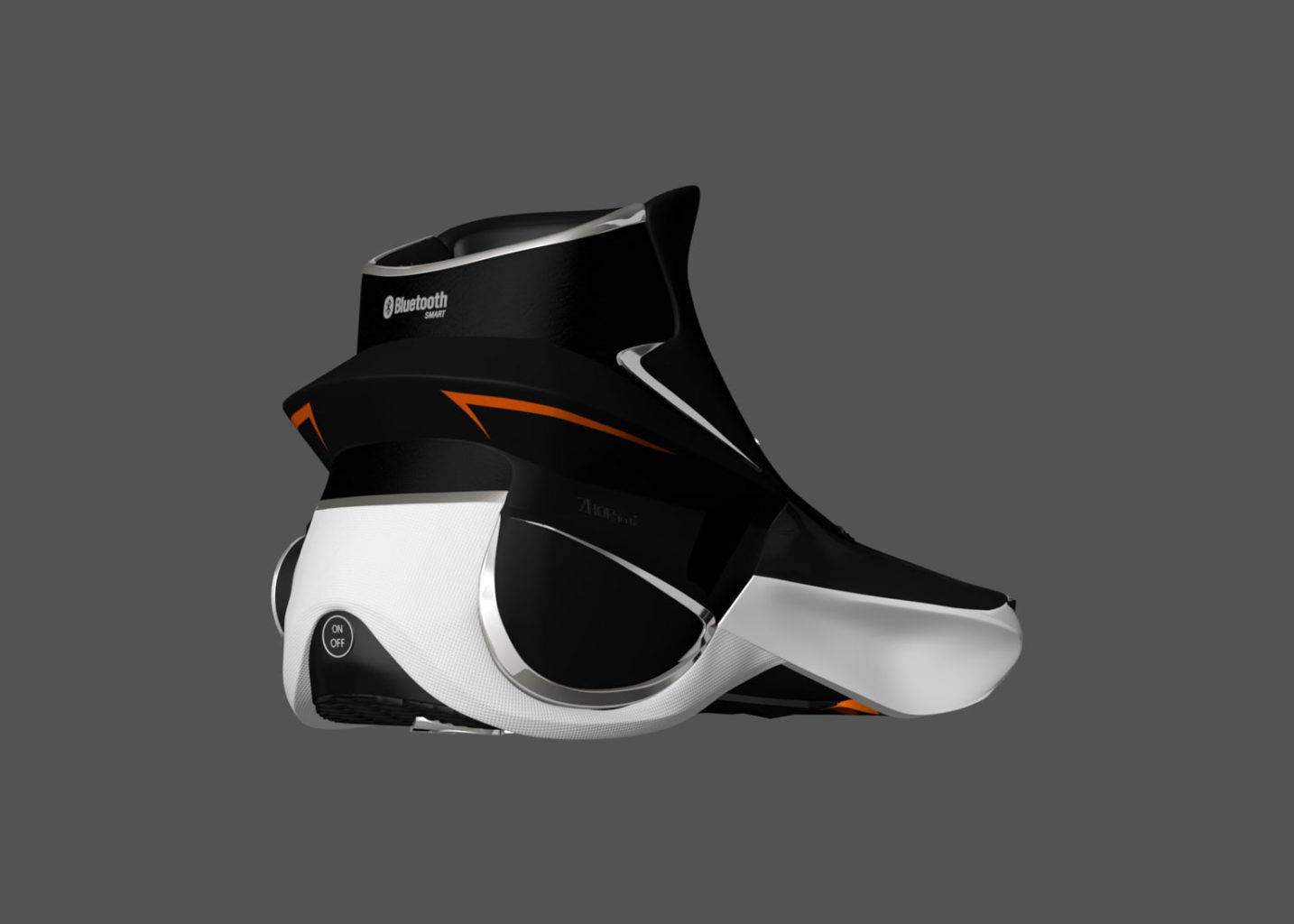
    October 21st. 2015, this is the day Martian McFly goes back to the future and get power laces shoes. I looked forward to this date since I was a small child I ever wanted from a shoe. Lets fast forward a few years to 2017, Nike released a back to the future special edition shoe. It was merely a high priced novelty shoe, completely useless and unrealistic. let down, no hover board, no power lacing shoes, I was feeling very betrayed. That was until I found the Digitsole Smartshoe 2.0 sneakers. Stamp out cold feet with these self-lacing, thermostat-controlled, crowdfunded beauties from shoemakers Digitsole.

    Better late then never. However Digitsole founder and CEO Karim Oumnia says he and his team presented the first auto-lacing smartshoe in October 2015 (to fit with the Back to the Future theme) before taking their prototype to CES 2016. So im going to allow this,  I mean who knows how bad Doc and Marty messed up our timeline. Two  years late for a commercially viable smartshoe is understandable when you have a teenager messing with the time continuum.


    What is a SmartSneaker?

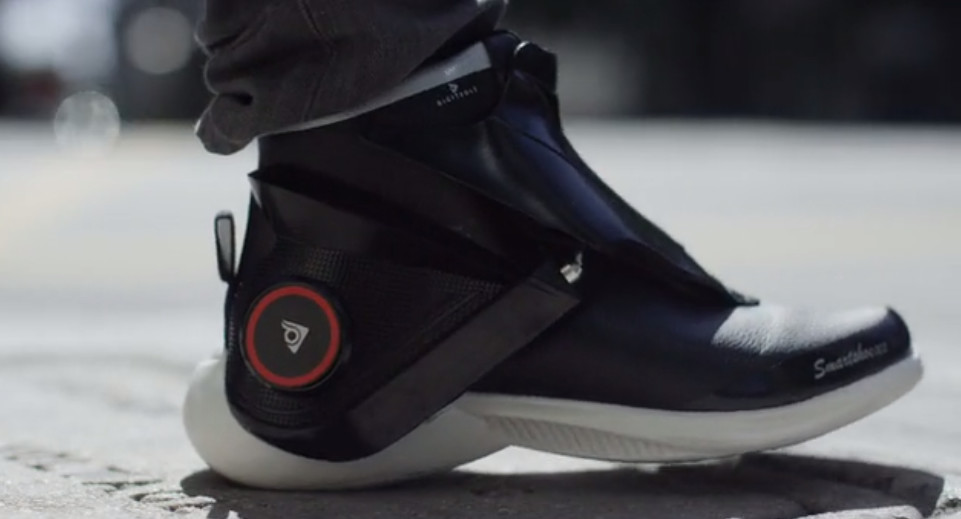
    The first auto-tightening, interactive, heating, fitness tracking & shock absorbing sneaker. More importantly what can a SmartSneaker do. Designed to warm each foot to your preferred temperature with the tap of an app, Digitsole’s Smartshoe 2.0 sneakers also promise to track your movement, gait and calorie burn with greater accuracy than a wrist-worn device. And, whether you’re prone to overpronation or keen to pump up your propulsion, their app-based personalized audio coaching will help you take pride in your stride.

    No Power Laces?

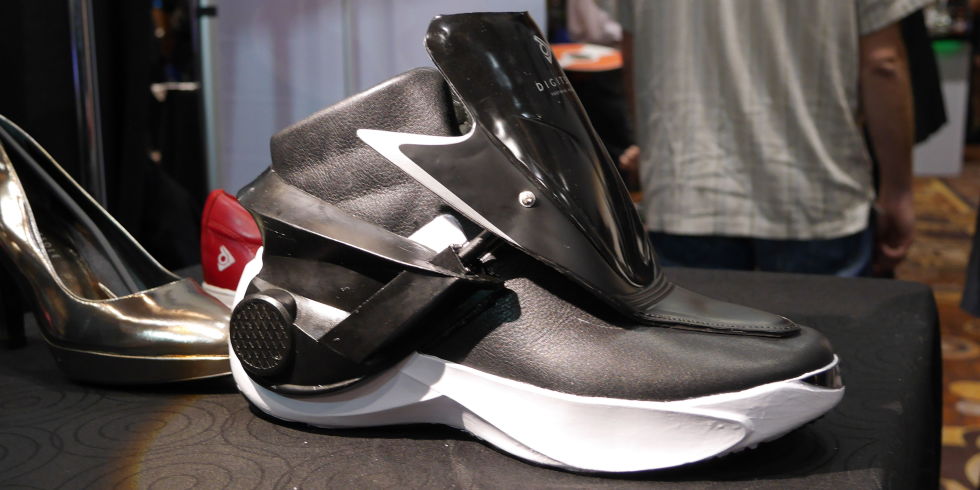
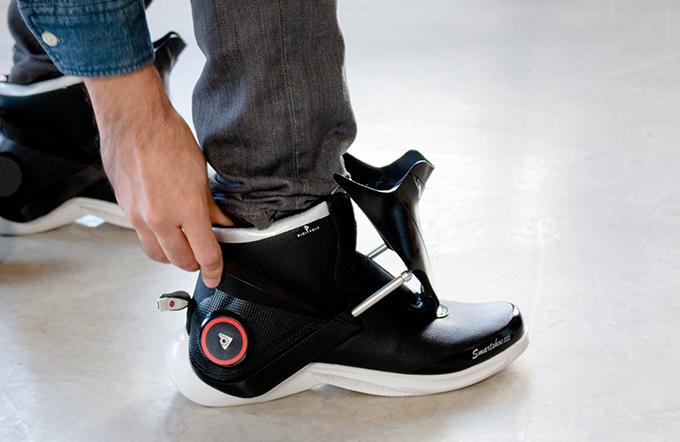
    Tell me about the power Laces. They don’t quite have power laces. Hold Up. However they do have auto tightening feature. As opposed to actually being ‘self-lacing’, the Digitsole shoes have a tongue-like cover that closes to tighten around your foot. You can activate it via the app or press a button on the side of the shoe to achieve that firm Nike Air Mag–esque fit.

    The Final Thought

    These may already look familiar, I did a quick write up on them in the Top 5 wearables you need for the gym article a few weeks back. All Back to the future non-sense aside these are legit tech. These are ground breaking and revolutionary. The future of footwear, but would it be to much to add a speaker. That would be cool.