Category: Smart Devices

  • Create New Skills with Alexa Blueprints

    Create New Skills with Alexa Blueprints

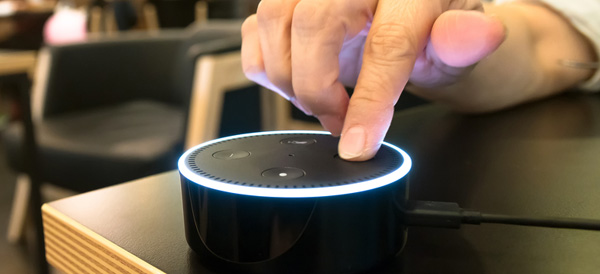
    Amazon’s Alexa-enabled devices, including the original Echo, the Dot, and their range of Fire Sticks and Smart TVs, offer plenty of great features. But there’s been one thing missing from the perky virtual assistant: the ability to quickly and easily create your own skills.

    That changed this week with the reveal of Alexa Blueprints, a collection of customizable templates that allow you to program unique study aids, games, and reminders.

    No Code Required

    Previously, the only way to add skills to your Alexa-enabled devices was to choose a pre-programed script or write your own using a sophisticated coding language. Since most people don’t have the savvy to code their own, they were stuck with whatever was offered on Amazon.

    As exciting as it may be to order a pizza with a single voice command, many owners wanted more from Alexa. The templates released by Amazon go a long way to meet that need, bridging the gap between the pre-made skills and totally original coding. Ambitious programmers can still write their own skills, but the average Alexa owner can now have more flexibility and control over their devices.

    Create Your Own Skill in Minutes

    Writing a new skill using Alexa Blueprints is easy and intuitive. Currently, there are 20 templates available in a variety of categories, with more to come. Using the simple graphic interface, you choose a skill you’d like to create and then follow the instructions on the screen. The first time you create a skill, an animated tutorial walks you through the steps, ensuring that anyone can be successful.

    Many of the templates are geared toward entertainment, with programmable bedtime stories for the kids, trivia games based on friends and family, or personalized inspirational quotes. It’s not all fun and games, however; the “At Home” category of blueprints offers customized instructions for babysitters, houseguests, or pet sitters, while the “Learning & Knowledge” category helps students to create flashcards and quizzes as study aids.

    Custom Call & Response

    For Alexa owners who want even more customization, there’s one more blueprint to check out. The “Custom Q&A” skill template allows you to write your own question and then script Alexa’s response. While it’s not as open-ended as coding your own skills from scratch, the blueprints offered can help you get more from your Alexa-enabled devices.

  • Verizon Smart Family Knows Where Your Kids Are

    Verizon Smart Family Knows Where Your Kids Are

    Verizon announced an upgrade to its FamilyBase program, now called Verizon Smart Family, that includes tracking, blocking, and monitoring options. Parents and guardians can sign up for either the basic or premium service for a monthly fee, but is the cost worth it?

    Parenting in a Digital World

    Kids today have access to a vast universe information and entertainment with a single tap of a smartphone. For many parents, that’s worrisome. Excessive screen time, viewing inappropriate content, or risky texting behavior are concerns for parents in the digital age.

    “Being a parent in today’s digital world can be daunting, but it doesn’t have to be,” said Verizon Senior Product Manager Susie Fernandes.

    It’s becoming increasingly rare for a teen or tween—or even younger children—not to have their own smartphone. Most service providers offer some form of parental controls, but Verizon has taken it to the next level with their Smart Family service.

    New App Features

    Verizon Smart Family gives parents and guardians an unprecedented amount of control over their children’s phones. It improves on the FamilyBase service with a redesigned interface and more intuitive controls.

    Smart Family also offers a finer degree of customization than the previous service. Parents can choose to limit or block phone and internet functions during specific days or even hours, ensuring for uninterrupted study time or more effective grounding. Specific sites and apps can also be blocked or limited, and parents have the option to monitor social media activity, call logs, and text messages.

    Basic or Premium?

    The basic version of Verizon Smart Family costs $5 a month. The premium version includes real-time location tracking using GPS data, which costs $10 a month. Parents may find that it’s worth the extra 5 bucks to know where their children are at any given time, and to receive alerts if the kids move out of a pre-set area such as home or school. Smart Family can also send notifications when, for example, your kids arrive home after school.

    Ultimately, families will need to decide the appropriate level of monitoring and control that works for both the parents and their kids, but Verizon Smart Family has given them a lot more options to consider.

  • Acer Spin 1 the 2 in 1 with Incredable Value

    Acer Spin 1 the 2 in 1 with Incredable Value

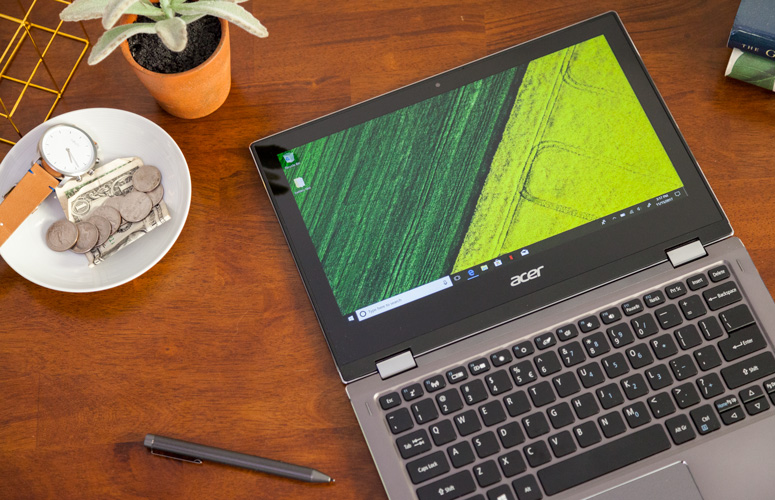
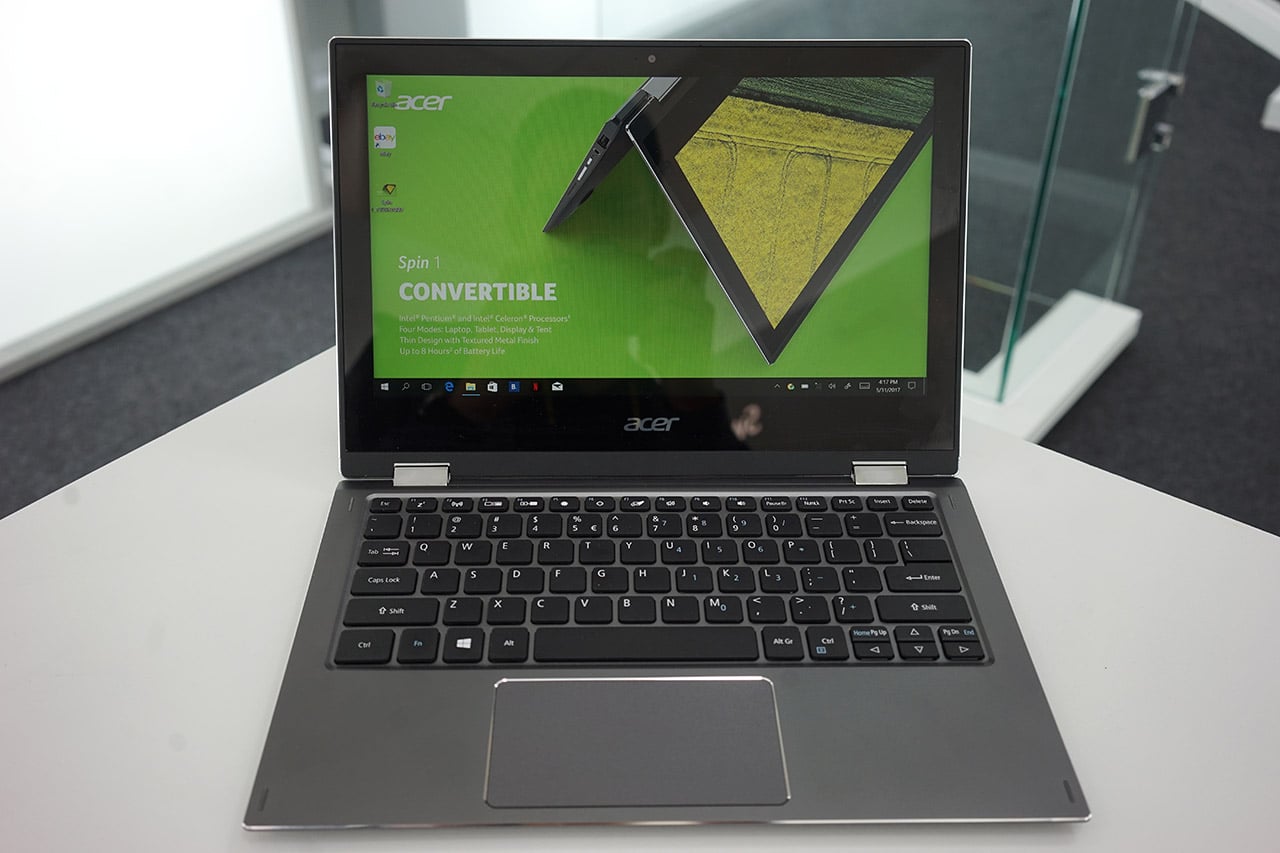
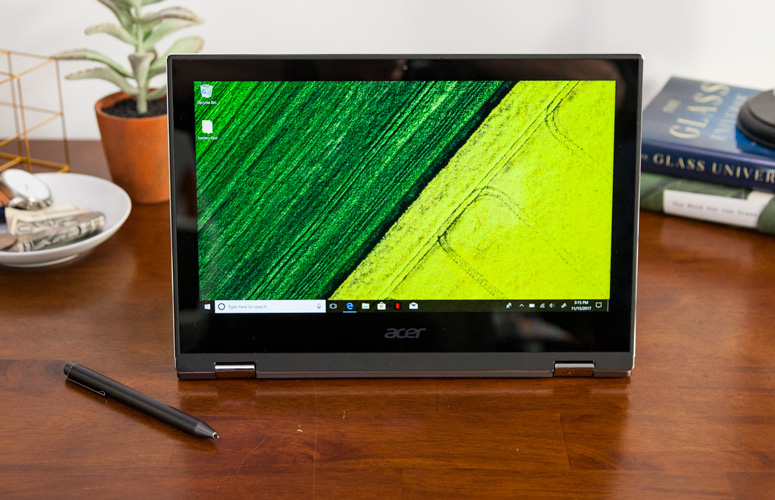
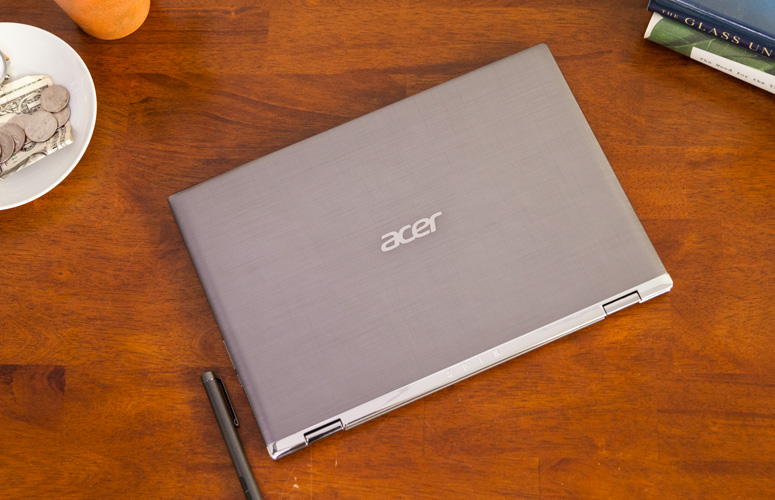
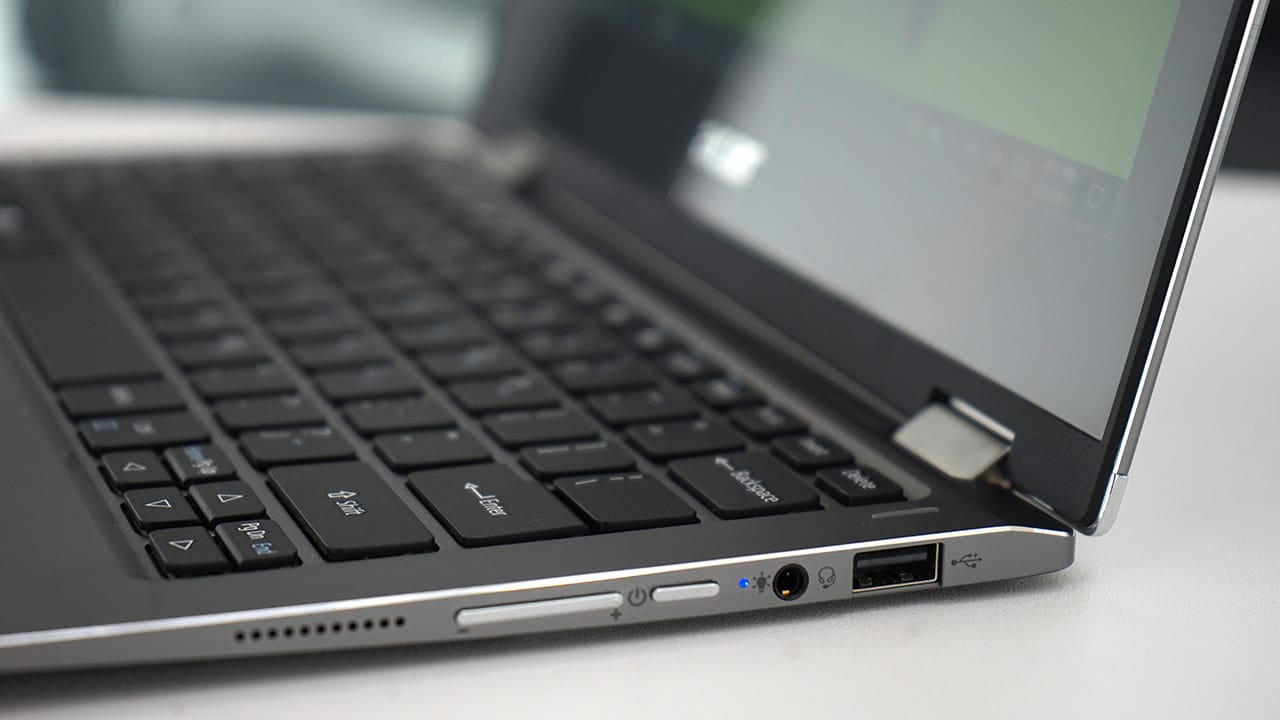
    Quickly turn thoughts into action on Acer’s Spin 1 Convertible laptop. Portable and light, this boundless device is fast and fun with an included stylus and Windows Ink so you can jot down a note or capture ideas as easily and quickly as they occur. It features a vibrant 11.6” Full HD IPS display and battery life that has enough juice to last you though your entire journey while the 360° hinge laptop smoothly converts between four modes —laptop, display, tent or tablet—by simply ‘spinning’ it into position.

    The Great

    • Sharp
    • Colorful display
    • Attractive metal chassis
    • Comfortable keyboard

    The Not

    • Below-average battery life
    • Small storage drive


    The Conclusion

    For under $350, the Spin 1 provides some features you usually see in laptops that cost closer to $1,000. Clad in a snazzy all-aluminum chassis, this 11.6-inch convertible has one of the most colorful and brightest 1080p screens on the market, giving it a better viewing experience than many systems three times its price. It also comes standard with an active stylus that supports 1,024 levels of pressure. With a Celeron processor and 32GB of storage, the Spin 1 probably won’t replace your primary PC, but it makes a great secondary device and is a fantastic choice for kids.


    The Design

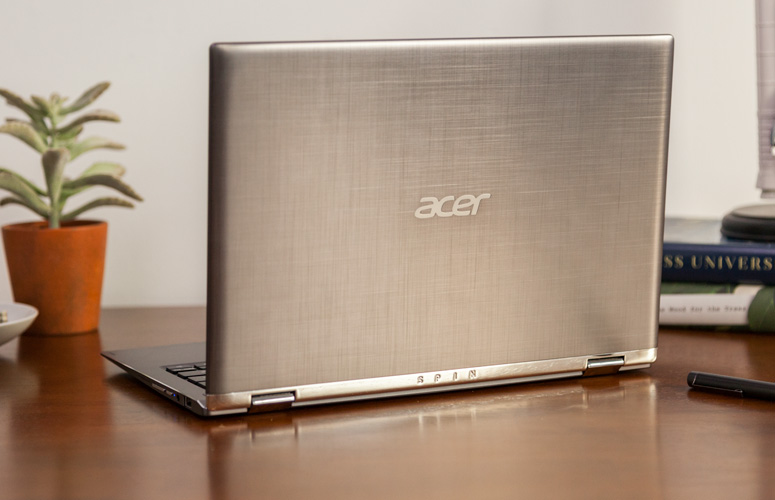
    The Acer Spin 1 doesn’t look anything like a $329 laptop. Its gunmetal-gray aluminum chassis stands out in a price band where cheap, glossy plastic is the norm. I particularly like the subtle, cross-hatch pattern on the dark gray lid and how it contrasts with the shiny, silver hinge area. Thick screen bezels, however, keep the inside of the system from looking quite as stunning as the outside of the package


    The Display

    The 11.6-inch screen on the Spin 1 is so bright and colorful that it has caused me to question my assumptions about the laptop industry. If Acer can put a 1920 x 1080 IPS touch display this vibrant on a $329 laptop, why can’t manufacturers offer this kind of display quality in their $800 and $1,000 laptops?

    Keyboard and Touchpad

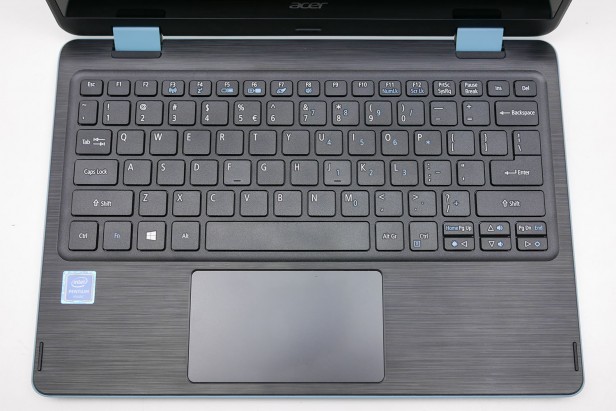
    When it comes time to type on most budget laptops, particularly 11-inchers like the Spin 1, I gird myself for an unpleasant experience. However, Acer’s 2-in-1 blew away my expectations with a snappy, responsive keyboard that didn’t have any of the flex or key stiffness I often see on much more expensive system

    The Performance

    We’ve spent more time than usual really paying attention to what the Acer Spin 1 feels like in use, because a lot of older Atom and Celeron laptops were just too slow to be enjoyable. For the most part this Celeron actually performs fine for the basics.Browsing the web, writing documents and other basic productivity jobs are painless. Using the Acer Spin 1 to write a few of our reviews felt much as it would on a laptop with a Core i5 CPU

    Quick Spec Look

    •  11.6-inch,
    • 1080p IPS screen
    • 4GB of RAM,
    • 32GB eMMC Storage
    • Intel Celeron N3350 CPU
    • 2.65 pounds

    The Final Thought

    If you want a cheap hybrid and have realistic expectations about performance, you should jump at the Acer Spin 1. It’s well-made, is comfortable to type on and has a superb screen for the price.


  • Amazon Is Coming to a Best Buy Near You

    Amazon Is Coming to a Best Buy Near You

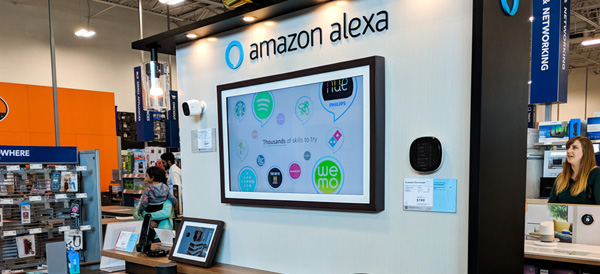
    As the old saying goes, “If you can’t beat ‘em, join ‘em.” Although they have long been battling each other in the arena of consumer electronics, Best Buy has decided to join forces with Amazon. Beginning in summer of 2018, Best Buy will be the only place you can get Amazon’s new Alexa-enabled smart TVs.

    It’s All About Alexa

    Available in their brick-and-mortar stores, on the bestbuy.com website, and through the new Best Buy seller’s portal on Amazon, the 10+ new smart TV models feature the Fire TV operating system. Fire TV allows users to operate their device with the same voice commands as the Amazon Echo and other Alexa-enabled products such as the Fire Stick.

    The Fire TVs will be manufactured by Toshiba and Best Buy’s own Insignia brand. Although prices have not yet been released, the TVs promise to be an upgrade over the previous Amazon offerings sold at Walmart, Target, and other big box stores.

    This news comes as a blow to smart TV competitor Roku, whose televisions will no longer be manufactured by Insignia as part of the new partnership. Roku stocks tumbled nearly 10 percent when the deal was announced. Best Buy plans to continue offering Roku devices in store, but it’s clear that they are betting big on Amazon.

    Mutually Beneficial

    By bringing more customers into their retail locations, Best Buy hopes to see increased sales across the board. Amazon, meanwhile, can introduce potential buyers to its HD and 4K TV models in a brick-and-mortar showroom. This may be a risky move for Best Buy, which has struggled to establish its own online retail presence to compete with the Amazon juggernaut, but for now, the former rivals are committed to their new partnership.

  • Update to the iPhone SE line Could Be Coming

    Update to the iPhone SE line Could Be Coming

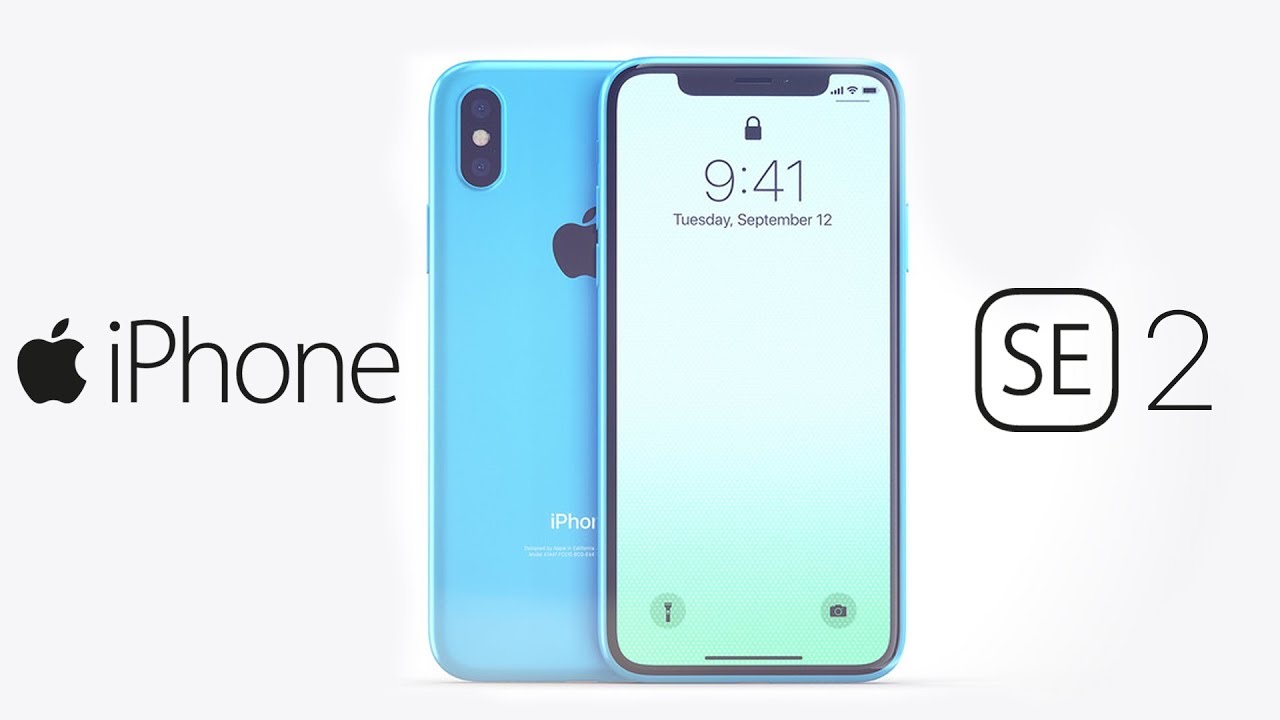
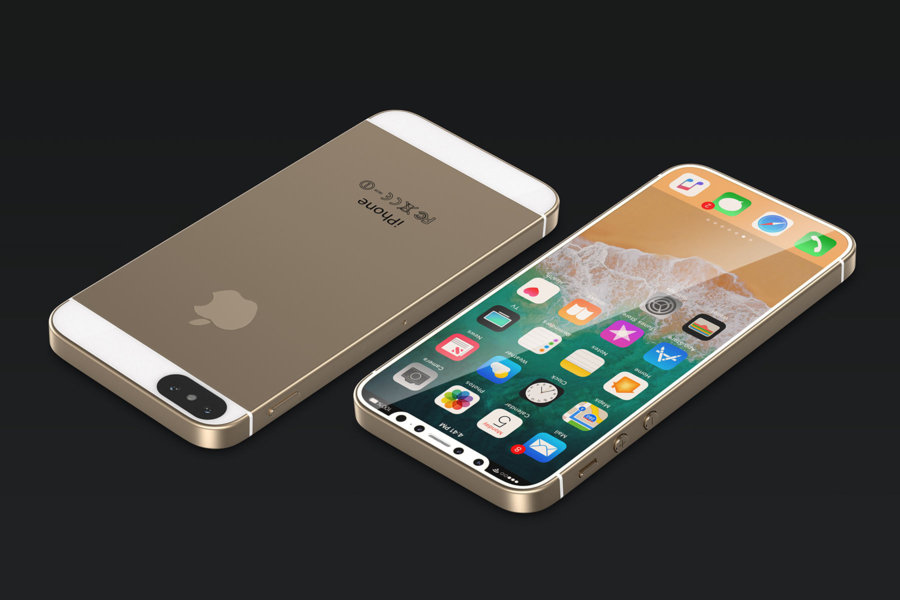
    A new hint has surfaced to support the rumor that Apple will release an iPhone SE 2 in the near future, but it’s a roundabout one, so bear with us. I promise, this will all make sense. Apple recently registered several unreleased iPhone model numbers with the Eurasian Economic Commission (EEC), a Russian-language regulatory organization.

    The filing by the Eurasian Economic Commission (EEC), which authorizes devices for a number of countries including Russia and Armenia, shows it has given the all-clear for a number of iPhones to go on sale. The information in the filing does not specify model names, but rumors and the timing of the filing strongly point to another iPhone SE launch.

    Found by Consomac, the devices are identified with the model numbers A1920, A1921, A1984, A2097, A2098, A2099, A2101, A2103, A2014, A2015, and A2016. None of the iPhones Apple has previously launched use these model numbers, indicating them to be brand new devices.

    Few other bits of useful information are offered in the filing, but it is noted the listed iPhones will ship running iOS 11. It is likely this is shorthand to refer to iOS’ main generational release, and the iPhones themselves will ship with a more recent version, such as iOS 11.3.
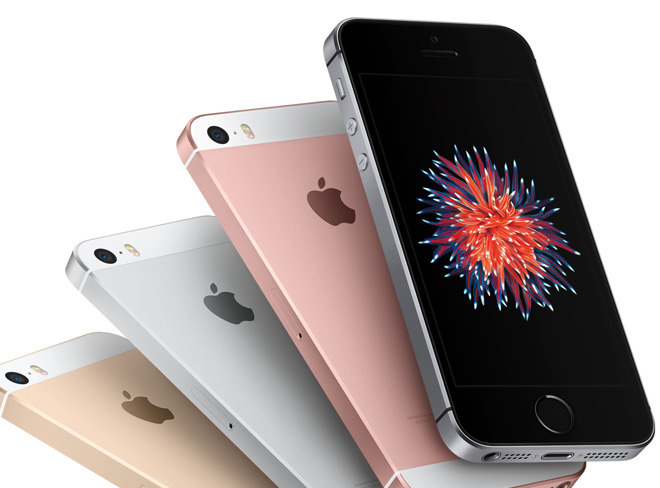
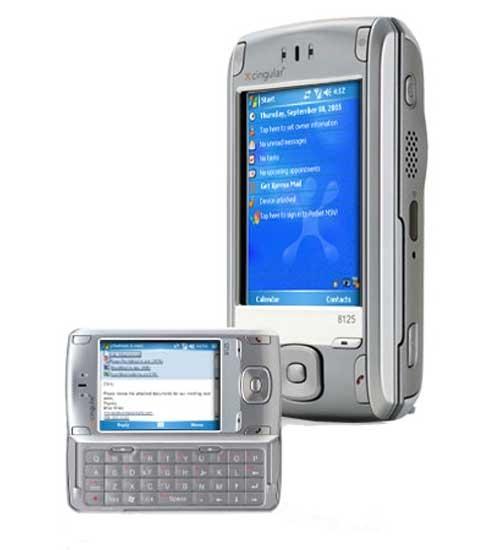
    But before you start celebrating the thought of 11 new iPhones, keep in mind that Apple sometimes uses different model numbers for the same type of iPhone.  However, there is a chance that at least a few of those model numbers could belong to the rumored iPhone SE 2, which is overdue for a refresh. As iPhones become larger and quite possibly more expensive, the smaller, scaled-back iPhone SE is Apple’s one phone that can compete with an army of cheaper Androids.


    Apple released the original iPhone SE in March 2016, then released it again with more storage a year later. But besides that, there haven’t been any major upgrades to the iPhone SE line. The iPhone SE is unlike other iPhones because of its small 4-inch size and its lower price tag. Rumors about an “iPhone SE 2” started cranking up in November, with allegations that it would ship in the first half of 2018 and be manufactured by Wistron in India. More recently, reports suggested that the device would have a glass back, to facilitate Qi charging, like the iPhone 8 family and iPhone X.


    The Fin

    al Thought

    Why be surprised, why even bother looking forward to a SE release. Its definitely time to update the se, which is essentially an iPhone 5. The update will in all likenesses be a cheap version of the 6. Its cheap but at least its an iPhone is what my father would say..

  • Tech Throwback: The HTC 8125

    Tech Throwback: The HTC 8125

    I like to take a look at where I’ve been to evaluate where Im going. Technology is cyclical after all… wait no its not. That said I still like all the feels that come rushing back like a flood of nostalgia every time I get my hand on the tech I grew up with. Im going to go back periodically and take a looking at the stuff that used to blow our hair back and get our minds rolling. Some of these device blew up and changed the world, some where ahead of their time and some just fell flat and became colossal failures. Today I’m powering up the HTC 8125 first commercial pocket PC and phone


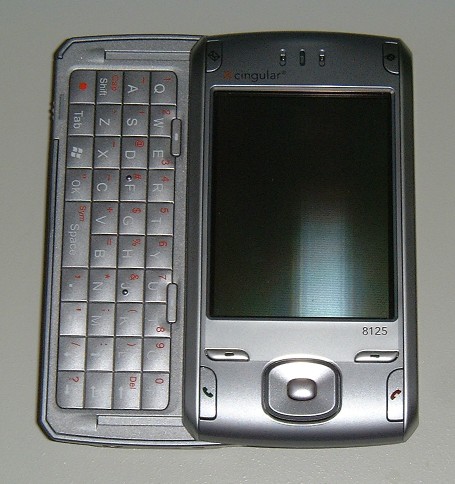
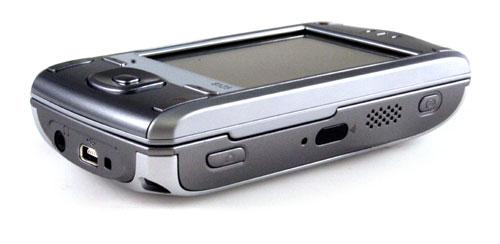
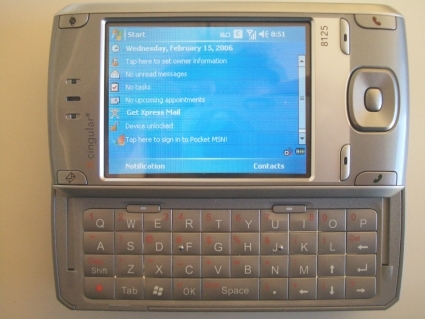
    The HTC 8125  is an Internet-enabled Windows Mobile Pocket PC PDA designed and marketed by High Tech Computer Corporation of Taiwan. It has a touchscreen with a left-side slide-out QWERTY keyboard. The 8125’s functions include those of a camera phone and a portable media player in addition to text messaging and multimedia messaging. It also offers Internet services including e-mail (including Microsoft’s DirectPush push e-mail solution, as well as BlackBerry services with applications provided by BlackBerry-partnered carriers), instant messaging, web browsing, and local Wi-Fi connectivity. It is a quad-band GSM phone with GPRS, and EDGE, and a single/dual band UMTS phone with HSDPA. It is a part of the first line of PDAs directly marketed and sold by HTC.


    Reintroducing

    Cingular’s 8125 has the right idea when it comes to hardware and software specs. But this hybrid PDA/cell phone’s design and usability disappoint.

    The thing that blew my mind 13 years ago is the 8125 is its built-in Wi-Fi. The device’s side panel includes a shortcut button that launches an on-screen Communication Manager menu. From here, you can enable or disable Wi-Fi, Bluetooth, PC Sync, and even the phone. I also liked how easy it was to set up the 8125 to access IMAP, POP3, and Microsoft Exchange e-mail accounts.

    When the keyboard is stowed away, the 8125 is chunky–and its thickness made it awkward to use for phone calls. In my hands-on trials, I could easily adjust call volume, thanks in large part to the tactile volume control on the side panel, but at times I couldn’t hear the person on the other end. Several people I called told me that I sounded far away
     

    The Final Thought

    This was the first Smartphone on the market, It was the first smartphone I owned. It was slow and unresponsive, but I had internet at a dial up speed anywhere I went. The sight and thought of its potential blew people mind and opened conversations. Once this phone was release mankind was off to the races. Thank you HTC for picking up where the newton fell and setting up the future.

  • Comparing Music Streaming Services in 2018

    Comparing Music Streaming Services in 2018

    It’s not news anymore that music streaming is available on practically every device, and many people already subscribe. But tech is always moving forward and there are new streamers and new features coming out constantly.

    Are you looking to sign up for a new service or check out the competition for a potential switch? If so, here is our summary of the most popular services for 2018.

    Streaming Services & Cost

    You’ll see the following streaming services mentioned in this article:

    Amazon Prime Music – Free with Prime

    Amazon Music Unlimited –  $9.99

    Apple Music – $9.99

    Deezer – Free or $9.99

    Google Music – $9.99

    Spotify – Free or $9.99

    Tidal – $9.99

    Music Library

    Pretty much all of these services offer over 25 million songs, which should cover just about anything you want to listen to. But there are some niches and exceptions to consider.

    Firstly, Amazon Prime Music only has a library of 2 million songs. That’s paltry compared to their Music Unlimited service, which offers a library similarly sized to Spotify, Apple Music and Google.

    Secondly, if you are a big fan of Jay-Z and his circle of friends (Beyonce, Rihanna, Madonna, Alicia Keyes, Usher and more), then you may want to consider Tidal for its exclusive content.

    If you are a big Taylor Swift fan, then Apple Music is the only streaming service offering her bestselling 1989 album.

    Device Compatibility

    This isn’t really an issue in 2018. Android, iOS and any modern web browser will be able to access and stream any of these services.

    It may be worth noting that Amazon’s Echo and Echo Dot speakers will allow you to play and control Amazon Music Unlimited. And if you are okay with only using that service from a single Echo speaker, you can subscribe for a reduced rate of $3.99 per month. That’s a steal if you’re willing to sacrifice the multi-room feature.

    Music Discovery

    What’s the point of having access to 30 million songs if the app doesn’t help you find new music that fits your tastes?

    Overall, we think Spotify is the most helpful to find new music. However, Deezer has a very cool “Hear This” feature that works better than Spotify’s “Discover.” Apple Music takes a while to learn what you like, but their “For You” section can grow to be quite decent.

    Amazon Prime relies on your purchase history and reviews on Amazon, so you’d have to be pretty deep in that world to get any good recommendations. Amazon Unlimited does a slightly better job with recommendations.

    Tidal takes a different route and showcases a curated list of unknown and upcoming artists from around the world.

    Radio

    All of these services offer a streaming radio service. The free versions of any of these services offer only a limited number of skips when listening to the radio.

    Overall, Spotify and Deezer are very similar, offering channels based on artists you like as well as genre stations. Apple Music offers custom radio as well as an actual radio station: Beats 1.

    Amazon offers streaming radio with a thumbs up/thumbs down feature to help train it. Tidal and Google Play also offer stations based on artists you like.

    Overall, the radio features of these services are quite similar. Apple Music’s Beat 1 is pretty much the only standout feature.

    Offline Listening

    Sometimes you can’t stream because of data caps or location. Pretty much all of these services have you covered: you can download a number of songs and listen offline. Obviously, the free versions of Deezer and Spotify are the exception here.

    Spotify is a bit more restricting than the rest, allowing 3,333 tracks for 30 days of offline listening. Tidal doesn’t offer offline mode for Mac and PC. But otherwise, the services pretty much let you download to your heart’s content (or your device’s storage capacity).

    Other Features

    There are a few other features worth mentioning that each service offers over one another, with some overlap.

    Facebook integration in Spotify and Deezer allow you to see what your friends are listening to. Tidal has a simpler integration that allows you to share with your friends directly on Facebook.

    Apple offers Connect, which is a space for artists to share exclusive videos, photos and more.

    If you are an audiophile, note that Tidal offers high-fidelity lossless tracks. Note for the layman: you’ll need a good sound system to tell the difference. If you are a Sonos user, Deezer offers a lossless version called Deezer Elite. Apple offers a max of 256k AAC.

  • Samsung Has Released an Internet-Free Smartphone

    Samsung Has Released an Internet-Free Smartphone

    Samsung has released the Galaxy J2 Pro, which appears to be a standard budget smartphone, but there’s one major feature (or lack thereof) – it cannot connect to the internet.

    The Galaxy J2 Pro

    Connecting to the Internet is an impossibility on the Galaxy J2 Pro. There is no Wi-Fi, no LTE, no 3G… nothing.

    Why would Samsung release a phone with no Internet capabilities? They’ve decided to cater to students or senior citizens who want to make calls and use some apps without the distraction or confusion of internet connectivity. It may also be a solid choice for parents who want to give their youngsters a way to keep in contact. Smartphone addicts looking to break free from the always-connected culture may also be intrigued by the J2 Pro.

    Features

    So, what can a smartphone that doesn’t connect to the internet do? In a nutshell, it can make phone calls, send text messages and take photos.

    • 5-inch display (qHD AMOLED)
    • 4GHz quad-core processor
    • 5GB of RAM
    • 8-megapixel rear-facing camera
    • 5-megapixel front-facing camera
    • MicroSD card slot
    • 2,600mAh removable battery

    Budget Friendly

    The Galaxy J2 Pro is nothing like Samsung’s most popular Galaxy phones like the Galaxy Note 8 or Galaxy S9. It aims to cover a different segment of the market. And unlike their big name phones, the price of the Galaxy J2 Pro is much, much cheaper.

    Right now, the J2 Pro is only available in Korea and Samsung has made no announcements on whether it will release in other countries. The price of the phone converts to around $185.

  • 7 New Products From Samsung

    7 New Products From Samsung

    I tend to focus on what Apple is doing alot more because I live in that bubble but Samsung has got a much bigger universe but occuping the appliace and tv space. They also seem to have their fingers in just about evey pie you could think of, so here is the top 7 Samsung releases for 2018 you should know about


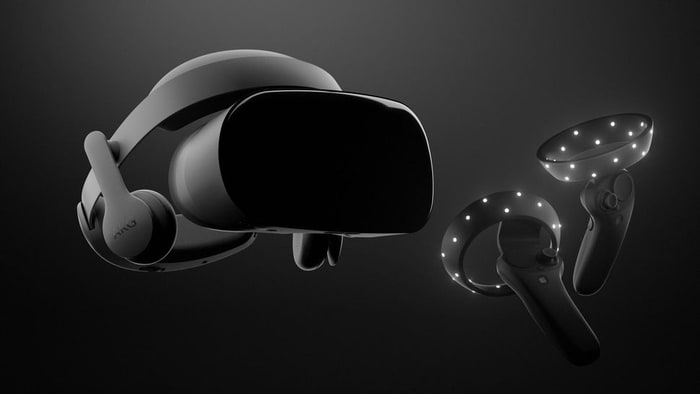
    1.Samsung HMD Odyssey Windows Mixed Reality Headset​​
    $499.00


    The Samsung HMD Odyssey is the best mixed reality headset for Windows 10. It features a sharp AMOLED display, built-in AKG headphones, and comfortable fit. It also comes bundled with a pair of excellent wireless controllers.

    There are thousands of mixed-reality experiences for Windows 10 you can try. The headset is also compatible with Steam VR titles, so we got that going for us.


    2.Samsung Gear Sport Smartwatch
    $247.99

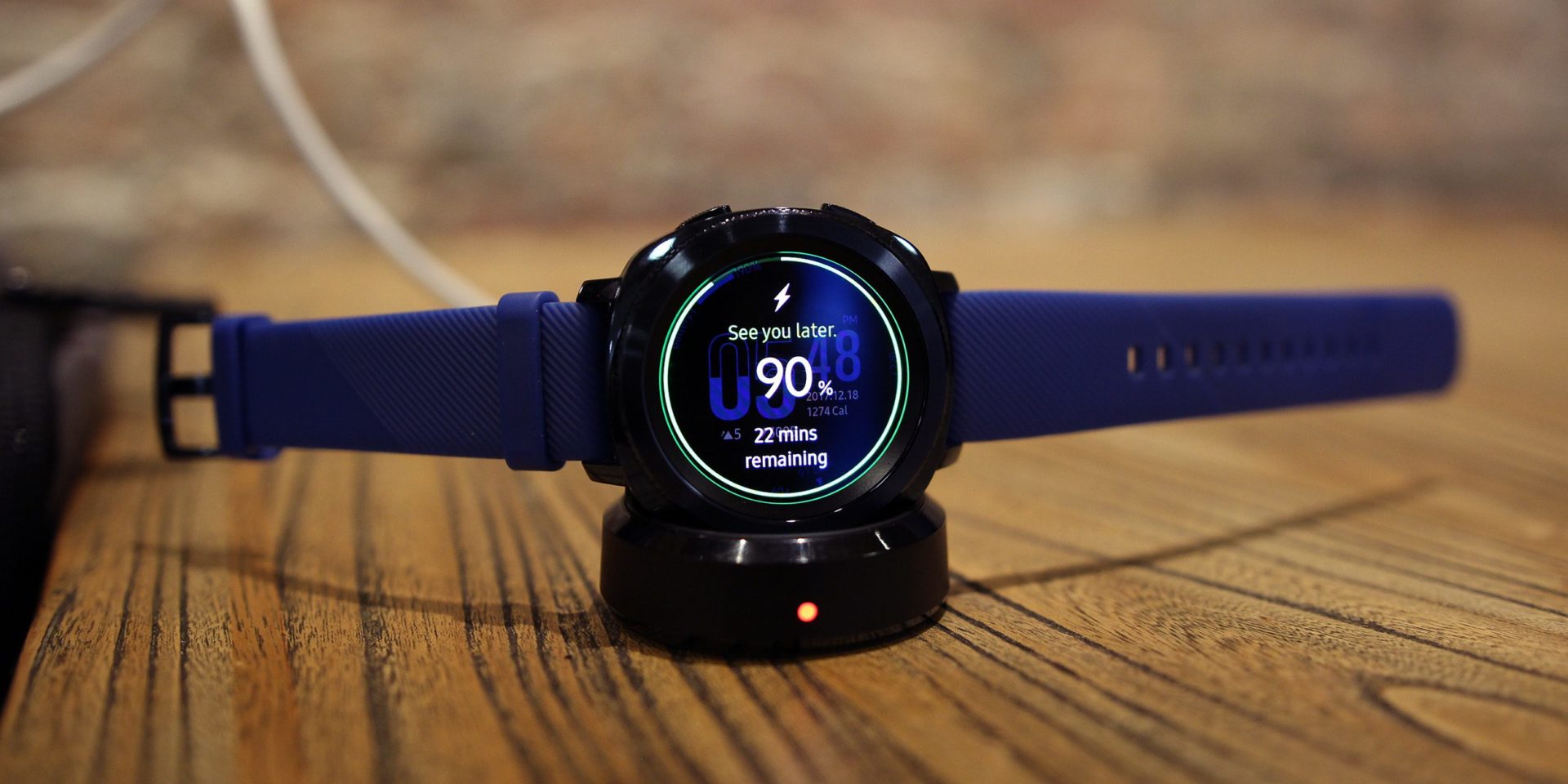
    The Samsung Gear Sport is the best smartwatch for Android smartphone users. The device has a powerful set of fitness-tracking features, including the ability to guide users through various workouts.

    Its waterproof body can withstand depths of up to 50 meters, so users can take it for a swim, too. An intuitive interface and interchangeable bands are also among the wearable gadget’s cool features.


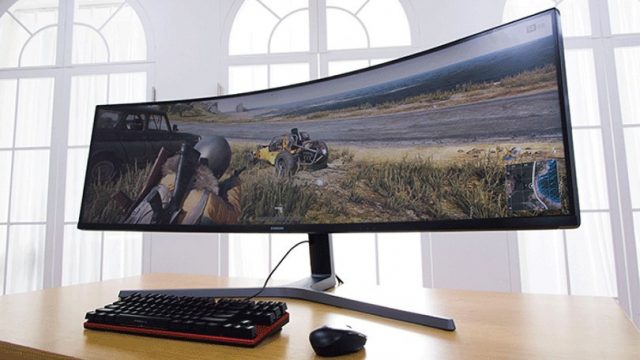
    3. Series 49-Inch ​Curved Gaming Monitor
    $949.99

    Samsung’s gigantic CHG90 series curved gaming monitor has a gloriously excessive 49-inch QLED display with 32:9 aspect, which will literally expand your in-game field of view. Capable of fully replacing two standard monitors, the CHG90 has superb image quality with HDR support, an ultra fast refresh rate of 144 Hz, and a plethora of gaming modes to choose from.

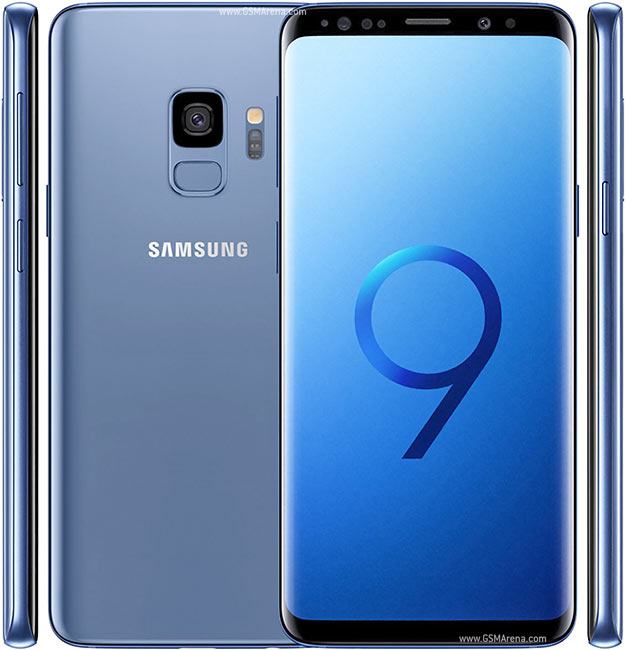
    4.Samsung Galaxy S9+ Android Smartphone

    $839.99

    The Galaxy S9+ is the most advanced smartphone from Samsung to date. It features an eye-grabbing 6.2-inch Infinity display, an advanced camera setup with two optically stabilized sensors (a wide-angle and a telephoto one), and built-in stereo speakers.

    Of course, the waterproof phone also comes with a long list of cutting-edge hardware specs, headed by a powerful Snapdragon 845 chipset and 6 GB of RAM. There are three colors to choose from — black, blue, and purple.


    5.Samsung Q9S QLED TV (available in 85-inches)
    Unbelievably, Samsung’s monstrous, 85-inch 8K TV is still considered a QLED TV. It’s the top of the list for numerous reasons – size and resolution being the most obvious two – but also its ability to use artificial intelligence upscale SD content to 8K HDR. We don’t know how much this TV is going to cost yet but, considering how much technology is going into it, it wouldn’t surprise us to see a price tag in the tens of thousands.


    6. Samsung Family Hub Refrigerator

    $3,499.99

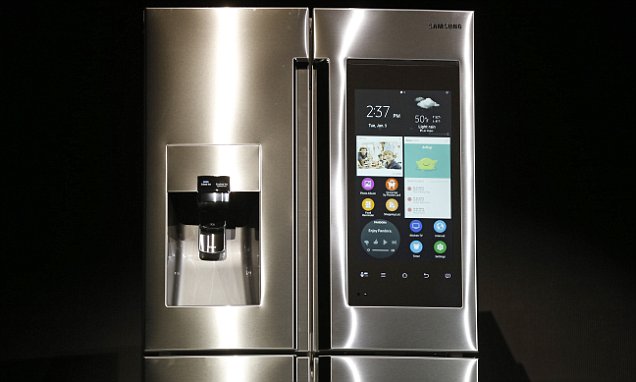
    Family Hub in 2018 offers a wide range of smart features that allow consumers to do what they could not do before. These include syncing up food storage with meal preparation, keeping family members better connected and organized, and providing enhanced entertainment. Family Hub is also more intuitive and intelligent with the addition of Bixby voice control and its integration with Samsung’s SmartThings IoT ecosystem.

    The interactive touchscreen with interactive and customizable widgets allows your family to stay connected: Sync calendars for all family activities and events, remotely share photos, notes and memos, receive personalized information through voice recognition and challenge each other with daily trivia questions.

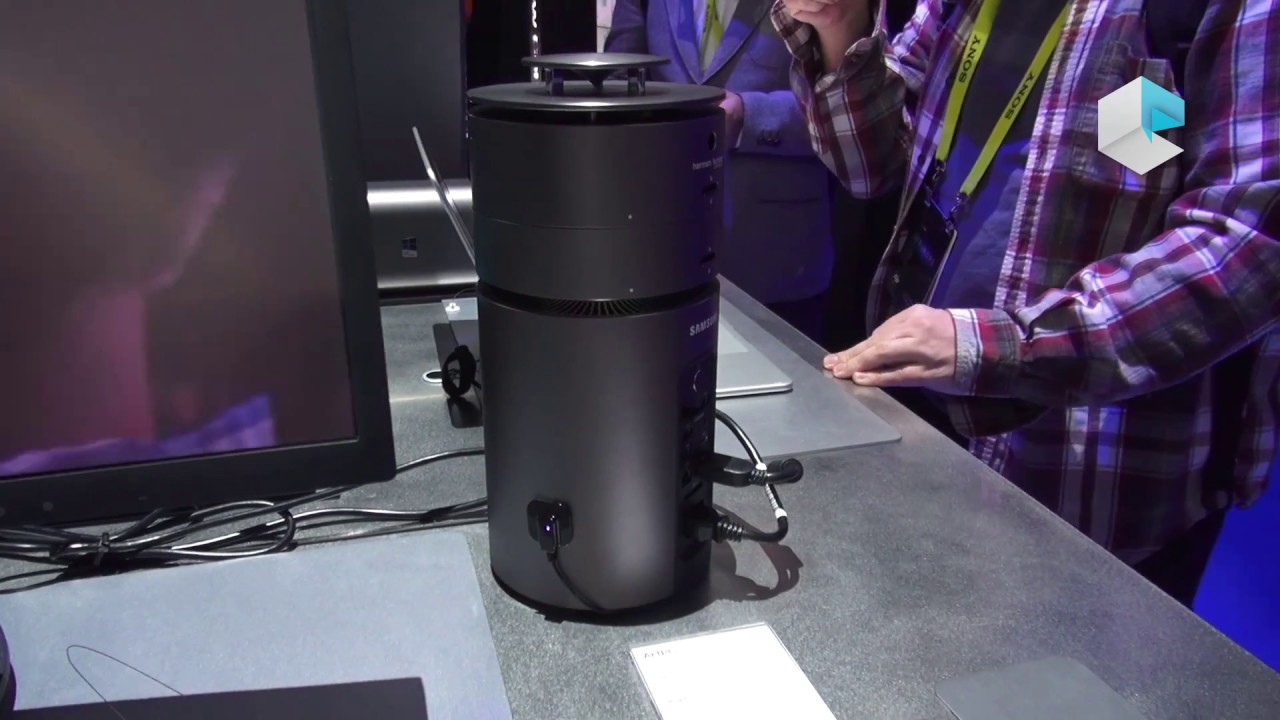
    7.Samsung – ArtPC Pulse Desktop

    $1,599.99

    Step into the future with this Samsung ArtPC PULSE computer tower. Its Intel i7-6700 processor and 16GB of RAM deliver top performance, and its 256GB solid-state drive combines with a 1TB hard drive to provide ample room for all your programs and multimedia files. The 360-degree speaker of this Samsung ArtPC PULSE computer tower provides powerful sound.


    The Final Thought

    They may not be the best, but they are not far off. Living in the Samsung world of tech is being completely integrated, they have the option and gear before you know you need it. Samsung is where innovation meets perfection meets total integrated solutions.

  • Airmega 400S  Clean Smart Air

    Airmega 400S Clean Smart Air

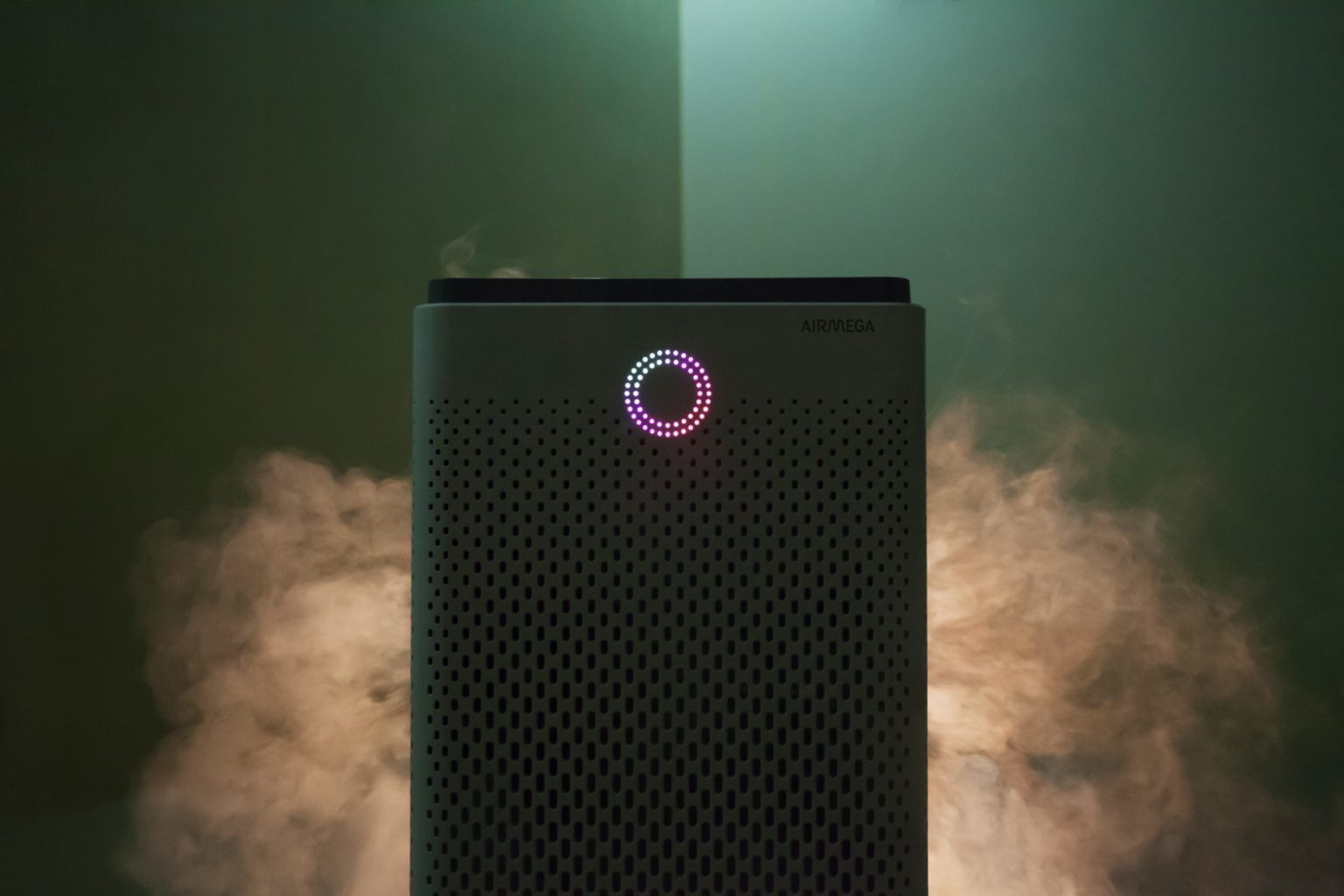
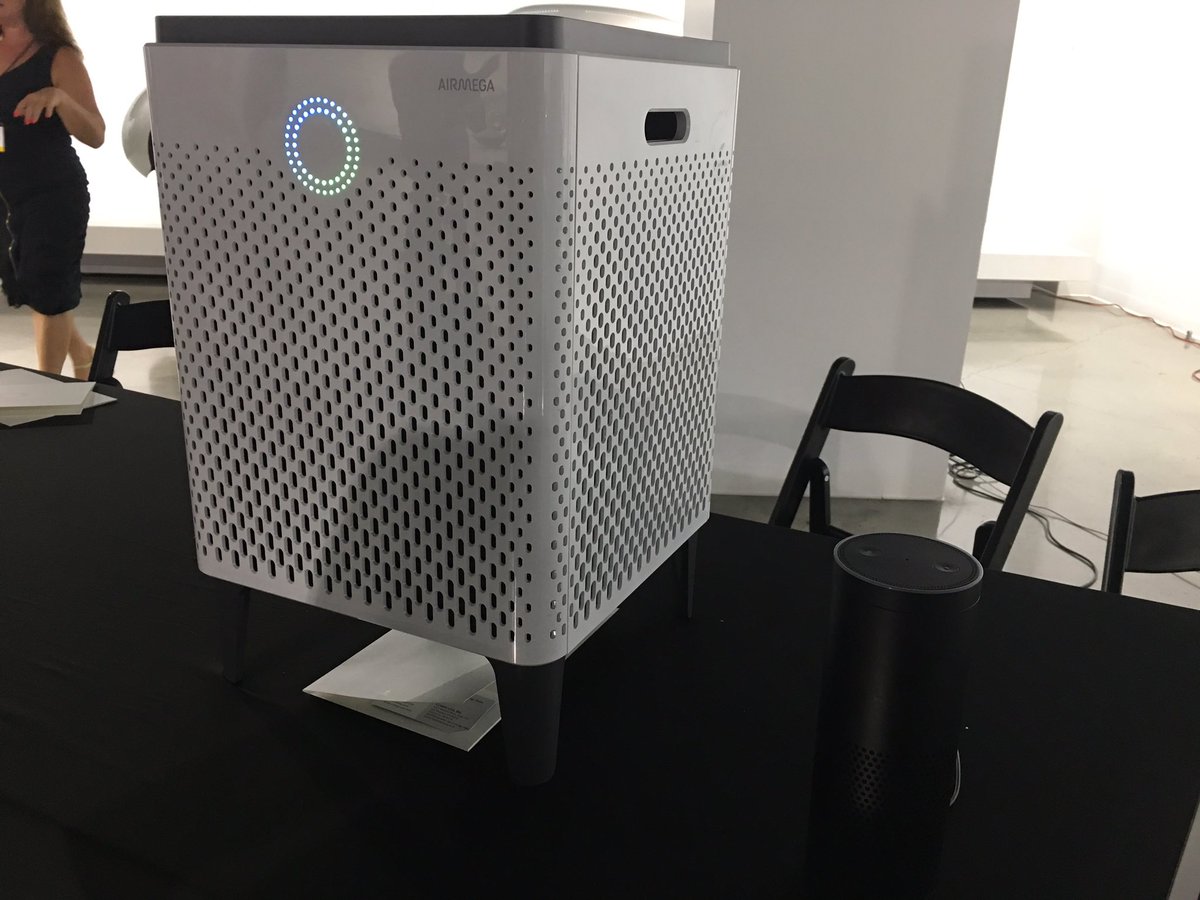
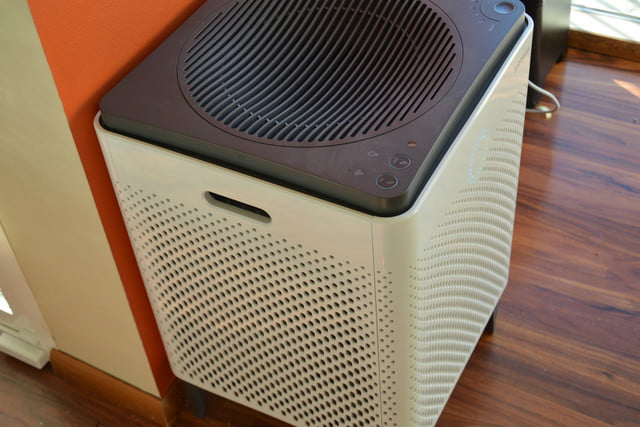
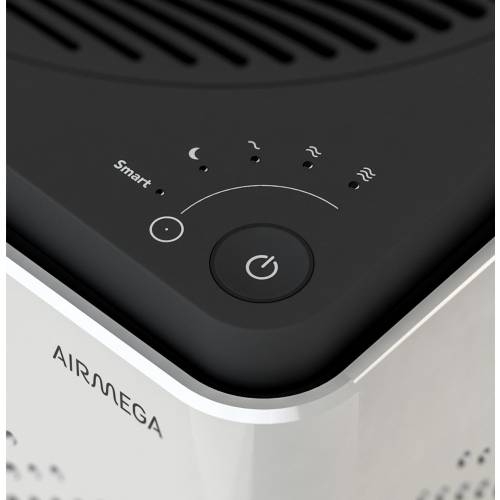
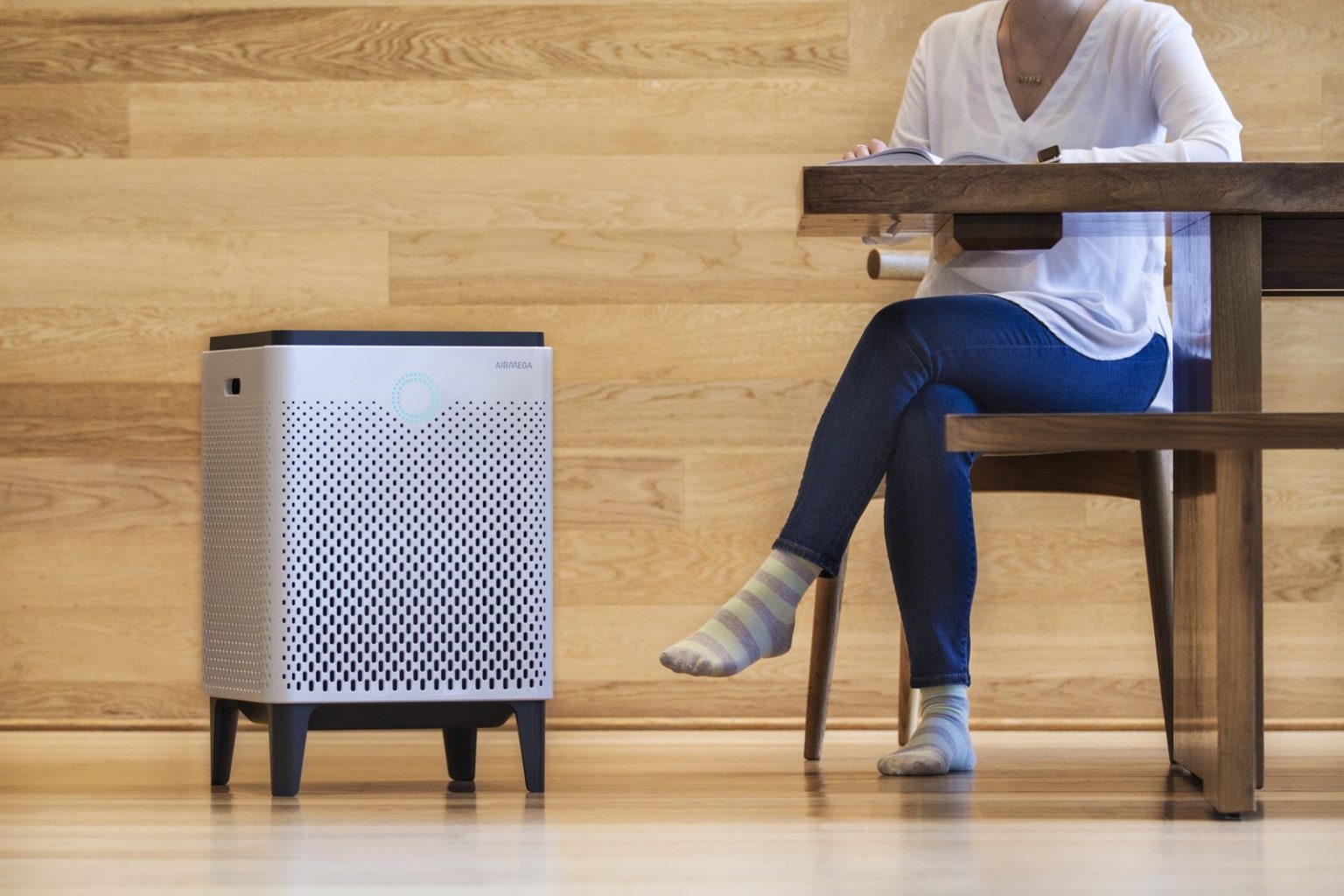
    The Airmega 400S  is a luxury air filter, a sci-fi lounge monolith with touch-sensitive controls and a ring of colored light that turns with the air quality. High-end in fit, finish and capacity, it’s also very online, with Internet-of-Things features and a stat-tracking app. Its $600 only, yay.

    The Great

    • Excellent room coverage – perfect choice for larger spaces
    • Great coverage also for asthma and allergy sufferers, who need extra air changes per hour
    • HEPA filter technology for maximum particle removal
    • Carbon filter removes 99% of harmful VOCs from the indoor air
    • Real-Time Pollution Sensor – LED colored ring makes it very easy to identify air quality offenders at a quick glance

    The Not

    • Issues reported with WiFi connectivity – sometimes difficult to pair up
    • No castors, so there may be mobility issues for some people
    • Limited choice of colors and no customization options


    The Conclusion

    The Airmega 400S can keep the air clean in up to a whopping 1,560 square feet of living space, so it’s well worth its considerable price tag. The device has a built-in real-time air-quality sensor, as well as a sophisticated dual-filter setup that allows it to keep both particles and odors at bay. You can control the air purifier via a sleek smartphone app or Amazon Alexa. The Airmega 400S is available in graphite or white.


    First Off How Well Will It Work

    Setting up this side-table-sized (23 x 15 x 15 inches) air purifier takes a total of 10 minutes and mostly involves peeling off a bunch of protective plastic and removing the wrapping from the unit’s two Max2 filters. Because this model also has wireless capabilities, it has a dedicated app that lets you set up air purifying schedules, check the air quality outside, and control the Airmega while you’re away from home. As with other connected smart home devices, this part of the setup process involves downloading following a handful of on-screen instructions in the app to connect the 400S to your Wi-Fi network.

    While we didn’t have a fancy lab or equipment that could accurately measure particulate or VOC levels, I did subject the 400S to as many real world tests as we could dream up. We cooked, we lit candles and matches, we even emptied the contents of dirt and dust-filled Roomba near the air purifier. As the doting owners of a 110-pound, perpetually shedding golden retriever named Benjamin-Mattdamon Affleck, I also subjected the Airmega to the dander wonderland that is our home.

    Results, terrific. It would pass any EPA clean air test if the EPA was still around. It’s dead quiet, too, especially at the lowest settings. There is not the slightest buzz of vibration. Washing and replacing filters is very easy. It messages you when they need a bath.  It’s about the size of a desktop mini-fridge, significantly larger than most consumer air filters, with three HEPA filters and the promise of full-house coverage. 1,560 square feet, they claim, which would make it competitive on a price-per-square-foot basis with less expensive models.

    What Makes This So Smart

    The Airmega 400s features 3 such ‘smart’ modes – auto, eco and sleep.  Let’s take a look at each.

    Smart Auto Mode

    If you decide to engage the auto mode feature the unit uses a sensor to detect how much pollutants are in your indoor air and then adjusts the fan speed accordingly.There are 4 fan speed settings on the Airmega 400s – sleep, low, medium and high. As a rule of thumb, the more pollutants are detected, the faster the fan will operate.When the sensor recognises that the indoor air quality has improved it will switch back down to a lower fan speed.


    Smart Eco Mode

    If the unit is in smart mode and the sensor has detected good air quality for a period of 10 minutes, the machine will automatically shut down the fan.This helps to save on your energy consumption, and in turn saves you money on your electricity bills, as it means you’re not running the air purifier when it’s not necessary.The fans will automatically start back up again should the sensor detect any pollution later.


    Smart Sleep Mode

    In sleep mode the unit will reduce its noise and power consumption if the sensor detects the room has been dark and the air clean for a period of 3 minutes. Like the eco mode, this feature is good both for the environment and your bank balance! It’s also handy if you plan to use the air purifier in your bedroom at night as it helps to minimise disturbance and let’s you get a better nights sleep.


    In recognition of the fact that so many of us like to use our phones for day-to-day tasks, Coway have developed a smartphone app (IOS and Android) which lets owners of the Airmega 400s control many aspects of their air purifier remotely.For example, you can set the fan speed and sleep timer, see the status of the filters, and access the different smart mode controls.

    You can also receive indoor air quality reports and real-time updates on outdoor air quality and pollution levels for your particular hometown straight to your phone . This lets you track the health of the air inside a room over a period of a few days or weeks, and is useful for identifying trends and the times when the air quality is at its best and worst. The Airmega 400s air purifier can also be paired with Amazon Alexa

    The Final Thought

    I’m extremely dubious about the utility and wisdom of an IoT air filter. But if you know you need an air filter, and you need one that’s attractive, quiet and very high-capacity, where a $300 Honeywell (or HEPA filters duct-taped to a box fan) would just be unacceptably loud, trashy or ugly, then I have and air purifier Id like to show you. I will say that in testing this for a review it is one of the few products I reviewed myself into buying. What? I like clean air and smart toys.