Category: Smart Devices

  • How to Keep Your iPhone Safe from Hackers

    How to Keep Your iPhone Safe from Hackers

    If you’re an iPhone user, you’re in luck: iOS is one of the tightest operating systems in the world. Your data is really quite safe with iPhone as long as you follow some simple safety tips. Today, we’re looking at the best things you can do to keep your iPhone safe from hackers!

    How to Keep Your iPhone Safe from Hackers

    Make Sure USB Restricted Mode is On

    There is a popular iPhone hacking tool called GrayKey. GrayKey is used by law enforcement and criminals alike to hack into iPhones by brute-forcing the passcode. Using your iPhone’s USB port, the GrayKey tool tries every possible combination of numbers to break through your password. The work-around that keeps GrayKey from working is USB Restricted Mode.

    This mode is on by default, but you may have turned it off for things like CarPlay. If you have USB Restricted mode off, it’s easy to turn back on. Go to settings, the Passcodes. After entering your passcode, find the radio button labeled USB Accessories. Make sure this is switched off.

    Set Your Phone to Erase All Data if Stolen

    While you’re making sure USB Restricted Mode is on you can enable this setting, too. It’s labeled as “Erase Data,” and it makes your phone literally delete everything if your password is entered incorrectly ten times. Don’t do this if you have kids who might grab your phone and mash buttons, though.

    In either event, make sure you have iCloud auto-backup on if you enable this feature. There’s no reason to let your data get obliterated forever just because some thief tried to break into your phone.

    Turn on Find my iPhone

    Find my iPhone will allow you to track down your iPhone if it gets lost or stolen. Additionally, this function allows you to remotely wipe the data from your iPhone. In the event that a hacker actually knows your passcode, or guesses it correctly, this allows you to strip the phone of any sensitive data. This is a great option in case someone knows your passcode and has stolen your phone.

    Keep iOS Up to Date

    One of the main ways hackers break into existing operating systems is through exploits that they learn over a long period of trial and error. Thanks to this, simply keeping your iPhone up to date is often enough to stymie most efforts to hack into your phone. Data security is something Apple takes very seriously, so you can rest assured that each new version of iOS keeps you one step ahead of black-hat hackers!

    This is super easy to do. Just go to your settings app, tap General and check Software Update. Then, if there’s a new update waiting for you, download it and update! It’s that easy!

  • Google Pixel 3 Leaks

    Google Pixel 3 Leaks

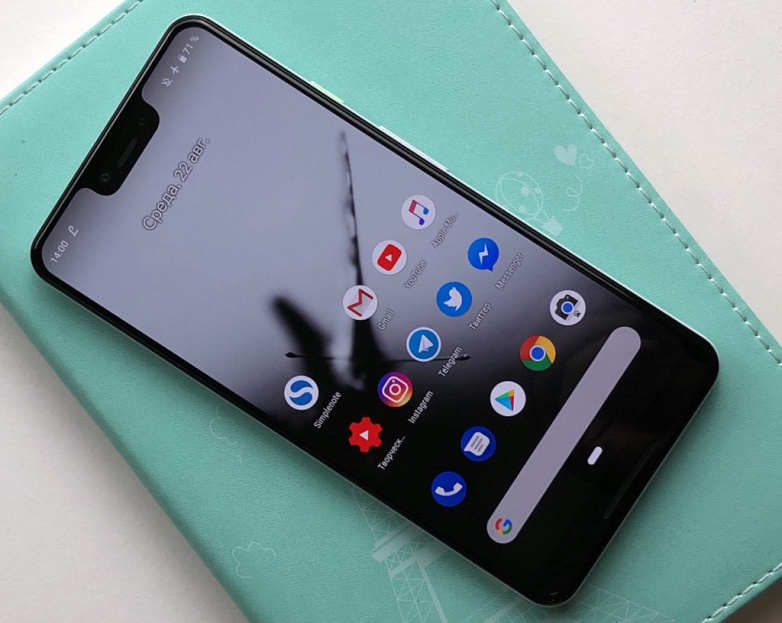
    Google will hold an event on Tuesday, October 9th, starting at 11AM ET. This will be to unveil the Google Pixel 3. This is the latest and 3 incarnation of googles flagship smartphone. The last 2 have been impressive and the 3 is looking to follow suit. Lets take a loot at what we know already. Lets sort through all the Google Pixel 3 Leaks

    The Google Pixel 3 is not much of a mystery. It  has been plagued with Google Pixel 3 Leaks info. In the lead up its launch everyone is showing off the screen, colors, wireless charging capabilities, cameras, and more.  The Pixel 3 XL  has a 6.3-inch screen, 128GB of storage space.The Google Pixel 3 has some impressive and unique  gestures. The specs line up with a disappointing expectations: it uses Qualcomm’s Snapdragon 845 chipset, only has 4GB of RAM and a 3,732mAh battery. Pretty standard, and standard for the Google Pixel 3 is a tremendous waste.

    The phone’s cameras info has leaked and looks equally uninspiring. We are hearing it has a 12.2-megapixel main camera, as well as a pair of 8-megapixel front-facing cameras, which allows it to take extra-wide shots.The primary camera is said to be capable of recording 4K videos at 30fps while the front is ‘limited’ to 1080p. Again I find this uninspired. Various images of the Google Pixel 3 XL corroborating previous leaks reveal a notch-style display. The device could be seen featuring minimal bezels on the front-fascia with a slightly thick chin at the bottom. From the backside, the Google Pixel 3 XL seems to carry similar design cue to that of the Google Pixel 2 XL with a mix of glass, aluminium and a circular-shaped fingerprint sensor at the center.


    The Final Google Pixel 3 Leaks Thought

    tiple leaks and reviews say the retail box suggest that the phone bundle a few accessories that include a USB-C dongle, a pair of USB-C earphones, USB-C to USB-C cable, a USB-C to USB-A dongle and an 18W USB-C two-pin power adapter. You are probably asking yourself how all this info got leaked, so we have so much details. Well apparently a Honk Kong Retailer is already selling the Google Pixel 3.

    If you still care to follow Google will hold its Pixel 3 event on October 9 at 11am ET. Besides the new Pixel 3 series, the Mountain View company is expected to unveil a “Home Hub,” a new Chromecast and a Chrome OS tablet or the Pixel Slate as it is being called at the event.


  • 5 Google Home Devices You Need

    5 Google Home Devices You Need

    The Google Home is getting better and better and that’s not going to change any time soon, especially considering Google’s artificial intelligence prowess. Google Home is a huge help to people who want a personal assistant for household tasks.

    But perhaps the best thing about the Google Assistant has nothing to do with the Assistant itself, but more to do with the fact that it can be used to control such a huge range of smart home devices. Unfortunately, not all smart home devices are created equal. If you’re looking to control your home with the Google Assistant, you’ll want to make sure you’re getting the right products.  That’s why we’ve put together this guide — to help you find the best Google Assistant-compatible products out there.

    Things like setting the lights, thermostat and music are as easy as using your voice with Google Home. To help you automate all the little things, here are the top 5 Google Home Devices you need for your home!

    Must-Have Google Home Devices

    Nest Thermostat

    The Nest Learning Thermostat is a great smart home device that works with Google Assistant. If you’re the kind of person who likes saving money on your power bill and keeping your home’s comfort front and center, you’ll want the Nest system. You can control your home’s temperature with your voice through Google Assistant or through the Nest app.

    The best part of this system, however, is the “Learning” part. The thermostat should learn your routine as you use it and develop a profile for you. This means that it will try to change the temperature intelligently before you even ask it to. When working properly, this means it keeps your power bill down and works invisibly. You shouldn’t even notice the system, as you’ll always be comfortable in your own home! How great is that?

    Nest Cam

    On the same note as the Nest Thermostat is the Nest Cam. Retailing at $300, the Nest Came is a pretty handy device. For one thing, it comes included with a Google Assistant, so you can control it with your voice out of the box. It’s also a great companion to an existing smart home system! It’s easily one of the best home security solutions for the money.

    If you’re often away from home and want to be able to keep an eye on things, the Nest Cam has you covered. Whether you’re checking in on pets or kids, or just making sure no one is in there when they shouldn’t be, the Nest Cam is super handy. It can even be set to function by being motion-activated. Hopefully you won’t need it, but it’s great to have! You can even view the camera’s feed from your smartphone over the internet.

    Phillips Hue

    The best way to equip your house with smart lights is through the Philips Hue system. These smart lightbulbs are really rather intuitive, and they work well with Google Assistant. The bulbs come with a variety of uses, as they can connect to several different smart home systems. If you have Alexa, for instance, these work well with that system too!

    To get started with Hue you need a Hue Bridge. Once you have that you can simply add more Hue bulbs to your Hue system. You can control the lights entirely with your voice, turning them on or off or even changing their colors. It’s a small touch, but it makes you feel like you’re living in the future when you can control your house with your voice!

    Hue makes it easy to set up and control the lights in your entire house. You need only get a Hue Bridge connected to your Google Home system. Then, you just tell it which bulb is in which room. You can even control the lights from a smartphone app while you aren’t home!

    Belkin WeMo

    The WeMo system by Belkin is a way to turn nearly any device into a smart device. WeMo plugs are smart switches that can simply be toggled on or off. That means if you plug a lamp into one, you can name that switch “lamp” and command it with your voice. Calling out “Google, turn off the lamp,” is a pretty satisfying command.

    The possibilities for WeMo are pretty wide and varied. It’s hard to overstate how handy this is for anything you want to become a smart device. Your speakers, your fans and the like can all be connected via this smart system. Talk about an easy way to get everything connected!

    Chromecast

    Ever wanted to pull up YouTube videos on your TV with your voice? Then you want a Chromecast. Simply tell Google what you want to see on the TV from the internet and Chromecast has you covered. It’s really quite satisfying to control your TV with your voice, and Chromecast isn’t even that pricey!


  • 5 Google Home Devices You Need

    5 Google Home Devices You Need

    The Google Home is getting better and better and that’s not going to change any time soon, especially considering Google’s artificial intelligence prowess. Google Home is a huge help to people who want a personal assistant for household tasks.

    But perhaps the best thing about the Google Assistant has nothing to do with the Assistant itself, but more to do with the fact that it can be used to control such a huge range of smart home devices. Unfortunately, not all smart home devices are created equal. If you’re looking to control your home with the Google Assistant, you’ll want to make sure you’re getting the right products.  That’s why we’ve put together this guide — to help you find the best Google Assistant-compatible products out there.

    Things like setting the lights, thermostat and music are as easy as using your voice with Google Home. To help you automate all the little things, here are the top 5 Google Home Devices you need for your home!

    Must-Have Google Home Devices

    Nest Thermostat

    The Nest Learning Thermostat is a great smart home device that works with Google Assistant. If you’re the kind of person who likes saving money on your power bill and keeping your home’s comfort front and center, you’ll want the Nest system. You can control your home’s temperature with your voice through Google Assistant or through the Nest app.

    The best part of this system, however, is the “Learning” part. The thermostat should learn your routine as you use it and develop a profile for you. This means that it will try to change the temperature intelligently before you even ask it to. When working properly, this means it keeps your power bill down and works invisibly. You shouldn’t even notice the system, as you’ll always be comfortable in your own home! How great is that?

    Nest Cam

    On the same note as the Nest Thermostat is the Nest Cam. Retailing at $300, the Nest Came is a pretty handy device. For one thing, it comes included with a Google Assistant, so you can control it with your voice out of the box. It’s also a great companion to an existing smart home system! It’s easily one of the best home security solutions for the money.

    If you’re often away from home and want to be able to keep an eye on things, the Nest Cam has you covered. Whether you’re checking in on pets or kids, or just making sure no one is in there when they shouldn’t be, the Nest Cam is super handy. It can even be set to function by being motion-activated. Hopefully you won’t need it, but it’s great to have! You can even view the camera’s feed from your smartphone over the internet.

    Phillips Hue

    The best way to equip your house with smart lights is through the Philips Hue system. These smart lightbulbs are really rather intuitive, and they work well with Google Assistant. The bulbs come with a variety of uses, as they can connect to several different smart home systems. If you have Alexa, for instance, these work well with that system too!

    To get started with Hue you need a Hue Bridge. Once you have that you can simply add more Hue bulbs to your Hue system. You can control the lights entirely with your voice, turning them on or off or even changing their colors. It’s a small touch, but it makes you feel like you’re living in the future when you can control your house with your voice!

    Hue makes it easy to set up and control the lights in your entire house. You need only get a Hue Bridge connected to your Google Home system. Then, you just tell it which bulb is in which room. You can even control the lights from a smartphone app while you aren’t home!

    Belkin WeMo

    The WeMo system by Belkin is a way to turn nearly any device into a smart device. WeMo plugs are smart switches that can simply be toggled on or off. That means if you plug a lamp into one, you can name that switch “lamp” and command it with your voice. Calling out “Google, turn off the lamp,” is a pretty satisfying command.

    The possibilities for WeMo are pretty wide and varied. It’s hard to overstate how handy this is for anything you want to become a smart device. Your speakers, your fans and the like can all be connected via this smart system. Talk about an easy way to get everything connected!

    Chromecast

    Ever wanted to pull up YouTube videos on your TV with your voice? Then you want a Chromecast. Simply tell Google what you want to see on the TV from the internet and Chromecast has you covered. It’s really quite satisfying to control your TV with your voice, and Chromecast isn’t even that pricey!


  • 5 “Smart Home” gadgets every house should have…

    5 “Smart Home” gadgets every house should have…

    It’s 2018 folks, and the future is here. Astronauts are driving Tesla’s through space and the Reese’s company is doing some really innovative stuff with popcorn. With all this technology around us, it’s easy to take it all for granted and we sometimes don’t get all the use we can out of it and take advantage of smart home gadgets.

    And the most important place you can use all this cool tech to your advantage is right in your very own home. Here are some amazing new smart home gadgets to make your life easier…

    1. The iRobot Roomba

    Ever since it’s inception in 2002, the Roomba vacuum has been an integral piece of smart home tech. With the ability to program this round robot to vacuum your home 7 days a week it can be a real time saver. With the latest 980 Model, the Roomba is more advanced that ever. With cutting edge mapping technology and dirt detection programs, this “set it and forget it” vacuum is a must have! For dog or pet owners life myself, I can stress it’s value enough. I have a lot on my plate and one thing I don’t to concern myself with is the daily sweeping thank to “Roger the Roomba”. Yes I named my Roomba, he’s family, folks. Word of advice…there are several competitors is the robot vacuum department, do yourself a favor and stick with the iRobot Roomba. You may a little more, but in this case “you get what you pay for”. This was been probably the best $900.00 I’ve ever spent.

    2. The Nest Thermostat

    Coming in at a price tag of $279.00, the Nest Thermostat is well worth the extra cost. Thanks to it’s smart and adaptive AI, the Nest knows when your home and learns your work schedule to monitor the A/C usage. You can also control the thermostat right form your Nest App on your mobile device to fine tune your A/C needs. For a native Floridan like myself, A/C usage and consumption is a real beast you have to tame. In the summer months, electric bills can soar thanks to primitive thermostats. There is nothing like a thermostat shutting down for the day knowing your at work, and then turn on a half hour before you get home so you don’t walk into a hot and muggy house. It’s just bliss. Once I had installed the Nest, I noticed an immediate 50% drop in my A/C consumption and a large drop in my electric bill respectively. This is a must have in your home.

    3. Brilliant Light Switch

    With the ability to control your homes, light, music, ambiance, and even take pictures with voice commands, the Brilliant light switch is a 2018 must have gadget for your home. Brilliant light switch also connects to several of your home’s smart gadgets such as Nest, Alexa, Sonos Speaker, Ring doorbell system, and more. Starting at $200.00 per panel, Brilliant Switch is a costly addition but this innovative new gadget gives your home a brain.

    4. Amazon Echo and Echo Dot

    This smart home “must” is quickly finding it’s way into every home, world wide. Alexa and Echo Dot, is a voice-controlled system that used to play music, make calls, send and receive messages, read the news, set alarms, and even order and Uber or takeout! With the capability of syncing up to Amazon-Fire, Apple Music, Audible, Pandora, and more, you easily find usage and justification for this piece of smart tech in your home. At a price tag of $150.00, the Amazon Echo has many uses to help in your home and is a fantastic smart home gadget. Word to the wise, Alexa has a built in microphone for consumer purposes that is ALWAYS LISTENING…Use responsibly. 

    5. The Ring II doorbell system

    The Ring Video Doorbell, provides you with the capability to see who is at your door from the safety and comfort of  your bed or couch. It lets you accept or deny visitor calls if you’re not home, and uses motion detection to alert you of activity on your doorstep even when the bell hasn’t been rung. By working off your home’s Wifi and mobile data, the 1080HD  camera will alert your smart phone of any activity at your door step day or night. For an extra $3.00 a month, you can pay for cloud storage and have all moments video recorded for later purposes if desired. The newest model also has a 2 way intercom system, and infrared night vision. For that extra bit of security at a relatively inexpensive cost of $199.00, this doorbell is the must have for any smart home.

    The Conclusion

    With so many smart gadgets available, some better than others, these products can make our homes better, safer, and more convenient. 2018 is going to be a big tech year and the “smart home” business is growing evermore advanced daily. If you can pick-up just one of these items this year, you’ll be headed in the right direction. I’m still anxiously awaiting the release for Rosie the robot maid, but I may have to hold my breath for awhile.


  • Microsoft HoloLens 2 slated for 2019 release

    Microsoft HoloLens 2 slated for 2019 release

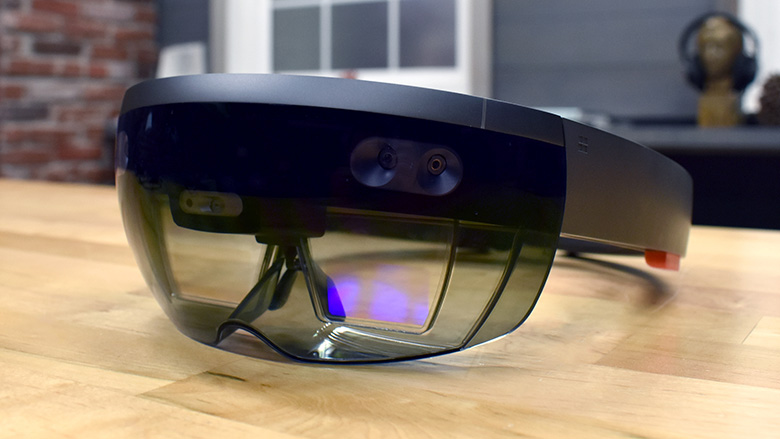
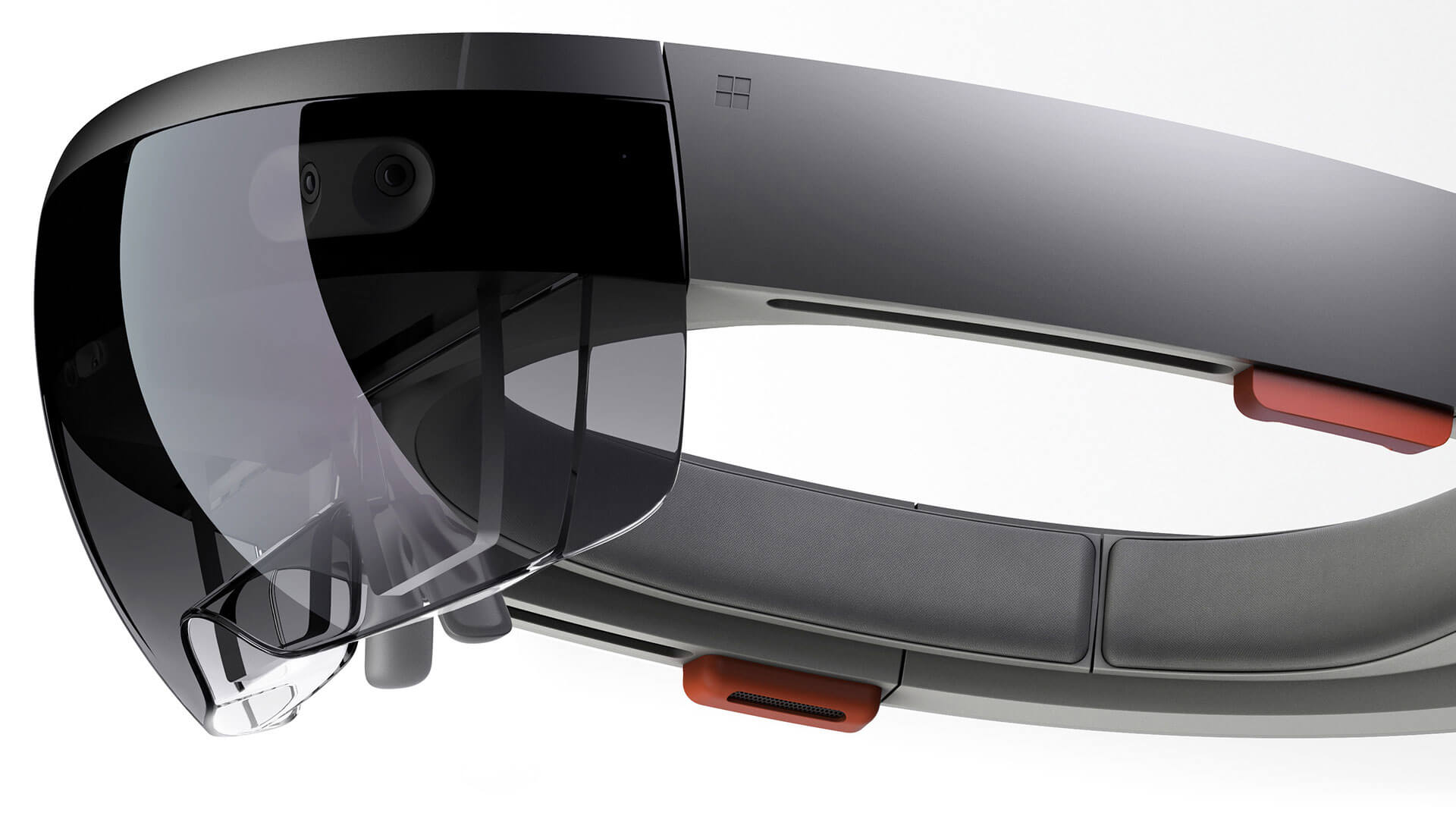
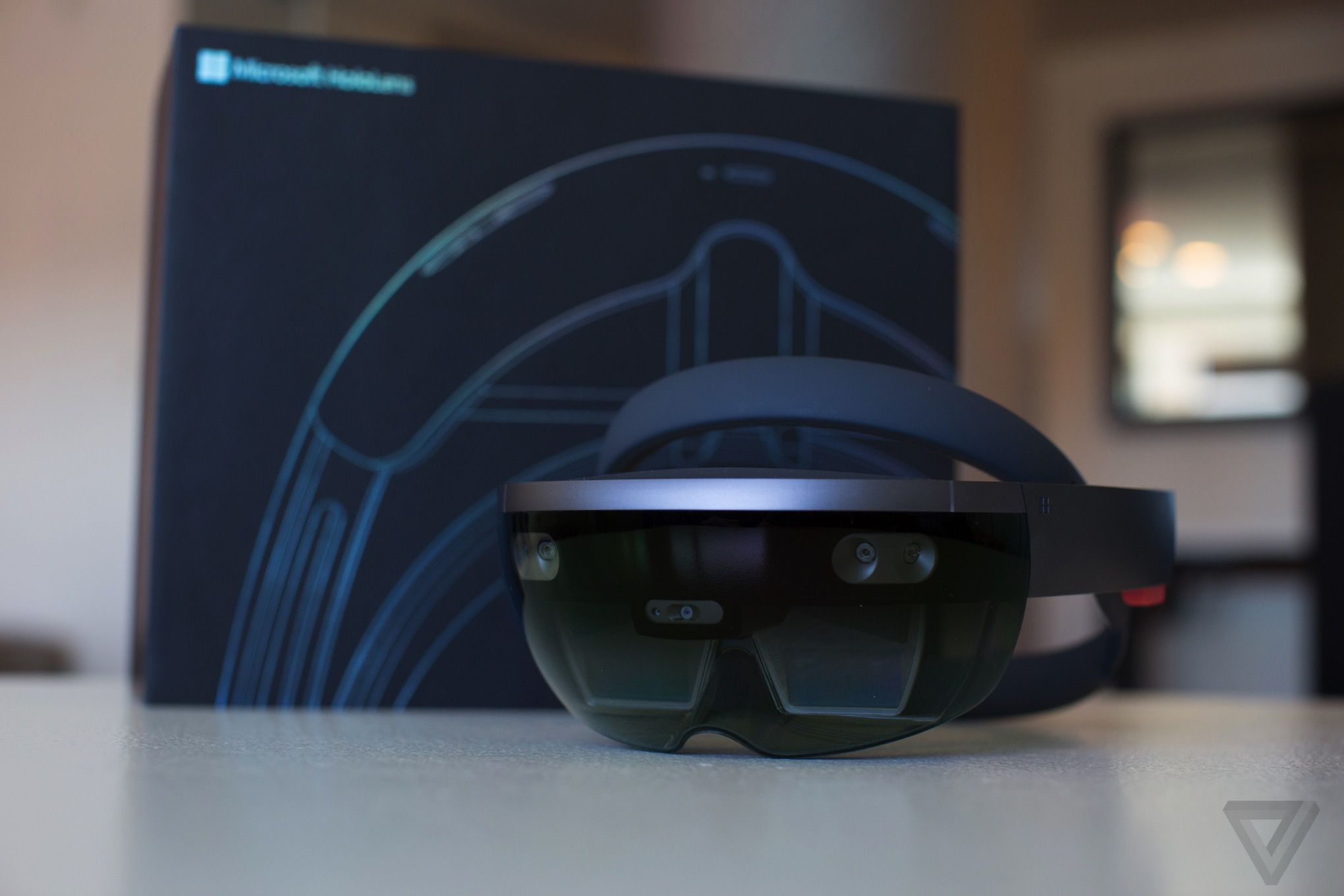
    Microsoft will apparently released the long awaited Hololens 2 in the first quarter of 2019. Code-named Sydney within Microsoft, the device will be cheaper than the original (which costs $3,000), be lighter in weight, and more comfortable to wear, according to a news reports. At this time, we don’t know a whole lot of what Hololens 2 will be outfitted with, but the word is Microsoft is going all in on this one. Upon its release, Hololens 2 is fully expected to surpass Google AR goggles and the Oculus Rift.

    Image result for microsoft hololens 2

    What We Know So Far

    According to Alex Kipman, Microsoft Technical Fellow of the Windows and Devices Group and key advocate for HoloLens, it’s been earmarked for the new version of the AR headset that the company has in the pipeline. Indeed, the HoloLens team had already previewed some of the news about the new sensor earlier in the year, beating CEO Satya Nadella to the punch. The sensor has 1024 x 1024 resolution, Kipman says, and a global shutter for improved performance in sunlight conditions. It has the highest figure of merit, too – that is to say, the highest modulation frequency and modulation contrast – which means lower power consumption. Indeed, overall system power is just 225-950 mw. That’s despite adding things like automatic per-pixel gain selection, for a broader dynamic range. That will give HoloLens 2 better abilities at capturing both near and far objects. There’s multiphase depth calculation support, which will preserve accuracy even if the chip, laser, or power supplies vary.

    Image result for microsoft hololens 2

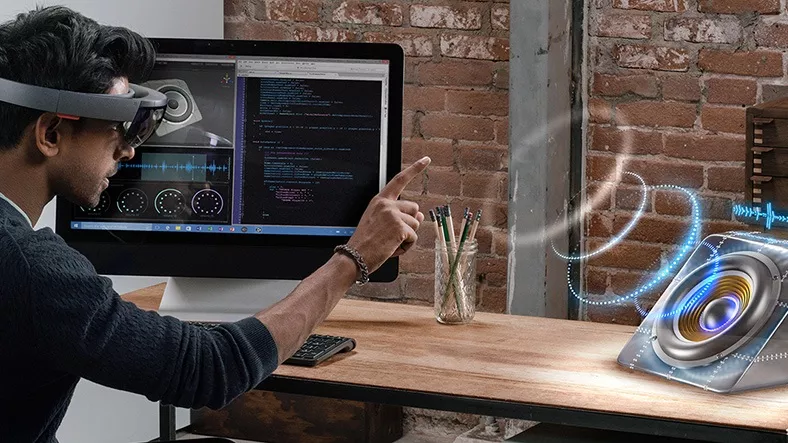
    “With HoloLens, we saw incredible results when we took some of the magic of Kinect and applied it in a mixed reality context,” Kipman writes “The current version of HoloLens uses the third generation of Kinect depth-sensing technology to enable it to place holograms in the real world. With HoloLens we have a device that understands people and environments, takes input in the form of gaze, gestures and voice, and provides output in the form of 3D holograms and immersive spatial sound.”

    Related image

    Summary

    At an expected cost of around $3,000.00 it’s hard to say what can be expected for the Hololens 2. If the hype around it is real, then it maybe worth scraping up some dough and getting yourself a new toy. For now, I’ll anxiously await to hear more about the specs on these bad boys.

  • The Vaultek MX Takes The Next Step Forward in Gun Safe Technology

    The Vaultek MX Takes The Next Step Forward in Gun Safe Technology

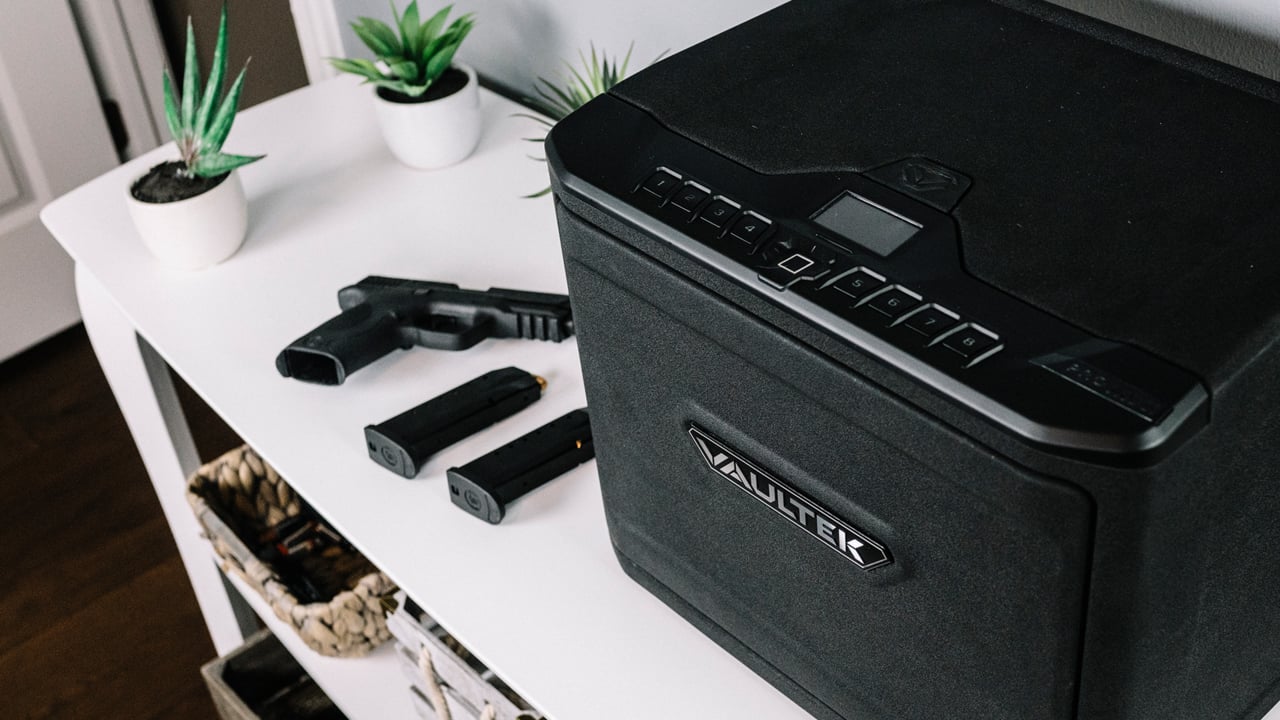
    Vaultek recently released the new state of the art gun safe “The MX” which comes fully loaded with Biometrics and all sorts of smart tech to make accessing your weapons easy in an emergency situation, but extremely secure when when being stored away. Complete with a smart phone app that can access the safe and log everytime the safe is opened, there is no better way to store your weaponry.

    Image result for vaultek mx

    The Vault MX

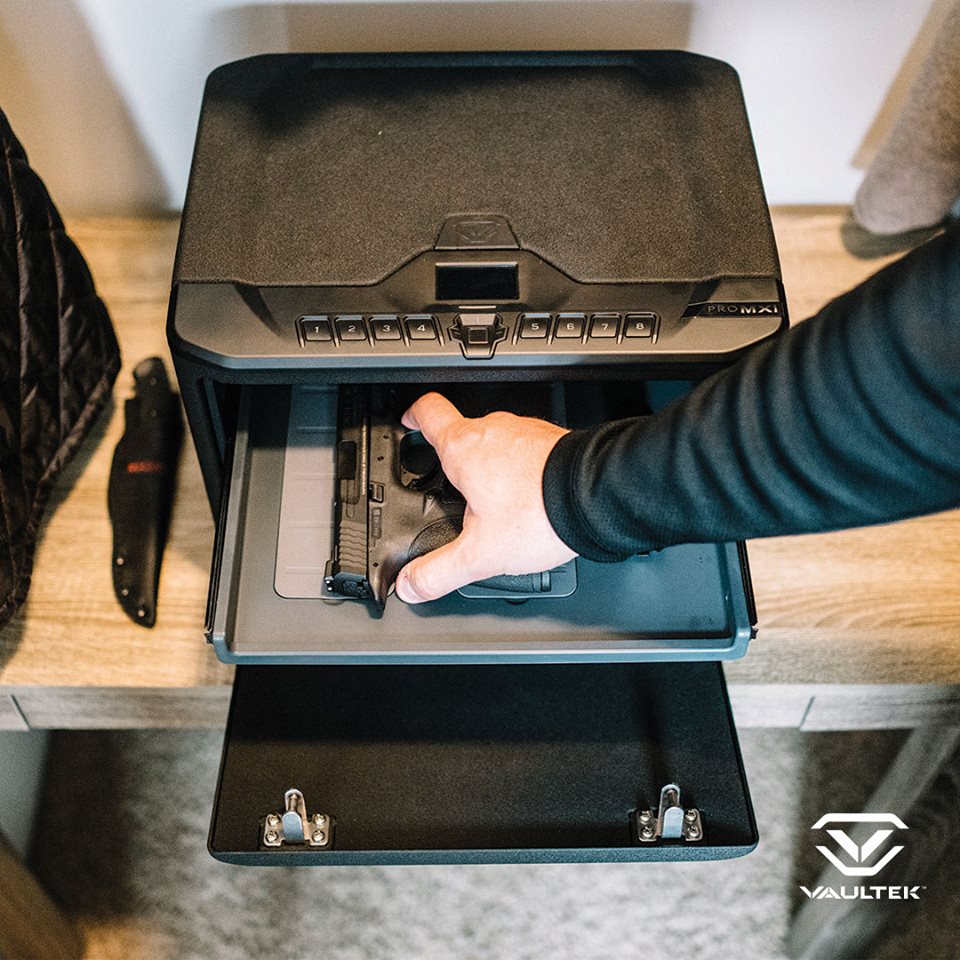
    Here is some basic information about the operations of the safe: The all new MX Series, the latest addition to Vaultek’s rugged line of smart safes. Designed to offer the largest interior space available from Vaultek with custom options the enthusiast gun owner will love. Height Adjustable shelf has (3) positions and slides out for convenient access. Modular Accessories can clip in where you like for full customization. Twin Pistol Rack with non-reactive foam is included and additional pistol racks as well as a non-reactive foam Magazine Rack can be purchased separately that stores up to (8) magazines. Precision Engineered 14-gauge steel housing and 12-gauge door pens automatically. MX and VT Series safes are equipped with the fastest access point available, smart key. Another feature exclusive to MX and VT Series is impact detection. Securely anchor with supplied mounting hardware to mount horizontally or vertically. Anti-theft features include anti-pry bars, interior hinges, and dual anti-impact latches.

    Related image

    Integrated smart safe technology raises personal security to a new level with upgraded high-resolution fingerprint scanner (only biometric model) storing up to 20 different user IDs. Remotely access the safe using the APP 2.0 from your smartphone to check power levels, view safe history, detect tampering, and customize your safe preferences. A built-in interior red light provides high visibility of your items. The backlit keypad illuminates via proximity sensor making it easy to navigate at night and features several hot key entries including toggling the Bluetooth on/off. The control panel features an LCD screen for prompt safe feedback and status updates. Long lasting rechargeable lithium ion battery keeps you powered for months, and only needs 2.5 hours to recharge with the included micro-USB charging kit. Vaultek is on mission to keep your belongings secure and out of the wrong hands. Exterior Dimensions 15″ x 11.5″ x 11.6″. Interior Dimensions 13″ x 11″ x 8.6″. U.S

    Image result for vaultek mx

  • 5 “Smart Home” gadgets every house should have…

    5 “Smart Home” gadgets every house should have…

    It’s 2018 folks, and the future is here. Astronauts are driving Tesla’s through space and the Reese’s company is doing some really innovative stuff with popcorn. With all this technology around us, it’s easy to take it all for granted and we sometimes don’t get all the use we can out of it and take advantage of smart home gadgets.

    And the most important place you can use all this cool tech to your advantage is right in your very own home. Here are some amazing new smart home gadgets to make your life easier…

    1. The iRobot Roomba

    Ever since it’s inception in 2002, the Roomba vacuum has been an integral piece of smart home tech. With the ability to program this round robot to vacuum your home 7 days a week it can be a real time saver. With the latest 980 Model, the Roomba is more advanced that ever. With cutting edge mapping technology and dirt detection programs, this “set it and forget it” vacuum is a must have! For dog or pet owners life myself, I can stress it’s value enough. I have a lot on my plate and one thing I don’t to concern myself with is the daily sweeping thank to “Roger the Roomba”. Yes I named my Roomba, he’s family, folks. Word of advice…there are several competitors is the robot vacuum department, do yourself a favor and stick with the iRobot Roomba. You may a little more, but in this case “you get what you pay for”. This was been probably the best $900.00 I’ve ever spent.

    2. The Nest Thermostat

    Coming in at a price tag of $279.00, the Nest Thermostat is well worth the extra cost. Thanks to it’s smart and adaptive AI, the Nest knows when your home and learns your work schedule to monitor the A/C usage. You can also control the thermostat right form your Nest App on your mobile device to fine tune your A/C needs. For a native Floridan like myself, A/C usage and consumption is a real beast you have to tame. In the summer months, electric bills can soar thanks to primitive thermostats. There is nothing like a thermostat shutting down for the day knowing your at work, and then turn on a half hour before you get home so you don’t walk into a hot and muggy house. It’s just bliss. Once I had installed the Nest, I noticed an immediate 50% drop in my A/C consumption and a large drop in my electric bill respectively. This is a must have in your home.

    3. Brilliant Light Switch

    With the ability to control your homes, light, music, ambiance, and even take pictures with voice commands, the Brilliant light switch is a 2018 must have gadget for your home. Brilliant light switch also connects to several of your home’s smart gadgets such as Nest, Alexa, Sonos Speaker, Ring doorbell system, and more. Starting at $200.00 per panel, Brilliant Switch is a costly addition but this innovative new gadget gives your home a brain.

    4. Amazon Echo and Echo Dot

    This smart home “must” is quickly finding it’s way into every home, world wide. Alexa and Echo Dot, is a voice-controlled system that used to play music, make calls, send and receive messages, read the news, set alarms, and even order and Uber or takeout! With the capability of syncing up to Amazon-Fire, Apple Music, Audible, Pandora, and more, you easily find usage and justification for this piece of smart tech in your home. At a price tag of $150.00, the Amazon Echo has many uses to help in your home and is a fantastic smart home gadget. Word to the wise, Alexa has a built in microphone for consumer purposes that is ALWAYS LISTENING…Use responsibly. 

    5. The Ring II doorbell system

    The Ring Video Doorbell, provides you with the capability to see who is at your door from the safety and comfort of  your bed or couch. It lets you accept or deny visitor calls if you’re not home, and uses motion detection to alert you of activity on your doorstep even when the bell hasn’t been rung. By working off your home’s Wifi and mobile data, the 1080HD  camera will alert your smart phone of any activity at your door step day or night. For an extra $3.00 a month, you can pay for cloud storage and have all moments video recorded for later purposes if desired. The newest model also has a 2 way intercom system, and infrared night vision. For that extra bit of security at a relatively inexpensive cost of $199.00, this doorbell is the must have for any smart home.

    The Conclusion

    With so many smart gadgets available, some better than others, these products can make our homes better, safer, and more convenient. 2018 is going to be a big tech year and the “smart home” business is growing evermore advanced daily. If you can pick-up just one of these items this year, you’ll be headed in the right direction. I’m still anxiously awaiting the release for Rosie the robot maid, but I may have to hold my breath for awhile.


  • Which Tablet is Worth your Money?

    Which Tablet is Worth your Money?

    Smart phones are nice, but sometimes you want a bigger screen for your smart device. Whether you’re drawing, looking at photos, watching movies or playing games, tablets are awesome addition to your smart device arsenal. When you just want that bigger screen for a handheld touch device, nothing else will do!

    Nothing says quality, solid build and premium design more than our 5 best premium tablets. From major manufacturers such as Apple, Samsung, Amazon, Microsoft and Google these tablets carry the state of art in technology and design. With that in mind, let’s check out some of our favorite premium tablets!

    Microsoft Surface Pro

    This tablet is so premium that it’s also a laptop. The Surface Pro made our list of best touchscreen laptops, too, which might sound weird until you see one in person: it really is both. With a stellar screen and great form factor, you can’t get a much cooler 2-in-1 tablet. Retailing for $659, it’s not too pricey.

    There are only a few real downsides for the Surface Pro. The very incremental advances it possesses when compared to its predecessors are slightly disappointing.  Additionally, the design is a little too minimalist: there is no USB-C port! Then again, it’s still a great tablet, so it’s a small nitpick.

    Google Pixel C

    Your favorite Android tablet, the Google Pixel C performs like a giant version of its phone siblings. The Pixel C also has an optional magnetic keyboard that is quite solid, letting the tablet act as a laptop. This is easily the most powerful Android tablet that exists, for what it’s worth. The tablet performs great while multitasking and rarely suffers stutters or slowdown.

    If you need a tablet for work or just like pushing your technology to its limit, this is a great pick for you. On the other hand, this one is a bit expensive, retailing for $950. Additionally, many users see Android as a drawback instead of a feature. Many apps are released on iOS first and often perform better there to boot.

    The Samsung Galaxy Book

    This tablet rightfully belongs on the quickly growing list of impressive Microsoft Surface Pro contenders. The Samsung Galaxy Book is a top-shelf Windows tablet with a price to match. Its robust processing power, high-end display and essential add-on accessories make it one of the best tablet-hybrids.

    It’s a Windows 10 tablet with a stunning 12-inch Super AMOLED display, Intel’s latest processors and detachable keyboard cover with stylus. It starts at $1,130 for the Wi-Fi-only version and $1,300 for the LTE model, sold via Verizon, which was the configuration we reviewed. Samsung offers a 10-inch variant that runs for $630, but this review is of the 12-inch model.

    iPad Pro

    No list of premium tablets would be complete without Apple’s contender in the mix. And this time around, unsurprisingly, Apple is our favorite. The iPad pro is a rock-solid tablet, with a gorgeous Retina display and fantastic performance. Many users have a preference for iOS, and for good reason. Slowdown is almost nonexistent, and app support is fantastic.

    If there are any drawbacks, they’re the same ones that apply to all Apple products: expensive peripherals and proprietary charging. If you want the Apple Pencil or proprietary keyboard to go with it, this one will run you some serious cash. For just the iPad itself, you’ll be spending around $600.


  • Will Quantum Computers Change the World?

    Will Quantum Computers Change the World?

    September 26, 2018 – Recent breakthroughs in Quantum Computing has the world buzzing and now something once thought unobtainable in our lifetime may only be a few years away. Since the breakthroughs, big tech companies such as Google, and IBM are now pouring money into the research and development of quantum computers. Quantum Computing is the next revolutionary breakthrough in science and will reportedly turn everything we know about computers on its head.

    Image result for quantum computers

    What is Quantum Computing?

    It can get very complex, but here are the basics to Quatman Computers according to Richard Joza of the University of Cambridge: Quantum computing is based on the fact that, in the microscopic world, things don’t have to be as clear-cut as we’d expect from our macroscopic experience. Tiny particles, such as electrons or photons, can simultaneously take on states that we would normally deem mutually exclusive. They can be in several places at once, for example, and in the case of photons simultaneously exhibit two kinds of polarisation. We never see this superposition of different states in ordinary life because it somehow disappears once a system is observed: when you measure the location of an electron or the polarisation of a photon, all but one of the possible alternatives are eliminated and you will see just one. Nobody knows how that happens, but it does. Superposition frees us of from binary constraints. A quantum computer works with particles that can be in superposition. Rather than representing bits — such particles would represent qubits, which can take on the value 0, or 1, or both simultaneously. “If you do something to [such a quantum system], it’s as though you are doing it simultaneously to 0 and to 1,”

    Image result for quantum computers

    What does this mean for the general public?

    In theory, the properties of qubits would allow a quantum computer to perform calculations at far higher speeds than current supercomputers. That makes them good tools for understanding what’s happening in the realms of chemistry, material science or particle physics. That speed could aid in discovering new drugs, optimising financial portfolios and finding better transportation routes or supply chains. It could also advance another fast-growing field, artificial intelligence, by accelerating a computer’s ability to find patterns in large troves of images and other data. So when we seen these futuristic movies with an insanely advanced societies, Quantum Computers would likely be at the base of that growth.

    Image result for quantum computers

    What are the concerns?

    The biggest and most alarming issue about Quantum Computers is what it can do to secured networks and the cryptography world. Early speculations is that this new technology can be weaponized and used against countries military defenses on a massive scale. Because of that, there is an somewhat of an arms race to obtain quantum computation. China is pouring massive amounts of funding towards the technology, but the biggest breakthrough has come out of Australia from Professor Michelle Simmons from the University of New South Wales. She along with officials from NASA, The Pentagon, and staff from Google and IBM all recently attended a summit at the White House regarding the future of Quantum Computing. Because of it being likened to the Manhattan Project, global leaders have begun to open a dialogue and combine their efforts on the matter. The National Laboratory for Quantum Information Sciences in Hefei, Anhui Province, is being developed and slated to be completed by 2020.