Category: Smart Devices

  • Cracked Phone Screens are the Worst!

    Cracked Phone Screens are the Worst!

    You’ve got that fancy, expensive smartphone in your pocket. You know, the one that cost you hundreds of dollars but is also incredibly fragile and prone to developing those unsightly cracks. Yeah, that smartphone.

    If your phone has developed a series of spiderweb cracks following an unfortunate high-speed encounter with the floor, it’s frustrating. However, you need to get it repaired as soon as possible. You see, it’s not as expensive as you might think, and you could be causing more damage to your phone by leaving it cracked and still using it.

    Fix Your Cracked Phone Screen Right Away

    Cracked Screens are Even More Fragile

    So, as you well know, a glass screen is a fragile thing. It’s glass, after all. When your phone takes a high-dive off of a table to the hard floor, it’s going to crack. However, this isn’t the least of your worries when it comes to phone fragility.

    Here’s the thing: even the most durable Gorilla Glass has a finite lifespan. Your phone might be rock-solid for the first several drops, but once the first cracks start to show, it’s likely not far from shattering completely. You see this in spiderwebbing damage that spread out from smaller cracks in some situations.

    If your phone screen gets cracked, it’s not enough to simply put it in a case and hope nothing bad happens. You need to get the screen replaced entirely, which can be a tough ask, as it’s often expensive to go through this kind of repair procedure.

    Say Goodbye to Waterproofing

    If your phone is a newer model with a high waterproofing and dust-resistance rating, then we’ve got bad news for you. Once the screen is cracked, it’s unlikely your phone resists these outside materials anymore. Much like when your body has a cut, any open exposure to the outside world is terrible for your phone.

    Where before water would simply roll off of your phone and cause no damage at all, now it can flow straight into that hairline crack. Even if your phone doesn’t get wet, it could be getting dusty. Dust and debris can get stuck in your phone’s internal components after entering through an external crack. That’s because your phone’s normal dust resistance is compromised.

    You don’t need us to tell you how much of a problem these things are. Your phone is already damaged, so getting it repaired right away is your best bet. If you don’t, leaving it damaged and accruing dust and water damage could result in an even more expensive repair process. When it inevitably fails thanks to the buildup of damage, you’ll wish you had gotten it fixed right away.

    Resale

    When it’s time to upgrade to the newest model, you really don’t want to try to sell a phone with a cracked screen. No one wants to buy a phone that looks like it was owned by a butter salesman with no thumbs. After all, the most common way to get money to upgrade is by trading in, so why hurt your phone’s resale value?

    What’s more, all phone resellers know that a cracked phone could be evidence of more damage inside the device. Like we mentioned, water and dust damage is much more common among phones with cracks.

    On top of this, it’s much more likely that someone clumsy enough to have a cracked phone is clumsy enough to have more damage inside the phone than is showing. At least, in the eyes of a phone reseller this is the case.

    Health Risks

    There are also notable healthy risks associated with keeping a phone with a cracked screen for months without fixing it. For one thing, you could accidentally incur a cut from the sharp glass of your screen. If you’re rolling your eyes, don’t. Your phone’s cracks could spiderweb and result in small shards coming loose, resulting in potential injury to your fingers or hands.

    Further, trying to read text through a cracked screen puts further strain on your eyes. It’s already been shown that staring at a phone screen for too long can result in poor vision, so imagine adding a cracked screen on top of that.

    Consider the costs for either of these things. If you get badly cut by your phone screen, you might need to visit a doctor’s office, which is expensive. If you end up needing glasses from straining to look at a damaged screen, that’s pretty expensive.

    Bottom line? Get your phone screen fixed right away if it cracks. There’s no reason to limp along with a broken phone.


  • Phones that Make Life Easier for Seniors

    Phones that Make Life Easier for Seniors

    It’s a simple fact of life that everyone needs a phone. It’s surprising, then, that so many seniors are so resistant to upgrading to a new smartphone. After all, smartphones are deceptively simple devices to use and operate. However, many people don’t realize just how senior-friendly these devices are. Most modern smartphones sport huge, bright displays and bold, easy-to-read text. Even phones that aren’t marketed for seniors have settings that can be activated to make them that much easier for seniors to use! Here are some of the best phones that make life easier for seniors.

    Phones that Make Life Easier for Seniors

    GrandPad

    First things first, let’s talk about that adorable name. GrandPad. Doesn’t that just make you start grinning? As that name suggests, this is a device that is geared for seniors specifically, not just one that happens to be a good device for them. This one is a great pick due to its big screen and easy, intuitive controls. It’s really, really big, too: it’s something of a cross between a cellphone and a tablet. Those who want something with lots of screen space and a huge base font are in luck with this one.

    The device, unsurprisingly, handles calls, internet browsing, email and all of that good stuff. It supports video calls as well as voice, which is great for distant grandparents who want to video chat with their grandkids. Another cool feature is the ability to view social media streams without needing to have an account. This lets grandparents keep up with family without having to navigate complex social media profiles, which is awesome in our book.

    Other awesome features of this phone/tablet hybrid that make it great for seniors are the wireless charging dock and 4G LTE connection. The wireless charging, for its part, is great since you don’t have to keep up with any wires or fiddle with trying to fit the charging cable into a port. All-in-all, this is one of the best phone options for seniors.

    iPhone X Plus

    The iPhone X line of smartphones has a huge design benefit for seniors. That’s the lack of any face buttons. However, the base iPhone X and XS phones are a bit small when compared to phones that are ideal for seniors. The iPhone X Plus, however, is a great size for seniors. Apple’s iOS platform is very intuitive, and gesture-based commands are easy to learn. The FaceID unlocking method is also great for seniors, as it make it easier for them to unlock their phone without needing to always input a password.

    Apple offers a number of great features for seniors through their iOS platform. For instance, if a senior user is having a hard time finding a function, they can call “hey, Siri” and call up the voice command assistant in their phone. This will allow them to use simply commands like “call Susan” or “text Bob,” which lets them get around some of the tougher parts of navigating an operating system.

    Another feature that senior users love about Apple’s iPhone line is the built-in FaceTime video calling feature. FaceTime features crisp, clear video and sound quality and makes you feel like you’re really in the room with your family when you call them up. Generally speaking, Apple’s products are sturdy and you can expect them to last a long time. They are also very responsive, with snappy menus and short loading times. All in all, iPhones are great for anyone, not just seniors.

    Galaxy Note 9

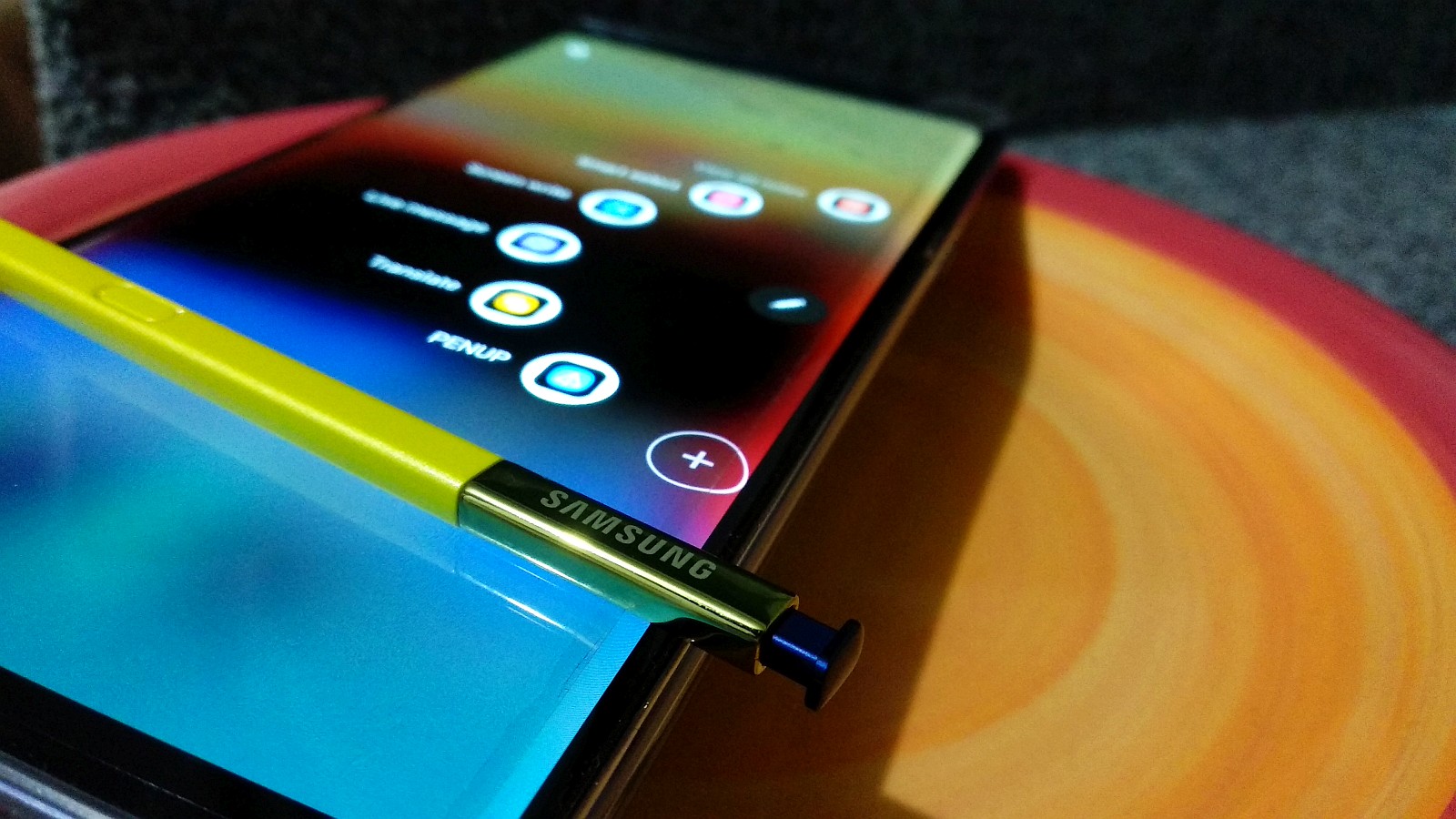
    Another great smartphone for seniors is the Samsung Galaxy Note 9. This massive phablet is a great cross between a phone and a tablet and sports a handy stylus. The pen is a favorite of older phone users who love to have precise control when it comes to touch screens. Tight, tactile and easy-to-use, the Note 9 is an example of everything a phone should be.

    The Note 9 also uses biometric scanners to unlock the phone. You can opt to use either fingerprint scanners, iris scanners or both to open the phone, meaning you don’t have to constantly enter a password over and over to access your phone’s information. Much like the iPhone, there is also an integrated voice assistant in the form of S Voice. This allows you to use your voice to make calls, video chats or send text messages.

    In all, there are many great options for phones for seniors out there. However, these are some of the best overall options. Big displays, easy access and great video chat services all make these ideal choices for seniors.

  • Your iPhone or Android is About to Cost Even More

    Your iPhone or Android is About to Cost Even More

    If you complained when phones were free because you were asked to sign a contract, you probably aren’t happy nowadays! We are now at a place where a new iPhone could cost up to $1449. Just when you think phone prices are as outrageous as it could get, Qualcomm says hold my drink…

    Rising prices aren’t unusual on their own. Faster, better components like processors and cameras cost more to make. Add in the cost of researching and developing new materials into the final product, and then we have the Trump trade war and inflation to affect the cost of new tech. If all of that weren’t enough, chipmaker Qualcomm is increasing their licensing fee for each new 5G chip.

    Qualcomm reported a sharp decline in their quarterly profits, largely due to a reduction in the amount of money they obtain from licensing their patents to other companies. Qualcomm is tweaking their licensing program and will charge handset makers for their 5G intellectual property. Specifically, the company said that they could charge smartphone manufacturers up to $16.25 in royalties for every 5G phone they sell. They also stated they would cap their royalty rates at $500 for the selling price of the phone. This means the manufactures will have to pass on the cost to consumers to help cover this new charge.

    iPhone Cost and Why They’re So Expensive

    Apple has slowly increased the average price of an iPhone since 2007, but with the $999 iPhone X release last year, it made an even bigger leap than usual. A year later, after the shock value of a thousand dollar smartphone had largely worn off, Apple made yet another jump. The iPhone XS Max, which starts at $1,099 and can cost up to $1,449 for the model with the most memory, makes it the most expensive iPhone ever.

    Tim Cook, Apples CEO, does not believe the iPhone is too expensive. He states “The phone has replaced your digital camera. You don’t have a separate one anymore. It’s replaced your video camera. It’s replaced your music player. It’s replaced all of these different devices,” Cook said. “And so arguably the product is really important. And we’ve found that people want to have the most innovative product available and with that, it’s not cheap to do.”

    These steadily rising prices across Apple’s portfolio and the mobile category indicate that costlier devices are here to stay . This is our own fault for buying them in mass droves in the first place. We have no one to blame but ourselves!  I don’t regret my own decision, I’ll probably even do it again this September.

    Don’t Worry, Androids Mid-Level Phones are Still Affordable

    iPhones are expensive, rightfully so, since they are of much higher quality and consistency than some competitors. But, you can only get the iPhone from one manufacturer – Apple. The operating system used in the iPhone, iOS, is a proprietary Apple product. You can’t just get your own copy of iOS and put it on phones and sell it. Tie that in with tight distribution procedures and you have a solid way to control the market. Android does not operate this way, so that makes them cheaper, right? Not really.

    Android phones use an operating system that is open-source. Android is actually just another distro of Linux, although it runs some independently-developed software on top of the Linux kernel in place of the GNU userland tools used in desktop Linux. You can even see what kernel version you’re running in the settings of any Android phone. One would think this would help decrease cost to the consumer, but no.

    While a lot of different factors are creeping prices higher, some revolutionary tech advancements will only add to these still-rising costs. Android will have its own price increase issues in the near future. As Android phone makers struggle against premium priced components like more robust chipsets and unfathomable cameras, they’re also anticipating new designs.  These include 5G and foldable designs that are crucial to helping their brands stand out in a over-saturated and mundane line-up.

    Making newer cutting edge phones in 2019 is getting even more expensive. The 5G phones and foldable designs seen in the upcoming “Galaxy X” will be a whole new ball game, and ball games are never cheap.

    SmartPhones Will Be a Major Expense Over Your Children’s Lifetime

    Kids are getting their first smartphone at the average age of 11 in today’s world. Assuming the average cost of a smartphone stays the same, with the average amount spent per year in the U.S. on cellphones, and the average  upgrade every 32 months, things will only get more expensive.

    Factoring in the typical smartphone costs and usage patterns, your children will end up spending a staggering $75,000 apiece on their phones over the course of their lives. Mind Boggling!

  • Galaxy Note 9 “Best Phone for Seniors”?

    Galaxy Note 9 “Best Phone for Seniors”?

    I spent much of the prime youthful years of my life teaching senior citizens how to cope and use their smartphones. I would host seminars 3 times a week inside the verizon stores for just this. For years I always recommended the iphones to our senior customers, but now im starting to think the Galaxy Note 9 may be the  best phone for seniors. Here is why…


    While I have said the Galaxy Note 9 puts powerful technology in the hands of the tech geeks and gamers who demand more powerful and more screen from their smartphones. It most certainly boast innovative features and design make it the only phone to keep up with the next generation of  senior users. There is 2 big reasons I believe the Samsung note is the best phone for our senior community, intuitiveness and screen size.


    The Intuitive Galaxy note 9

    For years the greatest generation and early gen x crowds where taught everything the way it had been taught before. There were always steps, reasons and an order to everything, weather it was building a fence or cooking a recipe. There was a memorization to everything they learned. That’s not the case with technology today, you can not memorize the steps it takes to make a phone call or send a text because its always different depending on the screen you are on. You have to look at your phone like you are Detective Columbo, Whats here that wasn’t here before? What’s not here that was here before, and what has changed? The great thing is our seniors have started to master this, and that’s why I think the Note 9 is a great step up for them.

    The Note 9 offers a lot of intuitive features that make expanding on basic use very easily. Samsung has improved the positioning of the fingerprint scanner for this large phone. This time it sits centrally, below the camera. This should be a much more intuitive fit for your index finger, particularly in a giganto-phone like this.  Making it easier for seniors to unlock their phone when they forgot their passwords.

    I Can See that Screen

    the Note 9 is the megalodon of the Galaxy line-up. And this year it’s bigger than ever, offering a 6.4in screen that pips its predecessor by an all-important 0.1in. Galaxy Note 9’s design is pretty familiar. It has a curved sheet of Gorilla Glass on the front, slightly less curved Gorilla Glass on the back and diamond-cut aluminium around the sides.   This makes it very easy to see, and in the crisp contrast of the dark on light font, smaller words and Icons tend to stand out.The Galaxy Note 9 uses one of Samsung’s ultra-bright, mega-sharp Super AMOLED panels, which lets you choose between reserved, natural colour or tones so bold they barely look real. Really makes the screen pop and extremely easy to see.

    Are you worried it’ll be too big for your pockets? The Note 9 measures 161.9 x 76.4 x 8.8mm, and weighs 201g. That’s only 0.2mm thicker and 1.6mm wider than the smaller Note 8. Should fit great in those front trouser pockets, I know mine does


    That S pen

    One thing i’ve noticed with senior smartphone users is they like the stylus option. This is another great reason for the Galaxy Note 9 and the included S pen. The S Pen stylus can still do all of the note-taking, transcribing, and scribbling that you could want across a wide range of apps, but now it has a whole new suite of functions too. This promotes the S Pen to a surprisingly useful tool for an active senior Note 9 user.


    Where Can I Get The Galaxy Note 9?

    The 128GB Galaxy Note 9 can be purchased through carriers including AT&T, Sprint, T-Mobile, U.S. Cellular, Verizon Wireless and Xfinity, along with Best Buy, Costco, Sam’s Club, Straight Talk Wireless, Target, Walmart, Samsung.com and the ShopSamsung app.

  • Project Fi Becomes Google Fi

    Project Fi Becomes Google Fi

    Three years ago, Project Fi launched as Google’s exploration of cell service and now it appears that Google is ready to bring Fi to the masses. Now known as Google Fi, the service has been expanded to support more phones, including iPhones and a majority of Android devices.

    google-duplex

    MVNO

    Google Fi is what’s known as a “mobile virtual network operator,” or MVNO. This means that your actual service is still coming from larger carriers. Supported are T-Mobile, Sprint and US Cellular, and you are able to dynamically switch between carriers.

    Pricing Made Easy

    Possibly the best feature of Google Fi is the simple price model and a program called Bill Protection. You’ll pay just $20 per phone line and $10 per gig of data with a cap of $60 per month to prevent any surprises.

    This is particularly great for devices that you may not use terribly often. Or for devices where you want a data-only SIM.

    Commitment from Google

    We won’t mention Google Fiber, which was a broadband initiative that started aggressively before floundering. But it is nice to see Project Fi graduate beyond “project” level and become a full-blown Google service.

    Google’s expansion into supporting more phones, including iPhones, also shows a real commitment to the communication service.

    iOS Support

    Previously with Project Fi, you could purchase a data-only SIM for iPads to use as secondary devices. Fi SIMs have also historically worked in iPhones, but it was a process to adjust the data settings.

    Now, Google is supporting iPhones directly and have released a Google Fi iOS app to help ease new customers into the MVNO. Direct support of the iPhone is still in beta and some features are currently reduced or missing.

    Visual voicemails are the biggest missing feature, meaning that when someone leaves you a voicemail you will receive a text alert with a link to call and check your message rather than appearing in the native voicemail app. Furthermore, the VPN security feature that Android users can enjoy is currently missing from iOS.

    Overall, it’s a big step forward for Google’s MVNO service. Those who love Google and want a simple, dynamic phone service should absolutely look into Google Fi.

  • Google Pixel Slate: A Worthy iPad Competitor?

    Google Pixel Slate: A Worthy iPad Competitor?

    Apple is a hard act to follow. Their electronics have been the benchmark for smart devices for more than a decade now. Google now attempts to compete with the iPad with their new Google Pixel Slate. How does the hybrid 2-in-1 stack up, and is it worth the high price tag?

    Google Pixel Slate Review

    google-pixel-slate
    PC Mag

    Strengths

    Firstly, this device has great battery life and is reasonably powerful. It should have enough energy from a full charge to get you through a busy day with lots of tabs open and a lot of work on the device.

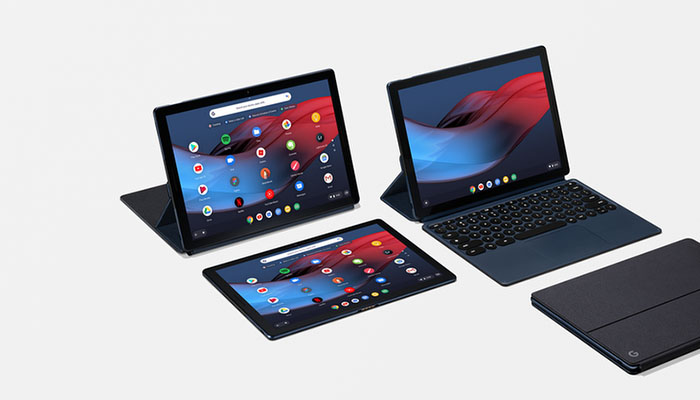
    The Google Pixel Slate is a great device for productivity. If you often use your laptop for typing and browsing the web, you can use a Pixel Slate for largely the same tasks. When it comes to completing tasks and staying on the ball, the Pixel Slate functions a lot like a laptop. Of course, you need one of those pricey keyboards for this to be true.

    Speaking of price, let’s get into that. This device costs about the same amount as an iPad, coming in at $600 for the base model. The more powerful versions are even more expensive. That’s before shelling out for a $200 Google Pixel Keyboard. Oh, and did we mention that the Pixelbook Pen is $100?

    Weaknesses

    Aside from the price, there are some major weaknesses in this tablet. For one, you have to use Chrome OS and the Google Play Store. When compared to the Microsoft Surface Pro, that makes this an inferior 2-in-1. Meanwhile, the device has inferior Pen tracking to the iPad, and works much less quickly and smoothly than Apple’s device.

    In all, it’s hard to say what this Pixel Slate is trying to be. If it was trying to be a more PC-like device, it falls short compared to the Surface Pro. If it was trying to beat Apple at the tablet game, it certainly doesn’t pull that off.

    Bottom Line

    It’s unclear who the Google Pixel Slate is for. Between its astronomical price and choppy performance, it’s very difficult to recommend this device over its competitors. You’re better off going with a Surface Pro or an iPad, depending on your needs.

  • Top Smart Home Gifts to Buy on Black Friday

    Top Smart Home Gifts to Buy on Black Friday

    The Google Home is getting better and better and that’s not going to change any time soon, especially considering Google’s artificial intelligence prowess. Google Home is a huge help to people who want a personal assistant for household tasks.

    But perhaps the best thing about the Google Assistant has nothing to do with the Assistant itself, but more to do with the fact that it can be used to control such a huge range of smart home devices. Unfortunately, not all smart home devices are created equal. If you’re looking to control your home with the Google Assistant, you’ll want to make sure you’re getting the right products.  That’s why we’ve put together this guide — to help you find the best Google Assistant-compatible products out there.

    Things like setting the lights, thermostat and music are as easy as using your voice with Google Home. To help you automate all the little things, here are the top 5 Google Home Devices you need for your home!

    Must-Have Google Home Devices

    Nest Thermostat

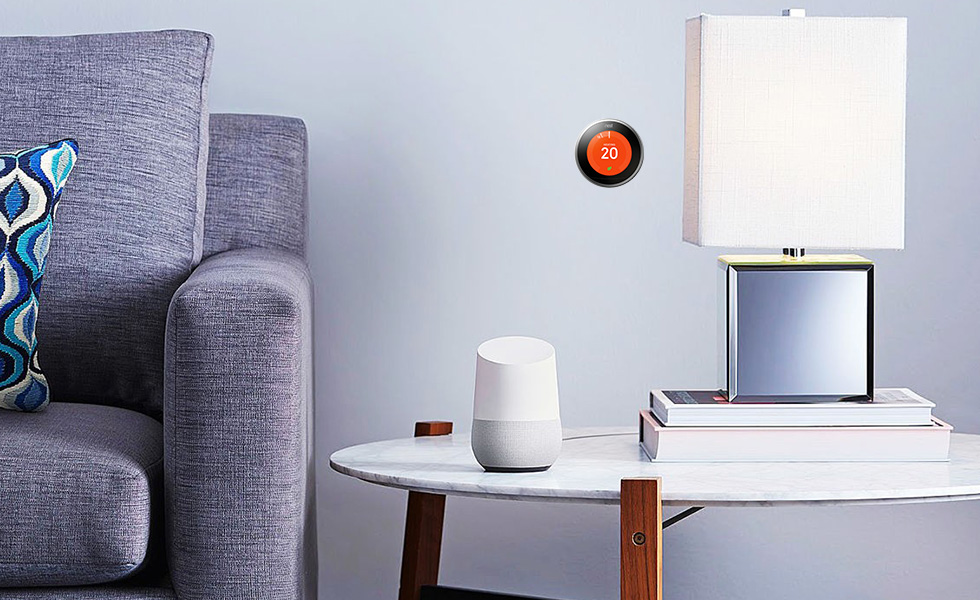
    The Nest Learning Thermostat is a great smart home device that works with Google Assistant. If you’re the kind of person who likes saving money on your power bill and keeping your home’s comfort front and center, you’ll want the Nest system. You can control your home’s temperature with your voice through Google Assistant or through the Nest app.

    The best part of this system, however, is the “Learning” part. The thermostat should learn your routine as you use it and develop a profile for you. This means that it will try to change the temperature intelligently before you even ask it to. When working properly, this means it keeps your power bill down and works invisibly. You shouldn’t even notice the system, as you’ll always be comfortable in your own home! How great is that?

    Nest Cam

    On the same note as the Nest Thermostat is the Nest Cam. Retailing at $300, the Nest Came is a pretty handy device. For one thing, it comes included with a Google Assistant, so you can control it with your voice out of the box. It’s also a great companion to an existing smart home system! It’s easily one of the best home security solutions for the money.

    If you’re often away from home and want to be able to keep an eye on things, the Nest Cam has you covered. Whether you’re checking in on pets or kids, or just making sure no one is in there when they shouldn’t be, the Nest Cam is super handy. It can even be set to function by being motion-activated. Hopefully you won’t need it, but it’s great to have! You can even view the camera’s feed from your smartphone over the internet.

    Phillips Hue

    The best way to equip your house with smart lights is through the Philips Hue system. These smart lightbulbs are really rather intuitive, and they work well with Google Assistant. The bulbs come with a variety of uses, as they can connect to several different smart home systems. If you have Alexa, for instance, these work well with that system too!

    To get started with Hue you need a Hue Bridge. Once you have that you can simply add more Hue bulbs to your Hue system. You can control the lights entirely with your voice, turning them on or off or even changing their colors. It’s a small touch, but it makes you feel like you’re living in the future when you can control your house with your voice!

    Hue makes it easy to set up and control the lights in your entire house. You need only get a Hue Bridge connected to your Google Home system. Then, you just tell it which bulb is in which room. You can even control the lights from a smartphone app while you aren’t home!

    Belkin WeMo

    The WeMo system by Belkin is a way to turn nearly any device into a smart device. WeMo plugs are smart switches that can simply be toggled on or off. That means if you plug a lamp into one, you can name that switch “lamp” and command it with your voice. Calling out “Google, turn off the lamp,” is a pretty satisfying command.

    The possibilities for WeMo are pretty wide and varied. It’s hard to overstate how handy this is for anything you want to become a smart device. Your speakers, your fans and the like can all be connected via this smart system. Talk about an easy way to get everything connected!

    Chromecast

    Ever wanted to pull up YouTube videos on your TV with your voice? Then you want a Chromecast. Simply tell Google what you want to see on the TV from the internet and Chromecast has you covered. It’s really quite satisfying to control your TV with your voice, and Chromecast isn’t even that pricey!


  • 5 “Smart Home” gadgets every house should have…

    5 “Smart Home” gadgets every house should have…

    It’s 2018 folks, and the future is here. Astronauts are driving Tesla’s through space and the Reese’s company is doing some really innovative stuff with popcorn. With all this technology around us, it’s easy to take it all for granted and we sometimes don’t get all the use we can out of it and take advantage of smart home gadgets.

    And the most important place you can use all this cool tech to your advantage is right in your very own home. Here are some amazing new smart home gadgets to make your life easier…

    1. The iRobot Roomba

    Ever since it’s inception in 2002, the Roomba vacuum has been an integral piece of smart home tech. With the ability to program this round robot to vacuum your home 7 days a week it can be a real time saver. With the latest 980 Model, the Roomba is more advanced than ever. With cutting-edge mapping technology and dirt detection programs, this “set it and forget it” vacuum is a must-have! For dog or pet owners like myself, I can stress it’s value enough. I have a lot on my plate and one thing I don’t to concern myself with is the daily sweeping thank to “Roger the Roomba”. Yes, I named my Roomba, he’s family, folks. Word of advice…there are several competitors is the robot vacuum department, do yourself a favor and stick with the iRobot Roomba. You may a little more, but in this case “you get what you pay for”. This has been probably the best $900.00 I’ve ever spent.

    2. The Nest Thermostat

    Coming in at a price tag of $279.00, the Nest Thermostat is well worth the extra cost. Thanks to it’s smart and adaptive AI, the Nest knows when your home and learns your work schedule to monitor the A/C usage. You can also control the thermostat right form your Nest App on your mobile device to fine tune your A/C needs. For a native Floridan like myself, A/C usage and consumption is a real beast you have to tame. In the summer months, electric bills can soar thanks to primitive thermostats. There is nothing like a thermostat shutting down for the day knowing you’re at work, and then turn on a half hour before you get home so you don’t walk into a hot and muggy house. It’s just bliss. Once I had installed the Nest, I noticed an immediate 50% drop in my A/C consumption and a large drop in my electric bill respectively. This is a must-have in your home.

    3. Brilliant Light Switch

    With the ability to control your homes, light, music, ambiance, and even take pictures with voice commands, the Brilliant light switch is a 2018 must-have gadget for your home. The brilliant light switch also connects to several of your home’s smart gadgets such as Nest, Alexa, Sonos Speaker, Ring doorbell system, and more. Starting at $200.00 per panel, Brilliant Switch is a costly addition but this innovative new gadget gives your home a brain.

    4. Amazon Echo and Echo Dot

    This smart home “must” is quickly finding it’s way into every home, worldwide. Alexa and Echo Dot, is a voice-controlled system that used to play music, make calls, send and receive messages, read the news, set alarms, and even order and Uber or takeout! With the capability of syncing up to Amazon-Fire, Apple Music, Audible, Pandora, and more, you easily find usage and justification for this piece of smart tech in your home. At a price tag of $150.00, the Amazon Echo has many uses to help in your home and is a fantastic smart home gadget. Word to the wise, Alexa has a built-in microphone for consumer purposes that is ALWAYS LISTENING…Use responsibly. 

    5. The Ring II doorbell system

    The Ring Video Doorbell, provides you with the capability to see who is at your door from the safety and comfort of your bed or couch. It lets you accept or deny visitor calls if you’re not home, and uses motion detection to alert you of activity on your doorstep even when the bell hasn’t been rung. By working off your home’s Wifi and mobile data, the 1080HD  camera will alert your smartphone of any activity at your doorstep day or night. For an extra $3.00 a month, you can pay for cloud storage and have all moments video recorded for later purposes if desired. The newest model also has a 2-way intercom system, and infrared night vision. For that extra bit of security at a relatively inexpensive cost of $199.00, this doorbell is the must have for any smart home.

    The Conclusion

    With so many smart gadgets available, some better than others, these products can make our homes better, safer, and more convenient. 2018 is going to be a big tech year and the “smart home” business is growing ever more advanced daily. If you can pick-up just one of these items this year, you’ll be headed in the right direction. I’m still anxiously awaiting the release for Rosie the robot maid, but I may have to hold my breath for a while.


  • 5 Google Home Devices You Need

    5 Google Home Devices You Need

    The Google Home is getting better and better and that’s not going to change any time soon, especially considering Google’s artificial intelligence prowess. Google Home is a huge help to people who want a personal assistant for household tasks.

    But perhaps the best thing about the Google Assistant has nothing to do with the Assistant itself, but more to do with the fact that it can be used to control such a huge range of smart home devices. Unfortunately, not all smart home devices are created equal. If you’re looking to control your home with the Google Assistant, you’ll want to make sure you’re getting the right products.  That’s why we’ve put together this guide — to help you find the best Google Assistant-compatible products out there.

    Things like setting the lights, thermostat and music are as easy as using your voice with Google Home. To help you automate all the little things, here are the top 5 Google Home Devices you need for your home!

    Must-Have Google Home Devices

    Nest Thermostat

    The Nest Learning Thermostat is a great smart home device that works with Google Assistant. If you’re the kind of person who likes saving money on your power bill and keeping your home’s comfort front and center, you’ll want the Nest system. You can control your home’s temperature with your voice through Google Assistant or through the Nest app.

    The best part of this system, however, is the “Learning” part. The thermostat should learn your routine as you use it and develop a profile for you. This means that it will try to change the temperature intelligently before you even ask it to. When working properly, this means it keeps your power bill down and works invisibly. You shouldn’t even notice the system, as you’ll always be comfortable in your own home! How great is that?

    Nest Cam

    On the same note as the Nest Thermostat is the Nest Cam. Retailing at $300, the Nest Came is a pretty handy device. For one thing, it comes included with a Google Assistant, so you can control it with your voice out of the box. It’s also a great companion to an existing smart home system! It’s easily one of the best home security solutions for the money.

    If you’re often away from home and want to be able to keep an eye on things, the Nest Cam has you covered. Whether you’re checking in on pets or kids, or just making sure no one is in there when they shouldn’t be, the Nest Cam is super handy. It can even be set to function by being motion-activated. Hopefully you won’t need it, but it’s great to have! You can even view the camera’s feed from your smartphone over the internet.

    Phillips Hue

    The best way to equip your house with smart lights is through the Philips Hue system. These smart lightbulbs are really rather intuitive, and they work well with Google Assistant. The bulbs come with a variety of uses, as they can connect to several different smart home systems. If you have Alexa, for instance, these work well with that system too!

    To get started with Hue you need a Hue Bridge. Once you have that you can simply add more Hue bulbs to your Hue system. You can control the lights entirely with your voice, turning them on or off or even changing their colors. It’s a small touch, but it makes you feel like you’re living in the future when you can control your house with your voice!

    Hue makes it easy to set up and control the lights in your entire house. You need only get a Hue Bridge connected to your Google Home system. Then, you just tell it which bulb is in which room. You can even control the lights from a smartphone app while you aren’t home!

    Belkin WeMo

    The WeMo system by Belkin is a way to turn nearly any device into a smart device. WeMo plugs are smart switches that can simply be toggled on or off. That means if you plug a lamp into one, you can name that switch “lamp” and command it with your voice. Calling out “Google, turn off the lamp,” is a pretty satisfying command.

    The possibilities for WeMo are pretty wide and varied. It’s hard to overstate how handy this is for anything you want to become a smart device. Your speakers, your fans and the like can all be connected via this smart system. Talk about an easy way to get everything connected!

    Chromecast

    Ever wanted to pull up YouTube videos on your TV with your voice? Then you want a Chromecast. Simply tell Google what you want to see on the TV from the internet and Chromecast has you covered. It’s really quite satisfying to control your TV with your voice, and Chromecast isn’t even that pricey!


  • iPhone XR, The iPhone Medium?

    iPhone XR, The iPhone Medium?

    When Apple announced its next generation of iPhones last month, the iPhone XS and XS Max were the focus and premium phones.Then they mentioned the Iphone xs step child,  the iPhone XR. The colorful new addition to the iPhone group. THe iPhone XR ditches many premium features from the XS. This feature slim down slims down its price — starting at $749. Lets take a moment to see if the iPhone XR is the right iphone for you.

    Whats Not in the iPhone XR?

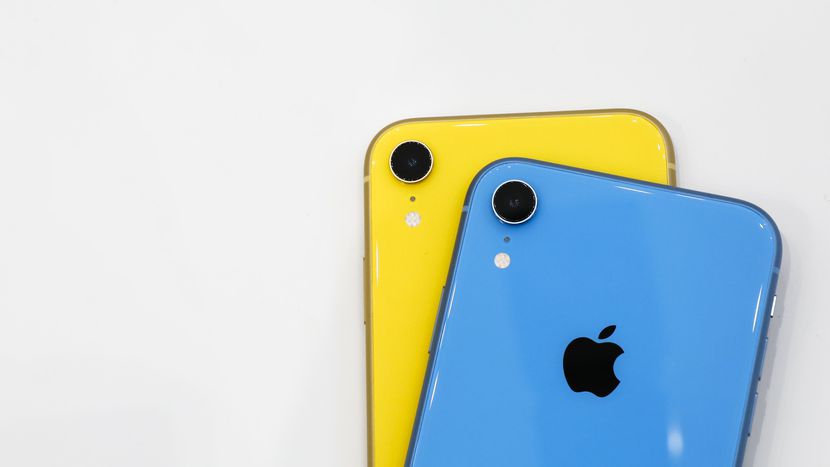
    Cutting straight to the chase is the iPhone XR’s six different colors, its use of a 6.1-inch LCD instead of OLED, and the presence of a single camera on the back instead of the dual camera on the XS . Some videos address the phone’s ability to simulate the XS’s depth-of-field effects, and the replacement of 3D Touch with haptic feedback.

    So in summary;

    • LCD Screen not OLED
    • Signal Camera
    • No 3D Touch

    Why Would I Buy The XR

    There is good reason to purchase the XR. The savings of $400, is the big reason. That $400 is before any carrier promotions, which will flood in one the XR. The LCD vs OLED is a big deterrent, you want OLED. LCD screens with LED  Backlighting achieve improved contrast ratio via light-emitting diodes that provide the necessary backlighting instead of CCFLs found in older LCD models. OLED, however, uses an organic substance that glows when an electric current is introduced. make sense? yeah me neither, but you can tell by looking at them.

    After that, the camera, dual cameras,  are  better than a single camera? the answer is a little convoluted. Generally, yes, the modern dual camera systems tend to offer better overall performance over a single camera system—especially in the most recent systems, which have evolved past limited use-cases to full implementation. In short dual camera can help you get a sharper image with more details, enable an ultra-wide angle mode or simply help you take photos with a shallow depth of field to make the subject stand out. At times, the dual camera setup can also help you add 1x or 2x optical zoom to the phone. Now the iPhone XR does mimic some of the features of the dual camera to not make you feel left out. ie the blurry backgrounds.

    The Colors!!! Like the iPhone 5c, there are a plethora of colors to choose from. This makes it appealing to children allowing you to purchase them for your kids with out the guff that they didn’t get the “one they wanted”. Downside to this, they always want the color the other one has. It will come in White, Black, Blue, Coral, Yellow, PRODUCT(RED).

    The Final Thought

    It is the next generation of iPhone and will be available to order on October 19th and available in stores on October 26th. The iPhone XR will feature a Liquid Retina edge to edge LCD Display, A12 bionic chip, TrueDepth Camera system with Face ID, and iOS 12. Really its just cheaper and you probably wont notice the differences, it is also bigger then the XS but not the XS Max. Maybe they should have called it iPhone Medium?