Category: Uncategorized

  • What’s the Best Website Builder for 2021?

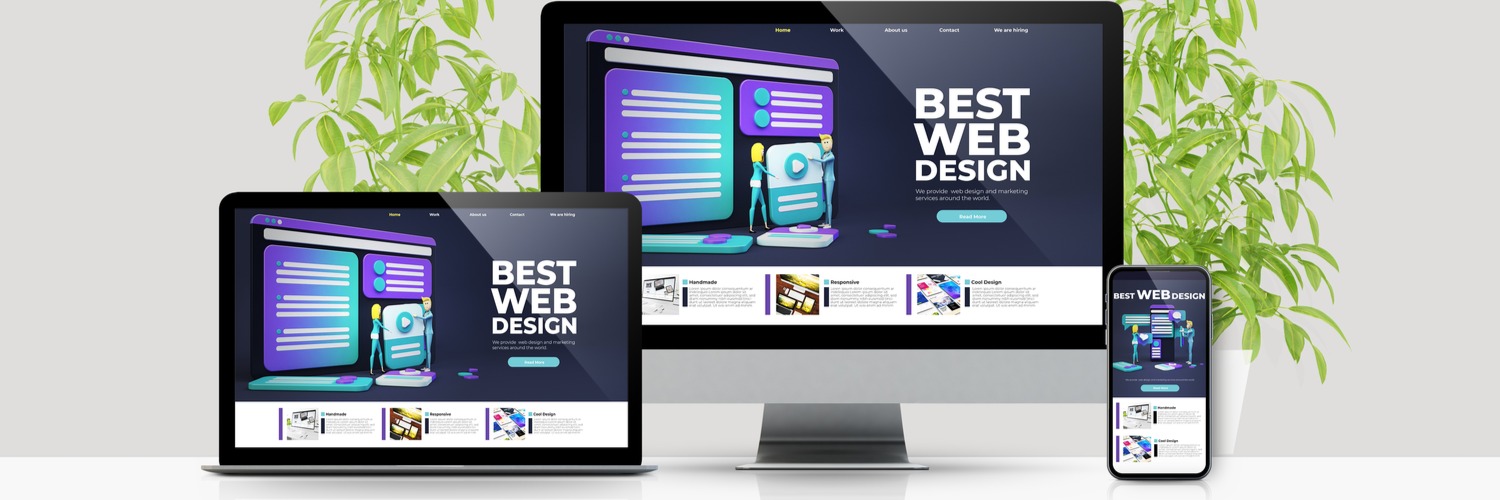
    What’s the Best Website Builder for 2021?

    When it comes to making websites, it’s much easier today than it was 20 years ago. If you’re looking to make a great website, look no further than these excellent resources. Below are our picks for the best web creation tools for 2021!

    The Best Website Builder tools for 2021

    Wix

    Wix is a cloud-based site building platform that is quite popular. It offers a lot of templates and tons of customization options. Their site builder is a drag-and-drop style, meaning it’s incredibly straightforward and easy-to-use. If you’re brand new to web design, it’s a great launching point. Their free version has limited bandwidth and storage, but you can use it to see if you like the style. If so, you can upgrade to premium and get to building more content for your site! The downsides are there, though: it’s unwieldy to move from Wix to another platform. That said, it’s still a good choice.

    Shopify

    A great resource for building online storefronts, Shopify is a fully-hosted site builder. All the data and backups are hosted on their servers. They’re a little on the pricey side, but they offer a great service. You can even integrate your Shopify page into WordPress! They also use a drag and drop style, meaning building your site is very straightforward. If you’re looking to open an online storefront, this is your way to do it.

    Weebly

    Weebly is another fully-hosted site, which is a pro and a con. While your data is backed up and safe, you also can’t change the site functionality. Their site builder is quick and intuitive, though, so you’ve got nothing to worry about there. They also have e-commerce integration, but they charge a 3% transaction fee. All said, they’re a good choice, but not the most popular.

    Squarespace

    Thanks in large part to aggressive advertising via YouTubers, Squarespace is a well-known name on the internet. The web-building tools are top-notch, and it’s easily one of the best out there. You don’t sacrifice a good-looking website for how easy it is to build with the platform. Many swear by the platform’s tools, and it’s rapidly gaining ground as a favorite of web-builders. The only downsides are the limited third-party integration. For instance, they only accept transactions through Apple Pay, PayPal or Stripe, so your options are limited.

    WordPress

    One of the most popular web platforms, WordPress is a fantastic resource. In fact, the site you’re currently on is powered by WordPress! It’s a relatively inexpensive service, but it has a bit of a learning curve. That said, it’s a flexible and robust tool to create any kind of site you would like to make. If you want to exert maximum control, this is a great tool for you! Consider WordPress if a small learning curve doesn’t deter you from making whatever site you have in mind.



  • The Top 3 Applicant Tracking Systems

    The Top 3 Applicant Tracking Systems

    An applicant tracking system (ATS) is a software application that enables the electronic handling of recruitment needs. An ATS can be implemented or accessed online on an enterprise or small business level, depending on the needs of the company and there is also free and open source ATS software available. 

    When you apply for a job online, your resume isn’t typically going directly to a recruiter or hiring manager. It’s first being processed by an ATS. Whether that human recruiter ever sees your resume could depend on how well your resume is optimized for ATS algorithms.

    Why employers use applicant tracking systems

    Top employers hire for several jobs at a time and receive hundreds of resumes for any given opening. Because applying for a job online is easier than ever, many of these applicants are unqualified and figured “it was worth a try.”

    Applicant tracking systems keep all these resumes in one place, helping recruiters and hiring managers stay organized as well as EEOC compliant. In theory, these systems also save time by automatically surfacing and highlighting top candidates. In reality, ATS do help hiring professionals narrow their applicant pool, but top candidates slip through the cracks.

    Most large corporations utilize applicant tracking systems. Jobscan research found that 98% of Fortune 500 companies use ATS while a Kelly OCG survey estimated 66% of large companies and 35% of small organizations rely on recruitment software. If you’re applying to a large organization, chances are you’ll face an ATS. If you’re applying through any online form, you’re applying through an ATS. Even job sites like Indeed and LinkedIn have their own built in ATS.

    Viewing Applications

    Some recruiters still choose to glance at every job application that comes through their applicant tracking system. In this case, most take a quick glance at the applicant’s past highlights, job titles, and companies. They can make a determination about whether they want to learn more in about 6 seconds. It’s important to make sure your top skills and qualifications are easily identifiable.

    Automatic Rankings

    Some applicant tracking systems can automatically compare your resume to the job description. For example, Taleo calls this feature “Req Rank,” which ranks each applicant based on how well their resume scores based on the job description. A common way recruiters filter resumes in an applicant tracking system is by searching for key skills and titles. For example, if a recruiter is hiring for an Administrative Assistant position out of 400 resumes, their first step will probably be a search for “Administrative Assistant.” This will isolate candidates that have done the exact job before. Anyone that doesn’t have that exact term in their resume is out of luck. A search can contain multiple terms. For example, they might perform a complex search that contains a combination of titles and skills important for the job:

    Administrative Assistant AND data entry AND payroll …

    Candidates who can predict the correct resume keywords will have the greatest chance of being included in recruiter search results. The best way figure out which skills and keywords to include is by analyzing the job description. Jobs can automates this process by analyzing your resume against the job description to show the top skills and keywords missing from your resume.

    Our Top 3
    #3. Homebase

    Homebase makes hourly work easier for the whole team. With free online tools and mobile apps for managers and employees, Homebase eliminates the paperwork and headaches of scheduling, payroll, hiring and team communication. Start saving 4+ hours every week by visiting joinhomebase.com. Used by over 100,000 businesses of all sizes across the US.

    #2. BambooHR

    BambooHR offers easy, integrated applicant tracking (ATS) as part of our award-winning cloud-based HR platform. Onboarding tools, e-signatures, time-off tracking, performance management, plus easy reporting and a convenient mobile app set you free to do great work. Released from the data management spiral, HR professionals become more effective, more efficient, and more human. Visit bamboohr.com or give us a call to see a demo and start a free trial.

    #1. Breezy HR

    The most highly rated ATS on Capterra, Breezy streamlines your entire hiring process; giving you more time to connect with candidates by automating tasks like advertising on 40+ job boards, screening, interview scheduling & follow-ups. We include all the tools your team needs to hire more efficiently, from referrals & sourcing tools for LinkedIn and dozens of others to custom scorecards & interview guides. With Breezy, you’ll be making better, hiring decisions in less time. It’s GDPR compliant.

    If you own a business and found this article helpful, you might like our article about the top cloud services of 2018.


  • 2021 Ford Ranger: A Worthy Compact Pickup?

    2021 Ford Ranger: A Worthy Compact Pickup?

    After a long eight-year hiatus, the Ford Ranger is back on the market. The 2021 iteration of the vehicle comes in a bit bigger and meaner than some prior builds, which reflects modern trends towards overall larger vehicles, even among compacts. Today we’re looking at the Ford Ranger to get a feel for its features and whether it’s a worthy successor to the name. Let’s talk about compact pickups!

    2021 Ford Ranger

    Styling

    The vehicle is stylish, to be sure. Fans of Ford’s trucks, like the F-150, will be pleased by the smooth curves and stylish creases found along the body. The grille is narrow and sleek, and the truck has an overall feeling of elegance and stylishness not found in some competitors’ compact trucks. It’s hard to mistake this vehicle for anything but a Ford, with its telltale body lines and iconic styling.

    Interior

    One of the weak spots for this new Ford Ranger is the interior. While far from “bad,” it’s not quite up to par with a lot of the competition. The build quality of some of the plastics, such as on the door and in the center console, is lower quality than we’d expect. Despite being a brand-new model for 2021, the Ranger’s interior feels straight out of 2009.

    On the positive side, the infotainment system is stellar and quite user-friendly. It’s not hard to get your music going, to navigate through unfamiliar regions, and to handle all of your setting through the big touch screen.

    Engine

    What the Ranger is missing in the interior it more than makes up for under the hood. This is where that Ford name really means something: the engine can put out some serious torque, coming in at 310 pound-feet. It’s sporting 270 horses, and it puts out that satisfying rumble when you gun it. Interestingly, the same four-cylinder engine is present at all trim levels.

    While the Ford Ranger’s base trim offers a better engine than most other compact trucks, the lack of options to upgrade to a V6 or diesel engine is notable. Most competitors’ compact pickups offer these as options, though this doesn’t mean that the Ranger’s engine is bad. It’s just an odd design decision.

    Towing

    Arguably the most important thing for a pickup is its ability to tow and haul. Thankfully, the Ranger has that area covered. The truck comes standard with a 6-foot bed, and can carry upwards of 1,560 pounds of payload. This makes it, far and away, the best pickup in the class for hauling cargo in the bed.

    Meanwhile, it can tow up to 7,500 pounds, putting it near the top of the heap among compact pickups. Really, the only truck in the compact class beating the Ranger in terms of towing is the Chevy Colorado, which tows 7,700. A difference of 200 pounds isn’t enough to be notable for most uses.

    Safety Features

    Another important factor of any vehicle is the safety features. The Ranger offers a number of features standard, from the rearview camera to the forward collision warning. Automatic emergency breaking accompanies the pre-collision system, making the vehicle safer for many drivers.

    Another huge safety features is the Ford MyKey system, which allows the primary driver to set volume level maximums and top speed limits for secondary drivers. This means you don’t have to worry about a teen driver cranking up the music and flying down the road!

    Pricing

    The base trim for the Ford Ranger comes in at $24,000, making it a rather affordable purchase for most people. Higher trim levels can get up to $38,000 or more, depending on the options you want to add to the vehicle. Either way, this is a solid compact pickup, and a good choice for anyone who needs to tow cargo.


  • Home Decor Pro Tip: Lighting and Paint Tricks to Make Your House Look Bigger

    Home Decor Pro Tip: Lighting and Paint Tricks to Make Your House Look Bigger

    When I was a kid I had dreams of playing center field for the Yankees or starting my own internet company. Now that I’m an adult homeowner, I just want a lush green looking yard and to walk into my big, well lit, well-painted home. I guess it’s all about perspective. I mean a well-lit living room,  matched with the right paint colors,  can make your room look so much bigger, inviting, and warm, while totally evolving the feng shui.

    That first step into your own home is important. You want it to completely welcome you home and put you at total ease. To tell you the truth I haven’t decided whether I want that initial reaction to being that of a warm cozy home,  or big open and spacious home. Luckily both of this can be achieved with the right paint and the right lighting. Yes, it’s very true different paint colors and styles can have completely different effects on your rooms.

    The right lighting and paint can set the tone for the rest of your house. You can manipulate this tone at your will based on your color choices. Let’s take a deeper look into how paint colors and lighting can change the feel of the room and the tone of your home.

    Two Main Choices, Light or Dark

    Just like McSorley’s on 2nd ave, there are only two choices. Light or dark. The light will make your eye travel continuously around the room.  This gives the effect of making the room appear more spacious and open. The color of a lighter room tends to recede, giving a cooler vibe. You want to use light colors to create a feeling of openness in a room and make it feel more expansive.

    This is great for small apartments or tight bedrooms. Light colors will bounce whatever light is available in the space, which can help if you don’t have great natural light. We will get to more on lighting in a bit.

    When you decide to go from a dark color to light you will need to prime the wall with a white primer first. This is important, don’t skip this. Pick your colors carefully, know how they will react to their surroundings, i.e. white absorbs no light, just reflects. Whereas blues absorb red lights. When selecting your light colors, remember different colors will draw the eye to the separation and will stop where the colors change.

    If you use one color the eye keeps moving from room to room and judges the space as being larger than it is. I would recommend this for a smaller home.  If you are getting a claustrophobic feeling from your room try painting the ceiling a lighter color then the walls. This will make the ceiling look like it has been elevated and larger.

    The dark paints create a cozier and warmer feel but makes the room feel smaller in doing so. If your house is set up to walk into a big open space, using dark colored paints is a great way to make it feel more comfortable. For a great effect try painting the ceiling a darker color than the walls to make it appear lower.

    I deeply enjoy the look of dark colored walls with a nice bright white trim. The contrast establish a border and boundary that the eye picks up immediately. It’s like it adds a sense of order to the room, but you can extend the trim to other rooms. This will give the effect of a continuous space, with both the coziness and the openness at the same time.

    Don’t Be Afraid of Change

    It’s best to play around with the coloring and change it every so often. I like to change mine for the holiday seasons, adding light colors to the open spaces with some deep reds as a contrast walls. It makes my holiday decorations pop. Speaking of contrast walls, let’s talk about their purpose in small narrow rooms.

    If you paint both end walls of a narrow room darker than the other walls, the end walls feel closer to you. It will make the room appear more of a square shape. In a bigger room, a nice look is to divide the walls with a lighter color on top and a darker color on the bottom.

    Lighting

    Now onto lighting, everything can affect the lighting. Lighting also affects eveything. Let’s start with your room placement. A north facing room will appear cooler and bluish. If your room is south facing dark colors will look brighter; lighter colors will virtually glow.

    To the east is great for reds and yellows, your colors will look warm and yellowy before noon, then turn bluer later in the day. West facing you will want to go with something bold, the morning light makes the colors look dull, however they are stunning in the evening light.


  • Which Cloud Storage Service is Right for You?

    Which Cloud Storage Service is Right for You?

    There a ton of great options when it comes to cloud storage! Many of them are free, but some offer some interesting paid features. If you have a lot of storage needs, whether it be for business or personal use, consider these great options for cloud storage!


    Google Drive: Google Drive is part of Google’s office suite, and it’s surprisingly competitive with Microsoft’s offerings. For having a Google account, you get 15GB of storage for free. For documents and pictures, 15GB is a good bit of storage! Google also offers a few packages for higher amounts of storage. For 100GB, 1TB and 10TB, you pay $2, $10 or $100 per month, respectively. Given the free Google Office suite that comes welded to this service, many offices are opting to use it.  

    Google Drive has Android, iPhone and Windows apps, too! This makes it easy to sync files across multiple devices. Google Drive is ideal if you have a Chromebook, but it’s a great choice for eveeryday use too. You can’t go wrong with this one! 

    Amazon Drive: Amazon Drive is a great service if you already have Amazon Prime. Annual pricing is pretty reasonable for the cloud storage, but Prime members get unlimited photo storage as part of their membership! Those who just want to store stuff get 5GB for free and can upgrade to 100GB for $12 per year. If you really need more than that, they also offer 1TB of storage for $60 per year. If you need to store every film ever released, a 30TB option is available for $1,800 per year.  

    Amazon Drive uses a “delta sync,” like DropBox. This means, when you upload a file and then upload a changed version of the same file, it only saves the changes. This means it just makes alterations to the file rather than redownloading the whole thing. This saves time and bandwidth! You can also elect to throttle upload speed if you need to balance what’s using bandwidth. Bottom line, if you’re already using Amazon Prime, this is a great choice. Otherwise, there are better options. 

    NextCloud: If you don’t like the idea of Google or Microsoft or someone having access to your files, try NextCloud. You set up your own cloud storage through NextCloud, using your own server. While this might sound daunting to some, for tech-savvy users this is a great option. If you really want to exert total control over your cloud storage and backups, this is the way to go. The code is all open-source, so savvy users can run it all themseves. The service also offers private web messaging and conferences through NextCloud Talk and NextCloud Groupware. If you want to run a business and control everything from your own servers, this is the way to do it! 

    OneDrive: Microsoft’s answer to cloud storage is a great platform. Windows users have access to it as just another computer directory! It’s quite easy to access and offers 5GB of storage free to anyone. Just like Google Drive works closely with Google Office Suite, OneDrive works with Microsoft Office. If you commonly use Microsoft Word, PowerPoint and the like, OneDrive is a great option for you.  

    If you have an Office 365 subscription, you get an extra terabyte of storage for OneDrive too! For businesses, there’s also OneDrive for Business that grants access to both storage and Microsoft Office. It’s just under $9 per person per month, which is actually a pretty good rate!  If you already use a lot of Microsoft’s Office Suite, OneDrive is for you! 

    Most Generally Useful Cloud Storage: DropBox

    DropBox is a very well-known cloud storage platform for good reason. It can be accessed from pretty much any platform and is quite easy to use. You get 2GB of free storage, as well as a few extra GB for syncing your phone to your DropBox. By recommending friends you can get extra storage, too. You can spend $10 per month for an extra TB of storage, or you can get it for $100 per year.  

    The bottom line is that DropBox is easy and system-agnostic. It’s not married to any particular operating system or company. If you need a solid, dependable cloud storage platform that works on every device, DropBox is for you. 


  • Which Cordless Vacuum is the Best?

    Which Cordless Vacuum is the Best?

    Everyone hates vacuuming. I know I do! One thing that makes it a bit more bearable, though, is having a cordless vacuum. Not having to pick around chairs and tables to get to those out-of-the–way spots is a great feature, to be sure! The question is, which cordless vacuum is the best bang for your buck? You don’t want to buy a lemon and have to return it, so we’ve got a list of our favorites. If you’re looking to clean up with no cord, check out our roundup: it doesn’t suck, I promise!

    Shark Navigator Freestyle SV1106

    For an impressively low $130, you can pick up this excellent stick vacuum from Shark. It’s quite light and very easy to use and store! It’s also very powerful, great for big messes, and possesses two distinct brush speeds. This lets is work optimally on both carpet and hard floor! While it’s not quite as powerful as most upright vacuums, the low price and great versatility easily make up for it. If you have pets that shed a lot, this is a great choice, is it’s powerful enough to suck up pet hair. That all said, you can’t beat that price!

    Hoover Linx BH50010

    Hoover’s a respected name, and for good reason. This entry to our list retails for $200, which is a fine price, all said. While this vacuum has a shorter handle and no bag, it’s a very modern and useful appliance. It’s got edge-to-edge brush bristles and works great on carpet and floor. This one’s powerful and sports great performance even on rough messes. Not to mention, that shorter handle can recline all the way back to help you get those very out of the way spots. A great buy for the money, and well worth your consideration!

    Electrolux Ergorapido EL2055B 2 in 1

    For $279, this upright vacuum is a great deal. It’s super lightweight and very easy to maneuver around corners. It’s got great detachable tools for getting under sofas and close to walls, too! THat said, it’s not all sunshine and rainbows. For one thing, it only takes name-brand Electrolux filters. That’s an odd feature for a household appliance in 2018, to be sure. What’s weirder, it only works with name-brand accessories. What gives, Electrolux? More importantly, though, the vacuum isn’t as good on carpeted surfaces as we’d hoped. That said, this is still a fine pick if you’re looking for a great, light vacuum.

    Our Favorite Cordless Vacuum: Shark IONFlex 2x DuoClean IF251

    Easily the most expensive on the list, this entry from Shark retails for $450. However, it’s worth every penny of that steep price: it’s a supremely high-end piece of household technology. It sports two battery packs that last a very long time, and while you’re using one you can charge the other. The vacuum has a handheld mode that helps you hunt down those out of the way messes. And, of course, it’s just a great vacuum and picks up dirt like no one’s business. In a crowded field, this high-end cordless vacuum is the best of them.


  • Is Now the Time to Refinance Your Home?

    Is Now the Time to Refinance Your Home?

    When is the right time to refinance your home? That can be a tricky question, as the act of refinancing can be time-consuming and you want to make sure you’re getting the best deal. However, the general rule of thumb is that you want to refinance when you can save at least 2% of the interest rate of your current mortgage. Let’s get more into home refinance, what it means, and when you should pull the trigger.

    Remember: if you have specific questions about real estate or home values, you might wish to speak to a professional financial advisor. Everyone’s situation is unique, and while general rules are helpful, you’ll want specific advice when you go to make major moves like refinancing your home.

    Home Refinance

    What is Home Refinance?

    Home refinancing refers to a practice that involves taking out a new mortgage loan to pay off an existing loan. Broadly, this falls under the umbrella of a financial practice called debt consolidation. This might sound a bit odd at first. Why would you take out a loan just to pay off another loan? However, this makes more sense when you look at the benefits you could get. For instance, if you can get your interest rate lower on the new loan than your existing loan, it’s a good idea to refinance.

    Typically, people are going for the lower interest rate. However, there are other reasons to do this. These reasons could include switching from a fixed-rate mortgage to a variable mortgage, or vice versa. One could also make the switch in order to shorten the length of their mortgage.

    Lower Interest Rates

    One of the main reasons people will refinance is to get a lower interest rate. As a general rule, if you can reduce your interest rate by at least 2%, you should do so. In a market with historically low interest rates, you should also consider getting a fixed-rate loan, which will lock in a rate for the duration of the loan. This can give you peace of mind that the loan will remain stable even as the interest rates of the market go up.

    When one gets a lower interest rate on their mortgage, they have two options. First, they could simply opt to have lower monthly payments. This is great for people who might not have a lot of money left over at the end of the month. Another option would be to pay off the loan faster by keeping the payments the same. This is a great option for people who aren’t having any issue meeting all of their bills every month.

    Fixed Rate: The Right Call?

    Should you get a fixed rate loan when you refinance, or should you opt for an adjustable rate? This is a complex question that depends on a number of factors, like the length of the loan and the current interest rates in the market. However, as a general rule, if interest rates are low or your loan is for a longer period, you may wish to get the fixed rate. This locks in the interest rate and gives you peace of mind that you’re not having to keep up with the market’s rates.

    On the flip side, if you loan is longer, or if interest rates are historically high, you may wish to go with an adjustable loan. Adjustable loans change their interest rates based on the market, generally reflecting what you see on the housing market. These allow you to buy-in with a higher interest rate without worrying about getting stuck with it even while rates in the market fall.


  • This “Tesla Killer” is one to watch..

    This “Tesla Killer” is one to watch..

    TOKYO — Chinese electric vehicle startup, Xpeng Motors, has become the first automaker to adopt an artificial intelligence microchip for autonomous driving developed by U.S. tech company Nvidia, putting it ahead of industry giants such as Toyota Motor and Volvo Cars.

    Guangzhou-based Xpeng Motors, often referred to as China’s “Tesla killer,” late last month started deliveries of a new electric sedan, the P7. The car uses Nvidia’s in-vehicle computer, the DRIVE AGX Xavier, that controls the autonomous driving function.

    “Xpeng is helping usher in this new era of transportation with the AI-powered P7,” Danny Shapiro, Nvidia senior director who heads the automotive division, wrote in a blog.

    The tie-up between Xpeng and Nvidia points to a changing order in the automobile industry. In the past, the newest technologies were always adopted first by European automakers before their Chinese counterparts would follow. Now, those cutting-edge technologies are being introduced in China first.

    There are several reasons for such a change. For one, Chinese consumers have become more demanding and want to enjoy the newest functions, said a local executive at a Japanese automaker. The executive said Chinese consumers show a strong interest in new technologies, including self-driving functions and connectivity.

    The Chinese government is also keen to nurture the development of such technologies. Beijing has helped to develop cars with “Level 3” self-driving functions and had hoped to commercialize such cars by 2020. It has already approved road-testing for these vehicles. Self-driving technologies are ranked on five levels. Level 3 refers to longer self-driving capability than lower levels but these cars still require a driver onboard.

    Nvidia’s in-vehicle computer used in the P7 sedan claims to be able to perform 30 trillion operations per second but yet only consumes 30 watts of power. (Photo courtesy of Xpeng Motors)
    The government said in May that commercialization of those vehicles was now pushed back by five years due to the coronavirus outbreak, but it remains committed to promoting self-driving cars.

    Another reason for the change in the global industry is that Chinese automakers are focusing more on developing overseas markets. Chinese electric vehicle startups, in particular, are eager to challenge competitors such as Tesla on the world stage.

    “We don’t intend to expand our business by depending [only] on domestic demand in China,” said the chief executive of a Chinese EV maker. “We will grow in the global market while contesting head-on with Tesla.”

    Such industry changes were already happening in 2017 when NIO, a Chinese EV startup, became the first in the world to adopt Israeli company Mobileye’s EyeQ4 vision processor for autonomous driving and advanced driver assistance systems. Until then, Mobileye had provided its products to European automakers first.

    For Xpeng Motors, Nvidia’s DRIVE AGX Xavier will allow its cars to record and process more information. The car employs 14 cameras, five millimeter-wave radars and 12 ultrasonic sensors to ensure that it knows its surroundings.

    “DRIVE AGX Xavier, which has a high processing capacity, was needed for the car to process large amounts of sensor data,” said an engineer in charge of development at Xpeng Motors.

    Nvidia’s in-vehicle computer used in the P7 sedan claims to be able to perform 30 trillion operations per second but yet only consumes 30 watts of power. It is also able to update software wirelessly.

    While mass production of the P7 at its plant in Zhaoqing, Guangdong Province, has begun, Xpeng Motors is already “developing a next-generation EV with higher autonomous driving functions in collaboration with Nvidia,” said Wu Xinzhou, vice president of autonomous driving.

    Xpeng Motors has not revealed details of that vehicle, but it is likely to use Nvidia’s next-generation in-vehicle computer, DRIVE AGX Orin, as the brain for self-driving functions. That computer will have processing performance seven times higher than that of Xavier, according to Nvidia’s Shapiro.

    Nvidia plans to start shipping Orin samples in 2021. Shapiro said Orin would be installed in vehicles from around end-2022 at the earliest. Given close ties between the two companies, it would not be surprising if Xpeng Motors becomes the world’s first company to adopt Orin.

    Yet, such collaboration could abruptly be broken off by worsening relations between the the U.S. and China. U.S. policymakers could demand that American technologies be reserved for domestic manufacturers.

    Nvidia’s reliance on Taiwan Semiconductor Manufacturing Co., the world’s largest contract chipmaker, could also throw a spanner in the works. Like China’s Huawei Technologies, which has been sanctioned by the U.S., Nvidia has entrusted the production of its microchips to TSMC. It plans to use TSMC’s 7-nanometer processing capabilities for its Orin.

    TSMC has announced plans to build a new factory in the U.S., but production there will only begin in 2024, too late for the planned mass manufacture of Orin.

    Courtesty Nikkei xTECH/Nikkei Automotive


  • Finally! 5G is here and it’s spectacular

    Finally! 5G is here and it’s spectacular

    5G technology is now here, we can finally see the first phones using the new tech. This is a huge moment for technology. Are you ready for the changes? Many have wondered which first phones will be using the tech, well we’re going to delve a bit deeper into 5G technology and the smartphones we can expect to take advantage of it.

    5G technology, for the uninformed, is the next step in wireless connections. If you remember back when 3G was phased out in favor of 4G LTE, you’re familiar with what this process looks like. Originally, 4G was only available in large metro areas and only on the newest and best smartphones.

    The roll-out of 5G tech is likely to track quite similarly. Much like 4G LTE, 5G is a huge step up in terms of speed and accuracy. It will likely first be rolled out to primarily large cities where it can service the largest numbers of users. Over time, it will be rolled out nationwide.

    5G Smartphones

    Most phones that are on the market today will not have 5G compatibility, so this likely won’t even affect you until you upgrade. You won’t need to upgrade for a bit unless you’re living in an early-access area like New York or LA, though.

    If you’re interested in future-proofing, you can pick up one of these 5G-enabled phones in the coming months as they become available.

    Samsung Galaxy S10 5G

    Samsung come out of the gate strong with a 5G version of their Galaxy S10. What can we say about the Galaxy S10 that hasn’t already been said? It’s a great phone with a great suite of useful features, a beautiful display and a stellar processor. Add lightning-fast 5G speeds to that and you’ve got a real winner.

    iPhone 12

    We know what you’re thinking: iPhone 12? They just released the 11! Well, Apple did not roll out 5G integration on this year’s upgrade. Given the slow roll-out of 5G nationally, Apple’s focus won’t be on that tech until 2020, with the eventual launch of the iPhone 12.

    Huawei Mate X

    If you don’t mind importing, or dealing with a somewhat shady company, the Huawei Mate X will be releasing later this year. This folding, 5G-ready phone looks like a sci-fi device. The Chinese smartphone maker Huawei has been in hot water recently over some scandals, but they still make great phones.


  • Top 9 HR Software Solutions

    Top 9 HR Software Solutions

    Looking for the best combination in HR Management and the latest technology breakthrough? How much does this software cost and what do you need to look for? What are the pros and cons? We have the scoop! We’ve cut your search time in half by compiling a list of the best and most affordable state-of-the-art HR software available today.

    Whether you’re a Fortune 500 company or a start-up looking to make your first hire, modern-day HR solutions have never been more vital to businesses as they are now. In the last decade we’ve seen HR software take great strides in practically reinventing itself.

    In fact, in the past couple of years we have seen features that we never knew we needed become indispensable for recruiters and businesses alike. But don’t sweat it, we know why you’re really here – what are those features and most importantly, what’s it going to cost you?

    Before we dive into pricing, lets take a look at what some of your basic goals are and how investing in HR software can transform your business:

    Size

    How many employees does your business currently have and how many are you projected to hire in the near future? This is an important aspect to take into consideration since most HR Software companies offer rates based on how many employees you have. For example, a company that runs payroll for 20 employees will have a greatly different pricing structure to work with in comparison to a company that runs payroll for 2,000 employees.

    Functions

    HR managements falls under a huge umbrella that covers a bunch of different essential features. What exactly are you looking for within your unique business structure? Most industries outsource tasks such as payroll, hiring, performance reviews, time off tracking, etc.

    While it can be tempting to outsource all aspect of your business with HR Software, it may not always be really necessary. You should especially take this into consideration when pricing comes into play. Not all HR Software companies offer a complete package at one price. For example, Bamboo HR ups their prices for companies that run payroll with them by $4 per employee and $25 per month.

    Budget

    But what’s this going to really cost you? Let’s dive in. There is no getting around the fact that HR Software pricing greatly varies from one provider to the other. How much should you spend on HR Software and is it really worth the price tag that comes with it?

    Typically, when licensing HR Software on a monthly basis, prices range anywhere from $50 – $1,000 each month. Subsequently, this will to depend on the factors mentioned above such as size and functionality of your unique business model.

    Most HR Software providers offer a trial month for you to try out their product, without dishing out a single penny. Win-win! As a business, you should take advantage of this. Take some time to go through the trial and error process before committing. This will not only help you compare different HR Software, but will also give you a concrete answer on what it’s going to cost you.

    Here is a list of the top-rated HR Software companies for you to try out:
    1. BambooHR
    2. Zoho People
    3. Dayforce HCM
    4. SAP SucessFactors
    5. Deputy
    6. Gusto
    7. Zenefits
    8. CakeHR
    9. ADP Workforce Now