Category: Android

  • Lenovo Smart Display is the Only Choice

    Lenovo Smart Display is the Only Choice

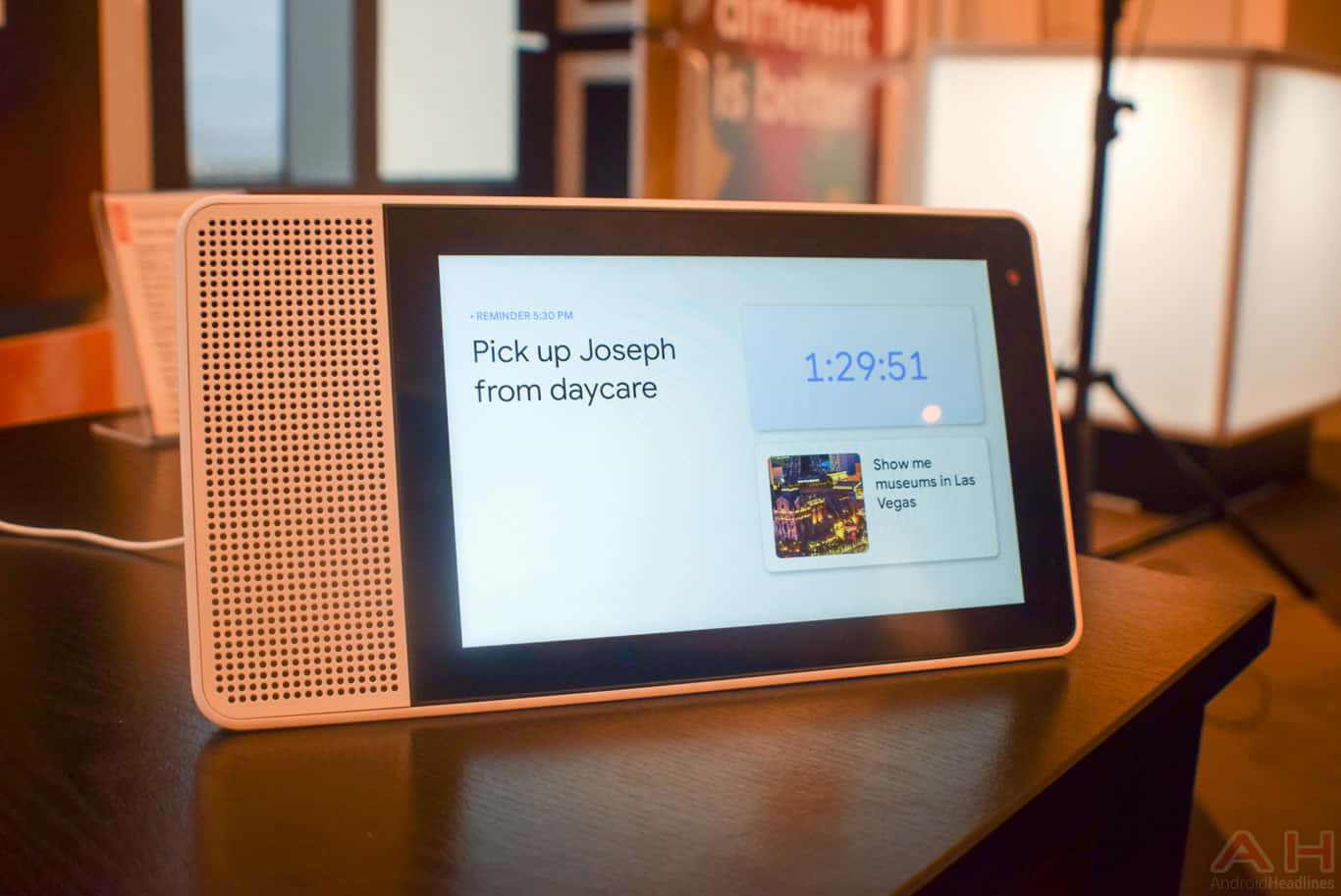
    Lenovo Smart Display is the company’s answer to Amazon’s Echo Show. The Google Assistant-equipped smart speaker comes in two sizes: 8-inches ($200) or 10-inches ($250) and does everything the Home does, plus full HD video chat using Google Duo. Until Google launches its own smart speaker with a screen, this is the best one to get if you’re firmly using the Google assistant.

    The Great

    • HD Display is crystal clear
    • camera shutoff option
    • Google Assistant enabled
    • Two different sizes

    The Not

    • Limited Functionality
    • Sound quality is lacking
    • Not suitable for noise enviroments

    The Conclusion

    Lenovo tries and fails to join the game with its Google-equipped Smart Display. The Lenovo Smart Display fits Google Assistant into an Echo Show competitor with an 8 or 10 inch screen
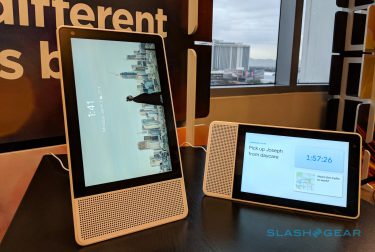
    Finally

    So you saw the Amazon show and the eco dot, thought to yourself that is neat but do they work with the nameless Google assistant Ive become accustomed to? No they don’t, but you have an option now, only one option for a Google Assistant with an HD Screen.
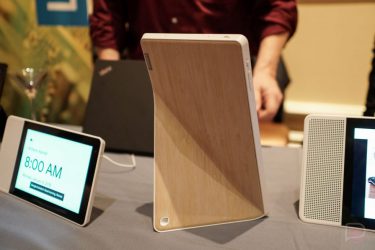
    Just like  you assumed, you will be able to issue voice commands to Lenovo’s Smart Displays. Say the word and you can control your smart home, search the internet, ask for directions or check your calendar, you know the drill. Lenovo’s display will show info relevant to your question on your touchscreen like a map or your schedule for the day.
    I’ll call you Carl

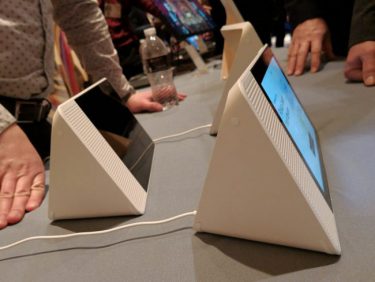
    Google assistant stand toe-to-toe with Alexa in terms of capabilities. I still feel it needs a distinctive one syllable name. Do I have to assign it? Because I will. Im going with Carl, it doesn’t have to be a feminine name right? This Display does Help Carl catch up to Alexa on the hardware front, its just not as good looking. The Lenovo Smart Display also has a couple of extra touches to help with privacy. The mute button was expected, as all Google Home smart speakers have one. Lenovo’s cam also has a physical shutter you can slide over it. One odd function I find missing is the Lenovo Smart Display won’t be able to make regular phone calls.
    The Final Thought

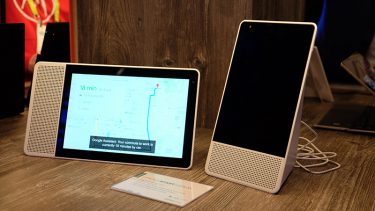
    Lenovo’s screen looked good in action doing Carl some justice. However The only thing I am seeing that separates this apart is the ability to turn of the camera, I’ve got to many cameras watching me as it is. The Lenovo Smart Display features either an 8 or 10 inch screen for $200 and $250 respectively.
  • Googles DayDream Veiw Stands Out

    Googles DayDream Veiw Stands Out

    Meet Daydream View, the first Daydream-ready headset and controller for experiencing high quality, mobile virtual reality. Explore new worlds, kick back in your personal Virtual Reality cinema, and play games that put you in the center of the action. Drop in any Daydream-ready phone, such as Pixel, to start exploring

    The Great

    • It’s inexpensive
    • Great remote design
    • Fabric and flashy color design
    • Enhanced optics to widen the field of view
    • It’s comfortable even on extended use

    The Not

    • Not many apps, games, content  yet
    • More Daydream phones are coming, but aren’t here yet
    • The Devices gets real hot while using and slows down
    • It only works with Google Pixel and Moto z
    • Light bleeds
    • The strap placement is problematic

    The Conclusion
    View is the best mobile headset I’ve ever used. It’s a molded shell that accommodates a mobile phone, with a one-handed control scheme — in this case, a small bundled remote with limited motion tracking capabilities. It gets better the more you learn to use it. Endless fun, needs more apps. Limited content is the big downside.

    I’m Gonna Enjoy This

    All tech specs and not picking aside I am going to have some fun with this. VR brings out so many feels for me. It’s a child like wonder and excitement that only the future can bring, where will I go what will I do…until I get nauseated then it’s back to reality.

    Look and Feel

    I love the fabric design, it’s fun and fitting. It’s allows it to me more forgiving leading to enhancing comfort. It’s easy to wear and it’s not irritating or having me make adjustments constantly.


    Hookup, Setup

    Hooking up a phone to the Daydream View is also simpler than using any other headset I’ve seen. You just need to open up the front latch, drop the phone in with the screen facing the lenses and then close everything up and secure it with an elastic band on the top. Pretty self explanatory, no real curve balls here.

    There is a remote control with makes the VR experience much more immersive. The remote’s layout really simple, the touchpad on top, there is an app-specific OK button in the middle, at the bottom a home button, volume controls are on the sides right where they should be. All of this also makes it a breeze to use while you’re in the VR. Great remote design

    The VR

    I’m gonna say the actual VR Is not perfect. Like all VR 360 degree videos and other VR software it really transports you away to a whole different dimension. The problem and where there is room for improvement is light bleed and the strap that keeps the phone secure in the headset. It is placed directly over the power button on my phone causing the phone to shut off if I am not careful. Yeah, its happened twice, I continuously stretched the strap to avoid it but it’s tedious and breaks up the experience. Now, this is is cool for watching movies, you essentially turn the tiny screen on your phone into a personal IMAX screen.. I’m also not getting sick, Google makes Daydream from getting you nauseous by ensuring both phones and apps meet a certain quality standard.

    The Wall Street Journal has a fascinating app.  In VR it has you  visualizing in real time how the economy is fairing.  You take the touchpad to rotate a holographic table which turns each majorly traded company’s share price into a 3D bar graph. I could see regular traders using this  on the commuter train for a quick, generic update of info but when a developer turns it in to  something tailored to their specific portfolios, could be revolutionary.


    In The End, The Final Thought

    These feel great, and the textile finish feels really natural. The controller is super intuitive and easy to use. While not impressed with boring content available, that’s developer related and will improve with time. The VR is great and I love watching movies on it, if my phone makes it through with out overheating. Worth the price if you have a Pixel or Moto Z. Must better option then Samsung’s gear.

  • Seneo QI Wireless Charger is Top in Class

    Seneo QI Wireless Charger is Top in Class


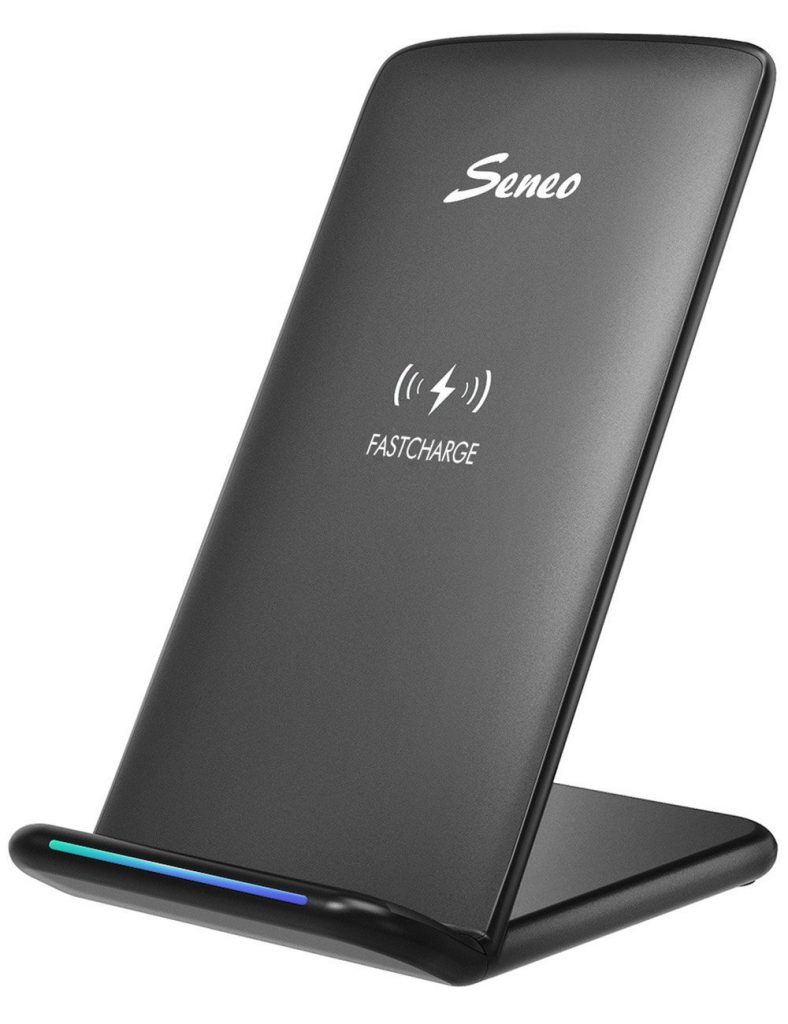
    Seneo delivers Fast QI wireless charging pad Stand. Looking at it fresh from the box This wireless charger features fast charge with 10W coils, a sleep friendly LED, and will even provide quick charge for Samsung Galaxy phones. … I found that I can even lift my phone a could millimeters off the charging stand and it will still charge.

    The Great

    Nice Design
    Inexpensive
    Vertical and horizontal charging
    Fast Charge capability

    The Not

    Cord for the stand could be longer

    The Conclusion

    Seneo wireless charger is the most suitable charger for phone lovers. This charger has the holder stand design that help customers charge their phone vertically or horizontally. Most importantly, they can enjoy movie and music without interrupting while charging. At only $19.99 Don’t miss out this great opportunity for a top of the line wireless charger.

    Testing 123

    I’m laying my iPhone X on the Seneo wireless charger.. 3:43 pm with 16% battery life.. 4:15 check 31%, 5:00 an impressive 73%, 5:30- 100% charged in less then 2 hours. Times that against traditional plug in charging with the Apple OEM lightning, yielded almost the same results. I had expected the wireless charging to be twice the charge time.


    The Final Thought

    Im always concerned with after market charging products. China seems to spit them out at zero cost with quality being highly disregarded. To my surprise, for a very small cost the wireless charging stand, works great with no issues after 6 months.  I’ll but a buy recommendation on this over any high priced QI charger available.

  • Top 5 Galaxy Cases Under $25

    Top 5 Galaxy Cases Under $25

    Now you’ve got a Galaxy S8and are looking for a good case to protect it. You’ve come to the right place. These 5 cases are the best protection for your new phone under $25.


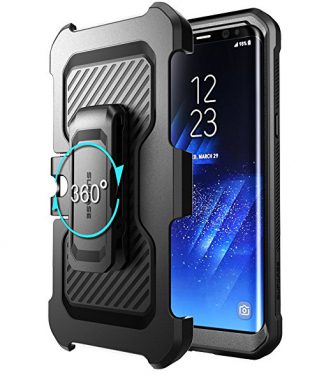
    1.Unicorn Beetle Pro

    It is the ultimate protective solution for your Samsung Galaxy S8
    Shock-resistant, dual layer case with PC hard shell and flexible TPU and built in screen protection. This will keep you safe stylish and not to bulky.


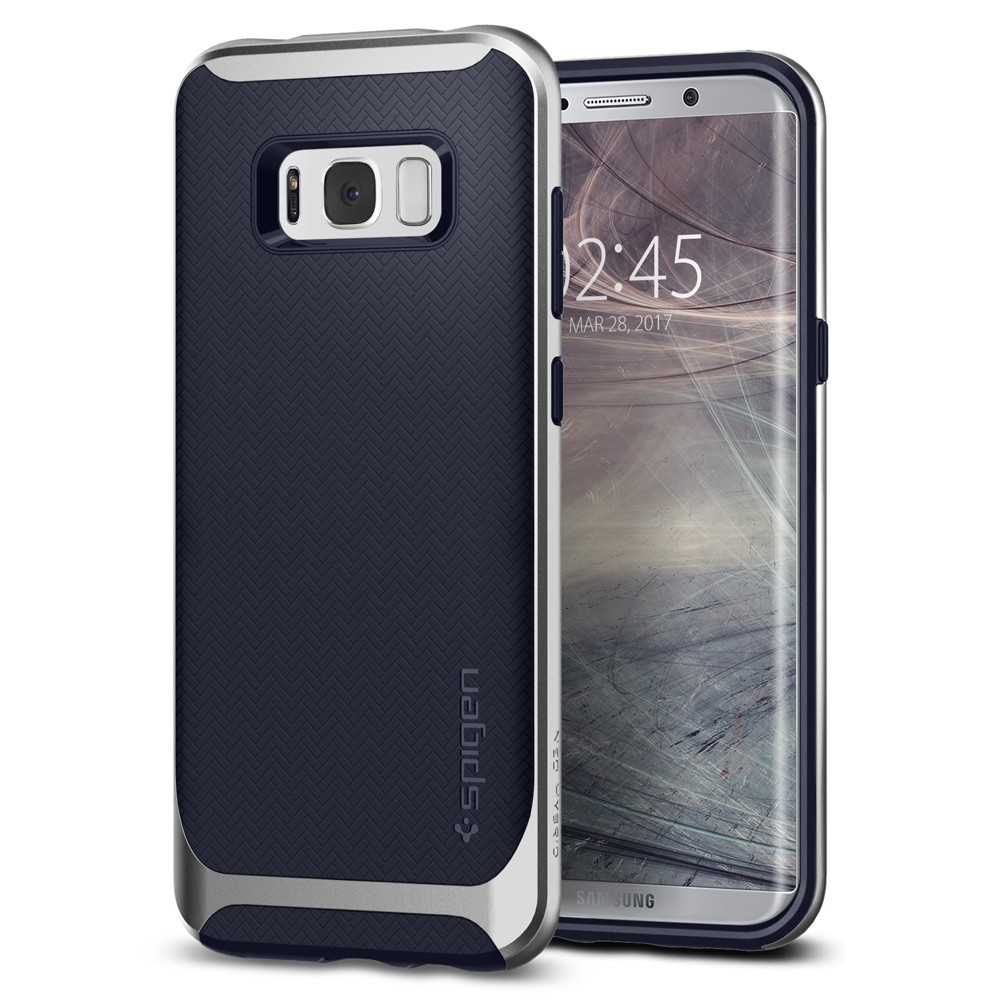
    2.Spigen Neo Hybrid

    The new Neo Hybrid for Samsung Galaxy S8 is the future of all cases – possessing maximum protection with an extraordinary look


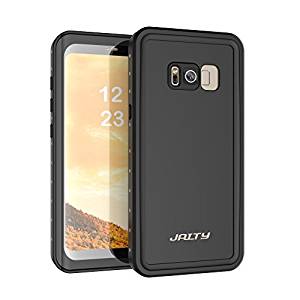
    3.JAITY Galaxy S8 Waterproof Case

    Waterproof film posted steel mesh, not easy to damage. Invisible seal ring type sealing waterproof, sealed from snow, ice, dirt & dust particles.

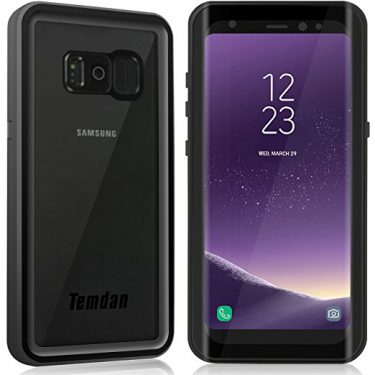
    4.Temdan Samsung Galaxy S8 Waterproof Case

    Transparent back panel make this case support S8 wireless charging. Full body protection designed to exceed Military Standard 810G-516, guard your phone even after 1000 times drop


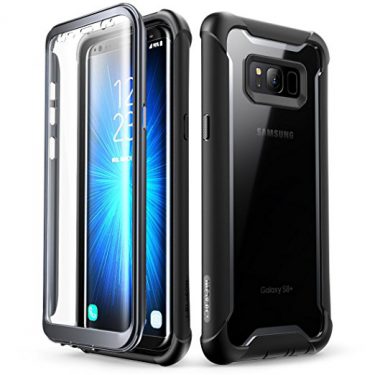
    5.The Ares Samsung Galaxy S8 case from i-Blason

    The Ares for the Samsung Galaxy S8 embodies the best of both worlds when it comes to a stylish clear case with full body protection. Equipped with a built-in screen protector, responsive buttons and multiple layers of TPU in the bumper, you can be sure that your Galaxy S8 will survive the occasional drop without sustaining any serious damage.