Month: April 2018

  • Verizon’s Unlimited Plan and the Details

    Verizon’s Unlimited Plan and the Details

    Last summer, Verizon split their main unlimited plan into three other ones:

    $75 de-prioritized Go Unlimited
    $75 prepaid version of Go Unlimited
    $85 all-in Beyond Unlimited

    While not the cheapest unlimited plans on the market, all three offer particular strengths, and are backed by the nation’s most powerful network. We’ve broken down Verizon’s two main unlimited plans below, and picked our favorite.

    Verizon Unlimited Data Plans Breakdown

    Plan Verizon Beyond                                           Unlimited Verizon Go Unlimited
    1 Line $85                                                                                       $75
    2 Lines $160                                                                                   $130
    3 Lines $180                                                                                   $150
    4 Lines $200                                                                                  $160
    Video Unlimited: HD                                                          Standard definition
    Mobile Hotspot :15GB/line/mo                               Unlimited at 600kbps speeds
    Mexico & Canada Unlimited talk and text; 512MB data limit/day                  Unlimited talk and text; 512MB data limit/day

     

    Verizon Beyond Unlimited

    The Great

    • Unlimited HD streaming
    • 15GB hotspot allowance
    • Unlimited talk and text in Mexico and Canada
    • Amazing coverage

    The Not

    • Pricy at $85
      Taxes and fees not included in priceNot much data allowance abroad

    The Conclusion

    While it’s hard to recommend an $85 unlimited plan with so many less expensive options out there, the fact is that Verizon’s Beyond Unlimited is backed by the most robust network in the nation.

    What’s more, Beyond Unlimited is chocked full of nice-to-have features like a generous 15GB hotspot allowance, unlimited talk and text in Mexico and Canada, and HD streaming. Pair that with Verizon’s superior coverage, and you’ve got yourself a winner.


    The Deats

    Full HD streaming
    With Beyond Unlimited, you can enjoy HD streaming to your heart’s content. If video quality is important to you, the plan makes sense.

    15GB Hotspot Allowance
    One of the key benefits included with Beyond Unlimited is the plan’s generous 15GB hotspot allowance. To learn more about using your phone as a hotspot, check out this article.

    Not the Cheapest
    It’s inarguable that there are a host of less expensive unlimited plans out there, especially among MVNOs. Still, how many of them can boast Verizon’s coverage? Answer: none.
     

    Verizon Go Unlimited

    The Great

    • Excellent network

    The Not

    • 4G LTE subject to data de-prioritization
    • Video limited to SD
    • Talk and text to Mexico and Canada not included
    • Hotspot limited to 600kbps

    The Conclusion

    Verizon also offers the slightly more stripped down Go Unlimited. It includes 4G LTE data, but it’s subject to de-prioritization, anytime. If you live in a place where there are lots of people on the Verizon network, this could potentially translate to slower speeds.

    Also, video on Go is limited to standard definition (480p), while the hotspot is offered at glacial 600kbps speeds. For all of these reasons, we recommend Beyond Unlimited over Go Unlimited. That said, if you’re looking for a less expensive way to enjoy unlimited data on Verizon’s amazing network, Go Unlimited may be just what you’re looking for.

    The Final Thought

    Its hard to justify the Beyond but due to the de priortization it is a must. I tried and tried to save that $10 but it is inevitable. They say that its 15gb vs 22 gb to deterioration, this reported has deemed that a lie.


  • Beau’s Number 1 App Reveiw: Player Unknown: Battlegrounds PUBG

    Beau’s Number 1 App Reveiw: Player Unknown: Battlegrounds PUBG

    Beau’s App series. Each week, I install whatever is the No. 1 bestselling app on the iOS or Android store and review it, to save you the effort in case it’s total waste of life. This week a game called Player Unknown: Battlegrounds, better known as PUBG is in the top spot and Im taking it on. How did it get to No. 1? Because it’s free, because it just came out for phones, and because it’s already crazy popular. Its PC/console versions made PUBG the most-played new video game of 2017.


    Lets Start The Battle

    PUBG is a “battle royale” game, meaning that it’s a military-style, free-for-all, fight to the death. It’s extremely similar to its arch-rival, Fortnite: Battle Royale (which is also free, and is currently neck-and-neck with PUBG on the iOS app store [not available yet for Android]).

    At the very start of the game (after choosing the look, gender, race, and screen name for your avatar), you’re in sort of a limbo where you can run around, practice punching and crouching, waiting for 100 players from the internet to accumulate. Once they do, the action cuts to a plane flying high above an island. You choose when to jump out, at which point you skydive, and eventually pop your parachute.

    Just Past the Tutorial

    You explore this island by running around (the “camera” is always behind you) or hopping onto rusty old cars, tanks, or motorcycles. As you go, you find and pick up weapons, protective gear, medical kits, and energy drinks. But be wise: You can carry only so much weight — and you can hold only two guns at a time.

    If you’re in Squad mode, getting shot by the enemy doesn’t necessarily mean Game Over. You’re just wounded at first, and your teammates can help you back to your feet.

    As time goes by, the playing area slowly contracts, forcing players into a tighter space and heightening the action. The walls, in the form of a creepy blue shimmering bubble, slowly close in on you; if you’re caught inside it, you lose Health.


    What Makes it Great

    PUBG has elements of a survival game, with a stamina and health bar to maintain through collectables, but a typical match lasts no longer than 30 minutes or so. You start each one with no equipment and have to parachute off a randomly moving plane, so that it’s almost impossible to start any two matches in the same place. The location of loot is also randomised, although obvious hot spots do tend to have better equipment.

    The most interesting thing about PUBG is that it’s a true sandbox game. None of the gameplay mechanics are very complex or unusual, and while the map is well designed it’s really its size that is the greatest benefit. Everything which makes the game fun comes from the simple but inflexible rules, and the knowledge that if you die that’s it – there’s no lives and not even a way to watch the rest of the match unfurl. The tension this creates is incredible, and every player has their own favourite PUBG story. Your first kill is usually a good one (mine was a fist fight that had me running away into another room, and coming back with a crowbar) but the decision on when and how to move away from the safety of a good hiding place is always the most difficult.


    The Final Thought

    This is the first app review Ive done and Ive had a blast for the last 13 hours playing this game. Truth be told I only just heard about it last week, quickly dismissed it, one try and Im hooked. All I can think about now is that Ive got the good loot where is the bullet that is gonna kill me..

  • 4 Improvements We Need in iOS 12

    4 Improvements We Need in iOS 12

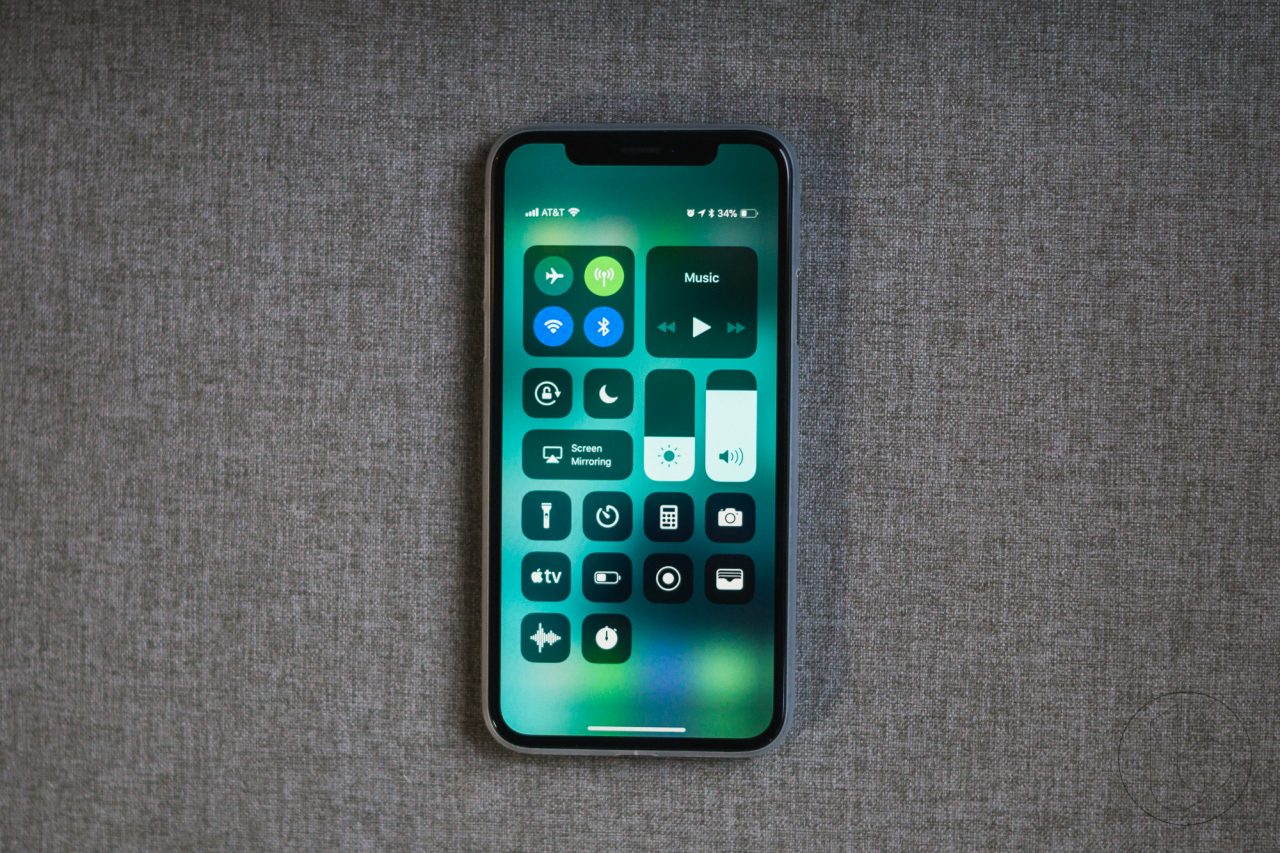
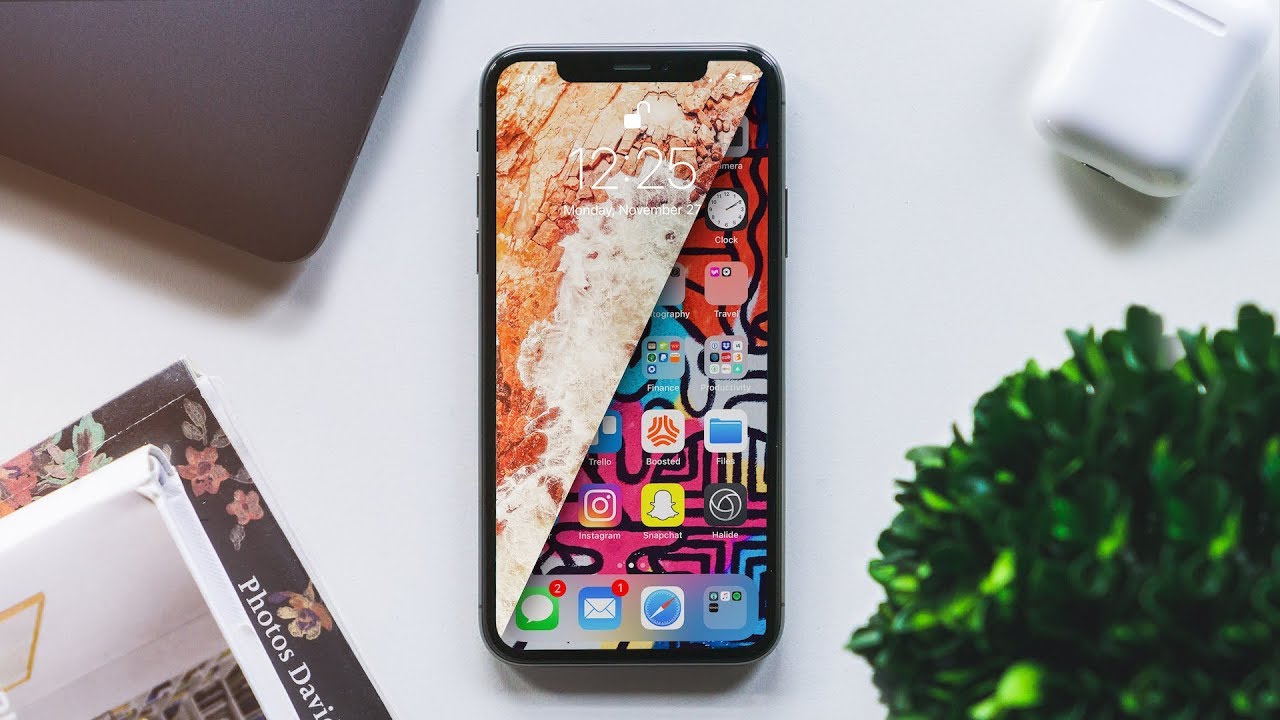
    Apple’s iPhone X is not only the most impressive iPhone Apple has ever made, it’s also the most controversial. It’s a completely reimagining of the iPhone, and much of what users have grown accustomed to over the years has changed. Of course, it goes without saying that many people don’t like change, especially with regards to a device that is such an integral part of our lives.

    The iPhone X is Apple’s first iPhone that doesn’t have a home button, which means users have to learn new navigation gestures. Most people seem to like them, but there are also people who do not — and that’s the least controversial of the major changes in Apple’s iPhone X. The infamous “notch” at the top of the phone’s display continues to be a point of content, and the wounds left by the removal of Apple’s beloved Touch ID fingerprint scanner are nowhere close to healing.

    There are 4  things I would like to see improved in Junes announcement of iOS 12

    1. Grouped notifications

    Apple’s notification system in iOS continues to be a major pain point among many, many iPhone users. We’ve discussed it a million times before here on the site, so we’re not going to dive back into all the ways it’s annoying. Suffice it to say the notification system in iOS needs a lot of work.


    They could solve this by creating notification groups. This way instead of having notifications from each app spread throughout the list, each individual app’s notifications are displayed in a group, one on top of the other. A simple 3D Touch would then expand any app’s notifications. simple problem simple solutions


    2.Improved widgets

    Apple’s widget implementation in iOS is somewhat useful, but Estefad has a way to improve it in iOS 12. In addition to a single page where multiple app widgets can reside, as is the case now, this iOS 12 concept allows app developers to create widgets that are displayed when the user 3D Touches an app icon. So instead of just an action menu that almost no one uses or even remembers is available, a 3D Touch on an app icon would give users access to key info and features without having to actually open an app.


    3. Mode of Darkness

    This one needs no introduction. iPhone users have been clamoring for a dark mode in iOS for years. The difference with iOS 12 is that a dark mode would finally make a lot of sense. Beyond being easier on the eyes at night, a dark mode on devices with OLED displays like the iPhone X would save battery life.


    4. New pull-down menu for apps

    For a long period of time, iOS was all about uniformity. As the years passed with more and more new features being added, things have gotten far less organized. App settings is one area where there is no continuity in iOS. Some settings are accessible within each app itself, though there are a million different places where one might find the settings menu. Then there’s a section in iOS’s main Settings app where additional settings are located for third-party apps. Ugh.

    In this iOS 12 concept, there’s a great hidden pull-down menu that creates a single, uniform location for key features and a shortcut to app settings. Adding a nifty additional piece to the puzzle is a great feature at the top of that pull-down menu: a way to secure each app behind Touch ID (or Face ID on the iPhone X) at the system level. Many apps include Touch ID and Face ID implementation, but why leave it up to developers?


    The Final Thought

    Reality strikes ands Apple will likely release a much more tame upgrade with iOS 12 at WWDC this year after reports of Apple putting some major iOS features on hold to focus more on reliability and performance. I can dream though and mabye someone will read this and think, yeah that could work.

  • Emporio Armani Opens The Door To Luxury Smartwatches

    Emporio Armani Opens The Door To Luxury Smartwatches

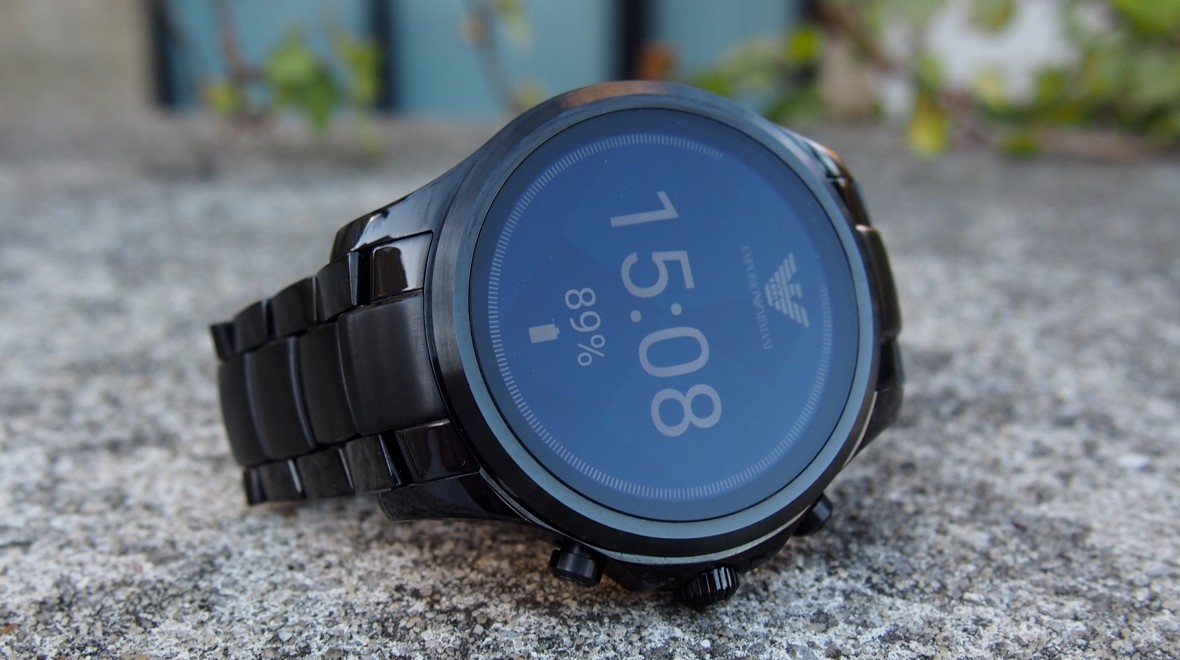
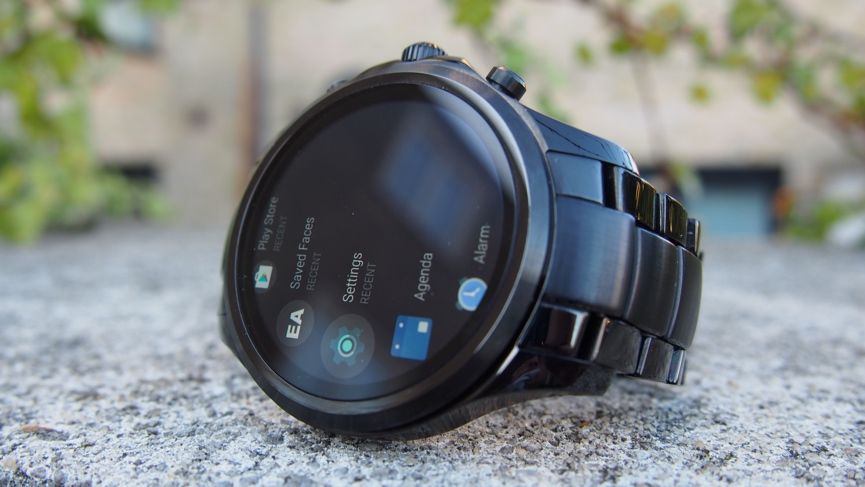
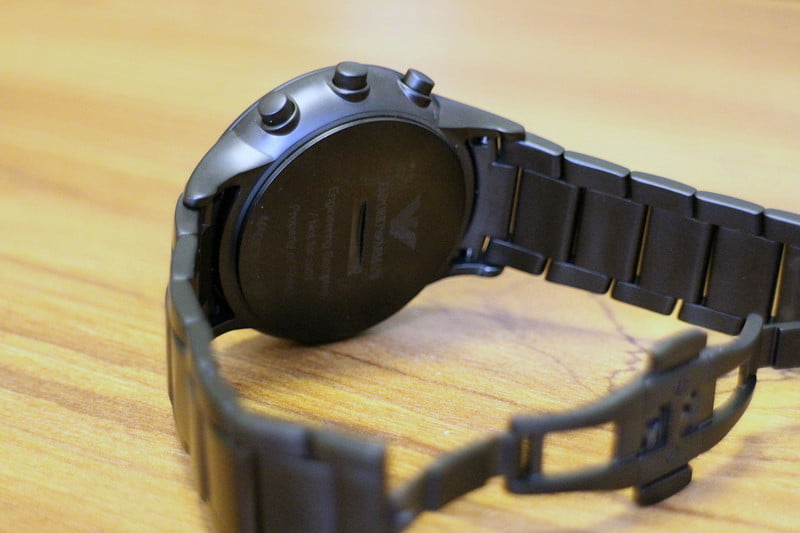
    The dynamic styling of Emporio Armani meets technology with a new collection of touchscreen smartwatches. This watch features the brand’ s most coveted designs with the added benefits of today’s wearable technology. The Emporio Armani Connected touchscreen smartwatch is compatible with both iOS® and Android™ phones, and are powered by Android Wear™ 2.0, Google’s smartwatch platform, and the Qualcomm® Snapdragon Wear™ 2100 smartwatch platform. Stay in the know with messages and notifications delivered directly to your watch and stay in style with a customizable watch face and interchangeable straps that can be changed to match your look. Connect to your favorite apps to track activity and access your music library. This black IP touchscreen smartwatch features a black dial with full display and is complemented by an easily interchangeable brushed-and-polished black IP bracelet.


    The Great

    • Sophisticated style
    • Crown controls Android Wear
    • Straps easily swapped to change the look
    • Comfortable, and beautifully presented

    The Not

    • Light on tech features


    • No Android Pay


    The Conclusion

    Smartwatches need to look good, and as luxury brands enter the market, we find they end up producing some of the best-looking wearables. One of the latest is the Emporio Armani Connected, Armani’s first Android Wear 2.0 smartwatch. It’s unquestionably attractive, with a name that oozes class, style, and sophistication but barley a smartwatch.


    Emporio Armani isn’t completely fresh to the world of smartwatches, after releasing a collection of hybrids last year. But with the Emporio Armani Connected and its full touchscreen face, this represents the Italian fashion house’s first dip into the world of Android Wear.Just as you would expect, entry doesn’t come cheap, either.


    Its Fancy

    Let’s be honest, if you’re looking to pick up this watch, you’re almost definitely more focused on the design than its connected features. And in our opinion, this is one of the sleekest options to consider.

    Like the rest of this year’s Fossil Group watches, there’s no flat tyre here, just a full AMOLED touchscreen offering a display which is up there with the best — and certainly an improvement on the Fossil smartwatches we saw in 2016. Interestingly, though, Armani has chosen not to release the actual specs regarding its screen.

    There’s been no skimping on build quality, either. While this admittedly feels like a more premium smartwatch thanks to our review model being the stainless steel band, the 46mm face doesn’t feel bulky or cumbersome when on the wrist. If you want a lighter variant or simply a different colour metal, 11 options are out there in total, giving you a strong pack to choose from.


    Smart Functions

    Emporio Armani and Fossil have shied away from releasing all the tech spec but we found the Qualcomm Snapdragon 2100 processor to provide a lightning  experience around the Connected. Delay when opening apps is minimal and menus almost never suffer from lag.

    Fitness enthusiasts will be disappointed, though, if they’re looking to branch out to a more stylish all-in-one, with no support for heart rate tracking, no GPS sensor and zero opportunity for swimming due to the IP67 water rating. When we have taken the Connected out on a token run, the metal band was (obviously) seriously uncomfortable in comparison to the Fitbit Ionic and Apple Watch, so those who are looking to take the device out with their smartphone should at least invest in one of the more sporty bands to switch out.

    What was a nice touch, though, was the ability to control our music while on the go – whether playing through Apple Music on an iPhone or Spotify on an Android device.


    The Final Thought

    Luxury smart watched are coming, this is just the start. The price tags will climb to close to the cost of a 3/2 split level home in rural Tennessee soon enough. This is a nice mid step between a nice looking watch and a smartwatch but it is neither great at either.


  • 7 New Products From Samsung

    7 New Products From Samsung

    I tend to focus on what Apple is doing alot more because I live in that bubble but Samsung has got a much bigger universe but occuping the appliace and tv space. They also seem to have their fingers in just about evey pie you could think of, so here is the top 7 Samsung releases for 2018 you should know about


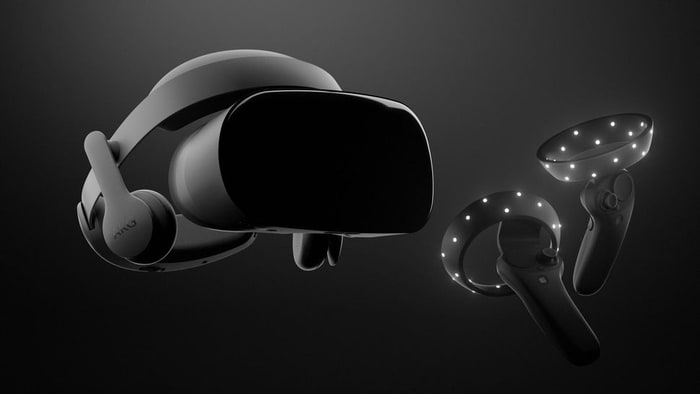
    1.Samsung HMD Odyssey Windows Mixed Reality Headset​​
    $499.00


    The Samsung HMD Odyssey is the best mixed reality headset for Windows 10. It features a sharp AMOLED display, built-in AKG headphones, and comfortable fit. It also comes bundled with a pair of excellent wireless controllers.

    There are thousands of mixed-reality experiences for Windows 10 you can try. The headset is also compatible with Steam VR titles, so we got that going for us.


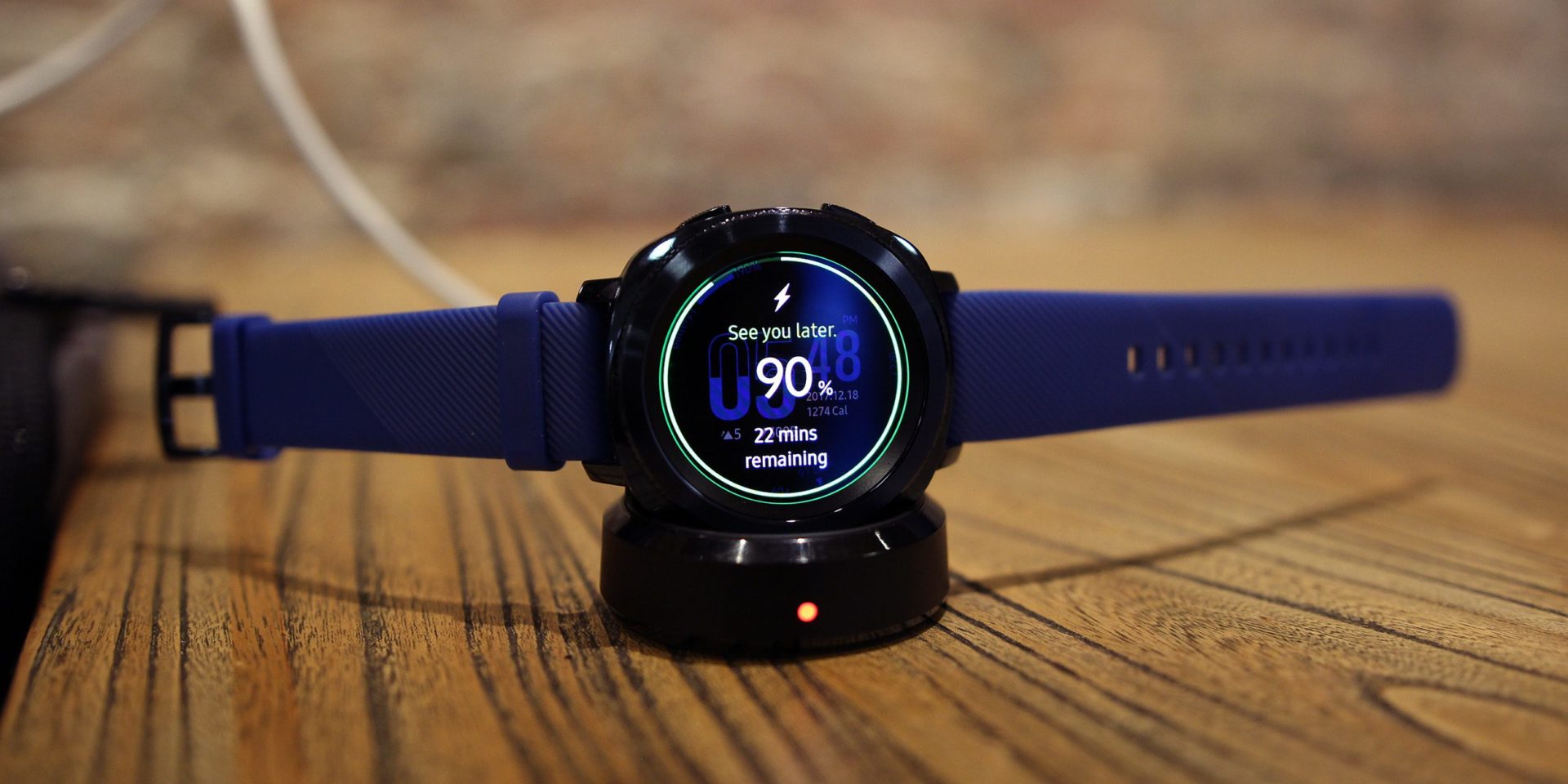
    2.Samsung Gear Sport Smartwatch
    $247.99

    The Samsung Gear Sport is the best smartwatch for Android smartphone users. The device has a powerful set of fitness-tracking features, including the ability to guide users through various workouts.

    Its waterproof body can withstand depths of up to 50 meters, so users can take it for a swim, too. An intuitive interface and interchangeable bands are also among the wearable gadget’s cool features.


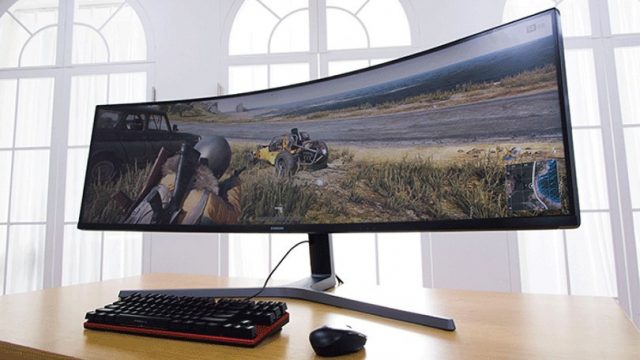
    3. Series 49-Inch ​Curved Gaming Monitor
    $949.99

    Samsung’s gigantic CHG90 series curved gaming monitor has a gloriously excessive 49-inch QLED display with 32:9 aspect, which will literally expand your in-game field of view. Capable of fully replacing two standard monitors, the CHG90 has superb image quality with HDR support, an ultra fast refresh rate of 144 Hz, and a plethora of gaming modes to choose from.

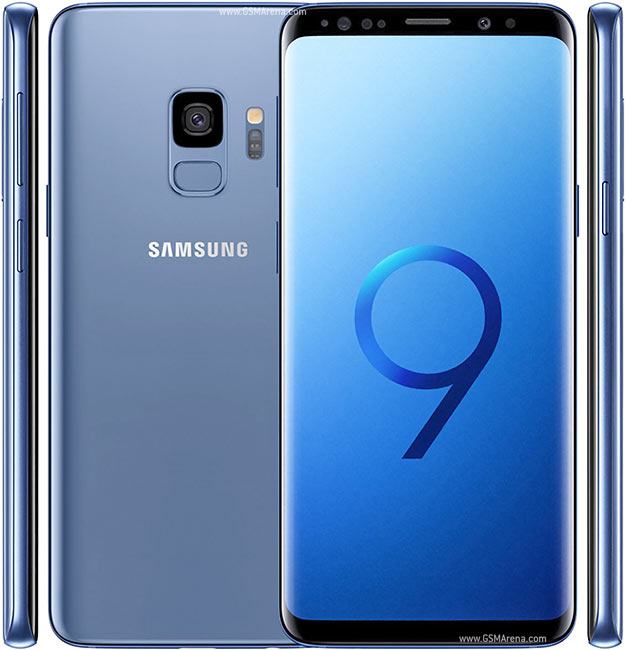
    4.Samsung Galaxy S9+ Android Smartphone
    $839.99

    The Galaxy S9+ is the most advanced smartphone from Samsung to date. It features an eye-grabbing 6.2-inch Infinity display, an advanced camera setup with two optically stabilized sensors (a wide-angle and a telephoto one), and built-in stereo speakers.

    Of course, the waterproof phone also comes with a long list of cutting-edge hardware specs, headed by a powerful Snapdragon 845 chipset and 6 GB of RAM. There are three colors to choose from — black, blue, and purple.


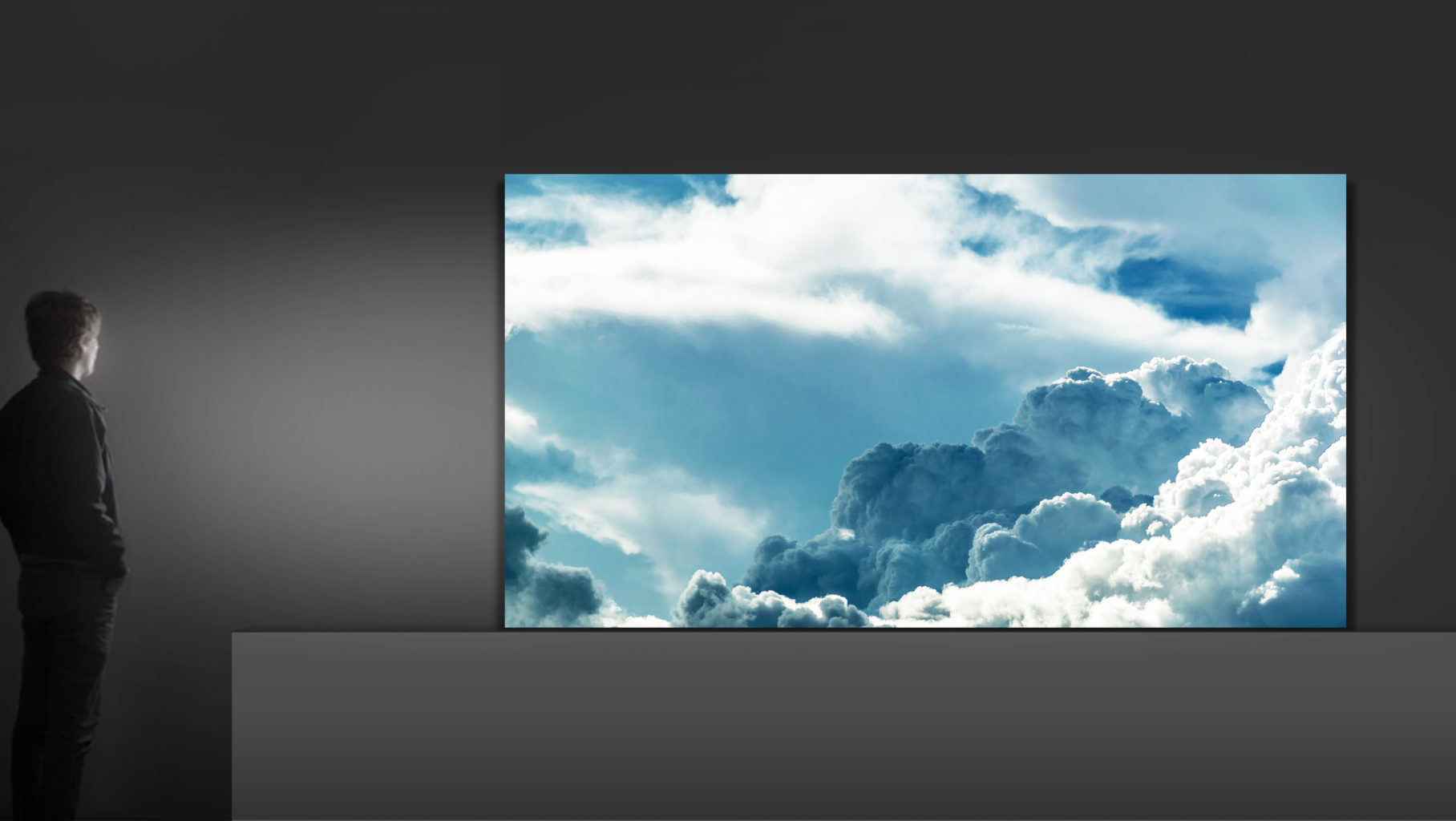
    5.Samsung Q9S QLED TV (available in 85-inches)
    Unbelievably, Samsung’s monstrous, 85-inch 8K TV is still considered a QLED TV. It’s the top of the list for numerous reasons – size and resolution being the most obvious two – but also its ability to use artificial intelligence upscale SD content to 8K HDR. We don’t know how much this TV is going to cost yet but, considering how much technology is going into it, it wouldn’t surprise us to see a price tag in the tens of thousands.


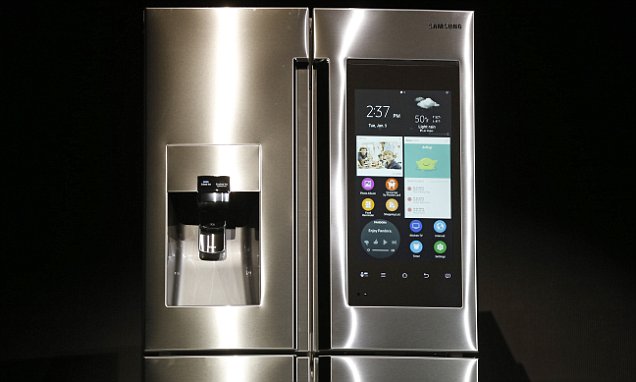
    6. Samsung Family Hub Refrigerator

    $3,499.99

    Family Hub in 2018 offers a wide range of smart features that allow consumers to do what they could not do before. These include syncing up food storage with meal preparation, keeping family members better connected and organized, and providing enhanced entertainment. Family Hub is also more intuitive and intelligent with the addition of Bixby voice control and its integration with Samsung’s SmartThings IoT ecosystem.

    The interactive touchscreen with interactive and customizable widgets allows your family to stay connected: Sync calendars for all family activities and events, remotely share photos, notes and memos, receive personalized information through voice recognition and challenge each other with daily trivia questions.

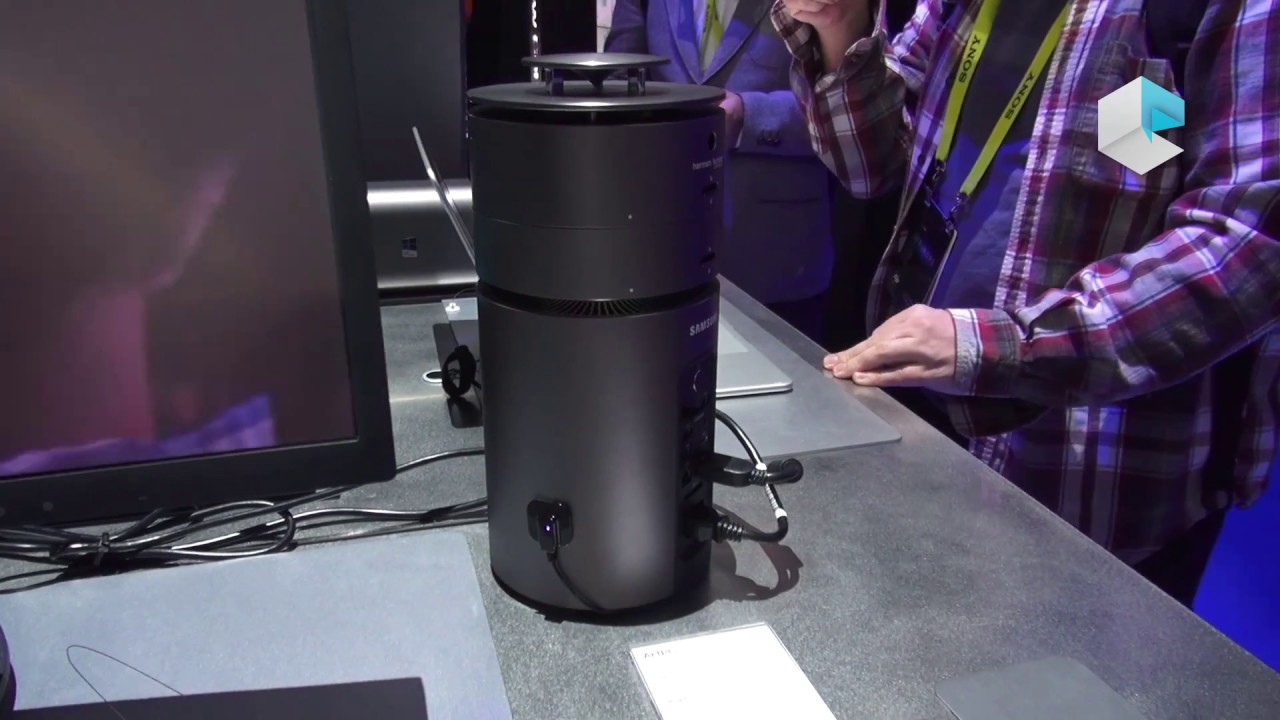
    7.Samsung – ArtPC Pulse Desktop

    $1,599.99

    Step into the future with this Samsung ArtPC PULSE computer tower. Its Intel i7-6700 processor and 16GB of RAM deliver top performance, and its 256GB solid-state drive combines with a 1TB hard drive to provide ample room for all your programs and multimedia files. The 360-degree speaker of this Samsung ArtPC PULSE computer tower provides powerful sound.


    The Final Thought

    They may not be the best, but they are not far off. Living in the Samsung world of tech is being completely integrated, they have the option and gear before you know you need it. Samsung is where innovation meets perfection meets total integrated solutions.

  • Airmega 400S  Clean Smart Air

    Airmega 400S Clean Smart Air

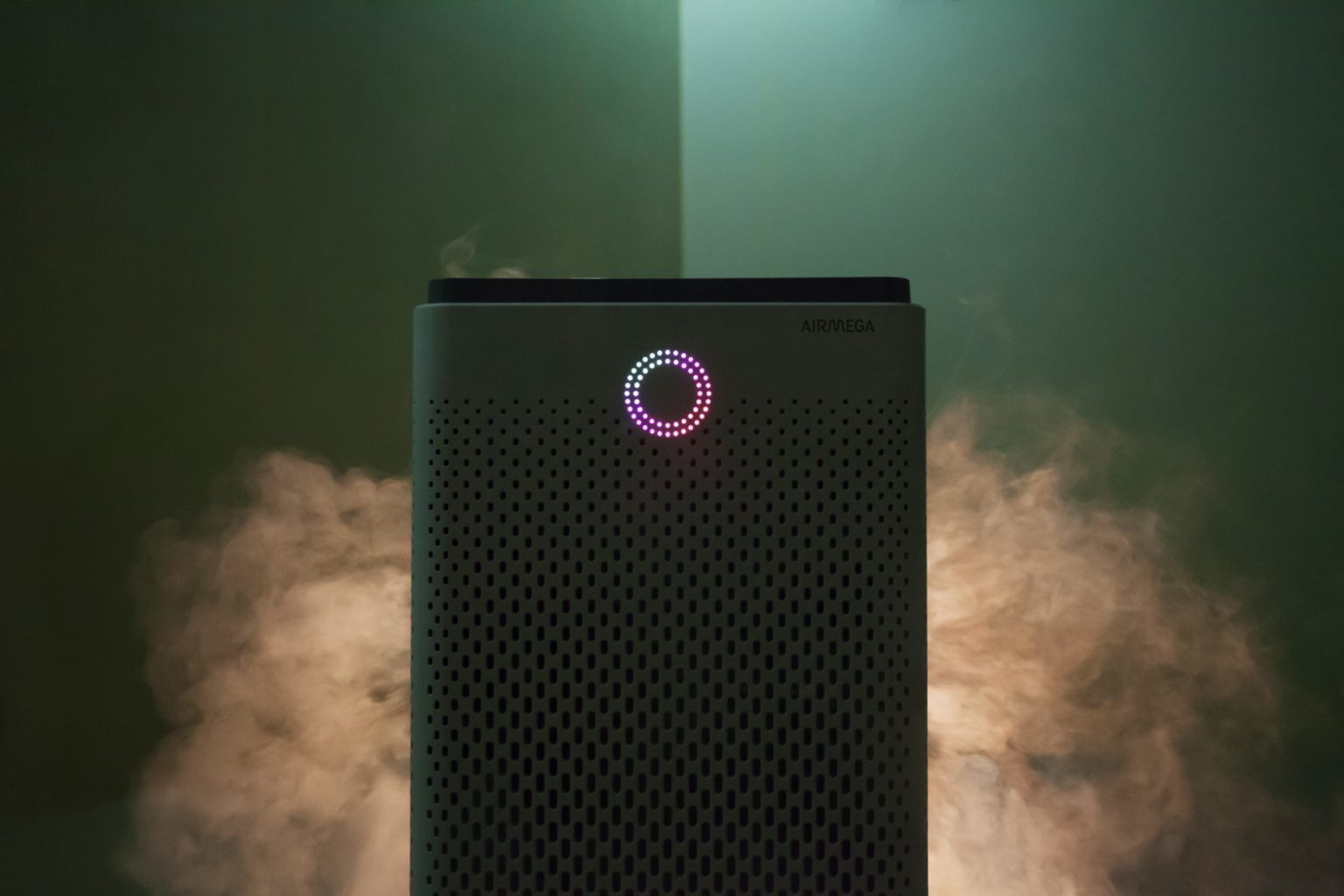
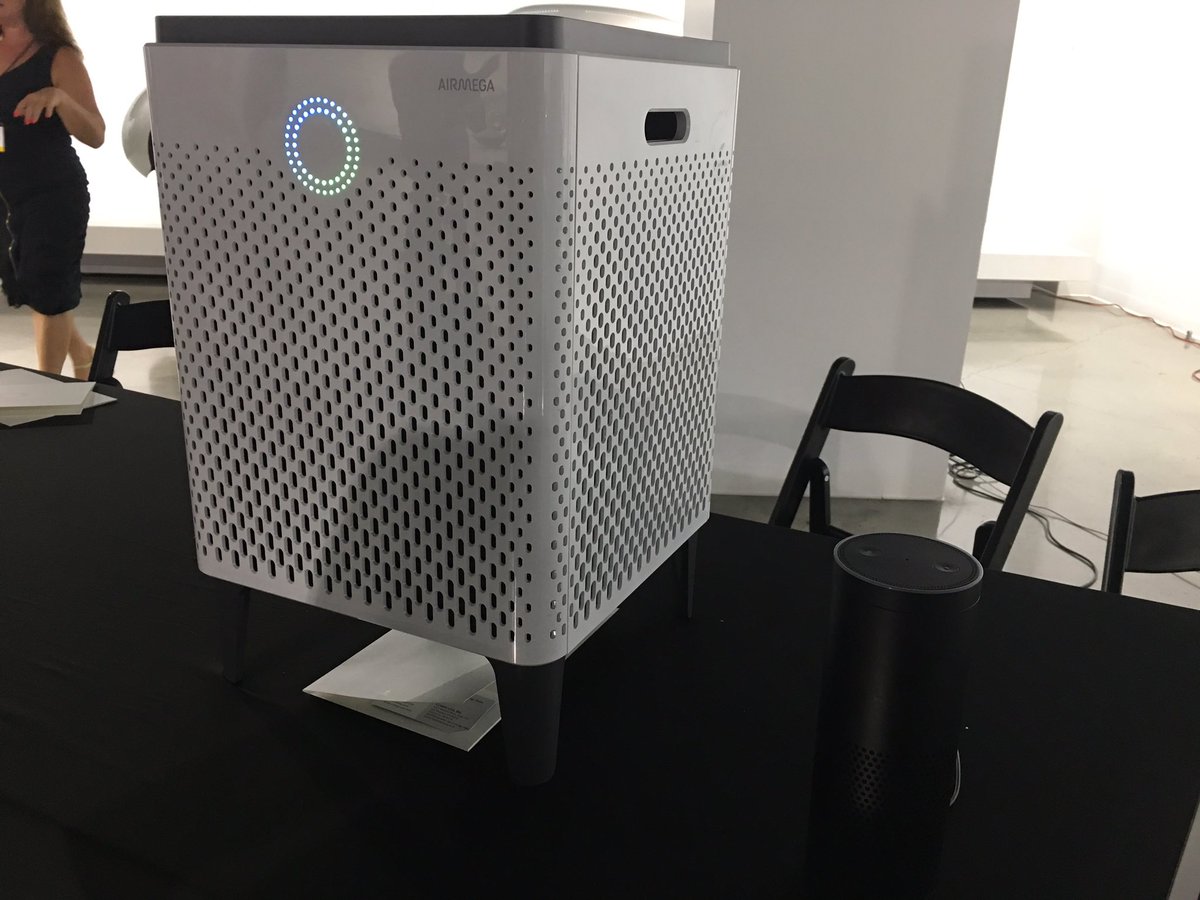
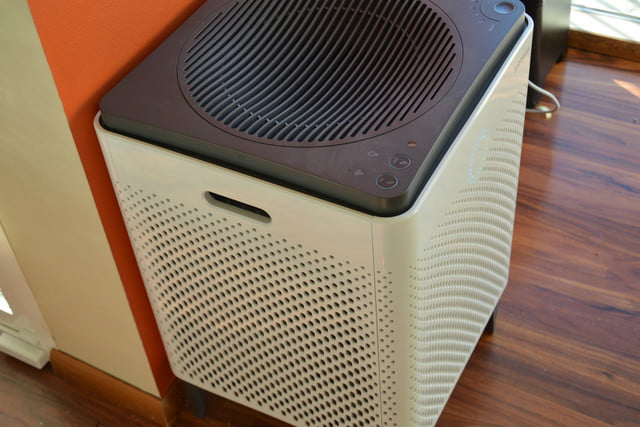
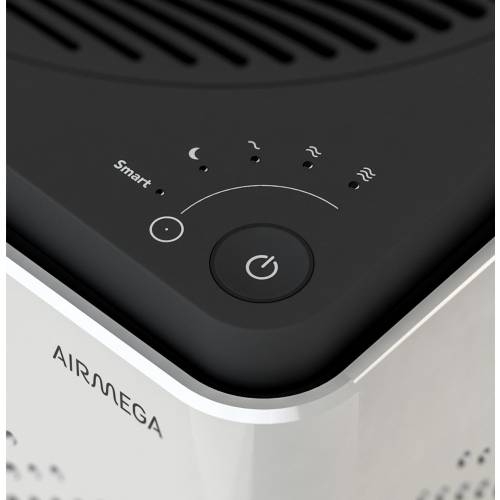
    The Airmega 400S  is a luxury air filter, a sci-fi lounge monolith with touch-sensitive controls and a ring of colored light that turns with the air quality. High-end in fit, finish and capacity, it’s also very online, with Internet-of-Things features and a stat-tracking app. Its $600 only, yay.

    The Great

    • Excellent room coverage – perfect choice for larger spaces
    • Great coverage also for asthma and allergy sufferers, who need extra air changes per hour
    • HEPA filter technology for maximum particle removal
    • Carbon filter removes 99% of harmful VOCs from the indoor air
    • Real-Time Pollution Sensor – LED colored ring makes it very easy to identify air quality offenders at a quick glance

    The Not

    • Issues reported with WiFi connectivity – sometimes difficult to pair up
    • No castors, so there may be mobility issues for some people
    • Limited choice of colors and no customization options


    The Conclusion

    The Airmega 400S can keep the air clean in up to a whopping 1,560 square feet of living space, so it’s well worth its considerable price tag. The device has a built-in real-time air-quality sensor, as well as a sophisticated dual-filter setup that allows it to keep both particles and odors at bay. You can control the air purifier via a sleek smartphone app or Amazon Alexa. The Airmega 400S is available in graphite or white.


    First Off How Well Will It Work

    Setting up this side-table-sized (23 x 15 x 15 inches) air purifier takes a total of 10 minutes and mostly involves peeling off a bunch of protective plastic and removing the wrapping from the unit’s two Max2 filters. Because this model also has wireless capabilities, it has a dedicated app that lets you set up air purifying schedules, check the air quality outside, and control the Airmega while you’re away from home. As with other connected smart home devices, this part of the setup process involves downloading following a handful of on-screen instructions in the app to connect the 400S to your Wi-Fi network.

    While we didn’t have a fancy lab or equipment that could accurately measure particulate or VOC levels, I did subject the 400S to as many real world tests as we could dream up. We cooked, we lit candles and matches, we even emptied the contents of dirt and dust-filled Roomba near the air purifier. As the doting owners of a 110-pound, perpetually shedding golden retriever named Benjamin-Mattdamon Affleck, I also subjected the Airmega to the dander wonderland that is our home.

    Results, terrific. It would pass any EPA clean air test if the EPA was still around. It’s dead quiet, too, especially at the lowest settings. There is not the slightest buzz of vibration. Washing and replacing filters is very easy. It messages you when they need a bath.  It’s about the size of a desktop mini-fridge, significantly larger than most consumer air filters, with three HEPA filters and the promise of full-house coverage. 1,560 square feet, they claim, which would make it competitive on a price-per-square-foot basis with less expensive models.

    What Makes This So Smart

    The Airmega 400s features 3 such ‘smart’ modes – auto, eco and sleep.  Let’s take a look at each.

    Smart Auto Mode

    If you decide to engage the auto mode feature the unit uses a sensor to detect how much pollutants are in your indoor air and then adjusts the fan speed accordingly.There are 4 fan speed settings on the Airmega 400s – sleep, low, medium and high. As a rule of thumb, the more pollutants are detected, the faster the fan will operate.When the sensor recognises that the indoor air quality has improved it will switch back down to a lower fan speed.


    Smart Eco Mode

    If the unit is in smart mode and the sensor has detected good air quality for a period of 10 minutes, the machine will automatically shut down the fan.This helps to save on your energy consumption, and in turn saves you money on your electricity bills, as it means you’re not running the air purifier when it’s not necessary.The fans will automatically start back up again should the sensor detect any pollution later.


    Smart Sleep Mode

    In sleep mode the unit will reduce its noise and power consumption if the sensor detects the room has been dark and the air clean for a period of 3 minutes. Like the eco mode, this feature is good both for the environment and your bank balance! It’s also handy if you plan to use the air purifier in your bedroom at night as it helps to minimise disturbance and let’s you get a better nights sleep.


    In recognition of the fact that so many of us like to use our phones for day-to-day tasks, Coway have developed a smartphone app (IOS and Android) which lets owners of the Airmega 400s control many aspects of their air purifier remotely.For example, you can set the fan speed and sleep timer, see the status of the filters, and access the different smart mode controls.

    You can also receive indoor air quality reports and real-time updates on outdoor air quality and pollution levels for your particular hometown straight to your phone . This lets you track the health of the air inside a room over a period of a few days or weeks, and is useful for identifying trends and the times when the air quality is at its best and worst. The Airmega 400s air purifier can also be paired with Amazon Alexa

    The Final Thought

    I’m extremely dubious about the utility and wisdom of an IoT air filter. But if you know you need an air filter, and you need one that’s attractive, quiet and very high-capacity, where a $300 Honeywell (or HEPA filters duct-taped to a box fan) would just be unacceptably loud, trashy or ugly, then I have and air purifier Id like to show you. I will say that in testing this for a review it is one of the few products I reviewed myself into buying. What? I like clean air and smart toys.


  • Sony Glass Speaker an OK Sounding Work of Art

    Sony Glass Speaker an OK Sounding Work of Art

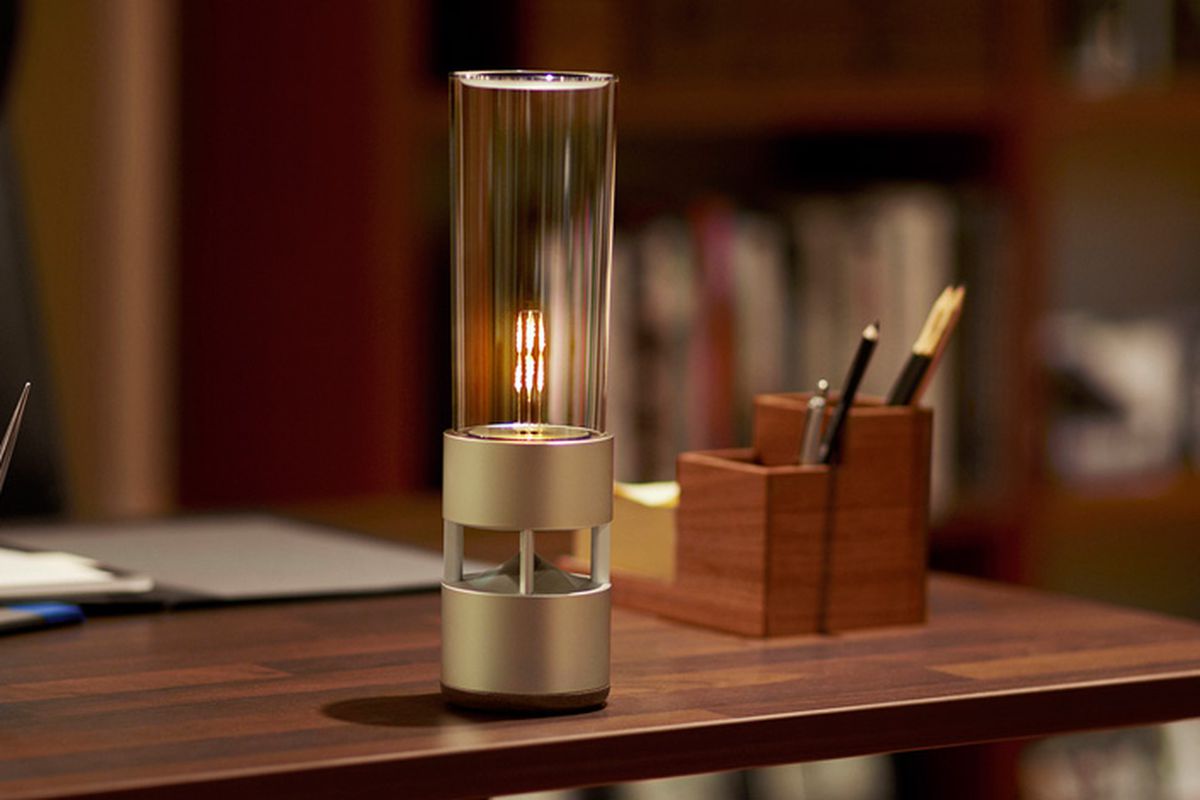
    The Sony LSPX-S1 Glass Sound Speaker brings light and incredible sound to any room with its soft LED filament combined with a cylinder-shaped design for the appearance of a lantern. This wireless audio device features an organic glass-tube tweeter surrounding the LED that also functions as the tweeter and a built-in 2-in woofer for clear, balanced music. Listen wirelessly over Bluetooth, plug in or use the built-in battery. The LSPX-1 is crafted with a solid aluminum body that delivers high-fidelity audio in a stylish design. The base of the Bluetooth speaker features a passive bass radiator built-in for big, powerful sound. Each of these features combine to craft a fully detailed 360-degree soundstage that sounds as beautiful as it looks. You can enjoy up to four hours of audio playback with the built-in rechargeable battery, allowing you to take the mobile speaker on the go.

    The Great

    • Beautiful, Almost an Art Piece
    • Portable
    • Bright,
    • Clear highs and rich bass delivered from seemingly hidden drivers
    • Dimmable LED light delivers warm, Edison bulb-like ambiance.

    The Not

    • Expensive
    • Not a ton of bass
    • Battery life is so-so.

    The Conclusion

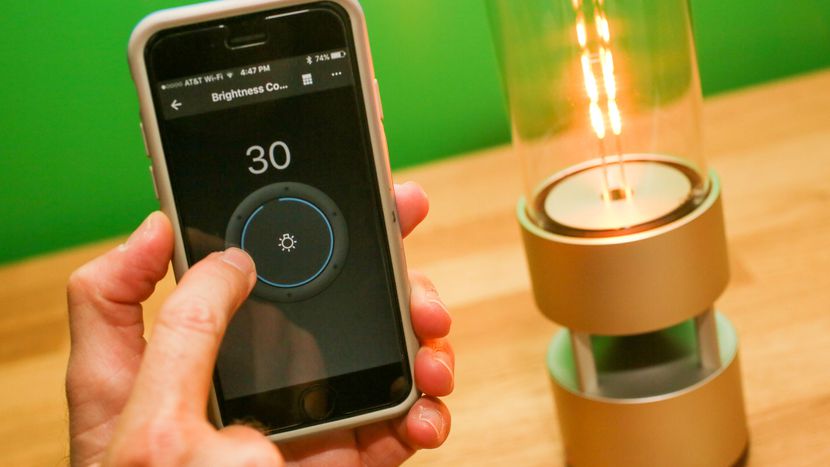
    The Sony Glass Sound Speaker has a very cool, transparent design and is equipped with an integrated LED light that’s dimmable from your phone. It delivers clean, crisp sound at moderate volumes and has a built-in battery for portable use (4 hours of batter life).  If you can afford it, Sony’s Glass Sound speaker is beautifully designed, sounds good and complements minimalist, modern decors


    As a half wireless Bluetooth speaker, half lantern with a dimmable LED bulb that mimics a flame, it’s got double mood setting potential. It an also be moved around freely because it’s got an integrated rechargeable battery that gives you around four hours of music playback, depending on the volume level. You can also just leave it plugged in if there’s an outlet nearby.

    It’s one of those products you really want as soon as you see it, but its $800 price tag is an instant buzzkill unless you happen to be a lottery winner or a Rockefeller.


    OK, so this speaker’s a splurge, but it’s worth it! This gorgeous glass speaker by Sony will not only deliver 360-degree sound with exceptional quality, but it also improves the ambiance in your home via an LED filament light. The latter delivers a soft glow that resembles a candle or a lantern.
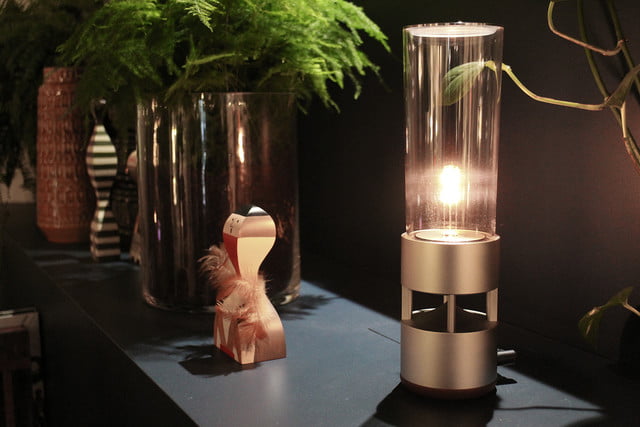
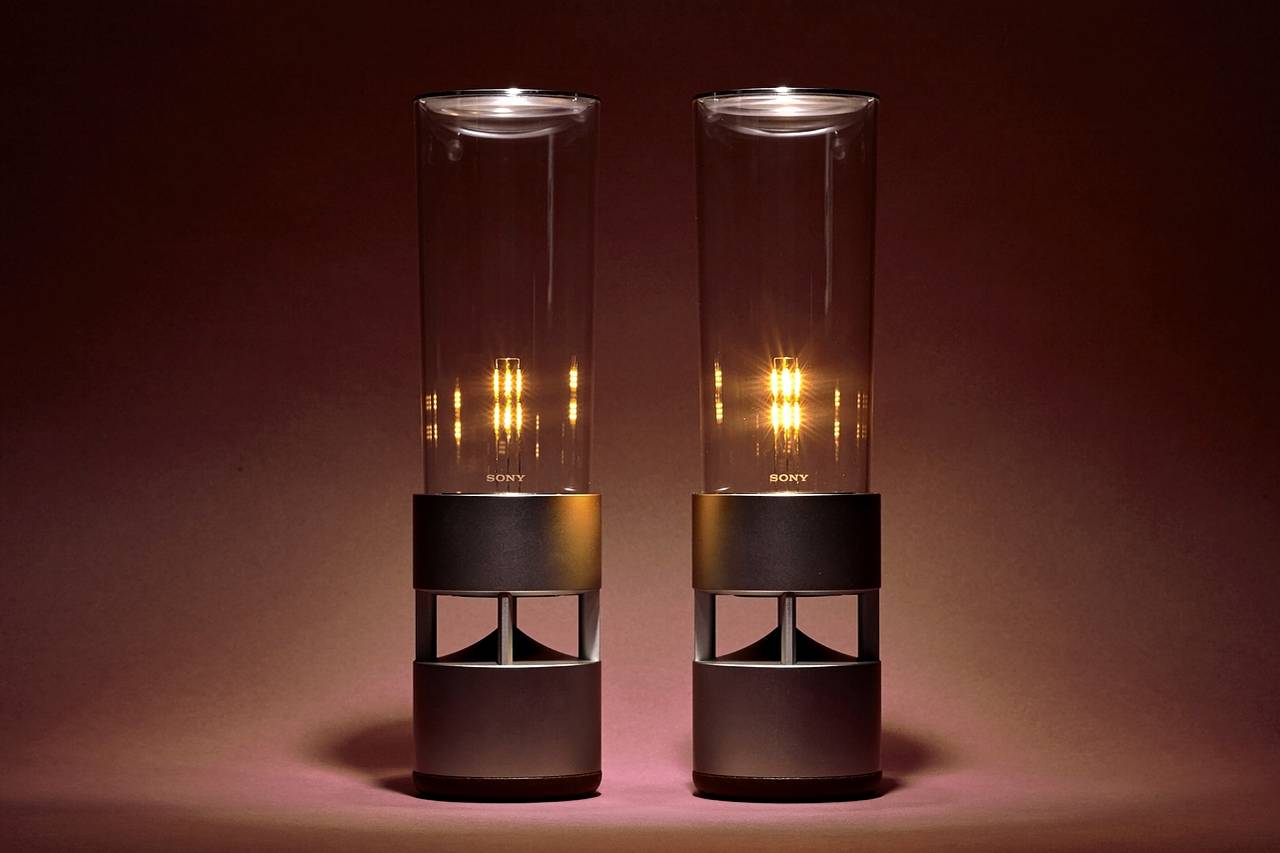
    You can control the speaker and its light via a smartphone app (available for iOS and Android), as well as pair a duo of LSPX-S1 units for an even more fulfilling sonic experience. Overall, it’s a pricey proposition that’s a true conversation piece.


    The Design

    Ok, so its beautiful. Its like a magnificent piece of art you would want to be displayed and have stuffy conversations about. The unique design—a tall, clear tower enclosing an adjustable LED light—even earned the item inclusion in the Museum of Modern Art’s online store.

    According to the site, the speaker is one of MoMA’s best sellers. The ad copy gushes that Sony has managed to “create a new kind of living experience,” one that looks like a “sleek, softly glowing lantern but is also a powerful speaker with breathtaking sound quality.”


    The Sound

    The bass has mediocre impact and the lower bass is lacking in power. The midrange is thin and somewhat hazy. And, working my way higher in tone, the lower and mid-treble are subdued while the upper treble is overly prominent with a sizzly sound. The overall sound quality is somewhat harsh at higher volumes.

    With some speaker models, I find that adding a second unit really improves the overall sound, but that wasn’t the case when I  tested a pair of the Sony Glass Sound Speakers. Our testers found that the sound remained thin. Though the bass was slightly more robust, everything else was somewhat hazy and congested.


    The Final Thought

    While obviously not hi-fi, the sound quality was easily equal to that of most of the small portable Bluetooth speakers we’ve heard, and the Sony LSPX-S1 has two other advantages, one of which is that it looks lovely, and the other being that it doubles as a table lamp. Seriously, what more could you want for $800.

  • R-9 Smartglasses and I Can See The Future Clearly Now

    R-9 Smartglasses and I Can See The Future Clearly Now

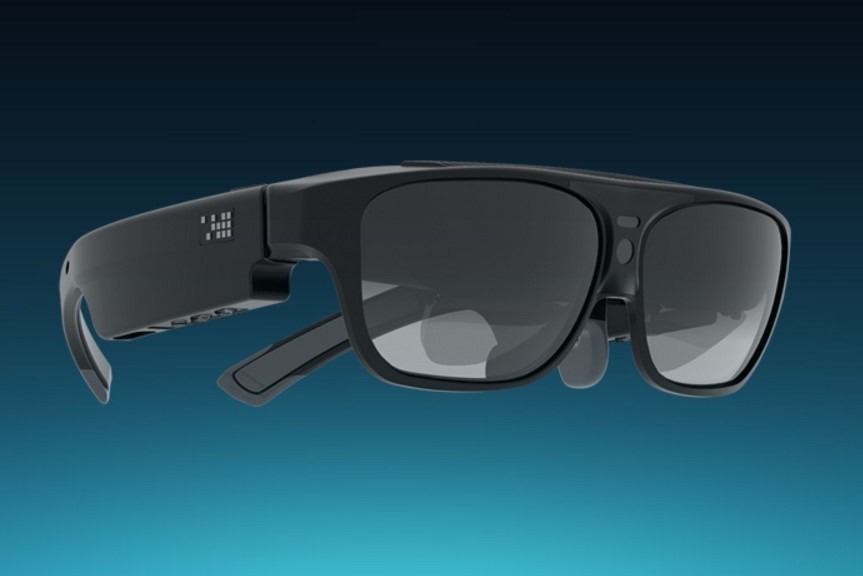
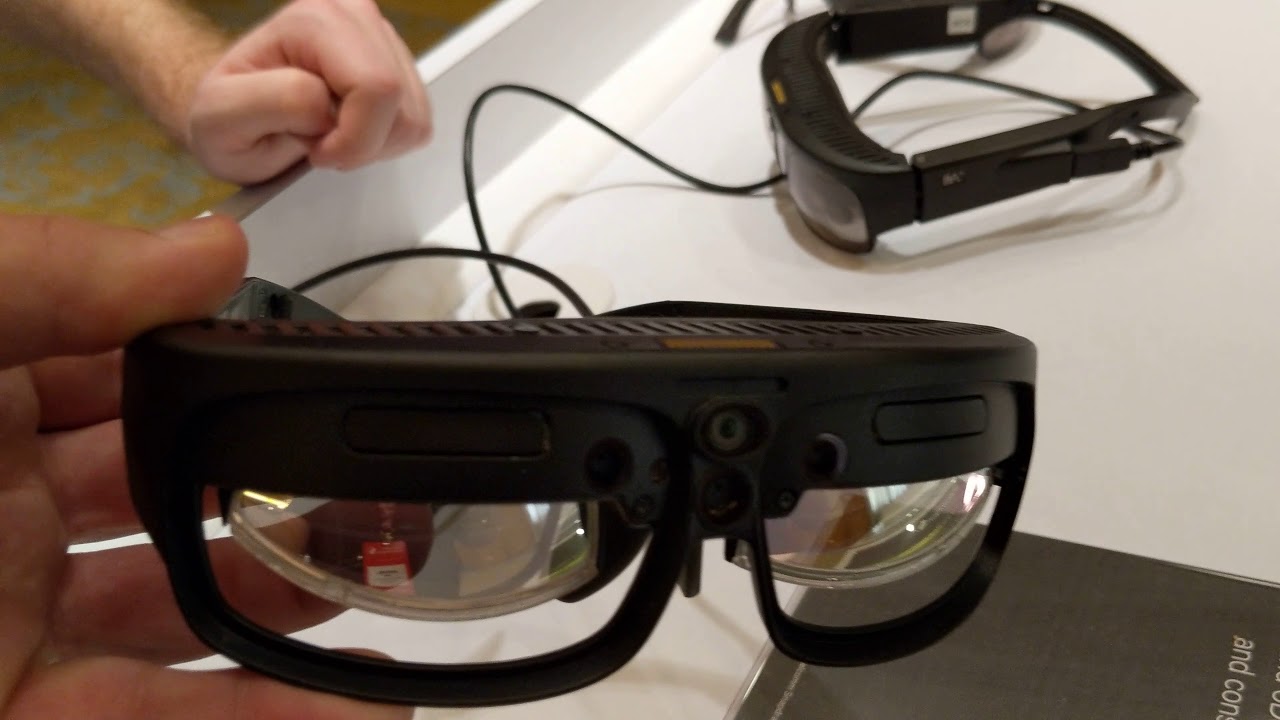
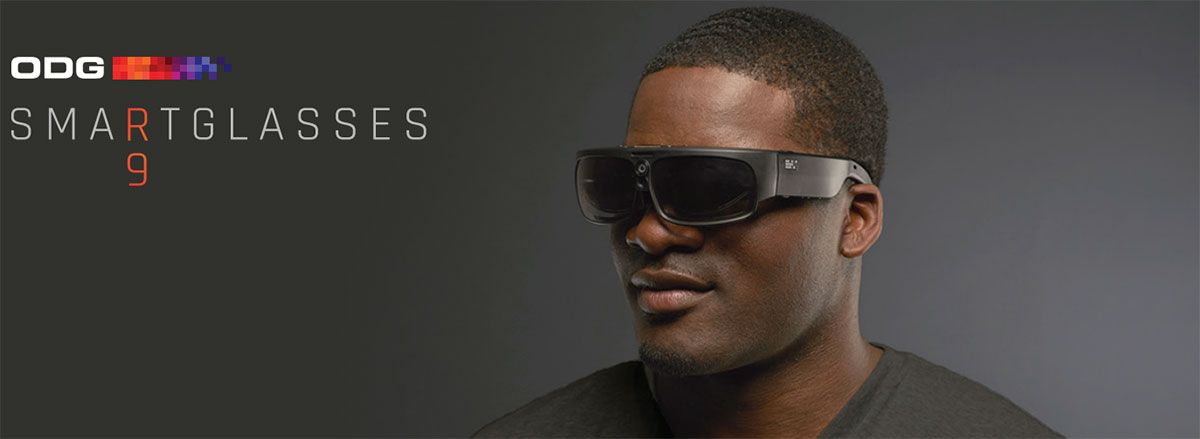
    R-9 smartglasses are ODG’s visual powerhouse and offer an extra-wide-field-of-view for enterprise design and visualization, gaming and entertainment, and extended reality development. Leverages Qualcomm’s Snapdragon 835 chipset, 6DoF and SLAM technologies to create, collaborate and consume content.


    These are the real deal with Dual-stereo depth cameras for advanced mapping and tracking, expansion port for customization, and Qualcomm’s Snapdragon 835 chipset for the ultimate XR experience. THX-certified, Hollywood-standard smartglasses delivering true cinematic quality.Powerful, versatile, and with a 50° field-of-view, R-9 is ideal for light enterprise and prosumer media consumption use. It plays movies with
    cinematic clarity, drops you inside immersive 3D interactive experiences, and reveals new worlds of invention and productivity. R-9 is also a flexible development platform for mobile virtual reality and mixed reality experiences, with module expansion capabilities that make it our most
    customizable device for a wide variety of environments and end user.

    The Looks

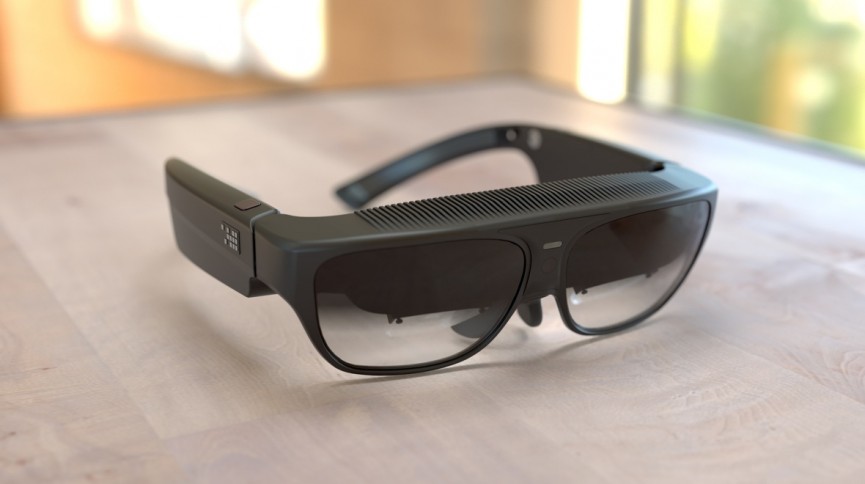
    Ive been looking for this type of solution, AR/VR glasses that can have a multiple use as real sunglasses. These units definitely look and feel much closer to real glasses than anything I have seen in the arena currently. They weigh far less than the HoloLens, and at a distance past 10 feet, could easily pass as a real pair of sunglasses.

    Unlike the HoloLens, the form factor of both the R-8 and R-9 are too small to wear with a pair of glasses. So one important feature that I had missed previously is their ability to have prescription lenses placed in them—with a simple snap. The ODG team had a selection of lenses at GDC for just that purpose waiting on the table for the glasses wearers in the room, thankfully.

    The Feels

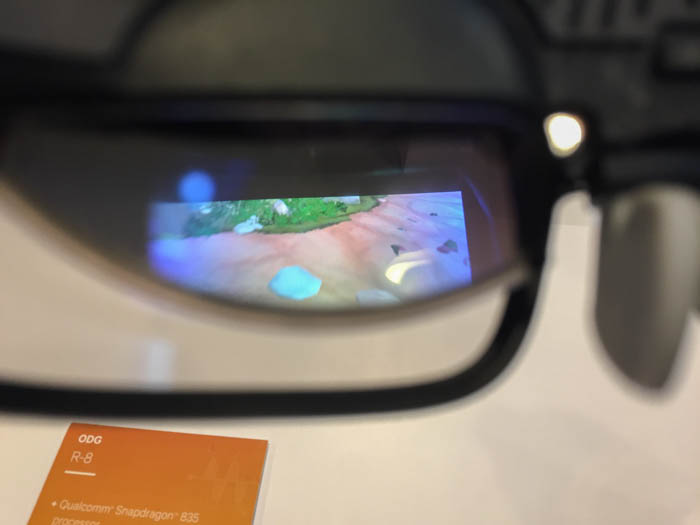
    The demos that I saw were fully immersive applications, more in line with a VR experience, through a non-occluded headset. This is arguably not an ideal test for smartglasses. The projection quality itself was good, though it was a little darker than expected. Also, it seemed a bit more transparent that I would have liked.

    In all fairness, both the transparency and image brightness are factors that could, and most likely are, attributed to being under florescent lighting. My personal frame of reference, and in essence my base of expectations, is my development environment which uses far less harsh lighting.


    What Do I Do With Them

    The R-8, aimed more squarely at consumer early adopters, trims down the specs a bit. Its field of view is a more modest 40 degrees, its display has 720p resolution, and there’s no port for expansion modules. But it’s also lighter — 4.5 ounces compared to the R-9’s 6.5 ounces — and cheaper, at under $1,000. It’s also got two 1080p cameras on the front that can capture stereo video. ODG expects to ship it in the second half of 2017.

    So what exactly are you supposed to do with these glasses? ODG admits that they’re not “designed to be worn all the time,” but are meant to be carried around for watching movies on a digital big screen, playing games, or using apps. It’s working with 21st Century Fox’s Innovation Lab on experiences that include 3D movies and an interactive augmented reality demo based on the Alien franchise. Combined with the Migu partnership, this provides at least the start of a catalogue, although we’re still waiting to see how well the glasses themselves hold up.


    The Final Thought

    While they were announced at the CES 2017 a year later and we still cant buy or own pair. The idea is novel and innovative but I feel like this will just be a high priced stepping stone to the real solution.


  • ESPN+ Opens Their Subscription Streaming Service

    ESPN+ Opens Their Subscription Streaming Service

    Yesterday, ESPN launched their subscription streaming service to the masses. It’s their first push into subscription streaming. It’s also Disney’s first streaming launch since acquiring a majority stake in BAMTech in 2017.

    The New Service

    The service will have two options for subscriptions, either $4.99 per month or $49.99 per year. American Express is sponsoring a 30-day free trial.

    “I consider these offerings the beginning of a new era of innovation at ESPN,” said Jimmy Pitaro, President of ESPN.

    A Different Kind of Service

    ESPN is not looking to mimic some other channels’ subscription offerings. HBO Now, for instance, mirrors content between the television channel and the subscription service. ESPN+ is going a different direction.

    Rather than serve as a replacement, it will be a complementary addition to ESPN’s cable network channel.

    “We’ve been very clear that the service is meant to be complementary and additive to what you’re getting on linear television,” Pitaro said.

    Because of this angle, ESPN and BAMTech aren’t marketing ESPN+ as a cord-cutters service. It’s for people who are hungry for more sports.

    “I don’t know how to program to cord cutters,” said BAMTech CEO Michael Paull. “I do know how to program to sports enthusiasts.”

    Offerings

    There will be plenty of live game offerings, including a daily MLB game, more than 180 NHL games, and more than 250 Major League Soccer games, college sports, golf, cricket, ruby and matches from three different tennis Grand Slams.

    Outside of games, there will be original shows like Detail (a basketball show hosted by Kobe Bryant) and the 30 for 30 documentary series. There will also be other original ESPN content offered on the streaming service.

  • Goodbye 32-Bit Apps: How to Check Your Mac Apps for 64-Bit Compatibility

    Goodbye 32-Bit Apps: How to Check Your Mac Apps for 64-Bit Compatibility

    Apple has announced that an upcoming update to MacOS will end support for 32-bit applications. This could leave users and developers in the lurch, trying to determine how to either upgrade or replace needed software.

    Luckily, there are some simple ways to check your most commonly used apps to determine if they will still work after the transition.

    The Pop-Up Alert

    If you’ve upgraded to 10.13.4, then you may have already seen a one-time pop up upon starting a 32-bit app. The pop-up box reports that your app “is not optimized for your Mac.” And goes on to say that it will need to be updated by the developer to improve compatibility.

    There’s no mention that the app will stop working in the future, but that is exactly what will happen.

    System Report

    The system report feature will also list all of your apps and give you an easy way to check everything for compatibility going forward.

    From the Apple menu, click About This Mac and then scroll to the System Report button. Under Software, choose Applications. When you choose an individual application, all you need to do is check the ’64-bit (Intel)’ field to see if it’s marked ‘yes.’

    If so, you’re good to go and your app will continue to work after the transition. If it’s marked ‘no,’ then it’s time to check with the developer to see if there is an updated version. Otherwise you will need to find an alternative application and make a permanent switch.

    Or, of course, you could simply avoid updating MacOS, but with all of the security fixes and features that are added, that’s not a path that we recommend.