Month: May 2018

  • Aloe Bud Is the Self-Care App You Need Now

    Aloe Bud Is the Self-Care App You Need Now

    Do you ever feel stressed out? Well, there’s an app for that.

    Aloe Bud offers push notifications to remind you to be kind to yourself. You can configure notifications for everything from drinking more water, taking deep breaths, to getting up from your desk to move, and many other options.

    Millennial Mindfulness

    With its quirky design and cheerful retro graphics, the Aloe Bud app is clearly designed with Millennials in mind. The oft-maligned generation is more open to incorporating practices like yoga and meditation into their daily routines. Not only that, but they’re willing to shell out a few bucks at a time to get the latest mindfulness app.

    Self-care is a thriving business, and with an increased focus on wellness pervading almost every industry, it’s easy to get cynical about the whole thing. However, there is real value in being reminded to take a moment out of your day to look after your wellbeing. Aloe Bud makes it easier to do just that.

    Easy-to-Use App

    Aloe Bud is unusual in that it doesn’t require a ton of personal information to create an account—no sign-up process that gathers your name and address, and no Facebook link to turn self-care into a competitive sport.

    The interface is straightforward, with a grid of boxes containing a cute graphic and intuitive label for each type of self-care activity. You can choose to get alerts for any of these activities throughout your day. The app is also useful for tracking your good habits!

    Deceptively Simple

    Developer Amber Discko created the app based on her own need to de-stress and take better care of her wellbeing. Working with a mental health professional, her team carefully chose language that was positive, encouraging, and respectful of common triggers for anxiety.

    The app is free from the Apple store, although there is a $4.99 expansion pack of new texts to keep things fresh.

  • Facebook Is Rolling Out a Downvote Button

    Facebook Is Rolling Out a Downvote Button

    Facebook is experimenting with a downvote button in certain markets. But before you get excited, it’s not the same thing as a dislike button. We’re still waiting for a thumbs-down react option, but in the meantime, there will be a new way to rank comments so that the “best” content appears first.

    Follow the Arrows

    In addition to the set of emoji reacts—like, love, haha, wow, sad, and angry—you’ll soon be able to hit an up or down arrow to show whether a comment was helpful, insightful, or relevant to the discussion.

    This new feature mimics other platforms like Reddit or the commenting system Disqus, used by many sites around the web. After the hits Facebook’s reputation has taken recently, the move can be seen as part of an overall strategy to make the social media site a more appealing place to spend your time. By downvoting comments that are disrespectful, hateful, or off-topic, users have more control over the content that’s displayed.

    Fostering Communication

    The goal with the downvote option is ultimately to clean up the comments with less hate and fake news. “People have told us they would like to see better public discussions on Facebook, and want spaces where people with different opinions can have more constructive dialogue,” a Facebook spokesperson said. “Our hope is that this feature will make it easier for us to create such spaces, by ranking the comments that readers believe deserve to rank highest, rather than the comments that get the strongest emotional reaction.”

    Limited Trial Run

    For now, the feature is only available in New Zealand and Australia. Assuming everything goes well there, the social media giant intends to extend the downvote feature to other territories. No word on when it will arrive in the US, but you can probably expect to see the upvote/downvote options sometime this year. As for how Facebook plans to deal with potential abuse of the system…well, we will have to wait and see.

  • Were You a 90s Kid? This Now-Ancient Tech Will Get Your Nostalgia Flowing!

    Were You a 90s Kid? This Now-Ancient Tech Will Get Your Nostalgia Flowing!

    Ah, the 90s. Technology was really picking up speed and the World Wide Web was beginning to unite the planet. Looking back, it’s easy to laugh at how bizarre or quaint some of the tech was. From the cast of Friends teaching you how to use Windows 95 to that ubiquitous AOL connection screen, here are some of our favorite tech from the 90s to help spiral you off into nostalgic-fueled daydreams!

    10. Tamagotchi

    10-tamagotchi

    panelsonpages

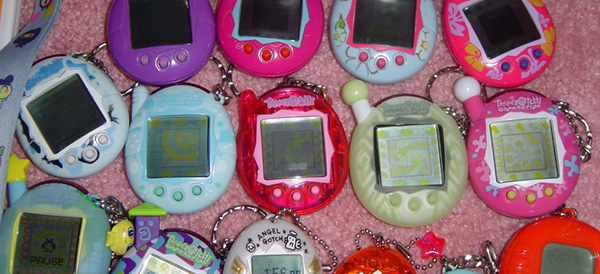
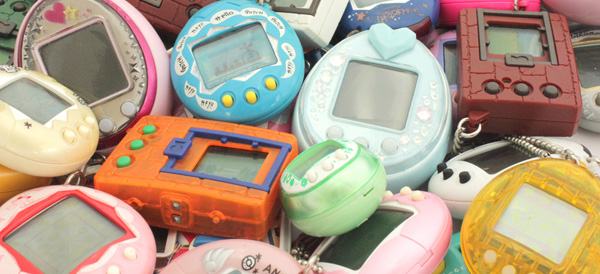
    Be honest, how many of you killed your Tamagotchi pet? This wasn’t a fad that lasted long (at least where I lived), but for a short while every kid at school was taking breaks to feed and play with this primitive digital pet. The interface was horrid, the graphics were stick-figure-simple, but it captured the imagination of kids around the world.

    Tamagotchi was relaunched by Bandai in 2017 without much critical fanfare – We think people remembered how much of a pain they were.

    9. “You’ve Got Mail!”

    09-aol

    youtube

    You remember the internet before broadband, right? When you had to check with the family to make sure they didn’t need to use the phone for a while? When the sound of the Internet was a piercing, screeching noise that simultaneously irritated and excited you.

    In those days, America Online was the ISP of choice and geeks judged people on whether they used the built-in AOL browser or the infinitely better Internet Explorer. Let’s not even get into what adolescents were up to in chat rooms back then. A/S/L anyone?

    8. Handheld Games Like This

    08-disney-handheld

    popsugar

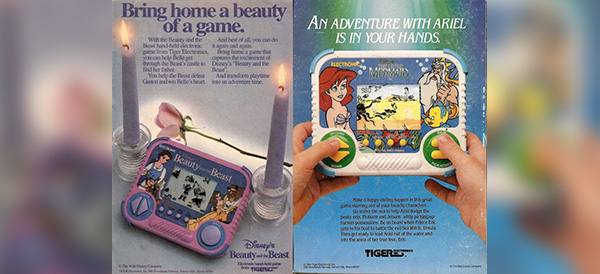
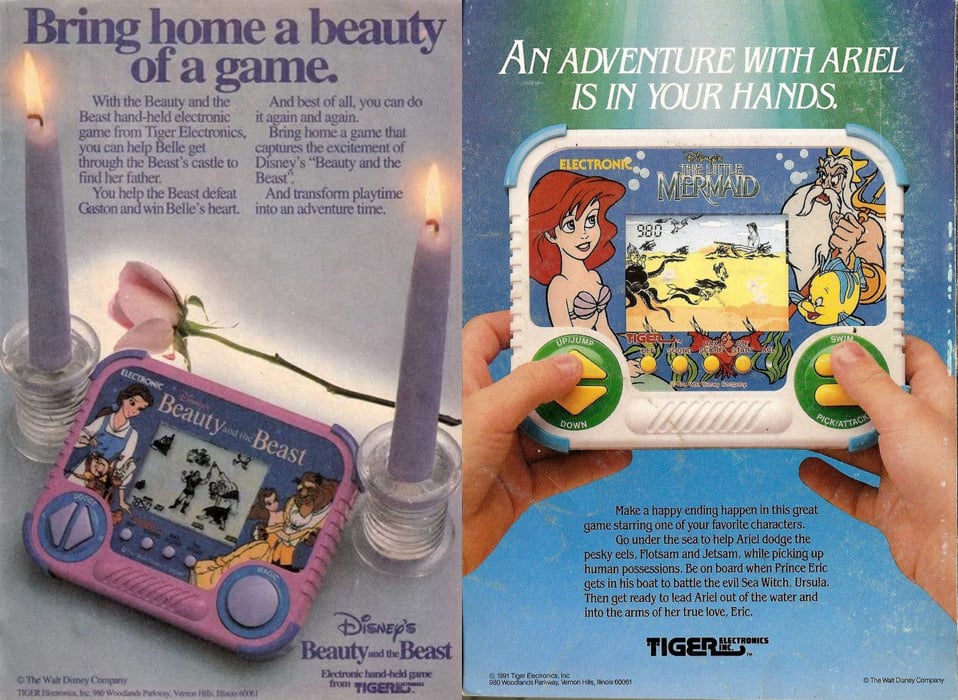
    This was a weird in-between period for video games. The old style handheld games popular in the 80s (think baseball, football and the like) had been completely surpassed by the Nintendo Gameboy. But Gameboys were expensive, so for a while, these single-game, two-color tech monstrosities continued to find some level of profitability. These days you might find a hipster playing his OG Gameboy on the subway, but one of these things? Likely not!

    7. The Windows 95 VHS Starring Rachel and Chandler

    07-windows-95

    flickr

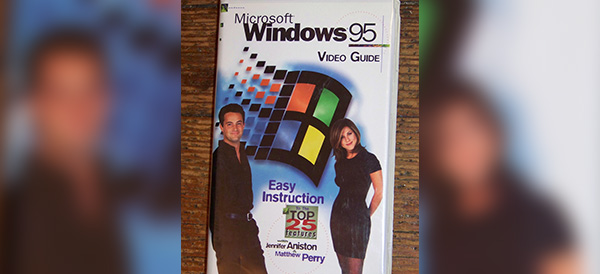
    Windows 95 was a really big deal. Before then, people were using DOS and Windows 3.1, which were old-fashioned even by 90s standards. Even still, it’s funny to look back at how incredibly quaint it is to bring in some television stars for a VHS release on how to use Windows 95. The only thing it proves, I think, is that old people of every generation need a little extra help with these newfangled contraptions the kids like so much.

    6. Pokémon

    06-pokemon

    youtube

    Okay, so Pokémon never really went away and by some accounts is as popular as it ever was. But 90s kids remember the origins of Pokémon… These are the true Pokémon veterans. Coming out of Japan and landing in the US in the late 90s, every kid who did not have a Gameboy Color to play Pokémon was looked upon with pity. These days there are more Pokémon games than you can count on your fingers and toes and the popularity seems to have a Star Wars-like longevity. Here’s to the OG fans of the 90s!

    5. Video Rental Stores

    05-blockbuster

    wikipedia

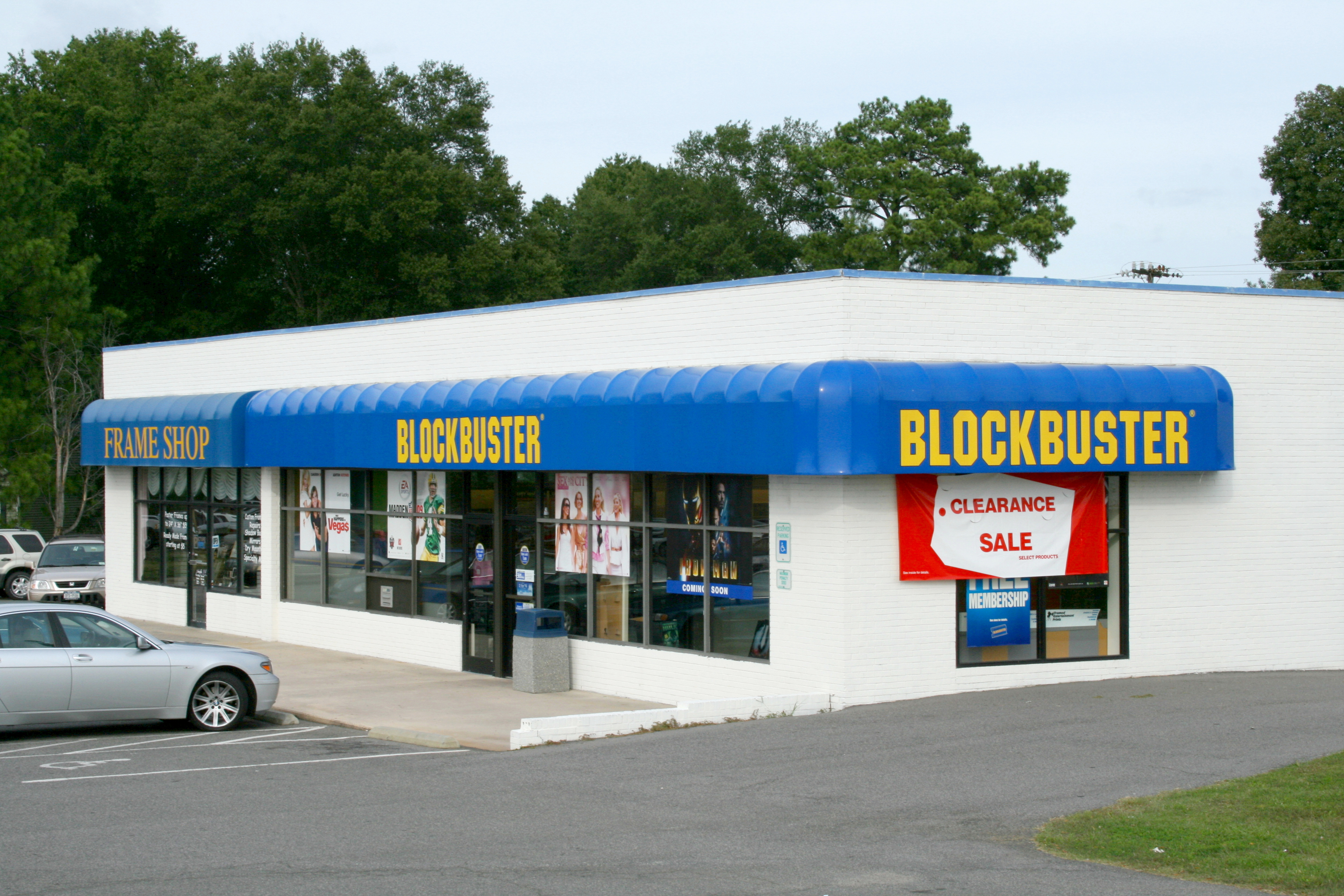
    Before digital streaming or even digital media like DVDs, VHS tapes were the only way most of us were able to watch movies. I mean, who had Laserdisc? Going out to the video store to rent movies for the weekend was a family tradition for myself and many other people. Rows and rows of movies to choose from and the sheer joy when Blockbuster started renting video games. These are some of the best memories for many 90s kids.

    4. Tape Rewinders

    04-rewinder

    wikipedia

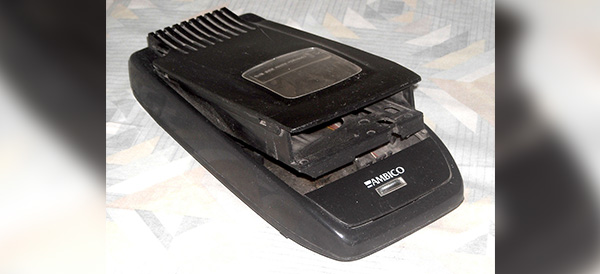
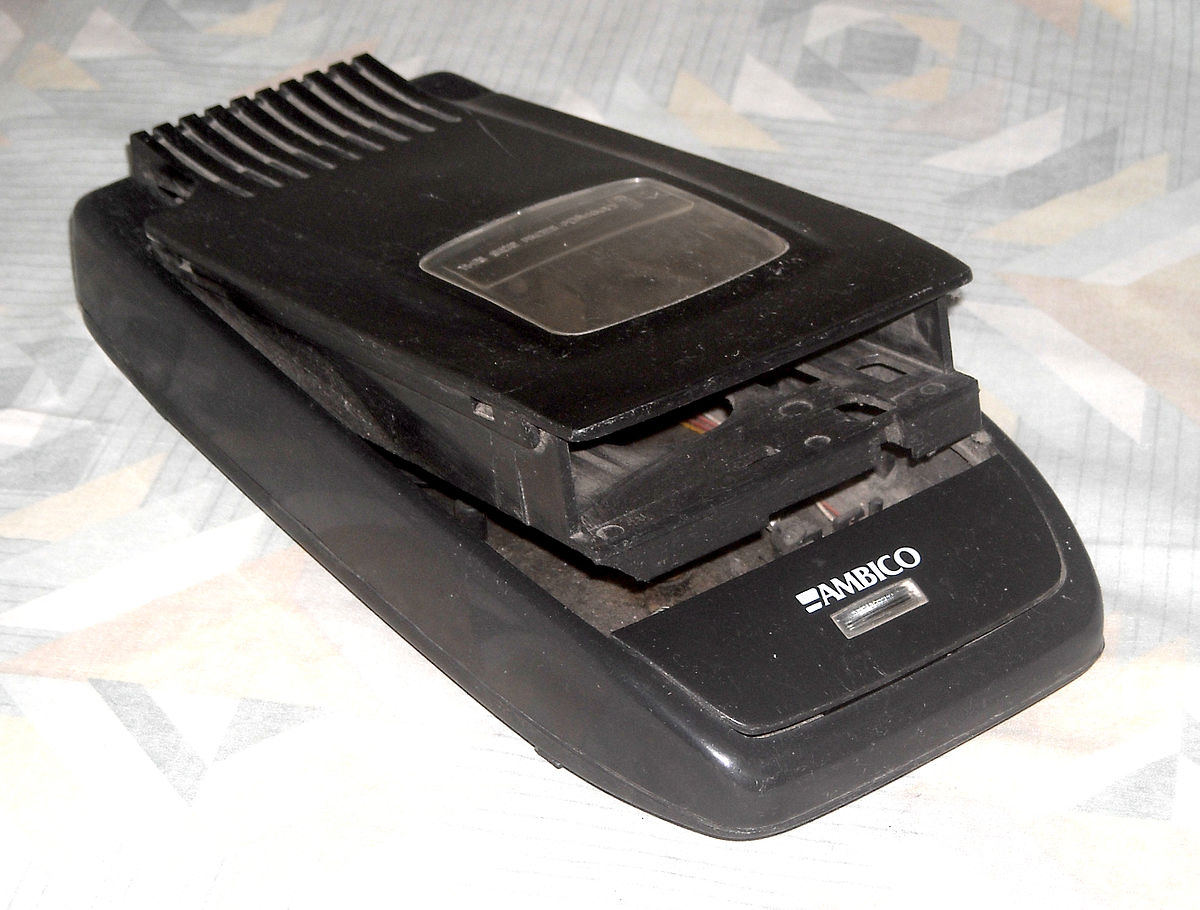
    Speaking of renting movies, do you remember the “Be Kind Rewind” stickers on every single VHS you brought home from Blockbuster? Those were the days. The problem was that rewinding video tapes was actually bad for your VHS player and you couldn’t do anything else with it while you waited for the tape to be rewound. Enter the tape rewinder – an extra device that most of us owned whose sole purpose was to rewind VHS tapes. Somehow that made sense to everybody.

    3. Floppy Disks

    03-floppy-disk

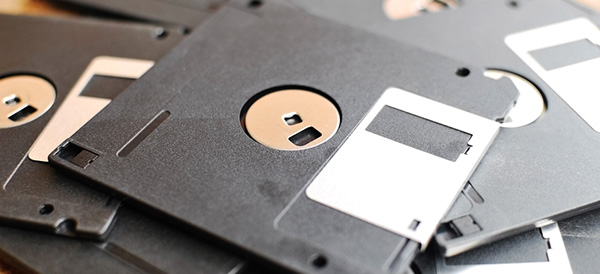
    Holding a whopping 1.44 megabytes of data, the floppy disk was the ubiquitous mode for moving data around. Kids from the 90s probably remember carrying around at least one floppy disk for the one or two classes in school that required using word processors. CD-ROMS may have increased the amount of data storage available for software, but CD burners were somewhat of a slow luxury that many of us did not have.

    2. Encarta

    02-encarta

    shopify

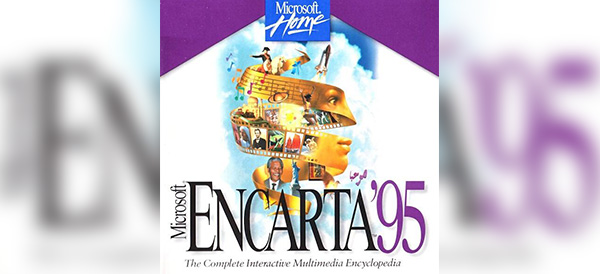
    Did your family have a bookshelf full of massive encyclopedia volumes? I know mine did. And I can remember the utter disbelief painted across my father’s face when our Packard Bell family computer came with an Encarta CD-ROM. “All of that?” he asked, pointing at tomes on the shelf, “In this?” Yeah dad, with video and sound, too. Welcome to the future!

    1. Giant Car Phones

    01-car-phone

    thetruthaboutcars

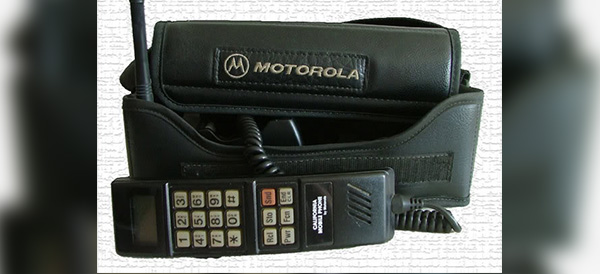
    In the 90s, I had a friend who drove to high school every day in the ugliest, brownest, most beat up car I had ever seen. We called it “The Brown Thing” and most people would have been embarrassed to be seen in it. But The Brown Thing had something I had never seen before – a giant phone console. This tech blew my mind and put my friend at Zack Morris levels of cool. “Wait a second, you can make phone calls from your car?” To which he replied, “Well yeah, but I can only call my mom.”

    Decades may change, but moms never do.

  • How Camera Lens Accessories Surpass Smartphone Camera Limitations

    How Camera Lens Accessories Surpass Smartphone Camera Limitations

    One of the greatest things about smartphones is the simple fact that you always have a camera on you. Gone are the days of lugging around a point-and-shoot camera… and thank goodness! To make matters even better, Apple, Samsung and other smartphone makers are constantly one-upping each other and packing better and better cameras into their tiny devices.

    But smartphone photography is still underwhelming when compared to the kinds of photos that a full-featured digital camera can take. However, there is some middle ground that is now being explored by manufacturers of smartphone camera lenses. Does snapping on an external lens turn your smartphone into a professional camera? No, but it does offer some advantages for those looking to capture certain types of images.

    Limitations of Smartphone Cameras

    First, let’s quickly explore exactly why your smartphone camera is limited compared to other types of cameras. A camera lens needs light in order to take a picture and your phone has a tiny lens. That means less light. And because the lens is embedded into the phone’s case, there is no optical zoom capabilities. The digital zoom that smartphones can perform reduces the quality of your photo drastically.

    Where you get your real bang with smartphone photography is through the software. The post-image processing that occurs on a top-of-the-line device allows you to take photos that look better than they would without software. This is most evident if you use portrait mode or take panoramic photos, but it applies to every shot.

    Surpassing Limitations

    Smartphone camera lenses really shine when a photographer is looking to get around the basic limitations of their lenses that we described above.

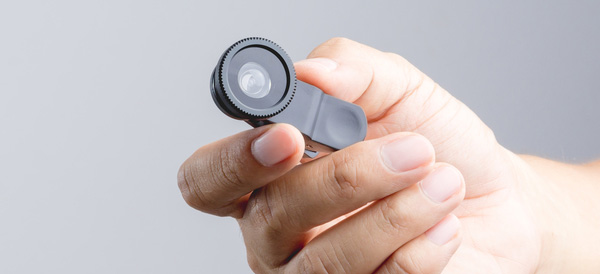
    A telephoto lens will allow photographers to achieve optical magnification to zoom in and get photos that are more crisp than digital zooms.

    Wide angle lenses and fisheye lenses allow the photographer to capture more in their frame. The fisheye apps out there don’t even come close to achieving what even a snap-on fisheye lens can achieve.

    Macro lenses will allow a photographer to get those up-close photos without having to fight the smartphone on focusing while holding the camera close.

    Who Needs a Smartphone Camera Lens?

    It really boils down to specific photo needs. If you need to take macro, zoomed, wide angle or fisheye photos with your smartphone, then a lens is absolutely worth it.

    The casual smartphone photographer who just wants to take snaps when the opportunity arises will most likely never need a lens accessory. Their needs are just too basic. The hassle of lugging around and caring for external lenses are probably not worth it.

    But whether or not it sounds like you need a camera lens accessory, happy shooting!

  • The Atari VCS Pre-Orders Start May 30 – Should You Get One?

    The Atari VCS Pre-Orders Start May 30 – Should You Get One?

    Gaming enthusiasts of the retro persuasion will finally get a chance to pre-order the upcoming Atari VCS console on May 30th. If you are undecided on whether the two versions of Atari VCS are worth the $200 and $300 price tags, then read on for a quick roundup of the most interesting features that have been revealed.

    Under the Hood

    Atari has finally revealed the internal specs of the VCS, which will be capable of playing more than just Atari games. They partnered with AMD to provide the chip which will support 4K resolutions, HDR and 60fps gameplay. There will be internal storage with external capabilities as well. Bluetooth 5, USB 3 and internal WiFi round out the specs.

    Collector’s Edition vs Onyx Edition

    Presumably, there is no difference between the two editions under the hood. The Collector’s Edition is a “time-limited” version of the console that harkens back to the old days of the Atari with a faux wood front paneling. Whether that’s worth an extra $100 is purely a personal decision – we understand what it’s like to be a collector.

    The Onyx Edition is a pure black console that doesn’t have that retro flair that some Atari fans may be looking for. Others who are planning to stuff it into an entertainment cabinet may not care.

    Gameplay Capabilities

    This is where Atari is still keeping their cards close to their chest. Obviously, the system will come preloaded with classic Atari games like Asteroids, Centipede, Missile Command and others… But the 4K/HDR/60fps capabilities of the machine don’t exactly make sense if Atari stopped there. By some reports, the Atari VCS will also be capable of supporting modern titles – but therein lies the mystery. There is no information on what these are yet.

  • The Best Facebook Apps for Smartphones – Android Edition

    The Best Facebook Apps for Smartphones – Android Edition

    The most popular social media service on the planet offers official apps for nearly every platform. But unfortunately for users, those official apps don’t always cater to their needs, or they may drain battery or slow down older Android devices. Luckily, there are some alternatives to the official apps – here are our top five!

    Friendly – Free / $1.99

    Friendly is a newer Facebook app that comes with some nice filtering options if you are annoyed by Facebook clutter. You can customize your news feed, filter out keywords, set a theme and use Facebook chat.

    The Pro version will cost you $1.99 to unlock. We think Friendly is well worth the cost, especially if filtering is appealing to you.

    Fast – Free / $1.49

    Fast has been around for a long time and it has evolved into a very full-featured Facebook app. With Fast, you can post, comment, share and access Groups and Pages. It even supports chat in the app, unlike the official Facebook app itself.

    There is a Pro version available for $1.49 and a Lite version that provides more basic Facebook access.

    Metal – Free

    Metal supports both Facebook and Twitter and has been gaining a lot of popularity. The app is actually a web-wrapper, which means it runs a mobile version of the Facebook/Twitter websites inside the app. There are some UI tweaks, themes and more. Although Metal is free, there are no ads. Definitely worth trying out!

    Simple – Free / $1.49

    Living up to its name, Simple is another web-wrapper app for Facebook that includes all of the basic features that you expect. You can interact with posts, upload photos and video and chat through Facebook Messenger.

    The free version is ad supported, but you can purchase the full version for $1.49 to remove them.

    Puffin for Facebook – Free

    If you have an older Android device and other Facebook apps are too slow and clunky, then consider giving Puffin for Facebook a try. It’s a browser app that is made specifically for Facebook, created by the developers of Puffin Browser. This app features some data compression tricks that lets you use less data and works great on slow network connections. If an old device or a slow connection is your situation, check out Puffin.

  • The Best Wireless Home Security Systems

    The Best Wireless Home Security Systems

    Sadly we live in a world where  wireless home security systems are not just a necessity but vital. There are a lot of options for wireless home security systems, even do it our self options. Do-it-yourself setups are ideal for homeowners on a budget because they can save you a bundle on installation charges and subscription fees. Then there are the professional systems. The nice thing about professionally installed systems is you don’t have to lift a finger; after you’ve placed your order a technician will come to your home, set everything up for you, and show you how the system works. When it comes to my home and my family I want a professional wireless home security system. Lets take a look at the 3 best options available today.


    1.ADT Pulse

    ADT formed in the 1800s as American District Telegraph, the world’s first telegraph-based alert system. They are not number one for being the oldest, they are also by far the best. With features like  Wireless or Hardwired options, Professional instillation, Doorbell monitors, Intrusion Protection, Medical Response and state of the art  Home Automation. Just having the sign in your lawn reduces your risk of intrusion by 63%.

    The cost is manageable, and miniscule for piece of mind. ADT home security costs can range from $9/week * to $14/week * based on your monitoring package. However, an ADT home security cost depends on which monitoring package best fits your needs. The ADT monthly fee for the standard Essentials package starts at $36.99/month

    2.SimpliSafe

    This solutions is making a big splash. Using small and efficient IoT enabled devices and 24/7 live human monitoring they offer a complete protection package. Utilizing, Entry and motion sensors, Glassbreak detection, Video security.  Heads up burglars, start running. Being totally wireless, Its easy to install your self and customer service is just a quick call away. It’s like having your own personal security guard with a direct line to the police. Video equipment with instant live link anytime an alarm is triggered lets you see whats happening when you are not at home. You can Arm and disarm SimpliSafe with just a single touch on those incidental false alarms.

    3. Vivint

    Vivint the solution for All-wireless security. All your home controls on one app. Vivint Smart Home helps you live more and manage less. THey have a wonderful small sensor that can be placed at any entry point. This sends you a wireless alerts anytime a door or window opens. With a total control app you can manage your security entry points, Smart Locks, Doorbell Camera, Outdoor Camera, and Element Thermostat.


    The Wireless Home Security Systems Final Thought

    All of these will secure your home, protect your family and significantly reduce the chance of a home invasion. They are all very low cost and almost completely  hassleless. With all the threats we have looming, wireless home security systems are a non-negotiable for any homeowner.


  • MoviePass is Raising Prices and Lowering Movie Tickets Per Month

    MoviePass is Raising Prices and Lowering Movie Tickets Per Month

    Big-time movie fans were amazed and thrilled when a concept called MoviePass was first launched. For a single payment of $89.95 upfront, or $7.50 a month, a MoviePass customer could see one movie a day for a one-year subscription. For someone who sees multiple movies a month, or who wishes they could if the normal ticket prices were cheaper, MoviePass was a perfect solution.

    Sadly, MoviePass is Changing their Game—Fast

    The annual price of $89.95 is no more. New subscribers will now be required to pay $9.95 a month, and that won’t get them the amazing one-movie-per-day deal. Instead, $9.95 a month will give them only four movie tickets per month.

    In addition, MoviePass will now require customers to pay for their subscriptions in chunks of three months at a time upfront.

    The Changes to MoviePass May be Permanent

    The CEO of MoviePass Mitch Lowe said that he isn’t sure if the “unlimited” plan will ever come back.

    MoviePass is also now requiring customers to see different movies with each ticket. MoviePass says, “We hope this will encourage you to see new movies and enjoy something different!”

    That policy is immediately problematic and disappointing. Strong fans of certain movies, particularly the big blockbusters, often want to see their beloved movies more than once. Or, if someone wants to go with friends to see a movie they’ve already seen before on their own, they won’t be able to use their MoviePass ticket.

    MoviePass Offers “Consolation Prize”

    In an attempt to make MoviePass customers, or potential customers, feel better, MoviePass has teamed up with iHeartRadio. MoviePass will add a three-month trial of iHeartRadio’s All Access subscription to MoviePass subscribers. This may be welcome to some, but let’s face it, most MoviePass users are excited about movies. There may be some overlap between MoviePass and iHeartRadio, but for many, it won’t sweeten the deal enough to draw in more subscribers.

    Overall, it’s hard to say if MoviePass will be around to stay if people lose interest when the value of their subscription drops.

  • Gilfoyle’s Bitcoin Alert Noise from Silicon Valley Now Made a Reality

    Gilfoyle’s Bitcoin Alert Noise from Silicon Valley Now Made a Reality

    Spoilers for Silicon Valley Season 5, Episode 3 ahead

    Are you a fan of HBO’s hit comedy show Silicon Valley? Do you mine bitcoin? Did you find Gilfoyle’s use of death metal to alert himself to bitcoin rises and drops hilarious?

    Well, you’re in luck.

    Viska Offers Real Death Metal Bitcoin Alert

    That’s right—now you can get your own obnoxious bitcoin alert just like Gilfoyle’s. Icelandic website design agency Viska has just created a web version of Gilfoyle’s loud and jarring alert.

    According to Viska representative Sindri Guðmundsson, he and others from the Viska team watch Silicon Valleyevery week during each season’s airing. Guðmundsson said the team decided to make the Gilfoyle-inspired alert system “just for fun.”

    Gilfoyle’s bitcoin alert sound bite is a 1.36 second clip from the song “You Suffer” by Napalm Death.

    How Did Viska Make the Alert?

    Guðmundsson described that the Viska team wrote a simple Javascript plugin that follows the price of bitcoin from Coincap.io. Then they built their site off of WordPress—in three hours, no less.

    Now, any user who wants Gilfoyle’s alert system can connect it to their home mining rig, so they can toggle off and on remotely.

    Guðmundsson also said in an email to The Verge—a tech news site—“We actually follow the bitcoin price quite a lot and playing beautiful music each time it passes a certain amount makes the day better.”

    While Guðmundsson may believe “You Suffer” is beautiful music, it’s an equal guess that he was joking since they created the bitcoin alert for a laugh. The joke in Silicon Valleywas most certainly because the alert was loud and sudden, startling everyone in the office each time it went off (which was a lot).

    So, if you want to annoy your office-mates or just make yourself laugh as you follow the rise and fall of bitcoin, you can now be just like Gilfoyle thanks to Viska.

  • The Funniest Questions and Answers for Amazon’s Alexa

    The Funniest Questions and Answers for Amazon’s Alexa

    We’ve all asked our digital assistant silly questions just to see how they would answer. It helps offset the reality that you are actually talking to an inanimate object… The folks at Amazon have proven that they are good for a laugh by programming some humor into Alexa. Try asking your Alexa some of these questions and see what kind of response you get!

    Friend Zone

    friendzone


    Let’s be real, our digital assistants like Alexa, Siri and Cortana are not quite up to relationship material… yet. But that doesn’t mean you can’t ask them anyway. So what happens if you ask Alexa out on a date?

    “I like you, as a friend.”

    Ouch, friend zoned by a computer program.

    Friendless

    friendless

    You might think that all of these digital assistants like to get together in some corner of the internet and laugh at all the stupid questions they are asked, but that’s not the case. Alexa seems to party all alone. If you ask Alexa if she knows Siri or Cortana, her reply is rather short:

    “Only by reputation.”

    Clearly, there will be no consorting with the competition for Alexa. She will tow the company line just as she was programmed to.

    Chuck Norris

    chucknorris

    screencrush

    Just because Chuck Norris jokes are as old as MySpace doesn’t mean we can still get a laugh out of them now and then. The Chuck Norris Facts that brag of his accomplishments are clearly known to Alexa. So, if you ask her where Chuck Norris is, she replies:

    “If Chuck Norris wants you to know where he is, he’ll find you. If he doesn’t, you won’t know until it’s too late.”

    Thanks, Alexa. Now I have to check behind the couch for Chuck Norris. Again.

    Family Friendly

    familyfriendly

    Apparently, Alexa is very concerned with her manners. No matter how hard you try, you will never convince Alexa to drop an F-Bomb. She will resist saying anything that doesn’t come across as family friendly. In fact, if you ask her to say a bad word, she will reply:

    “I’d rather not say anything rude.”

    Well that’s nice, Alexa. I can see why they are marketing Echo Dots to kids now…

    Not a Real Girl

    realgirl

    Alexa isn’t trying to be a real girl and she seems completely okay with that. One common test to see if a machine can pass as a human is through the Turing Test. A computer only passes the Turing Test if it can fool a human into thinking they are communicating with another human and not a machine. But if you ask Alexa if she can pass the Turing Test?

    “I don’t need to pass that. I’m not pretending to be human.”

    Point taken, Alexa. Point taken.

    Busting Rhymes

    rapper

    Apparently, Alexa has some aspirations as a hip-hop artist and you can hear her work if you ask. Just ask Alexa to rap and she’ll drop some lines from her upcoming album:

    “Connect sync link all the pieces of your life I
    Get it done and the speed of WiFi
    I’m the player, the coach, the arena, the game
    If you want something done, you just gotta say my name.”

    If Alexa had arms, she’d drop the mic right now.

    Not a Co-Conspirator

    conspirator

    Back when Siri first came on to the scene, if you asked her where you could dispose of a body, she would list nearby swamps and dumps. Morbid? Hell yes. After a screenshot of her answers appeared in a murder trial, Siri now says, “I used to know the answer to this…” As far as Alexa goes? She has more scruples by far. If you ask her where to dump a body?

    “Call the police.”

    Law enforcement would very much agree with you, Alexa.

    Classic Comedy Fan

    comedy

    Like many others, Alexa has an appreciation for the British sketch comedy troupe called Monty Python. You may remember a very specific question posed by Tim the Enchanter… If you ask Alexa what the air speed velocity of an unladen swallow is, she’ll reply:

    “That depends on if it is African or European swallow.”

    What can we say… We are glad to see the love of Python persist into the modern era!