Tag: facebook

  • Alex Jones, Milo Yiannoupolis, Others, Banned from Facebook, Instagram

    Alex Jones, Milo Yiannoupolis, Others, Banned from Facebook, Instagram

    Controversial right-wing personalities like Alex Jones were banned from Facebook and Instagram on Friday. The figures also included Milo Yiannoupolis and Laura Loomer, avowed far-right commentators who are well-known for their combative and confrontational personalities. The bans also extend to Facebook-owned photo-sharing app, Instagram.

    Far-Right Bans Laid Down by Facebook, Instagram

    Facebook’s Reasoning

    The reasoning behind the banning, as stated by Facebook, was that the people in question violated their terms of service and community guidelines. As Facebook puts it, Alex Jones and the other figures represent dangerous ideologies and as such banned them. For comparison, the platform also banned Nation of Islam leader Louis Farrakhan, as well as numerous other figures from all sides of the political spectrum.

    “We’ve always banned individuals or organizations that promote or engage in violence and hate, regardless of ideology,” went a Facebook statement following the bans. “The process for evaluating potential violators is extensive and it is what led us to our decision to remove these accounts today.”

    Facebook noted that part of the reasoning behind the banning of Jones included his show hosting Gavin McInnes, founder of the Proud Boys and known “white nationalist”. This move highlights Facebook’s increasing attempts to take responsibility for the voices of hate on their platform.

    Outcry

    There was some outcry regarding the banning on Facebook and Twitter among various far-right groups. Many complained that the move violated the First Amendment rights of the banned individuals, including notable Twitter personalities. However, this is a misunderstanding of the First Amendment, which protects speech from censorship by the government.

    As neither Facebook nor Instagram are governmental agencies, their moves have no interaction with the Bill of Rights. Oddly, their moves to ban people from their platforms on the basis of violating terms of service line up neatly with normal Conservative values that include lack of government oversight into private industry.

  • This New Piece of Technology is Bringing Families Together

    This New Piece of Technology is Bringing Families Together

    Video calls tend to feel like a bit of a chore from time to time. While they can be great for connecting with loved ones who you can’t be physically present with, they’re also somewhat stilted and can feel artificial. The Facebook Portal’s aim is bringing families together with revolutionary new smart AI technology.

    The Portal device allows users to make video calls to their loved ones and makes them feel like they’re really there. Portal uses learning AI to follow the action with the camera and make sure the person speaking is audible and crisp. The huge 10-inch screen and clear display only add to this amazing experience.

    Bringing Families Together: Facebook Portal

    Portal and Portal +

    The newest devices from Facebook, Portal and Portal + allow you to connect with distant loved ones. These aren’t the first smart devices with video calling, but they are the first to be fully dedicated to that goal. With Portal, you’ll really feel like you’re in the room with your loved ones.

    Portal devices are surprisingly affordable considering how advanced the technology running them is. A Portal device retails for $200, and a Portal + retails for $350. However, if you buy two Portal devices at once you receive a $100 discount! That means buying two Portal devices only costs $300, and allows you to share the experience with a loved one right out of the box.

    Device Specifications

    The Portal device itself has a massive 10-inch screen with a crisp 1280 x 800 display. Those who want a larger, even sharper display can instead opt for the Portal +, which sports a 15-inch screen with a 1920 x 1080 resolution. The Portal + is perfect for big families who want to make calls to Grandma and still fit everyone in the frame at once!

    Additionally, the Portal experience is totally hands-free. Simply call out “Hey, Portal,” and tell it who you want to speak to and it will initiate the call. That hands-free accessibility makes it so your voice is all you need to interact with the device!

    If that sounds familiar, it’s because Portal works with Amazon’s Alexa right out of the box. That’s right, the Portal is an Alexa-enabled smart device, like the Echo Show and Echo Spot. Like those devices, the Portal has robust voice-recognition software and is fast and accurate in hearing your commands.

    Security and Privacy

    With the Facebook name comes understandable hesitation regarding security and privacy. However, Facebook has promised that the Portal device is very secure and users need not fear their personal information being misused. Specifically, the Portal device encrypts all calls sent out and doesn’t send any information regarding the call back to Facebook.

    Similarly, the device doesn’t listen to any conversations unless it is awoken with the “Hey, Portal” command keyword. Facebook has also promised that the camera and mic can be turned off with a single tap, allowing families to remain certain they aren’t being watched.

    Finally, the Portal even ships with a camera cover, allowing the most privacy-conscious to also simply block their camera’s view the old-fashioned way if they so desire. These steps do a lot to alleviate many concerns regarding Facebook’s recent history with data and privacy.

    Notable Features

    Features such as Story Time help set Portal apart from other video chat services. Story Time gives one person, the Story Teller, a teleprompter to read a short story from. As they read, the Portal uses its advanced technology to change their face and voice on the listener’s end, morphing them into the character they’re reading.

    This fun feature is perfect for when a relative wants to read a bedtime story to children who they live far away from. Another example of fun shared activities includes listening to music together, where the Portal device syncs with Spotify or Amazon Music to deliver a song to both parties simultaneously. This allows for listening parties over the Portal technology!

    Bottom Line

    In short, Portal’s goal is to help people who are far away from one another to simply hang out. The smart AI that follows your movements and cancels background noise. This ensures that you’re always the center of attention in a call. That way, the awkward nature of some other video chat services is eliminated.

    If you’re looking for a great Christmas present for someone who lives far from you, or is about to move away, consider getting them a Portal so you can keep in touch. After all, who doesn’t like hanging out with friends and family?

  • Seized Facebook Documents Likely to be Made Public Within a Week

    Seized Facebook Documents Likely to be Made Public Within a Week

    Facebook’s having yet another crisis related to Russian interference on the site. This time, however, it isn’t a new wave of hackers influencing elections, it’s documents relating to what they knew and when. Seized Facebook documents in the hands of the UK Parliament allegedly show the company knew about Russian interference as early as 2014. These documents may be made public in the next week.

    Seized Facebook Documents Could be Made Public Soon

    zuckerberg-hearing
    Getty Images

    How Were the Documents Acquired?

    Originally, these documents were sealed by a California court. The court has asked Facebook to remind the UK why the sensitive documents should not be released. However, the UK acquired the documents by legal means from the founder of Six4Three, a defunct app company.

    While the founder was visiting London, he was compelled to appear before parliament and produce the documents in question. The seized Facebook documents allegedly shed light on how much Facebook knew about Russian interference and when they knew it.

    International Hearing, Zuckerberg Absent

    During the international hearing in the UK today, Damian Collins explained the nature of the documents. Collins is the head of the Digital, Culture, Media and Sport Committee in Parliament. According to Collins, the documents include an email from a senior Facebook engineer that alerted the company to the presence of Russian interference on the site.

    The most damning aspect of this email is the timing. It was sent in 2014, meaning Facebook new about the interference 2 years before the election. Some believe that the documents even include communications among top Facebook execs, including Zuckerberg himself.

    Speaking of Zuckerberg, he was conspicuously absent from the hearing in the UK today. A symbolic chair was left empty for him.

    Parliament’s Stance

    The unsealing and publication of the documents could be of great importance to the public. “There is a clearly growing interest in what the documents contain,” said Collins. The committee is currently scouring the documents for anything of public interest.

    Collins has stated that he can’t currently give an exact date for when the documents will be published. There is a large number of documents present that were seized, and they may require redaction before being released publicly.  “Our duty of care is to go through them properly,” said Collins.

    At time of writing, Facebook has made no statement regarding the release of the documents.

  • Confidential Facebook Documents Seized by UK Parliament

    Confidential Facebook Documents Seized by UK Parliament

    In an odd turn, the UK Parliament had confidential Facebook documents seized. Parliament has been gearing up for an international hearing regarding alleged misconduct by Facebook. The documents include correspondences among top Facebooks executives, apparently including CEO Mark Zuckerberg himself.

    Facebook Documents Seized by UK Parliament

    Zuckerberg
    Photo by Justin Sullivan/Getty Images

    How Were the Documents Seized?

    During a business trip in London, the founder of Six4Three was compelled by Parliament to give up the documents in question. Six4Three is no longer operating, but their founder still possessed documents relating to Facebook after working with them.

    Next week, there will be an international hearing in London relating to Facebook’s numerous scandals. The Cambridge Analytica leak, potential election meddling and constant misinformation are stated topics the hearing will focus on.

    Facebook’s Pushback

    The social media company responded to the events in England with shock. “We consider these to be entirely without merit and that the repeated filings demonstrate that this is more about attacking our company than it is about a credible legal claim,” said Richard Allan in a letter to Parliament. Allan is the head of Facebook’s public police.

    Parliament’s Stance

    Damian Collins, the head of Parliament’s Digital, Culture, Media and Sport Committee, had a retort for Allan in the form of a letter. On Twitter Collins posted the letter, which reminds Allan that it is within Parliamentary privilege to seize and publish the documents. Since Facebook operates in the UK, they are subject to Parliament’s laws and mechanisms.

    Collins warns that if Zuckerberg visits England he will likely be compelled to appear before Parliament. Following the Cambridge Analytica scandal, Zuckerberg has avoided visiting the UK.

    The International Hearing

    The hearing in London could lead to serious issues for Facebook. If the hearing finds that Facebook is to blame for the multiple security breaches and the spread of disinformation, they could find themselves fined severely.

    Such findings could lead to similar committees in the EU and even the US slapping huge fines on Facebook. Scrutiny on the company is at an all-time high following the multiple incidents under investigation.

  • Great Apple Tech War of the 21rst Century

    Great Apple Tech War of the 21rst Century

    Apple is always up to some fantastic things, Making headlines and straight surprising us with out of the box ideas. Apple News is plentiful and fascinating so here is a quick look at a few things Apple is up to today. Also it help as you are reading these to do so in Walter Cronkite’s voice. We have a situation developing, Im dubbing this The Great Apple Tech War of the 21rst Century.

    The Great Apple Tech War of the 21rst Century First Shots Fire

    Last March Apple CEO Tim Cook criticized Facebook in an MSNBC interview for being a service that traffics “in your personal life.” This is now the true first shots fired will what will be know as the Great Apple Tech War of the 21rst Century. In those comments made back in March, Cook dismissed a question asking him what he would do if he were in Zuckerberg’s shoes dealing with the fallout from the Cambridge Analytica scandal by saying, “I wouldn’t be in this situation.” These Comments natuallry enraged Old Zucks. He shot back then by saying  he found Cook’s comments to be “extremely glib,” and that “I think it’s important that we don’t all get Stockholm syndrome and let the companies that work hard to charge you more convince you that they actually care more about you. Because that sounds ridiculous to me.”.

    Fast forward to today,  Zuckerberg ordered his management team to only use Android phones. A retaliatory move in an effort to take a shot back at Apple for Cooks comments. A war has begun, We will follow this with great interest.

    The Western Front

    Now we take you to the Western Front of the Great Apple Tech War of the 21rst Century. Apple and Qualcomm have been in a heated dispute for the last two years, and now Apple is taking another small jab at the company by opening up jobs that seem to be designed to grab employees from the chipmaking giant. Apple has opened 10 job listings this month for chipmaking positions in San Diego. That’s where Qualcomm is based, and according to the report, Apple has never searched for chip engineers there before. It also suggests that Apple could be opening up another regional office for chip designers.

    We know already Apple is gearing up to cut Intel out from their Mac lines. Poaching the talent from Qualcomm is the tactical move. Qualcomm will strike back, I don’t know how or when. This aggression will not stand, and you can be sure of this.


    The Final Thought

    While we are just watching these conflicts begin to erupt, erupt they most definitely will. We have seen the intensely intriguing battle with Samsung already take place in . Still the best highlight from that on going war is the dump trucks of nickels delivered to Apples Cupertino HQ. The next move will be two companies forming an alliance. It won’t be to long before we see this.

  • FaceBook Portal and The New Video Calling

    FaceBook Portal and The New Video Calling

    Facebook has something it wants in every home to be always on, always watching always listening. Its called FaceBook Portal. The FaceBook Portal devices are video-calling machines that people can use to talk through a screen to other Facebook users. They have a 12-megapixel camera with high-definition video and artificial intelligence software; the camera follows people about as they move around. It’s a 10 inch screen that lets you make video calls to other Facebook users while being able to move and talk freely with a smart camera and smart sound.

    Smart Camera

    What do they mean by smart camera? This is automatic framing, which Facebook calls “Smart Camera,” makes every video call more comfortable to participate in. The 12-megapixel camera can do 5x zoom and capture movement within a 140-degree range. The four-mic array flanks the lens on either side, doing double duty of listening to commands and noise canceling during chats. I don’t have a great reason why but its placement reminds me of the eye above the pyramid on the back of a dollar bill.

    The Facebook Portal is Alexa enabled. To trigger the function, say “Hey Portal” and then “call [enter name here].” Simple enough. Though the actual “Hey Portal” features are essentially limited to things like making calls and putting the unit to sleep.

    The FaceBook Portal Setup and Use

    Setting up my Portal Plus was easy. Popped the thing out of the box, plopped it on my desk, plugged it in, connected to Wi-Fi and my Facebook account. I was frankly blown away by how well-designed Portal was. It has one purpose — calling other people who use Facebook. Surprisingly it does that extremely well. But Who still uses Facebook?

    The great thing about these devices is that they are stationary and always on. It uses software to follow you around a room, always keeping the speaker in frame and cropped. I found this very useful. I expected it to be chintzy because it’s the company’s first piece of hardware. But shockingly, it wasn’t. The screen is huge on my Portal Plus. Imagine putting an iPad Pro on a tall vertical sound bar and adding an always-on camera in my home, connected to Facebook, all the time, 24 hours a day. I know Facebook has been working to improve how users can manage their private data on the platform. But Still.

    The Final Thought

    They took all the pieces that are available, condensed them and perfected the Video Calling. If Facebook was more trustworthy in the public’s eyes and Video calling wasn’t such an invasion of privacy to begin with , There could be one in every home. There won’t be.

  • Top 5 Video Chat Services

    Top 5 Video Chat Services

    For years we were promised video chat in every movie and tv show that took place in the future. The Jetsons did it, Back to the Future did it. I grew up assuming it was weeks away from reality my whole life. Then one glorious day in 2010, Steve Jobs said the word Facetime and video chat was a everyday reality.

    Video chat is the best way to connect and call your friends, family and loved ones. Allowing you to instantly share special moments in real time. Since 2010 the market flooded with video chat options. With so many options which is the best? Ill figure this out, so you can tell which setup is right for you. From smartphones and tablets to laptops and TVs, there are plenty of ways to get you up and running, and here are five of the best.

    FaceTime

    Apples proprietary video telephony system. FaceTime is available on supported iOS mobile devices and Macintosh computers. FaceTime supports any iOS device with a forward-facing camera and any Macintosh computer equipped with a FaceTime Camera. Apple bought the “FaceTime” name from FaceTime Communications. CEO Steve Jobs announced FaceTime on June 7, 2010 in conjunction with the iPhone 4 in a keynote speech at the 2010 Apple Worldwide Developers Conference. Support for the fourth generation iPod Touch (the first model of iPod Touch equipped with cameras) was announced in conjunction with the device’s release on September 8, 2010. Just like that everyone had video chat in a matter of days.

    if you have an iPad then the FaceTime app will already be installed ready for you to start using. From within there you can find contacts that are also using Apple hardware, and then it’s a simple as tapping the video icon and the app will make a call to them. It is the standard for video chat apps, The app that all other video chat apps are judged and found wanting.

    WhatsApp

    A far underestimated and often overlooked, WhatsApp is a real player in the video chat game. It is the default backup to facetime for global use. WhatsApp Messenger is a freeware and cross-platform messaging and Voice over IP service owned by Facebook. The Nice thing about Whatsapp is it is universal, and will work on almost any device anywhere in the world.

    Google Hangouts

    Yes, of course Google has its own option too – and it is called Hangouts. This allows for calls and video chat from within a browser on your laptop or PC, so anyone else with Hangouts on a computer, phone or tablet can be contacted. Hangouts lets you have multiple callers in one video chat too, intelligently spotting who’s talking and making that video the main one on screen. The app also allows for messaging so you can share photos but also allows for screen sharing. Lot of great features with Hangouts you don’t get in other apps.

    Skype

    Skype is a web-based communications tool that offers video chat, international calls, and texting via the web. This is very popular for its free video chat and communications capabilities, which are very basic at best. As a business communications tool, Skype is branded as the best and most inexpensive solutions provider for VoIP services. For those who want to fully maximize its potential and use it to improve productivity and drive revenue up, there is an enterprise pricing package for business communication that costs only $2 per user per month. With one simple platform, Skype for Business offers features like, Online meetings for up to 250 people and Secure communication lines via strong authentication and encryption.

    Facebook Portal and Video Chat

    Something new you probably didn’t know about. Facebook is launching its own device for video chat. Portal is aimed at connecting you to family and friends through video chat. The idea is that, instead of holding your phone up to your face for a jerky visual conversation with grandma and grandpa, you get a beautiful mini-TV, with a 10-inch screen.

    While not just a video chat service, Facebook’s Portal smart screen does more than just make calls. You can use it to watch videos, play games and find out the local weather, or help you tell children’s stories. Think an Alexa tablet powered and connected by Facebook.

    Pied Piper PiperChat

    A revolutionary middle-out compression was the missing piece in the video chat software world. PiperChat is similar to Google Hangout, FaceTime, and Skype. It is a video chat app that uses Pied Piper’s compression software. Piperchat is the most comprehensive and best video chatting application ever to be seen, using the same middle out compression algorithm as pied piper inc, piper chat can stream flawless 1080p video calling with only just a mere 3g signal.

  • Facebook Clone Hoax, Did You Fall For It?

    Facebook Clone Hoax, Did You Fall For It?

    Facebook Clone Hoax Alert. So you got a message that said something like this on Facebook this weekend?

    “Heads-up!! Almost every account is being cloned. Your picture and your name are used to create a new face book account (they don’t need your password to do this). They want your friends to add them to their Facebook account. Your friends will think that it’s you and accept your request. From that point on they can write what they want under your name. I have NO plans to open a new account. Please DO NOT accept a 2nd friend request from ‘me’. please forward to all your contacts.” Its a Facebook clone hoax.


    The Great Facebook Clone Hoax

    Calm Down. You have not been hacked. say it back with me. You have not been hacked. The friend that sent you this, while gullible, has not been hacked.Don’t forward it. This is a text book classic Facebook clone hoax That message is fake.“It’s bogus. And you’re just making it worse,” the Plaquemines Parish Office of Homeland Security and Emergency Preparedness said in a Facebook post.This is just a well timed Chain letter. Their is no threat to your Facebook.

    Facebook says there has been no known uptick in cloned accounts this week, when the messages started circulating. Facebook keeps an eye on trends and anomalies as part of their cyber security. Massive amounts of Clones, different from hacks, means a spammer created a new account under your name, using your pictures and requesting your friends. They would see the large duplication of accounts and stop this before it affects the masses. It is also easy to check for a cloned account. just search your name and see if there is more then one account with you name and a picture of you.

    This well time hoax comes as news Facebook had a massive and malicious date breach. This is still a developing story and the details are still to marking to actually report on. However this is potentially world altering situation and needs to be monitored. In the mean time, change your password. Said it before, the Apocalypse will start on Facebook.


  • Facebook is Now Scoring Users Facebook Trustworthiness

    Facebook is Now Scoring Users Facebook Trustworthiness

    Brace yourself people, things are about to get weird. Not weird in the fun British way, no, weird as in Mark Zuckerberg becoming the Orwellian dictator we have long feared. Facebook Inc (FB.O) has started scoring its users based on their Facebook trustworthiness in an attempt to fight misinformation. Facebook has started evaluating the trustworthiness of its users by assigning them with reputation scores from zero to one when they report news articles as being false.

    According to a masked anonymous Facebook Executive, “What we’re actually doing: We developed a process to protect against people indiscriminately flagging news as fake and attempting to game the system.” They later stated “The reason we do this is to make sure that our fight against misinformation is as effective as possible.”

    Whats My Trustworthy Score Facebook?

    From what we have come to understand, Facebook sends news articles reported as false to third-party fact checkers to verify. They began a year ago using this “trustworthiness rating” to help judge the reliability of the person flagging the disputed news articles. I think we have all seen these polls on the FB already. So If someone routinely falsely flags news articles later found to be accurate, it reduces their credibility the next time they dispute an article. Facebook would not comment on the fate of untrustworthy users at this time. However they did say that If a Facebook user routinely accurately flags false news, that person’s score improves. Other signals are used to evaluate users when they flag articles as false, but Facebook won’t say what they are because it does not want people rigging their Facebook trustworthiness scores.

    I have a lot of questions that just seem to lead to fears. In just what way are they to obtain their Facebook trustworthiness rating. What could they possibly use for criteria? Is it going to be based on the same liberal agenda they have been picking the news headlines? Are they going to take notes from communist China’s incredibly invasive and creepy “social credit” system, which analyzes online habits and assigns citizens a score.

    The Final Facebook Trustworthiness Thought

    Yes this It’s a mystery. You can’t see your Facebook trustworthiness score or anyone else’s. I think I need to see my score. I mean I think I’m trustworthy but I need Facebook’s validation for this to be sure. Facebook says it’s important to remember: this is a score for misinformation, not for anything else on Facebook. Also that this is just one in a number of indicators that Facebook relies on.

    Swallow that pill if you would like, but I have just been to the puppet show and have seen the strings. Zucks and his global Zionist have been lobbying for a one world government for ions. We never gave it much credibility because the logistics just weren’t there. Then today happened and we are realizing its already in place and its far too late. The Terminator didn’t stop 1984 from happening, they only delayed it… to 2004. Like a line from a very bad comic book  “only Trump can save us now”.

  • Ten Things You Should Stop Doing on Facebook

    Ten Things You Should Stop Doing on Facebook

    Facebook is hardly the safe or secure place many people treat it to be. There are a number of common mistakes Facebook users make that could potentially harm them in the long run. To help you clean up your online presence and make yourself generally happier, we’ve got some tips for you. Here are ten things you should stop doing on Facebook. No, seriously, stop doing these. Like, today.

    Address
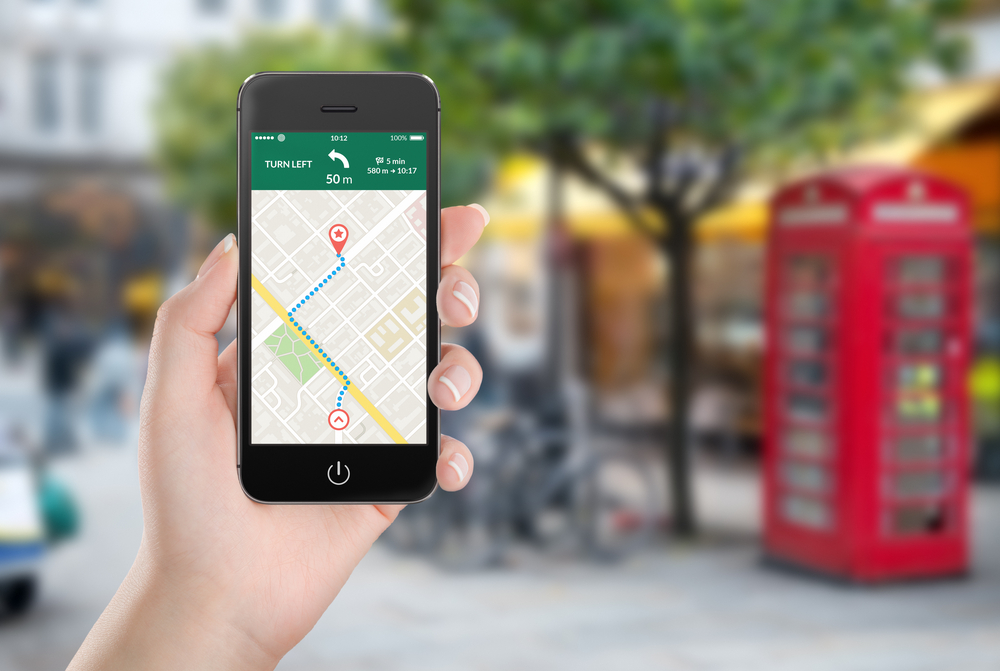
    Take your address off of Facebook. If you’ve got it posted on your profile, take it down. If you’ve tagged yourself at your house before, delete that post. Someone trying to steal your identity needs your address, and there’s no reason you should be offering it up to them on a silver platter. Not to mention, its just a security risk. If you get into a heated debate with the wrong person and they decide they want to discuss it with fists, well… Let’s just said you might wish they hadn’t been able to use Google Maps to find your house.

    Birthday

    This one goes hand-in-hand with the address advice, as it pertains to identity theft primarily. If someone has your address and your date of birth they’re able to impersonate you in a lot of online settings. Not to mention, your actual friends know when your birthday is. People who don’t know weren’t going to be sending you any well wishes other than canned greetings. You’ve got nothing to lose but your money and credit score, so take that info down!

    Drunk Pictures

    Maybe you like to show the world that you party hard. Hey, that’s cool, no judgment! Everyone likes to get a little sideways sometimes! Here’s the thing, though. You need to be really careful posting pictures of you wasted every weekend, because potential employers see it. You might think your privacy settings are high enough, but they probably aren’t. Unless you’ve got your profile absolutely locked down, you need to delete these. For one thing, it’s a good idea in general to keep these things to yourself and your friends. For another, you never know when a potential employer could be scanning your profile. Clean it up!

    Letting That One Friend Tag You in Inappropriate Things

    This one falls into the same category. You know the friend: they’ve been tight with you since high school, you guys used to raise hell. Now they like to tag you in every offensive meme known to man. If there’s some lewd, bawdy or otherwise disrespectful image on Facebook, this friend has tagged you in it. Employers see this stuff, your family sees this stuff, it’s just a bad look. But you don’t want to stop being their friend on Facebook, they’re hilarious! Well, you just need to enable Timeline Review. It’s a simple step, but it’ll save you a ton of headaches. This way you’re in direct control over what you can be tagged in. It’s win-win!

    Don’t Add Your Boss

    Adding your boss is about the worst thing you can do for job security. Your boss is a person too, sure, and I bet you’d like to be their friend. But trust me, adding them on Facebook can only complicate a professional relationship. They don’t want to see your beach pictures anymore than you want to see the 3000th picture of their grandkids. Not to mention, if your political views don’t align and they take offense to something you say, you might be seeking new employment. It’s best to just avoid this awkward situation altogether.

    Pictures from Vacation

    To clarify this one: feel free to post all the beach pictures you want! However, make sure you wait until you get home. If you’re posting pictures at the airport, on the plane, at vacation, you’re giving potential burglars info. A lot of info. Like, how far you are from the country and your house. Make sure you just wait until you get home to post all those fun vacation pics. Besides, why are you on Facebook when you’re in the Caribbean? Go enjoy your vacation!

    Getting into Fights

    Stop doing this. We’re all guilty of it, but we all have got to stop. You’re not going to sway anyone’s opinion by getting into a virtual shouting match. Hopping in the comment section of some controversial post is just going to piss you off. You’re going to get riled up, stressed out and antsy over people you’ve never met. It’s just not good for your energy. Instead, just log out and walk away. Go read a book or take a walk!

    Phone Number

    Maybe Facebook told you it would help secure your profile. Maybe you thought it would be helpful for friends that lost their phones. In any event, you need to take your phone number off your profile. Scammers, telemarketers and pranksters are all able to see that number. You really don’t need those types of people calling you and bothering you! Not to mention, it’s also more ammunition for identity thieves. Play it safe out there!

    Take Down Pictures of Exes

    This one isn’t related to security, but to your mental health. Not to mention the future of your love life. You need to take those pictures of you and your ex down. Maybe you want to save them somewhere, and that’s fine. Everyone likes to reminisce sometimes. But you have got to take them out of the public space that is Facebook. Potential relationships could be complicated by images of you and your ex. What’s more, the “Your Memories” feature will dredge these up from time to time to give you a gut punch. Save yourself the trouble and take these down.

    The Thing You Should Stop Doing on Facebook Immediately: Posting About the Gym

    Stop posting about your weight loss progress and your sick gains. Stop taking selfies in the gym. Don’t take mirror pictures in the gym. Don’t take pictures in the gym’s locker room. Please, just stop. No one freaking cares. Start a fitness blog for your journey to skinny or whatever it is you’re doing. No one gives a single flying frack what you’re doing in the gym. Posting about it nonstop makes you come off as self-absorbed, condescending and fat-shaming and you need to quit it.

    Alright that last one got away from me a bit, but you know what I mean. I get that you want to share your success. I know it must feel good to hit the gym and make yourself and strong. And it’s probably awesome to lose weight and look skinny! But really, stop getting all up in everyone’s face about it.